
Summary
The article explains what a child theme in WordPress is. It defines a child theme as a separate theme that inherits styles and functionality from a parent theme so you can customize safely without losing updates.
It also highlights how child themes work, why they matter, and when to use them. Helping readers understand and apply child themes for safer WordPress customization.
A WordPress child theme allows you to personalize your site without modifying the parent theme files.
This is important, as anytime the parent theme is updated, any modifications to the code files will be erased. While you can make a child theme from scratch in the files with code, it’s easier to generate quickly.
In this blog, we are going to quickly create it using a generator and provide you with enough information to understand why it is helpful for customization of an existing theme securely.
Cyberchimps Responsive is the Best WordPress Theme – Get it for free!
What is a Child Theme in WordPress?
A WordPress child theme is a variation of a current theme. You can also modify it without changing the original coding, for example, adjust colours, fonts, layout, or functionality.
It will inherit all design, build, and feature elements of the parent theme. It will contain your changes in a separate environment.
Organising your changes through the child theme will keep your site uniform, even if the parent theme updates.
It’s the easiest way to organise changes to a site for long-term safety, methodically. It can also facilitate re-application of customisations for the same site, as well as for future sites, with a generator.
Why Use a Child Theme in WordPress?
A child theme provides your WordPress site with safety and flexibility. It allows you to change the design or functions without harming the parent theme.
All customisations, designs, and modifications live in the child theme, so there is no way for an update from the parent theme to overwrite your work. Each time there is an update to your parent theme, your website remains stable and unchanged.
Child themes offer creative freedom for developers or designers. You are able to add new templates or scripts and modify existing ones as long as you do it under the child theme. Everything is neatly organised under one theme.
If you are constantly modifying your styling, or CSS, then use a child theme. The customisations you make will always remain protected after an update.
Simply stated, a WordPress child theme is a safe, future-proof option.
Create A Child Theme Using the Responsive Theme Child Theme Generator
The Responsive Child Theme Generator helps you create a child theme quickly and easily without using coding! In a few clicks, you can create and install your WordPress child theme in just minutes.
Follow these simple steps to get started with the Responsive Theme Child Theme Generator to create your child theme:
Go to the Responsive Child Theme Generator tool.
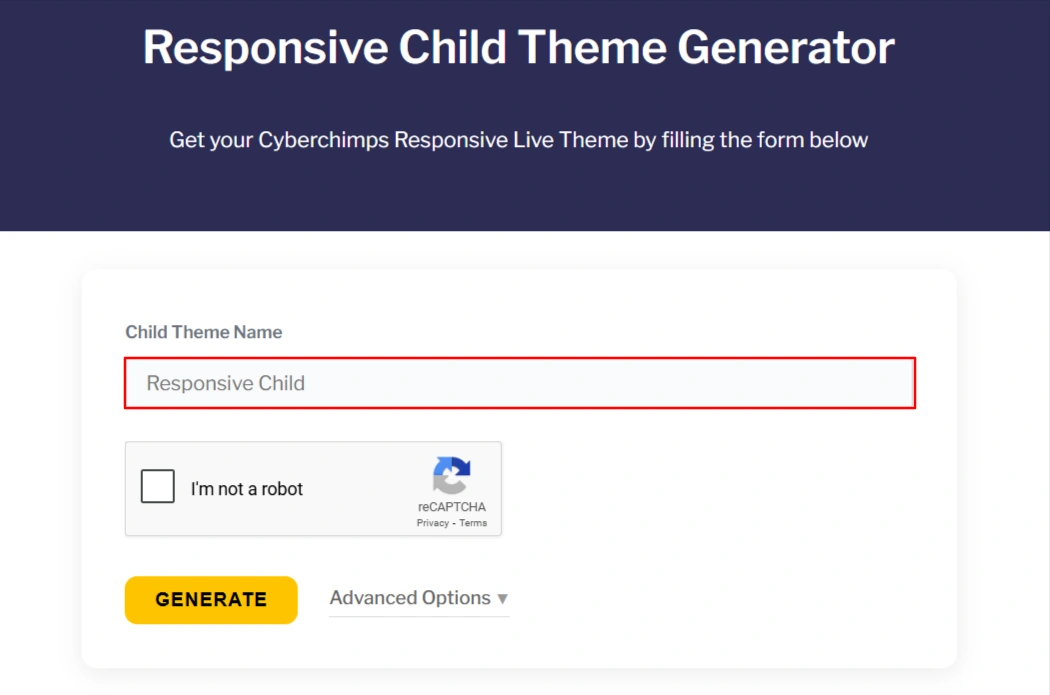
Type in the Child Theme Name.
Either you can click Generate or if you’d like to include some extra details, select Advanced Options and include any of the following:
- Author name
- Theme description
- Folder name
- Screenshot or custom thumbnail
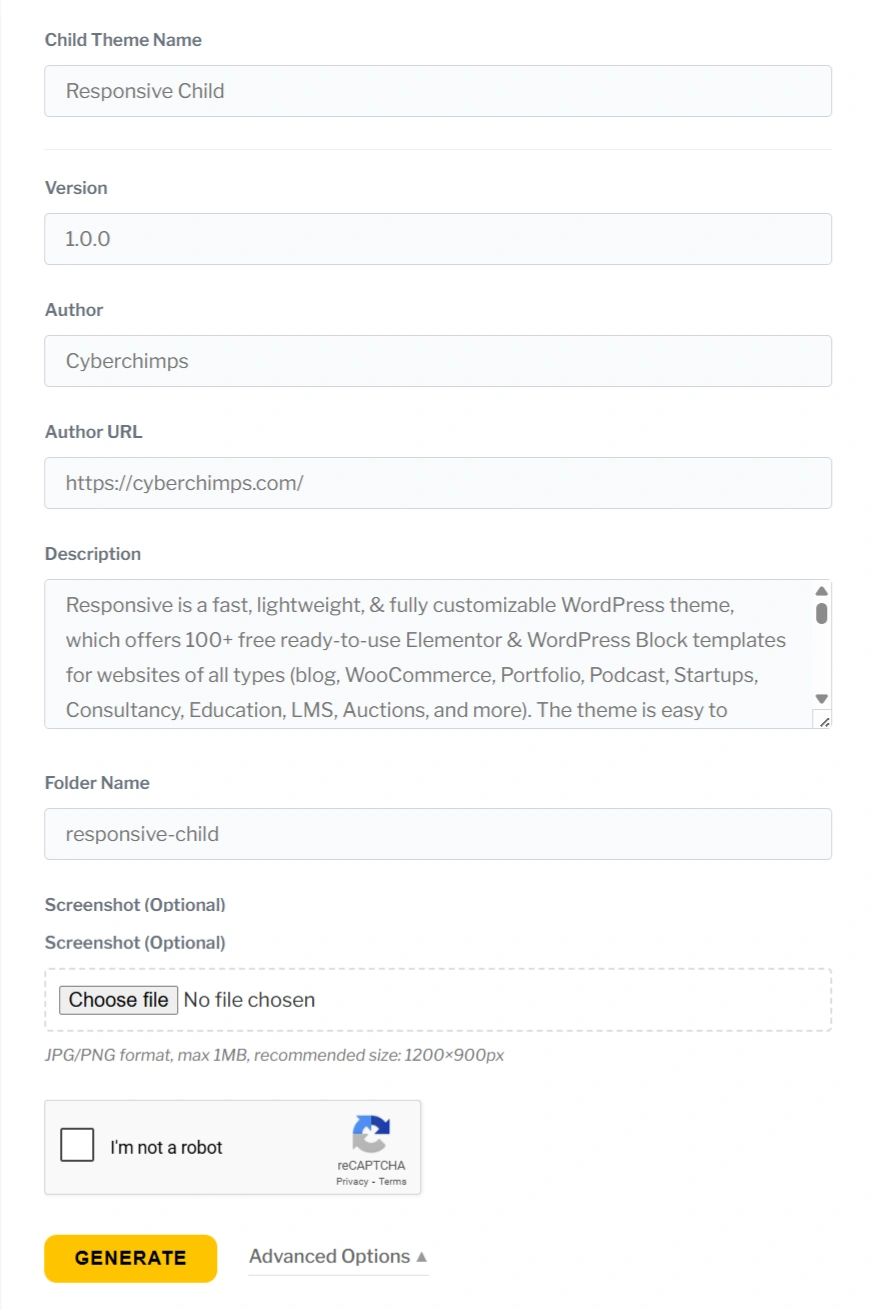
When finished, click Generate.
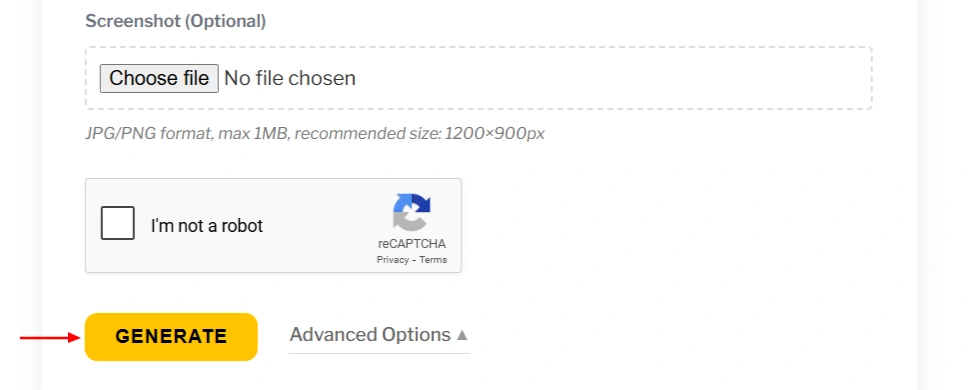
Once done, the generator will immediately create the child theme and download it to your computer (or your browser will prompt you to download the .zip file).
Upload the downloaded zip file to your WordPress site:
Go to Appearance > Themes > Add New
Click on Upload Theme > Choose file > select the downloaded .zip file > click Install Now
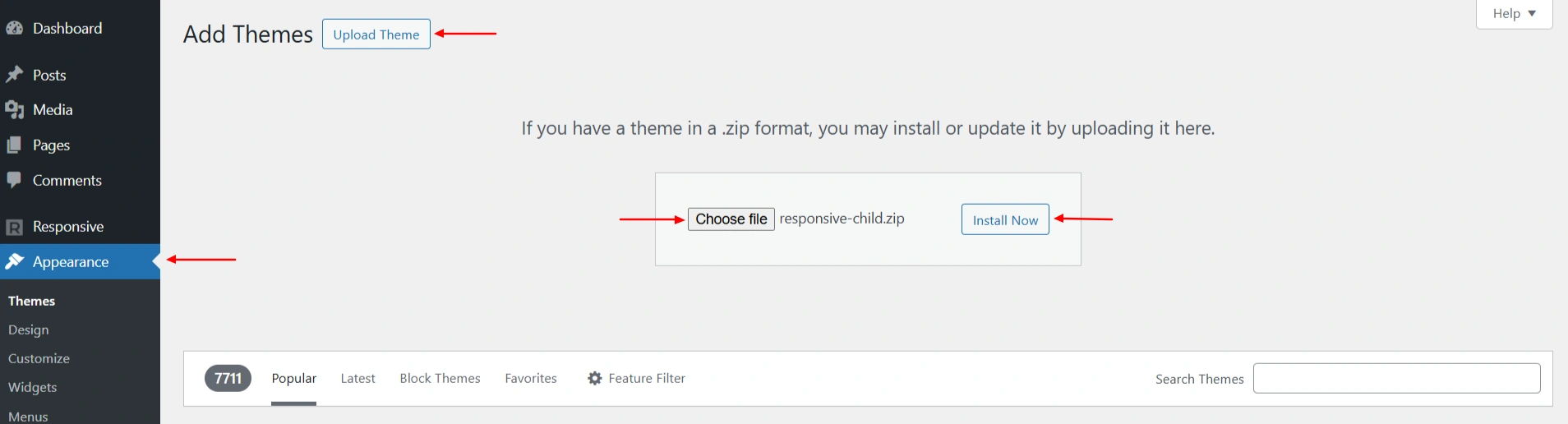
After the installation completes, click Activate.
Now, you have a Responsive Child Theme ready to customize through the WordPress editor. You can make safe changes to the styles, layout, and functions while leaving the parent Responsive theme completely unaffected.
Do you need a child theme for WordPress?
A child theme in WordPress provides a contrived advantage of customization. This essentially means you are still utilizing all features of the parent theme whilst customizing the code.
This can create modern customizations which won’t affect the original code functionality and any future updates. It also serves as a safety net in case an adjustment is not correct and allows you to track your changes since child theming features depart from the original parent theme in most cases.
FAQ
No, not every website requires a child theme. It is mainly useful if you will be making code-level modifications or design changes often.
When you deactivate the child theme, everything returns to the parent theme. However, the customization made inside the child theme will not appear, until it is activated again.
Yes, a parent theme can have multiple child themes. Each child theme can have different customizations and styles.
No, your child theme won’t be hindered by any updates to the parent theme, as the customization made in your child theme is held separately in the parent theme files.
Conclusion
WordPress child themes provide a powerful and significant way to create a completely new project on the basis of the existing parent theme’s features and functionalities. The good thing is you can easily do this without breaking or messing up with the core functionality of the website or the theme.
Just with a bit of straightforward directory management and coding, you can modify as well as alter the child theme however you would like; thus, offering an extensive range of design possibilities.
So, if you are using the Responsive theme and think that one mistake can create a blunder on your website, create a child theme and keep your site safeguarded.
Install the Responsive Theme today to design with more flexibility.





