

Summary
Comparing RAE and Ultimate Addons in terms of their widgets, customisation, performance and ease of use to help answer this question.
Ultimate Addons would be the best choice if you need advanced WooCommerce features or create with a structured workflow.
However RAE would be the better choice for less restricted creation, more free widgets and a faster workflow. You need to install the plugin and test out the few widgets to see how easy it is to create with each option before deciding which one is best for you.
Let’s get straight to the point.
If you’re trying to decide between Responsive Addons for Elementor (RAE) and Ultimate Addons for Elementor. Or maybe you are specifically looking for RAE vs Ultimate Addons for Elementor, then you are not looking for just a long list of random widgets but something more practical.
You want to know which plugin makes it easiest to create your Elementor site without slowing you down or forcing you into upgrade mode. Sounds familiar?
This is not going to be a feature-dump article. Rather, it will give you enough information about both plugins with an emphasis on making a good decision.
- Comparison at a Glance: Responsive Addons vs Ultimate Addons for Elementor
- Why Elementor Users Look for Elementor Addons
- What is Responsive Addons for Elementor (RAE)?
- What is Ultimate Addons for Elementor?
- Widget Comparison: RAE vs Ultimate Addons for Elementor
- Performance Test Between RAE and Ultimate Addons for Elementor
- Ease of Use & Customization
- FAQ
- Conclusion
Comparison at a Glance: Responsive Addons vs Ultimate Addons for Elementor
If you don’t want to go through the full article, here’s a quick comparison to help you decide at a glance.
| Feature | Responsive Addons for Elementor (RAE) | Ultimate Addons for Elementor (UAE) |
|---|---|---|
| Widget Library | 80+ free widgets with performance-optimized code | 70+ (Free and Pro) |
| Ready-to-Use Templates | 150+ Elementor templates | 200+ section blocks |
| Theme Builder | Full Theme Builder functionality (headers, footers, etc.) | Header & footer builder available |
| Styling & Customization | Strong styling and responsive controls, device-specific controls | Clean styling & useful controls |
| Performance Aspect | Lightweight and optimized. Disable widgets that you do not utilize | Lightweight & optimized |
| Marquee | Built-in marquee scrolling widget available | No dedicated marquee widget |
| Best For | Excellent for business sites, blogs, landing pages, etc. | Great for clean & lightweight sites |
| Free VS Premium | All versatile widgets are free to use | Most advanced features in Pro |
| Unique Strength, Dependability | Large widget library, offers a good template library | Trusted & performance-focused |
Why Elementor Users Look for Elementor Addons
To understand the difference between RAE vs Ultimate Addons for Elementor, I will first take you through why people rely on Elementor addon plugins.
Elementor page builder is an amazing platform to create and design your website, no doubt in that.
However, if you’ve spent some time designing real websites using Elementor, you probably have experienced there are some limiting factors.
So what do most people do? They typically start installing different addon plugins to their Elementor website. At first, it feels like a great decision.
But then an unexpected set of events takes place:
- After you install one add-on, you feel like you are still missing something.
- After you add the second add-on, the interface becomes too cluttered.
- After adding a third add-on, your website’s performance starts decreasing.
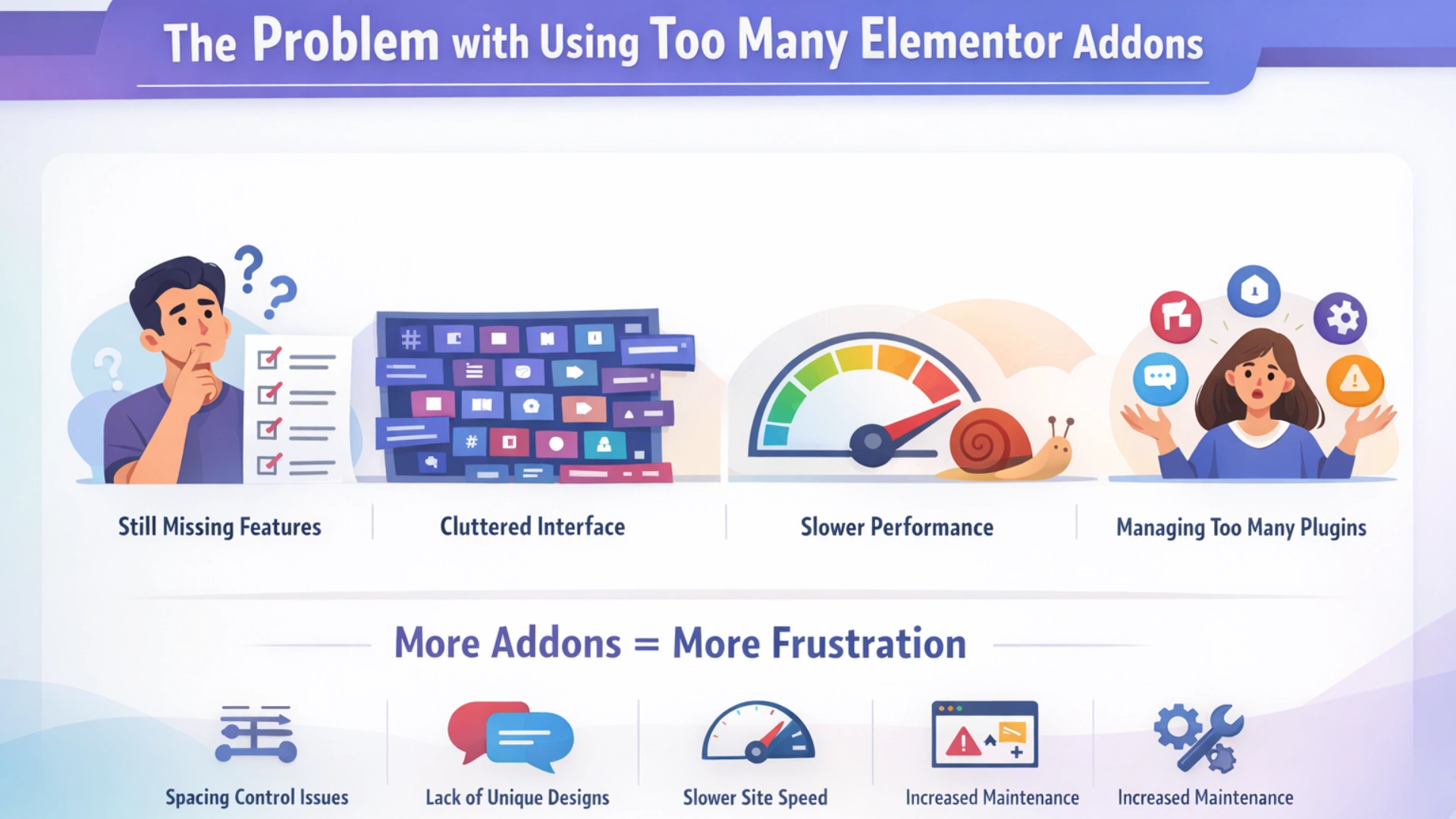
You are now managing several plugins instead of focusing on building pages.
This is a real issue that most of the comparisons tend to overlook. It is not about which plugin has more widgets. It is about how much each plugin decreases friction while building.
With this in mind, I have created this comparison article based on real-world use, where I have:
- Installed both plugins.
- Tested out some of the most commonly used widgets.
- Compared how deeply you can customize each widget.
- Tested how fast each plugin performs.
- Compared how easy it was to use both plugins from the back end.
So you will finally be able to select the best plugin for your website-building requirements.
Now, let’s start this RAE vs Ultimate Addons for Elementor comparison by understanding what each plugin offers.
What is Responsive Addons for Elementor (RAE)?
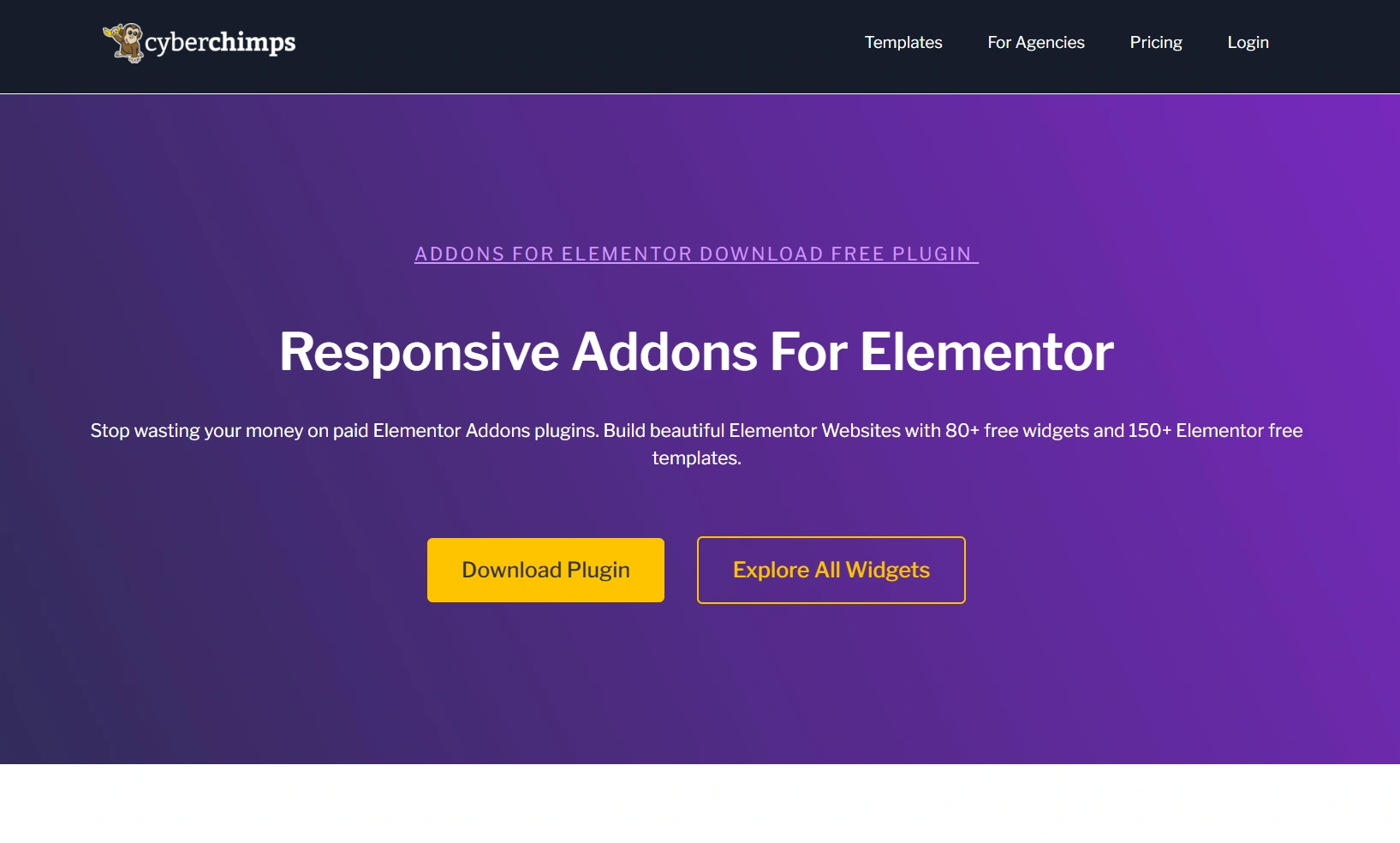
???? My Real-World Test Results:
- Number of widgets: 80+
- GTmetrix Performance Score: 100%
- Includes Cross-site Copy-paste feature
- 5+ Extensions like Scroll animations, Sticky Section, Page Duplicator, & more.
- Save design time with 100+ Premium-grade Starter templates
CyberChimps developed Responsive Addons for Elementor, an advanced Elementor addon plugin. It provides additional widgets to help you create more engaging, conversion-centric websites without needing multiple plugins or premium features.
Most Elementor addons lock out certain core features for free users and include them only in paid versions. RAE widgets were designed with usable, practical widgets that provide solutions for both design and marketing needs, all within the free version.
Key features of Responsive Addons for Elementor:
- Over 80+ widgets for use cases involving design, marketing, and WooCommerce.
- All widgets are available for free.
- Engagement-enhancing elements like carousels, testimonials, pricing tables, etc.
- Interactive widgets such as modal popups, content switchers, etc.
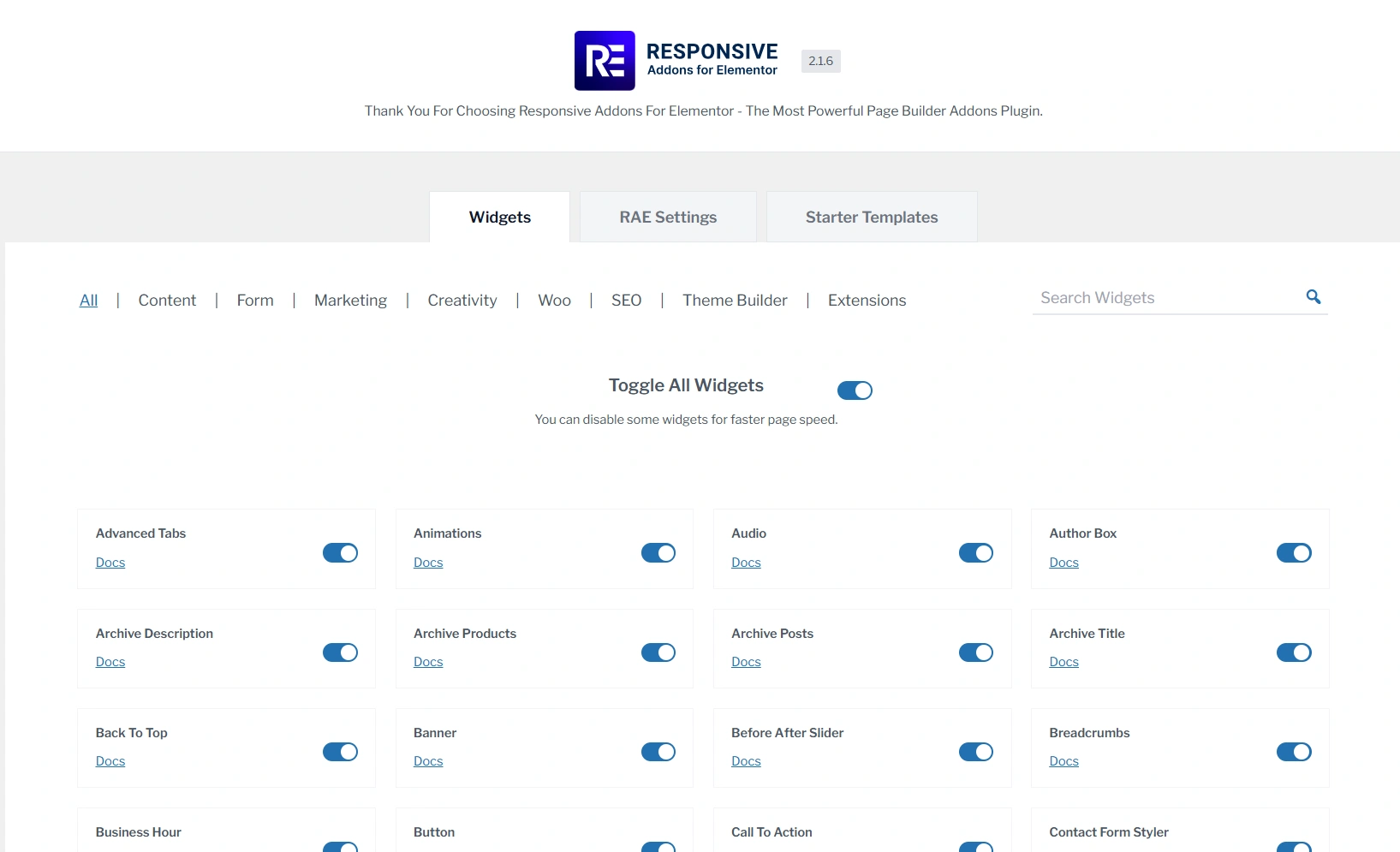
- Enable or disable widgets as required.
- Clean and beginner-friendly interface, easy to use.
- Compatible with most Elementor themes and workflows.
What Makes RAE Different and Who Can Use it?
The biggest difference with RAE is that there are no paid limitations you constantly run into. This uninterrupted flow helps you stay focused while designing. You can continue to build, design, and iterate without worrying about having to adjust your layout due to a lack of options.
RAE is suitable for:
- Every Elementor user who want a more powerful solution with no request for upgrades.
- Freelancers who create landing pages and client websites.
- Marketers focused on conversions and interactive sections on their websites.
- People who prefer using fewer plugins and a streamlined workflow while building websites.
In other words, RAE is not only about giving you more widgets, but also about providing you with greater ease in building with Elementor and removing unnecessary friction.
What is Ultimate Addons for Elementor?
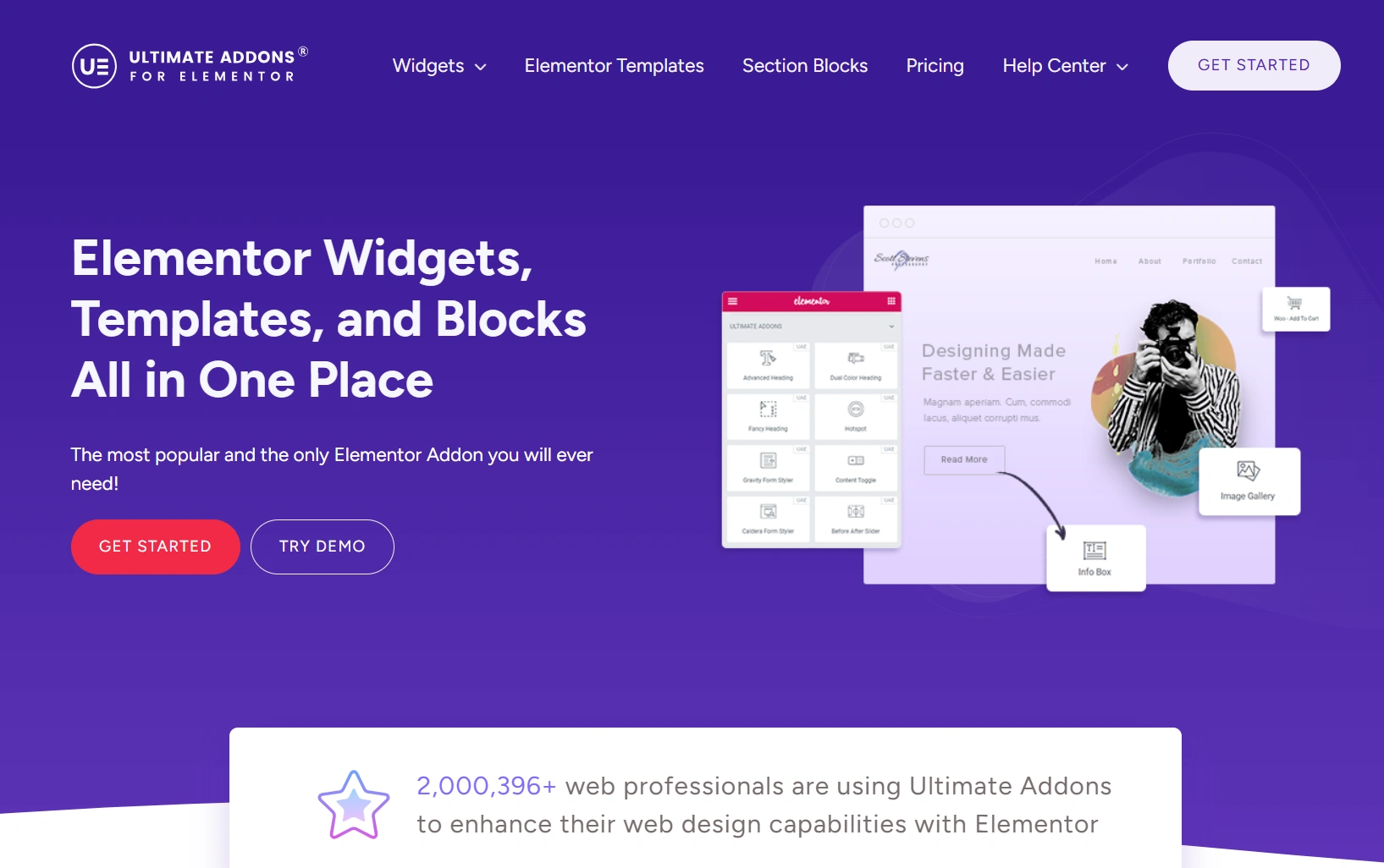
Ultimate Addons for Elementor is a popular addon by Brainstorm Force. It provides additional widgets and other site-building features to enhance Elementor’s core functionality. It comes with a structured, consistent toolkit for building professional websites with an eye towards scalability.
Ultimate Addons for Elementor is an upgraded version of Elementor Header and Footer Builder by Brainstorm Force.
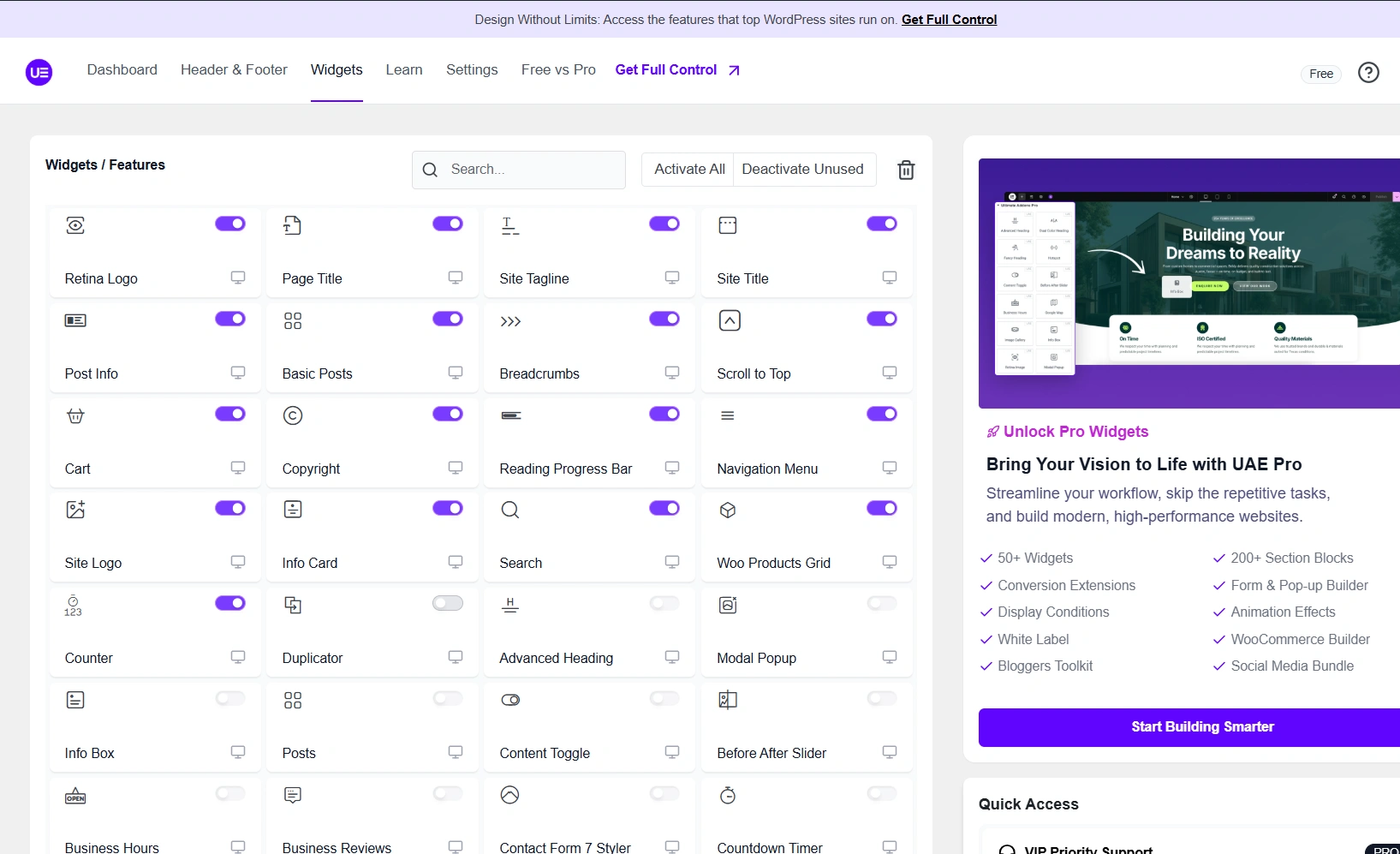
I installed the UAE plugin and realised that there are a limited number of advanced widgets available in the paid version, and only a few of those features are available for free.
After going through the plugin I got to understand that UAE is geared toward stability and predictable behavior. This is a good thing for websites that are heavily content-driven or use WooCommerce.
Key Features of Ultimate Addons for Elementor
- 50+ widgets focused on WooCommerce, content, & structure.
- Important widgets like navigation menu, site logo, & breadcrumb.
- Strong WooCommerce widgets for product grid, cart, & layout.
- Pre-made templates and blocks are available for quick site setup.
- With a modular structure, widgets can be easily enabled and disabled.
- Clean & organized interface in Elementor.
What Makes Ultimate Addons Different and Who Can Use It?
Ultimate Addons differs from other plugins because they focus on simple, basic widgets and they concentrate on stability and predictability by providing project output you can count on.
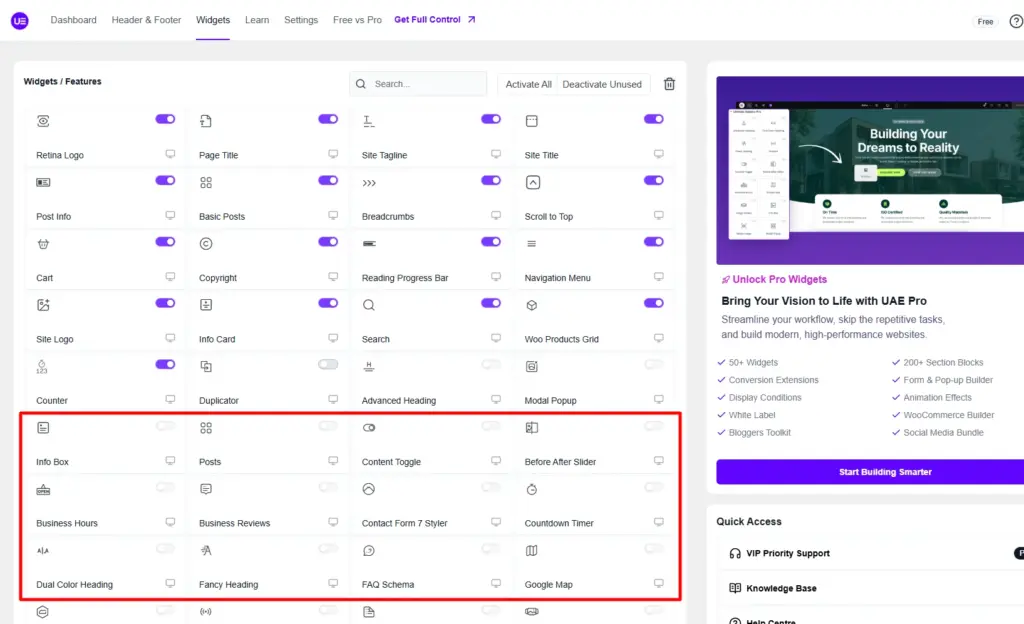
Thus, it’s good to use in workflows where reliability is a greater priority than experimenting. However, many of the advanced widgets are only offered in the paid version (like mentioned below). So your process may sometimes be dependent upon whether or not a specific feature is unlocked.
Ultimate Addons for Elementor is Suitable for:
- Users which create structured client websites.
- Developing large WooCommerce projects.
- Developers who prefer a more consistent and predictable toolset.
- Projects needing consistent layout standards can last long into the future.
To summarize, I would say Ultimate Addons for Elementor is less about broadening the creative possibilities and more about creating a stable, organized framework to build your website using Elementor.
Widget Comparison: RAE vs Ultimate Addons for Elementor
Now, let’s concentrate on the practical use of the widgets in Elementor. I have compared similar widgets available in both plugins.
Below is a brief overview of the number of available widgets across each plugin in total. How many of those widgets are free and paid, as well as some quick high-level thoughts about the access of free versus paid widgets.
| Plugin | Total Widget Count | Free Access | Paid Dependency |
| RAE | 80+ | Most widgets free | Minimal |
| UAE | 50+ | Limited free access | High |
At this point I can see that RAE provides a greater number of widgets available for free than UAE.
I have listed some of the most commonly used widgets in the RAE and UAE plugins:
| Widget | RAE | UAE |
| Modal Popup | Free | Pro |
| Content Switcher | Free | Pro |
| Pricing Table | Free | Pro |
| Testimonial Carousel | Free | Pro |
| Advanced Heading | Free | Pro |
| Site Logo | Free | Free |
| WooCommerce Grid | Free | Free |
| Team Widget | Free | Pro |
| Form Styler | Free | Pro |
| Breadcrumbs | Free | Free |
While creating this list of common used widgets I observed that UAE has same widgets as RAE placed under different names. Such as Pricing Table is seen as Pricing Box and Testimonial Carousel is seen as Business Reviews.
Here’s a tip for you all, you can’t compare things using comparison charts. You have to use the product itself.
So get the Responsive Addons for Elementor, and then try doing a basic landing page with any of these widgets listed above. This way, you’ll be able to see how they work together in your own process.
Learn how to install Responsive Addons for Elementor and make your website-building process smoother than ever.
Responsive Addons for Elementor is the Best Elementor Addons plugin – Get it for free!
Performance Test Between RAE and Ultimate Addons for Elementor
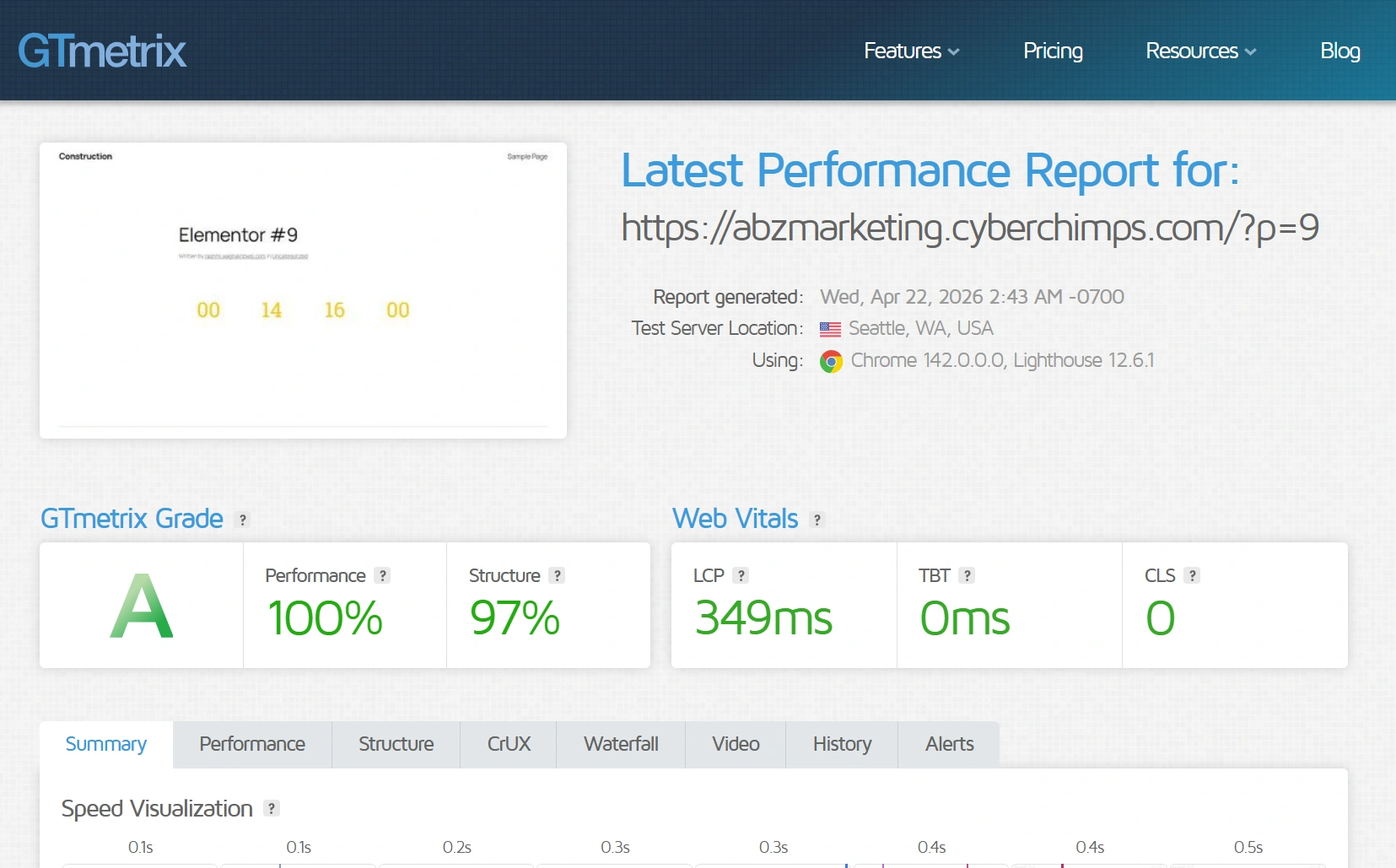
Performance Test Result of Responsive Addons for Elementor
For the Responsive Addons performance test, I have installed only the RAE plugin on a vanilla website. After that, added countdown widget and conducted the performance test using GTmetrix.
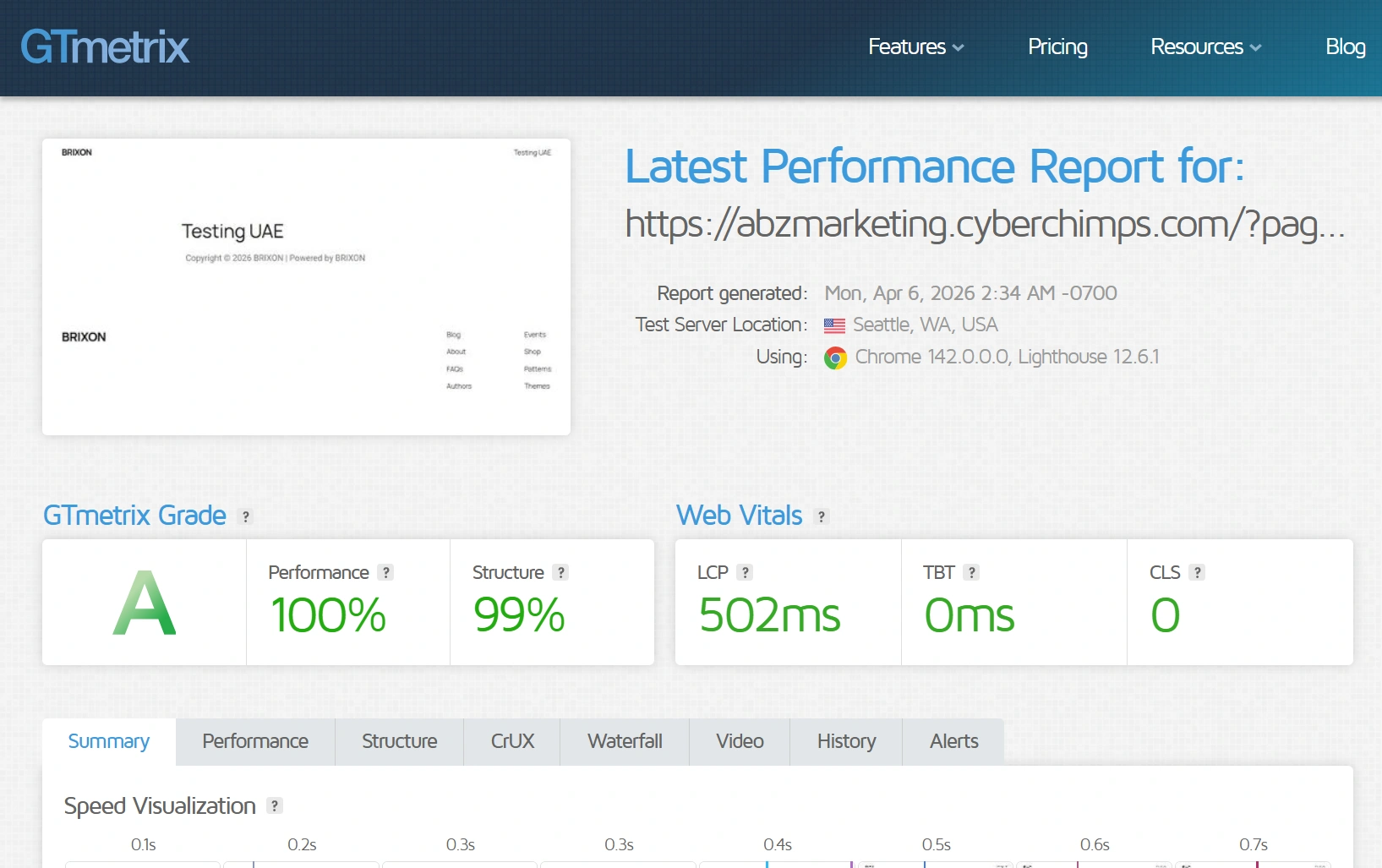
Performance Test Result of Ultimate Addons for Elementor
Similarly, for the Ultimate Addons performance test, I have installed just the UAE plugin on a vanilla website. After that, added Copyright widget and conducted the performance test using GTmetrix.
Ease of Use & Customization
One of the most important parts of this RAE vs Ultimate Addons for Elementor comparison is how easy each plugin is to use in real use cases.
Workflows and speed of building will be influenced by the ease of use when you regularly use Elementor. To evaluate this properly, I have tested both plugins inside the Elementor editor, focusing on:
- Backend navigation and widget discovery
- New user set-up experience
- Customization depth on commonly used widgets
Backend Experience
Responsive Addons for Elementor
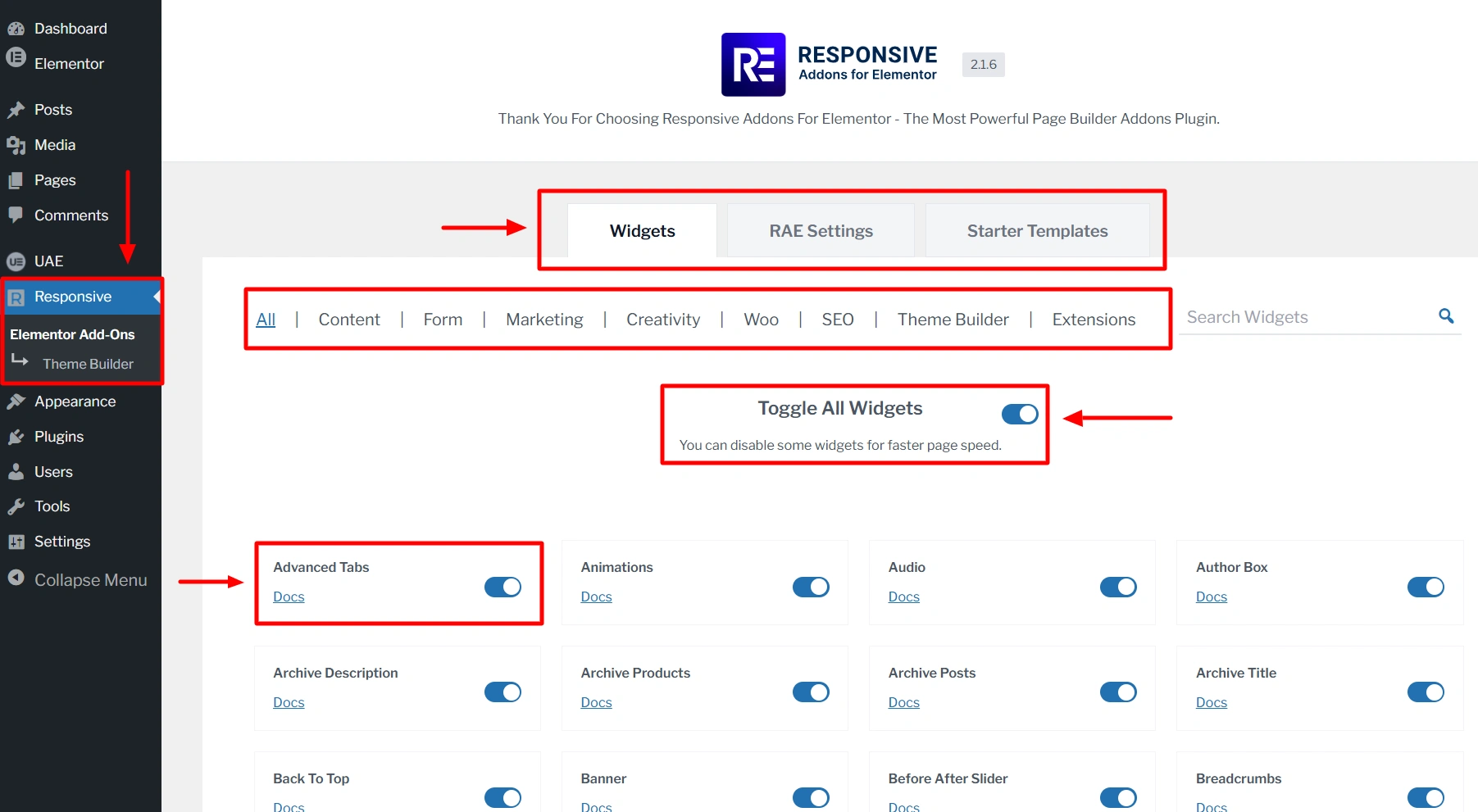
I went through the RAE dashboard and realised that it is designed for simplicity. The interface is clutter-free, and the widgets are easy to locate category-wise. It’s very easy to enable and disable widgets. For the new user of Elementor addons, getting started with RAE is quick and simple.
You don’t have to look for where things are. You just start building your website.
Ultimate Addons for Elementor
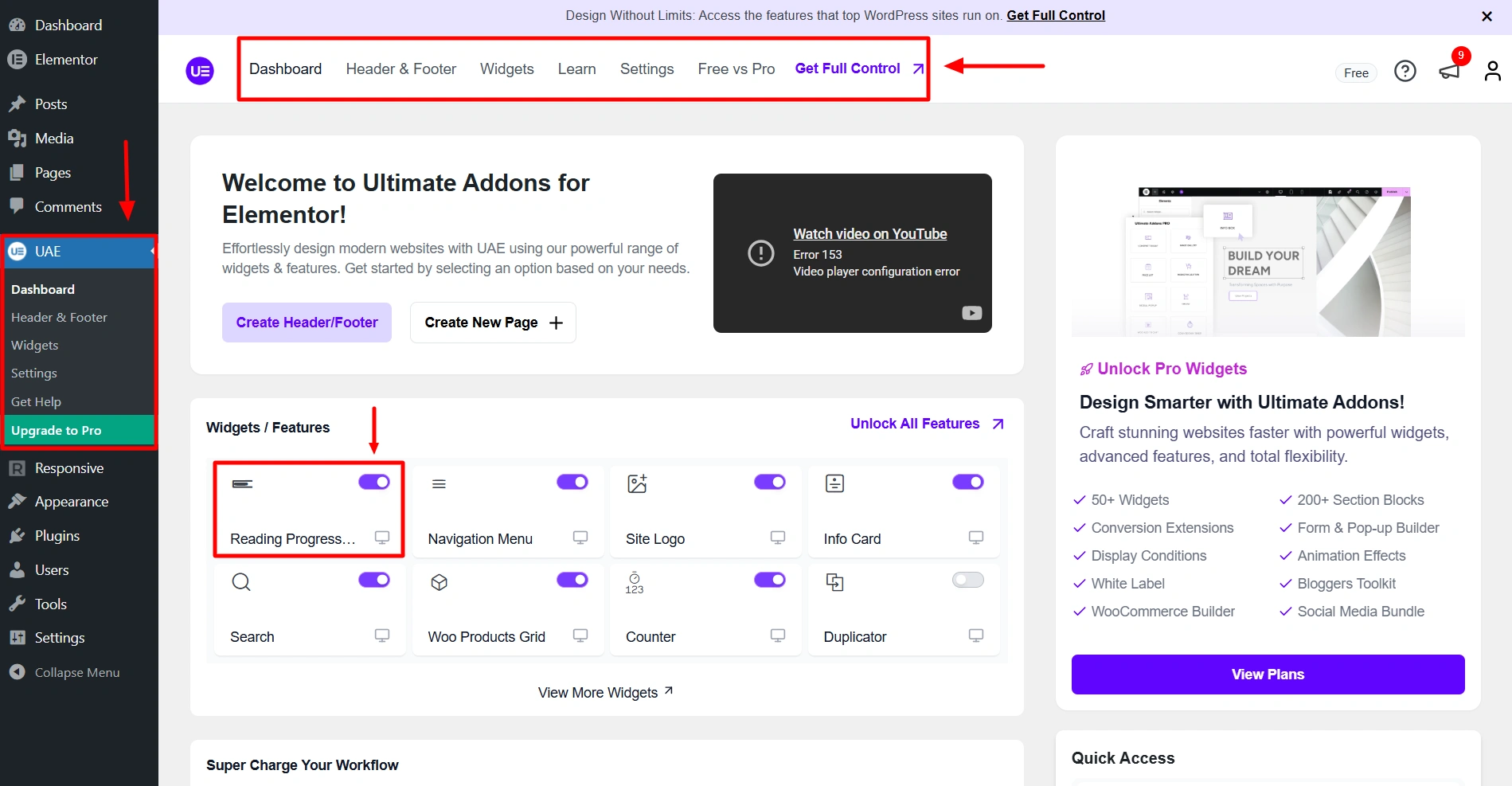
On the other hand, UAE’s dashboard is more structured than RAE. The user interface is organized, but somewhat heavier. It has the feel of a system developed to deliver consistent results more than speedy results.
Once you are familiar with the UI, it functions well, but you will face a somewhat larger initial learning curve than with the RAE.
Hands-On Testing of Widget-Level Customization
In order to better evaluate the two plugins beyond their surface comparisons, I put a few commonly used widgets in both plugins through a test.
1. Modal Popup
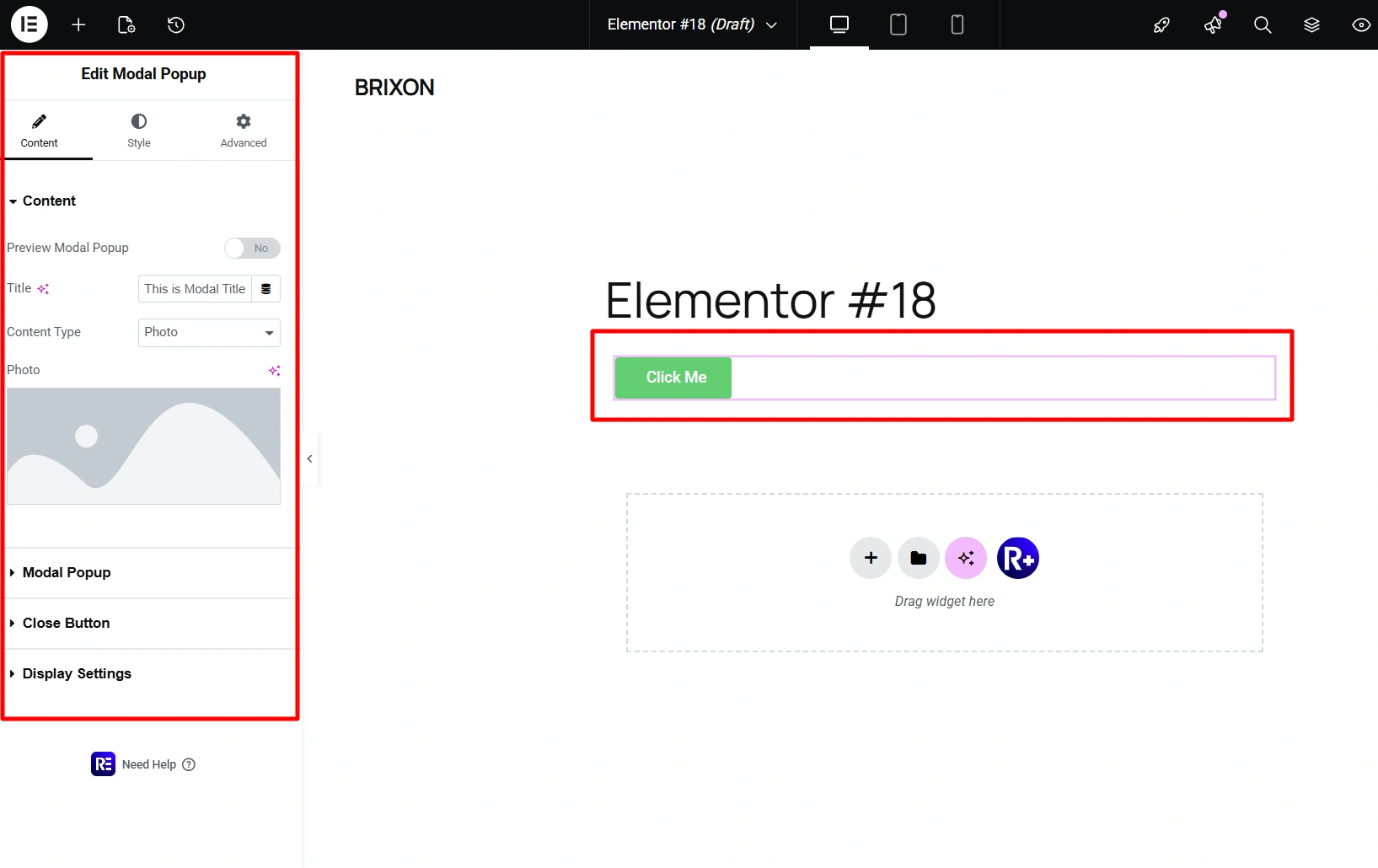
- RAE: Allows for flexible triggers, visual control, and ease of usability while styling the widget directly in the editor.
- UAE: I could not use it, because free version of UAE does not include Modals (Pro-only feature).
My observation: RAE provides immediate usability without any upgrade requirements.
2. Content Switcher
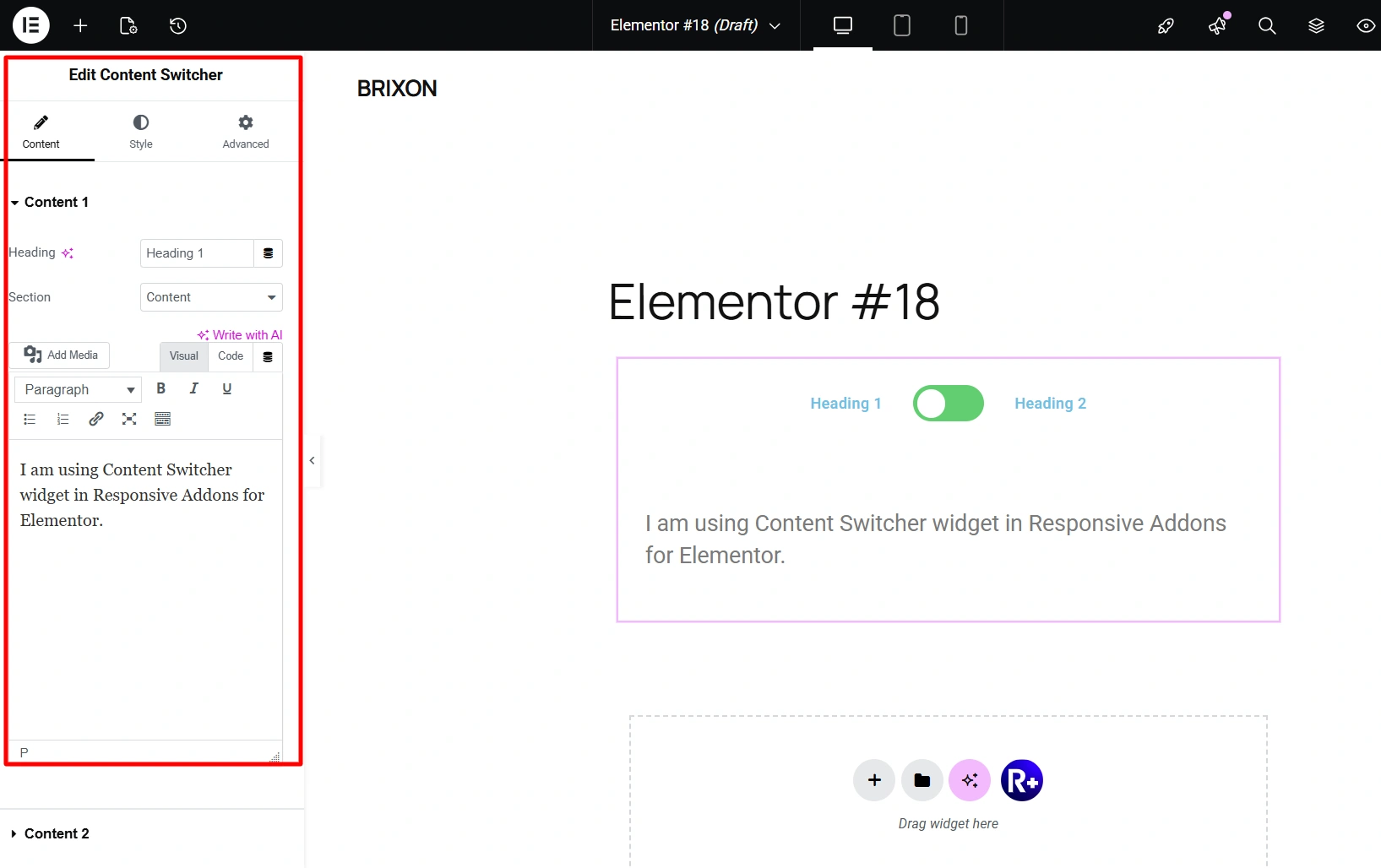
- RAE: Extremely easy to set up, intuitive controls, quick to implement.
- UAE: Once again, the widget was limited to the paid version. The free version does not include Content Toggle (Pro-only feature).
My observation: RAE seems to have a faster response time and therefore provides for greater flexibility when working with sections that have dynamic content.
3. WooCommerce Widgets
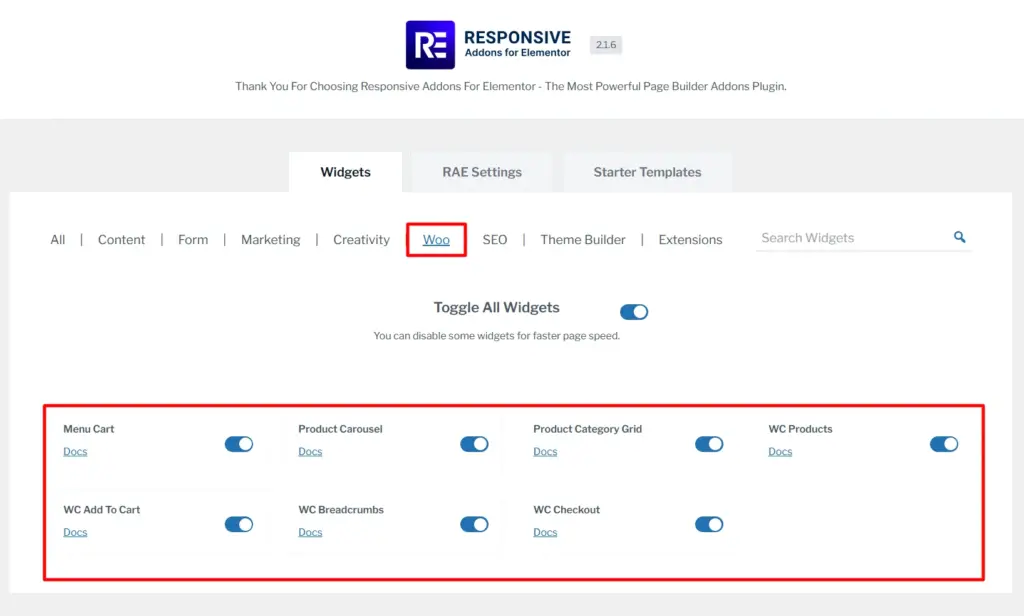
- RAE: Has all the WooCommerce widgets to be able to create a basic online store.
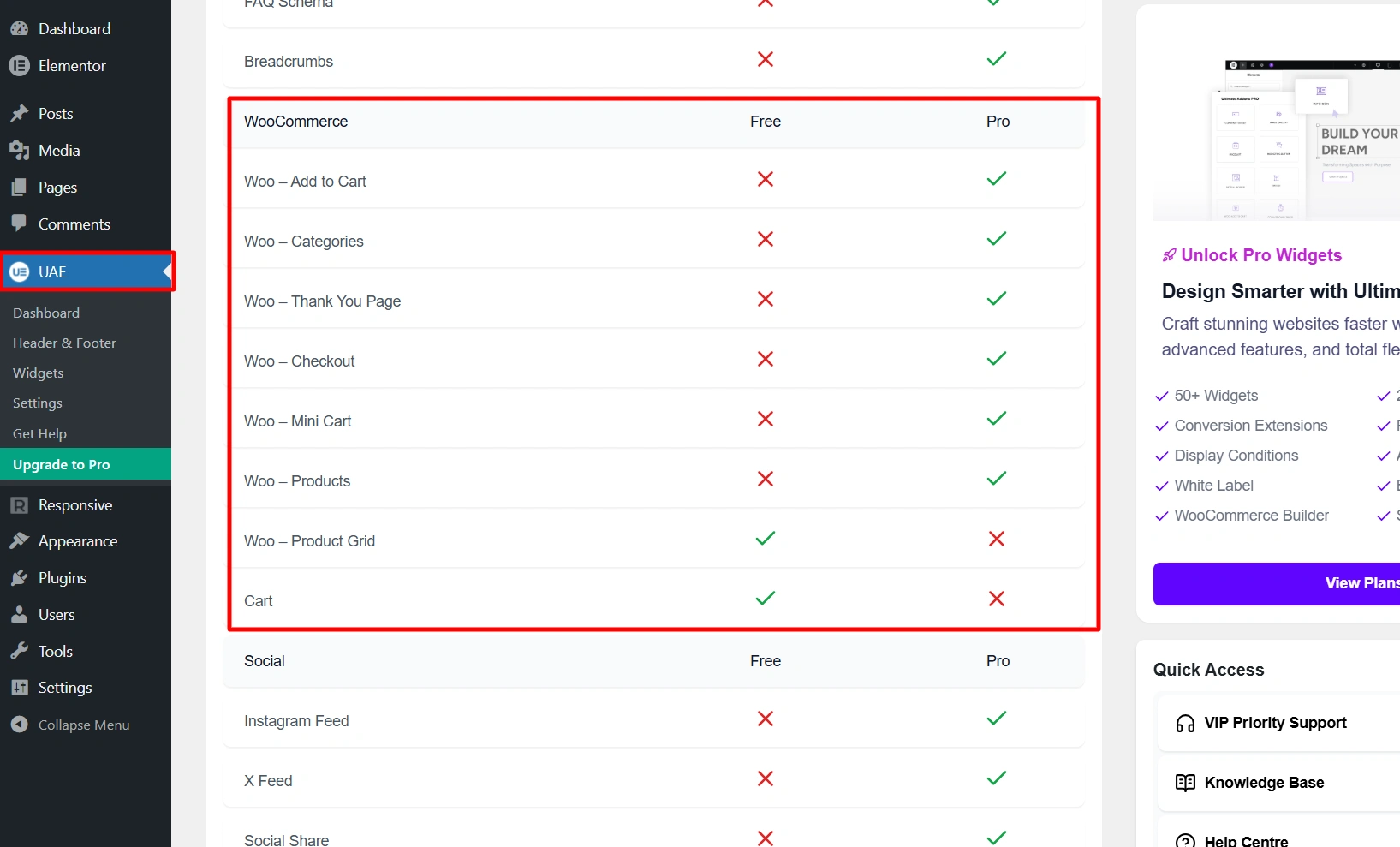
- UAE: Contains many of the more advanced controls and deeper integration into WooCommerce. Out of which few are free to use and most of the advanced widgets are limited to paid version.
Areas Where Ultimate Addons for Elementor Provide a Clear Advantage
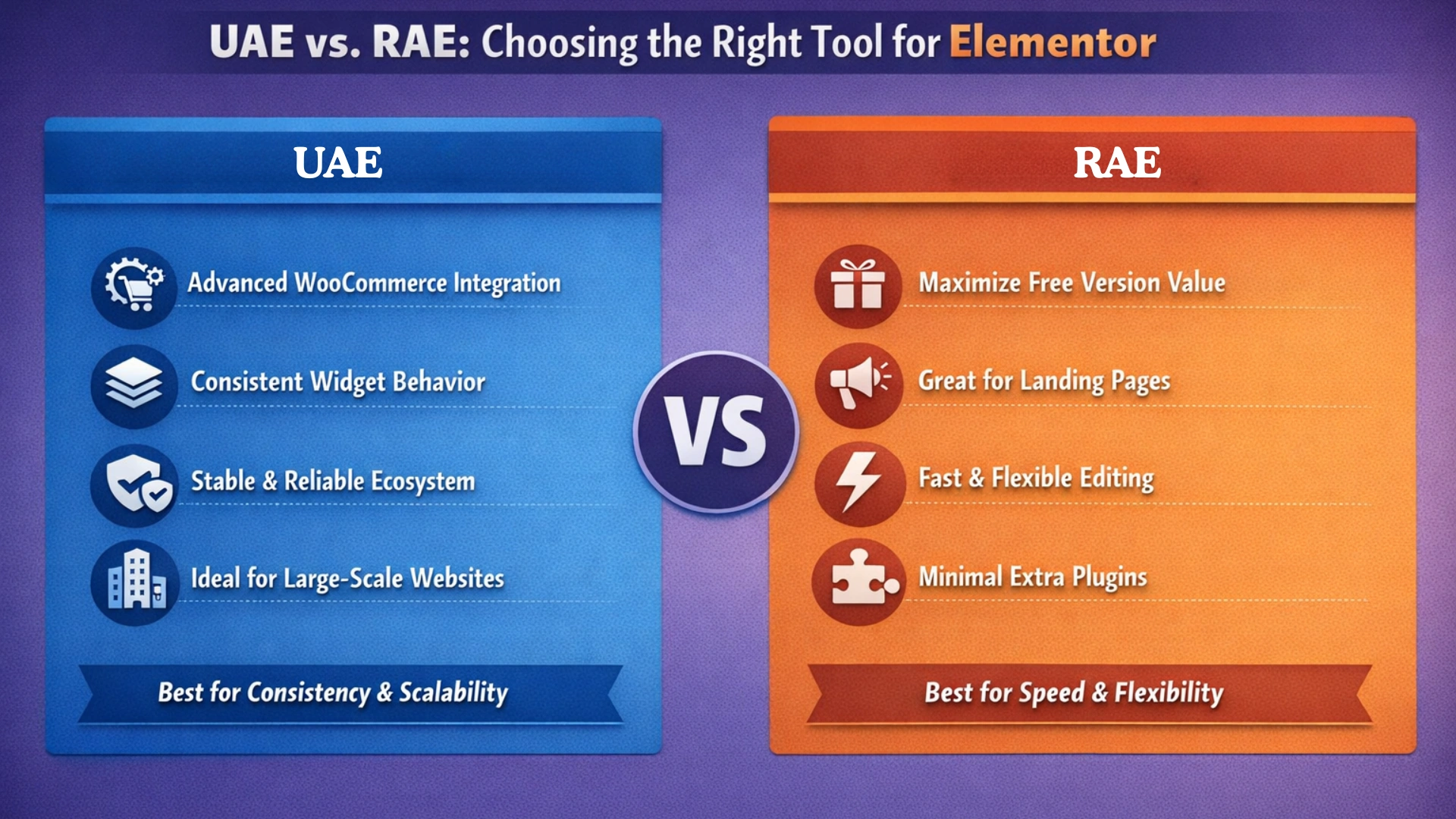
After going through both the plugins and using the widgets they offer, I saw that there are definitely areas in which both products are similar. But, there are also many areas where Ultimate Addons for Elementor (UAE) provides a strong benefit:
- More advanced controls and deeper WooCommerce integration.
- More structured and consistent widget behavior through multiple projects.
- A more mature ecosystem centered on stability and long-term reliability.
- Better for building large-scale and enterprise-level websites.
All of the above will make UAE an excellent selection for projects that require consistency, scalability, and advanced eCommerce functionality.
Areas Where RAE Provides a Clear Advantage
RAE is the better option when your goal is to:
- To get the maximum value from the free version of the plugin.
- Build landing pages or marketing-oriented sections.
- Be able to iterate quickly and not hit feature restrictions.
- Minimize the need to use a number of additional plugins.
Both products will work and be well-designed for all of your needs. However, they optimize your workflow in very different ways.
- UAE places an emphasis on consistency and a more organized workflow.
- RAE places an emphasis on speed, flexibility, and accessibility.
If your intent is to produce the best possible finished product using the Elementor page builder, RAE tends to be the most logical choice. It feels much more natural while working through the Elementor editor.
FAQ
Responsive Addons for Elementor is a free Elementor addons plugin with 80+ widgets mainly focusing on design, marketing, and usability.
RAE is typically better suited because there is more choice of available widgets that are free. Therefore, it reduces the number of premium upgrades required.
The widgets are not identical, but both addons include a lot of the same core widgets, plus more options for design-based widgets.
The performance difference between the two plugins will usually be caused by how they are being used rather than how they are built.
Yes, the majority of the widgets offered in RAE are free.
The best addon depends on what type of development you are doing:
– Structured development: Ultimate Addons for Elementor
– Flexible and quick to develop: Responsive Addons for Elementor
Conclusion
At this point, the differences between Responsive Addons for Elementor and Ultimate Addons for Elementor should be clear. They are clear not only regarding features but also regarding the overall experience each plugin provides when building.
The main difference between the two products lies in how each plugin allows you to build your designs and the types of designers they cater to.
Both products are well built and will work for their intended purposes, but there are distinctions between them, so it’s about determining which product best fits you and your design style.
However, the best way to determine whether the plugin will work for you is to test it within your own workflow.
If you enjoyed this article, then consider reading:
- What Is A Landing Page?
- How to Create a WordPress Website Using Elementor
- What Are Widgets in WordPress and How to Use Them
By installing Responsive Addons for Elementor and testing some of the available widgets you can quickly see how the plugin performs in real-world situations. If it helps you move faster and reduces friction in the building process, then you have your answer!




