
Summary
The article explains Responsive Addons for Elementor. It defines what the addon is and its purpose. It highlights key widgets and features it adds to Elementor.
It also covers customization options that help enhance design and functionality without coding.
Elementor is a popular WordPress page builder that empowers users to create stunning websites without coding knowledge.
To further enhance Elementor’s capabilities, Cyberchimps developed Responsive Addons for Elementor, a collection of premium widgets and templates that extend your website’s functionality and design possibilities.
Responsive Addons for Elementor offers a wide range of widgets and templates that can be easily added to your WordPress website to create unique and visually appealing designs.
We’ll look into it in more detail in this article. So, let’s dive in!
Responsive Addons for Elementor is the Best Elementor Addons plugin – Get it for free!
What is Cyberchimps Responsive Addons for Elementor
???? My Real-World Test Results:
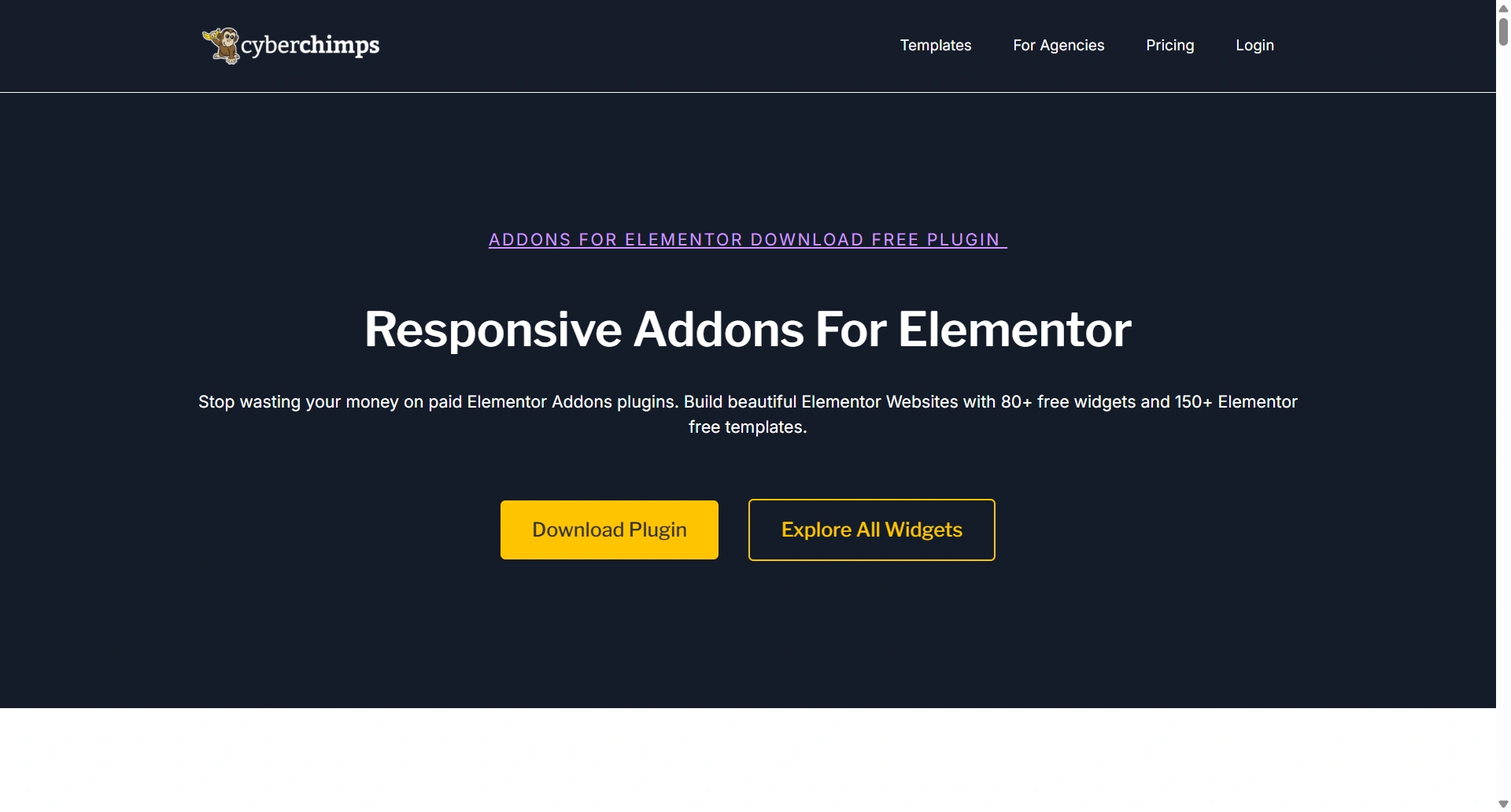
- Number of widgets: 80+
- GTmetrix Performance Score: 100%
- Includes Cross-site Copy-paste feature
- 5+ Extensions like Scroll animations, Sticky Section, Page Duplicator, & more.
- Save design time with 100+ Premium-grade Starter templates
Responsive Addons for Elementor is a free WordPress plugin that improves the functionality of the Elementor page builder by integrating with it.
It offers over 80+ widgets that can be used alongside Elementor’s built-in widgets.
While Elementor provides features for responsive editing and managing values across devices, Responsive Addons for Elementor provides additional tools to help you optimize your website’s experiences.
Key Features of Responsive Addons for Elementor Plugin
1. 80+ Powerful Widgets
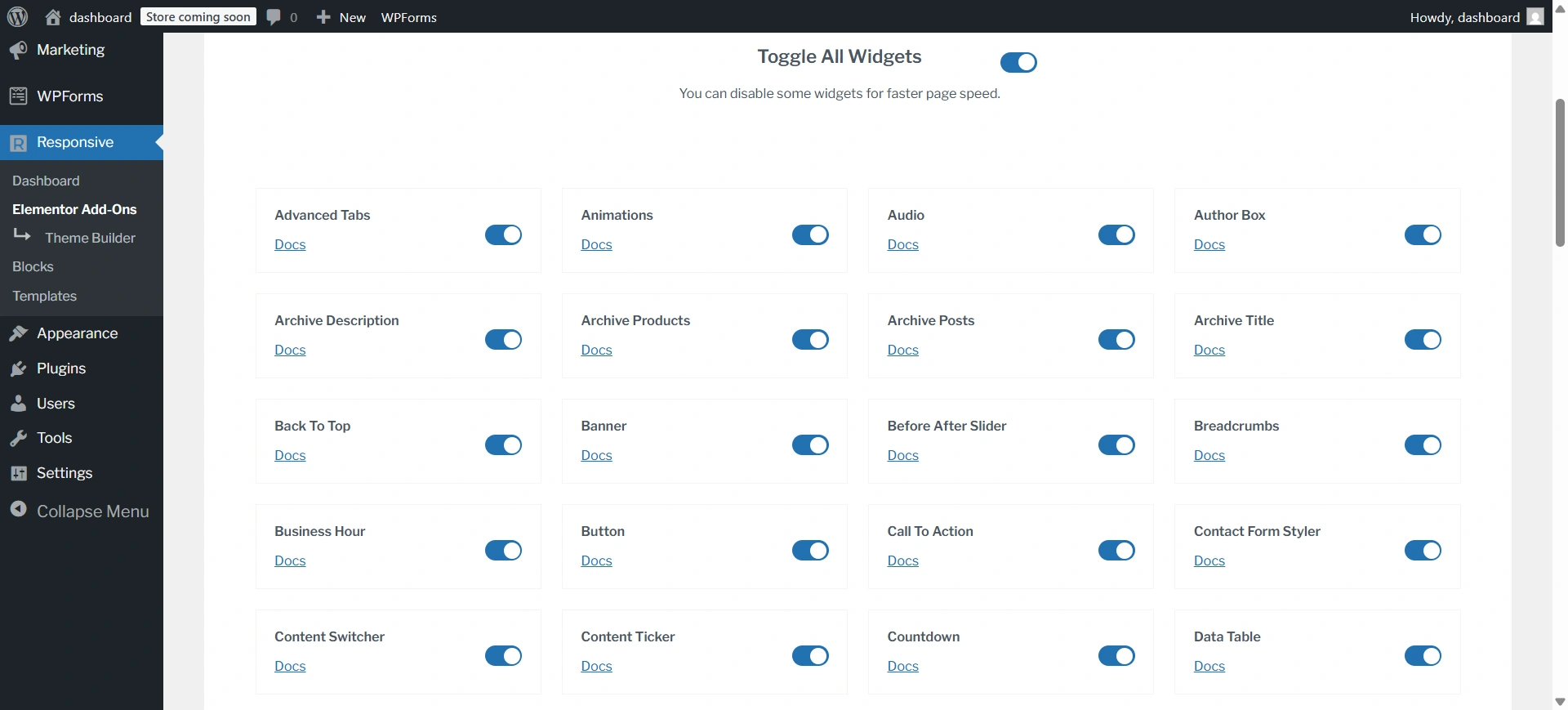
Responsive Addons for Elementor offers 80+ feature-rich widgets that help you design visually engaging and highly functional websites.
These include sliders, carousels, testimonials, progress bars, accordions, pricing tables, buttons, icons, and more.
Each widget comes with extensive customization controls, allowing you to fine-tune layouts, colors, spacing, and responsiveness without writing any code.
2. 250+ Pre-Designed Templates
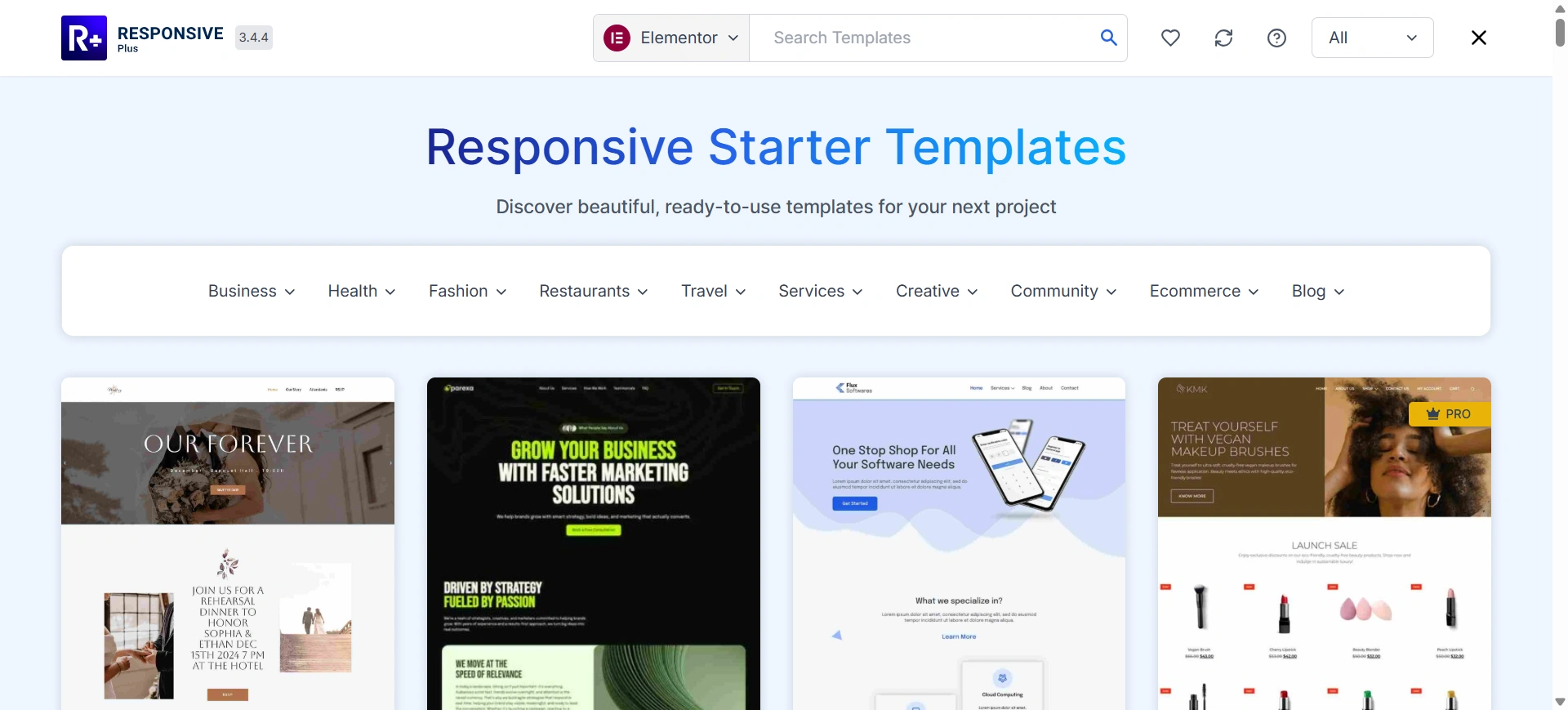
Speed up your website creation process with 250+ professionally designed templates.
These ready-to-use layouts cover a wide range of use cases, including homepages, landing pages, service pages, contact pages, and blog layouts.
With just one click, you can import a finished product template into your website and adjust it to meet your specific branding needs. By importing templates from these designs, you can save many hours of design and development time.
3. Advanced Design & Styling Options
Responsive Addons provides users with advanced design control, allowing you to customize every graphical element of your website.
Every aspect of your site, including typography, color schemes, spacing, hover effects, and animations, is fully customizable through the plugin’s extensive design options. These options ensure your website looks consistent, modern, and aligned with your brand identity across all devices.
4. RAE Extensions
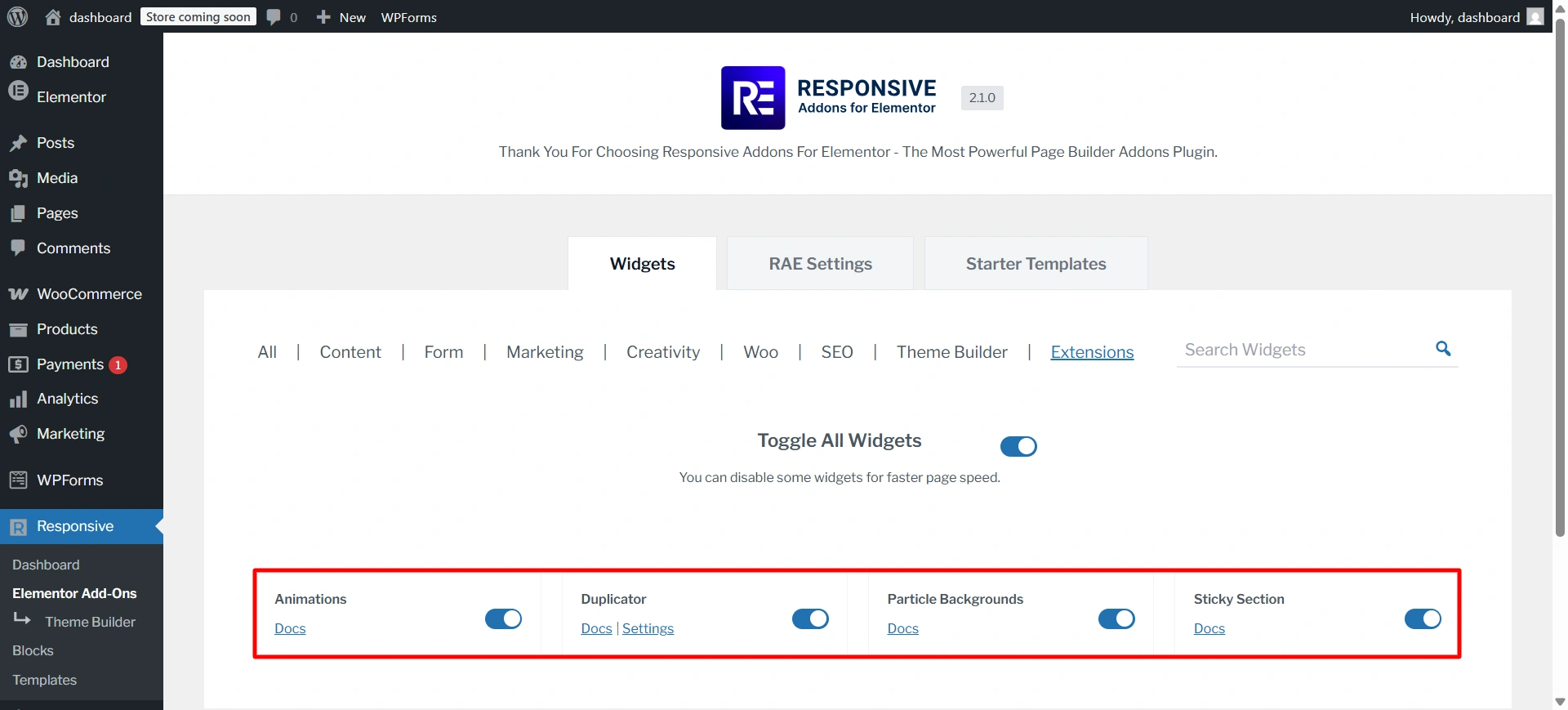
Responsive Addons for Elementor offers handy RAE Extensions like Animations, Duplicator, Particle Backgrounds, and Sticky Section to enhance design and interactivity.
Each extension can be easily enabled or disabled, helping you maintain better performance while using only what you need.
5. Seamless Elementor Integration
The plugin integrates seamlessly with Elementor, ensuring a smooth and intuitive workflow.
All widgets and features follow Elementor’s native interface, making it easy for beginners and professionals alike to use.
Responsive Addons works well alongside most WordPress themes and other popular plugins, ensuring compatibility and a hassle-free design experience.
6. Enhanced Functionality for Better User Experience
Responsive Addons enhances your website’s interactivity with powerful features like sticky elements, parallax scrolling effects, countdown timers, interactive hover effects, and motion animations.
These features will increase user engagement by highlighting key areas of interest and providing valuable content while adding motion-based dynamic experiences to visitors’ browsing sessions without impacting on-site performance.
Performance Test Of RAE
Performance Test Result of Responsive Addons for Elementor
For the Responsive Addons performance test, I have installed only the RAE plugin on a vanilla website. After that, I added a countdown widget and conducted the performance test using GTmetrix.
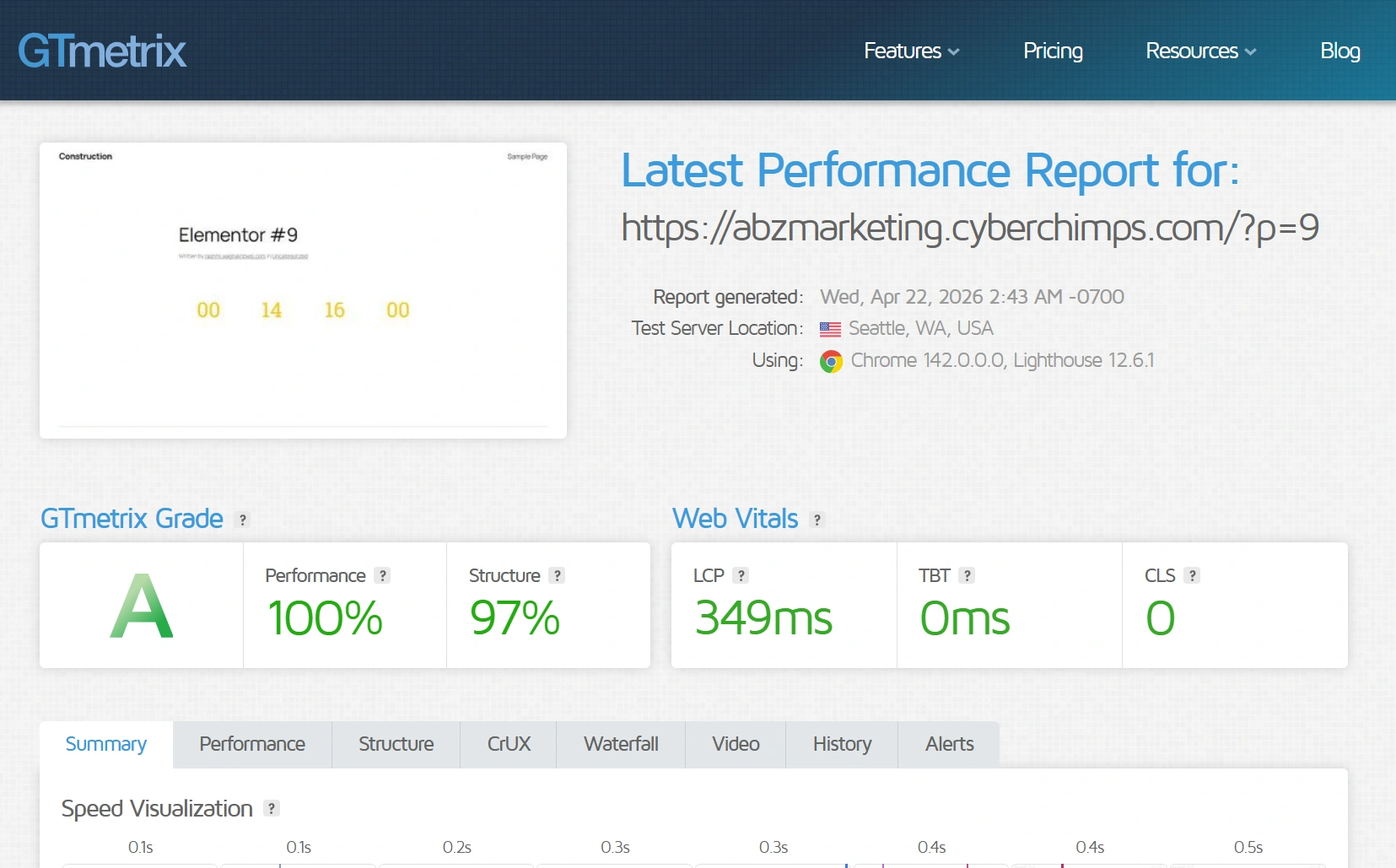
Overall, the GTmetrix results highlight that Responsive Addons for Elementor is a performance-friendly plugin, making it a solid choice for speed-focused websites.
What is Elementor?
Elementor is a drag-and-drop page builder plugin designed to simplify creating WordPress websites.
With Elementor, your web page is a canvas where you can add, move, and style elements in real-time.
The plugin offers a wide range of widgets and templates for creating professional-looking pages.
It caters to designers, marketers, and anyone looking to create a website quickly and easily without coding experience.
Elementor has both free and premium versions. The free version allows you to create an appealing, fully functioning website.
Key Features and Benefits of Using Elementor
Let’s explore Elementor’s features in detail.
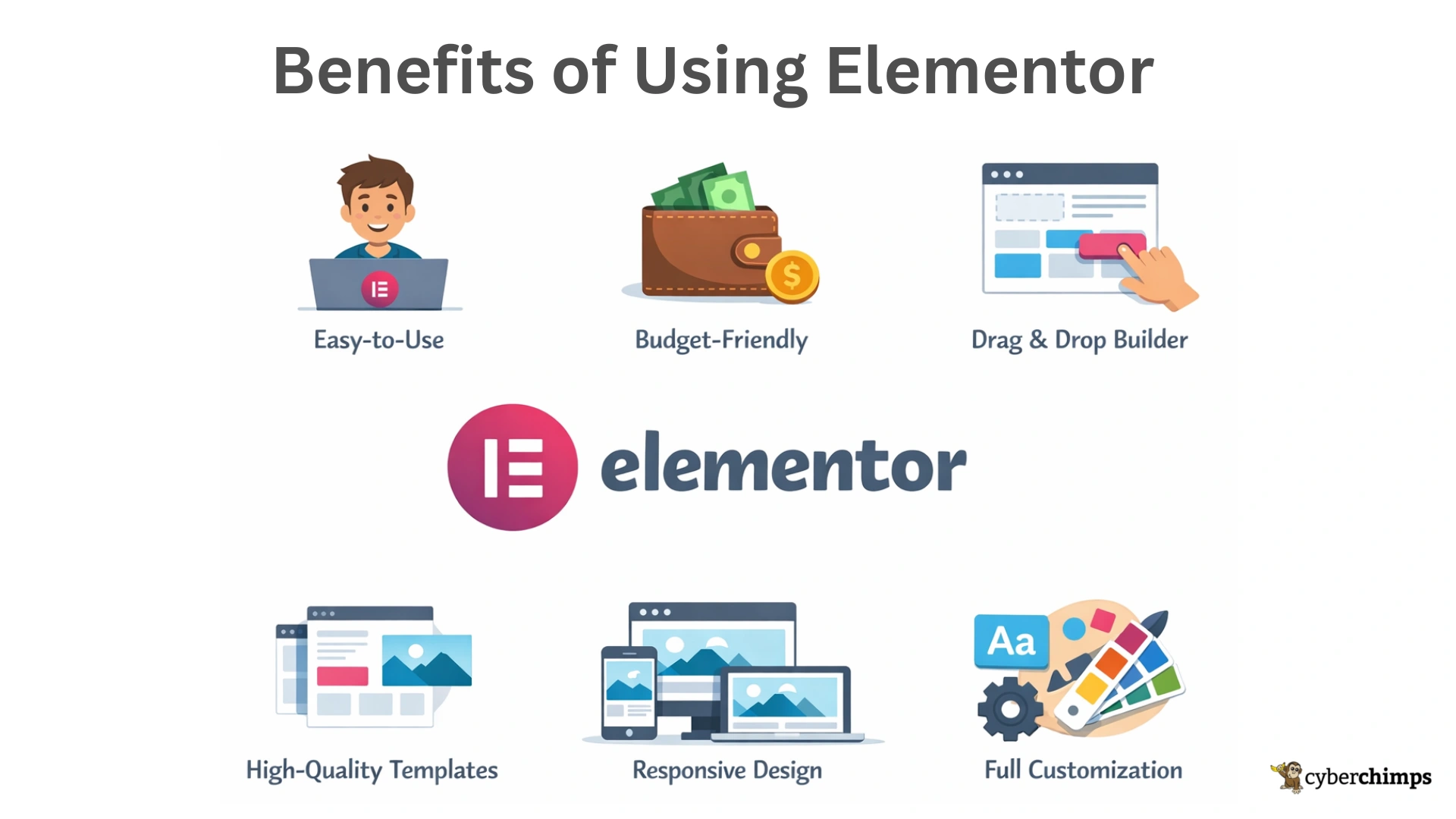
1. Easy-to-use
Elementor was designed to simplify creating a WordPress website, making it one of its key advantages. With Elementor, anyone can build a website without needing website-building or coding expertise.
2. Budget-Friendly
Elementor offers both free and paid versions. If you’re unsure about needing all the features, start with the free version. The free version has many functionalities, allowing you to build a simple, fully functioning website. Additionally, the premium version is quite affordable.
3. Drag-and-drop Builder
You can easily add or edit sections and widgets on a web page from the front end of the website by dragging and dropping to achieve the desired design.
4. High-Quality Website Designs
Elementor offers a wide variety of ready-to-use templates and designs. If you prefer spending less time on design, you can utilize their pre-made templates and customize them to make your website unique.
5. Responsive, Mobile-Friendly Design
Elementor enables you to create responsive web designs and preview your pages on different screens to ensure they work perfectly on all devices. You can also edit your website’s mobile and tablet versions to make them more appealing.
6. Customization and Control
Customize your website’s visual appearance, including colors, fonts, spacing, margins, etc. Define site-wide design defaults for consistency across your entire website without editing individual pages.
How are widgets different from blocks?
Widgets and blocks are both tools used to add content to WordPress sites, but they work in different ways and are used in different areas.
| Aspect | Widgets | Blocks |
|---|---|---|
| Purpose | Used to build and customize individual elements | Used to quickly add pre-designed sections |
| Level of Control | High – full control over design, layout, and behavior | Moderate – layout is pre-structured |
| Customization | Extensive styling, spacing, animation, and responsive controls | Limited to section-level customization |
| Flexibility | Very flexible – can be combined in any layout | Less flexible – best for fixed layouts |
| Use Case | Creating custom designs from scratch | Rapid page building |
| Design Approach | Element-by-element construction | Section-based construction |
| Reusability | Can be reused across multiple pages with different styles | Reused as complete layout patterns |
| Learning Curve | Slightly higher due to multiple controls | Easier for beginners |
| Performance Control | Load only the widgets you use | Loads the entire block structure |
| Best For | Designers, developers, and advanced users | Beginners and quick deployments |
What are Templates in Elementor?
Templates are saved designs made with Elementor that can include sections, columns, widgets, styling, and layouts. You can insert them into any page and customize them as needed.
Types of Elementor Templates
- Page Templates
- Full-page designs (e.g., Home page, About page, Landing page).
- Import and edit content, colors, and fonts easily.
- Section Templates
- Pre-built parts of a page (hero sections, testimonials, pricing tables).
- Useful for building pages section by section.
- Saved Templates
- Custom designs you save for reuse across your website.
- Ideal for consistent layouts and branding.
- Global Templates
- Templates that update everywhere when edited.
- Commonly used for CTAs, headers, or banners.
- Theme Builder Templates (Elementor Pro)
- Templates for headers, footers, single posts, archives, and 404 pages.
- Allow full control over theme parts without coding.
Competitor Comparison: Responsive Addons for Elementor vs Others
| Feature | Responsive Addons for Elementor | Plus Addons for Elementor | ElementsKit | Exclusive Addons |
|---|---|---|---|---|
| Widget Count | 80+ (Free) | 120+ (Free + Pro) | 90+(Free + Pro) | 100+(Free + Pro) |
| Template Library | 250+ ready templates | 100+ templates | Moderate | Moderate–High |
| Theme Builder | ✅ Free | ❌ Pro only | ✅ Yes | ⚠️ Limited |
| Customization Options | High | High (Pro unlocks more) | High | High |
| Performance | Lightweight, optimized | Moderate | Moderate | Optimized (on-demand loading) |
| Ease of Use | Beginner-friendly | Beginner to advanced | Intermediate | Intermediate |
| Pricing | Completely Free | Free + Paid plans | Free + Paid plans | Free + Paid plans |
| Best For | Beginners, performance-focused sites | Advanced designs & widgets | Full site building | Designers & agencies |
Benefits of Using Responsive Addons for Elementor Plugin
- Save Time and Effort: With pre-designed templates and customizable widgets, you can create stunning websites in less time.
- Enhance Website Design: Responsive Addons offers many design options to help you create a unique and visually appealing website.
- Improve User Experience: Improve user experience with features like sticky elements, parallax scrolling, and smooth animations.
- Boost Engagement: Use eye-catching elements and interactive features to engage your visitors and encourage them to stay on your website longer.
- Expand Website Functionality: Add new features and capabilities to your website with an extensive collection of widgets and templates.
Installing Responsive Addons for Elementor Plugin
Navigate through your WordPress admin dashboard and go to Plugins > Add New Plugin.
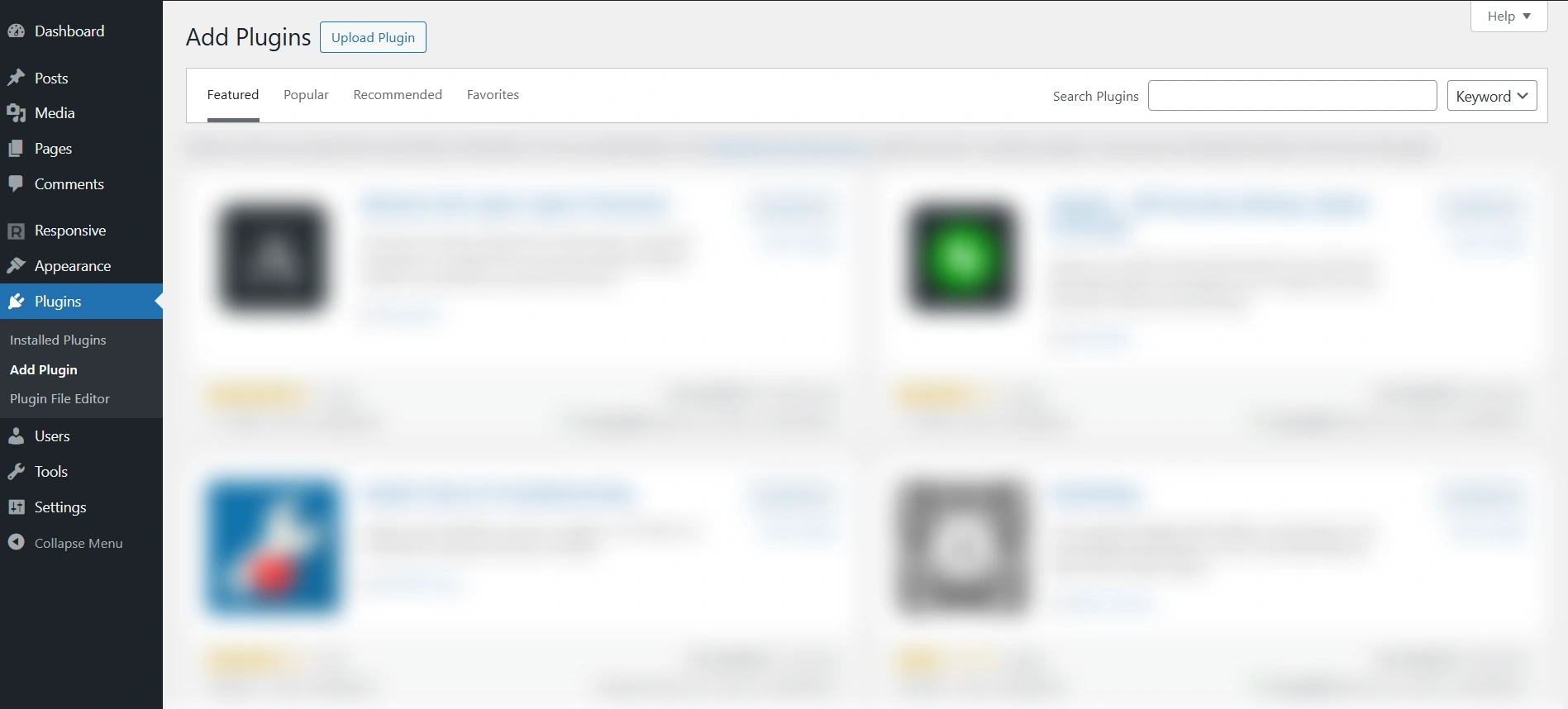
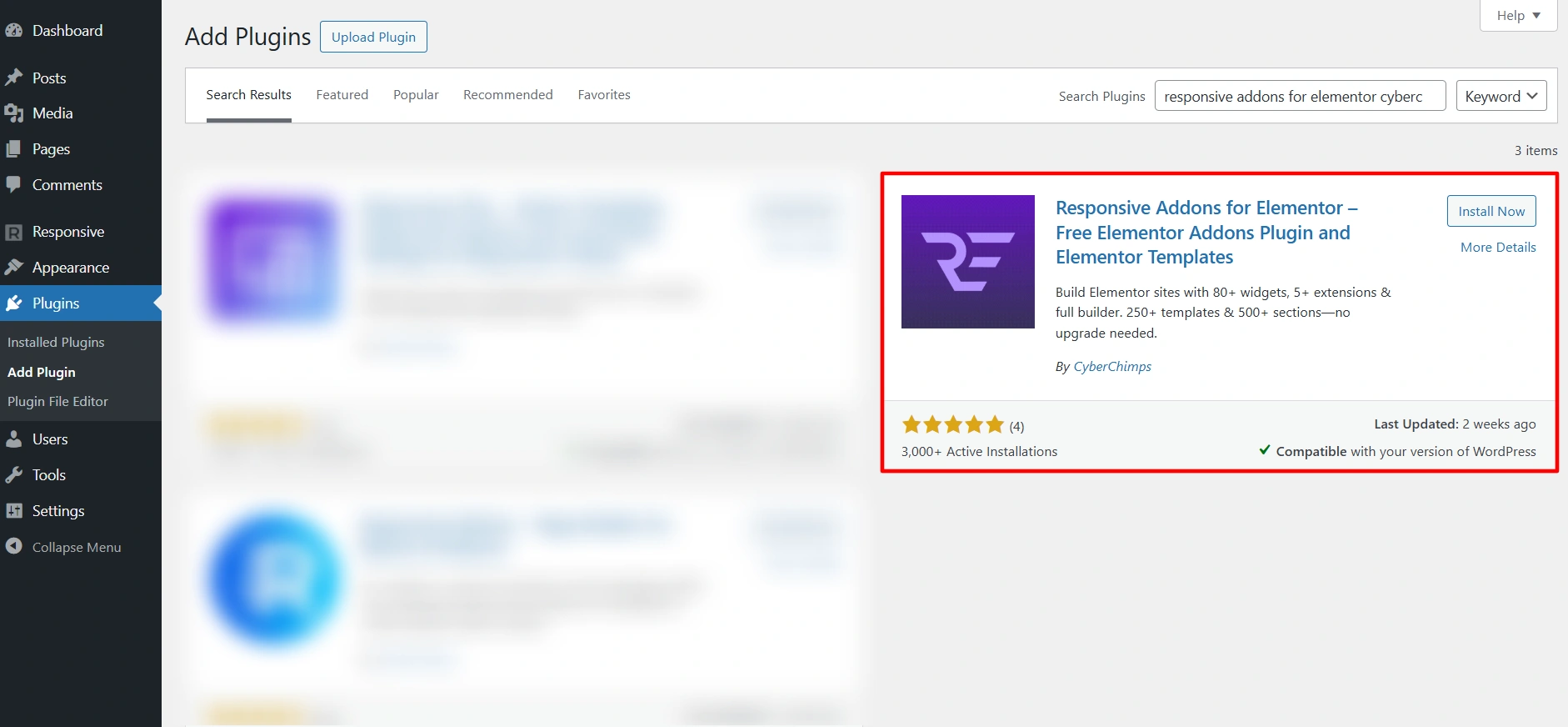
Go to the search bar, search for Responsive Addons for Elementor, and click Install Now.
Click on Activate to activate the plugin.
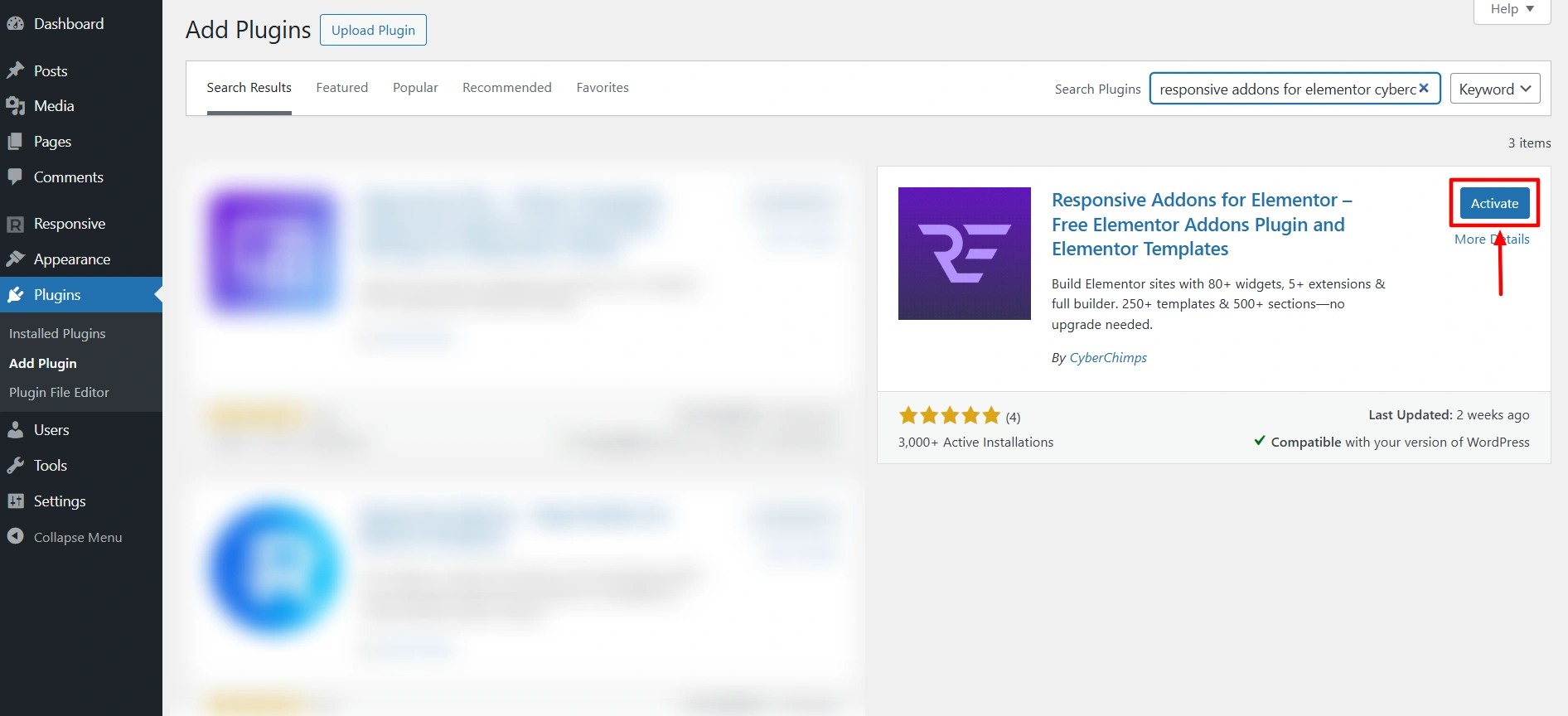
And that’s it! You have successfully activated the Responsive Addons for Elementor plugin.
How To Use Responsive Addons for Elementor Plugin
Once the plugin is installed and activated, let’s understand how to use the Responsive Addons for Elementor.
Navigate to the WordPress admin dashboard and click on Responsive > Elementor Add-ons.
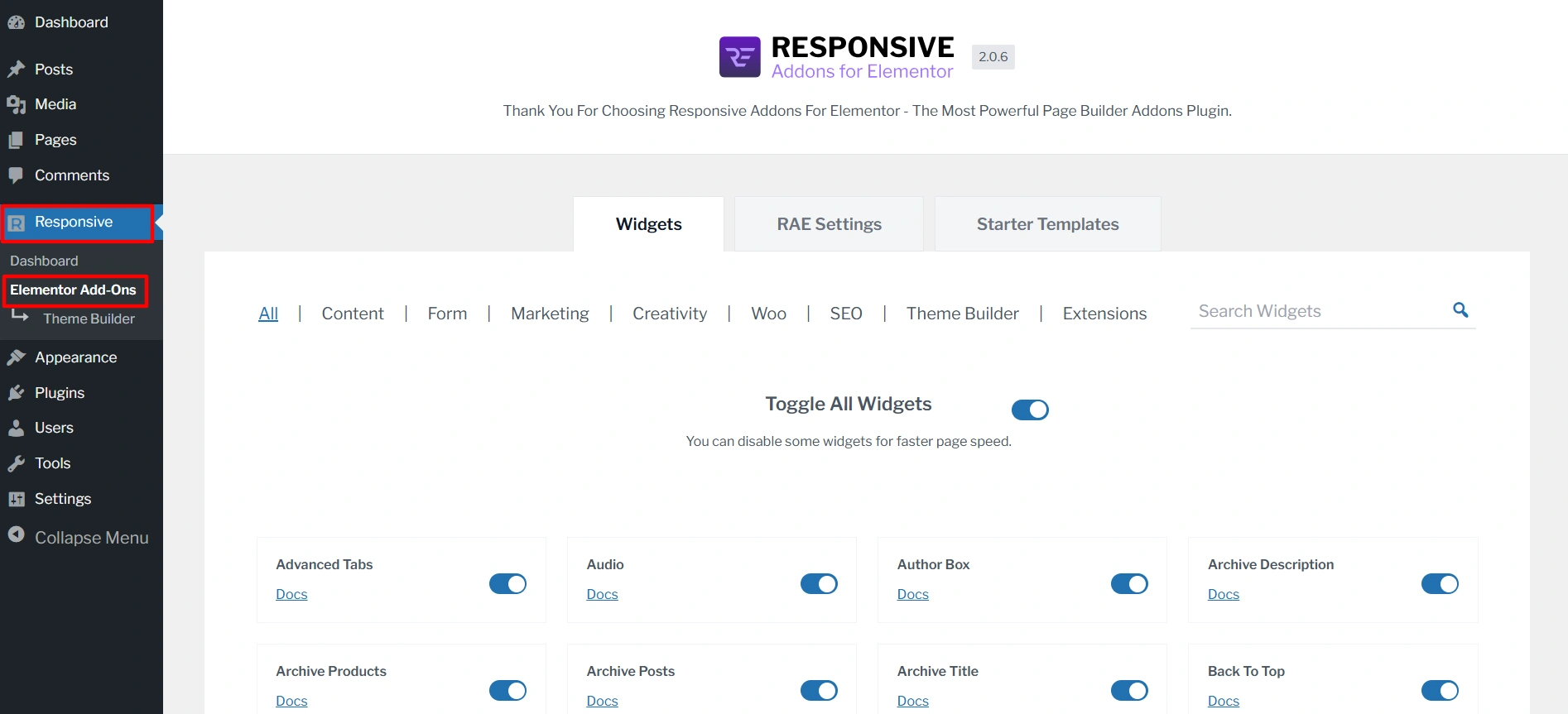
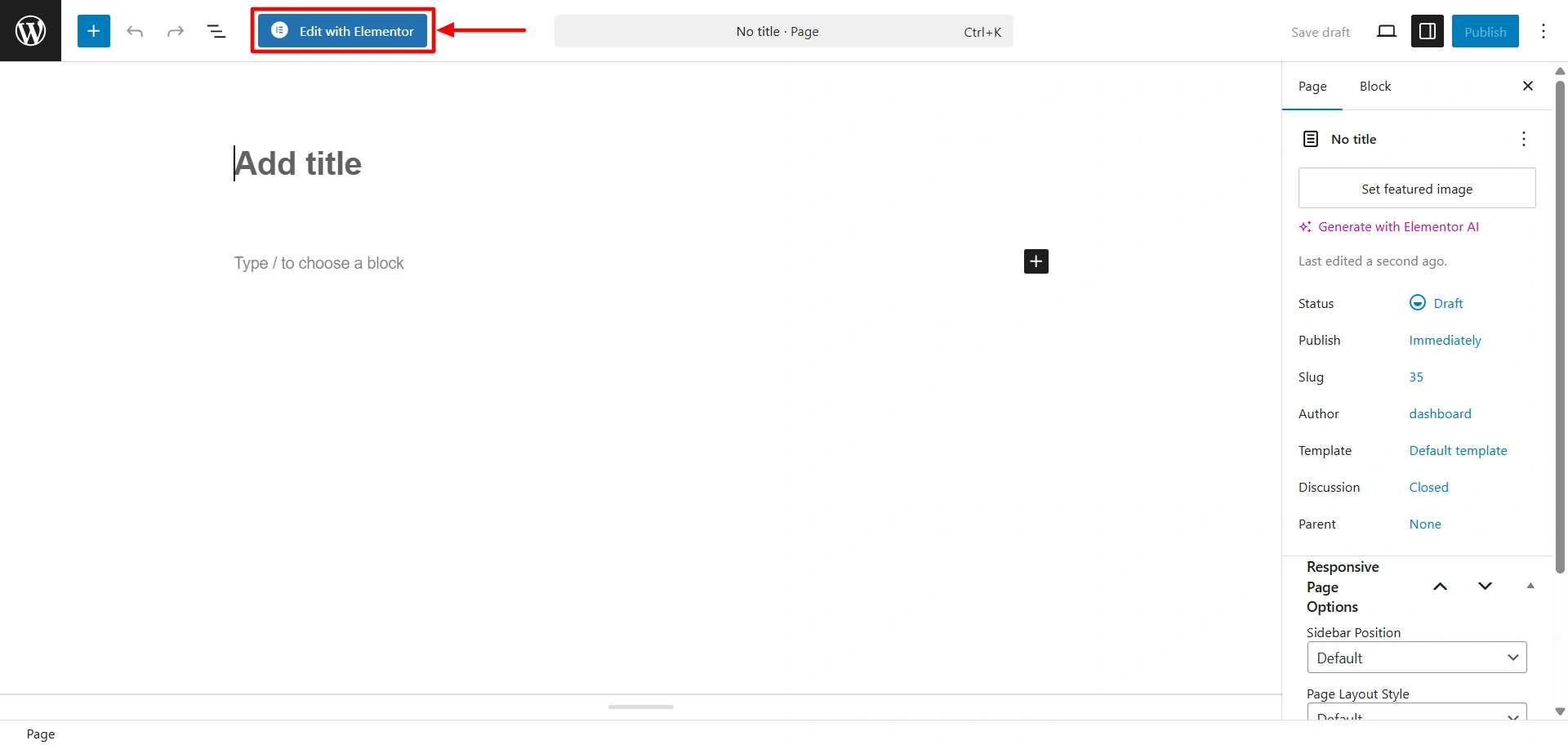
Next, open the page wherever you want to add the widgets and click Edit with Elementor.
To add any Responsive Addons for Elementor widget on the page, search RAE in the search widget bar.
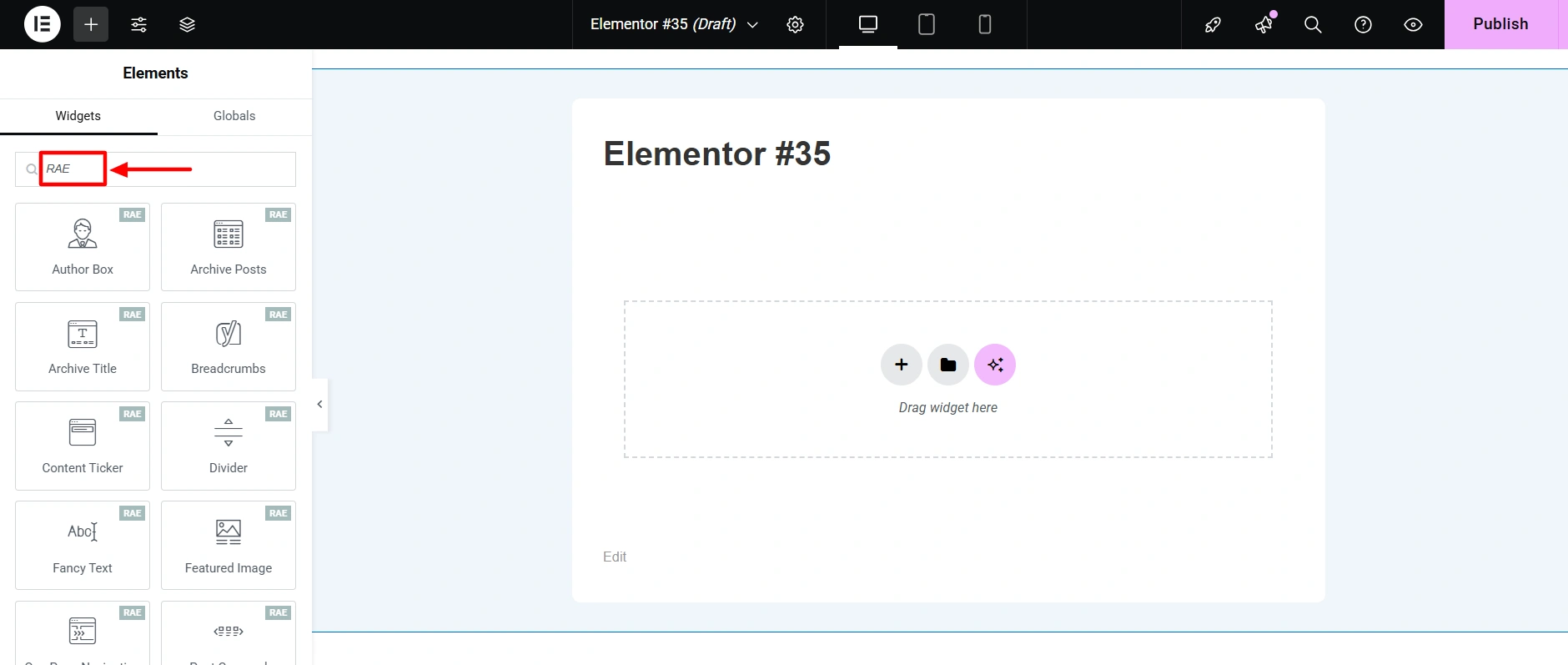
Further, to add any widget on the page, you can simply drag and drop it.
Customizing Responsive Addons for Elementor Widgets
Let’s learn how to customize Responsive Addons for Elementor widgets. We’ll use one widget as an example, but the process is similar for all others. While customization options may vary, the process is always the same.
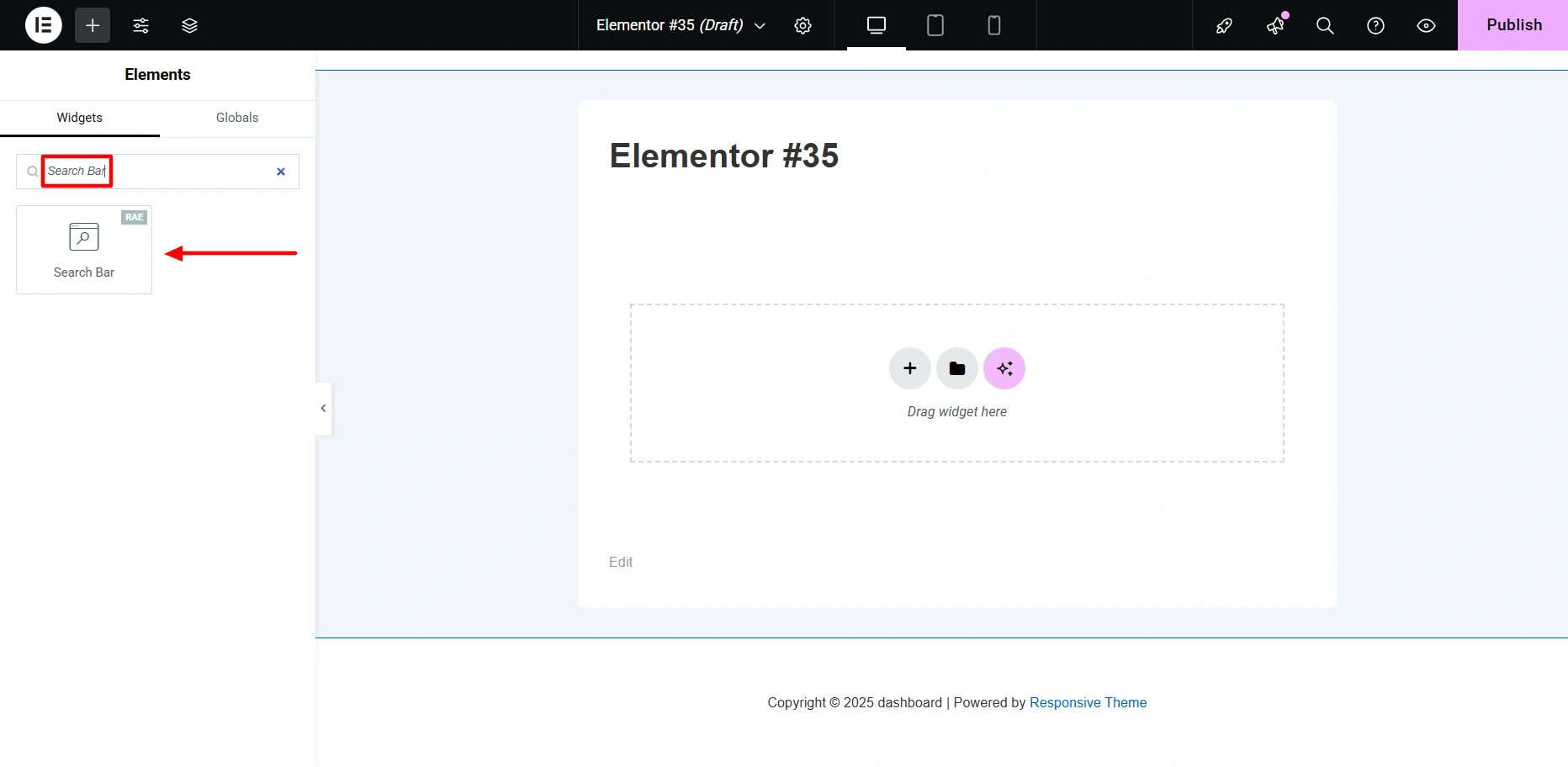
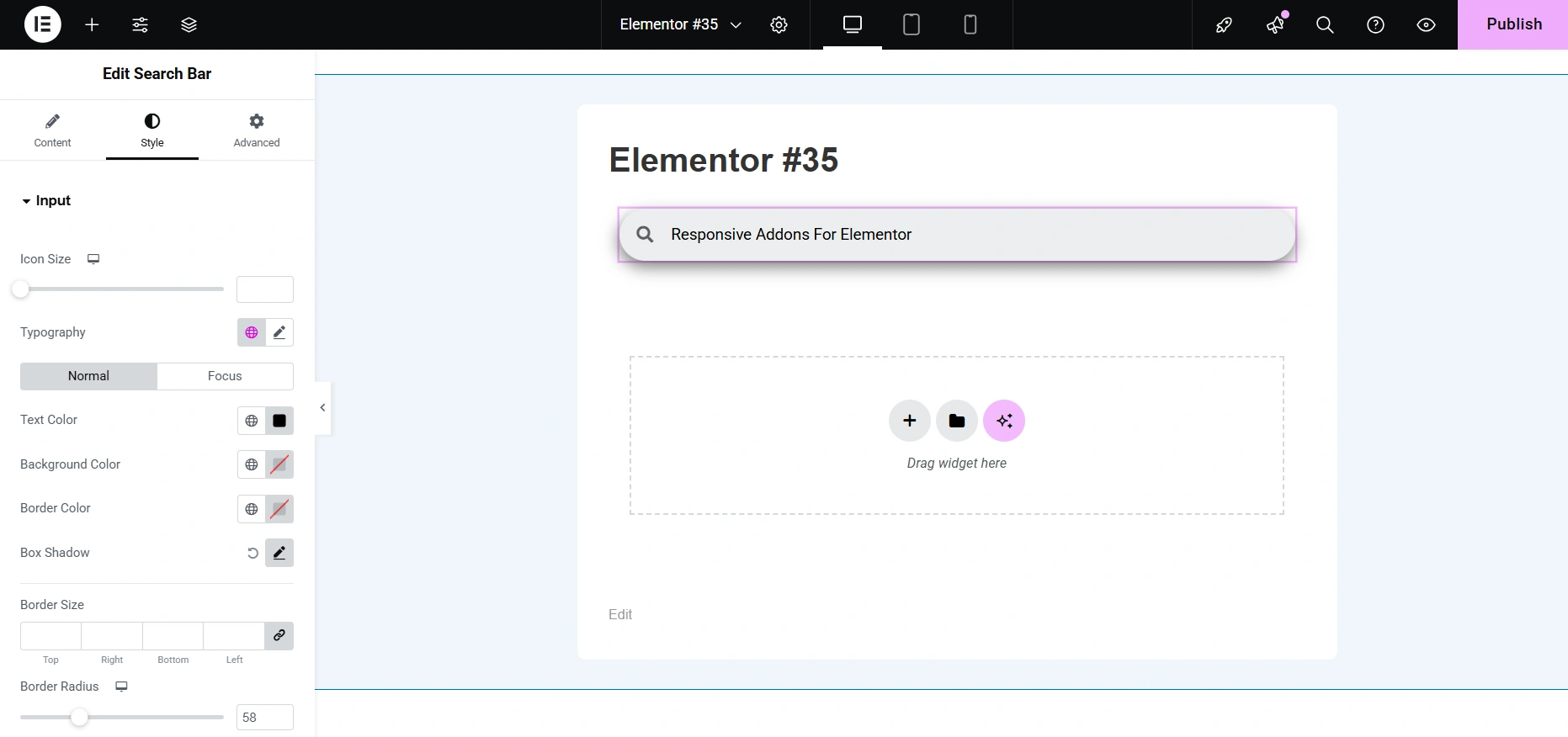
In the search bar, type Search Bar. Then, drag and drop the widget onto the page to seamlessly integrate it into your design.
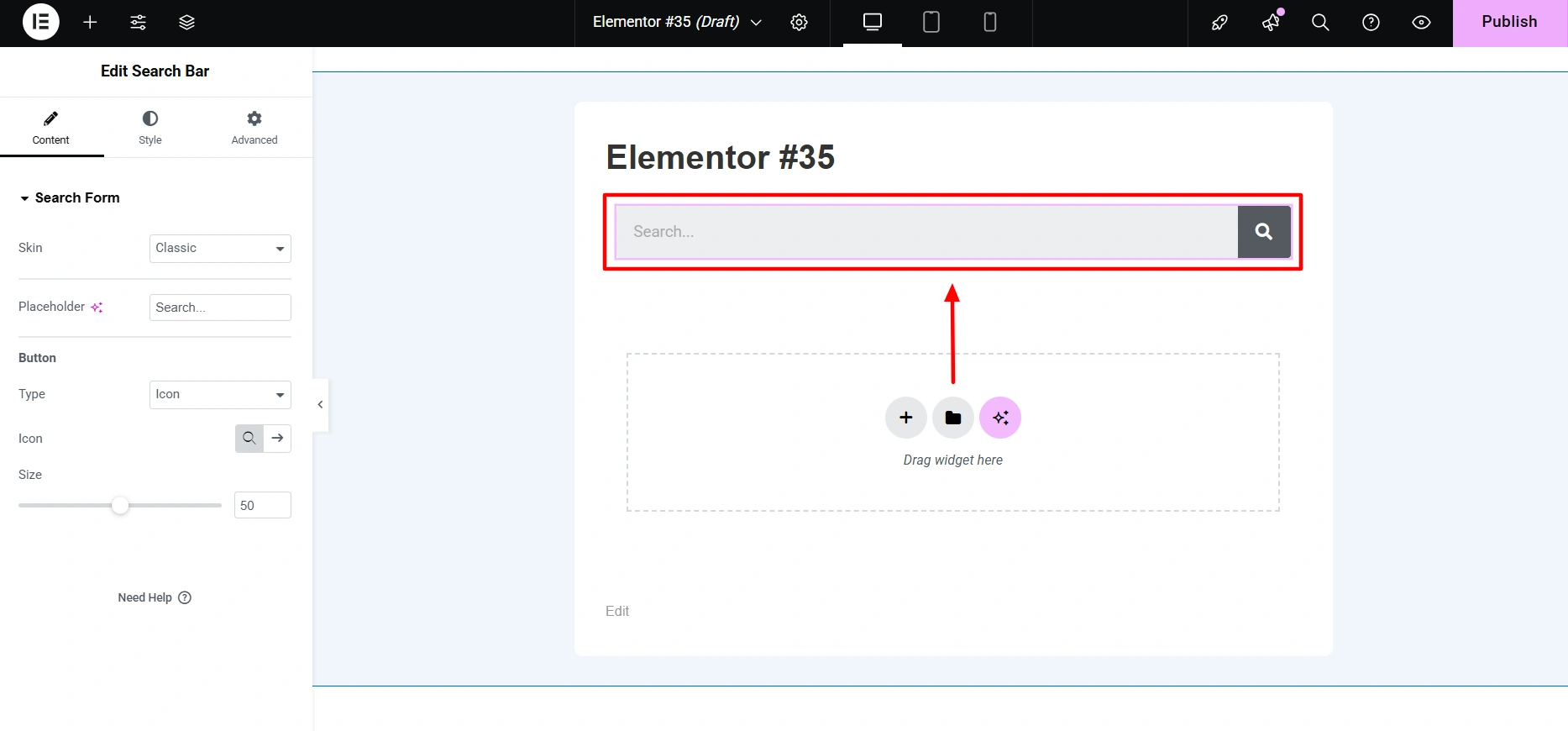
Once you place it on the desired page, you’ll see how it looks by default.
And this is how your search bar will appear after the customization:
If you want to learn how to customize the search bar, refer to our detailed guide.
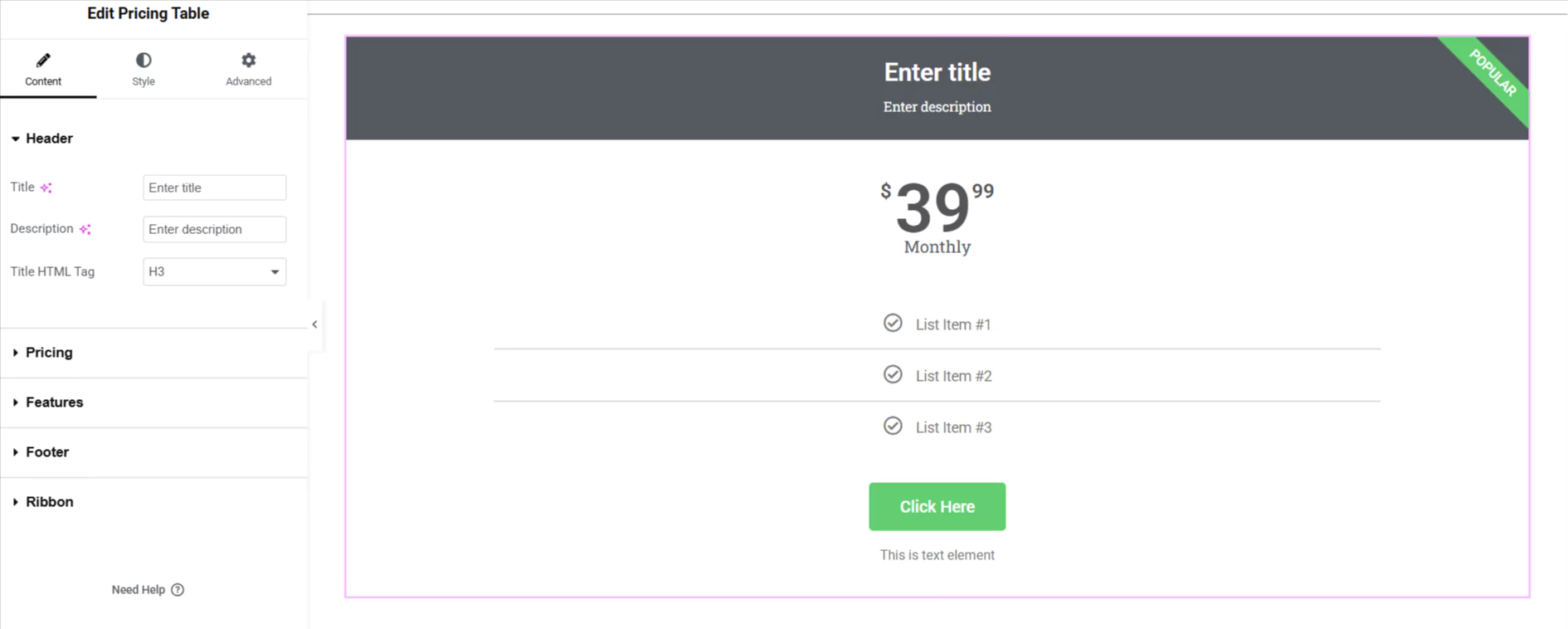
To create a pricing table with Elementor. Drag and drop the Pricing Table widget in the Elementor editor.
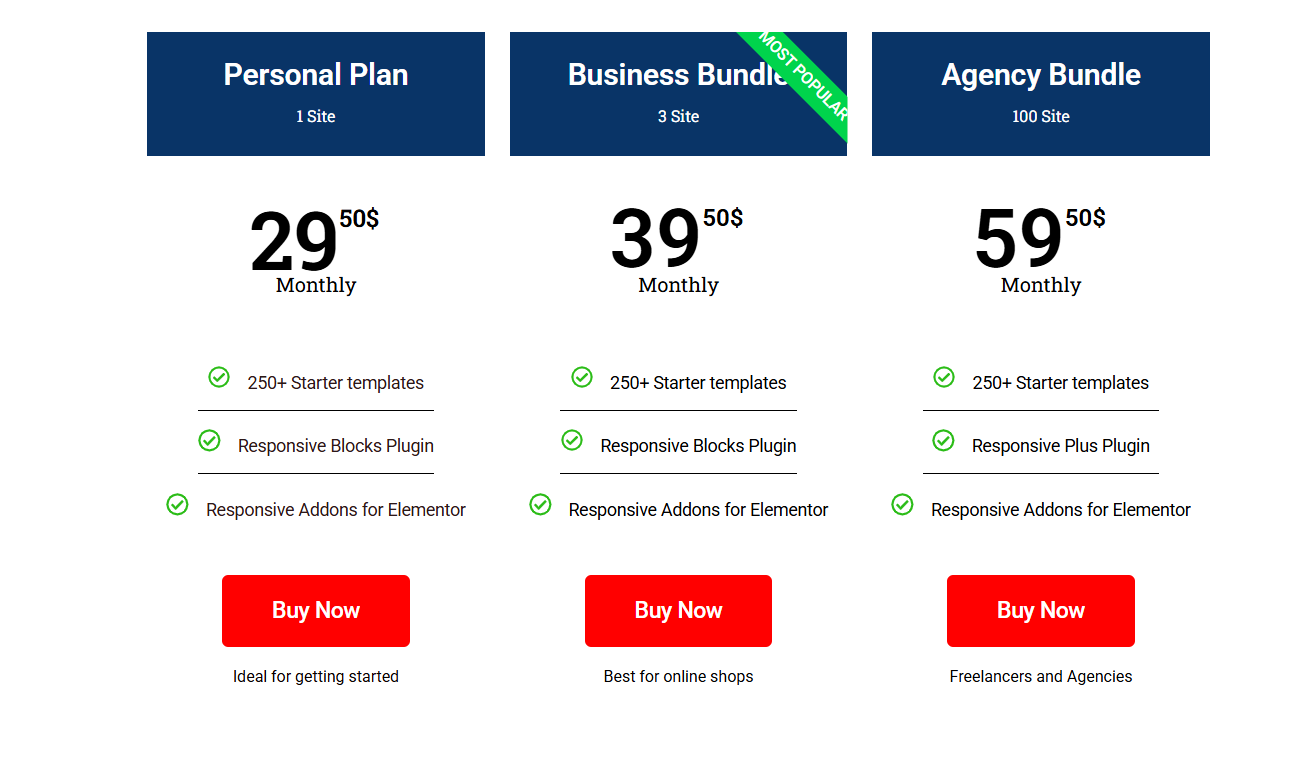
You can customize it to match your specific needs and create layouts like the one shown above. If you want to learn how to customize a pricing table, refer to our detailed guide.
After customizing the widget, click Publish in the top right corner.
You can follow the same steps to customize other widgets and make your website unique.
To provide you even better hold on your website you get 90 widgets to work with. Here is a list of widgets provided in Responsive Addons for Elementor:
| Category | Widgets Available |
| Content | Advanced Tabs, Audio, Back To Top, Content Switcher, Content Ticker, Fancy Text, Feature List, Google Map, Icon Box, Logo Carousel, Media Carousel, Multi Button, Nav Menu, Portfolio, Post Carousel, Posts, Price Box, Price List, Pricing Table, Progress Bar, Slider, Table Of Contents, Team Member, Video |
| Form | Contact Form Styler, Gravity Forms Styler, MailChimp Styler, Search form, WP Form Styler |
| Marketing | Author box, Banner, Business Hour, Button, Call To Action, Facebook Feed, Login Register, Modal Popup, Reviews, Site Logo, Sticky Video, Testimonial Slider, Twitter Feed |
| Creativity | Before After Slider, Countdown, Data Table, Divider, Dual Color Header, Flip Box, Image Gallery, Image Hotspot, Lottie, Offcanvas, One Page Navigation, Stacking Cards, Timeline |
| WOO | Menu Cart, Product Carousel, Product Category Grid, WC Products, WC Add To Cart, WC Breadcrumbs, WC Checkout |
| SEO | Breadcrumbs, FAQ |
| Theme Builder | Archive description Archive Products, Archive Posts, Archive Title, Featured Image, Product Content, Product Data Tabs, Product Images, Product Meta, Product Price, Product Rating, Product Related, Product Short Description, Product Stock, Product Title, Product Upsells, Product Additional Info, Post Comments, Post Content, Post Excerpt, Post Info, Post Navigation, Post Title |
| Extensions | Particle Backgrounds, Sticky Section |
Extensions in Responsive Addons For Elementor
Particle Backgrounds: You can add visually appealing particle effects to your website with Particle Backgrounds extension.
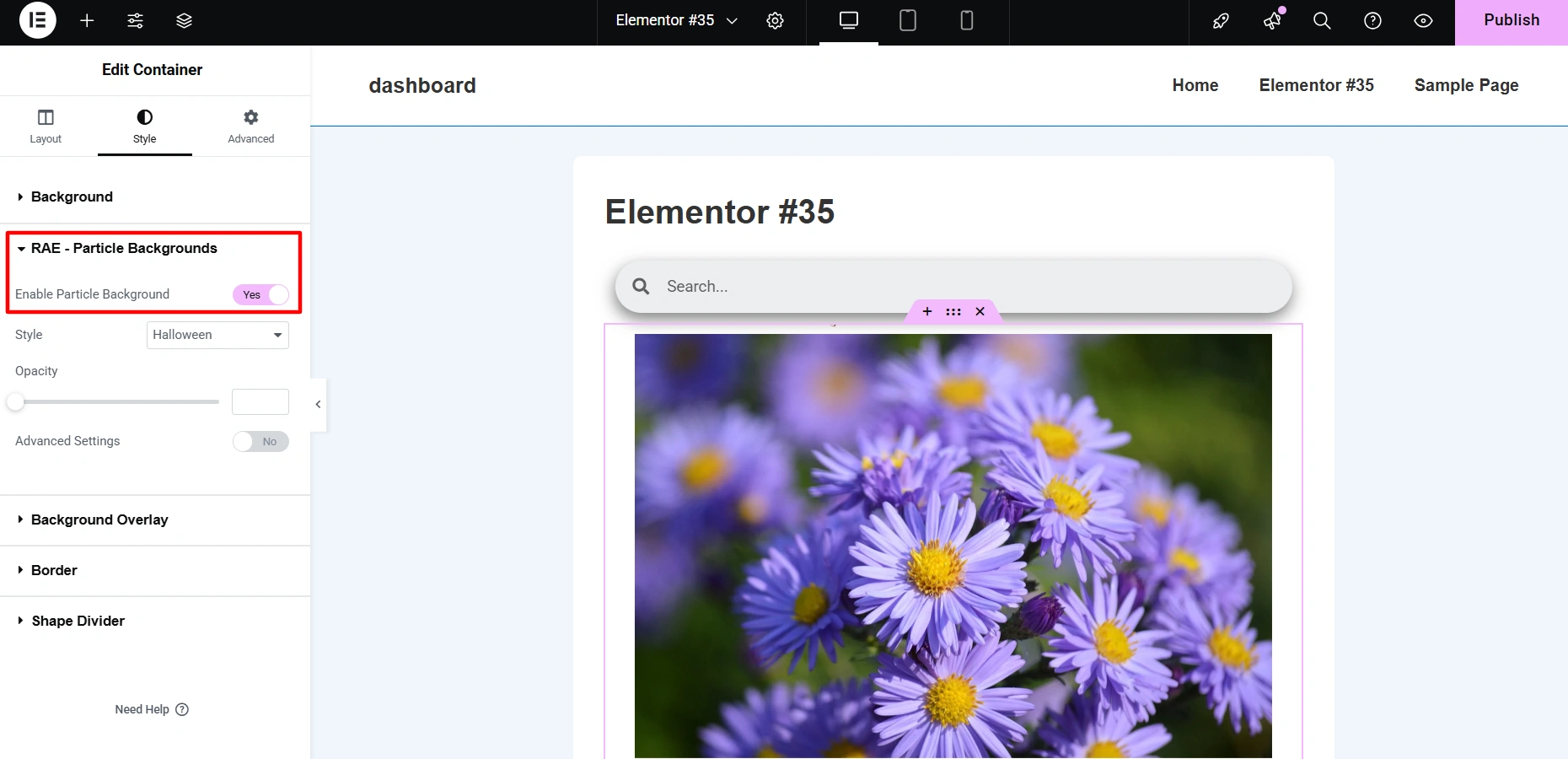
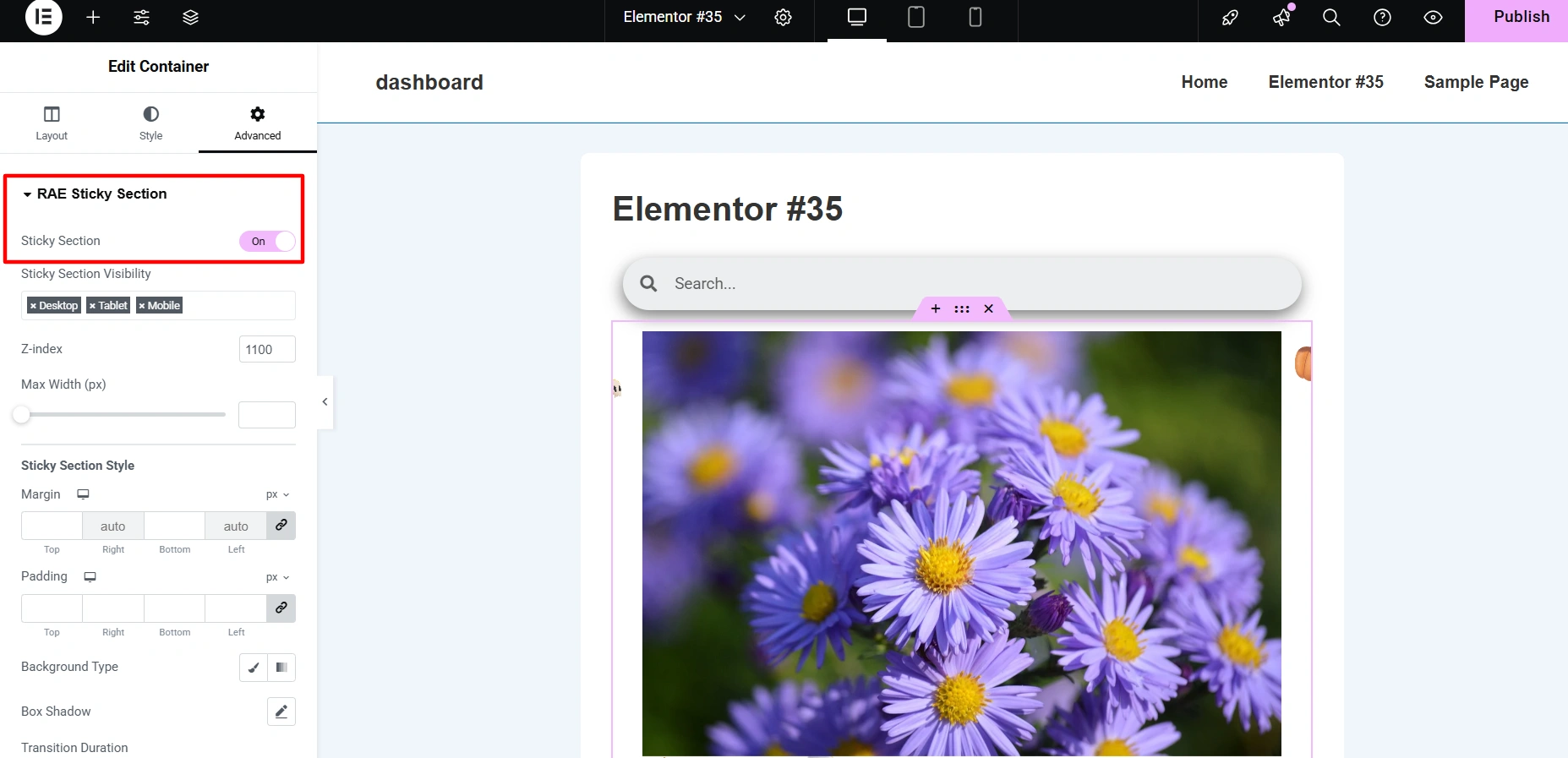
Sticky Section: If you want a specific section on your website to be fixed on the screen while you scroll, Sticky Section can come handy.
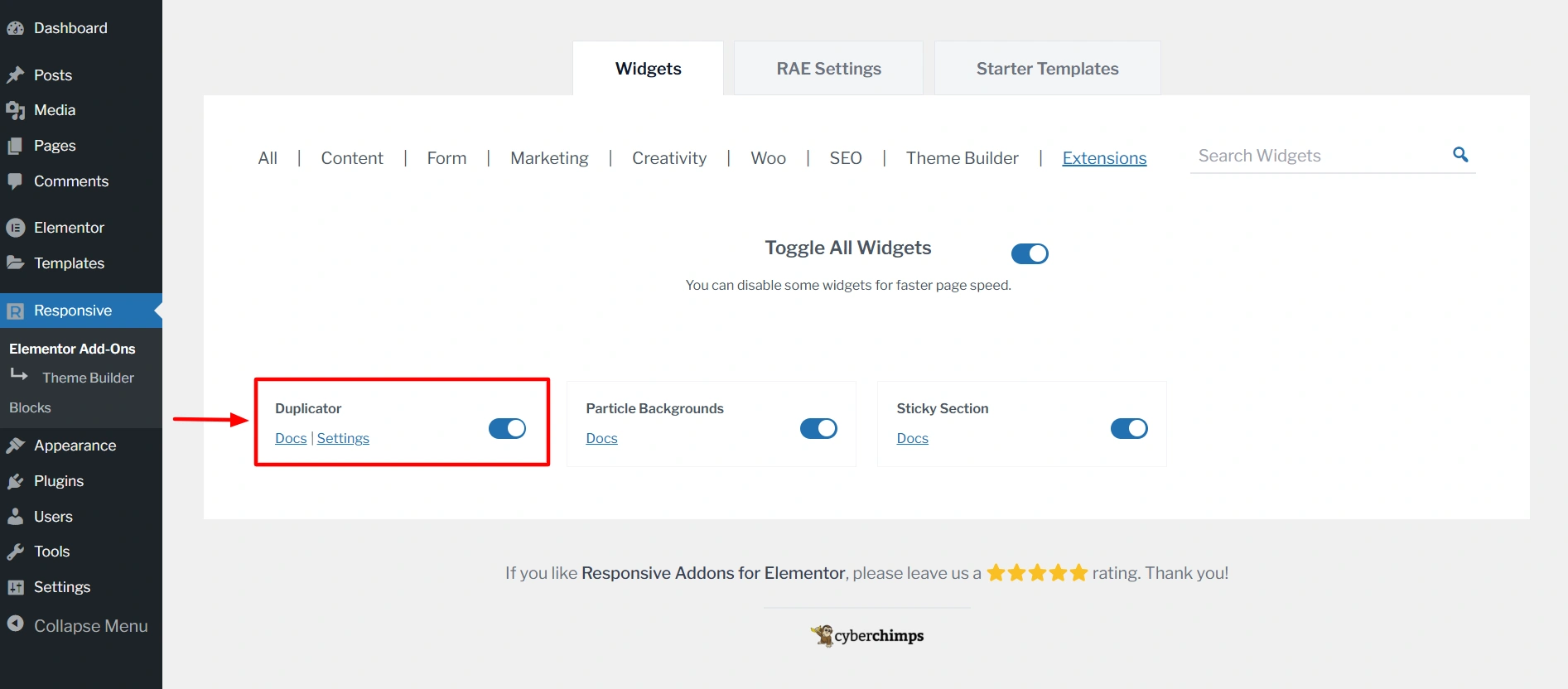
Duplicator: With the RAE Duplicator you can copy any post type with just one click. This is helpful when you want to reuse a layout or create similar posts without starting from scratch.
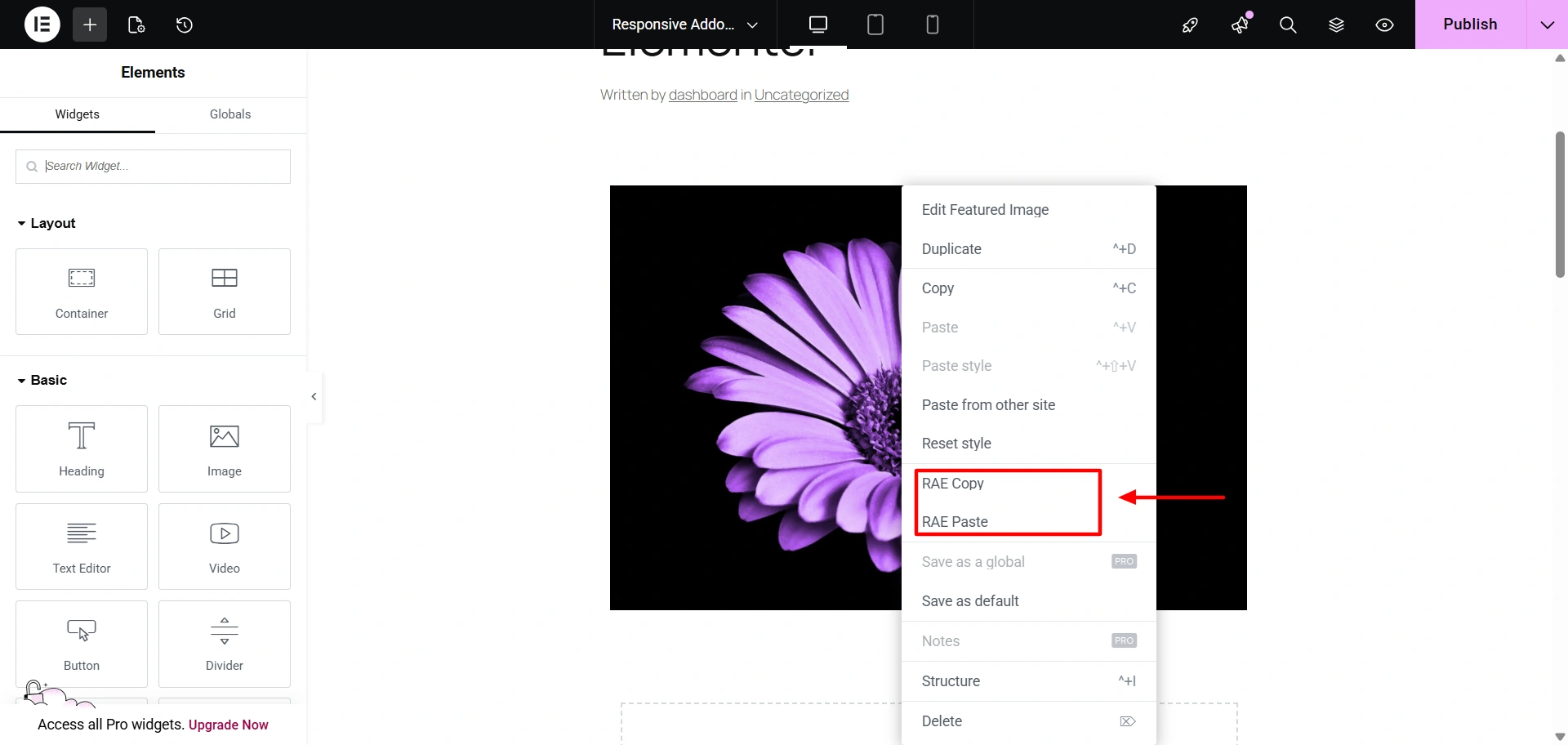
Cross-Site Copy Paste: This feature lets you easily replicate sections from one website to another. It will not only save your time but also copy every element on your website in no time.
FAQ
Yes. Responsive Addons for Elementor is completely free and offers a wide range of widgets, templates, and extensions without requiring a premium upgrade.
No. The plugin works perfectly with the free version of Elementor. Elementor Pro is only needed if you want advanced Elementor-specific features like dynamic content.
Yes. The plugin is performance-optimized and allows you to enable only the widgets you need, helping keep your website fast and lightweight.
Conclusion
Responsive Addons for Elementor is a valuable tool for Elementor users who want to enhance their website design and functionality.
With its extensive widgets and templates, easy-to-use interface, and excellent customer support, Responsive Addons is a valuable addition to any WordPress user’s toolkit.
Following the simple steps outlined in this article, you can easily install and customize Responsive Addons to elevate your website’s design.
If you likes this article, read these as well:
- How to Add Post Carousel to Your Elementor Website
- How To Add Breadcrumbs To Elementor Website
- How To Add Product Rating To Elementor Website
Check out Responsive Addons for Elementor to access free templates and widgets. Also, use the Responsive Theme to create a versatile website for any niche easily.






1 Comment on “What is Responsive Addons for Elementor Plugin by Cyberchimps”
Great overview of the Responsive Addons for Elementor! Always good to discover ways to enhance Elementor’s features. I’m curious, though: how does this plugin compare to other add-ons in terms of user-friendliness and functionality? It’s impressive to see how much can be done without needing any coding. Thanks for sharing such a detailed article!