

Summary
We have compared Responsive Addons for Elementor and Piotnet Addons for Elementor to help users choose the right tool.
The article highlights features, widgets, templates, performance, and pricing, showing Responsive Addons as beginner-friendly and lightweight, while Piotnet Addons suits advanced, form-focused, and dynamic website needs.
Have you ever felt trapped because of the lack of support for your Elementor addons?
Then you are not alone!
Reliable help can hugely influence your website-building experience. Because of that, I decided to look into two shining examples: Responsive Addons for Elementor (RAE) and Piotnet Addons for Elementor (PAFE).
In this comparison, I have compared both plugins based on widgets, templates, customisation flexibility, quality of support, compatibility, and price, so that you can feel more certain about selecting a plugin.
- Comparison at a Glance
- What is Responsive Addons for Elementor Plugin?
- What is Piotnet Addons for Elementor Plugin?
- Responsive Addons for Elementor vs Piotnet Addons for Elementor Comparison
- Performance Test Between RAE and Ultimate Addons for Elementor
- Templates Library
- Theme Builder
- Support
- Integrations & Compatibility
- Pricing comparison
- FAQ
- Final Verdict
Responsive Addons for Elementor is the Best Elementor Addons plugin – Get it for free!
Comparison at a Glance
If you don’t want to go through the full article, here’s a quick comparison to help you decide at a glance.
| Feature | Responsive Addons for Elementor (RAE) | Piotnet Addons for Elementor (PAFE) |
|---|---|---|
| Widget Library | 80+ free widgets with performance-optimized code | Limited free widgets (more in Pro) |
| Ready-to-Use Templates | 150+ Elementor templates | No templates |
| Theme Builder | Full Theme Builder functionality (headers, footers, etc.) | No full theme builder |
| Styling & Customization | Strong styling and responsive controls, device-specific controls | Advanced styling & controls |
| Performance Aspect | Lightweight and optimized. Disable widgets that you do not utilize | Feature-heavy setup |
| Marquee | Built-in marquee scrolling widget available | No dedicated marquee widget |
| Best For | Excellent for business sites, blogs, landing pages, etc. | Best for advanced forms & logic |
| Free VS Premium | All versatile widgets are free to use | Most features in Pro |
| Unique Strength, Dependability | Large widget library, offers a good template library | Strong form builder & conditions |
What is Responsive Addons for Elementor Plugin?

???? My Real-World Test Results:
- Number of widgets: 80+
- GTmetrix Performance Score: 100%
- Includes Cross-site Copy-paste feature
- 5+ Extensions like Scroll animations, Sticky Section, Page Duplicator, & more.
- Save design time with 100+ Premium-grade Starter templates
Responsive Addons for Elementor (RAE) is a feature-rich, free addon plugin for Elementor, developed by Cyberchimps. Its core purpose is to provide a comprehensive, all-in-one toolkit of widgets.
Anyone who wants quality, feature-rich widgets without paying can use the RAE plugin.
The widgets are lightweight and designed for maximum speed optimization.
Users get the toggle to enable or disable individual widgets, ensuring only the necessary CSS, JavaScript, and HTML resources are loaded, thereby keeping the website fast.
Key Features
- 80+ Powerful Widgets: RAE provides a massive collection of custom widgets that cover almost every element needed for a professional website. This includes standard widgets like sliders, media carousel, testimonials, and progress bar, alongside utility widgets such as FAQs and table of contents.
- Extensions and Utilities: RAE includes powerful extensions that boost designer productivity and site functionality:
- Cross-Site Copy-Paste: Allows you to quickly copy and paste any widget, section, or column from one WordPress website to another.
- Particles Background: Adds dynamic, animated backgrounds to sections.
- Sticky section: With the Sticky Section extension, you can pin important elements so they stay in view while scrolling.
- Duplicator: You can copy any page type with one click using RAE Duplicator.
- Templates Library: RAE gives you access to a large and continuously expanding collection of ready-made designs that speed up your website creation process. You get over 150+ professionally built website templates across multiple niches. Each template can be imported with one click and customised fully in Elementor, which saves a significant amount of development time.
- Theme Builder: The Theme Builder allows you to create website elements that are typically controlled by a theme. You can create headers, footers, 404 page, and many more.
Here is the list of widgets that Responsive Addons for Elementor have.
| Category | Widgets Available |
|---|---|
| Content | Advanced Tabs, Audio, Back To Top, Content Switcher, Content Ticker, Fancy Text, Feature List, Google Map, Icon Box, Logo Carousel, Media Carousel, Multi Button, Nav Menu, Portfolio, Post Carousel, Posts, Price Box, Price List, Pricing Table, Progress Bar, Slider, Table Of Contents, Team Member, Video |
| Form | Contact Form Styler, Gravity Forms Styler, MailChimp Styler, Search form, WP Form Styler |
| Marketing | Author box, Banner, Business Hour, Button, Call To Action, Facebook Feed, Login Register, Modal Popup, Reviews, Site Logo, Sticky Video, Testimonial Slider, Twitter Feed |
| Creativity | Before After Slider, Countdown, Data Table, Divider, Dual Color Header, Flip Box, Image Gallery, Image Hotspot, Lottie, Offcanvas, One Page Navigation, Stacking Cards, Timeline |
| WOO | Menu Cart, Product Carousel, Product Category Grid, WC Products, WC Add To Cart, WC Breadcrumbs, WC Checkout |
| SEO | Breadcrumbs, FAQ |
| Theme Builder | Archive description Archive Products, Archive Posts, Archive Title, Featured Image, Product Content, Product Data Tabs, Product Images, Product Meta, Product Price, Product Rating, Product Related, Product Short Description, Product Stock, Product Title, Product Upsells, Product Additional Info, Post Comments, Post Content, Post Excerpt, Post Info, Post Navigation, Post Title |
| Extensions | Particle Backgrounds, Sticky Section |
What is Piotnet Addons for Elementor Plugin?
Piotnet Addons for Elementor (PAFE) is an addon plugin that focuses on introducing powerful, dynamic, and developer-centric features to Elementor. While it offers a free version, its true power lies in its Pro features.
PAFE is best known for its Form Builder, which allows you to create multi-step forms, calculated fields, conditional fields, repeater fields, booking forms, registration forms, and more.
These capabilities let you build complex, interactive forms without writing any custom code.
Many users rely on PAFE to handle logic-driven workflows that would usually require a separate form plugin.
PAFE is particularly popular among users and agencies who need to build dynamic and customised web forms or sophisticated layouts.
Here is the list of widgets that Piotnet Addons for Elementor have.
| Category | Widgets Available |
|---|---|
| PAFE Free Widgets | Gradient Text, Gradient Button, Image Carousel Multiple Custom Urls, Before After Image Comparison Slider, Switch Content, Tooltip, Video Playlist, Vertical Timeline, Image Accordion, Posts List, Sales Pop, Countdown Cart, Dual Color Headline, Form Style, Hotspot, Particles, Progress Bar, Table |
| PAFE PRO Widgets | Lightbox Image, Lightbox Garllery Masonry, Responsive Gallery Column Width, Responsive Gallery Images Spacing, Media Carousel Aspect Ratio, Advanced Form Styling, Advanced Tabs Styling, Advanced Dots Styling, Responsive Section Column Text Align, Close First Accordion, Column Aspect Ratio, Slider Builder, Popup Trigger URL, Advanced Nav Menu Styling, Toggle Content, Scroll Box With Custom Scrollbar, Ajax Live Search, Crossfade Multiple Background Images, Form Builder, Woocommerce Checkout, Conditional Logic Form, PAFE Form Builder Conditional Logic, Calculated Fields Form, Range Slider Field, Image Select Field, Signature Field, Select Autocomplete Field, Address Autocomplete Field, Connect Form to Google Sheets, Multi Step Form, Stripe Payment, Submit Post, Responsive Custom Positioning, Conditional Visibility, Text Color Change on Column Hover, Css Filters, Convert Image To Black Or White, Sticky Header, WooCommerce Sales Funnel |
Both plugins enhance Elementor, but they serve very different purposes, and this guide will help you understand which one fits your workflow better.
Responsive Addons for Elementor vs Piotnet Addons for Elementor Comparison
Having used both plugins extensively, I have compared their common features and functionalities to highlight where each shines and where it falls short.
Widget Library
Both plugins provide many new widgets to Elementor, but each one takes a different approach to how its widget library is designed.
RAE boasts 80+ powerful widgets, all available for free. You get everything you need for 95% of your standard web pages: advanced tabs, countdowns, pricing tables, flip boxes, and media carousels.
RAE covers the key tools developers need, like Gravity Form Styler and Theme Builder support for custom headers and footers, without forcing a premium upgrade.
Its performance focus is the real highlight. Widgets are lightweight, and you can disable anything you don’t use, keeping the site fast and SEO-friendly.
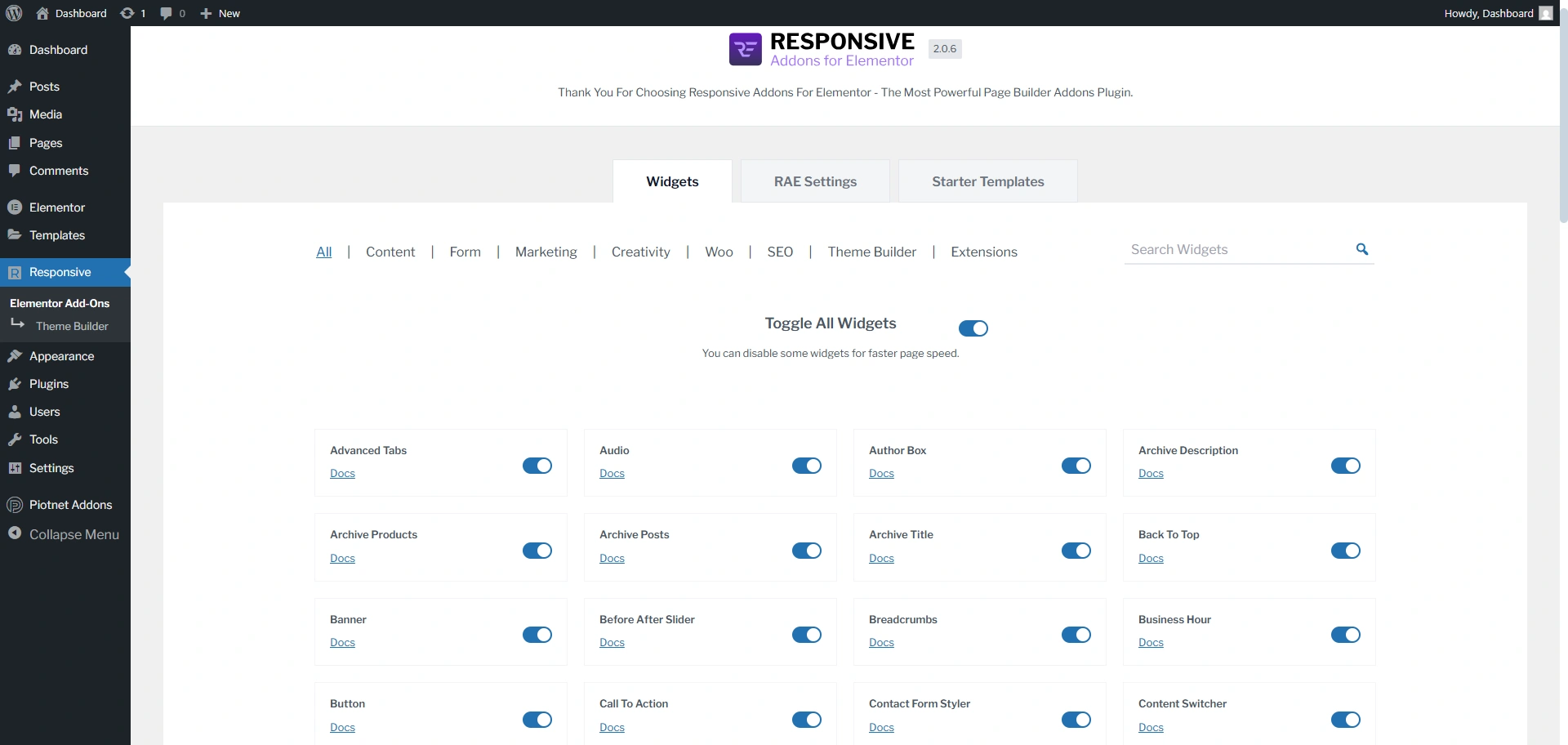
Piotnet Addons for Elementor offers over 100+ addons. While it includes some standard widgets, it shines with its highly specialised and powerful features, particularly in the Pro version.
However, the widgets aren’t organised into clear categories, which can make navigation a bit confusing.
Having categorised widgets would make it much easier for users to find what they need quickly.
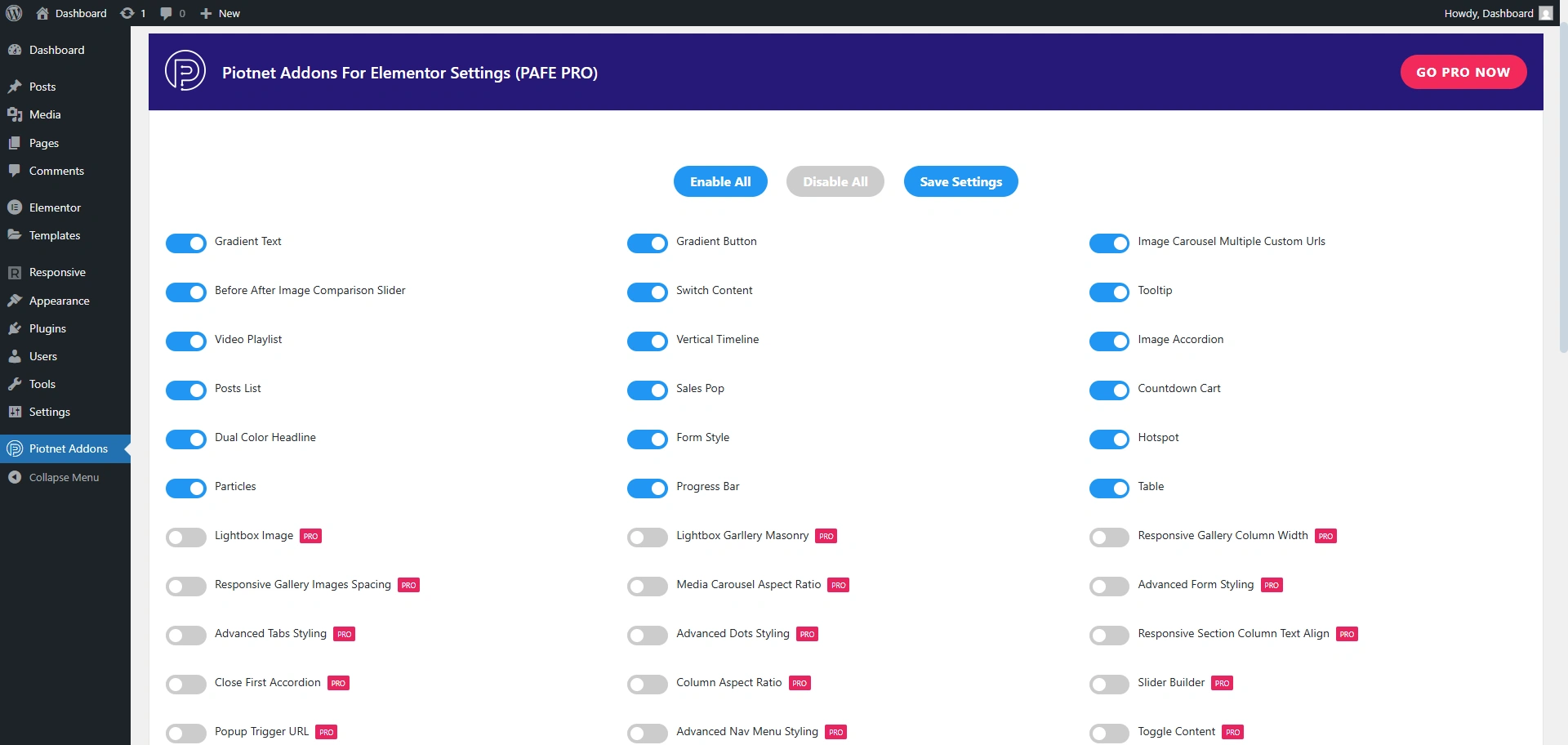
To make the comparison even fairer, I’m using both plugins’ same widget to see which one performed better.
As you can see in the image, I’m using the data table widget to see the result.
This is what the PAFE table widget provides in its layout.
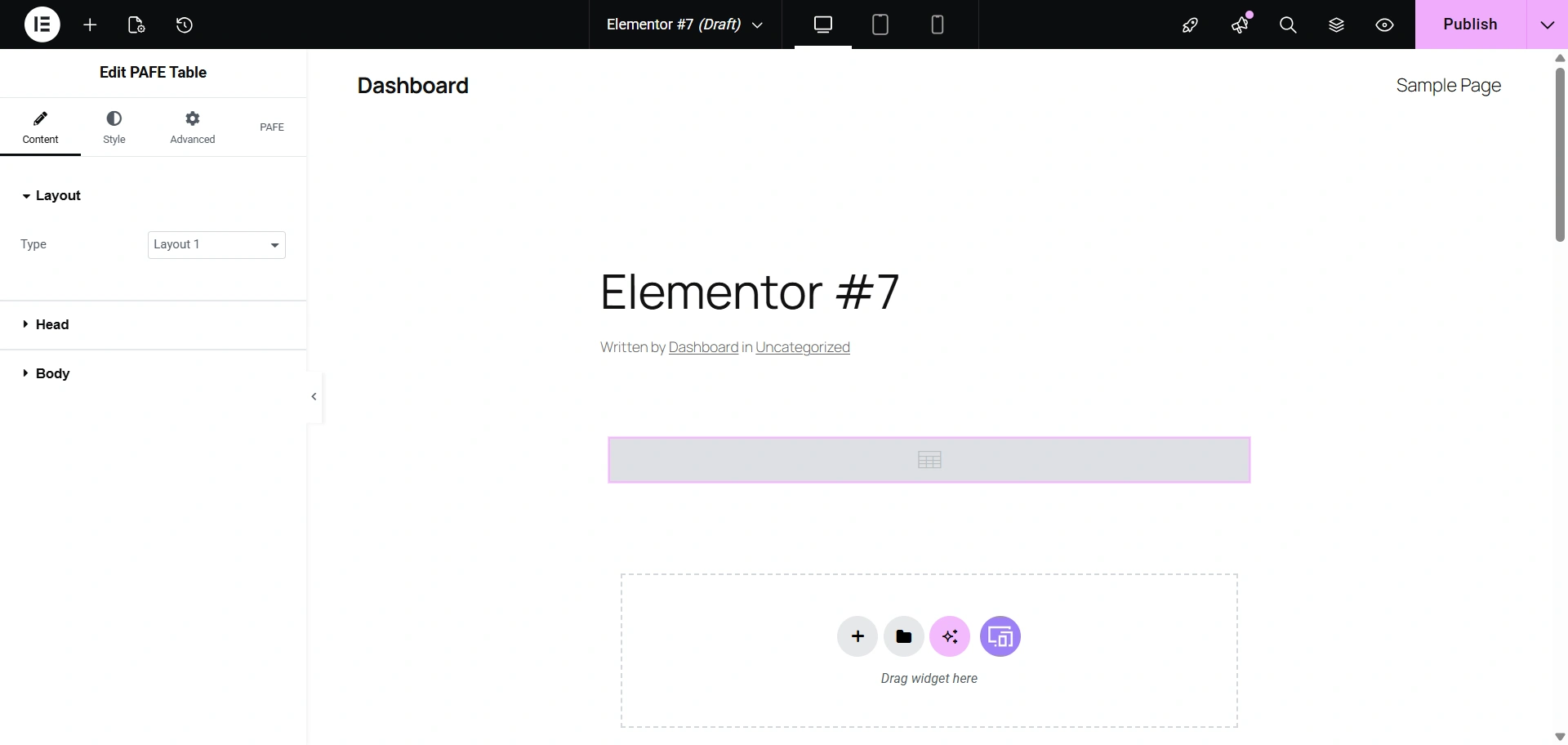
As I observed, PAFE’s table widget provided a slightly smaller space for content, resulting in a more compact design. It also gave me a different color option for the first column, specifically.
While it offered good customisation, it lacked the immediate, out-of-the-box sorting functionality that RAE included.

This is what RAE provides in its layout.
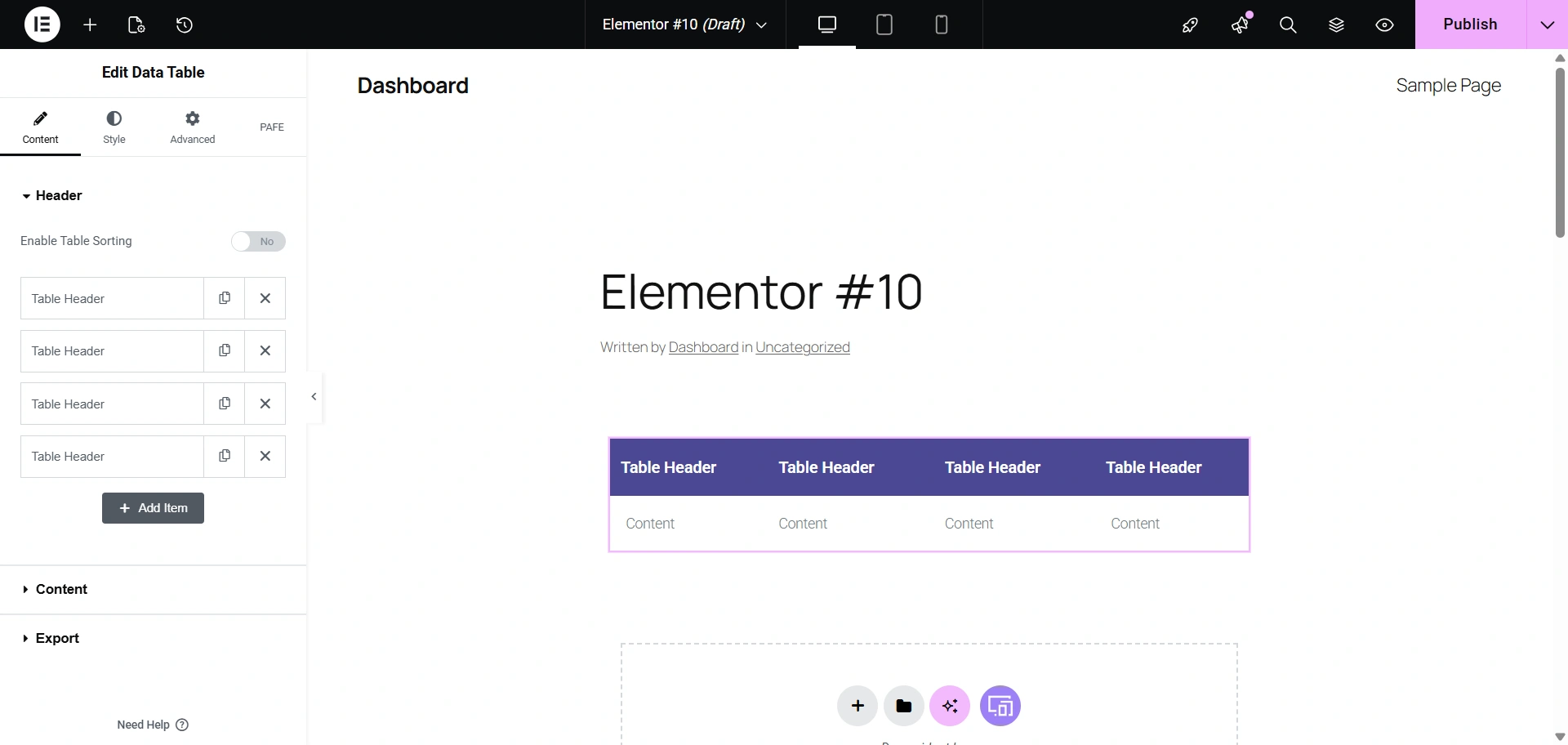
The Table widget clearly shows their approach.
It has a clean design with automatic sorting, and it also offers important developer-friendly options like exporting data to CSV and an easy mobile-responsive toggle.
It delivers strong practical value without requiring a premium upgrade or a complicated setup process.

Performance Test Between RAE and Ultimate Addons for Elementor
Performance Test Result of Responsive Addons for Elementor
For the Responsive Addons performance test, I have installed only the RAE plugin on a vanilla website. After that, added countdown widget and conducted the performance test using GTmetrix.

Performance Test Result of Piotnet Addons for Elementor
Similarly, for the Piotnet Addons performance test, I have installed just the PAFE plugin on a vanilla website. After that, I added a progress widget and conducted the performance test using GTmetrix.

Templates Library
We’ll check which plugin offers you ready to use Starter Templates
Responsive Addons for Elementor
To access the full Responsive Addons for Elementor templates library, you’ll need to install the Responsive Plus plugin, which unlocks all Elementor-supported templates powered by RAE.
You get around 150+ professionally built Starter templates.
These are full-fledged website designs that can be imported with a single click, covering various niches like business, portfolio, and e-commerce.
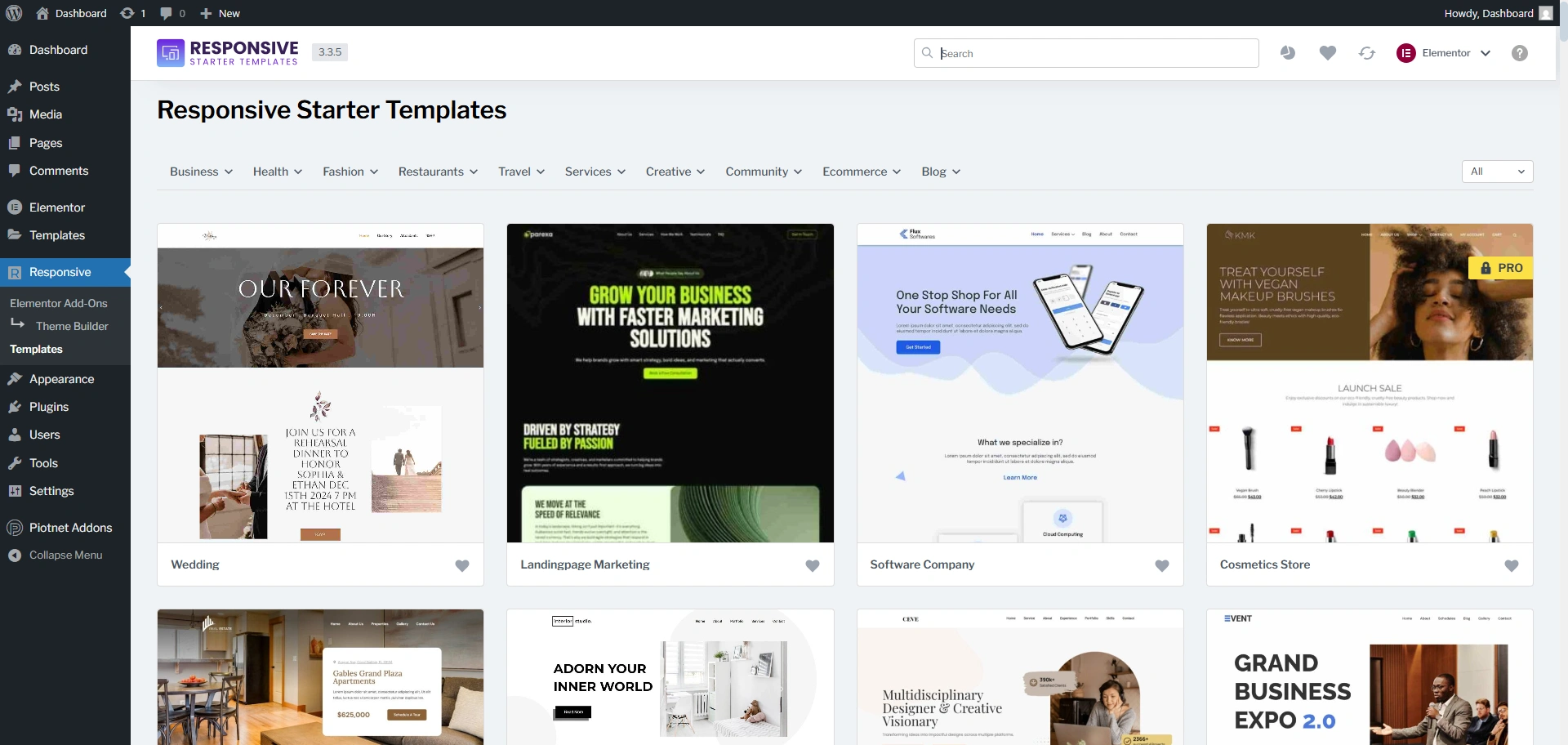
Piotnet Addons for Elementor Template library
Does not provide a template library.
Theme Builder
Responsive Addons For Elementor
Responsive Addons for Elementor features an advanced Elementor theme builder that allows users to customize every aspect of their website.
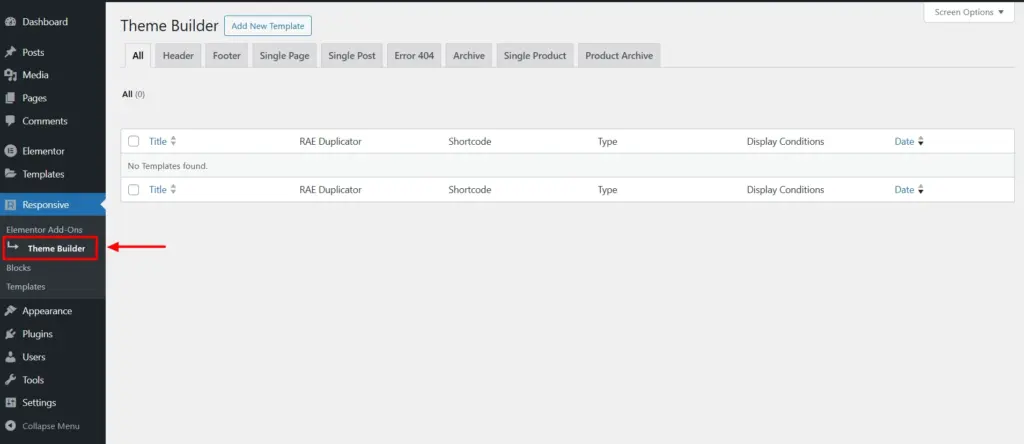
RAE Theme Builder integrates seamlessly with popular themes like Responsive, Kadence, etc, enabling enhanced setup such as creation of headers, footers, single post templates, and archive posts or pages, and much more.
It also provides the access to add a new template or edit the existing one.
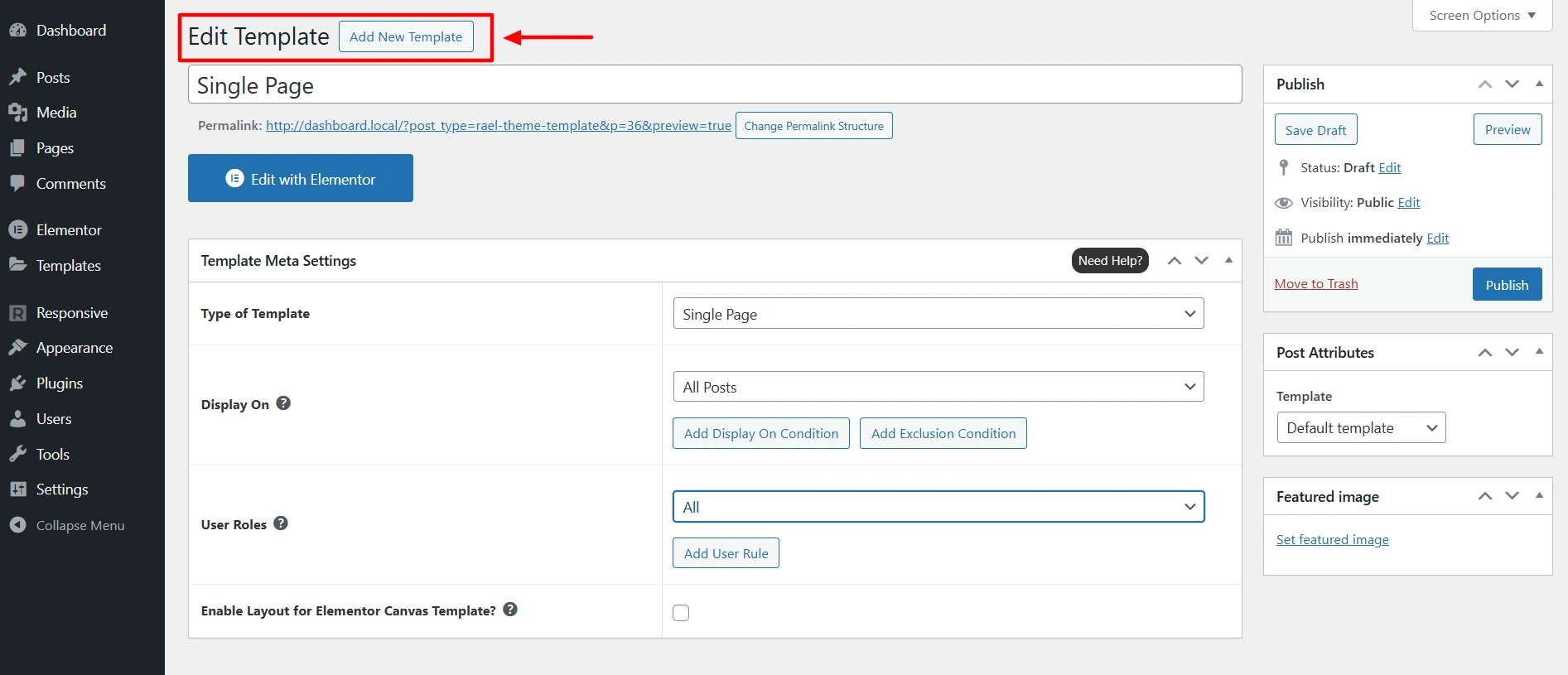
While editing the template, the RAE Theme Builder provides template settings such as, type of template, display on settings, and user roles.
Pionet Addons for Elementor
Does not provide a theme builder.
Support
One of the most crucial aspects to consider is the quality and availability of support. After all, even the most robust tools can present challenges, and knowing there’s a reliable backup makes all the difference.
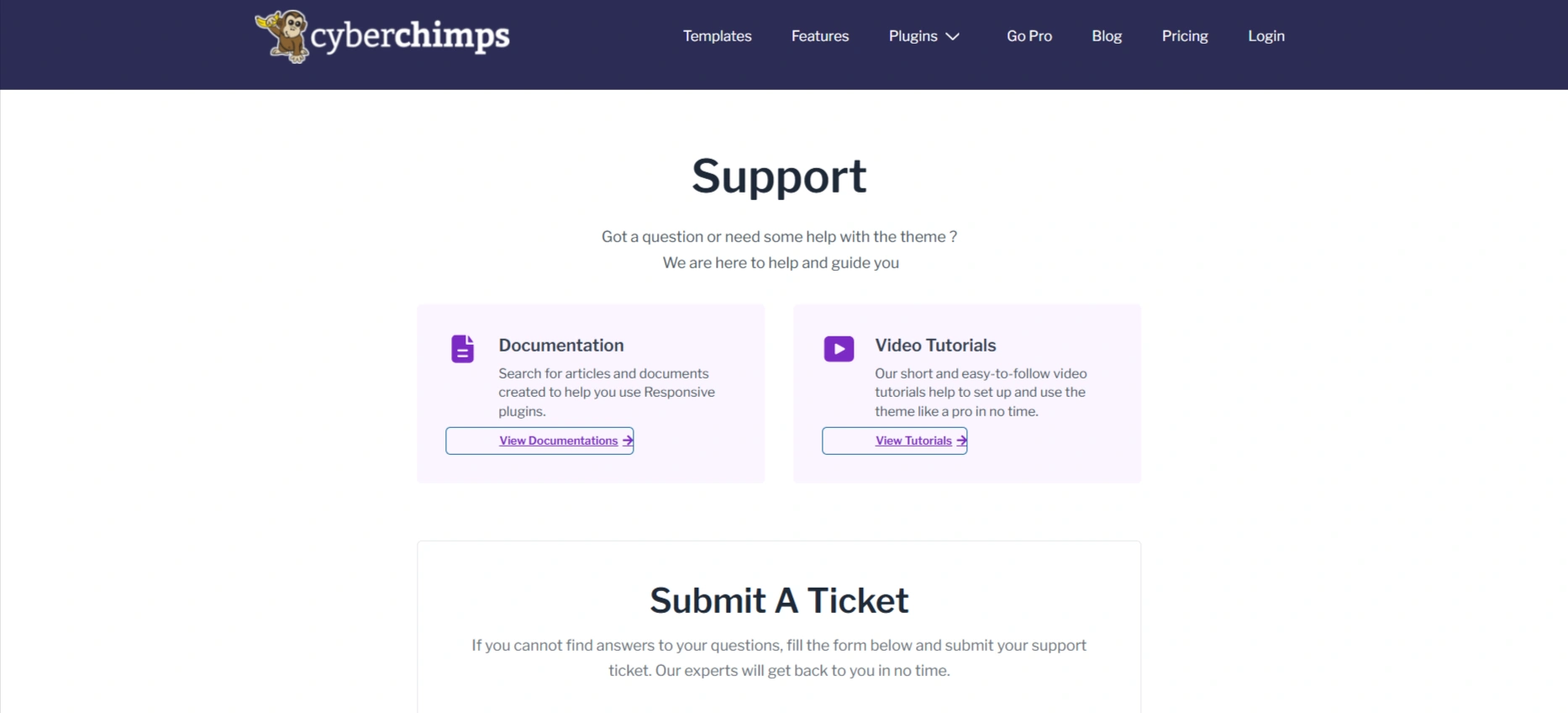
RAE provides a dedicated support section. When you visit their support page, you can clearly see organised pathways for documentation, video tutorials and support tickets.
It gives options to try and solve the problem yourself first, which is often faster. But the real reassurance comes when you look at their activity on the official WordPress support forums.
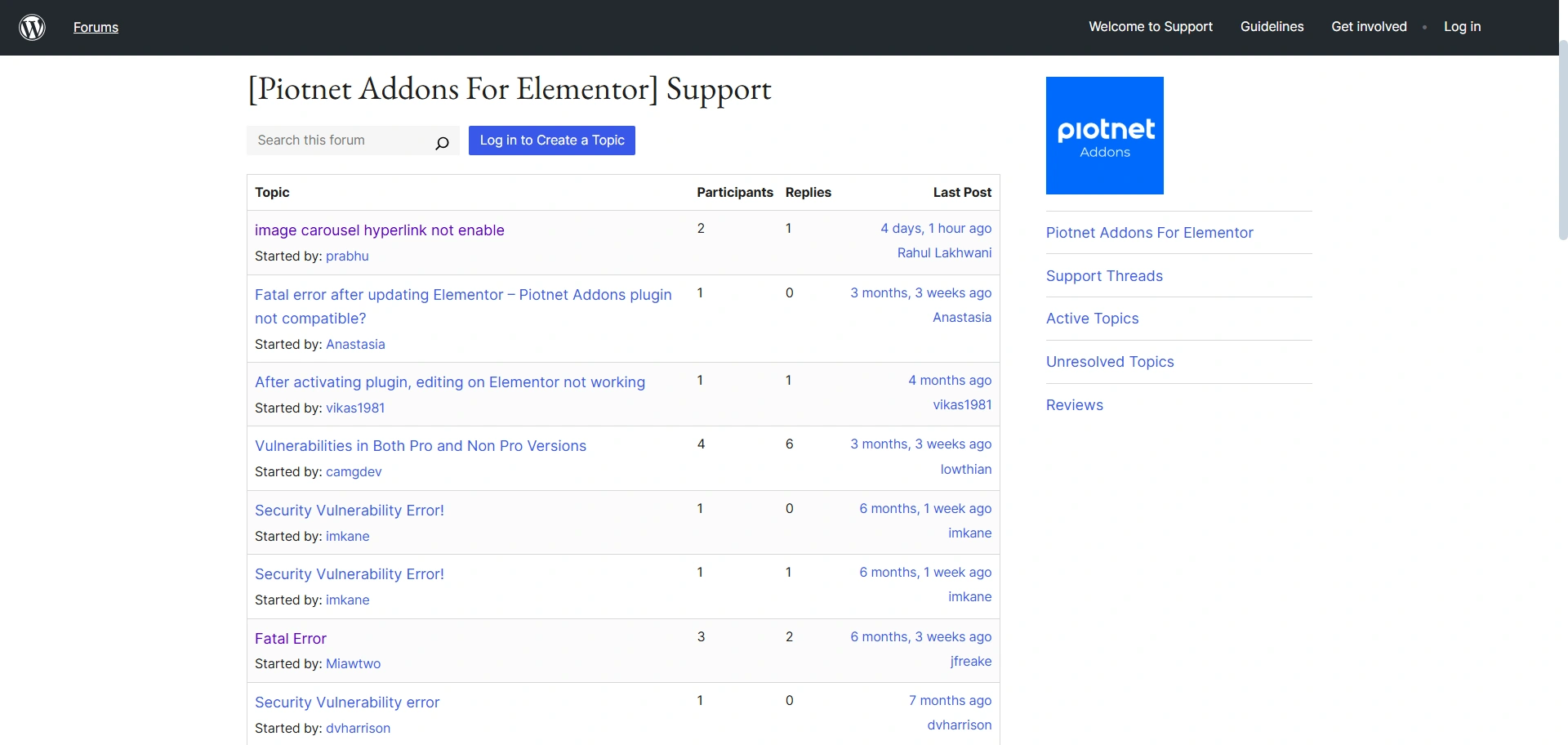
RAE really shines here. A consistent, high rating with rapid support response times on the public forum gives confidence that they are actively managing their user base.
For a free addon, this level of attention is more than you can ask for. The commitment to timely fixes and engagement seems to be a key priority for them.
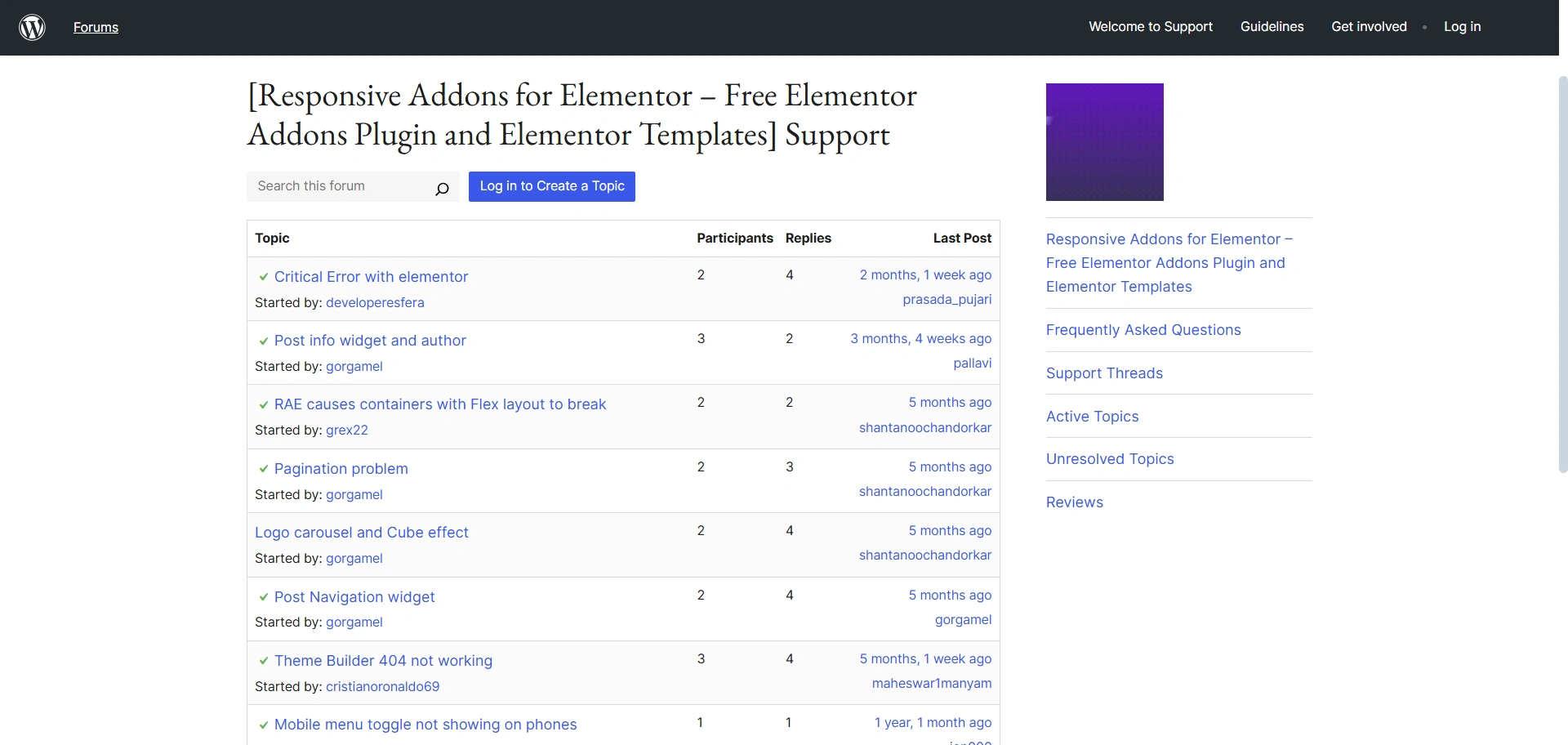
Piotnet Addons for Elementor support area appears to need improvement. Alternatively, if they have an alternative support method, they could have mentioned it on their website.
Also, I tried their support forum, but the picture is less comforting.
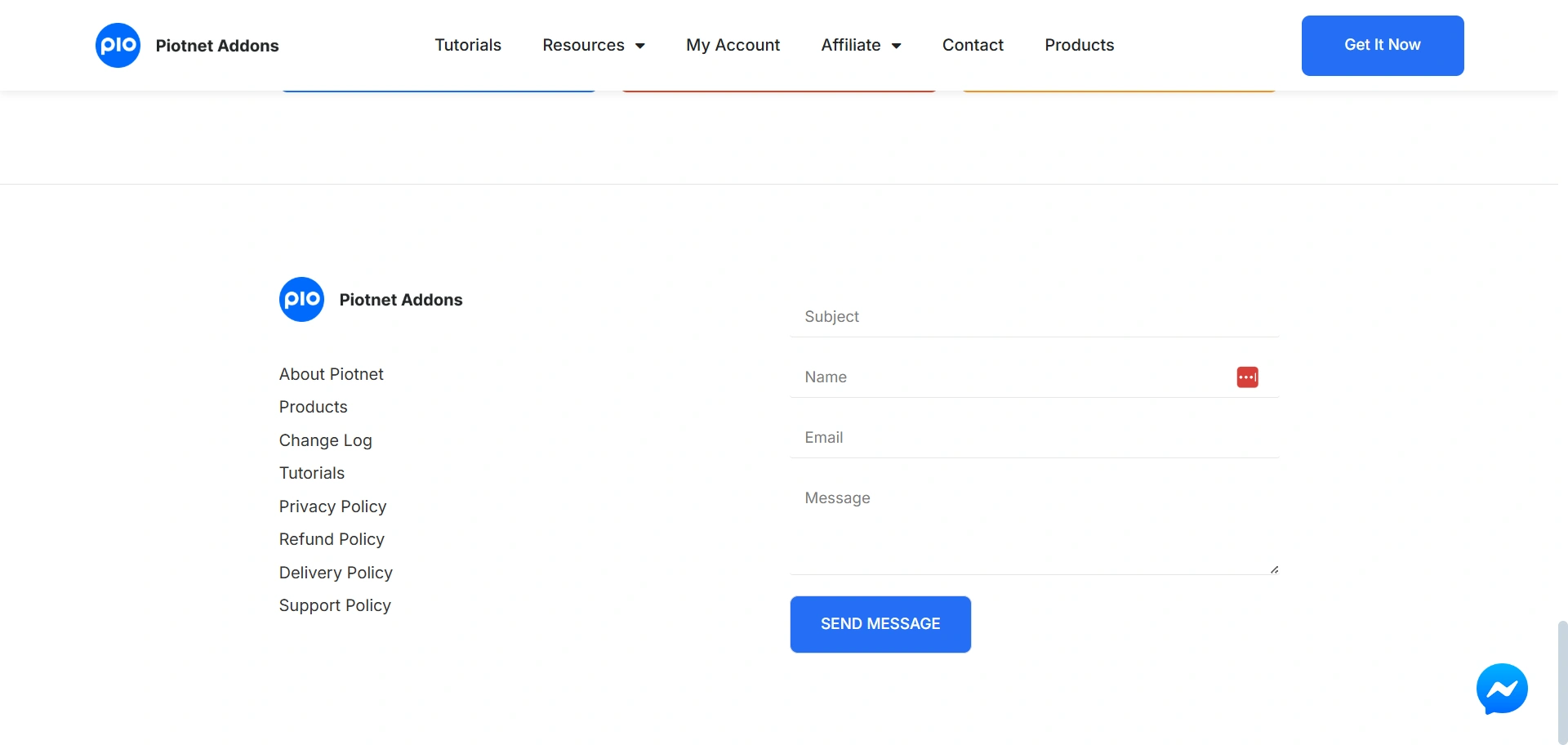
The team is building great features, but their WordPress.org support replies are not always consistent. Some threads get quick responses while others wait longer, which creates uncertainty.
In urgent situations, I wouldn’t fully rely on their public forum for fast help. RAE’s steady and transparent support record feels more dependable.
Integrations & Compatibility
Customisation controls determine how much control you have over the look and feel of your elements.
RAE is built with a strong focus on compatibility. You get:
- Works with all major WordPress themes
- Smooth experience with popular plugins like WooCommerce
- No conflict issues in most environments
- Stable performance across major browsers
- Tested with the latest Elementor updates
This makes RAE a safe choice if you want predictable behaviour on client websites.
PAFE supports deeper integrations for forms and dynamic fields. Compatibility depends heavily on how advanced your setup is. Some users report conflicts due to complex logic or custom scripts. The plugin works well when used carefully, but requires more testing.
Cross-browser performance is stable, although large forms may slow down old devices.
Pricing comparison
Responsive Addons For Elementor
My final area of comparison, and perhaps the most important for budget-conscious developers, is pricing.
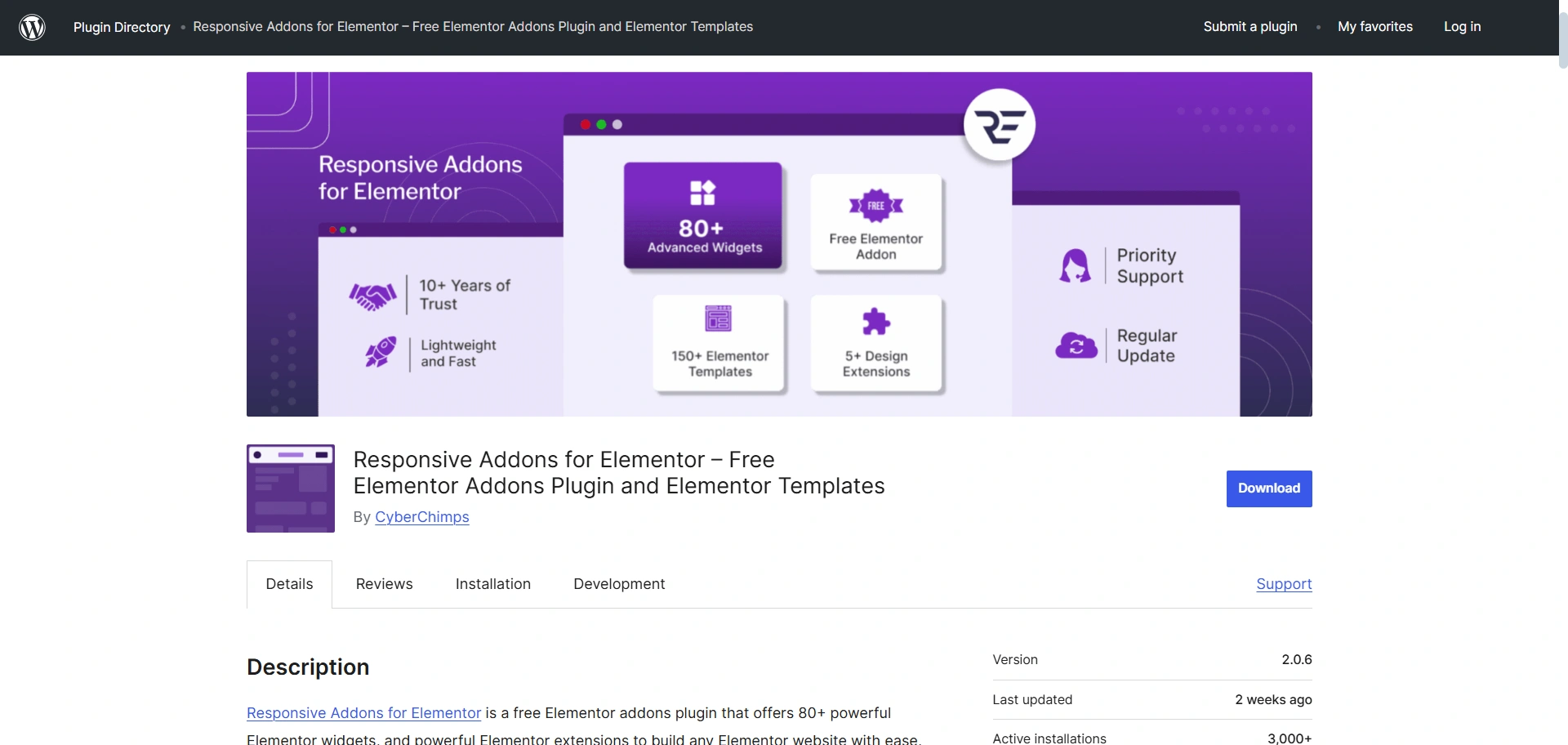
RAE is effectively a free plugin. They provide 80+ widgets and 150+ templates entirely for free.
While RAE does offer premium options, the free tier is so feature-rich that you only need to upgrade if you want the full suite of the Responsive Theme ecosystem, or if you need their advanced starter templates and a dedicated, premium support channel.
Piotnet Addons For Elementor
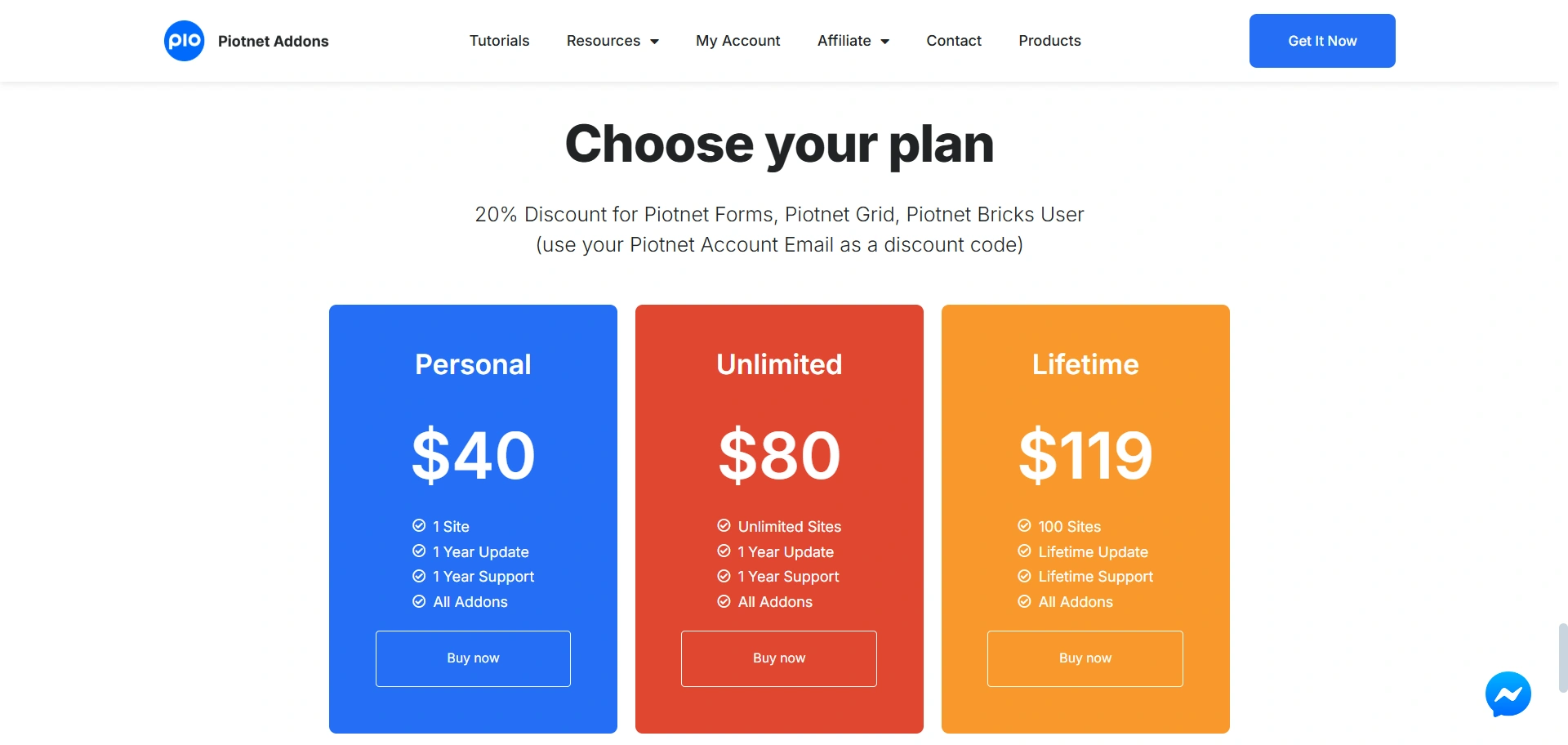
Piotnet Addons, on the other hand, operates with a clear focus on locking its most powerful, specialised features behind a premium paywall, though a basic, functional free version exists.
You’re paying a premium for application-level building tools. The cost is justified only if your project absolutely requires that dynamic power.
FAQ
Responsive Addons for Elementor (RAE) is a significantly better option for beginners, as it offers an expansive library of free widgets and a massive library of pre-built starter templates that help speed up the building and learning experience.
Piotnet Addons for Elementor (PAFE) Pro is a better option when it comes to complex forms. Its Advanced Form Builder has critical features like Conditional Logic, Repeater Fields, Calculated Fields and Multi-step Forms, which are essential to more complex data collection and user experience.
Yes, one of RAE’s biggest advantages is the ability to use its Theme Builder to build custom headers, footers and post templates with the free version of Elementor, thus removing one of the biggest reasons to upgrade to Elementor Pro.
Yes, PAFE helps in creating dynamic content. Some of the Pro features of PAFE include the ability to build forms that can submit and edit posts, and its compatibility with dynamic field plugins.
Final Verdict
Responsive Addons for Elementor (RAE) and Piotnet Addons for Elementor (PAFE) are incredible plugins with different uses.
RAE is great for beginners and designers who want a simple, performance-based, feature-rich add-on pack with free templates and widgets. It has more than 80 widgets, over 150 templates, and performs well without a fee.
PAFE is for developers who need advanced form-building options, conditional logic, and dynamic styling for a more advanced project.
If you want simplicity and speed, go with RAE, and if you need power and flexibility, PAFE is the right choice.
If you like this article, consider reading these articles:
- How to Change Blog Layout in WordPress
- How to Add a Navigation Menu in WordPress
- Import Patterns & Pages Using The Responsive Blocks Plugin
Download Responsive Theme and Responsive Addons for Elementor for free.





