
Summary
This article explains how to build a car rental website using WordPress with a ready-made Car Rental starter template.
It shows how to import the template in one click, customize pages easily, add fleet and service details, and create a responsive, professional website quickly without any coding.
Are customers struggling to find your car rental services online? Nowadays, renters want quick access to vehicle options, pricing and booking all from their phone.
Without a proper website, you are missing out on the leads every single day.
To make your task easy, we have introduced the “Car Rental Starter Template”. This will make your website handling easier and convenient without much effort.
So read this guide till the end to find out answers to all your questions.
Cyberchimps Responsive is the Best WordPress Theme – Get it for free!
What is Responsive Starter Templates Library?
So, as I mentioned about the car rental starter template, what do you really mean by that?
Starter templates are pre-built website designs that you can import into WordPress with just one click. Instead of building a website from scratch, you start with a professionally designed layout that already includes:
- Ready-made pages (Home, About, Services, Contact, etc.)
- Placeholder text and images you can replace
- Pre-configured fonts, colors, and styling
- Navigation menus, sections, and call-to-action buttons
- Builder-friendly structure (Elementor or Gutenberg)
The Responsive Starter Templates Library contains all the responsive starter template collections, including the Car Rental Template, which allows users to quickly create a new website in only one click.
Compatible with Page Builders such as Gutenberg and Elementor, these templates are built-in compatibility with WooCommerce and all other major plugins used for eCommerce purposes.
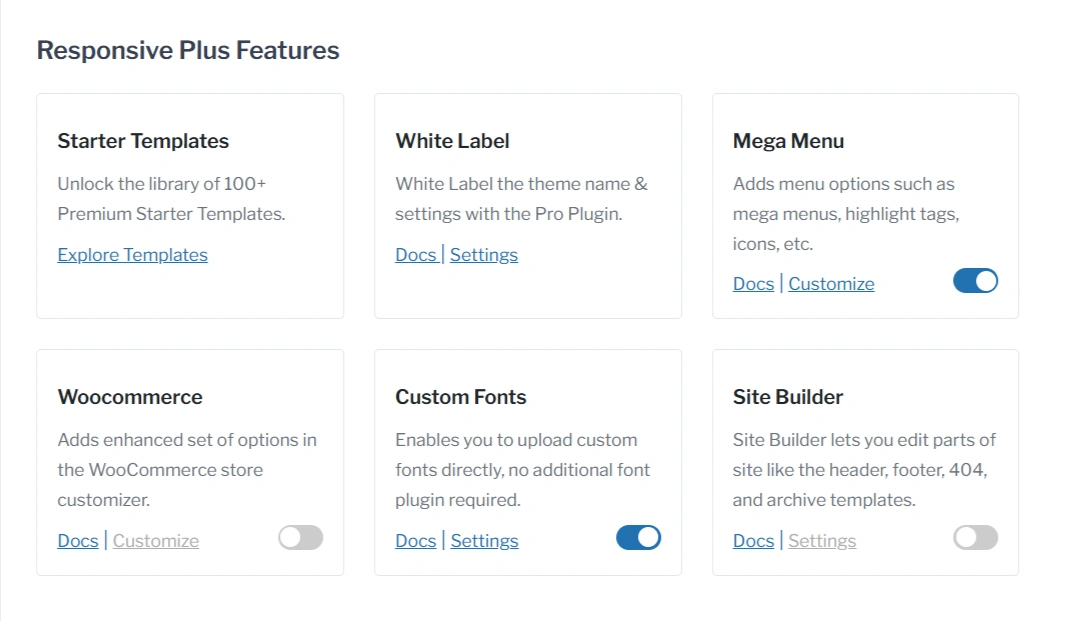
They also support white-label branding for agencies, custom fonts, a powerful mega menu, and an intuitive site builder, giving you complete control to create a professional, fully customized website with ease.
Key Sections of Car Rental Starter Template
Homepage
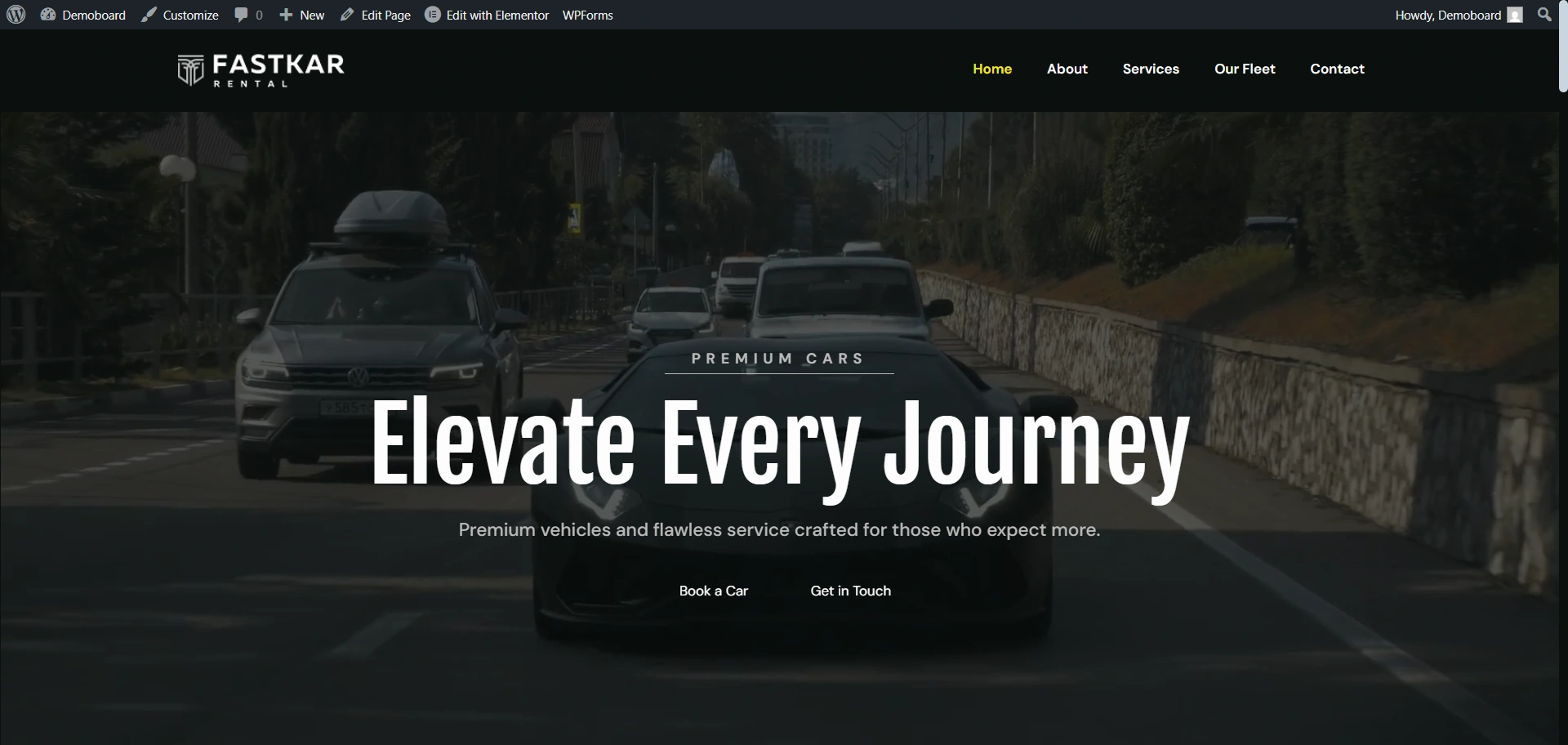
The main purpose behind designing the homepage is to immediately convey the brand’s premium identity, capture the visitor’s attention, and direct them to the primary goal: booking a car.
You can see this homepage. In this, you don’t have to design the crucial hero section, main navigation, or primary calls-to-action (CTAs).
It provides the high-impact visual framework necessary to grab attention and guide visitors to the booking process right away.
About Page
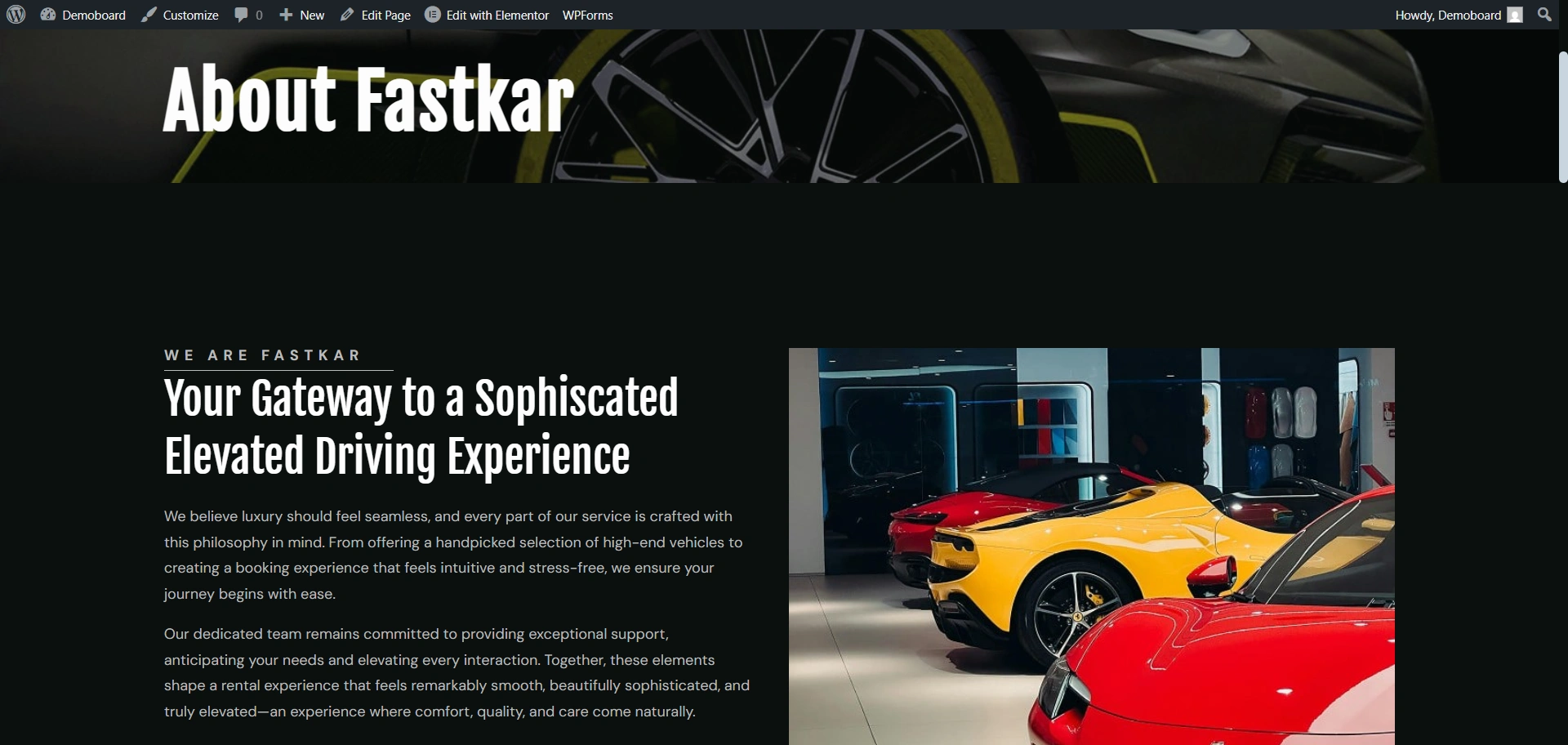
The About Page is a place to help customers view your business as trustworthy and credible.
Also, in the structure of this template, each section consists of professionally structured sections for the mission and vision of your business, the service commitment of your business, and an introduction to you and your team. All of the sections are pre-styled for optimal readability.
As a result, you are able to spend time crafting your company’s brand message while the template takes care of the layout, spacing, and visual design.
Services page
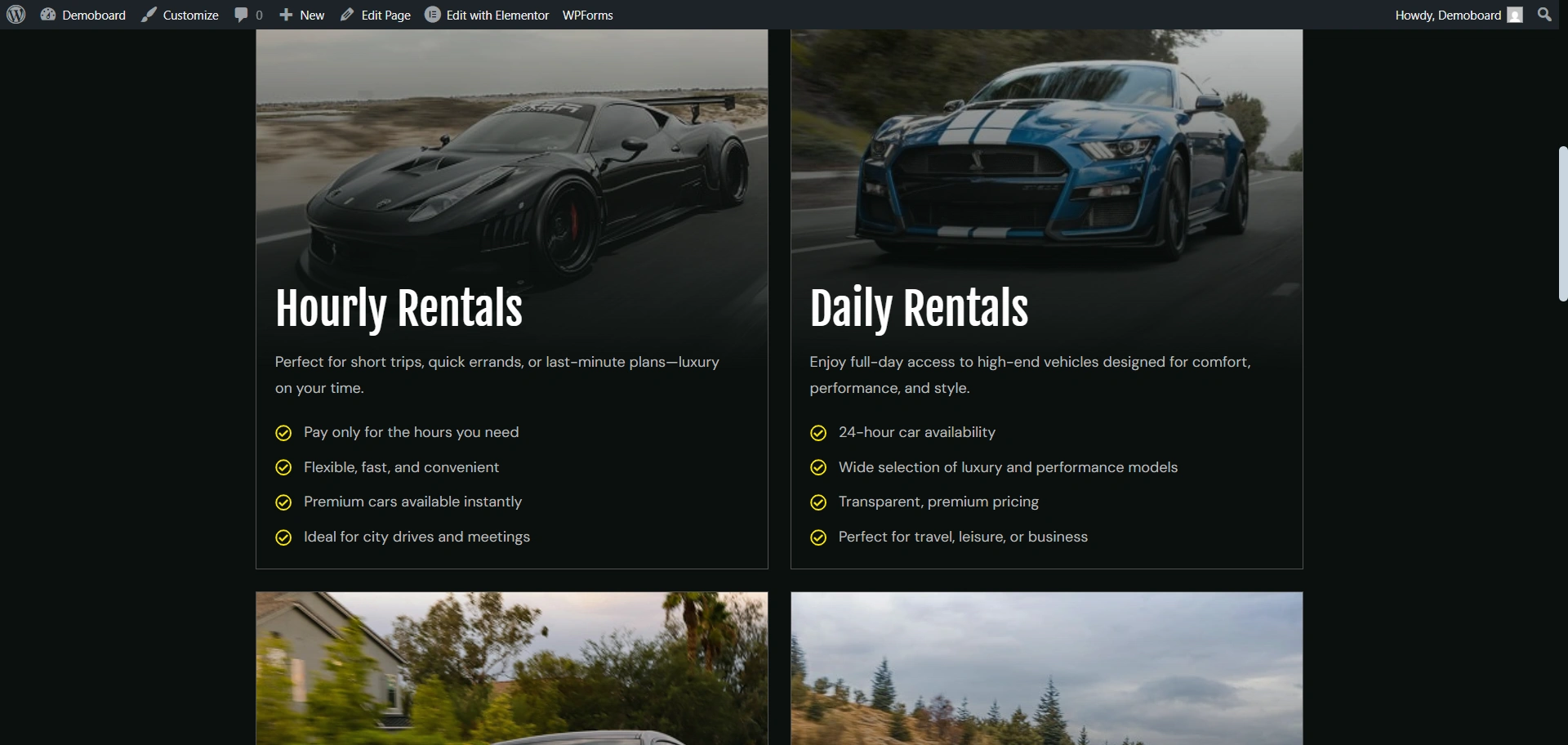
If you offer hourly rentals, long-term leasing, chauffeur services, or premium add-ons, this page helps users quickly explore and compare what you provide.
Pre-built feature lists and segmented sections make it effortless for visitors to understand your pricing and service differences, boosting conversions without extra design effort.
Our fleet page showing car options
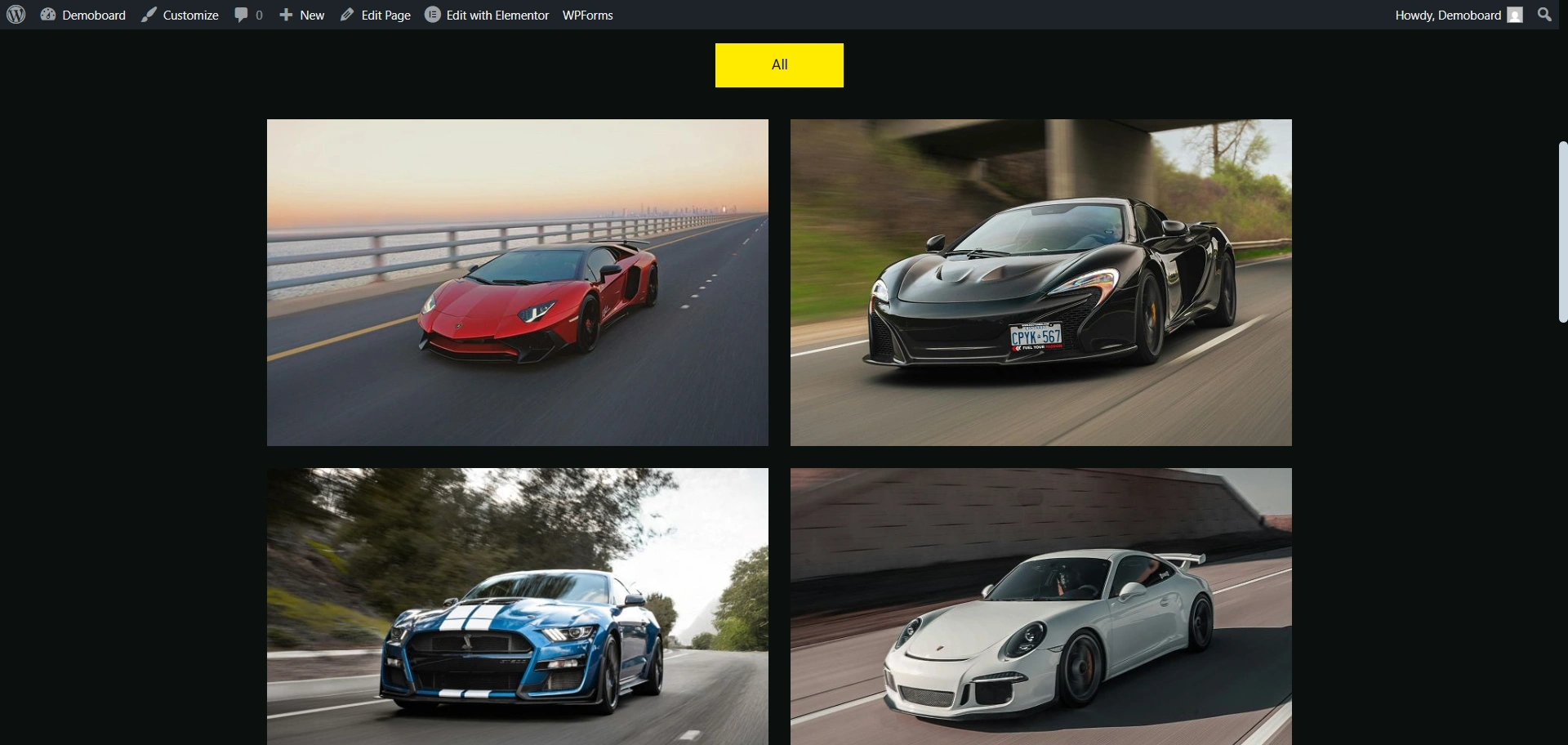
Central to a car rental website is its Fleet page. The Fleet page is meant to be a product catalogue for that website.
The purpose of the fleet page layout is to visually present the range of available cars to customers in order to allow them to quickly find and compare different car rental options.
The Fleet page has an optimised gallery structure that you can be use to list your fleet of cars. All you need to do is to substitute the demo vehicle pictures, prices and information about your fleet with your own.
As everything has been created pre-integrated, you will not have to build your own layouts from scratch.
Contact page
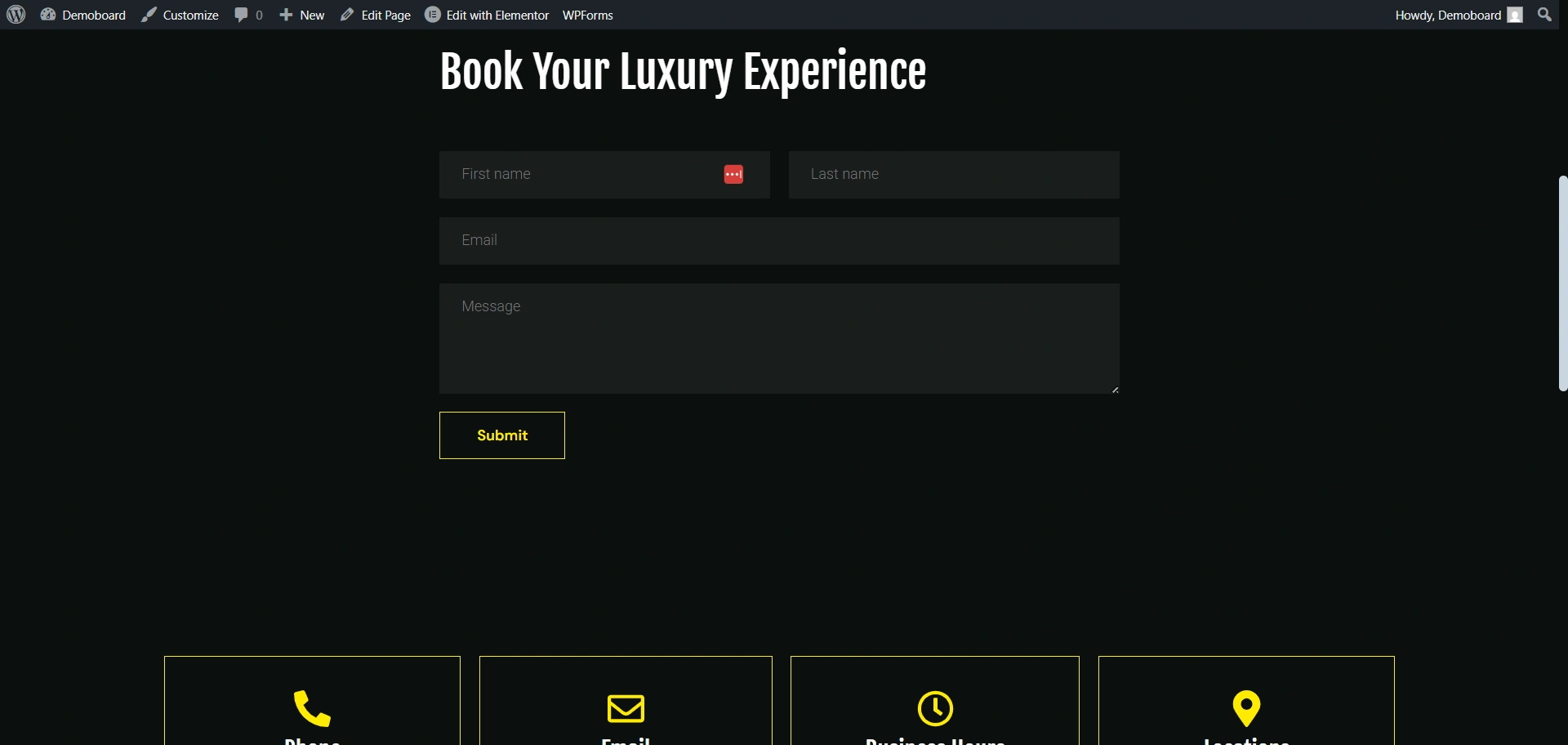
The Contact Page ensures customers can easily reach out for inquiries or reservations.
The template already includes dedicated sections for phone number, email address, business hours, and location, professionally designed for clarity and accessibility.
All you need to do is connect the form to your email and update the information, instantly enabling a fully functional communication and lead-generation channel for your business.
Why It’s Perfect for Car Rentals
This template is primarily designed to meet the unique needs of the car rental industry, providing immediate value for travel agencies, independent rental companies, and large corporate fleets.
- Instant Online Presence: Launch your online store and brand experience on day one. You skip the design phase and move straight to customizing content.
- Integrated Functionality: The template is pre-structured to combine product sales (your fleet), service information, and direct booking/contact forms in a polished, user-friendly format.
- Minimal Technical Effort: Manage your site with minimal technical complexity. The intuitive structure and compatibility with user-friendly editors mean you spend less time troubleshooting and more time renting cars.
- Responsive & Fast Loading: The layout is fully responsive, meaning it looks perfect on desktops, tablets, and phones. This is crucial for today’s mobile-first customers and positively impacts your SEO performance.
How to Import the Car Rental Starter Template
Before you begin, make sure you have a domain name and a reliable WordPress hosting plan set up. Once your WordPress site is ready, follow these steps.
Step 1: Install the theme and Plugin
To start with the site, we first need to install the Responsive theme for its functionalities. It is free to use.
Navigate to your WordPress dashboard > Appearance > Add theme.
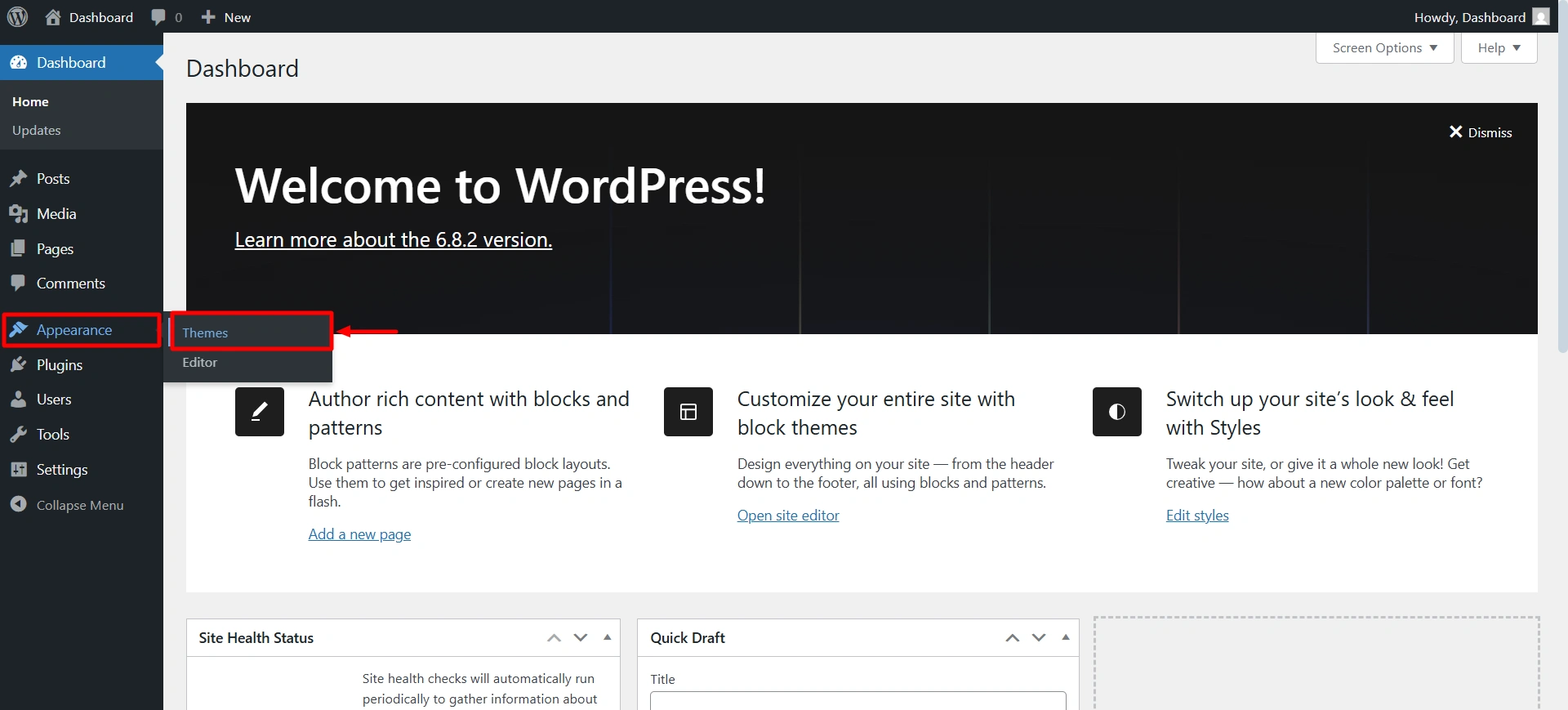
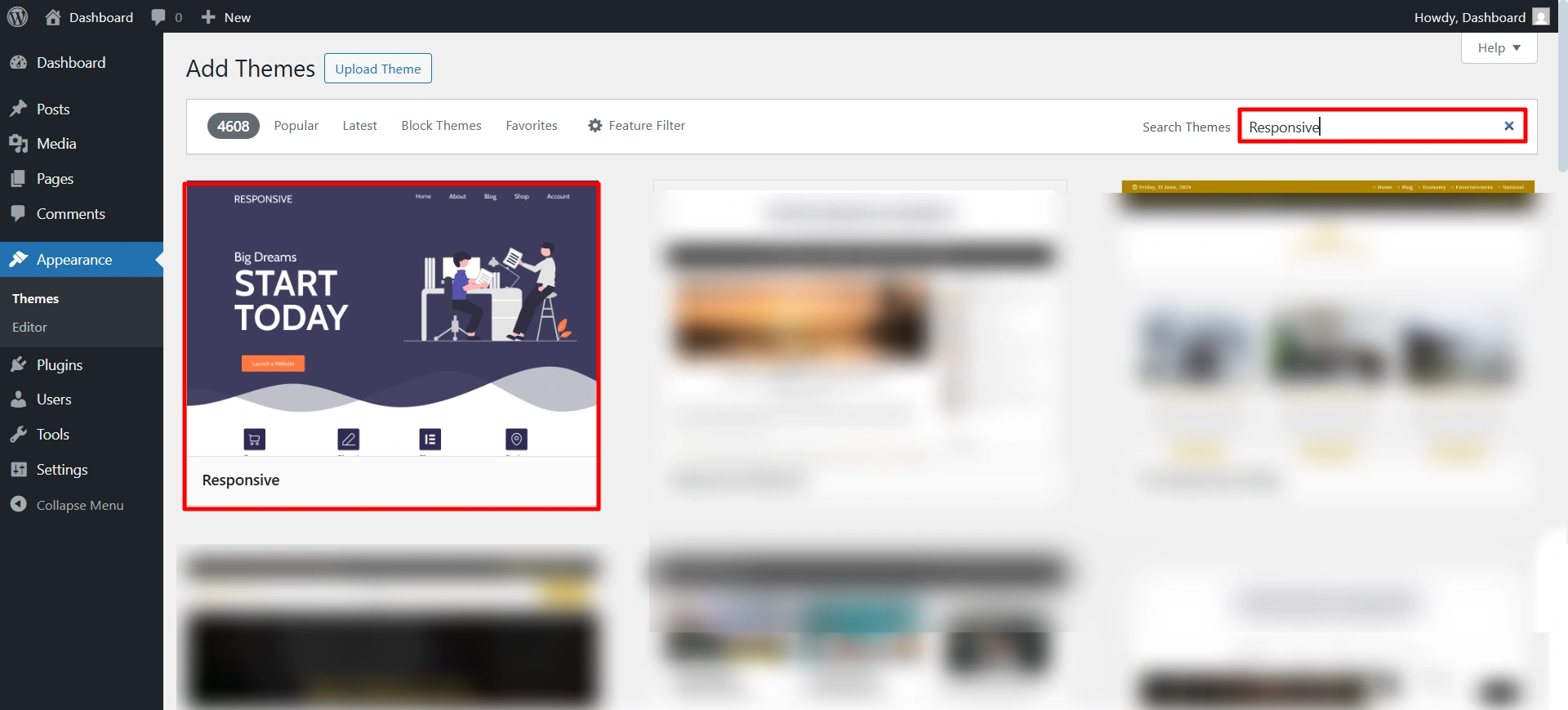
Search for the Responsive theme, and then click on install and activate.
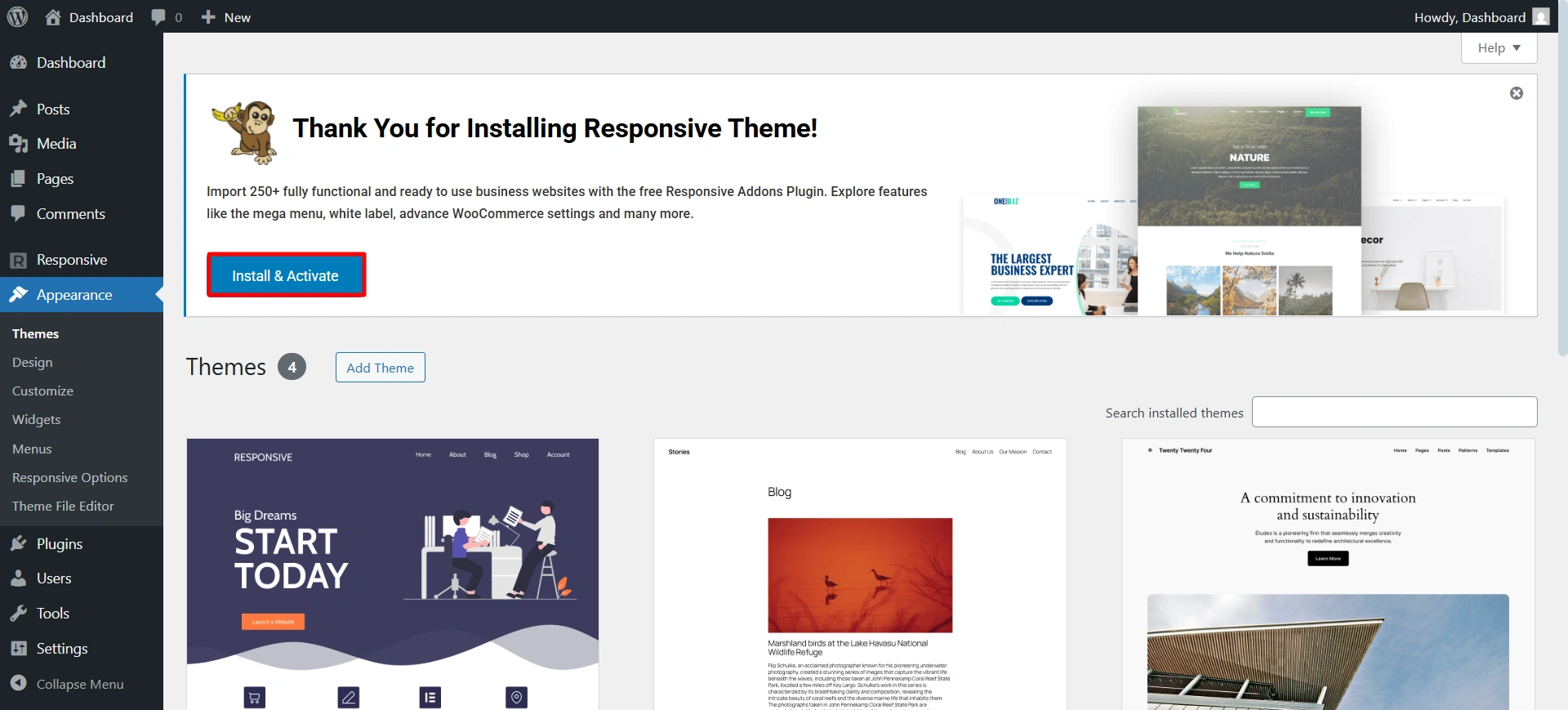
Once you install the theme, you will receive a notice at the top to install the Responsive Plus plugin. Click on install and activate.
Now you are all ready to install the Car Rental template.
Step 2: Import the Car Rental starter template
Use the search bar to find the Car Rental.
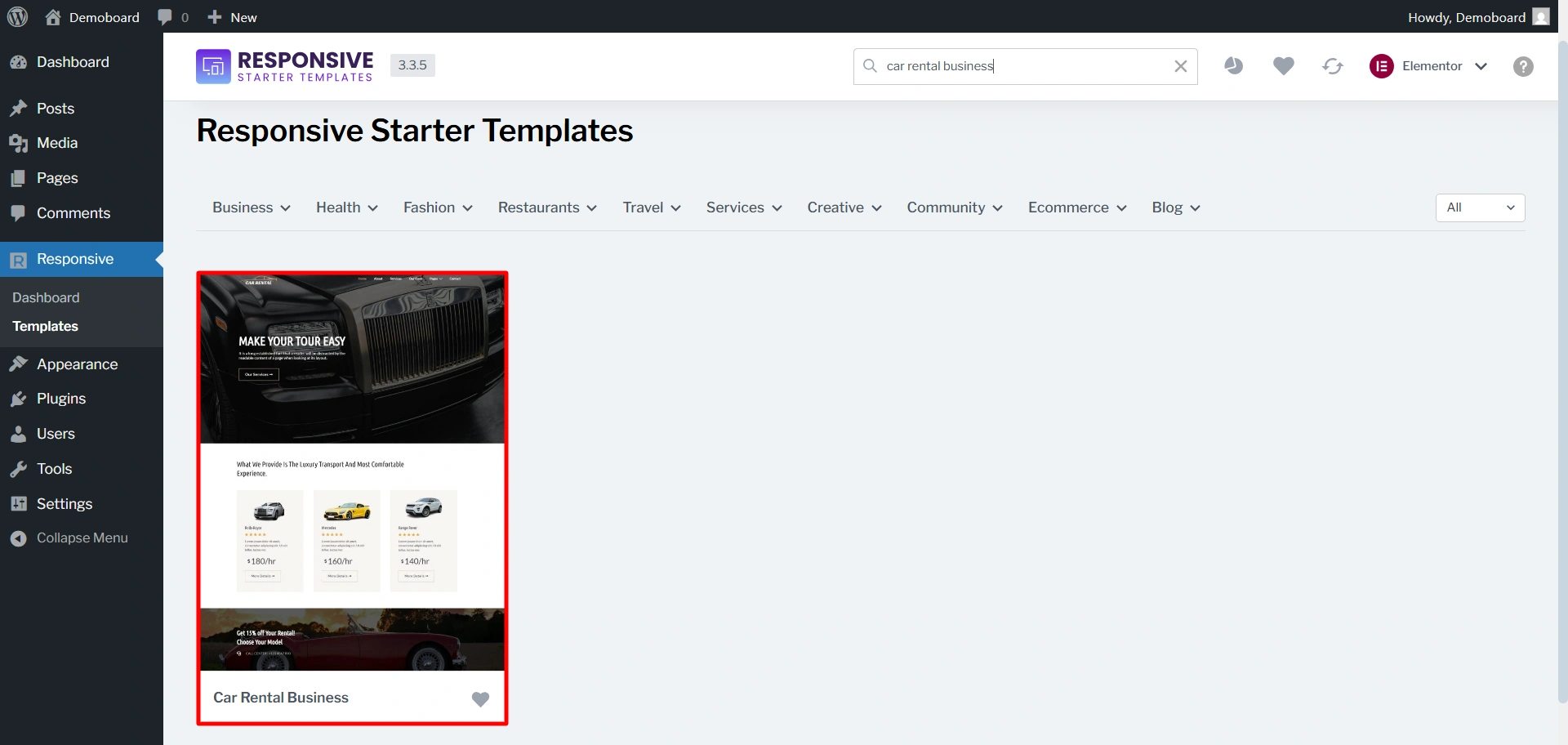
After selecting the template.
You will have the option to import the whole site, including all pages, or import individual pages as needed. For a complete solution, choose the import site option.
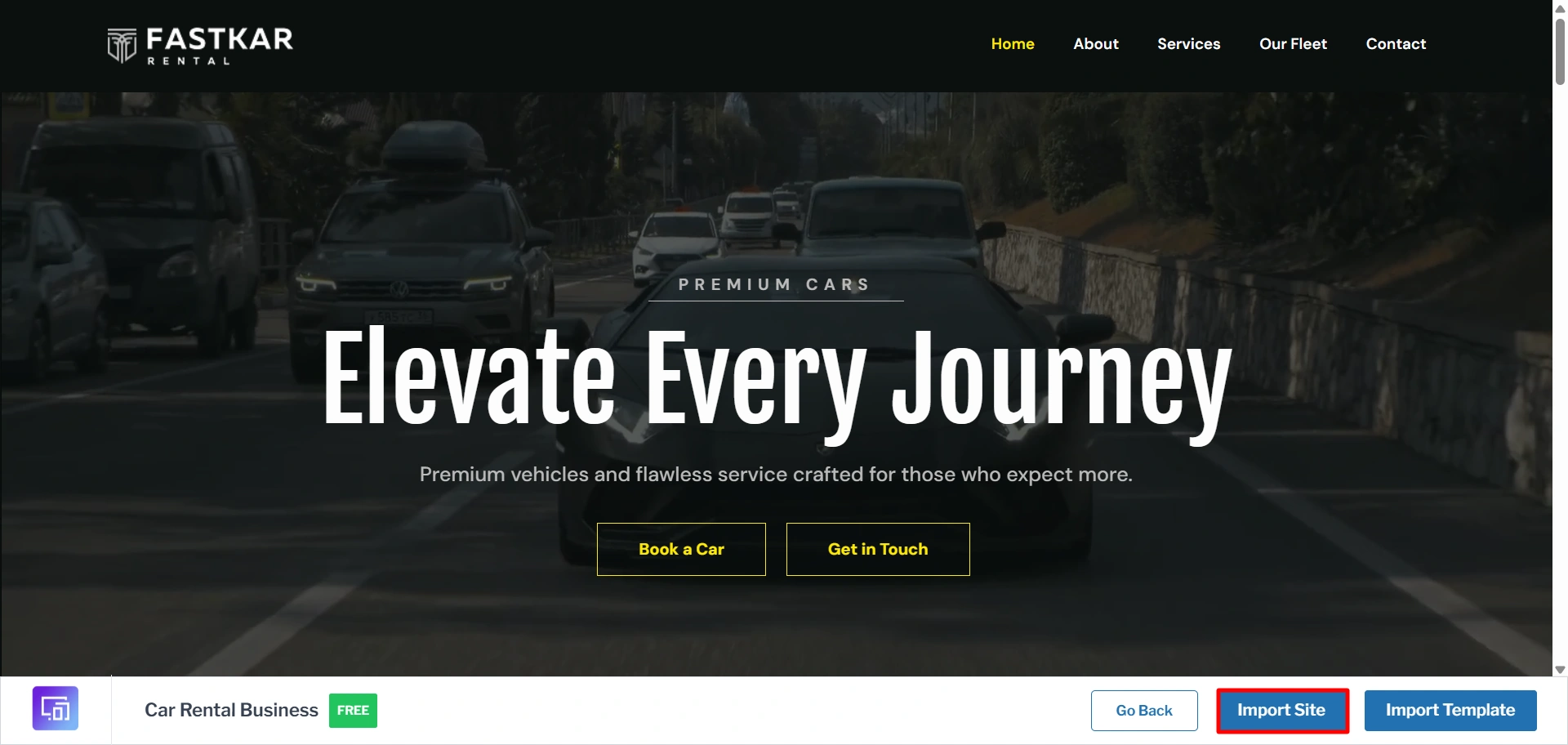
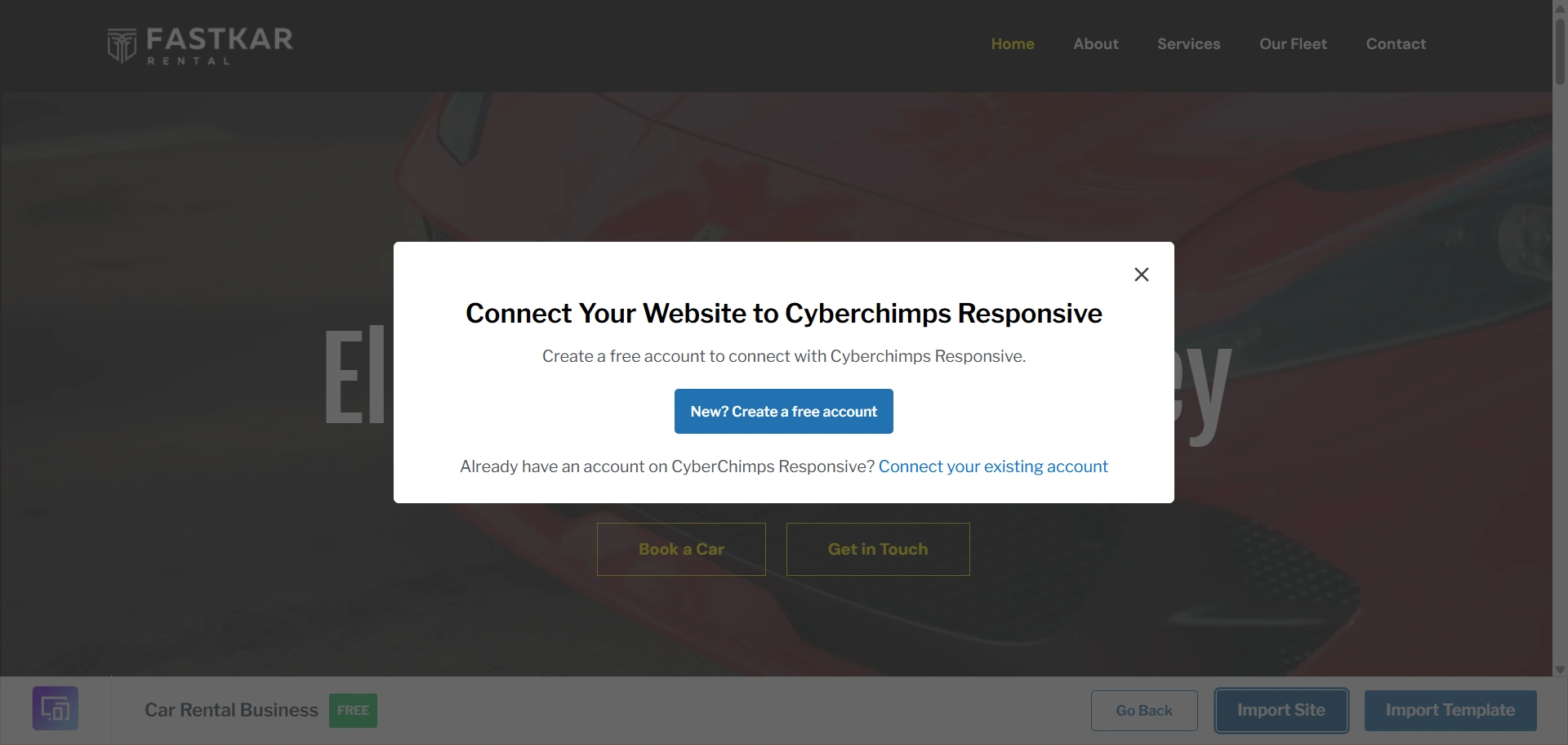
Create a new account if you are a new user.
Once you are done, click on Start Importing.
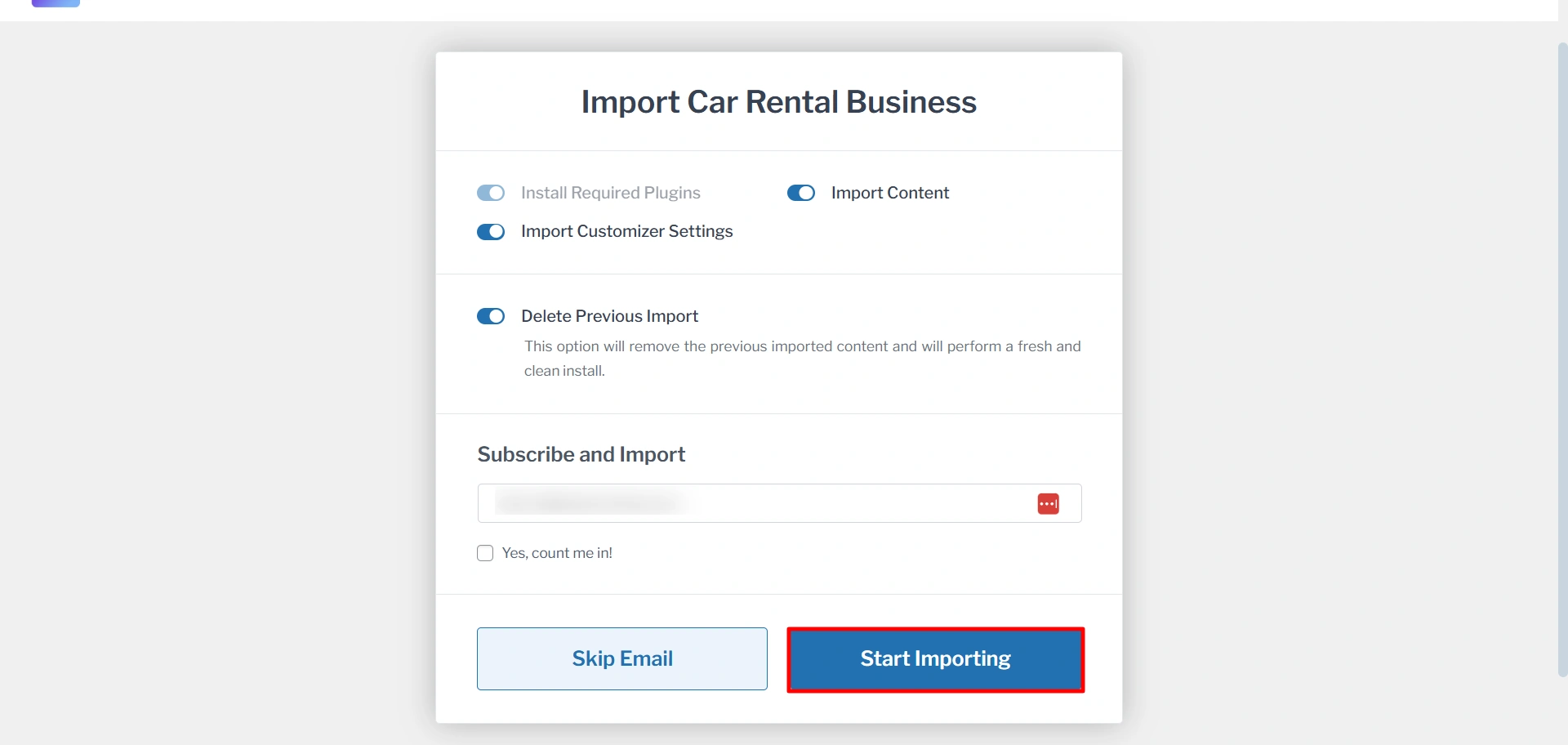
It will take a few seconds to import. After that, click on the View Website.
Step 3: Customize with Your Content
After the import is complete, your website is ready to be customized.
When building your car rental website, it’s important to provide all key information in an organized way so customers can make informed decisions.
Beyond showcasing your fleet, consider creating dedicated pages for pricing and deals. This ensures visitors can quickly find what they need, improving trust and usability.
To add a new page or post, simply go to Pages/post > Add Page/Add Post and start creating.
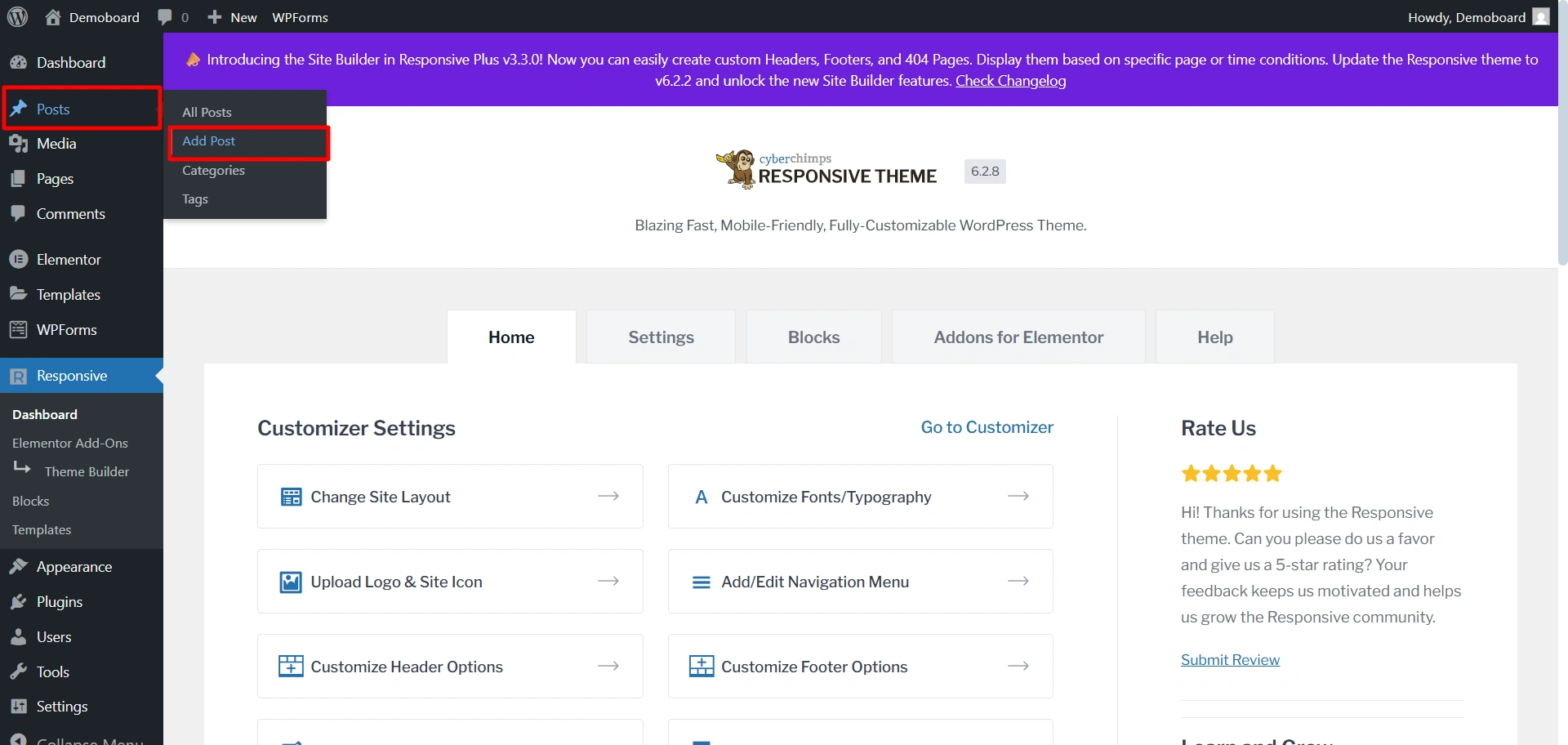
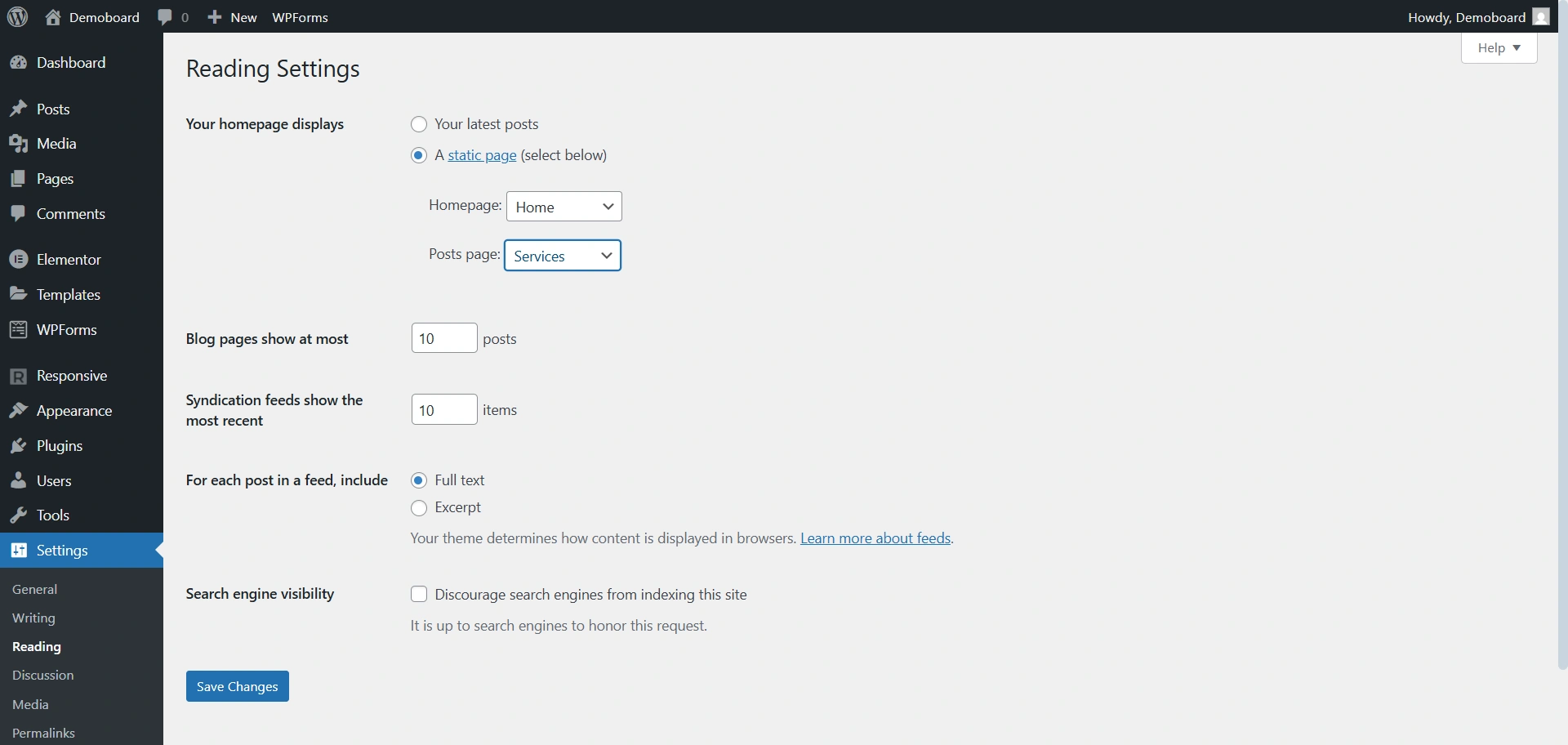
WordPress automatically shows blog posts on the homepage, which isn’t ideal for a car rental business.
Instead, create a custom homepage that highlights your vehicles, pricing, services, and customer reviews to make a strong first impression.
Once designed, set it as your homepage from Settings > Reading in WordPress.
You can fully customize your car rental website to match your brand. Easily change background colors, fonts, and text, edit the header, add widgets to the footer, and adjust layouts.
Click customise to access these settings.
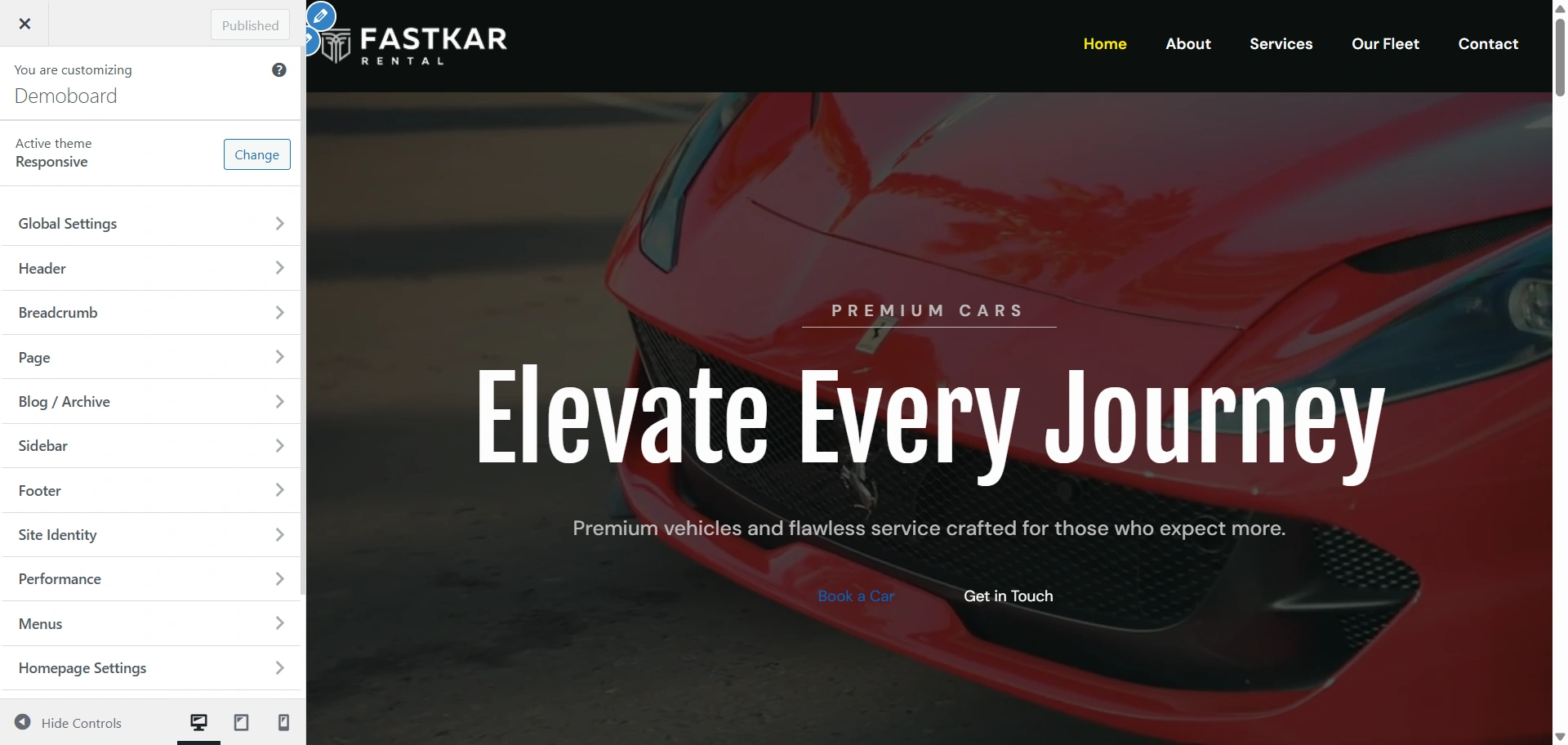
Once you are done editing your site, click on publish.
FAQ
Yes, the Car Rental Starter Template is available for free with the Responsive Starter Templates plugin.
Yes. Since it’s built on a standard WordPress installation, you can easily integrate popular car booking or reservation plugins that are compatible with WordPress, allowing customers to book directly on your site.
Absolutely not. The Responsive Theme is known for being extremely lightweight and fast-loading. The template structure is optimized for performance, ensuring your site remains quick and SEO-friendly.
The template is explicitly built to be optimized for the native Gutenberg editor and Elementor. While you can install other builders, we recommend sticking to the supported options for the smoothest experience.
Conclusion
Car Rental Starter Template created by Responsive Theme has created the easiest way to quickly create and develop an outstanding car rental website.
This template will allow you to build professional car rental websites using pre-designed websites, responsive layouts and all the advantages of WordPress Plugins (which will help you display your vehicles, service offerings and pricing).
Not only does this template allow users to create their own site, but it also allows users to completely customize their site based on their preferences and goals.
Car Rental Starter Template gives users fast-loading websites that look great, work perfectly and will begin to turn visitors into booked rentals quickly.
If you like this article, consider reading these.
- How To Copyright Your Website
- How to Launch a Successful Affiliate Campaign for Your WordPress Website
- How to Install a WordPress Plugin – Step by Step Beginner’s Guide
Launch your WordPress site in minutes with Responsive Theme and Starter Templates. Import layouts, customise fonts, colours, and headers, all without coding.





