
Summary
We have created an Insurance Starter Template to help you build a professional insurance website quickly using WordPress.
The article explains the template layout, key pages, and features, and shows how to import and customize it easily with Elementor, allowing you to launch a responsive site without coding.
Customers look for insurance services online, and if your website isn’t professional, clear, and trustworthy, you risk losing clients instantly.
But designing a high-converting site from scratch can be time-consuming and expensive.
That’s why the Insurance Starter Template from the Responsive Starter Templates library is the perfect solution.
In the article, we will guide you on how to create a well-polished insurance website.
What is the Responsive Starter Templates Library?
The Responsive Starter Templates Library is a comprehensive, ever-growing collection of professionally designed website layouts.
These templates are ready to import and build using Gutenberg and Elementor.
It is the ultimate toolkit for rapidly launching any website, including specialised sites like the Insurance starter template. This library goes beyond basic design by offering powerful, comprehensive site-building functionality.
When the Responsive theme is activated, you can unlock a powerful set of advanced features through the Responsive Plus plugin.
These premium features extend the core theme and give you complete control over branding, layout, typography, and even WooCommerce pages.
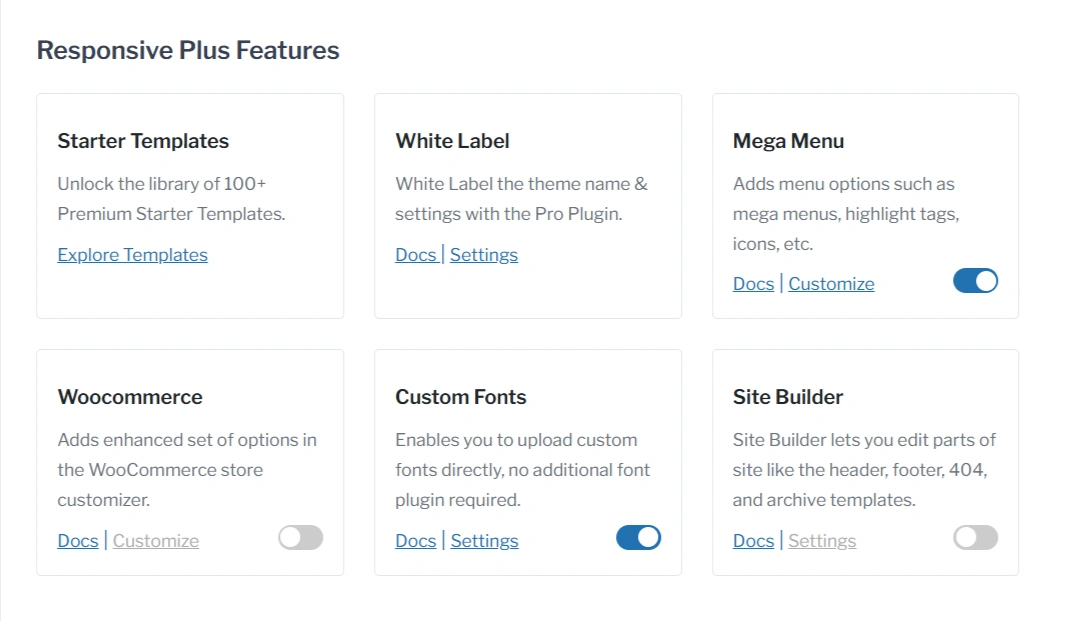
- White Label
Responsive Plus allows you to completely rebrand the theme. You can remove Cyberchimps branding and replace it with your own logo, business name, and color scheme. This is especially useful for agencies and freelancers who want to deliver a fully branded experience to clients.
- Custom Fonts
With Custom Fonts support, you can upload and use your own font files across the entire site. This helps create a consistent brand identity and allows you to use premium or brand-specific typography that isn’t available in Google Fonts.
- Site Builder
You also get access to a powerful drag-and-drop Site Builder that lets you custom-design elements of your website, such as the header-footer, 404 page, single post layout, or archive page.
Normally, these custom designs require theme editing or custom coding, but with Responsive Plus, you can build them visually using Elementor or Gutenberg.
- WooCommerce Compatibility
If you’re building an online store, Responsive Plus provides WooCommerce support. You can customize shop layouts, product grids, and other store elements while keeping everything fast, clean, and conversion-focused.
Key Sections of Insurance Starter Template
The Insurance starter template delivers a complete, professional website structure right from the start. Ensuring you have all the necessary pages to build trust and generate leads.
Homepage
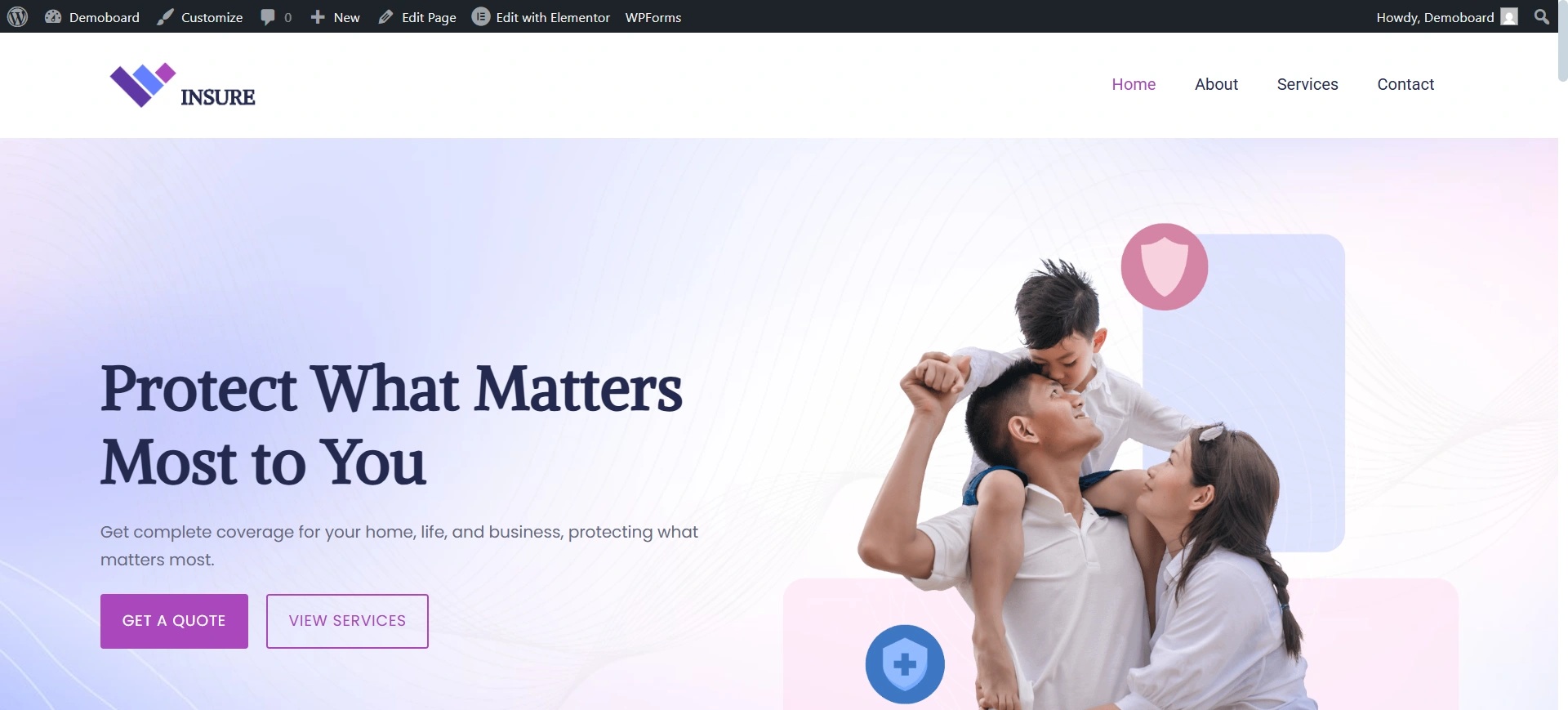
The Homepage is the most important page because it manages the first 5-10 seconds of a user’s experience. The page is designed for immediate emotional connection and high conversion.
As you can see on the homepage, we have used a soft, reassuring colour palette and feature a hero section.
The hero section immediately addresses the client’s core need and includes two prominent, clear calls-to-action buttons.
The simple navigation bar makes it easy for visitors to access the About, Services, and Contact pages.
About Us Page

The About Page is essential because insurance is a relationship-driven industry where trust matters more than price alone. So this page focuses on establishing credibility and trust.
The title instantly humanises the brand by stating a clear mission.
The design has a clean and simple layout, giving you space to highlight your experience, your customer-first approach, and what makes your agency trustworthy. This page helps turn unsure visitors into confident clients.
Service Page
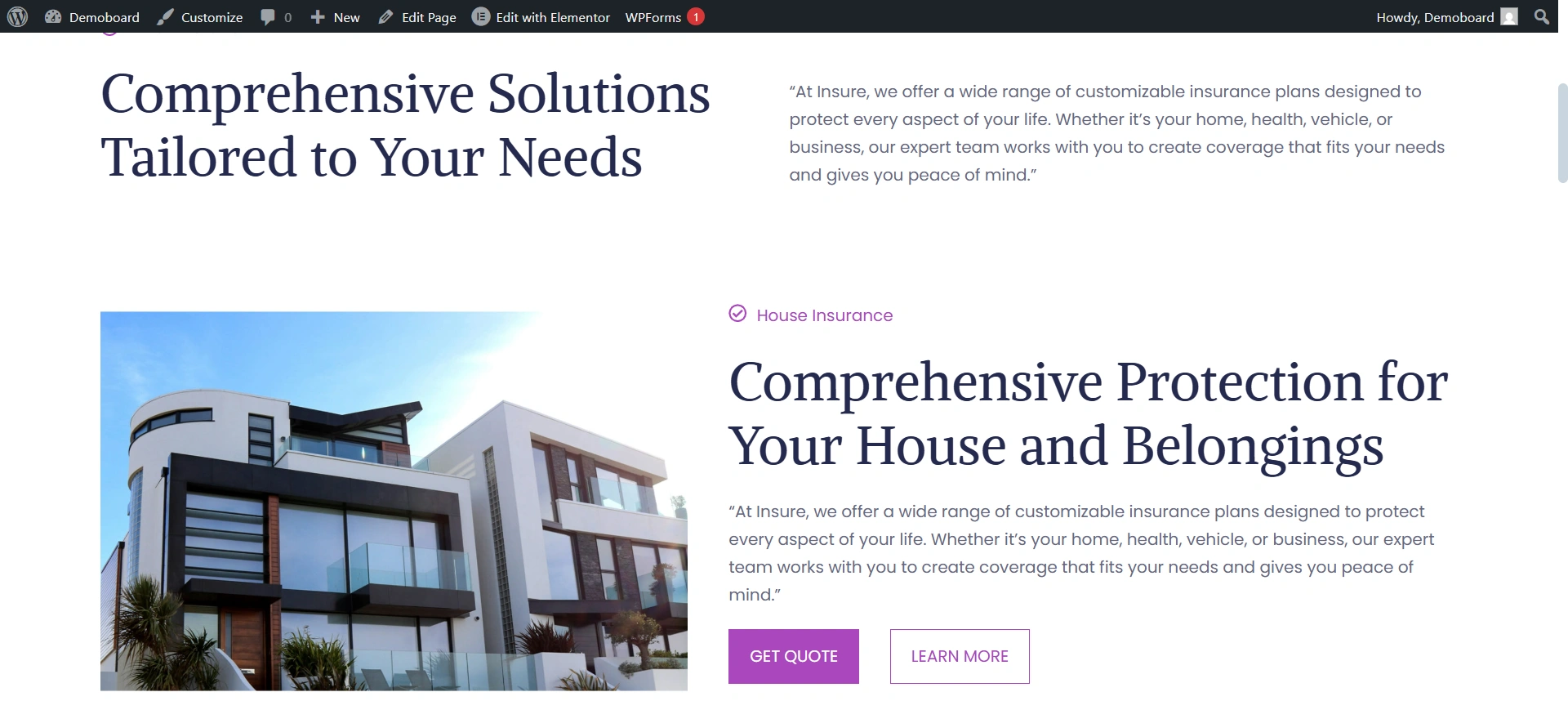
The Services Page is vital for educating the qualifying leads.
In this page, you can clearly explain complex insurance products (House, Auto, Life), allowing the client to self-identify the solution they need. This makes the sales process more efficient.
Contact Us Page
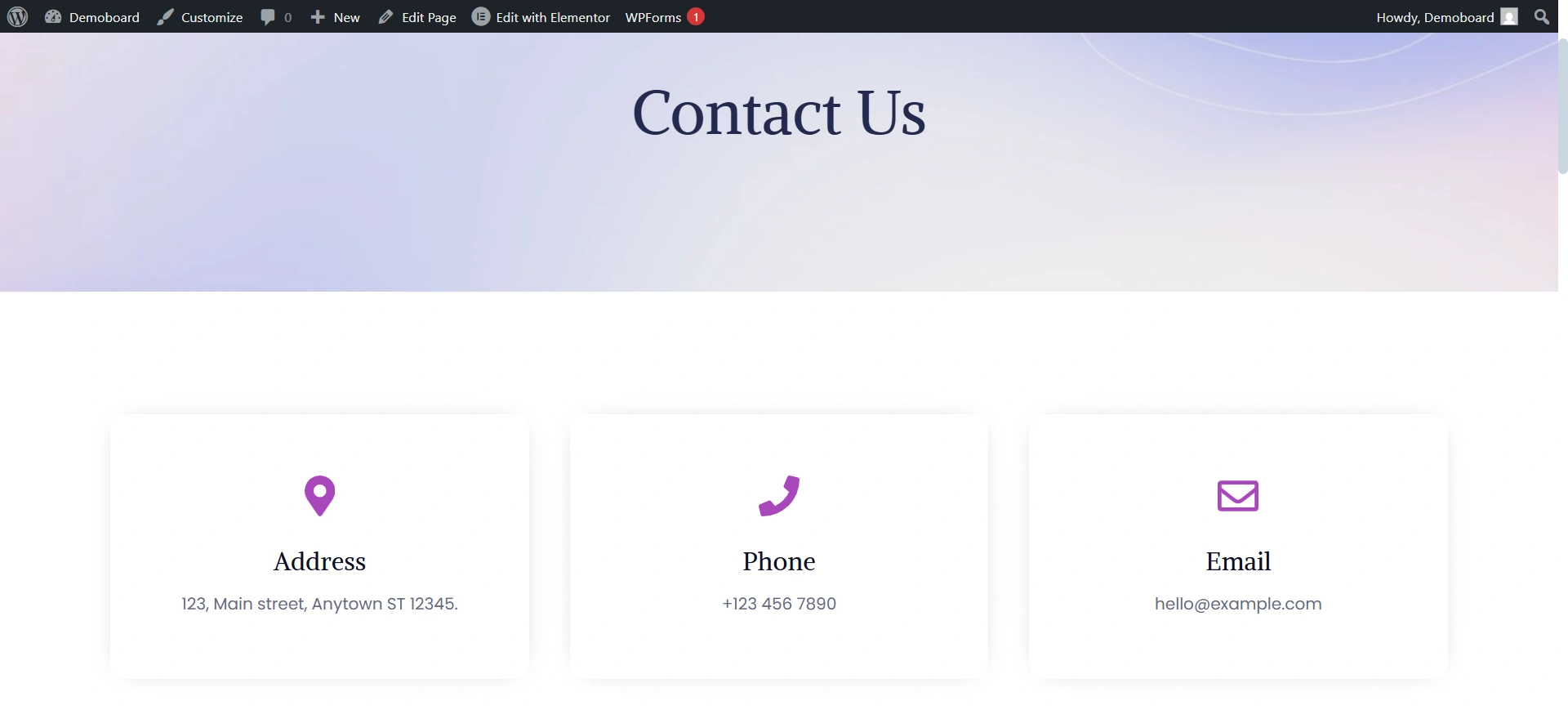
The Contact Page is where the entire marketing effort converts a browsing prospect into an active lead.
By offering multiple, clear communication options, it ensures the client can connect immediately in the way they are most comfortable, maximizing the chance of conversion.
A clean, easy-to-use contact page reflects an organized business that respects the client’s time, reinforcing the trust built on the other pages.
Why It’s Perfect for Insurance
The Insurance starter template isn’t just a template. It is a strategically designed template tailored for the financial and insurance industries.
- Establish Your Brand Instantly: You can set up an online presence and your brand experience on day one. The professional, polished design immediately signals trustworthiness to potential clients.
- Integrated Functionality: Easily combine for policy sign-ups, detailed service information, and seamless booking/contact mechanisms in one organised and user-friendly format.
- Managed with Minimal Effort: Because it’s built with Elementor, managing and updating your site requires minimal technical effort.
- Responsive & Fast Loading: The template is highly responsive (looks great on all devices) and optimized for speed, which is excellent for user experience and crucial for SEO.
How to Import Insurance Starter Template
Before you begin, make sure you have a domain name and a reliable WordPress hosting plan set up. Once your WordPress site is ready, follow these steps.
Step 1: Install the theme and Plugin
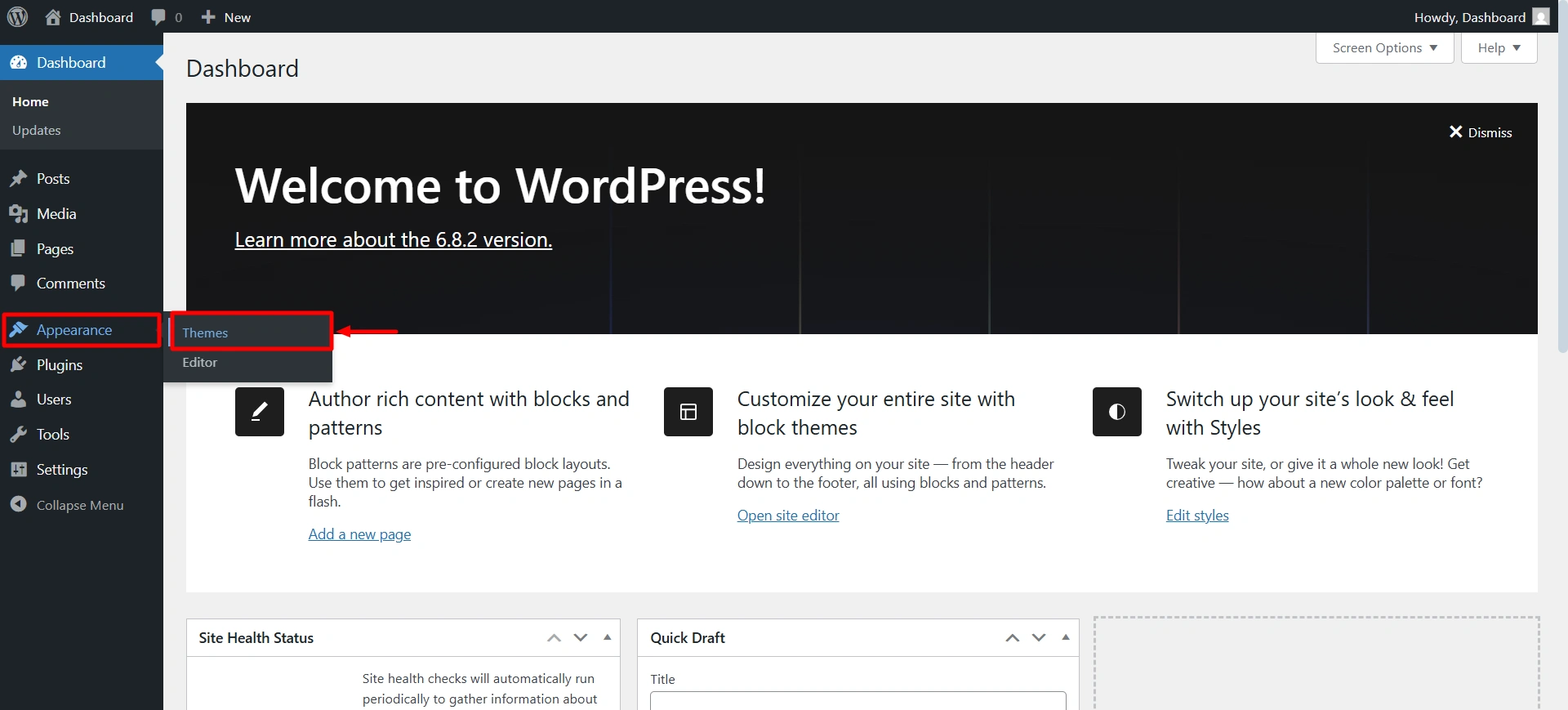
To start with the site, we first need to install the Responsive theme for its functionalities. It is free to use. Navigate to your WordPress dashboard > Appearance > Add theme.
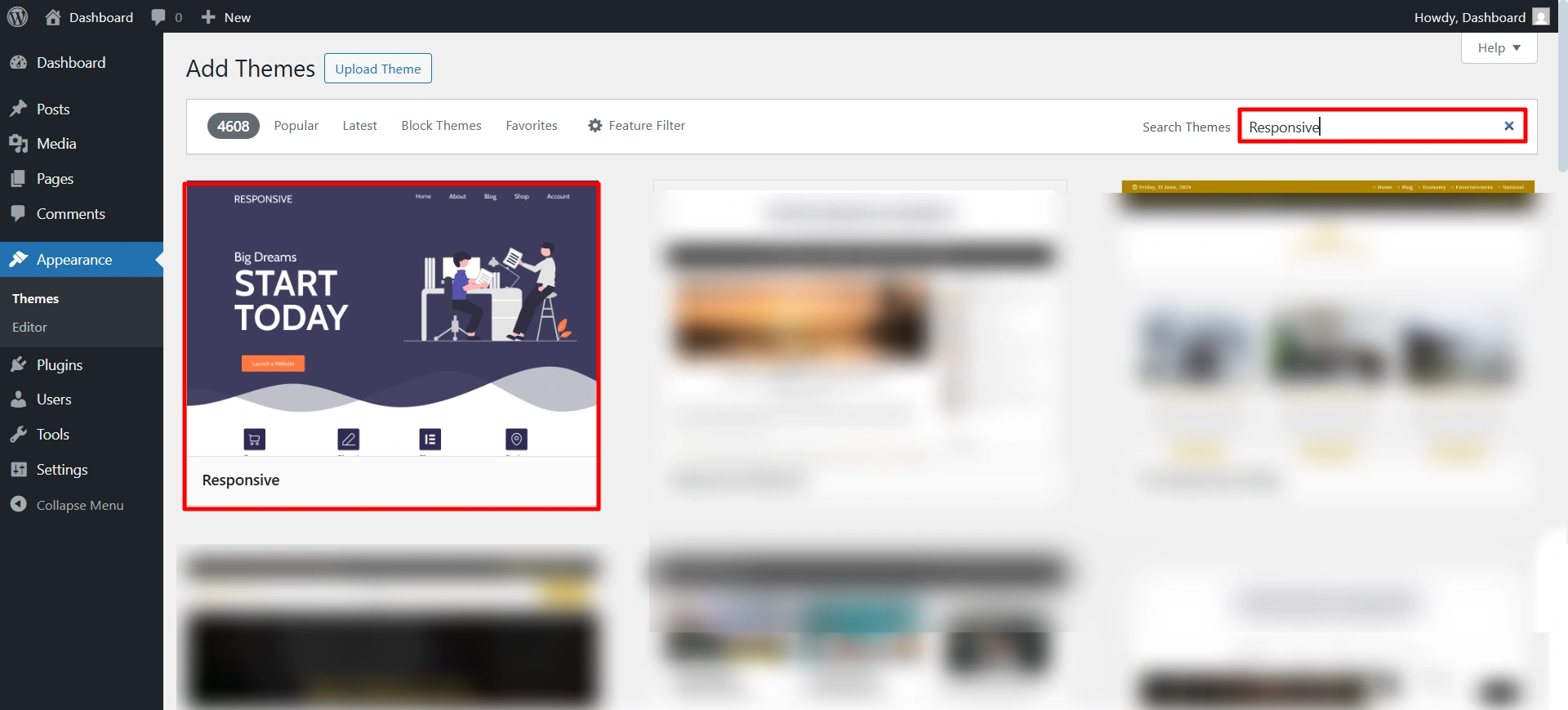
Search for the Responsive theme, then click Install and Activate.
Once you install the theme, you will receive a notice at the top to install the Responsive Plus plugin. Click on install and activate.
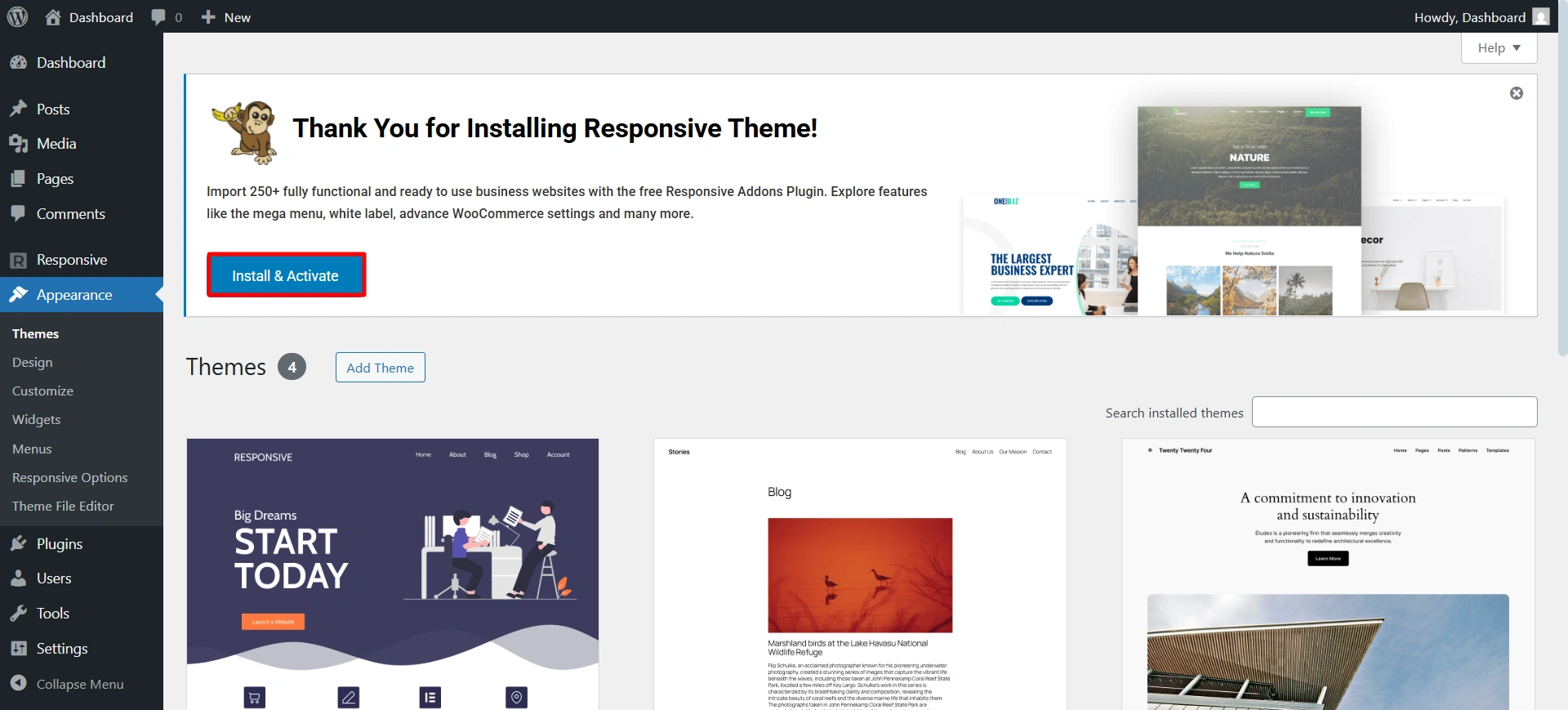
Now you are all ready to install the Insurance template.
Step 2: Import the Insurance starter template
Click on the template.
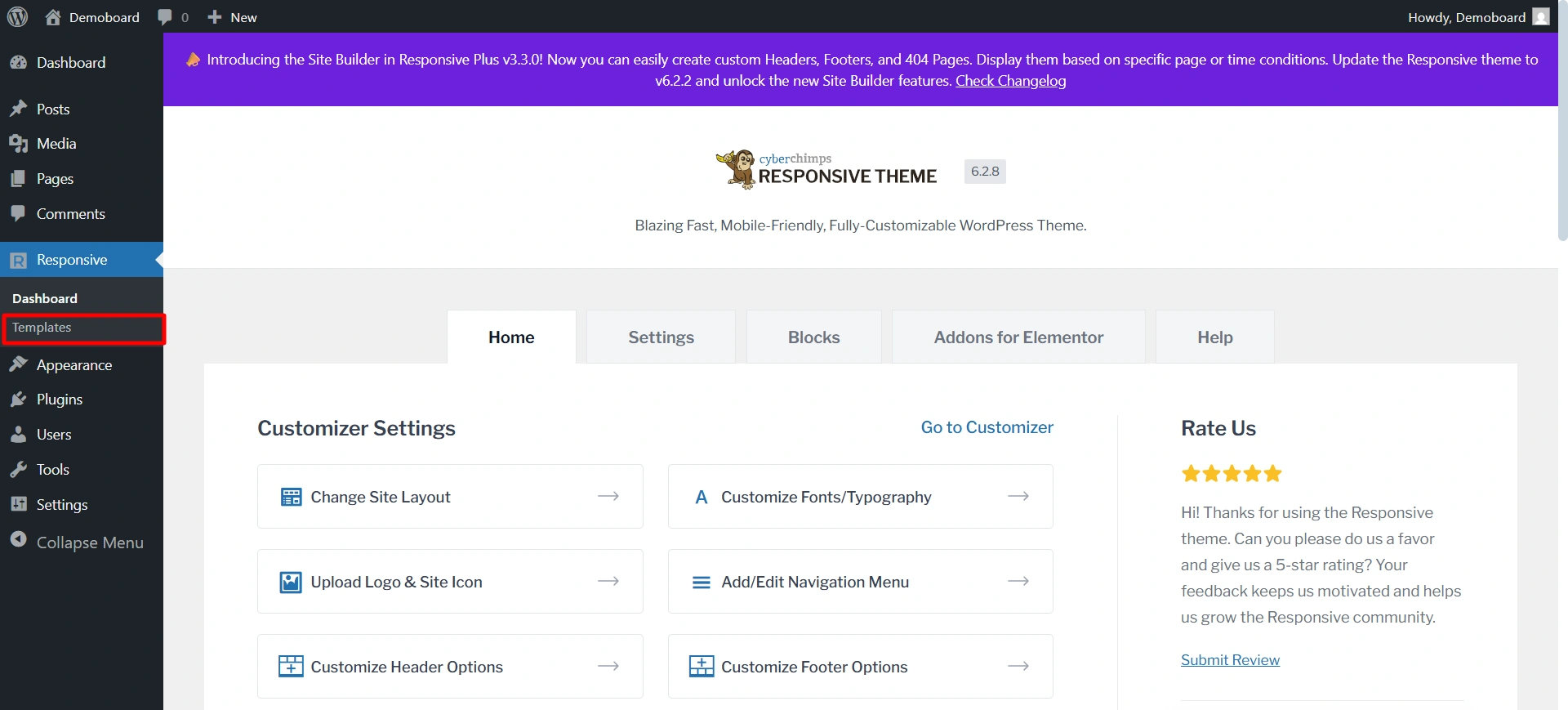
In the search bar, type Insurance, select the template you want to import.
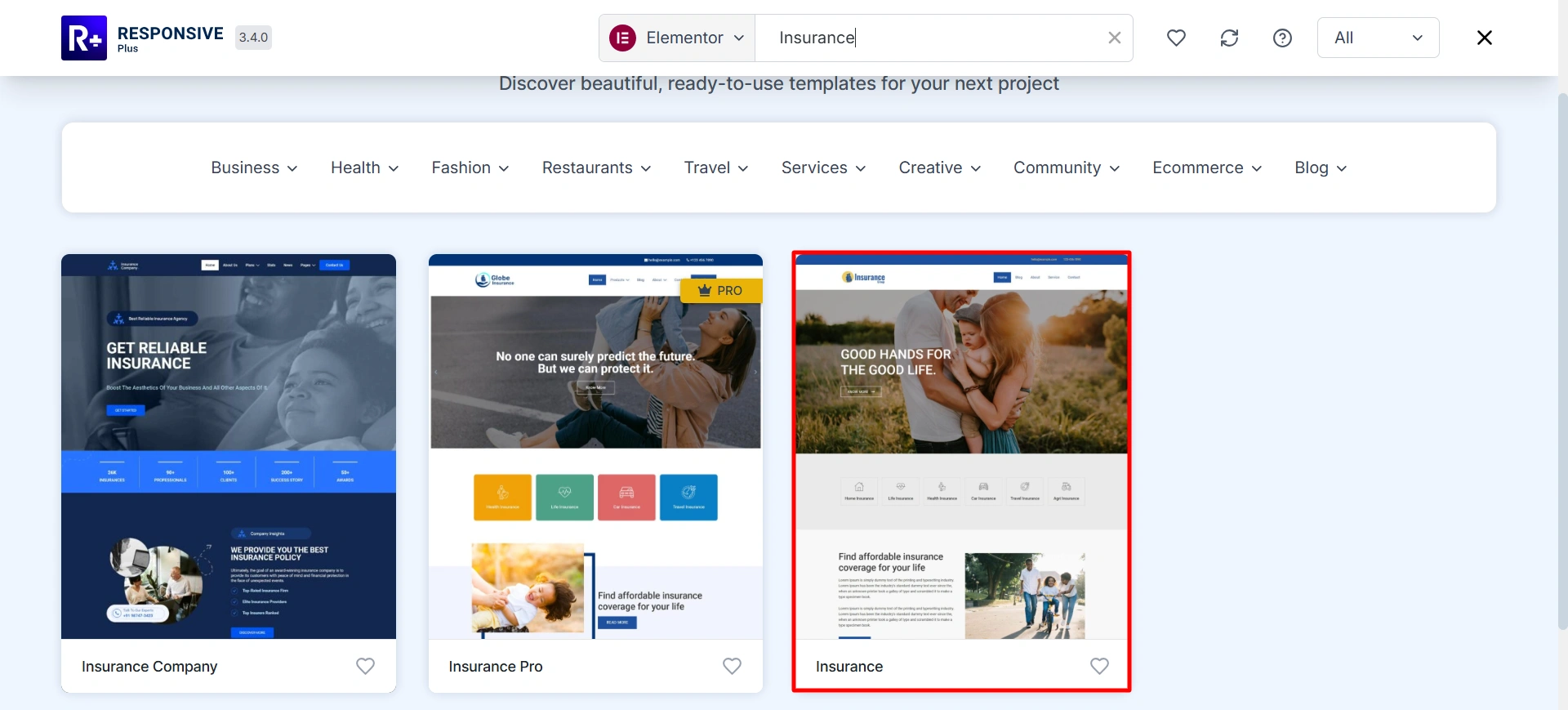
Click on the import site.
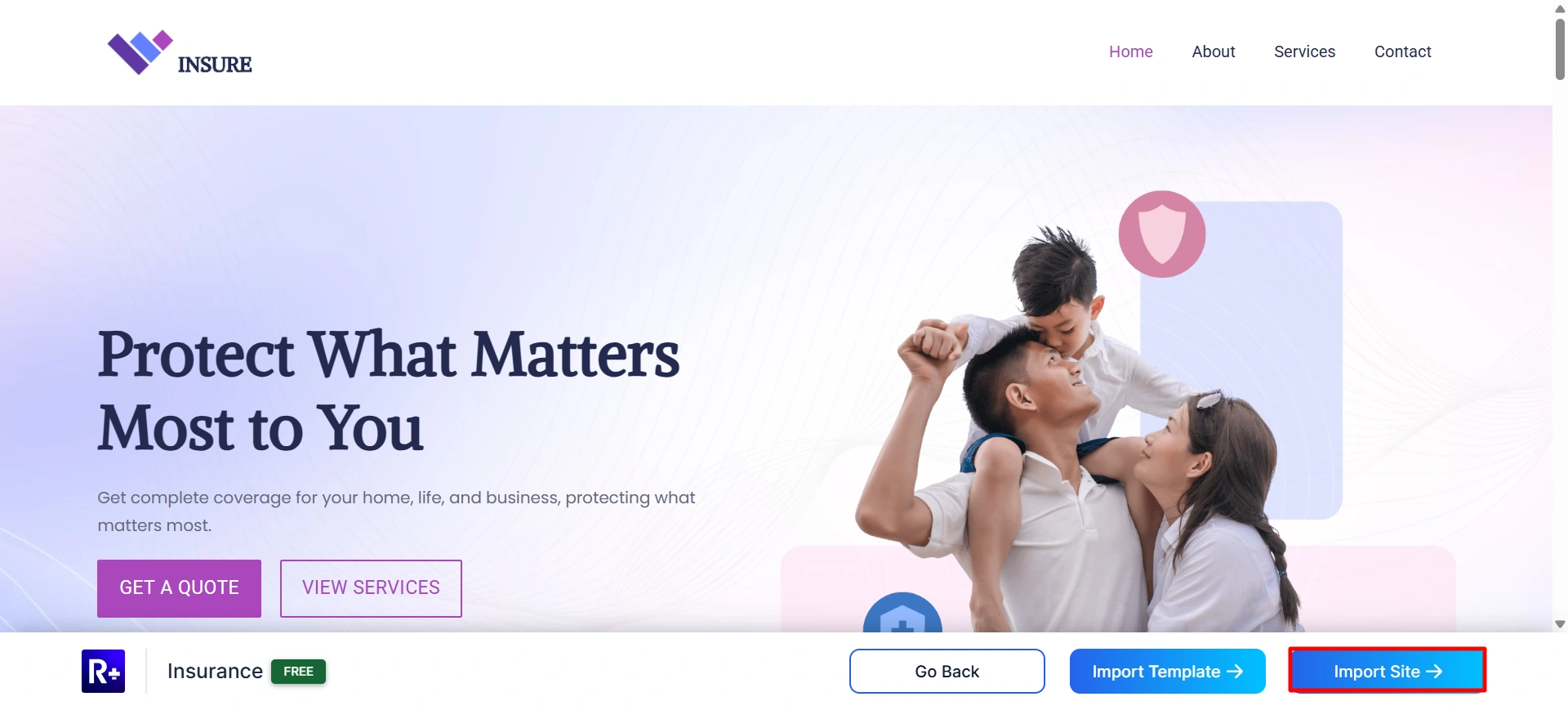
Connect your site with Cyberhimps Responsive.
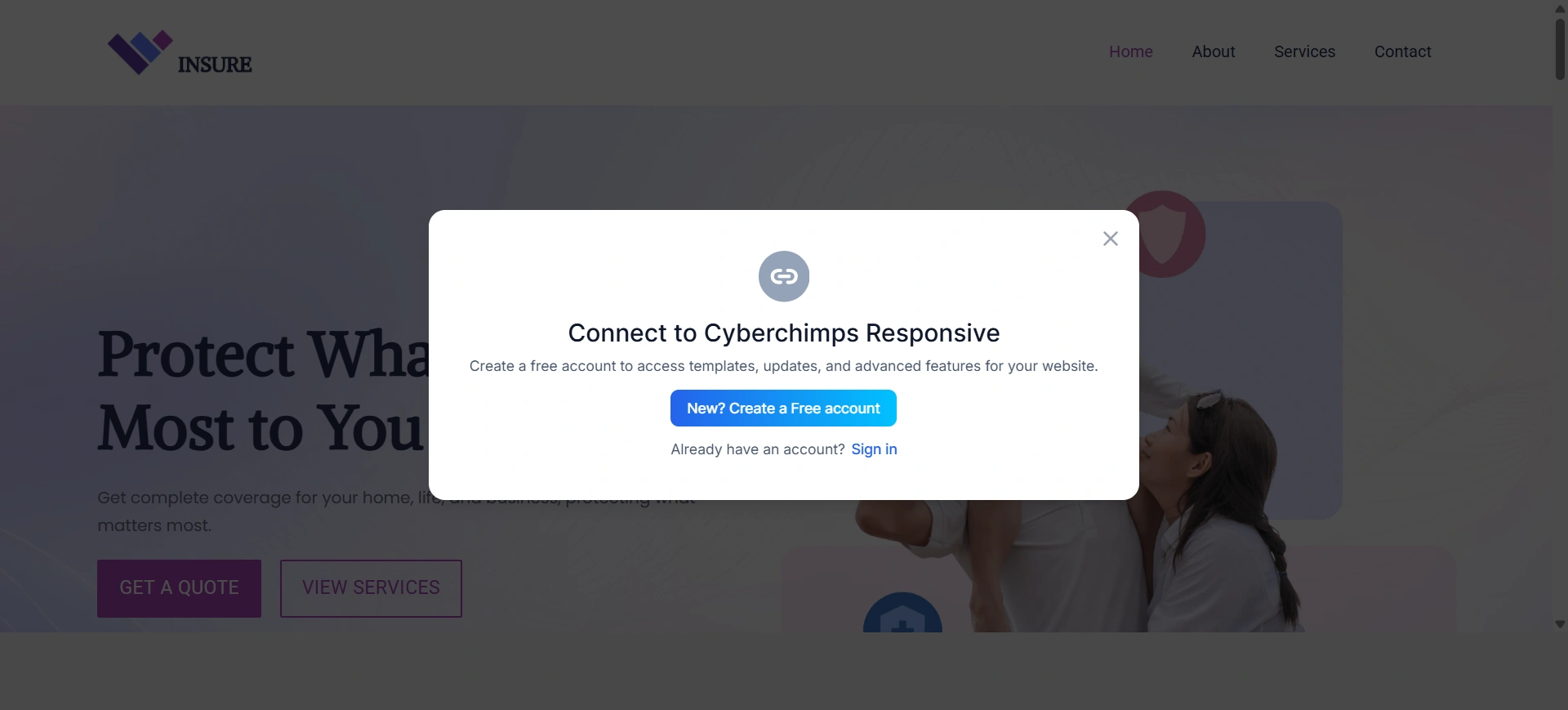
Once the connection has been made, start the import process.
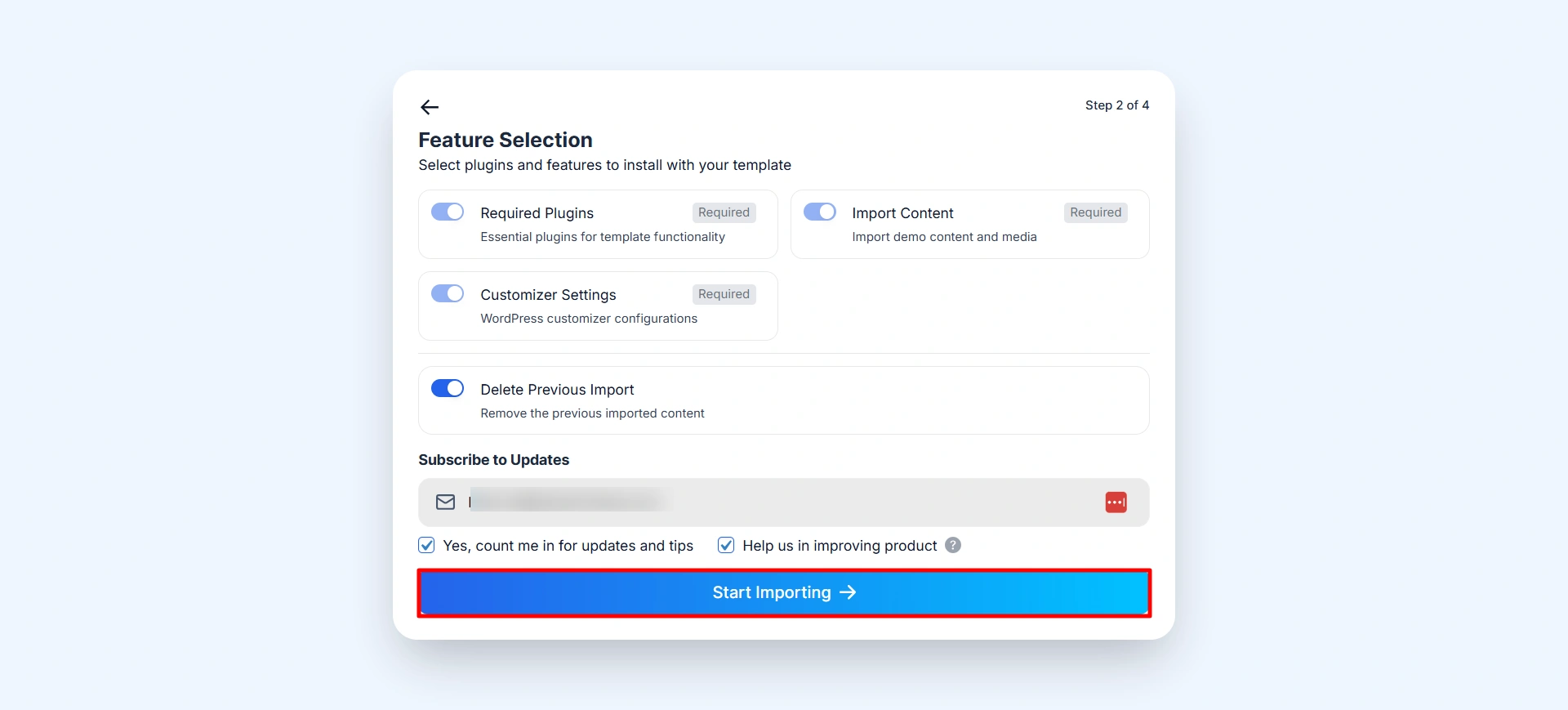
It will take a few seconds to import. After that, click on the View Website.
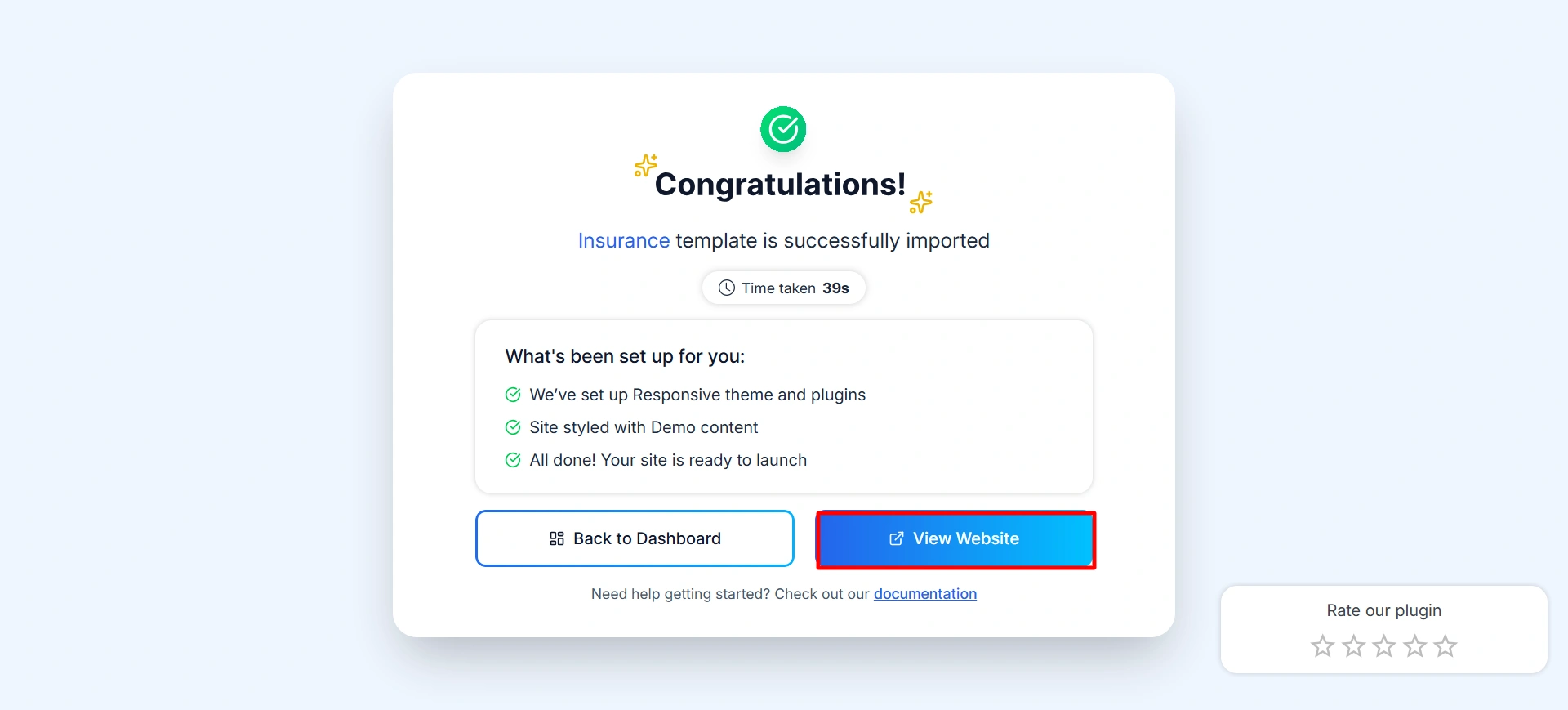
After the import is complete, your website is ready to be customized.
Step 3: Customize with Your Content
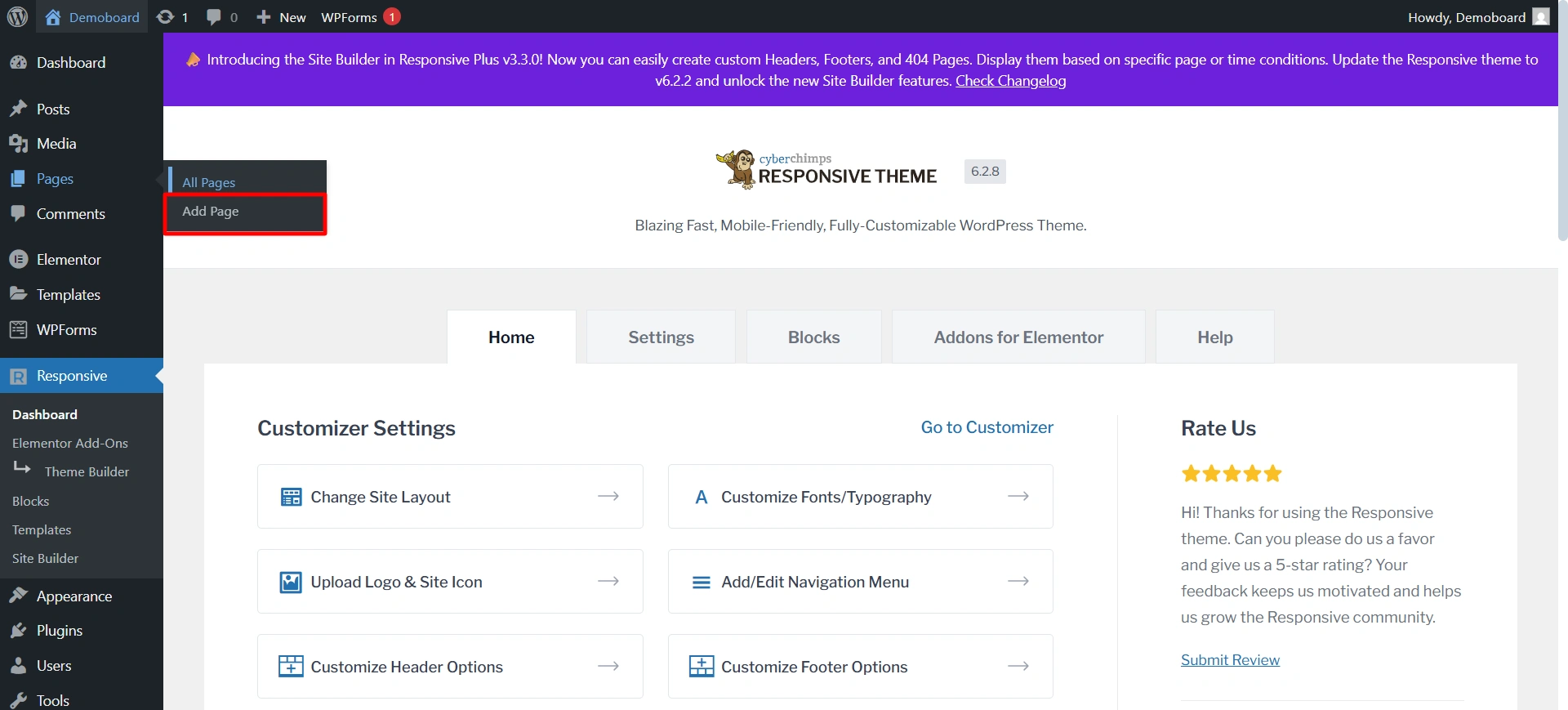
To add a new page or post, simply go to Pages/post > Add Page/Add Post and start creating.
Open the page in Elementor and edit it there. In this one, I’m making the testimonial page. For this, I’m using the Responsive Addons for Elementor testimonial slide.
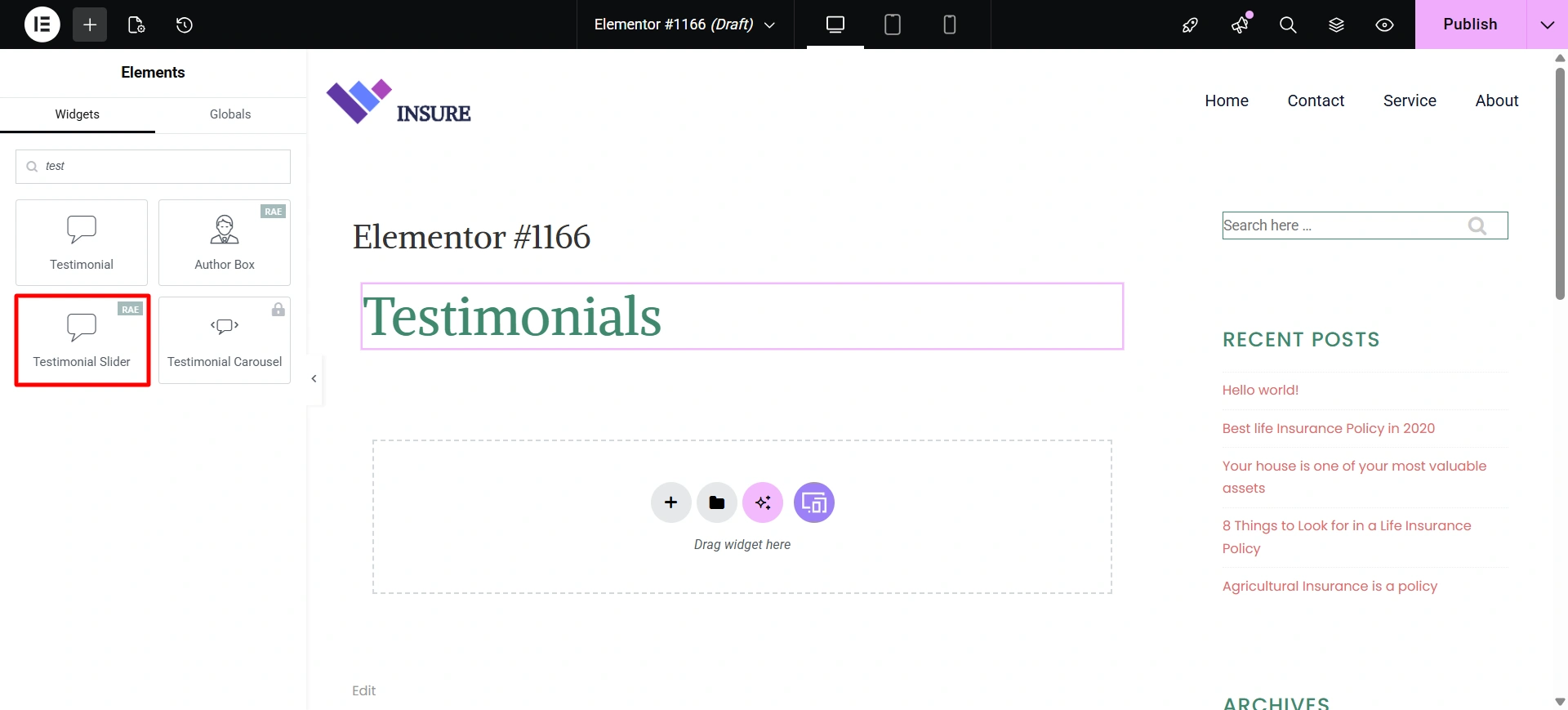
If you want to know how to use it, you can check out our article on how to use the testimonial slider.
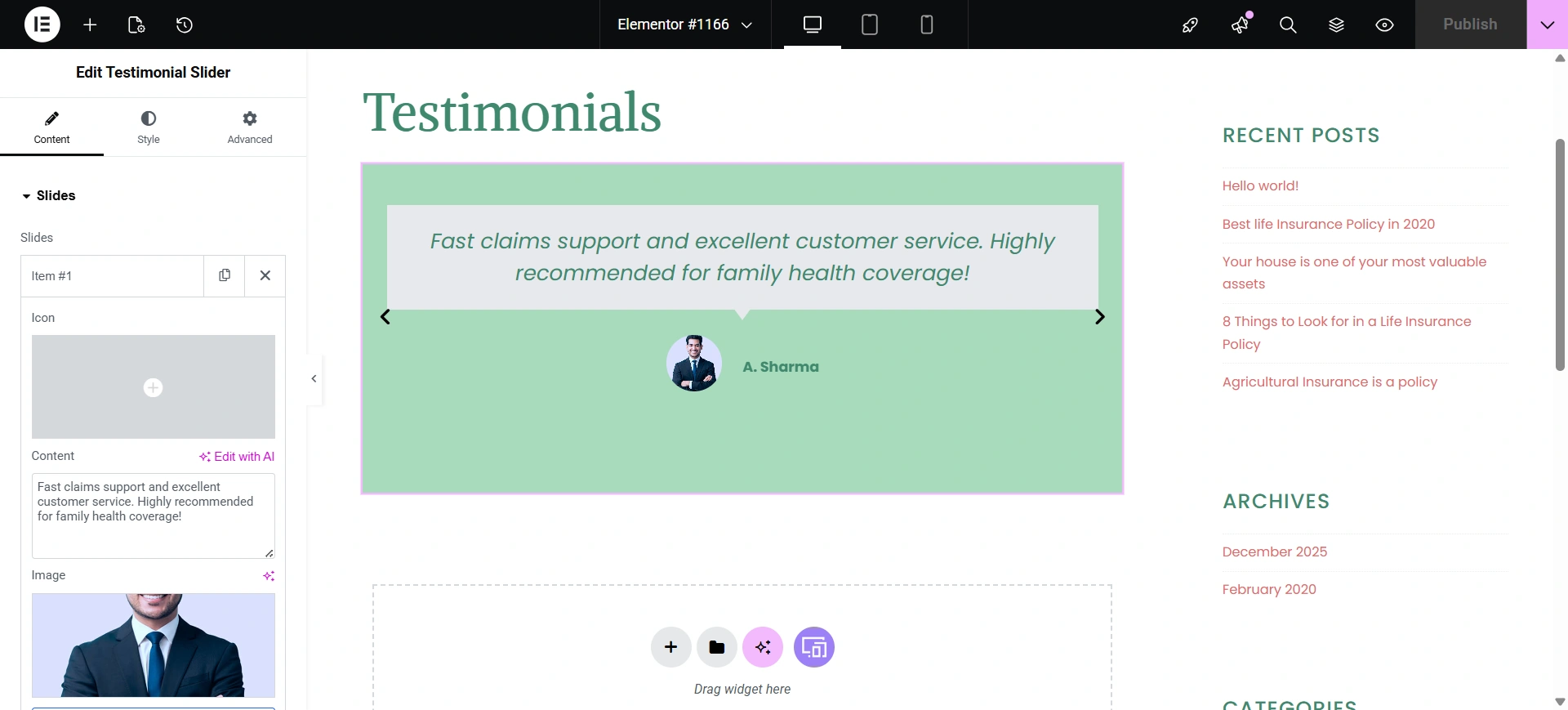
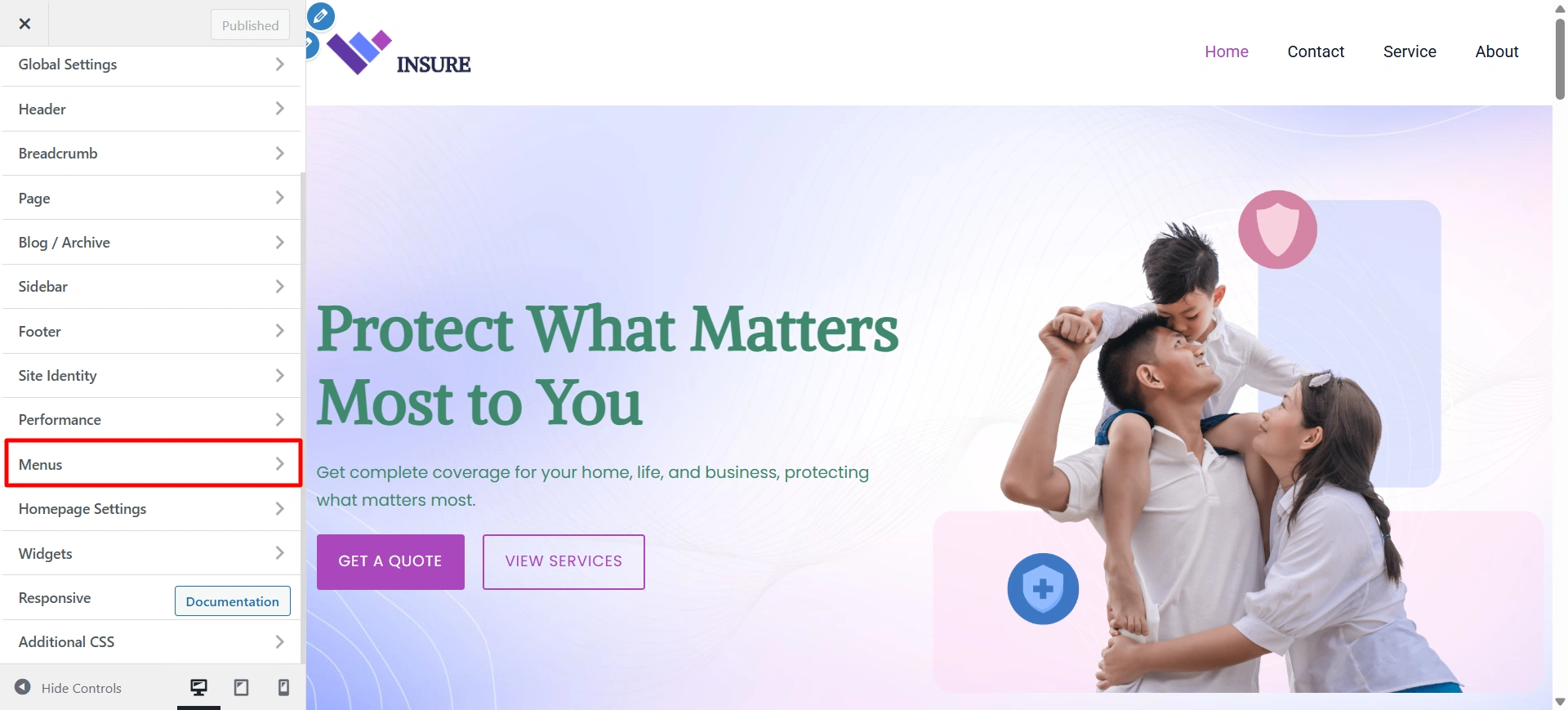
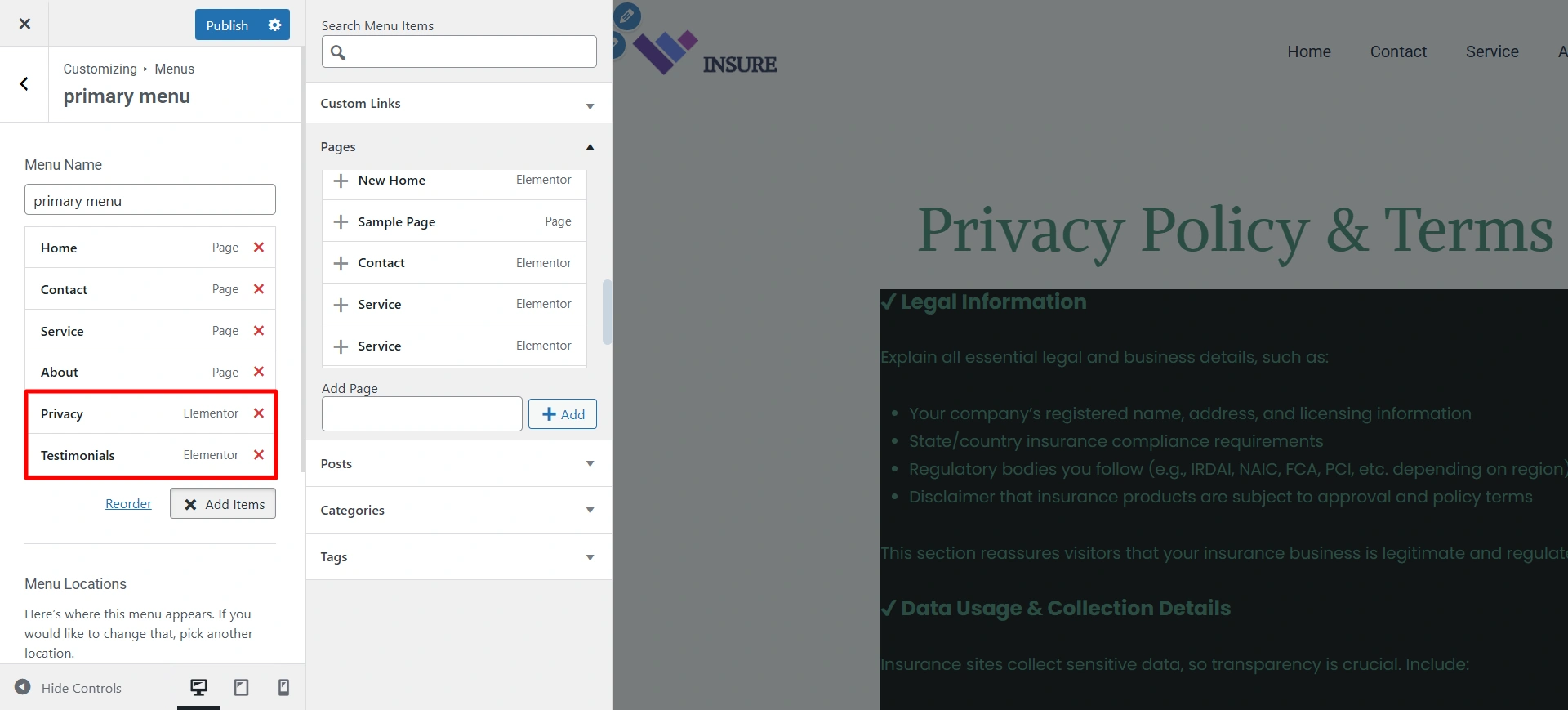
Okay, so once the pages are made in elementor, you can add them to the menu by simply going to the theme customizer.
Select the menu option.
Write the name for your menu.
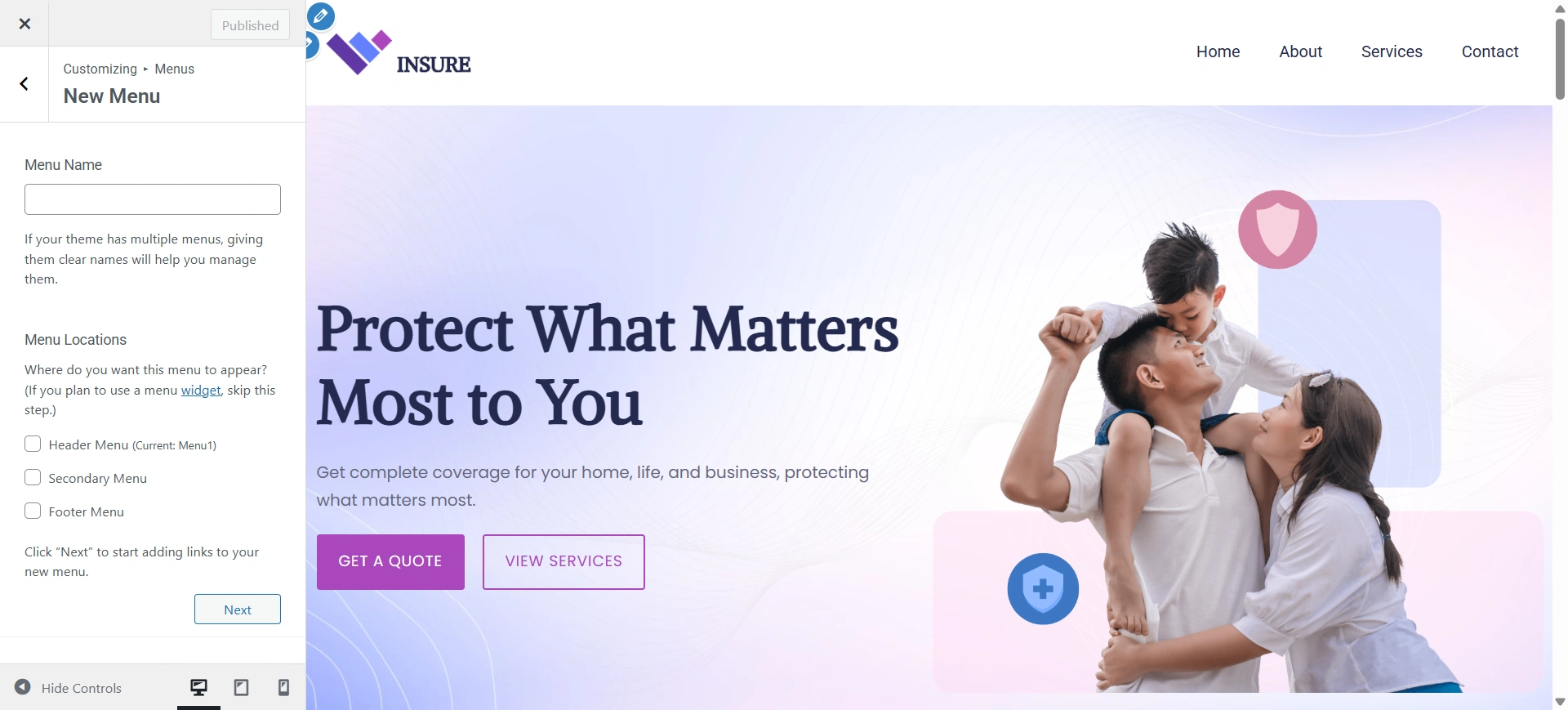
Add the pages that you create to the menu.
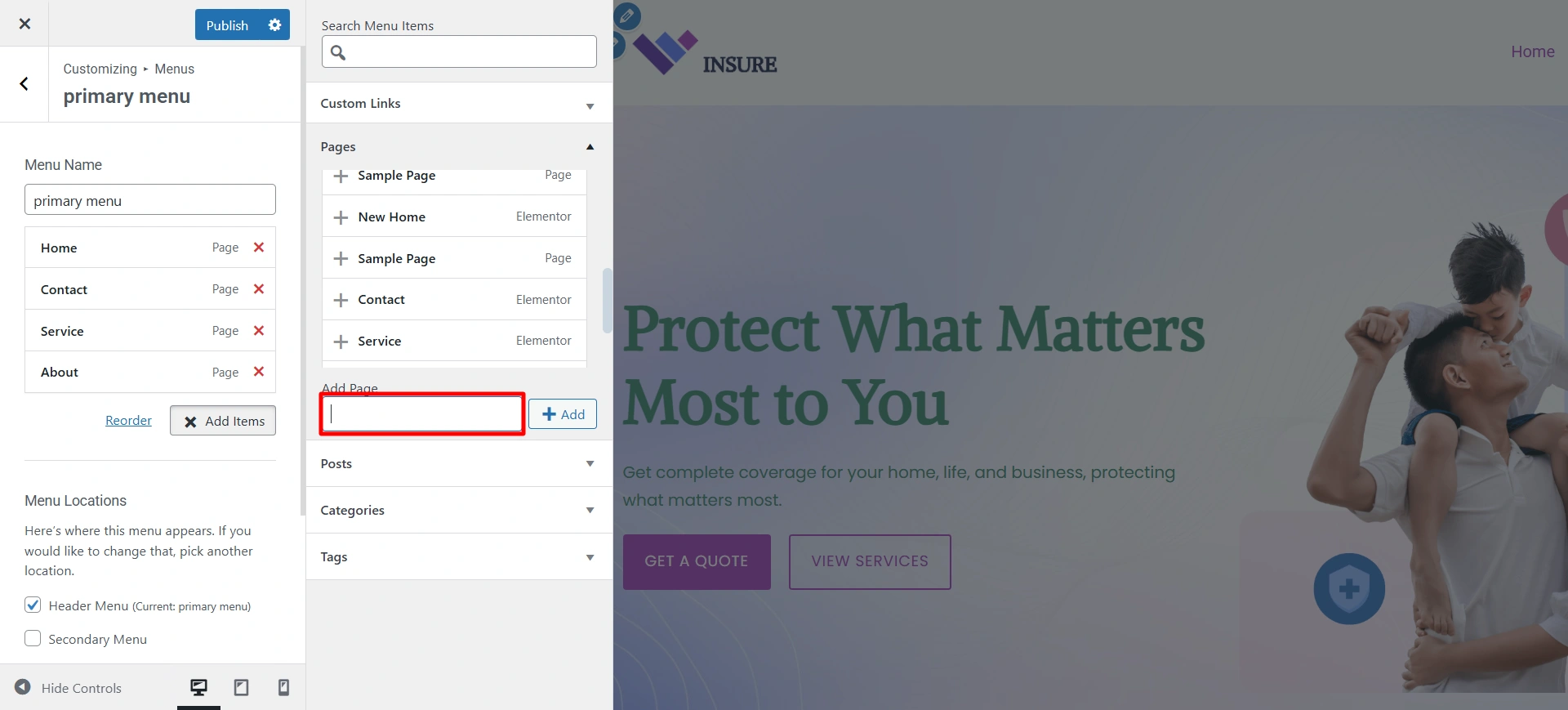
Once you are done, click on publish.
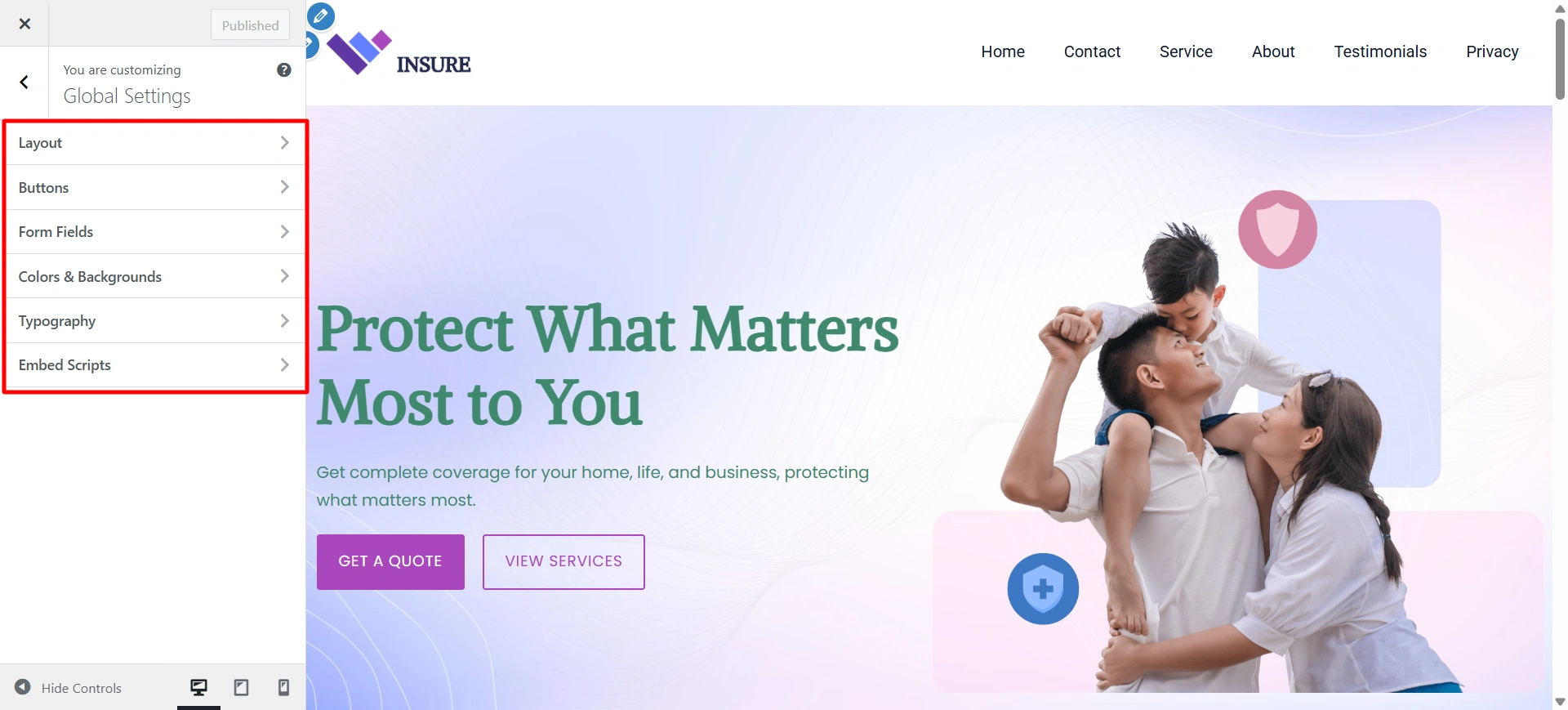
Global Settings let you control your site’s colors, fonts, layouts, and styles from one place for consistent design.
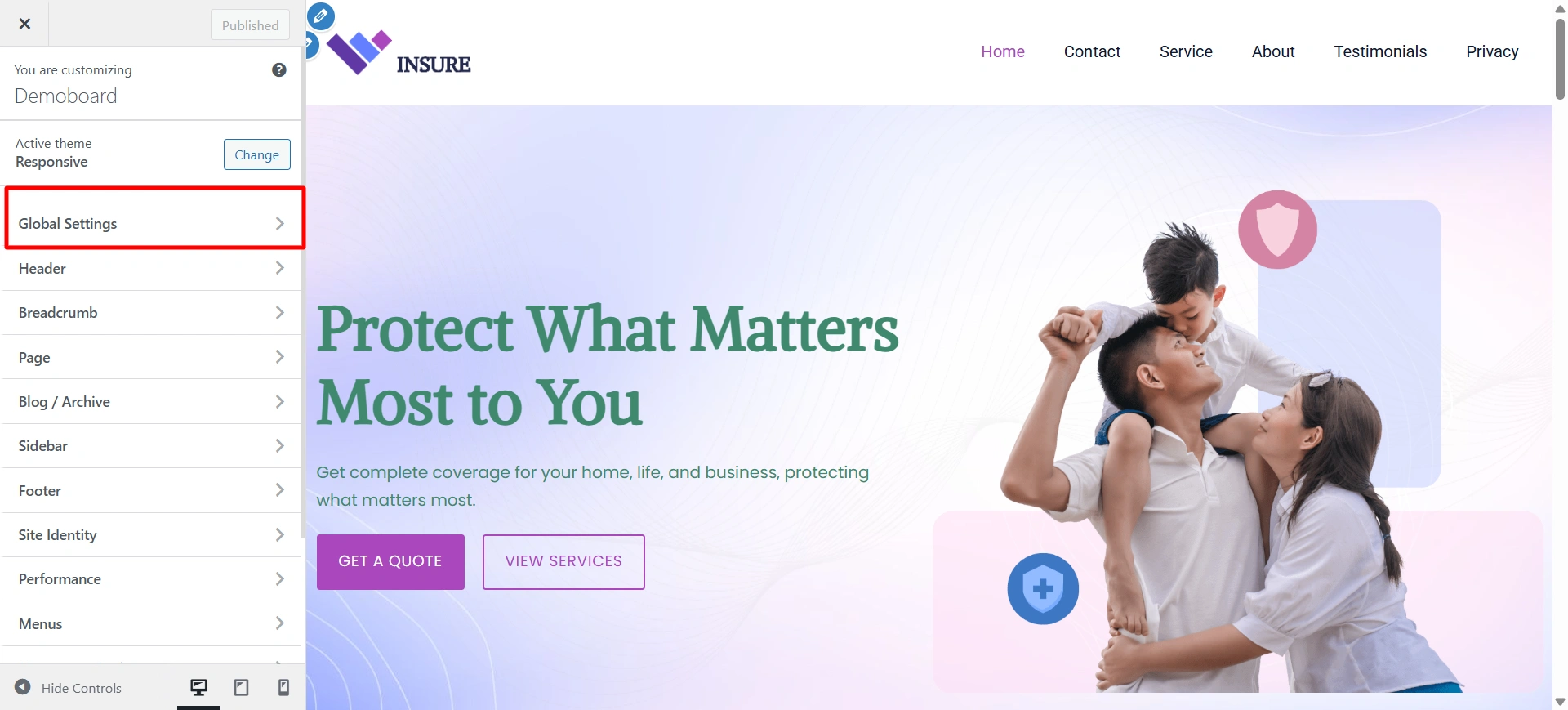
To change the typography, button colour, website background, and select the Global setting option for the customizer.
FAQ
Yes, all templates in the Responsive Starter Templates library, including the Insurance Starter Template, are fully responsive, ensuring your website looks perfect on smartphones, tablets, and desktops.
Yes, you can add new pages for services, policies, or blogs, and they will inherit the site’s overall style and layout for a consistent look.
Yes. It is versatile enough for car, health, life, travel, or business insurance websites. You can modify content, images, and layouts to match your specific niche.
Conclusion
The Insurance Starter Template from the Responsive Starter Templates library provides a ready-made, fully functional website that is fast, responsive, and easy to customize.
With this template, you can launch your insurance website in minutes. Build trust with a polished design and essential pages like Homepage, About, Services, and Contact, and customize everything easily using Elementor.
Global Settings help maintain a consistent brand identity across your site. If you’re offering car, health, life, travel, or business insurance, this template is designed to meet your needs and convert visitors into leads.
If you found the article helpful, read these articles as well.
- Best WordPress Themes for Entrepreneurs
- What is Personal Branding?
- How to Add Business Hours To Your Elementor Website
Build your site fast with Responsive Starter Template and Responsive Theme.





