
Summary
This review highlights the Responsive Blocks plugin.
It is a free WordPress Gutenberg extension that adds 50+ custom blocks, responsive controls, layouts, and templates.
This enhance site design without coding. It boosts flexibility, performance, and creativity in the native WordPress editor for landing pages, portfolios, shops, and more.
The WordPress Block Editor page builder has completely changed how you design a website.
Instead of using complicated coding or bulky page builders, WordPress Block Editor offers a modular block editing approach.
However, as your website increases in size, the default WordPress Block Editor blocks may feel limiting. This is where the Responsive Blocks plugin comes in.
It is a powerful WordPress block editor plugin that will give you advanced design options, layouts, and responsive control.
In this article, we’ll discuss what Responsive Blocks is and how you can use it step by step to build an attractive website within minutes.
- What is Responsive Blocks Plugin?
- Key Features of Responsive Blocks Plugin
- Responsive Blocks vs Popular WordPress Block Plugins
- Why Choose Responsive Blocks?
- Benefits of Using Responsive Blocks
- How to Use the Responsive Blocks Plugin
- Tips & Best Practices for Better Layouts
- Frequently Asked Questions (FAQ)
- Responsive Blocks Plugin Review: Final take
Responsive Blocks is the Best WordPress Blocks Plugin – Get it for free!
What is Responsive Blocks Plugin?
???? My Real-World Test Results:
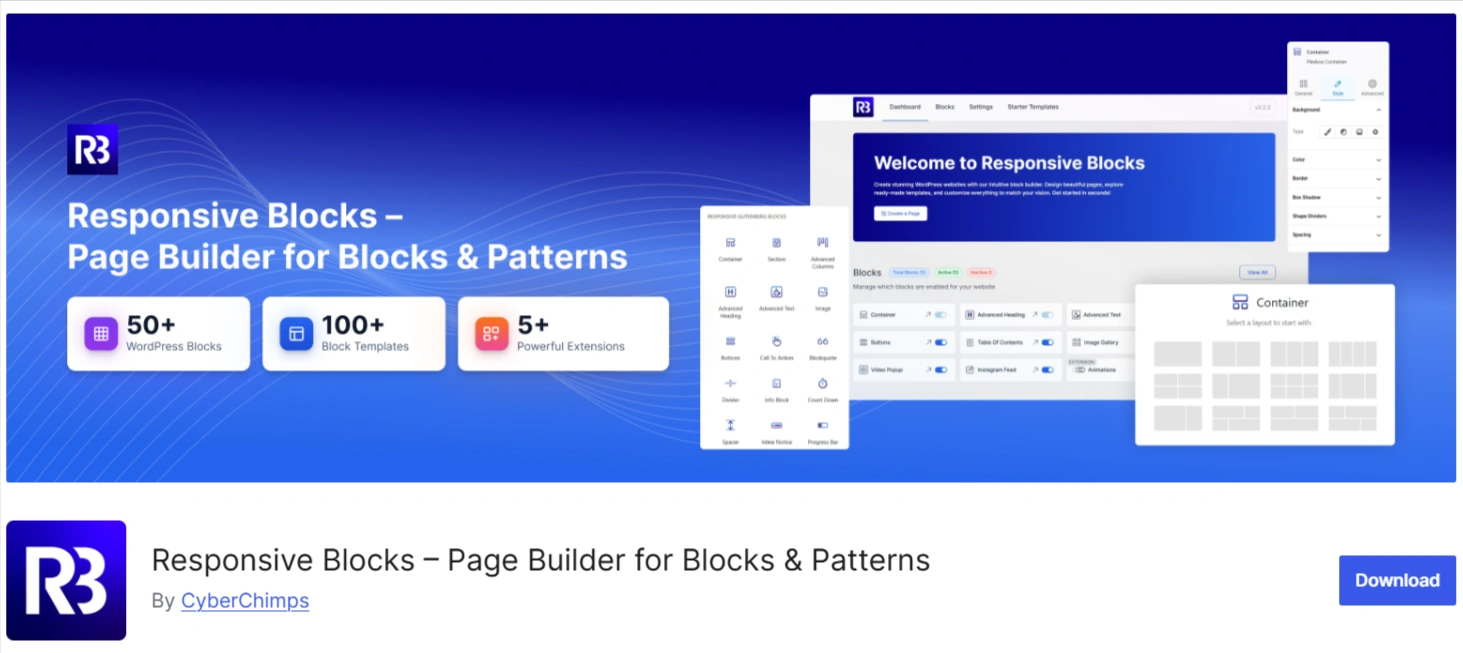
- Powered by Flexbox Container technology
- Number of blocks: 50+
- GTmetrix Performance Score: 98%
- Extensions like Animation, Display Condition, Responsive Condition and more
- Save design time with 100+ Premium-grade Starter templates
The Responsive Blocks plugin is an all-in-one design solution developed to improve the WordPress Block Editor design. CyberChimps built the Responsive Blocks plugin as part of the Responsive Platform, which also includes the Responsive Theme and Responsive Addons for Elementor.
This plugin unlocks WordPress Block Editor’s native design capabilities with advanced design and layout blocks that provide users with the tools to create modern, professional websites with no coding.
Whether you are designing landing pages, product displays, or creative portfolios, Responsive Blocks gives you everything required for flexibility, precision, and control.
It allows users to:
- Design pages faster with configurable blocks.
- You can maintain full responsiveness across different devices.
- It provides a seamless, WordPress-native editing experience.
In short, Responsive Blocks gives users the full ability to build a visually appealing website.
Key Features of Responsive Blocks Plugin
Wide Range of Custom Blocks
The Responsive Blocks plugin offers you more than 50 blocks. Below are some of the most popular Responsive Blocks:
- Advanced Heading Block: Add stylish and SEO optimized headings to your content.
- Button Block: Add different gradients, hover effects, and even an icon to your website buttons.
- Testimonial Block: Add a client testimonial slider with their profile image and star rating.
- Tabs & Accordions: Organise your content to maintain a clean look and easy readability.
- Pricing Table Block: Layout your products and plans elegantly.
- Info Box, Icon List, Counter, and Team Blocks: Perfect for service pages and portfolio presentations.
Responsive Design Controls
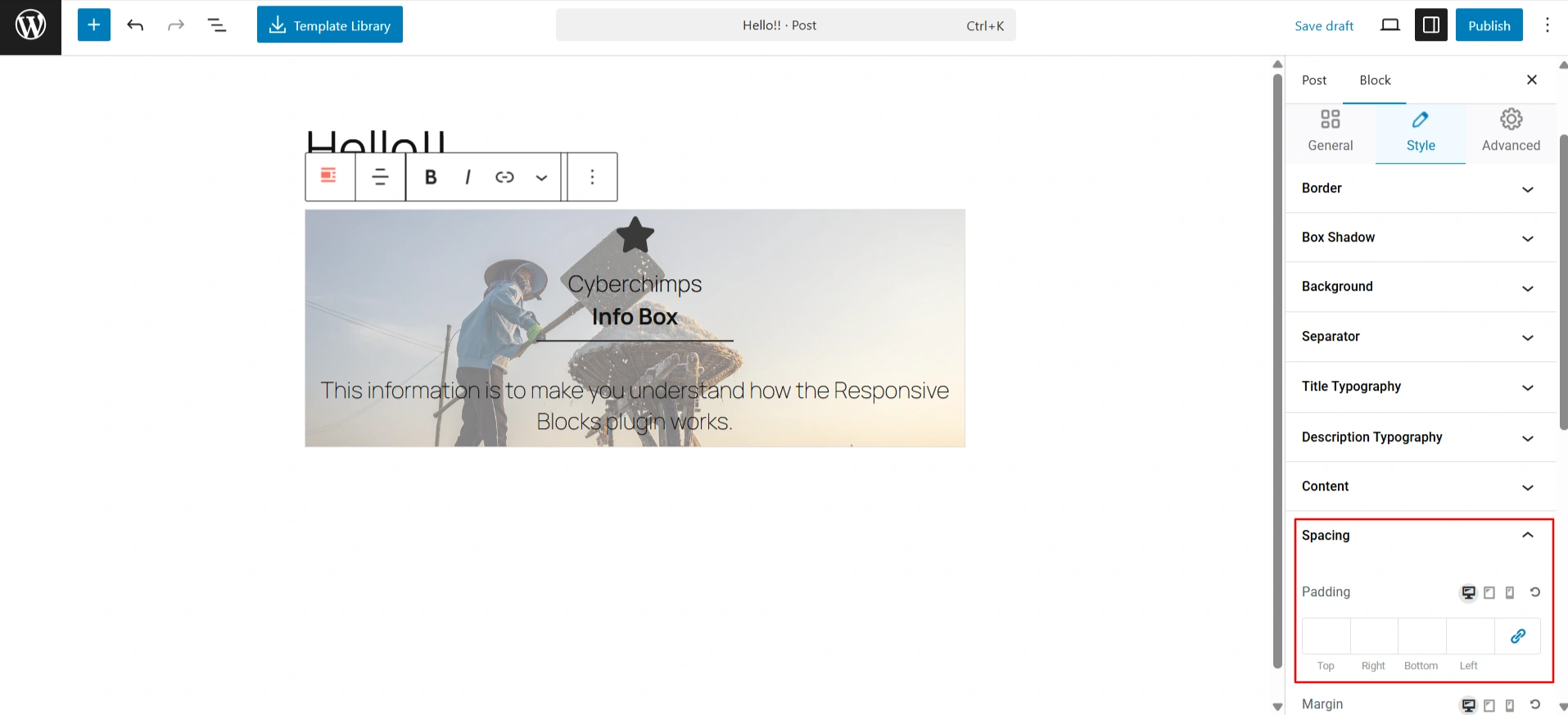
Another essential feature of the Responsive Blocks plugin is its ability to customize for different devices. You can specify margins, padding, alignment, and visibility for mobile, tablet, and desktop devices separately. This makes it much easier to make your site look perfect on all devices.
Pre-Designed Layouts & Patterns
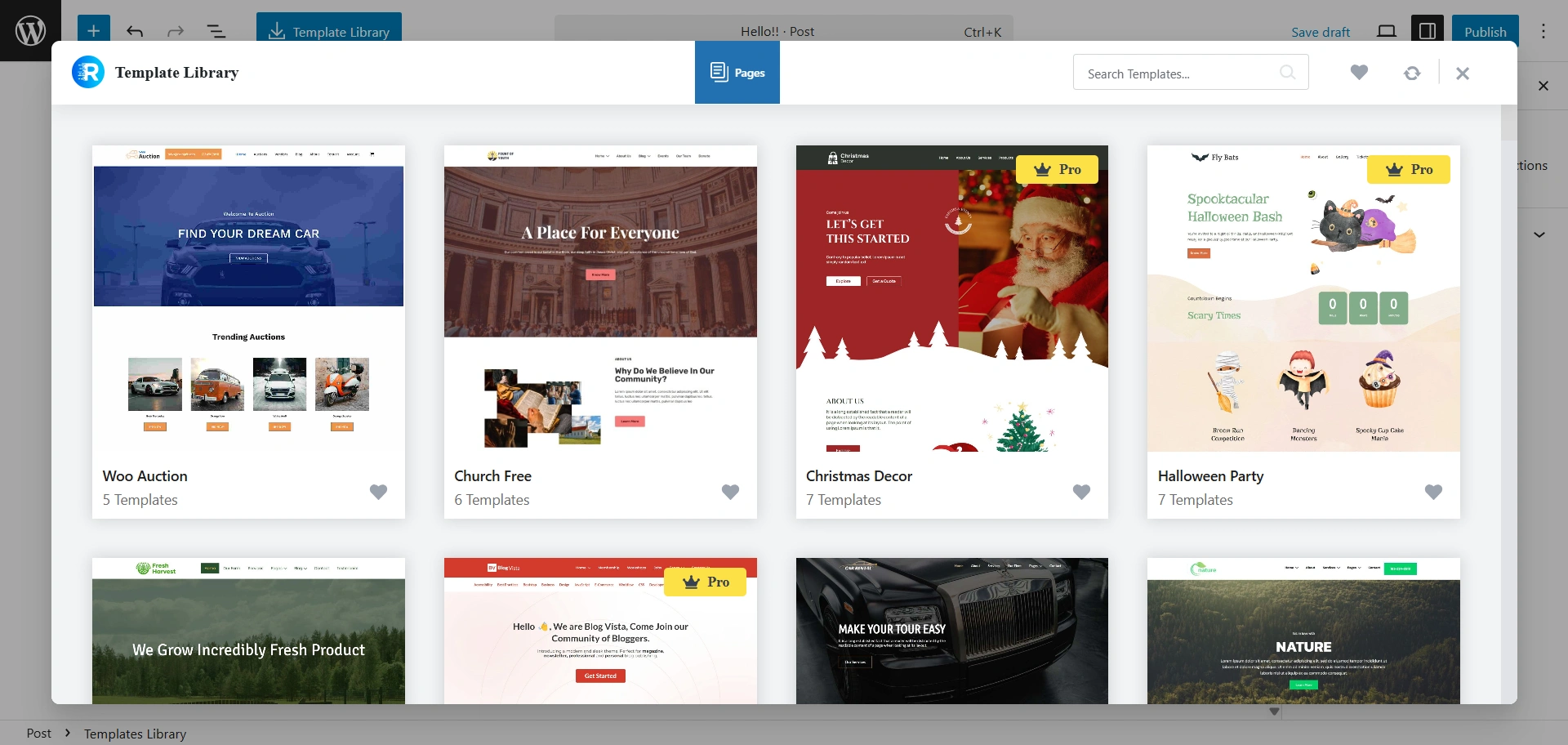
Not everyone has the time or capability to build pages from scratch – this is why we created Responsive Blocks with pre-designed layouts and block patterns to import with just one click.
You can quickly assemble sections like hero banners, testimonials, FAQs, or CTAs to create a full page layout in a matter of minutes.
These Gutenberg templates have every section built with design consistency and performance in mind, so installing the layouts will save you time and extra work.
Performance-Focused
Unlike other page builders that bog down your website and lower overall performance, Responsive Blocks has been designed to utilize lightweight, performance-oriented practices.
It has clean, optimised code among other considerations for your pages to load fast, and generate solid metrics for performance-based SEO.
This performance approach and mentality make this a good choice for anyone who prefers visual flexibility and would like their site to load quickly.
Editor Settings in Responsive Blocks
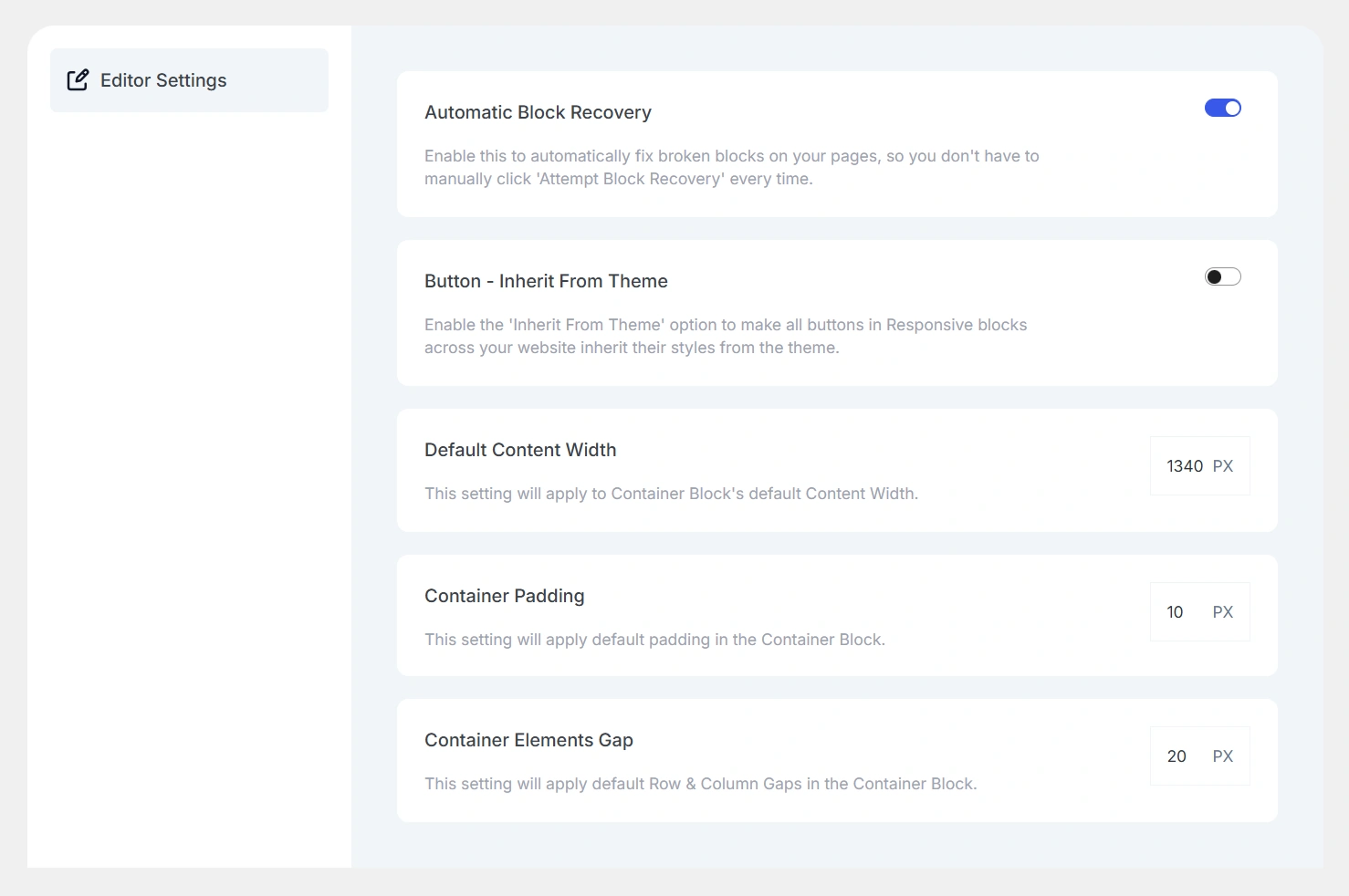
Editor Settings is a feature of Responsive Blocks, which allows you to establish default design behaviours for your blocks.
This feature allows you to have a consistent design, spacing, and layout of your content, minimizing duplicate design adjustments, which supports a more efficient workflow and provides a unified design throughout your website.
The following settings are available:
- Automatic Block Recovery
- Button – Inherit From Theme
- Default Content Width
- Container Padding
- Container Elements Gap
This will help ensure consistent brand visibility on your website. There is no need to change every instance individually.
Compatibility & Integrations
The plugin works seamlessly with:
- Responsive Theme for ideal compatibility.
- Responsive Plus and Elementor for extra features.
- Other well-known plugins include WooCommerce, Contact Form 7, and WPForms.
You can use Responsive Blocks for any shop, business site, or blog without conflicts and performance issues.
Responsive Blocks vs Popular WordPress Block Plugins
| Feature | Responsive Blocks | Kadence Blocks | GenerateBlocks | Spectra |
|---|---|---|---|---|
| Ease of Use | ⭐⭐⭐⭐ | ⭐⭐⭐⭐ | ⭐⭐⭐⭐ | ⭐⭐⭐⭐ |
| Design Flexibility | ⭐⭐⭐⭐ | ⭐⭐⭐⭐⭐ | ⭐⭐⭐⭐ | ⭐⭐⭐⭐ |
| Performance / Speed | ⭐⭐⭐⭐ | ⭐⭐⭐⭐ | ⭐⭐⭐⭐⭐ | ⭐⭐⭐⭐ |
| Block Variety | ⭐⭐⭐⭐ | ⭐⭐⭐⭐⭐ | ⭐⭐⭐ | ⭐⭐⭐⭐ |
| Templates / Presets | ⭐⭐⭐⭐ | ⭐⭐⭐⭐ | ⭐⭐ | ⭐⭐⭐⭐ |
| Pricing | ⭐⭐⭐⭐⭐ | ⭐⭐⭐ | ⭐⭐⭐ | ⭐⭐⭐⭐ |
Why Choose Responsive Blocks?
While the fundamental WordPress Block Editor does provide basic features, the Responsive Blocks plugin offers the user editing experience with a lot more creativity and options for professional, out-of-the-box design flexibility.
Let’s explore what users liked about using Responsive Blocks:
- Beginner Friendly: It allows even non-designers to create beautiful layouts.
- Developer Friendly: It provides finer-grained customisation and cleaner code output.
- Responsive First Design: It is optimised for mobile, tablet and desktop.
- Foreground theme support and updates: It is run by CyberChimps and team, the people you trust and love.
No matter if you are creating a personal portfolio or a new corporate website, Responsive Blocks helps you achieve your goals more efficiently and smartly.
Here are some examples of how creators are making use of the Responsive Blocks plugin:
- Bloggers: Create attractive post designs with headings, quotes, and author boxes.
- Agencies: Build high-converting landing pages with predesigned layouts.
- Small businesses: Showcase their products, services, and testimonials in a professional way.
- Online stores: Customise sections in WooCommerce to showcase products in a pure and intense way.
- Freelancers: Build websites for clients that are responsive and brand-specific in no time.
Benefits of Using Responsive Blocks
The Responsive Blocks plugin offers the perfect combination of creativity, simplicity, and performance, all the components required to build modern websites.
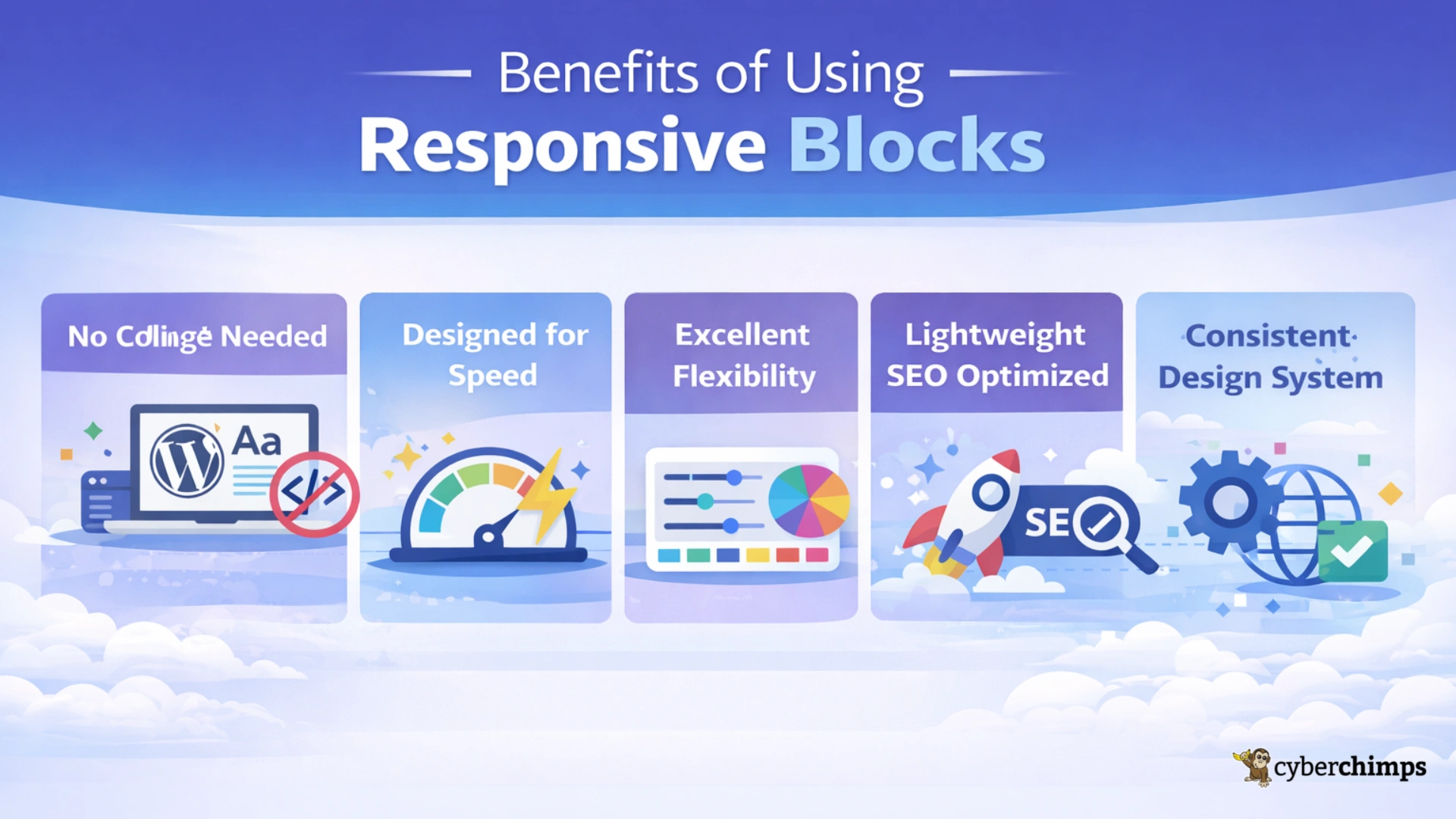
- No Need for Coding: Use the WordPress block editor to create stunning, professional pages without any coding or technical skills.
- Designed for Speed: Build stunning sections quickly with pre-built templates that enhance creativity.
- Excellent Flexibility: You have total control over responsiveness, spacing, and colour to achieve layouts you envision.
- Lightweight and SEO Optimised: Built for speed and search so your site loads faster and ranks higher.
- Consistent Design System: Easily uphold your brand, page-by-page, with global settings and re-usable design patterns.
The Responsive Blocks plugin offers a creative, simple, and performance-balanced set of all the components you need to build modern responsive WordPress sites confidently.
How to Use the Responsive Blocks Plugin
Installation & Activation
To enable the Responsive Blocks plugin, just follow these simple steps:
Log in to your WordPress Dashboard.
Head over to Plugins > Add Plugin.
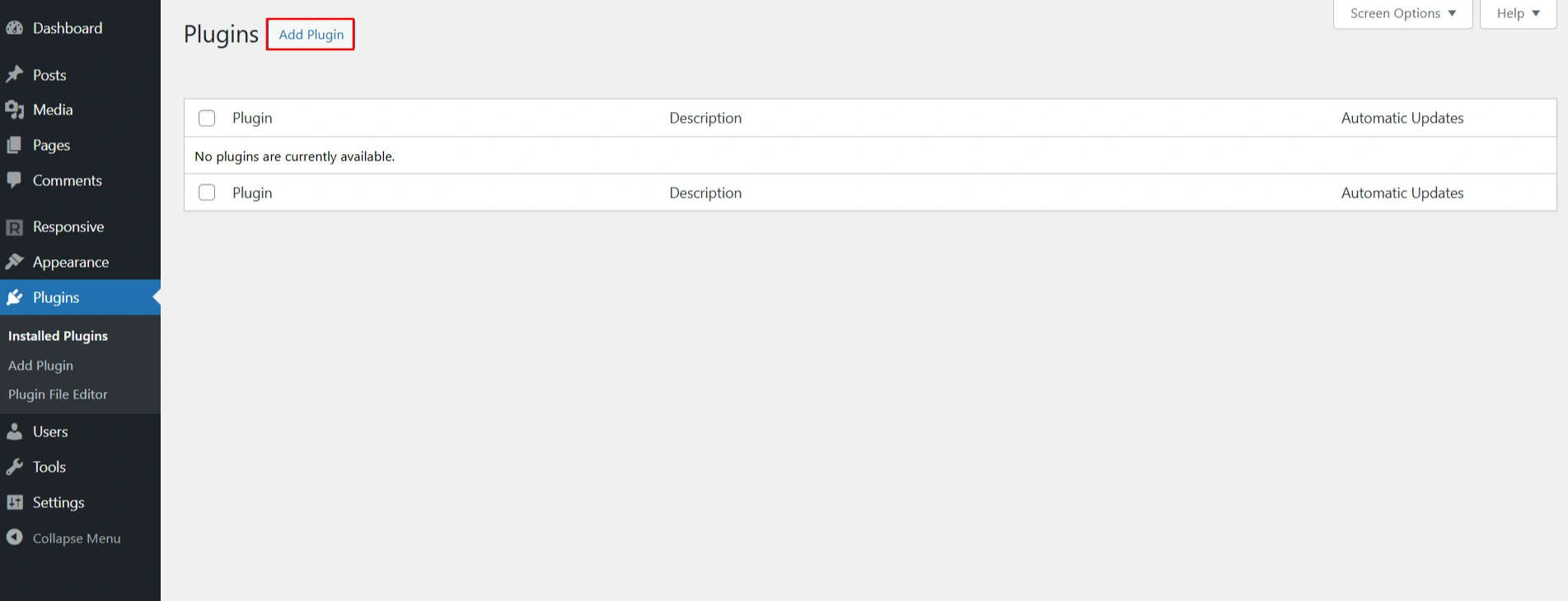
Type Responsive Blocks in the search field. Click Install Now, and then Activate.
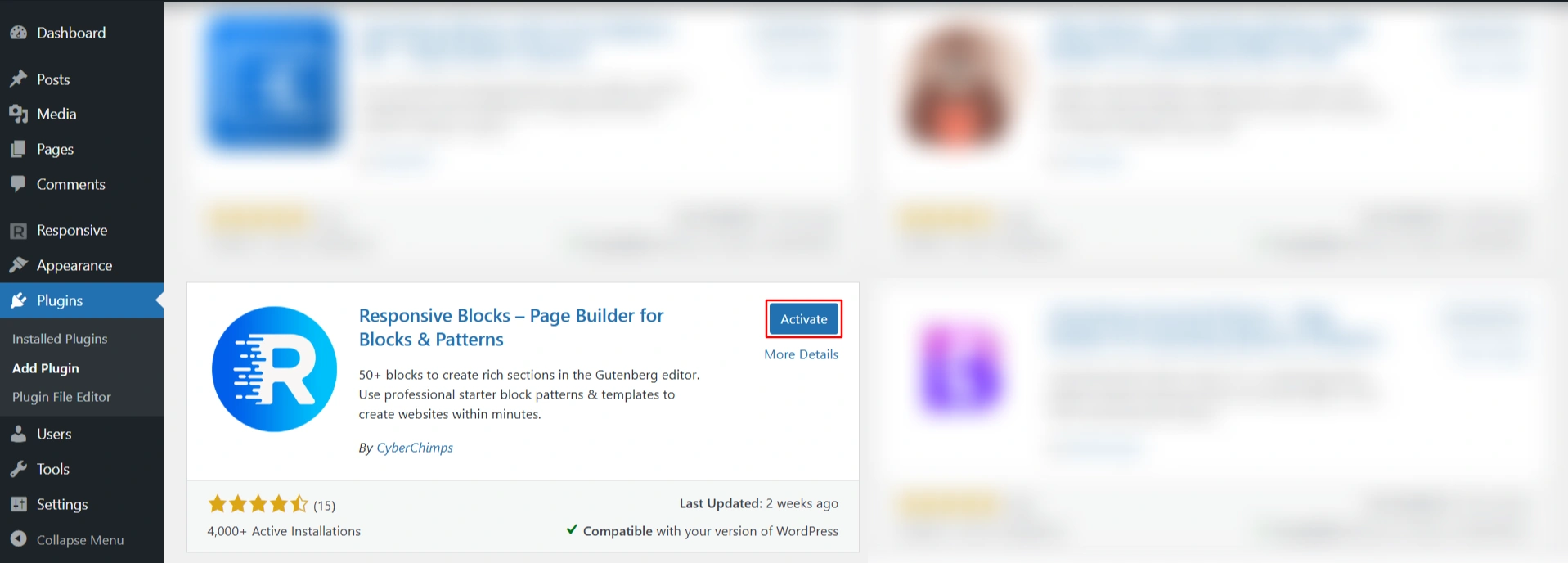
As soon as you activate the plugin, it will automatically appear in your WordPress Block Editor.
After activating the plugin, you will be navigated to the Responsive Block dashboard.
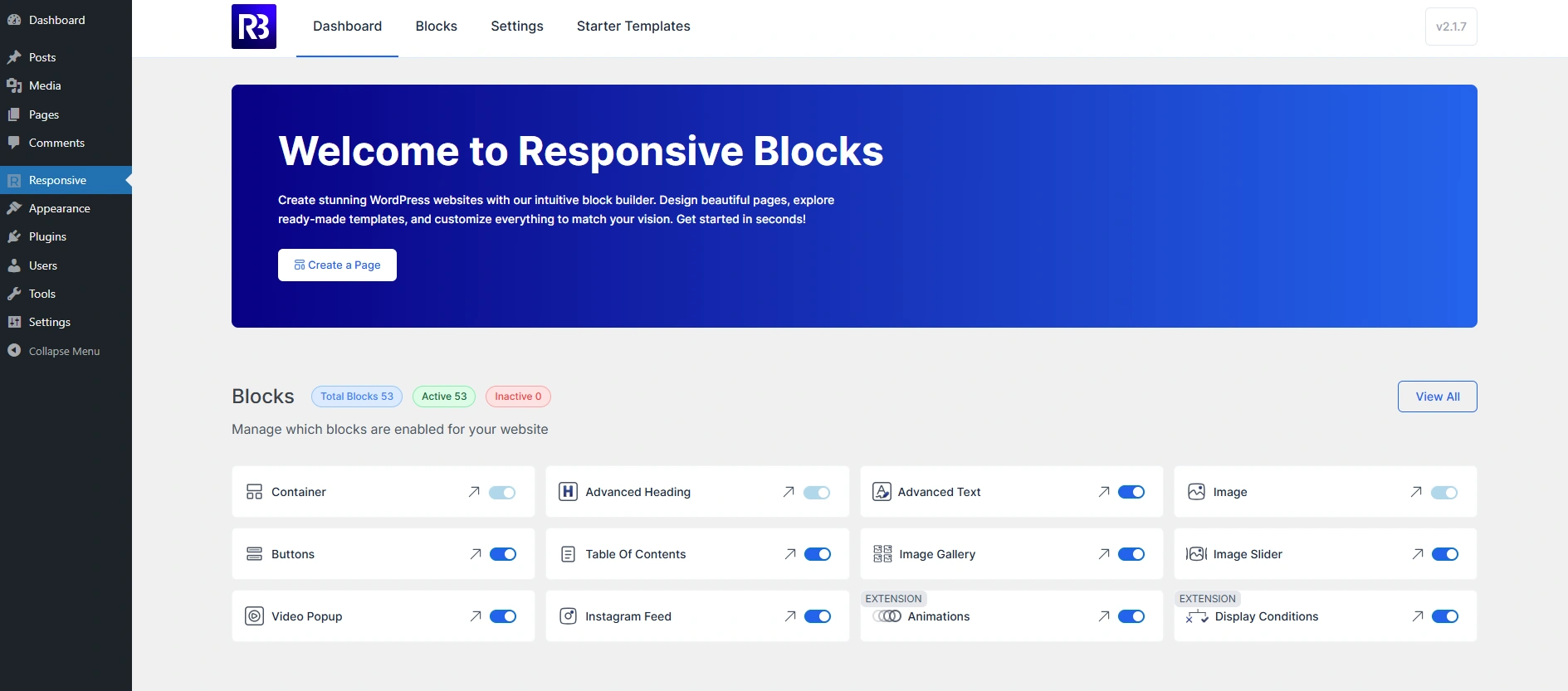
The dashboard includes:
- Blocks: You will find a variety of blocks related to content, timelines, and CRO, along with the extensions.
- Settings: These are the global settings you can enable and disable as per your requirement.
- Starter Templates: After you install Responsive Starter Templates, you will get access to 250+ pre-built templates to design your website in just a few clicks.
Adding Your First Block
- Open any page or post in the block editor of WordPress.
- Click on the + icon to add a new block to your post or page.
- Search for Responsive Blocks so that all the blocks can be aggregated into one location.
- Choose any block you prefer: Container Block, Info Box, Testimonial, or Tabs.
- Choose your colours, typography, social icons, and spacing from the right column.
Your design updates automatically in real time, without any additional page reloads or coding being needed.
Using Responsive Block Presets
With Responsive Blocks, you get the option to add presets to the elements on your website. This gives your website a professional look without taking up too much time.
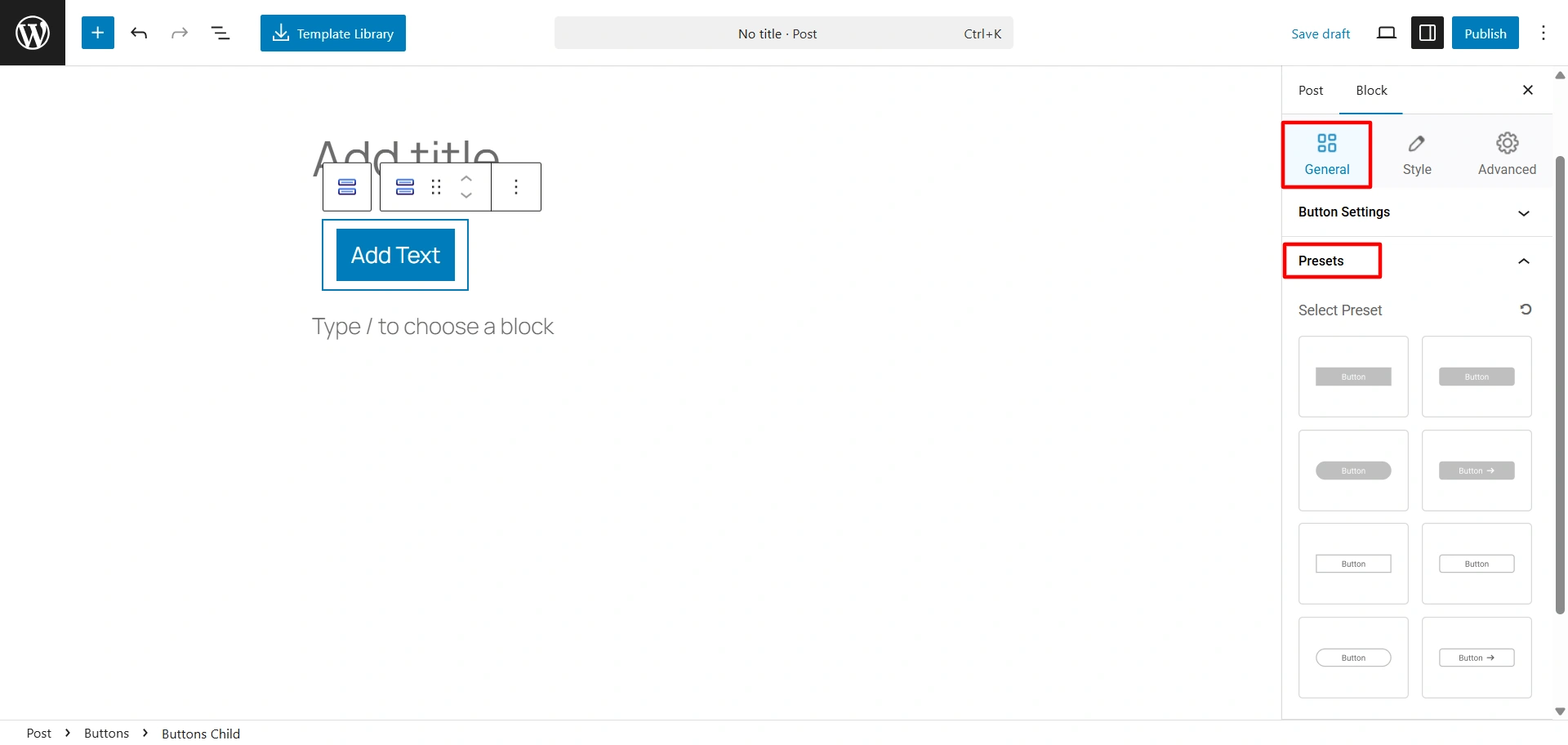
You can add presets to these blocks:
- Buttons Block
- Call to Action Block
- Info Block
- Countdown Block
- Accordion Block
- Post Carousel Block
- Team Block
Enhancing Pages with Extensions
Responsive Blocks come with even more elegant extensions to maximize your visual appeal and functionality.
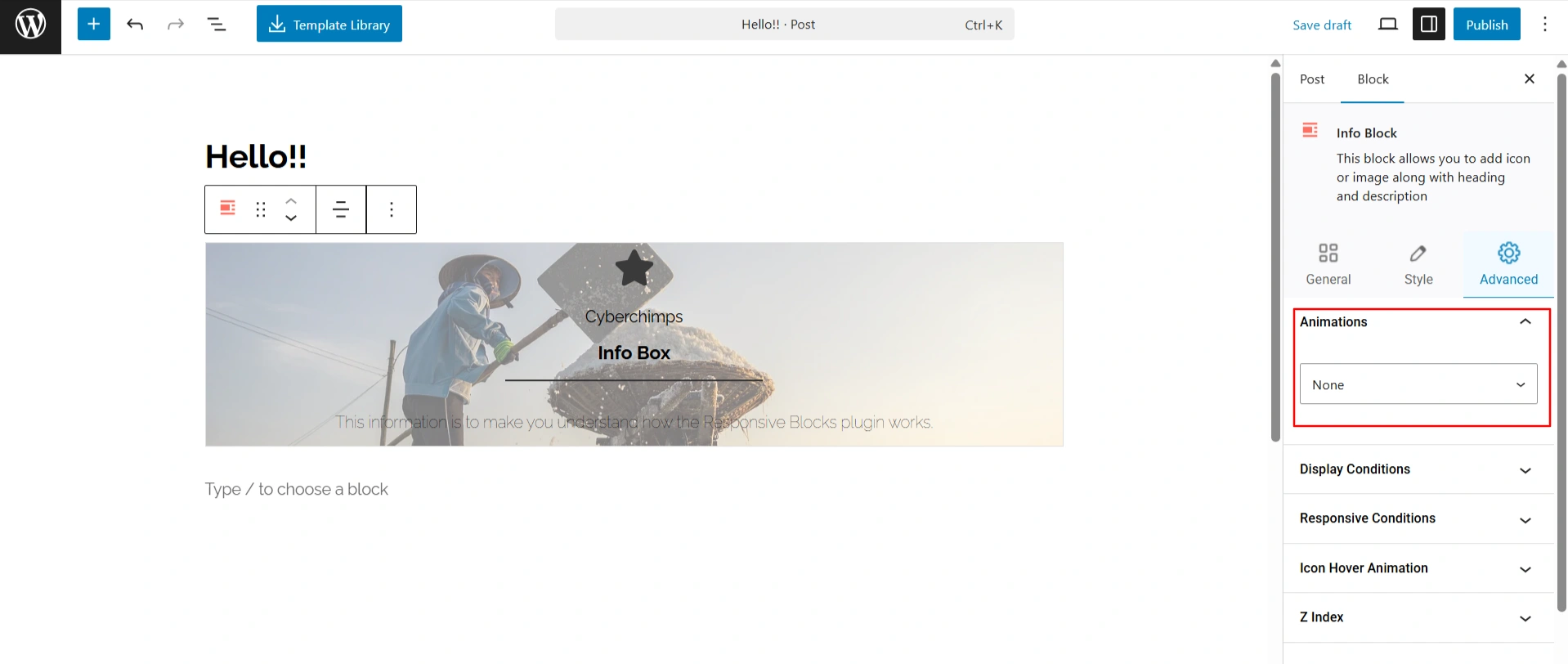
- Animations Extension: Add smooth fade, slide, or zoom animations to elevate any block to attract users and make your content look great.
To add animations:
- Select your Responsive Block
- Go to Advanced > Animations
- Select the type of animation you want (fade-in, slide-up).
- Change the settings (Animation Duration, Delay, etc.) until it’s looking good.
- Display Conditions Extension: Have control of when or where blocks are displayed based on the user’s roles, devices, or a specific condition. For example, you could display a special banner only to logged-in users, or you could hide content based on a specific page.
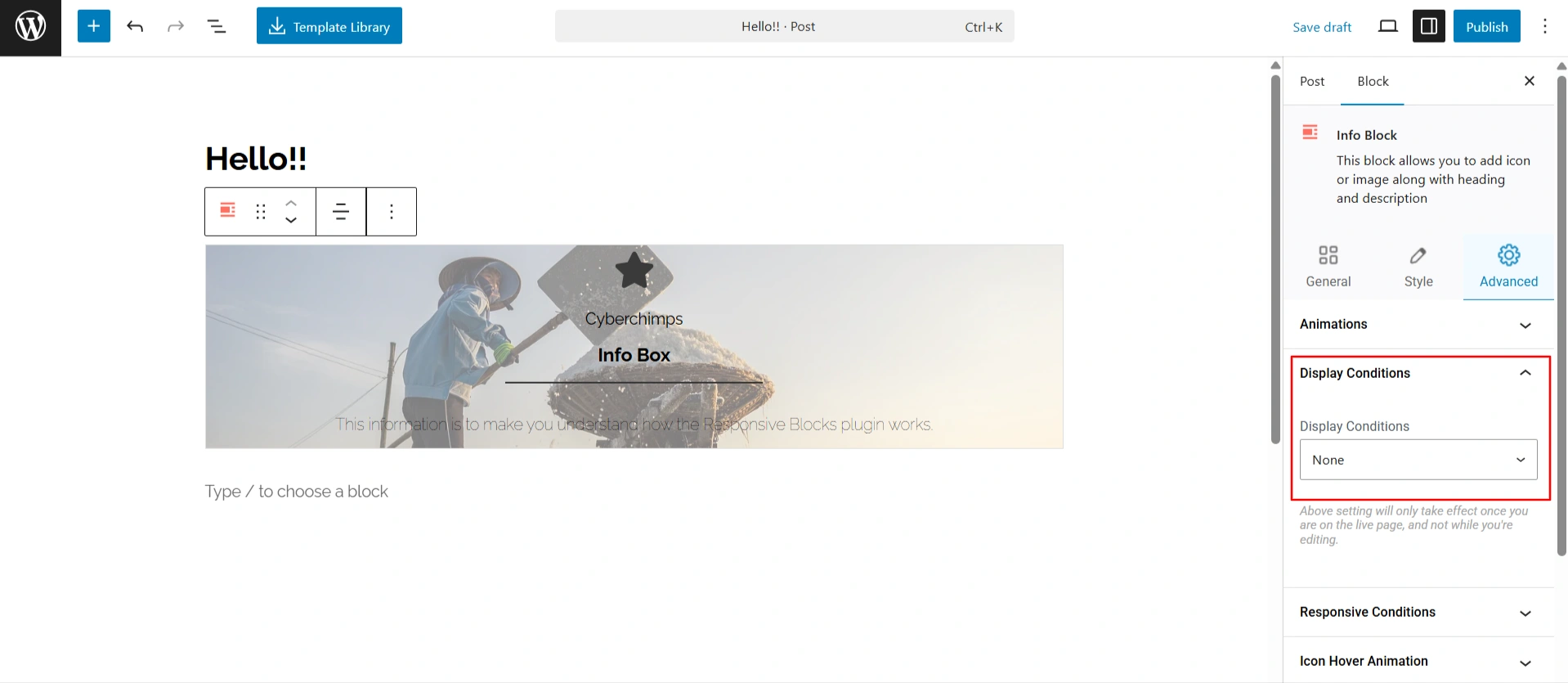
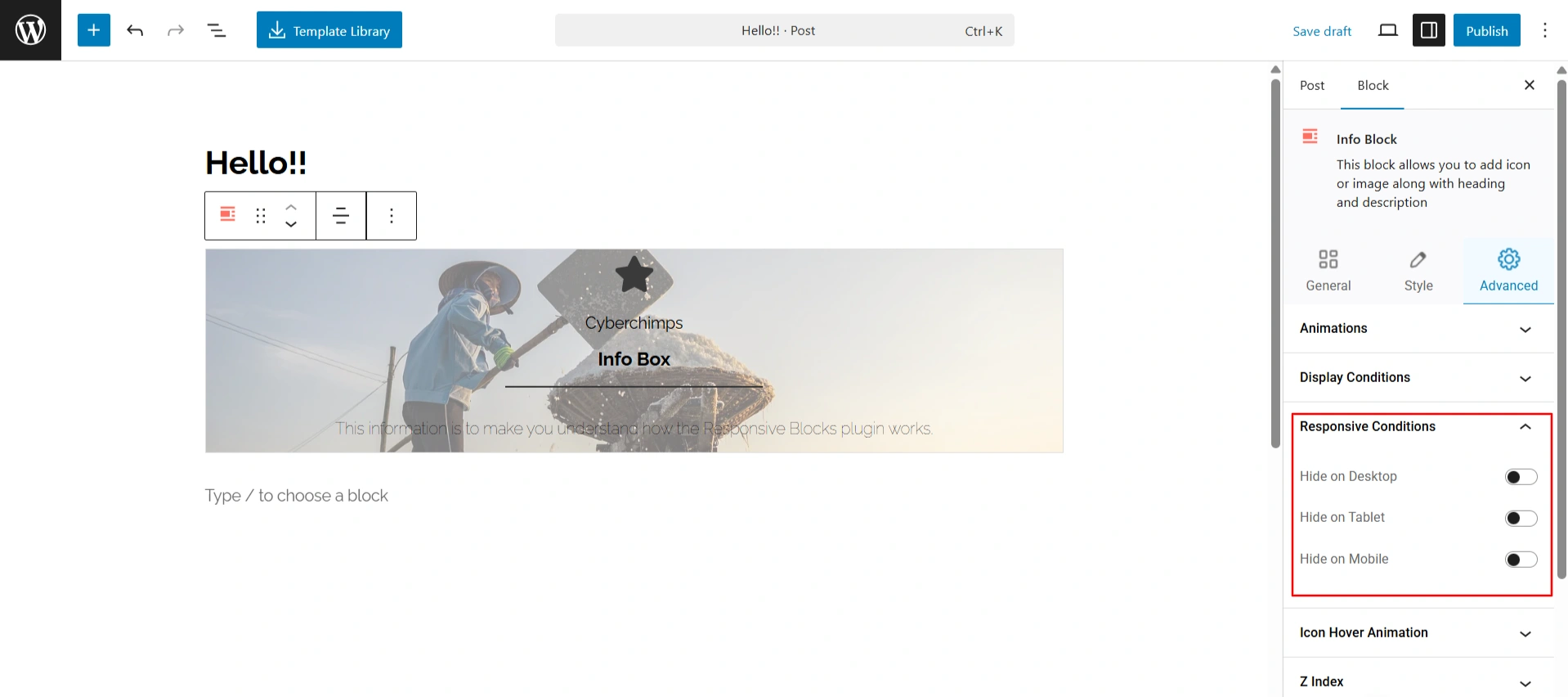
- Responsive Conditions Extensions: You will have granular control of visibility by hiding or revealing blocks based on targeting devices, desktop, tablet, or mobile. This makes for a truly responsive design.
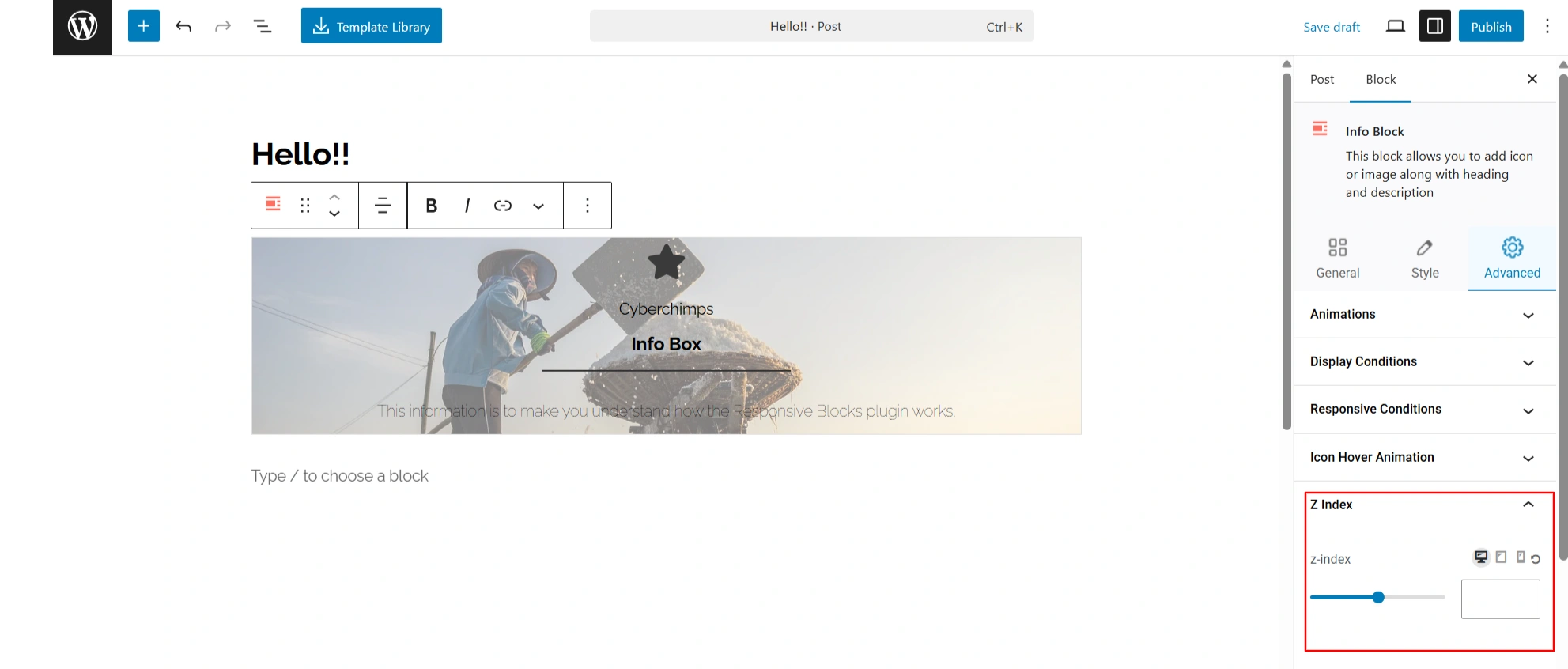
- Z Index: Manage what elements overlap other components. Having a higher z-index pushes a block forward, ensuring essential aspects, such as buttons or sliders, remain visible.
- Custom CSS Extension: Add your own CSS snippets so you have complete control over design. This extension is great for developers who want to control and customize how blocks look or behave beyond what is intuitive or core standards.
All of these extensions aim to make the plugin easy for beginners to use, yet powerful for a more advanced user who wants to control layout and performance on a site.
Note: The Icon Hover Animation will only be visible while you are using the Info block. It gives you the flexibility to add motion to the icon of your block.
How To Enable Or Disable Blocks In Responsive Blocks Plugin
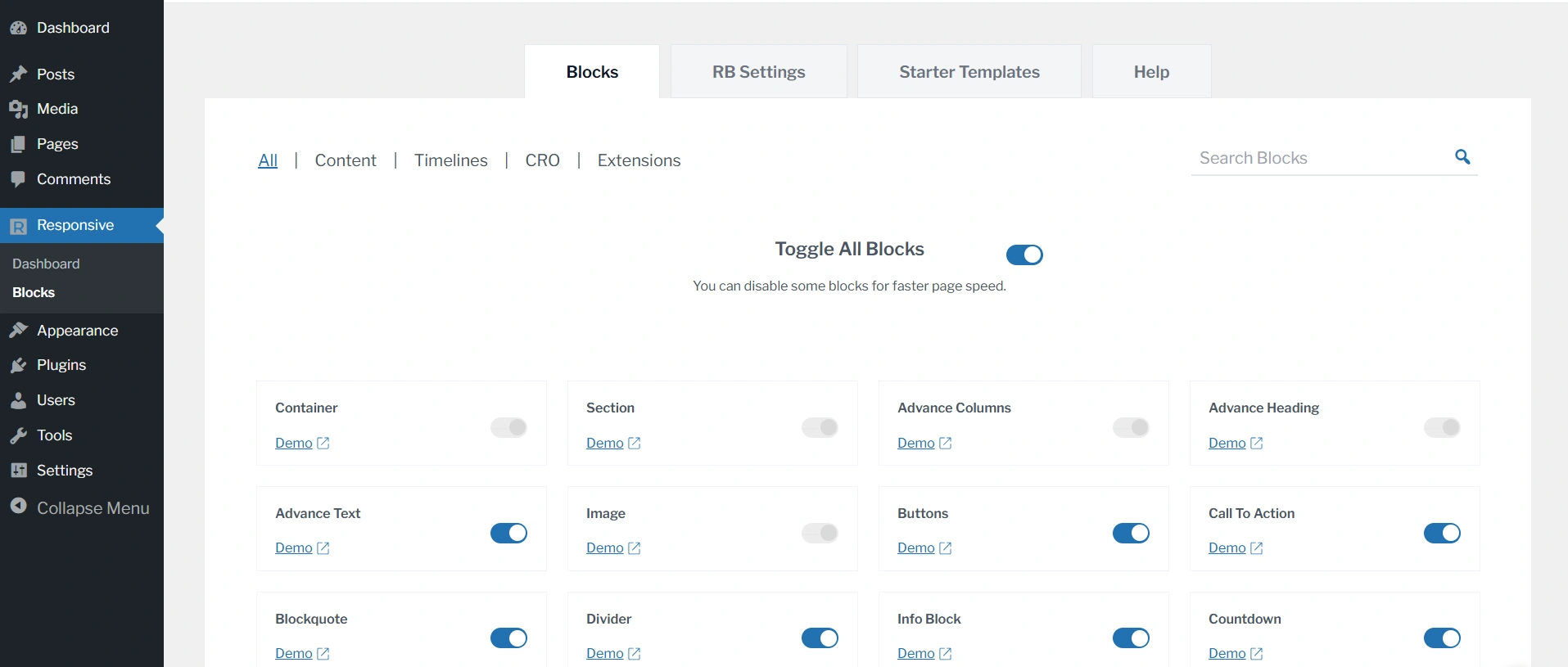
We’ve scrolled past the days when we had to code long hours to enable or disable a widget. Now with the Responsive Toggle blocks function, you can enable or disable any block, depending on your needs.
How To Disable Blocks In Responsive Blocks Plugin
Head over to your WordPress dashboard. Find and click on the Responsive > Blocks
This opens the Blocks page in Responsive Blocks. Here you can find all the Block Settings.
To disable the unused blocks, you just need to click on the Toggle Button to switch them off.
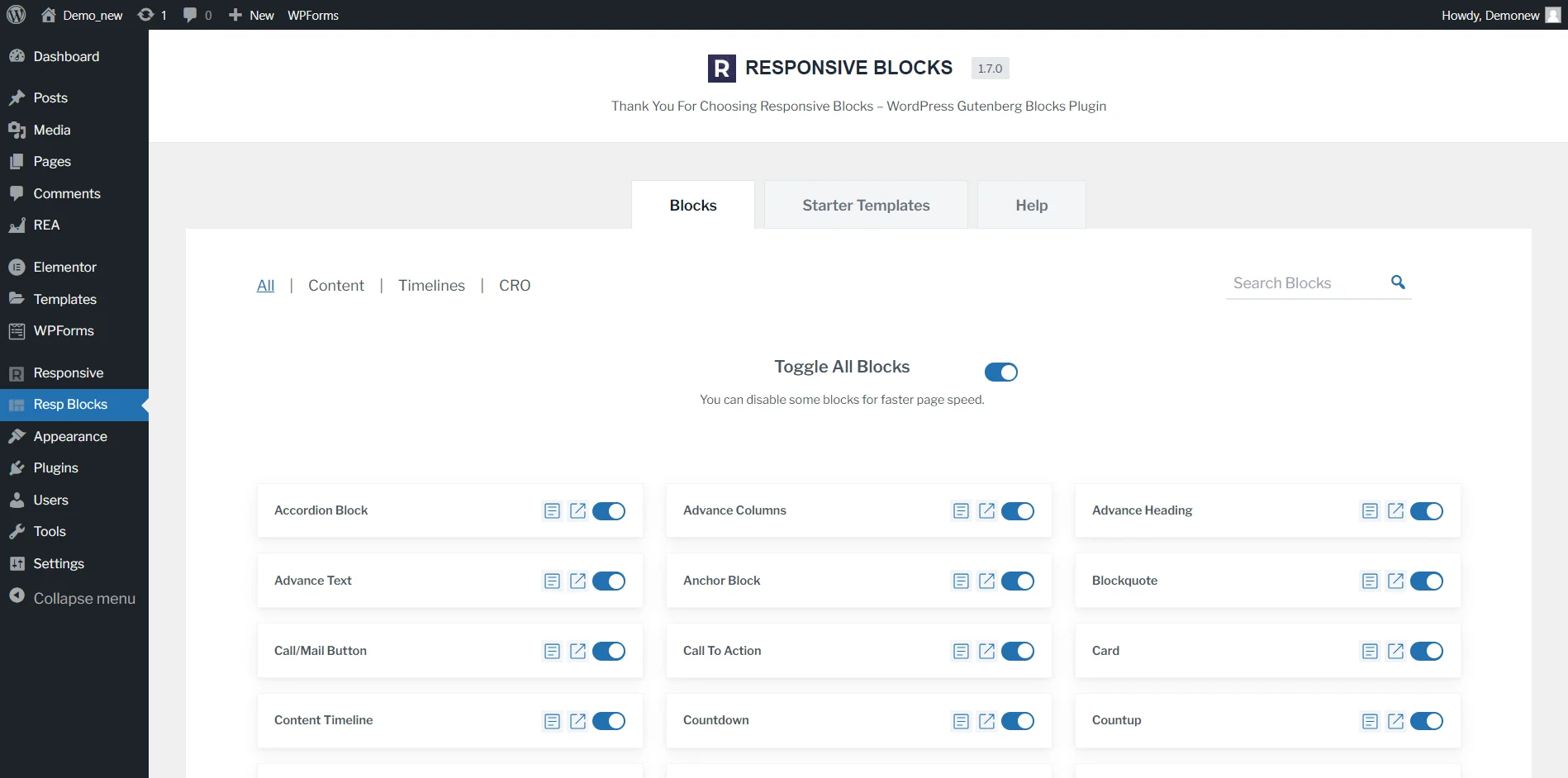
To enable those blocks, again click on the Toggle Button to turn them on. You also have the option to Toggle all blocks, which basically activates every block.
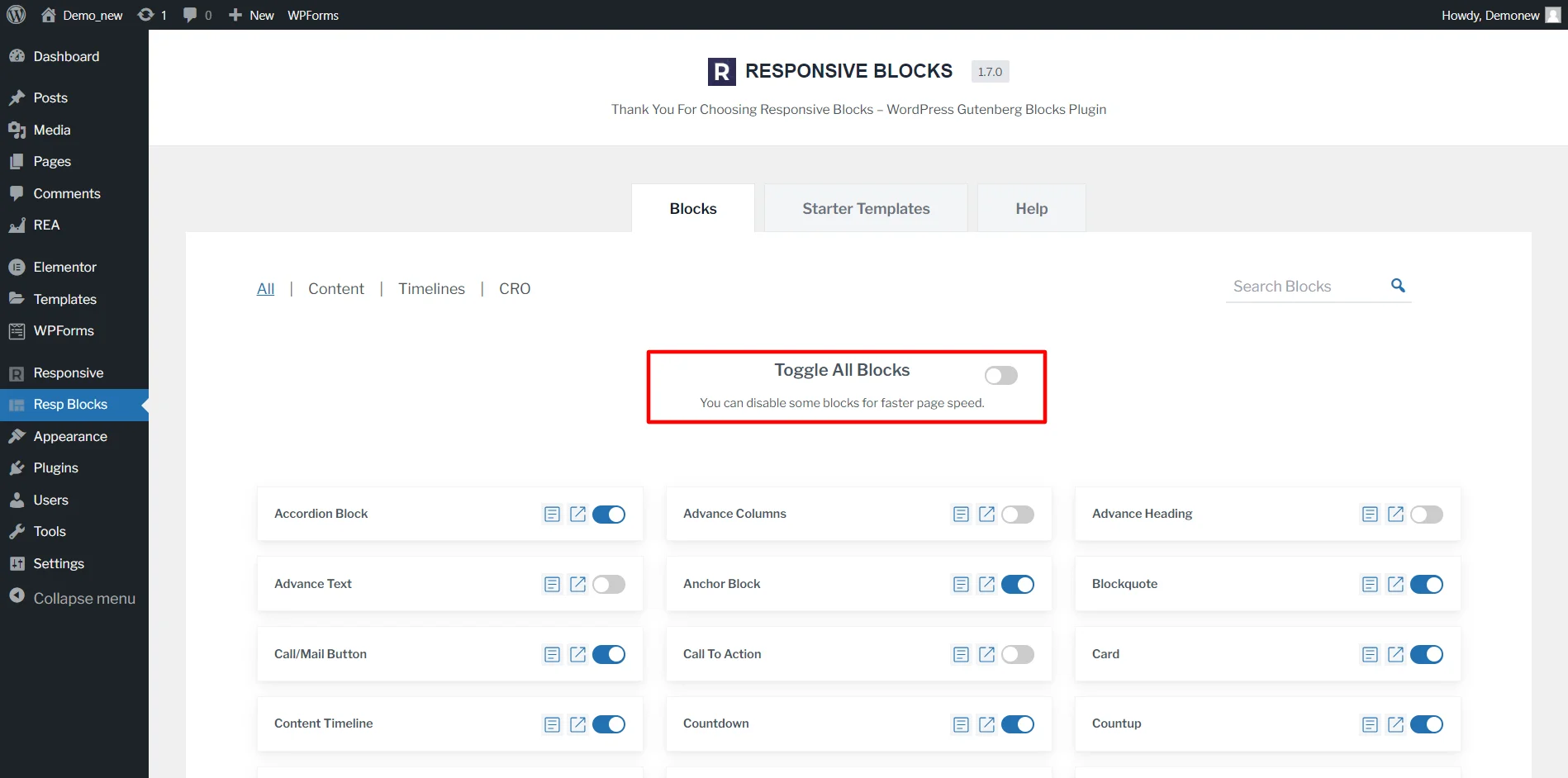
That’s it! This is how you enable or disable blocks in Responsive Blocks Plugin.
Tips & Best Practices for Better Layouts
To get the most out of Responsive Blocks, follow these practical tips and best practices that help you design faster, maintain consistency, and deliver high-performing, responsive WordPress pages.
Where possible, include screenshots to visually demonstrate real-world use cases and settings.
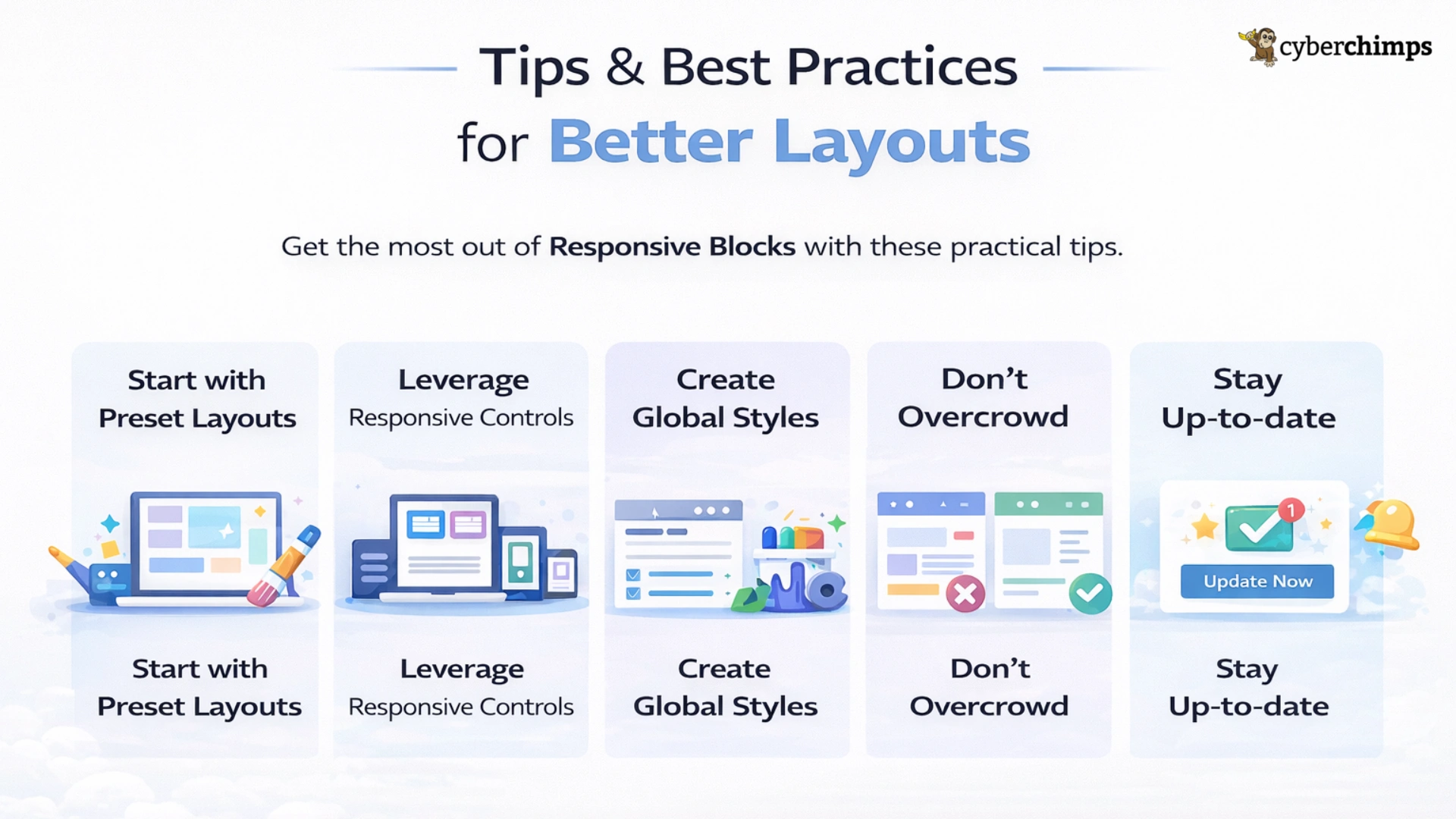
- Start with Preset Layouts: At the onset of your designing, use the preset layouts that come packaged with Responsive Blocks. Preset layouts will reduce design time and provide a foundation for brand customization.
- Leverage Responsive Controls: Always check how your design will look across screens. The plugin allows responsive settings for spacing, font sizes, and visibility across desktop, tablet, and mobile.
- Create Global Styles: Maintain a consistent visual tone across your entire site by defining global colours, custom fonts, and spacing that all pages follow, in line with your brand style.
- Don’t Overcrowd: Design with straightforward, simple user experiences in mind. Only consider the blocks that truly enhance your page, as this will affect load time and readability.
- Stay Up-to-date: Always keep the plugin up to date to receive features and performance updates, as well as compatibility with the current version of WordPress.
Frequently Asked Questions (FAQ)
Responsive Blocks Plugin is a library of 50+ fully functional blocks that help to extend the customizability of WordPress by improving the flow and structure of the content.
Yes, Responsive Blocks is free of cost, so you will have access to all the features needed to build great responsive sites for free.
Responsive Blocks will work with any theme, but they are the best fit with the Responsive Theme since they were built for one another.
Responsive Blocks was built in the WordPress Block Editor, but will also run in Elementor as it can integrate with Responsive Platform.
Responsive Blocks is an optimised and lightweight plugin to give you fast sites. Many other page builders are bulky and heavy.
Yes, responsive blocks have templates offered, where you can use pre-designed templates to import and edit.
Responsive Starter templates are fully functional and professionally designed, ready-to-use website templates built for WordPress Block editor.
To download a Responsive Starter wordpress themes, follow these simple steps:
1. Download Responsive Starter Templates plugin.
2. Log in to your WordPress Dashboard.
3. Go to Plugins > Add New.
4. Upload the downloaded plugin zip file.
5. Install and activate it.
6. Explore the 150+ free and Pro Responsive Starter Templates once activated.
Responsive Blocks Plugin Review: Final take
The Responsive Blocks plugin transforms the WordPress block editor into a potent design tool, offering ease of use and flexibility for anyone – whether beginner or developer – to create stunning, professional, mobile-ready websites without writing a single line of code.
More than just blocks, responsive controls, animations, and built-in templates, Responsive Blocks is an entire design ecosystem, built with WordPress Block Editor, utilising the WordPress block editor as your creative design canvas.
So, if you are looking for a WordPress block editor plugin that fosters creativity and ups your performance, Responsive Blocks is the perfect plugin.
If you enjoyed reading, then do check out these articles:
- What Is the Display Conditions Feature In Responsive Blocks
- Build Custom Headers And Footer To Improve Website UX
Try the Responsive Blocks plugin today to see just how easy it really is to design stunning, responsive pages in the WordPress Block Editor!





