

Summary
The right documentation WordPress theme help you create orgainzed help centers, knowledge based, and production documentatiom.
We have listed 16 best documentation theme with strong search features, clean layouts, mobile responsiveness, and easy customization. If you need a simple support portal or a full knowledge base website, choosing the right theme can make your documentation more effective and user-friendly.
Tired of answering the same customer questions again and again?
Without a proper documentation website, support tickets increase, users get frustrated, and managing information becomes difficult.
The right documentation WordPress theme helps you create organized knowledge bases, FAQs, help centers, and user guides that improve user experience and reduce support workload.
If you’re a SaaS owner, developer, agency, or educator, this guide will help you. I have noted the best WordPress documentation themes that can help align all your tasks.
- Why do documentation themes matter?
- What to Look for in a WordPress Documentation Theme
- Quick Comparison: Best WordPress Documentation Themes
- Top WordPress Documentation Themes
- 1. Responsive Theme
- 2. Manual WordPress Documentation Theme
- 3. Docly WordPress Documentation Theme
- 4. Tikidocs Documentation Theme
- 5. Wikb WordPress Knowledge Base Theme
- 6. Docy WordPress Documentation Theme
- 7. Tessera Free WordPress Documentation Theme
- 8. Lore Free WordPress Documentation Theme
- 9. kBase WordPress Theme Documentation
- 10. IKnowledgeBase Theme
- FAQ
- Wrapping Up!
Cyberchimps Responsive is the Best WordPress Theme – Get it for free!
Why do documentation themes matter?
Support ticket volume decreases when customers can resolve issues independently, resulting in shorter onboarding times and improved user satisfaction.
A well-structured knowledge base can reduce incoming support requests by up to 67%.
Additionally, Google ranks high-quality, organized, and accessible documentation higher than low-quality or scattered documentation, which means finding a suitable theme not only acts as a support/knowledge base but also serves as an asset for Search Engine Optimization (SEO).
What to Look for in a WordPress Documentation Theme
Before picking a theme, run it through this checklist. The best knowledge base WordPress themes will satisfy most or all of these criteria.
1. Powerful Search Functionality
A live AJAX is very important. Users want their results displayed as they type rather than after hitting the Enter key. Features should include autocomplete, category filtering, and a record of results returned with no matches.
2. Logical Content Structure
Your theme must support nested categories, tags, custom hierarchies, and at least one table of contents per article. A good structure will keep Google happy and also help visitors.
3. Mobile Responsiveness
More than 60% of all support requests are made on mobile devices. Having proper support for sidebar navigation, collapsible menus, and easy-to-read typography on small devices is important.
4. Page Builder Compatibility
Depending on which page builder you use, check if your current theme supports the page builder. And you don’t end up spending hours of customization trying to fix problems.
5. Speed Optimization
If your theme is overly loaded with HTTP requests, the first thing that will suffer is your Core Web Vitals, so try to find a theme with minimal HTTP requests, lazy-loaded images, and high-quality code.
6. Built-in FAQ Support
If the theme has a dedicated FAQ layout or if it supports shortcode for FAQs, you won’t need any additional plugins for an FAQ. In addition, FAQ content tends to get an AI Overview placement.
Quick Comparison: Best WordPress Documentation Themes
Refer to this table to quickly compare all the documentation themes.
| Theme | Best For | Price | Live Search | Forum / bbPress | Page Builder | Dark Mode |
|---|---|---|---|---|---|---|
| Responsive (CyberChimps) | Knowledge Base Docs Free | $39.5/yr | ✔ | ✔ | Elementor, Gutenberg | ✔ |
| Manual | Product Docs Knowledge Base | $59 | ✔ | ✘ | WPBakery | ✘ |
| Docly | Knowledge Base Forum Help Center | $59 | ✔ | ✔ | Elementor | ✔ |
| TikiDocs | Knowledge Base Support Forum | ~$75 | ✔ | ✔ | WPBakery | ✘ |
| Wikb | Help Desk Knowledge Base | $75 | ✔ | ✔ | WPBakery | ✘ |
| KnowHow | Knowledge Base Product Docs | $59 | ✔ | ✘ | Gutenberg | ✘ |
| kBase | Help Center Knowledge Base | $69 | ✔ | ✔ | Drag & Drop Builder | ✘ |
| Docy | LMS + Docs Forum | $89 | ✔ | ✔ | Elementor | ✔ |
| Tessera | Support Forum Help Desk | $29 | ✔ | ✔ | Elementor | ✘ |
| IKnowledgeBase | Support Forum Help Desk | $14 | ✔ | ✘ | Drag & Drop Builder | ✘ |
Top WordPress Documentation Themes
When it comes to creating professional-looking documentation, selecting the right theme is crucial, so here are some of the best options available:
1. Responsive Theme
???? My Real World Test Results:
- Best suited for: Developers, SaaS teams, support, and educators
- Load time on shared hosting: 0.78 seconds
- GTmetrix Performance score: 100%
- Total theme size: Under 80KB
- Mobile PageSpeed score: 99/100
- Save design time with 100+ Premium-grade Starter templates
Responsive theme is one of the most popular WordPress themes and is highly admired by many WordPress leaders. The theme is blazing fast and is extremely friendly to beginners.
Responsive Starter Templates, being the byproduct of the Responsive theme, offer 100+ starter templates that you can easily import and create any website you want.
With Responsive, you get a plethora of modern features, thus making your work easier.
Features:
- 100+ ready-to-import starter templates including a dedicated Help Documentation template
- Elementor and Gutenberg compatible, build stunning knowledge bases, wikis, user guides, and forums
- SEO-friendly with clean semantic code and schema markup support
- Translation-ready in 45+ languages with WPML support
- WooCommerce and Elementor Pro compatible
Responsive’s Documentation Template
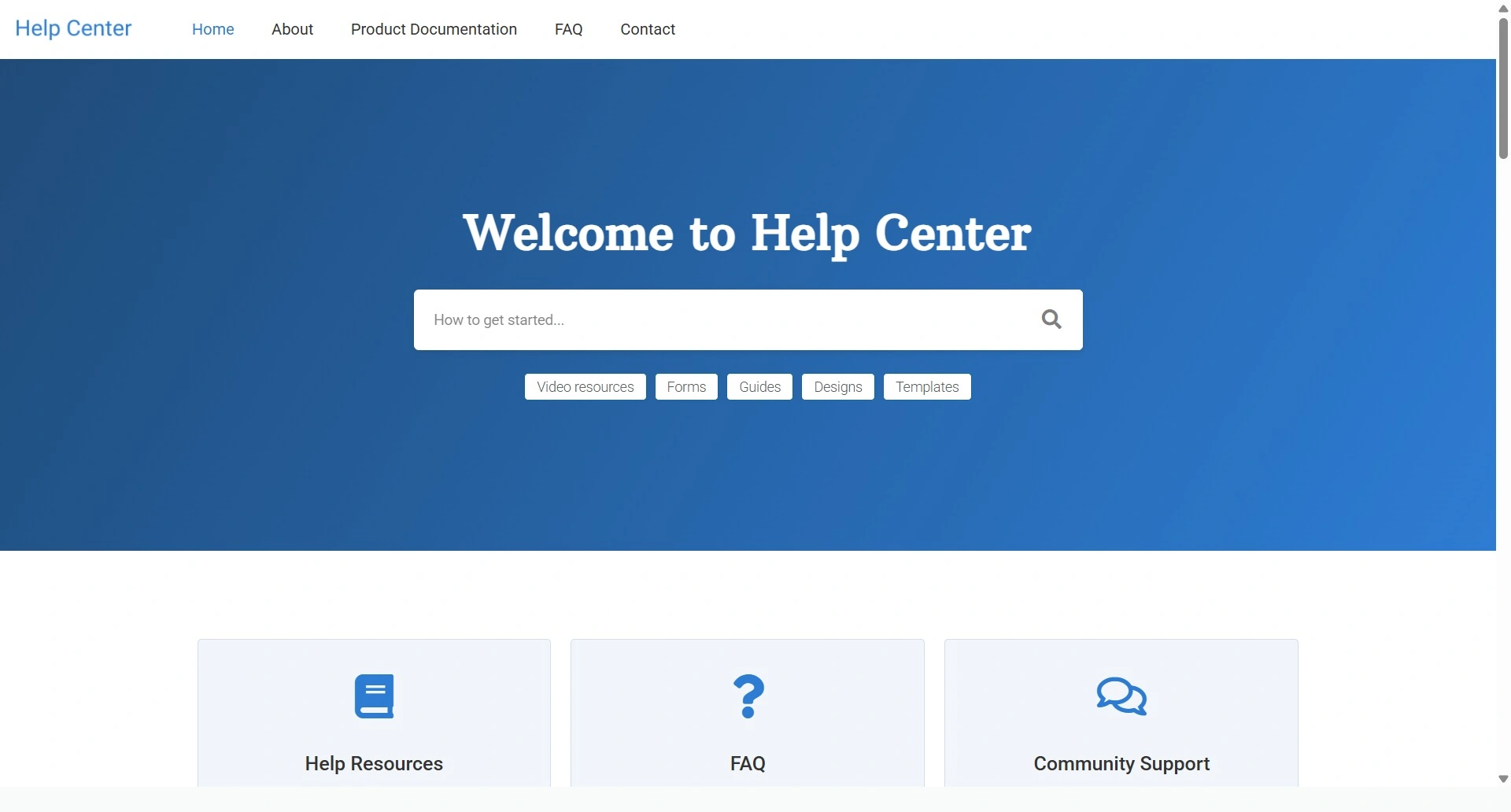
Responsive’s Documentation WordPress template lets you create stunning helpful sites, forums, documentation, user guides, wikis, and much more.
2. Manual WordPress Documentation Theme
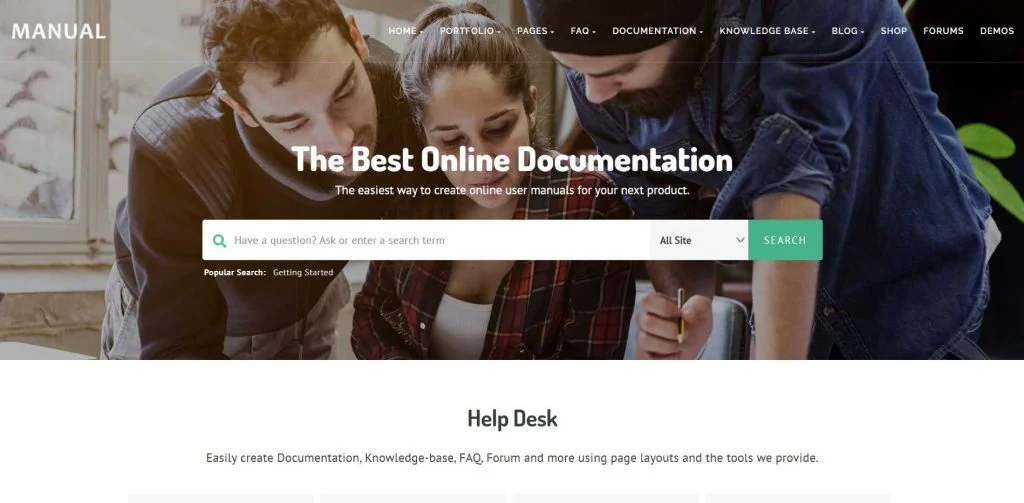
Manual is a theme that is knowledge-based, which helps education and desk projects. The theme comes with a variety of demo selections to let you run a site effortlessly. You can also find options specifically suited to building knowledge bases as well as online resource platforms for software applications and the same projects.
The Manual theme’s ability to categorize information into subcategories is a standout feature, making it easy for visitors to browse and find what they’re looking for. The theme’s appearance is also customizable, enabling you to choose from a variety of color schemes, fonts, and backgrounds to match your business or personal style.
Features:
- Fully responsive and mobile-friendly
- Ready for documentation, FAQs, knowledge base, and portfolio
- Compatible with WooCommerce, LearnPress, and bbPress
- Supports Elementor, WPBakery Page Builder, and Contact Form 7
- One-click demo import, translation-ready, and child theme included
- SEO-friendly, fully customizable, with strong support
3. Docly WordPress Documentation Theme
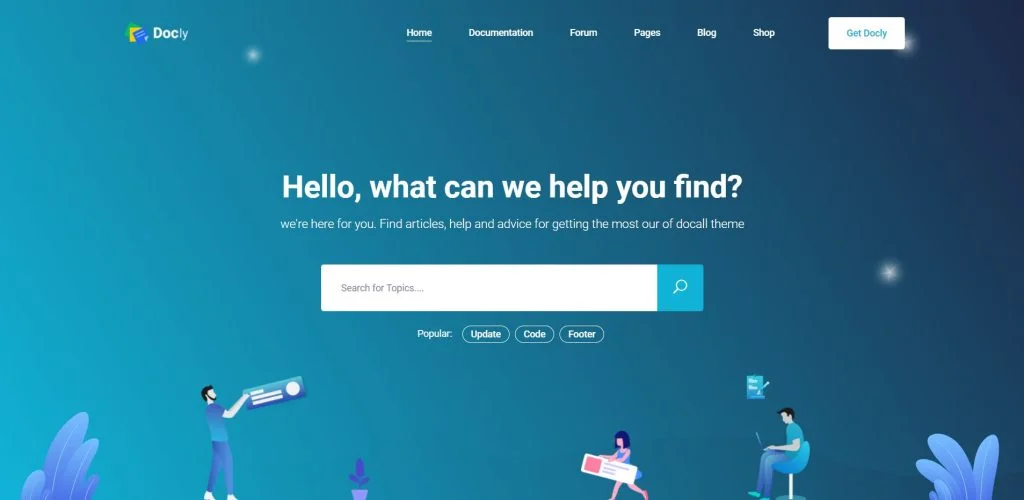
Docly is an excellent WordPress documentation theme that you can use to create help desk forums. It is integrated with the bbPress plugin. The bbPress plugin can be extended with an add-on library. This way, you can create every type of forum as per your requirements.
The theme comes with three primary demos; hence, you can effortlessly find the design as per your needs.
The Docly theme appears great and functions flawlessly on all devices, including mobile phones, thanks to its full responsiveness and mobile friendliness. Your users will be able to view your documentation without any trouble from a desktop computer, laptop, or smartphone.
Features:
- User-friendly layouts
- Dark mode and font size switcher
- Sticky header, sticky sidebar, and full-width layout options
- Built-in table of contents, file tree navigation, and article feedback
- SEO-friendly, easy to customize, and browser compatible
4. Tikidocs Documentation Theme
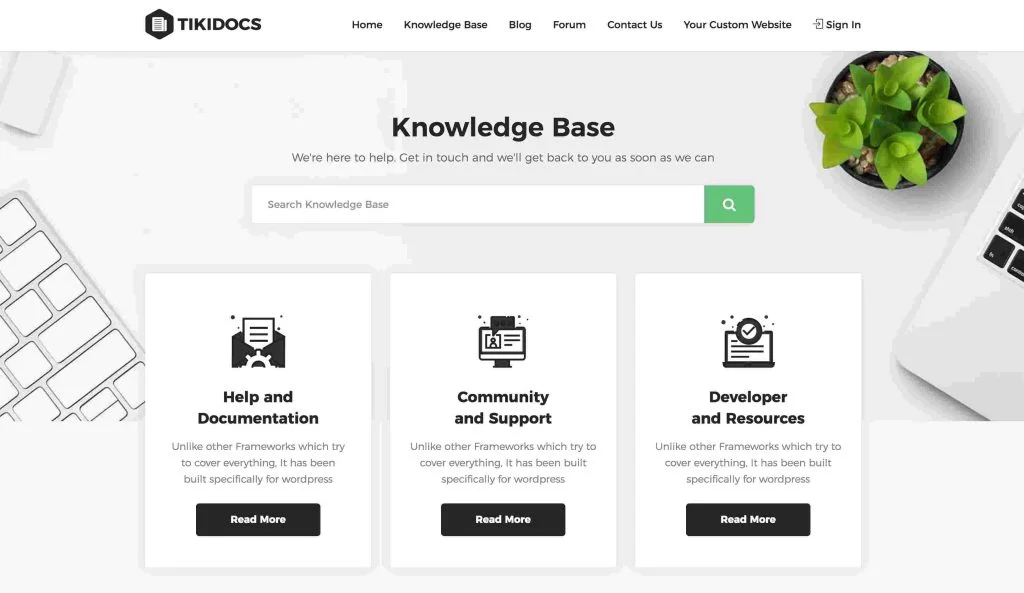
TikiDocs theme is another stylish documentation WordPress theme that you can consider buying. It comes with pre-built content, sticking to the traditional design style of a knowledge base website.
Even if you will be using the theme with default settings and configurations, your site will still have a search box and links to popular sections of your knowledge base.
The search box comes with live search functionality. Therefore, whenever your visitors type anything, results will be displayed immediately.
Features:
- Varying customization options
- Two primary knowledge base layouts to select from
- Plenty of layouts and templates
- Support for the bbPress discussion forum plugin
- Diverse elements, like testimonials and pricing tables
5. Wikb WordPress Knowledge Base Theme
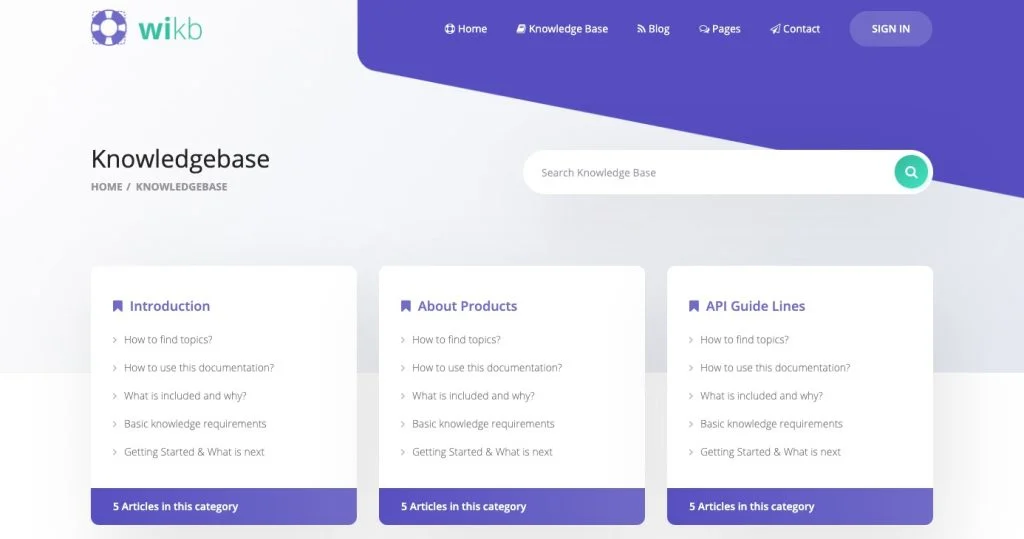
Wikb theme aims at helping you launch a perfect documentation website with WordPress. Wikb helps you publish content to help your community, staff, and other groups of people by setting up an online space. The overall design of the theme is professional yet welcoming, and you will also find it easier to use.
Wikb’s primary goal is to create a “knowledge base” and “help desk” for a website. A knowledge base is a collection of articles and resources that provide answers to frequently asked questions or problems that users may face.
A help desk, on the other hand, is a place where users can interact with website administrators or customer support teams to seek assistance or ask questions about their concerns.
Features:
- Option to present content in varying methods
- Discussion forum functionality
- eCommerce compatible
- Supports the library of WooCommerce add-ons
- Configured in a variety of ways
6. Docy WordPress Documentation Theme
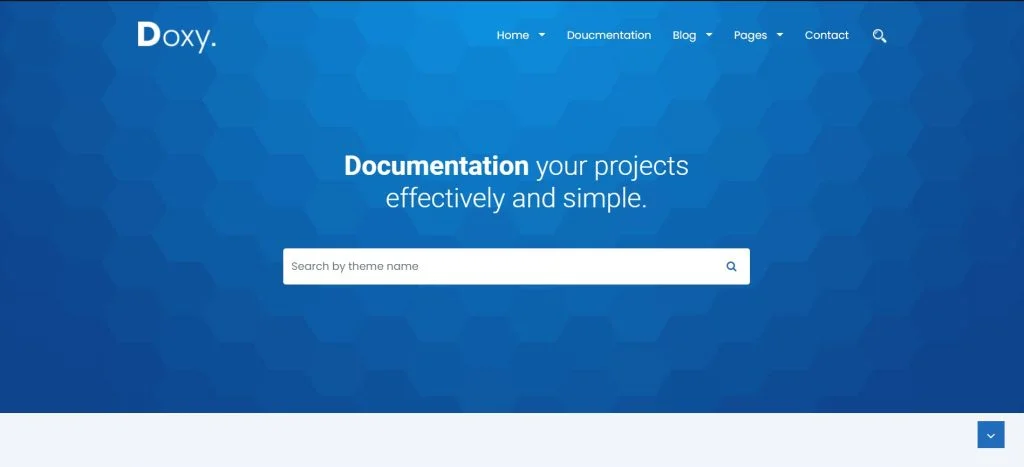
Docy theme is available with a straightforward and minimal design. It is specifically made to create online knowledge bases and documentation.
The theme allows you to select from a variety of homepage versions featuring gradient backgrounds, video backgrounds, and more. The available starter templates are built with Elementor page builder; hence, developing a site will be seamless for you.
Features:
- W3C validated responsive design
- Optimized for Gutenberg
- Elementor page builder for easy customization
- Dark mode and font size switcher
- Sticky header, sticky sidebar, and full/boxed layout options
- Built-in table of contents, file tree navigation, and article feedback
- High-resolution and widget-ready
7. Tessera Free WordPress Documentation Theme

Another stylish and sophisticated theme on the list is Tessera. It helps you create support forums and knowledge-base websites effortlessly. It’s fully compatible with some of the popular WordPress plugins, such as BuddyPress, bbPress, and more; thus, offering you everything required to set up a site.
Moreover, to ensure better compatibility, the theme also comes with responsive, quick-loading templates.
The theme also works flawlessly with bbPress, a well-liked WordPress forum plugin. You can quickly create a support forum that allows you to address the most common queries in your business in a single thread.
Features:
- Built to work with the Elementor page builder plugin
- Modern and intuitive user interface
- Fully responsive with a modern and clean design
- Built with Elementor and includes 12 custom widgets
- Live search for faster results
- Knowledge base post type with categories and tags
8. Lore Free WordPress Documentation Theme
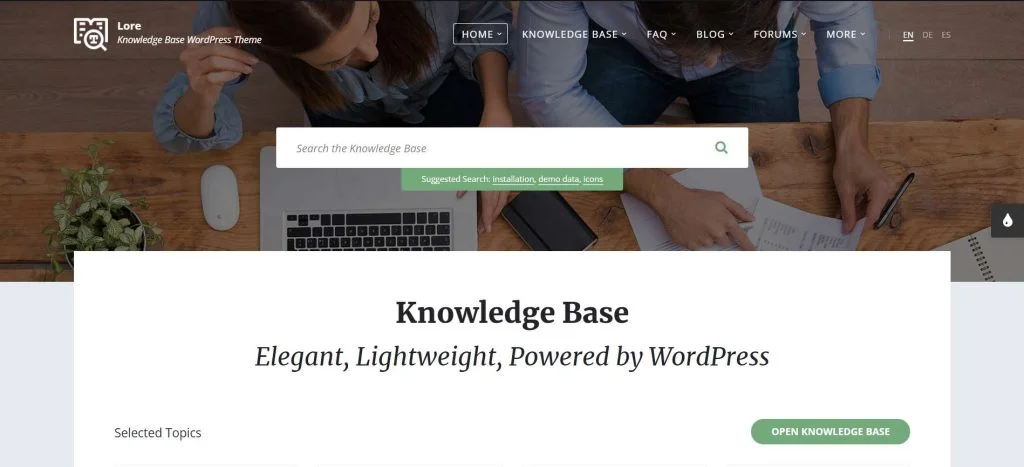
Lore is a lightweight theme that enables you to quickly launch a knowledge base WordPress site. Its stylish color options and font give your website a completely professional look.
Lore being flexible, lets you have a great amount of control over properties, such as layout settings, colors, and fonts. Not just it looks out of the box, but it offers a variety of personalization options as well.
Features:
- 1-click demo import
- Mobile-friendly and responsive design
- Compatible with Gutenberg, Elementor, and WPBakery Page Builder
- Supports bbPress for forum creation
- Custom color schemes with easy styling options
- Translation-ready with included language files
9. kBase WordPress Theme Documentation
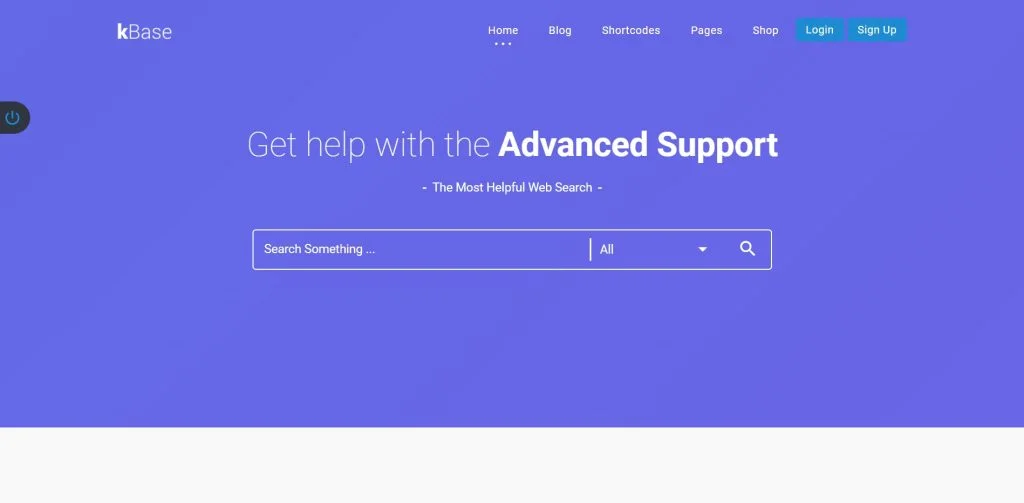
Being a modern WordPress documentation theme for knowledge-based websites, kBase is available with seven unique, individualistic pre-made homepage designs that let you create a variety of knowledge-base site styles. The theme includes stylish and attractive documentation page layouts as well.
The theme looks professional and has a clean code, making it an ideal option for SaaS businesses, enterprises, and startups.
Using a Knowledge Base WordPress theme will enable your visitors to look up the information they need without getting in touch with your support staff. This can improve client satisfaction while saving time and resources.
You can also categorize your content based on subject or topic to make it simpler for your visitors to find what they require.
Features:
- Modern and attractive design
- Option to select a variety of homepage designs
- Customizing with WPBakery page builder
- Six types of search systems
- Compatible with WooCommerce, BuddyPress, and bbPress
10. IKnowledgeBase Theme
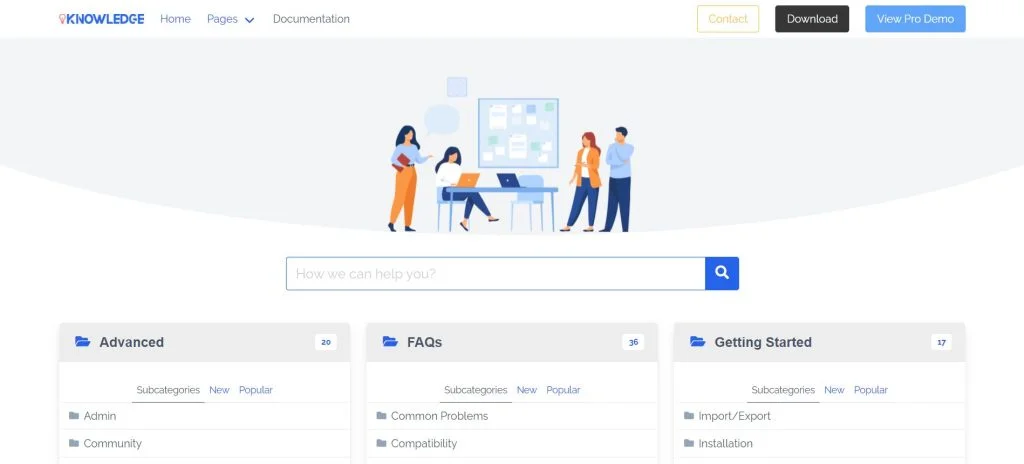
IKnowledgeBase is a fast and mobile-friendly theme. With this option, you can seamlessly develop a variety of FAQ, Wiki, Helpdesk, and Knowledge Base sites without spending a penny. You can display varying categories on the main page with plenty of customization options.
It lets you control how categories appear on the site’s main page and includes breadcrumbs for easy navigation. There is also a custom widget that displays the current navigation in a category and a separate post, making it simple for users to find what they are looking for.
Features:
- Breadcrumbs for easy navigation
- Custom Widget
- Fully responsive
- Easy customization
- Category icon
FAQ
Go to Media Library Folders in the WordPress dashboard after activation. You’ll now see all the files inside your WordPress upload directory. From here, you can make new folders and add files to them. On your WordPress website, you can also move, copy, rename, or delete files.
First, click on the Add Media button located above the editing toolbar buttons. Then, you can either click on Select Files or drag your PDF file into the dotted box. Your PDF file will be brought into the WordPress Media library. After the uploading and processing are finished, type the text you want for the link on the page into the Title box.
If you want to include a downloadable PDF on your WordPress page or post, you can follow these simple steps. First, navigate to the desired page or post and create a new ‘File’ block. Then, click on ‘Upload’ and select the PDF file you want to use. WordPress will automatically add the file to your content and display its filename, along with a ‘Download’ button that visitors can click to download the PDF.
If you want to include a new category on your WordPress website, go to the Pages » Categories section in your dashboard. Then, specify a ‘Name’ and ‘Slug’ for your category. Additionally, you can choose a ‘Parent Category’ for your new category by scrolling down. Once you have entered these details, click the ‘Add New Category” button to complete the process.
To begin, access your WordPress admin area and navigate to the Media section. Next, click on the “Add New” button. You can upload your PDF file by dragging and dropping it into WordPress or by clicking on the “Select Files” button. After this, WordPress will upload the PDF file to your website.
Wrapping Up!
Hope you found the article insightful.
Having gone through the list of top documentation WordPress themes, are you still confused about which theme is the best?
We recommend Responsive theme, as it comes with a huge collection of starter templates and provides you with great modern features. The theme is best known for its customer-friendly user interface.
Also, make sure to browse through our other similar articles:
- Best Digital Agency WordPress Themes
- Best Children WordPress Themes
- Best WordPress Church Themes
- How to Embed PDF Files to WordPress Website
Do you want to start a documentation website already? Look for the Responsive theme now!





