
Are you an author wondering if you really need a website?
A professional website is a powerful tool to showcase your books, connect with readers, build credibility, and even sell directly without relying only on platforms like Amazon.
But you might think of it as technical work, so how can you make a professional-looking website?
Well, building a website doesn’t necessarily require technical knowledge. You just need to have some basic information, and you are good to go.
With WordPress, you can make a fully customized website, which is easy to handle and does not require experts. Templates like Book Author make this task even more manageable.
This powerful, one-click solution provides a pre-designed, fully functional website specifically tailored for writers. It allows you to create a beautiful, professional online presence in minutes, without any coding or design experience.
What is the Responsive Starter Templates Library?
Before we dive into the details, let’s first understand the Book Author Starter Template. It is part of the extensive library of the Responsive Plus plugin.
The plugin consists of a collection of 250+ professionally designed templates that can be imported with a single click. It offers advanced features like white label, custom fonts, mega menu, site builder, and even WooCommerce integration. It extends its functionalities by integration with the Responsive theme, which is a free WordPress theme.
Here are some of the key features and characteristics of the Responsive Starter Templates Plugin Library:
- Pre-Built Websites: The library includes dozens of fully designed websites for different niches, including business, blog, e-commerce store, and portfolio examples.
- Page Builder Support: The templates are built for popular WordPress page builders, including Elementor and the Gutenberg Block Editor that is included with the native WordPress editor. Once imported, you just need to drag and drop to customize the imported template.
- Mix-and-Match: Depending on the library you are using, you can import a single page or mix two different website templates to make a new website. It is a fantastic way to build your own unique site.
- WooCommerce Ready: Many of the templates are built with WooCommerce integration for an e-commerce solution. Making it easy to get an online store set up to sell your products.
- Site Builder: You can easily customize individual page headers and footers to match your brand identity. Plus, it lets you create a custom 404 page with ease.
- Compatible with essential plugins: The Book Author Starter Template is designed to be compatible with crucial plugins, which extend its functionality beyond just a basic layout.
Key Sections of the Book Author Starter Template
The Book Author Starter Template isn’t just a single page, it’s a complete, multi-section template with all the essential elements an author needs.
1. Homepage layout
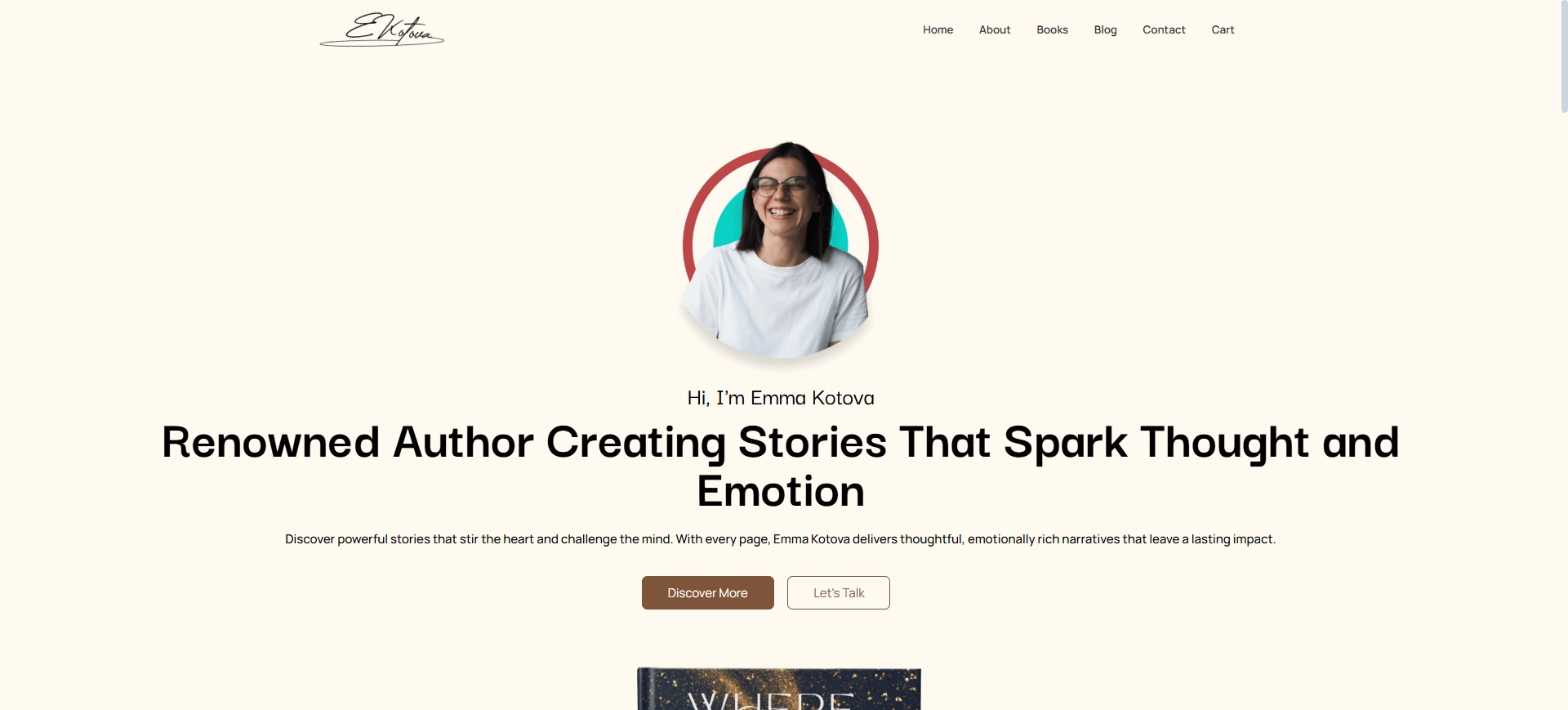
A homepage is typically the first instance of an author’s brand. It usually features a hero section with a tagline, a clear call-to-action, and a preview of your key content.
Visitors can find books, discover the author’s story, and easily access the other sections of the blog, events, and shop. A captivating homepage grabs a visitor’s attention very easily.
2. Book Showcase
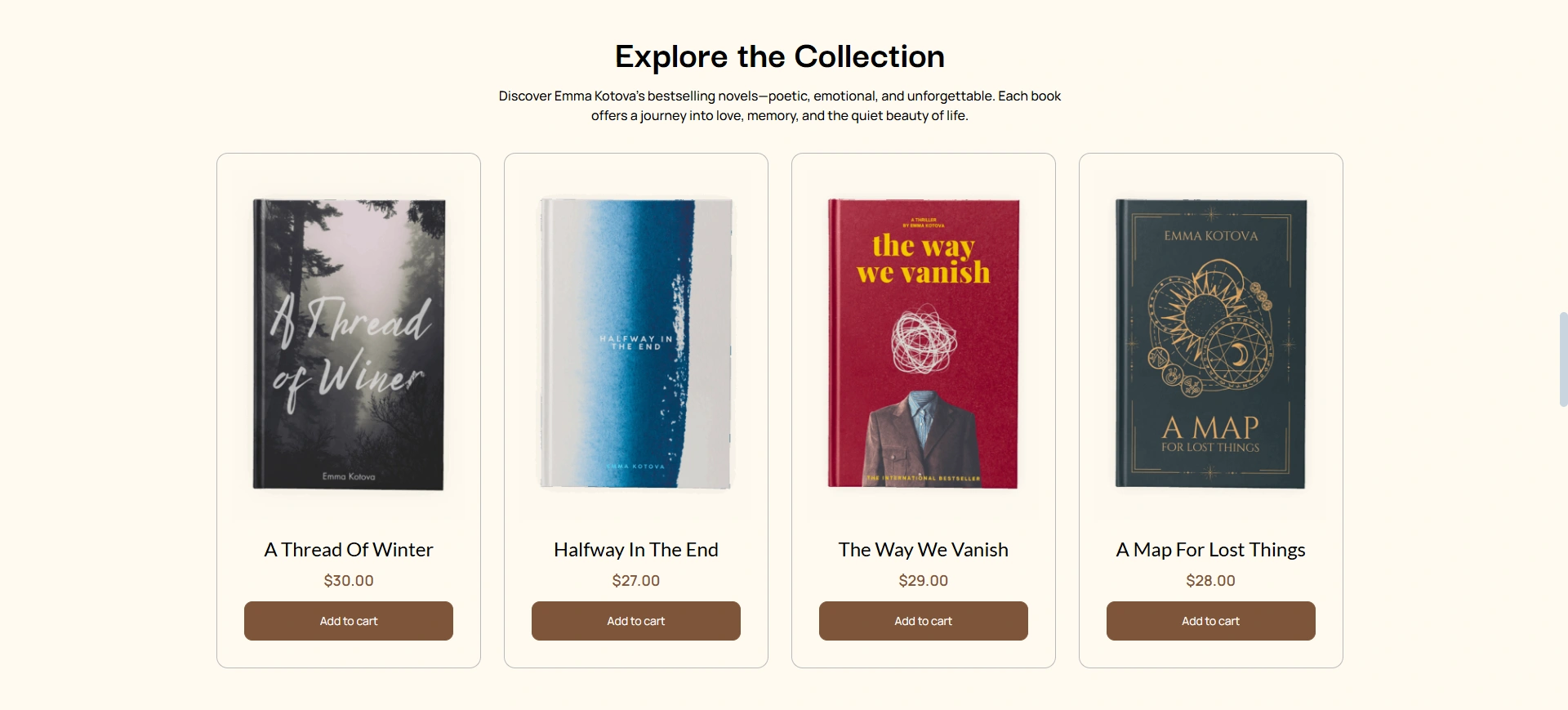
The goal of this section is to showcase the author’s books in a visually appealing way. Each book has a display with cover images, titles, price, and an Add to Cart button implemented with WooCommerce.
Readers can view and buy right from the listing, giving authors a smooth way of turning their creation into gold.
If you plan to sell your books directly, this template comes pre-configured with a shop page, complete with product layouts and a shopping cart. This integration allows you to take control of your sales and profit margins.
3. About the Author Page
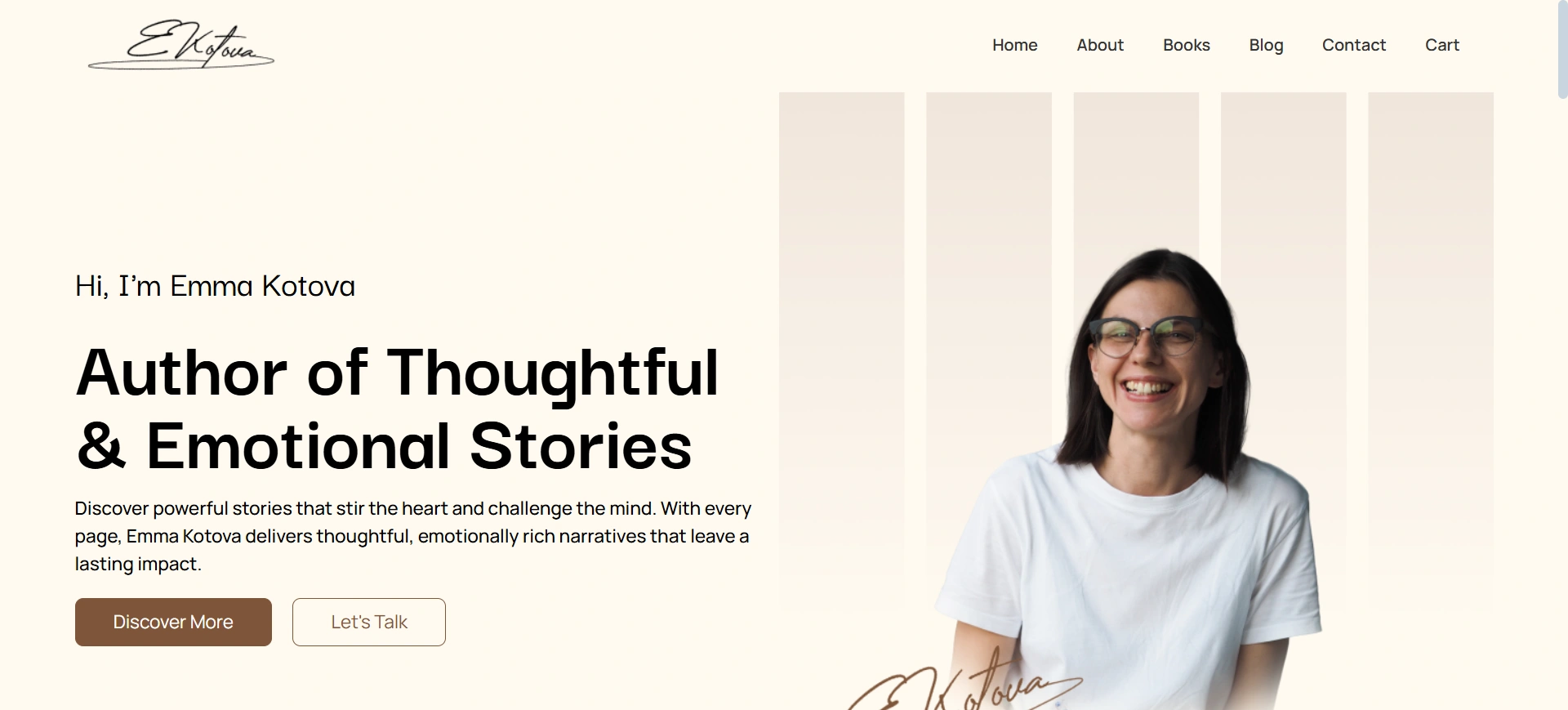
The About page provides authors with an opportunity to tell their backstory and connect on a more personal level with readers. The page has room for a professional biography, an author photo, storytelling elements, how the author tells stories, and the author’s mission.
The purpose is to humanize the brand and create a bond with both current readers and those who will become future readers.
4. Event Section

The Event page is a great place to promote a book launch, reading, or meet-and-greet. It has all the event details (date, venue, and time) and a clear call-to-action button (eg, “Book Ticket”).
This not only informs the audience, but it also brings them into an event and begins a sense of participation and community around the author and their work.
5. Blog & Reviews Section
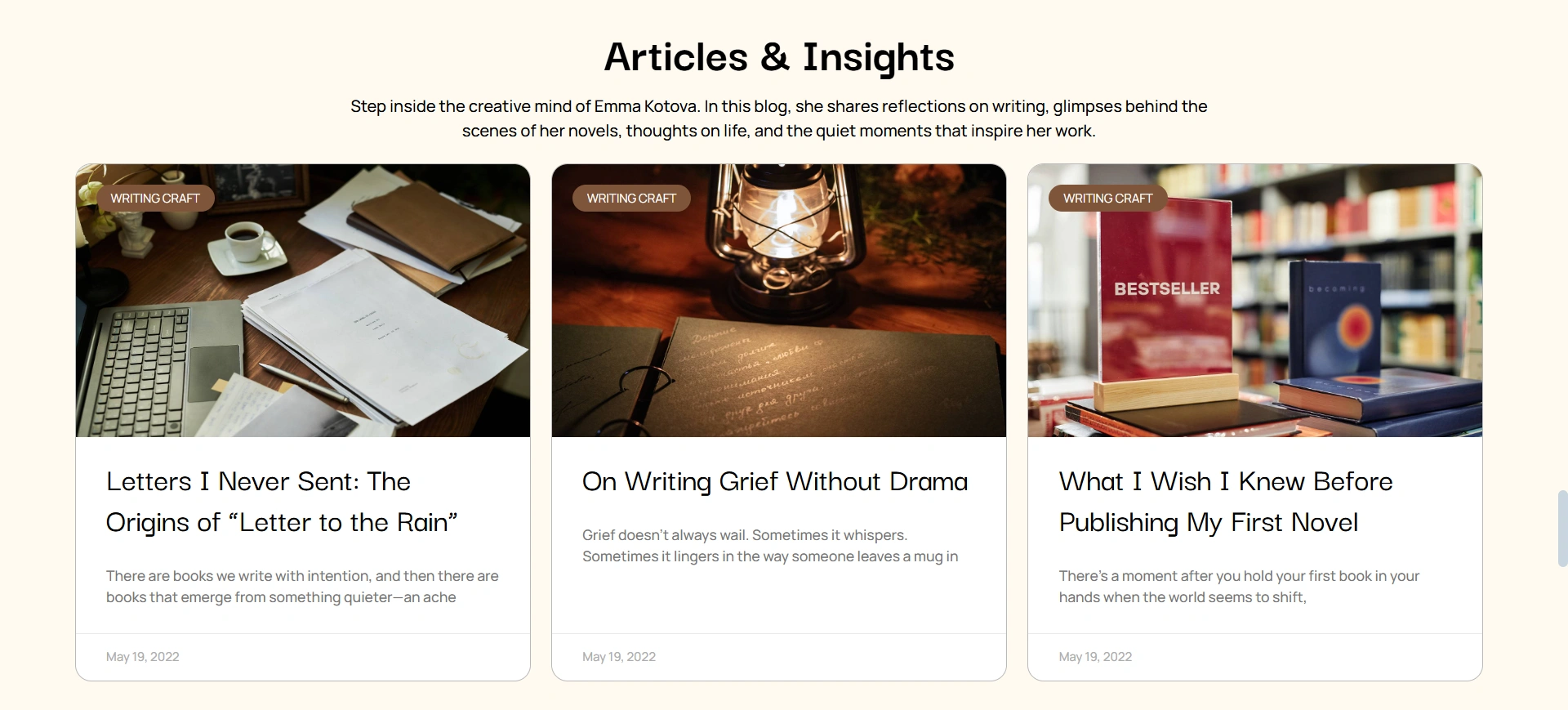
This section allows authors to engage audiences through content of value. Authors will be able to share blog posts, writing tips, or personal reflections, and at the same time, users will see the reviews from readers.
This section also works perfectly for showcasing reviews and testimonials from other authors or readers.
The layout is handsome, featuring posts in a way that utilizes featured images, titles, and a small excerpt urging the reader to head over to the full blog post.
6. Mobile-Responsive & SEO-Optimized
All pages are designed to look fabulous on every device, whether you are using a desktop, tablet, or mobile. Clean code ensures your site is quick and accessible, which is essential for search engine optimization (SEO) and engaging with an even larger audience.
Why the Book Author Starter Template is Perfect for Authors
The Book Author Starter Template is designed for authors to meet their writing needs and maintain their online presence. This website template helps them to make some money through their work and deliver their creativity to a large number of people.
Here is why this is an ideal solution for writers.
- Establishing Credibility & Professionalism: In an overcrowded marketplace, a professional website establishes instant credibility. The Book Author Starter template gives a clean, modern design to your website.
- Easy Monetization: It is WooCommerce-ready, which is a considerable advantage for authors who want more control over the sale of their printed books, e-books, or any other physical products.
- No-Code Management: As an author, you should write, not worry about complicated web development. The template is built with a page builder for ease of use, so that you can customize the site in a visual way with drag and drop. You can add a new book, change your bio, or post a new blog article without touching any code.
How to Import Book Author Starter Template
Follow these simple steps to get your website up and running in minutes.
Step 1: Install the theme and Plugin
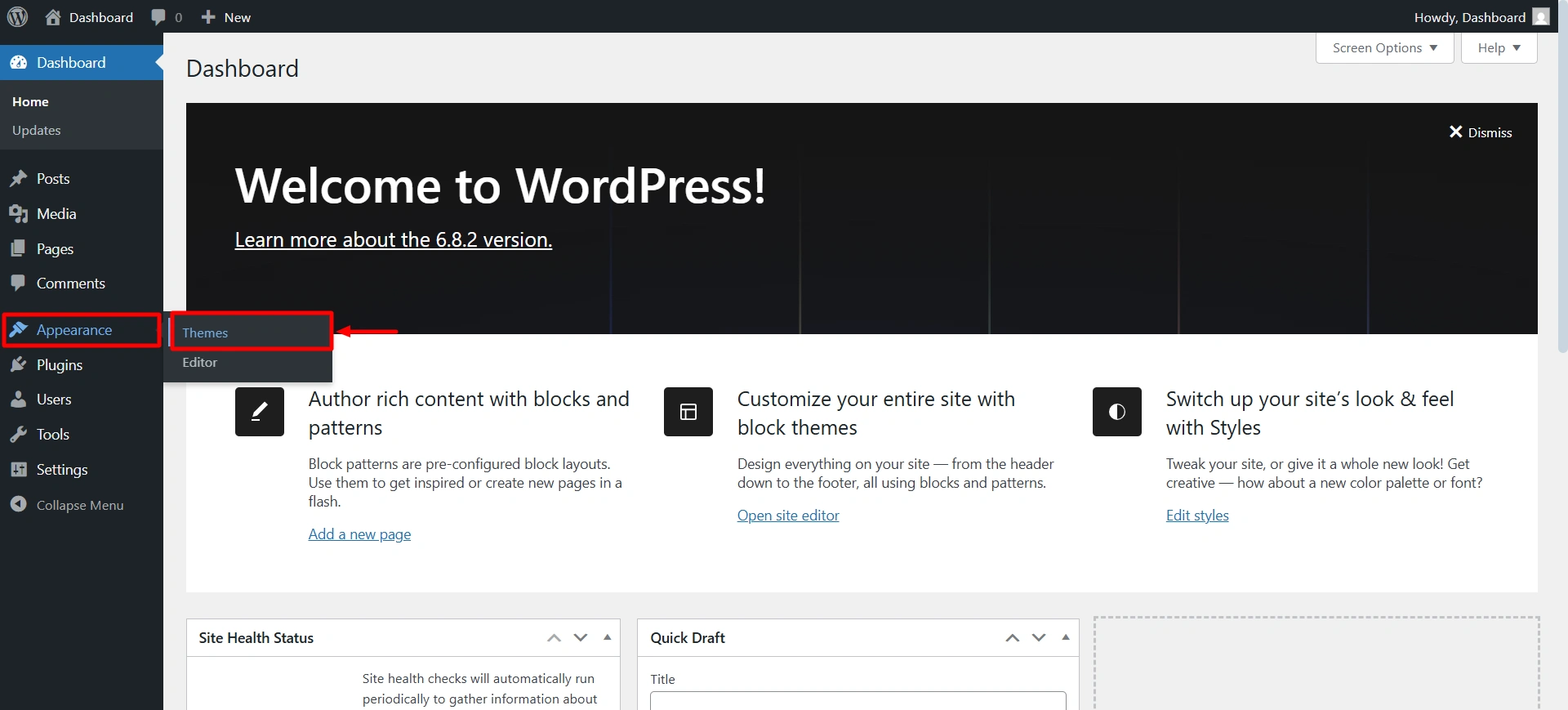
To start with the site, we first need to install the Responsive theme for its functionalities. It is free to use. Navigate to your WordPress dashboard > Appearance > Add theme.
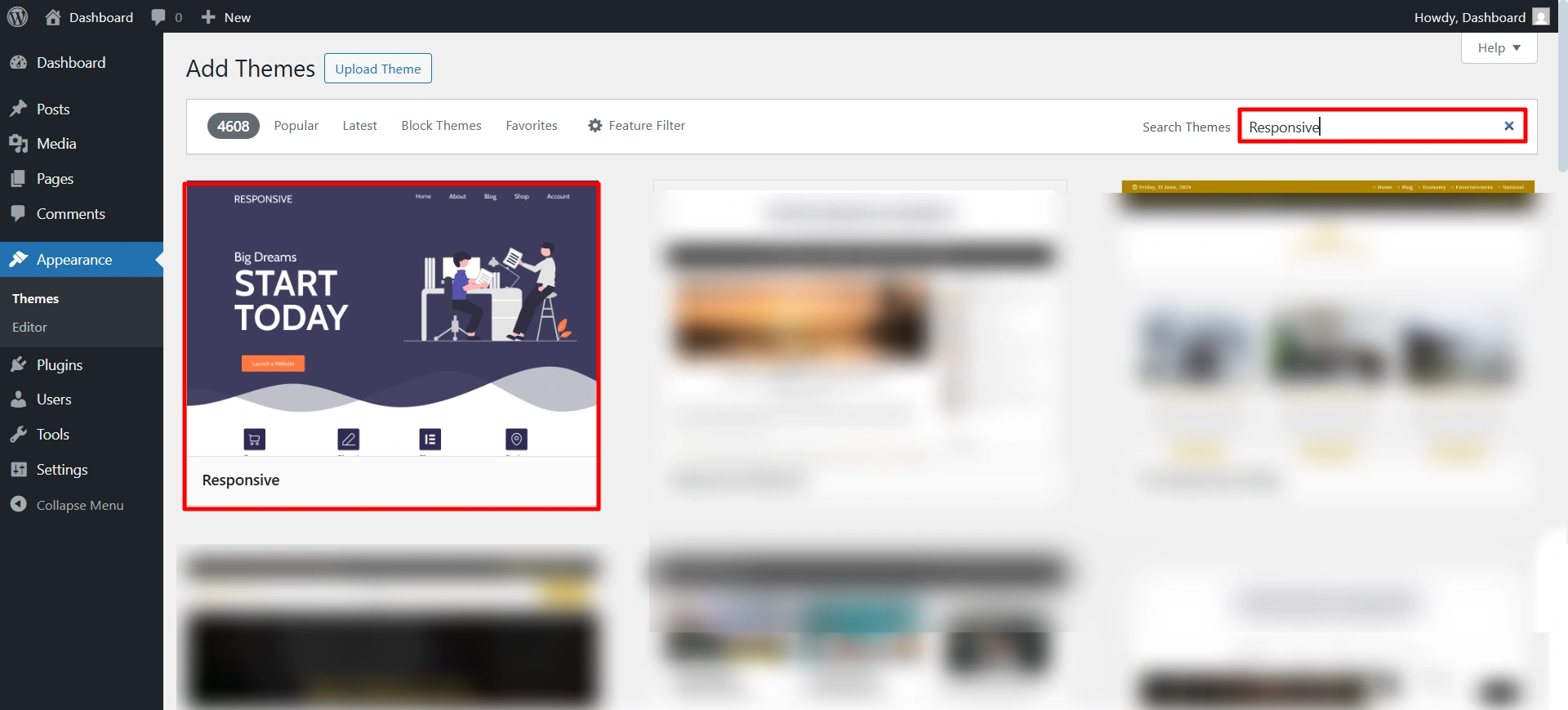
Search for the Responsive theme, and then click on install and activate.
Once you install the theme, you will receive a notice at the top to install the Responsive Plus plugin. Click on install and activate.
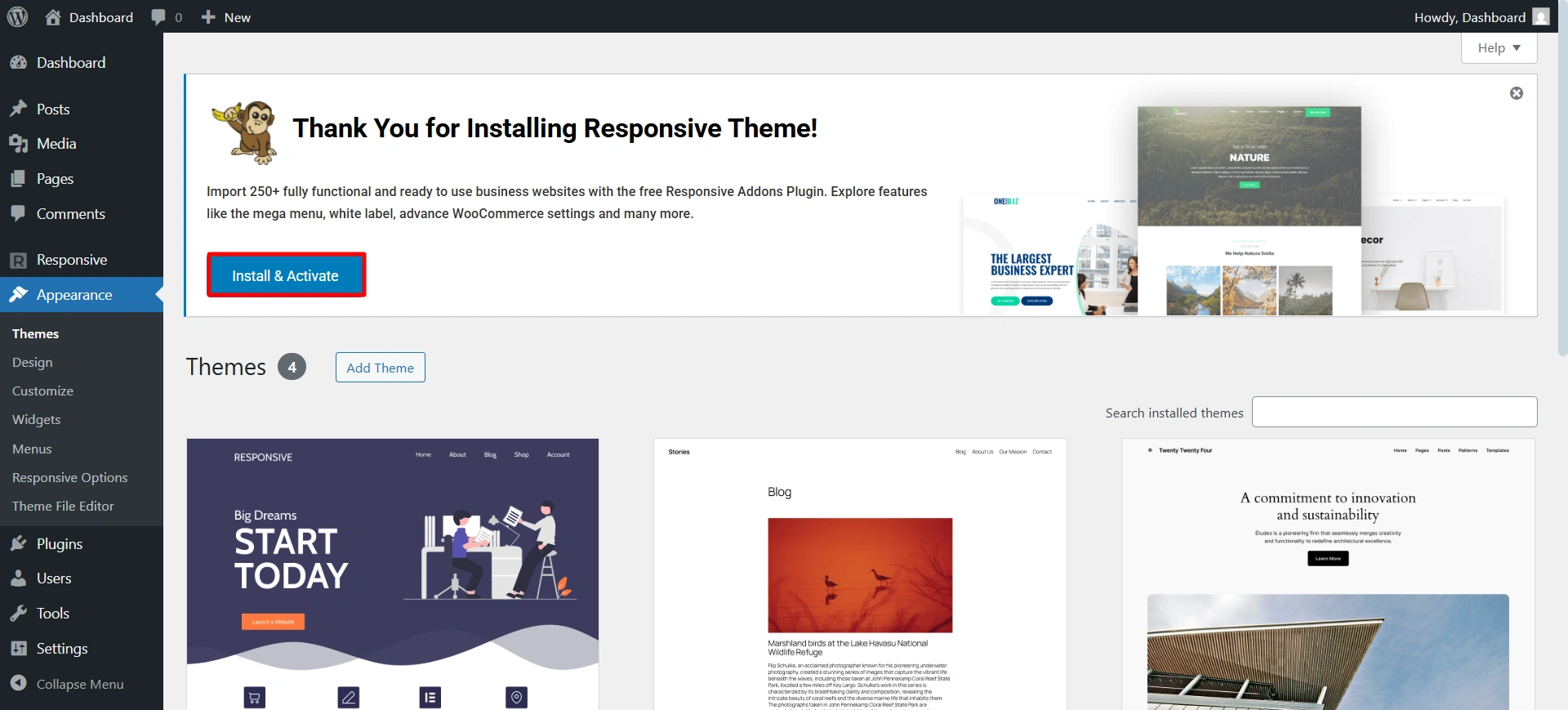
Now you are all ready to install the Book Author template.
Step 2: Import Book Author template
Use the search bar to find the Book Author Starter Template.
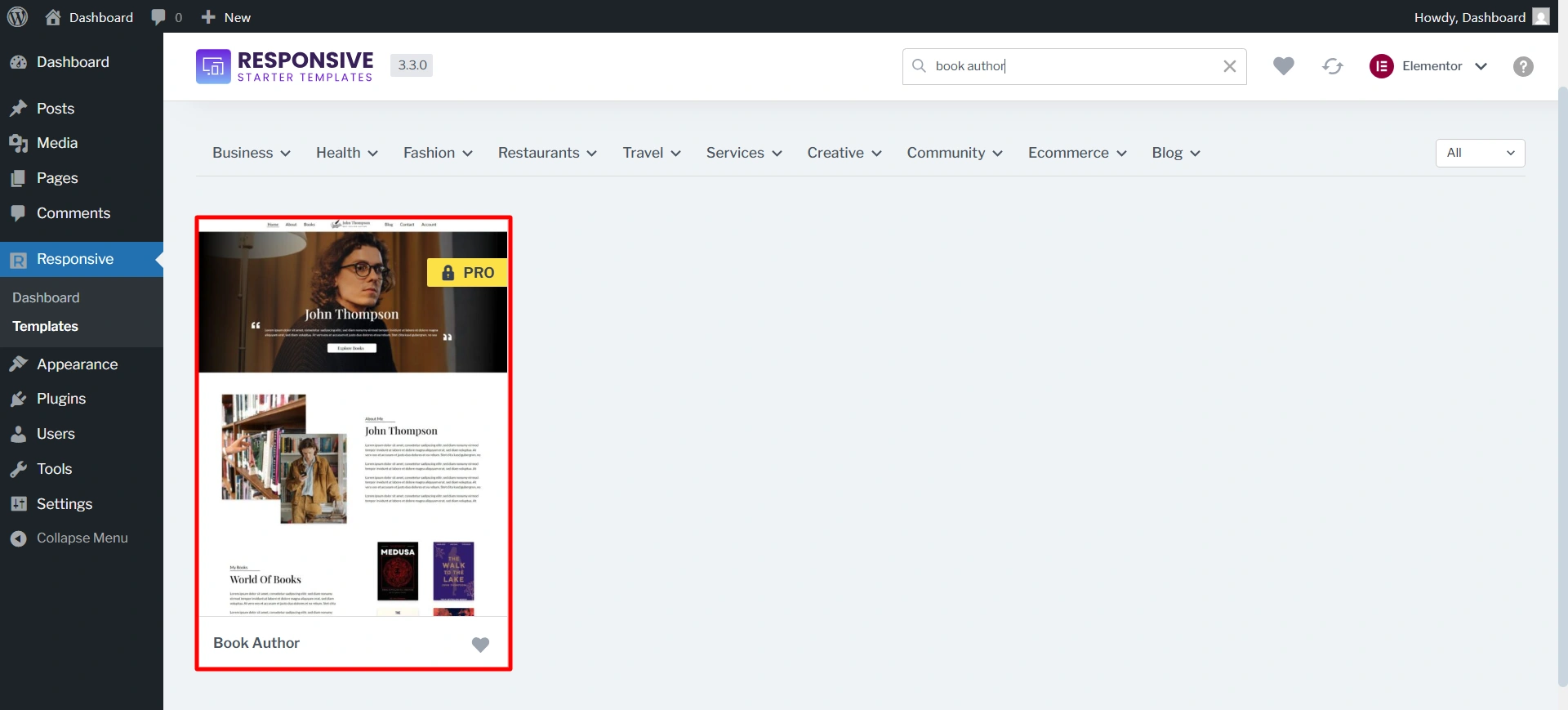
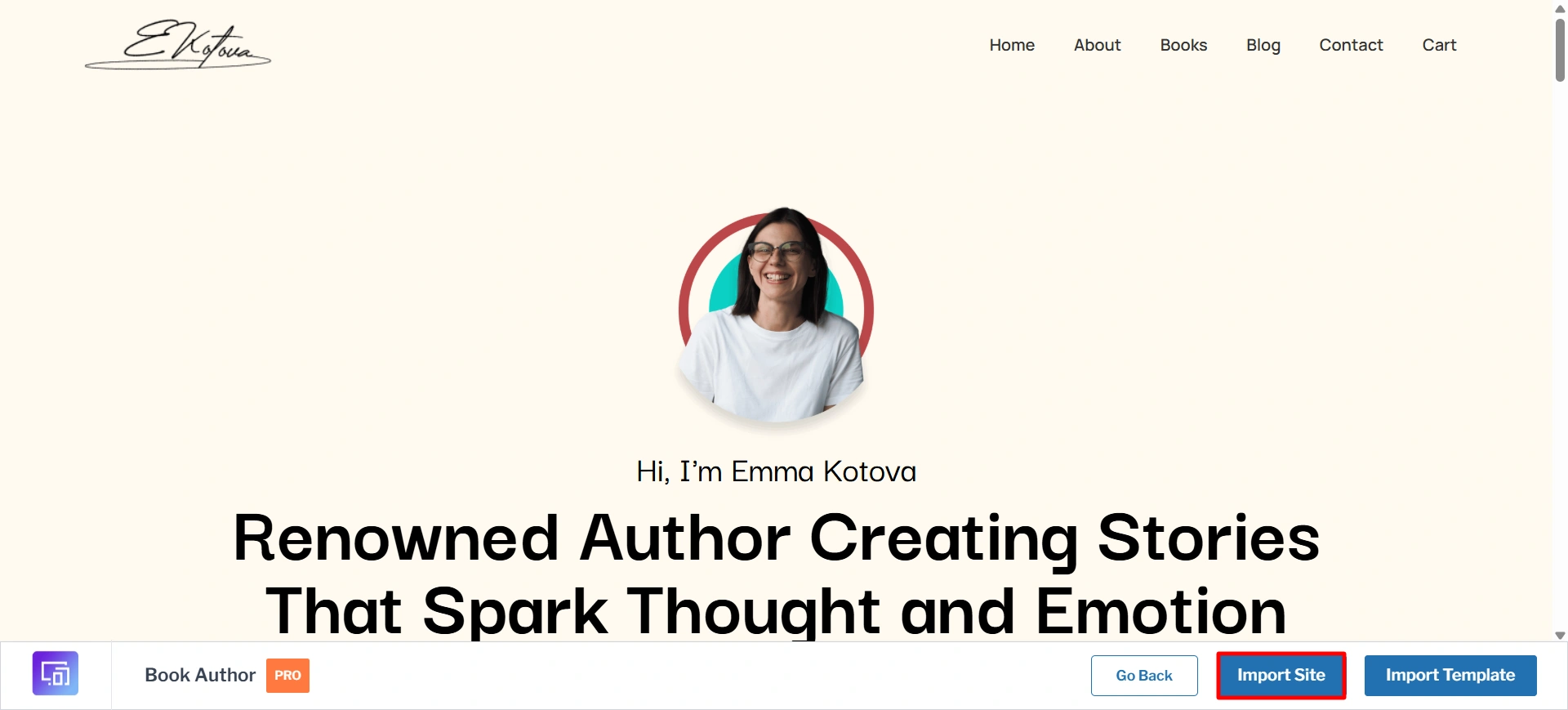
After selecting the template.
You will have the option to import the whole site, including all pages, or import individual pages as needed. For a complete solution, choose the import site option.
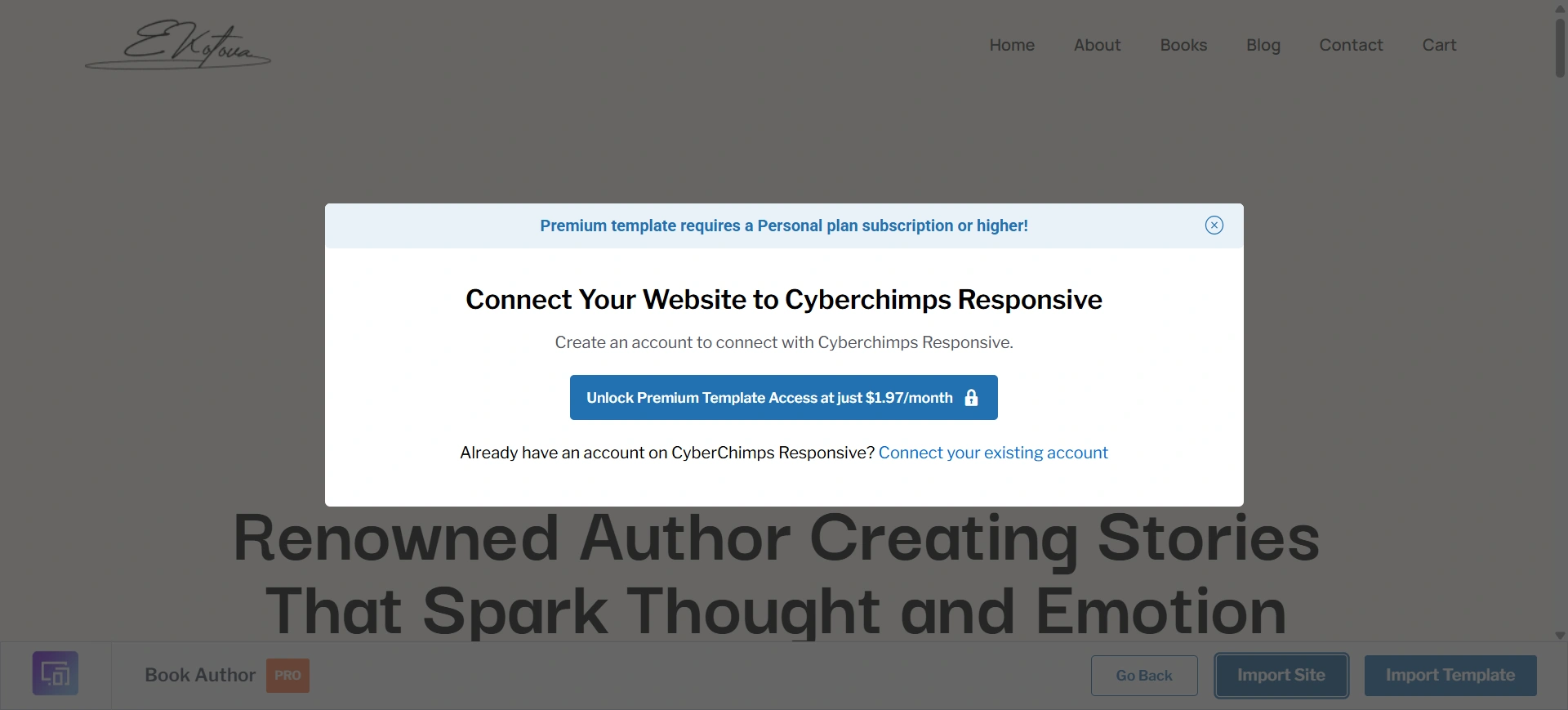
Create a new account if you are a new user.
Click on Start Importing.
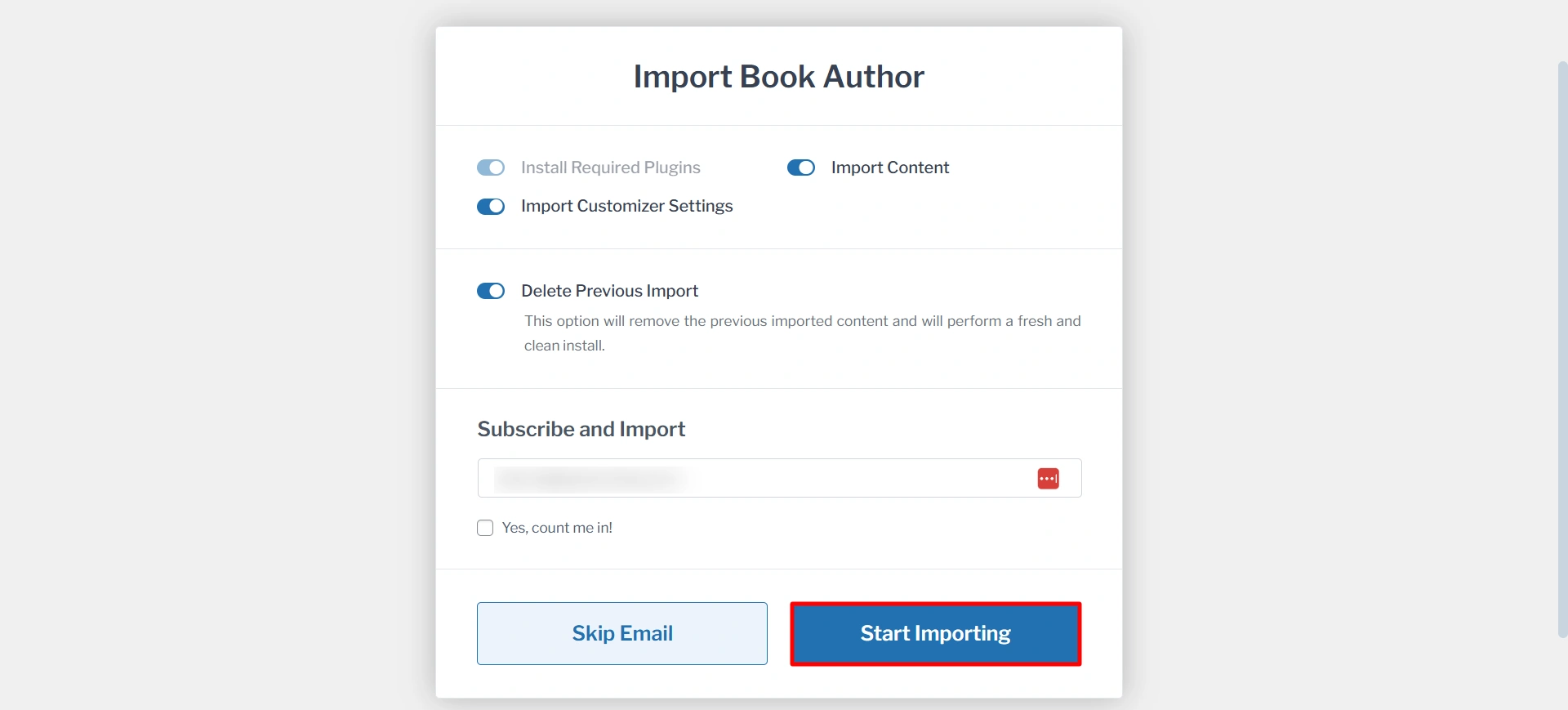
It will take a few seconds to import. After that, click on the View Website.
Step 3: Customize with Your Content
After the import is complete, your website is ready to be customized.
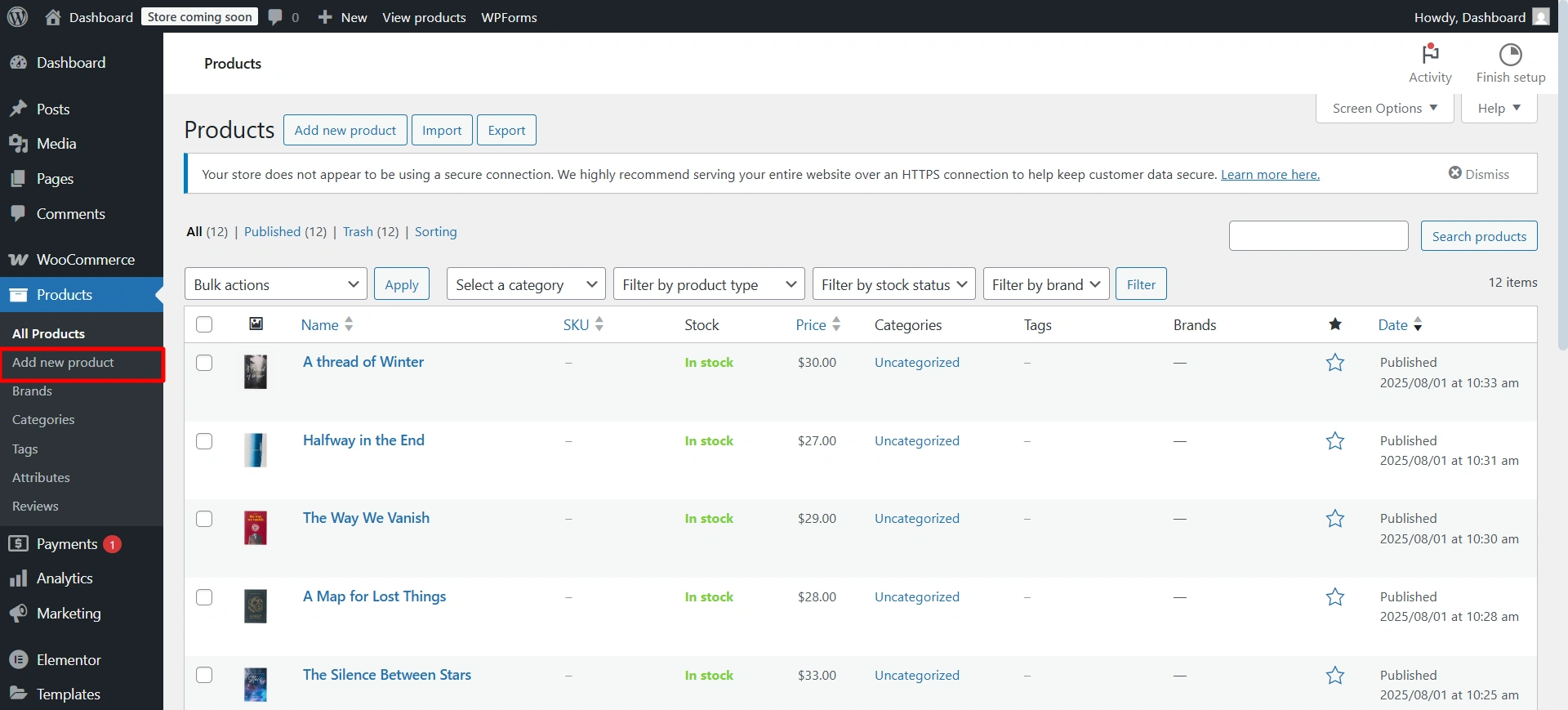
Let’s see how to add a new product page. Go to Product > Add new product.
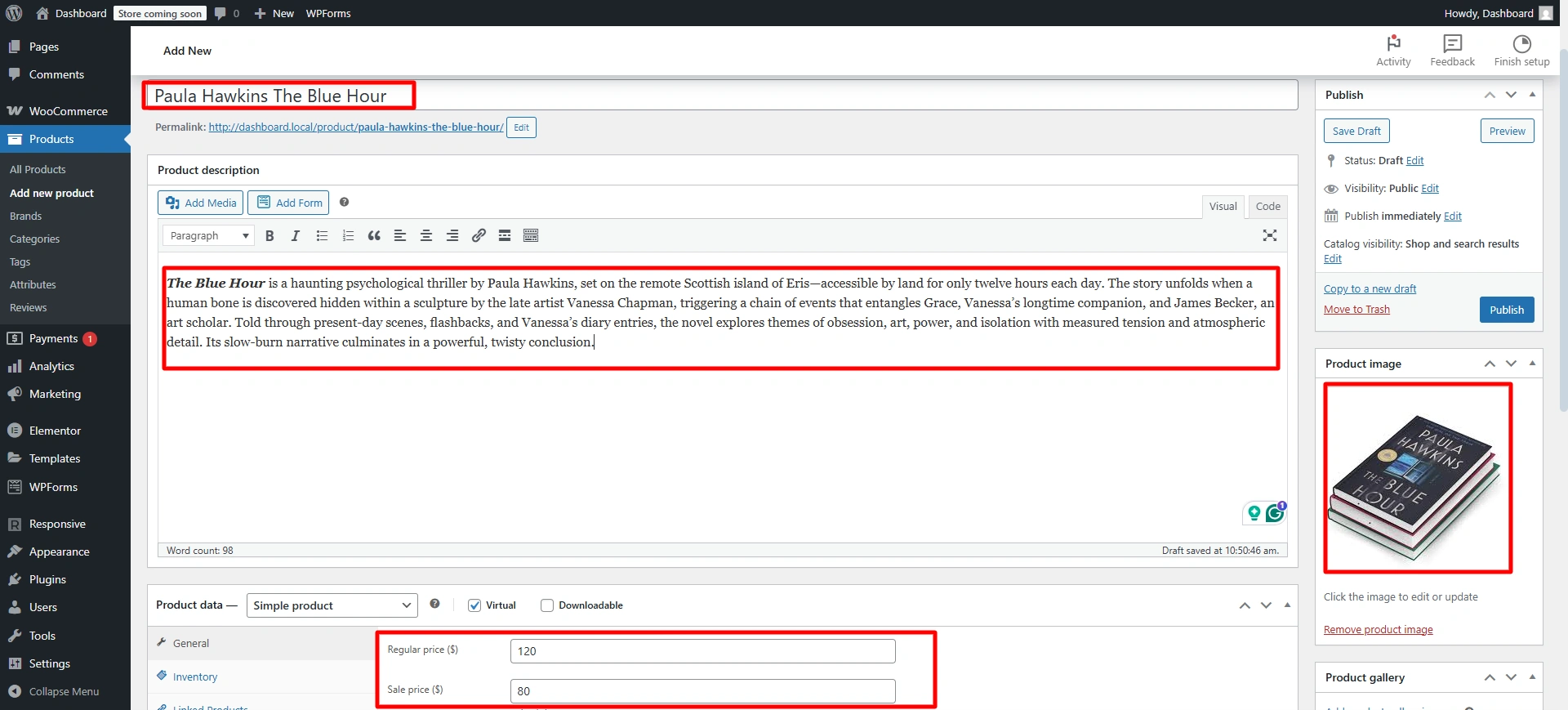
Fill in the product name, description, sale price, image, and the required information. And click on published.
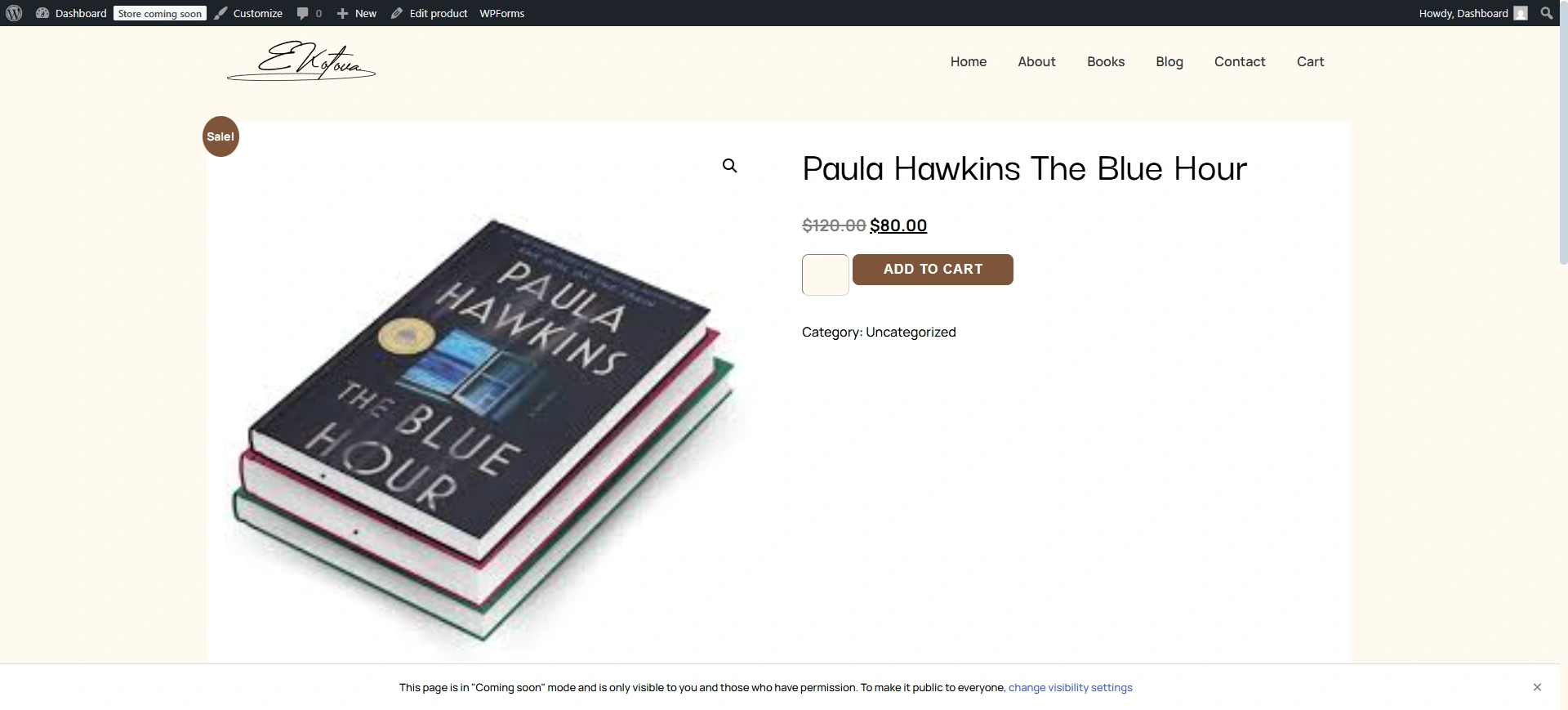
And just like that, your book will be visible on the shop page.
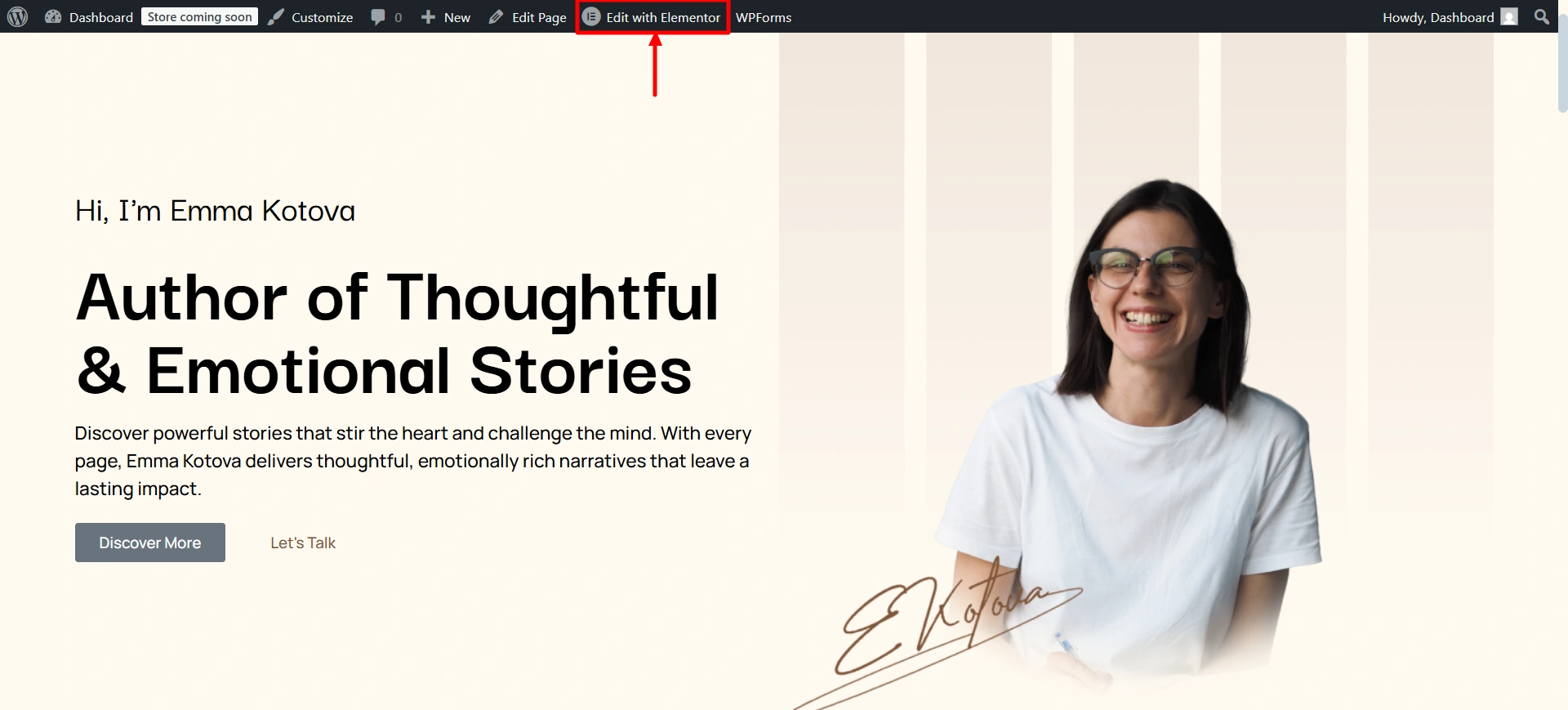
Now let’s edit some content on the website. Click on Edit with Elementor.
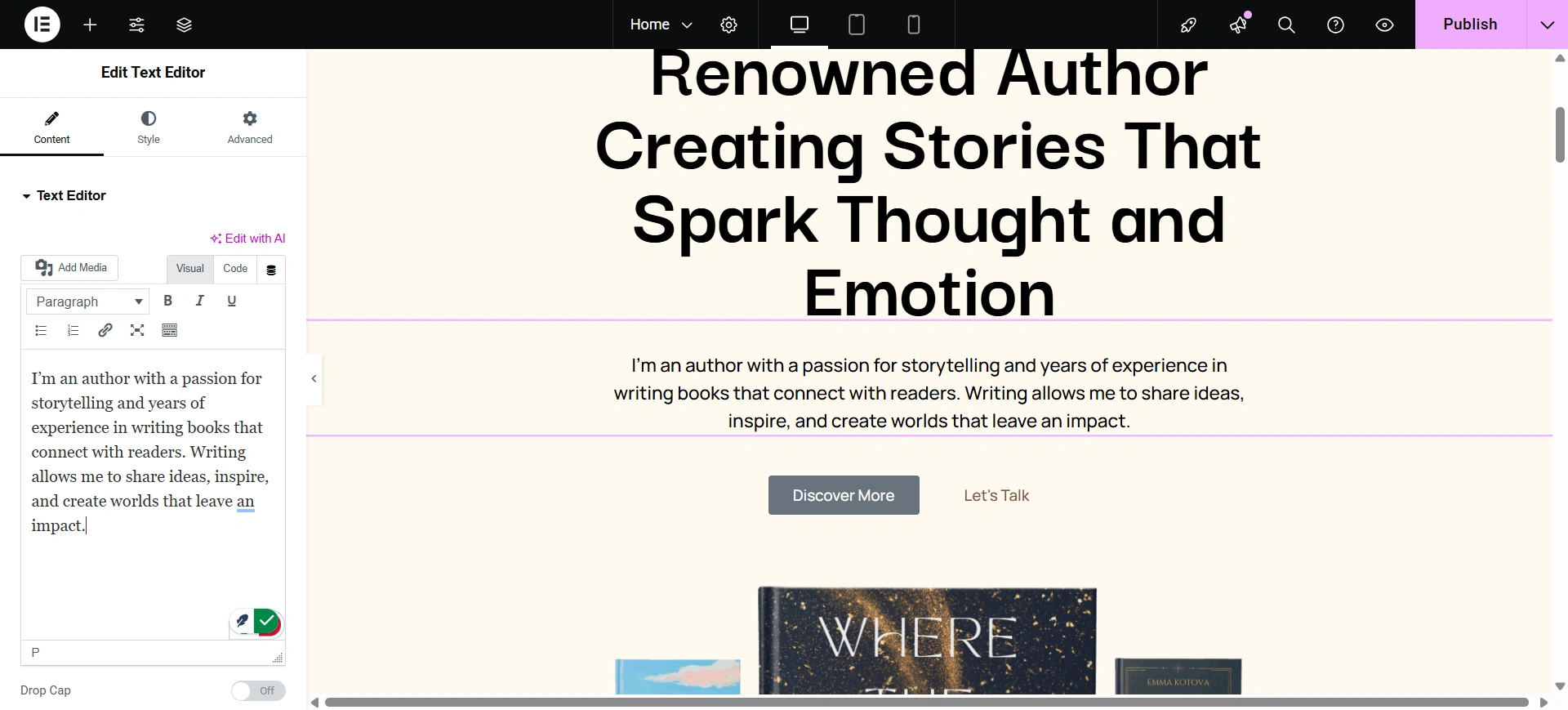
Select th section you want to edit. And write in it.
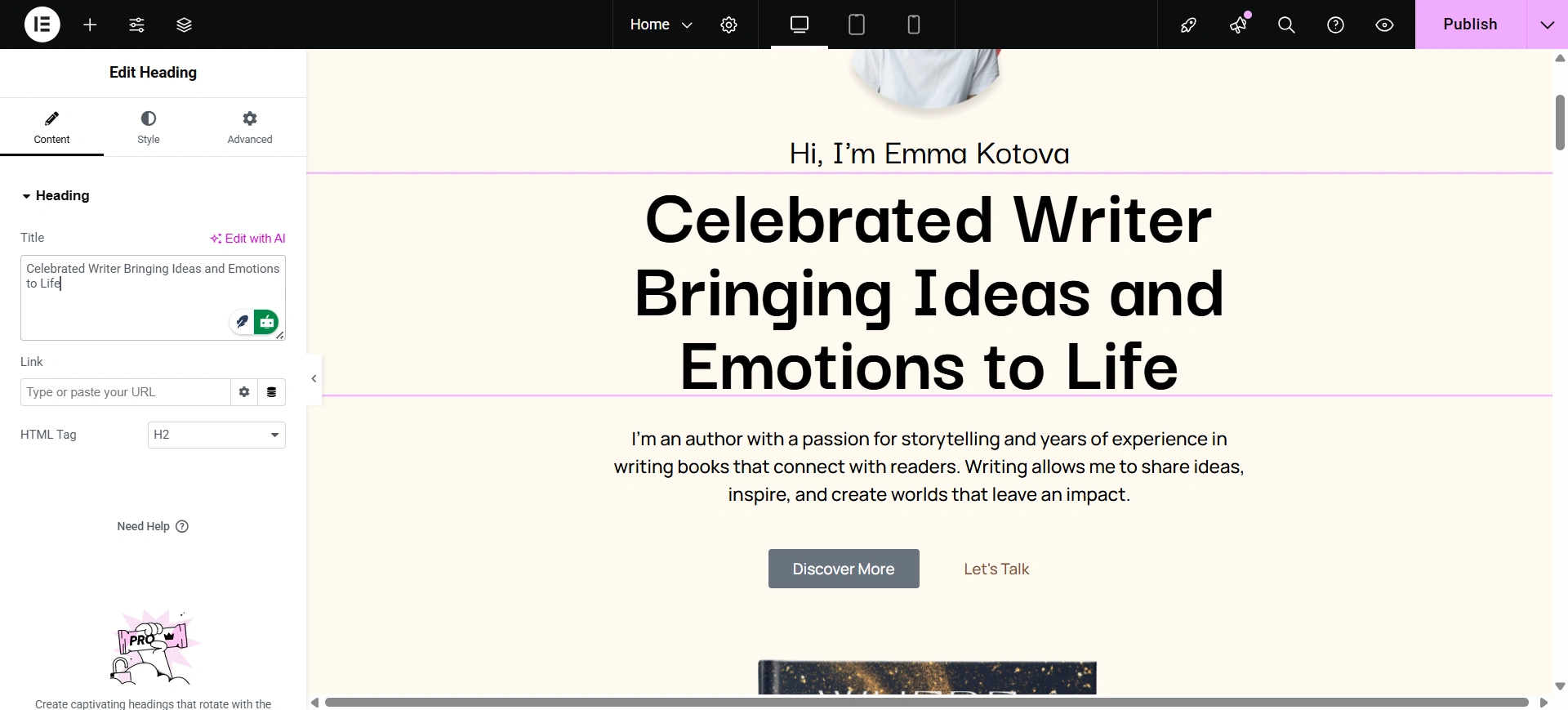
You can edit the heading as well.
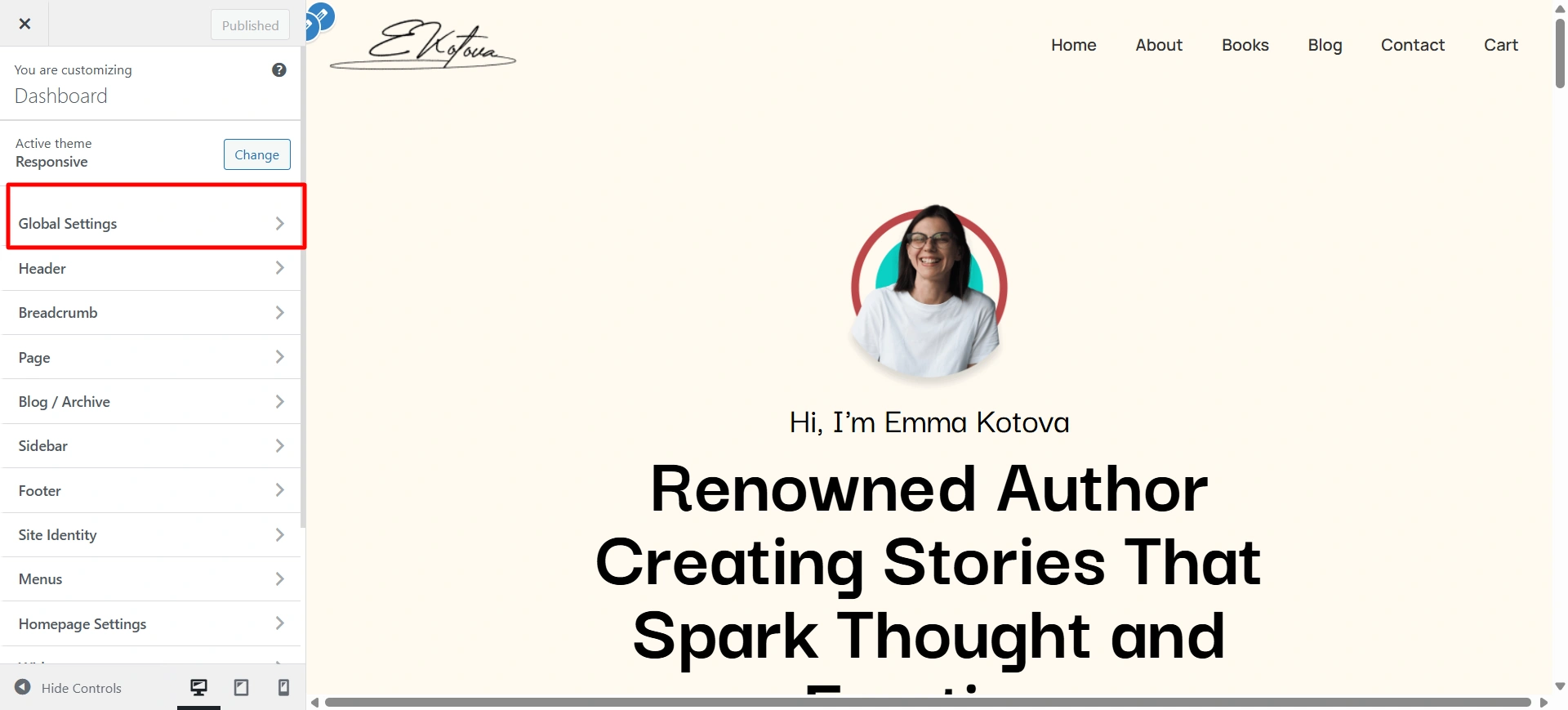
Let’s change the background color of your website. Go to Dashboard > Appearance > Customize > Global Settings.
Click on Colors and Background.
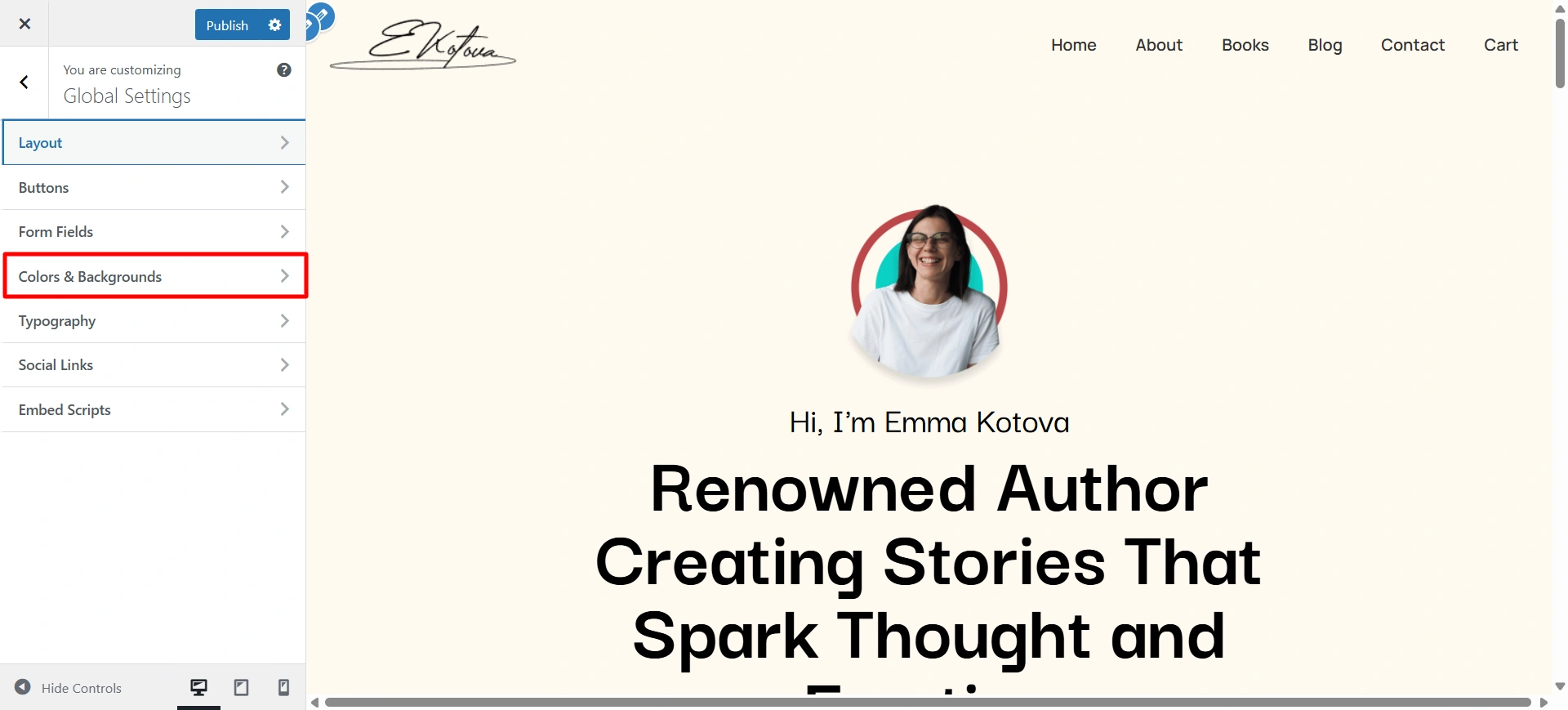
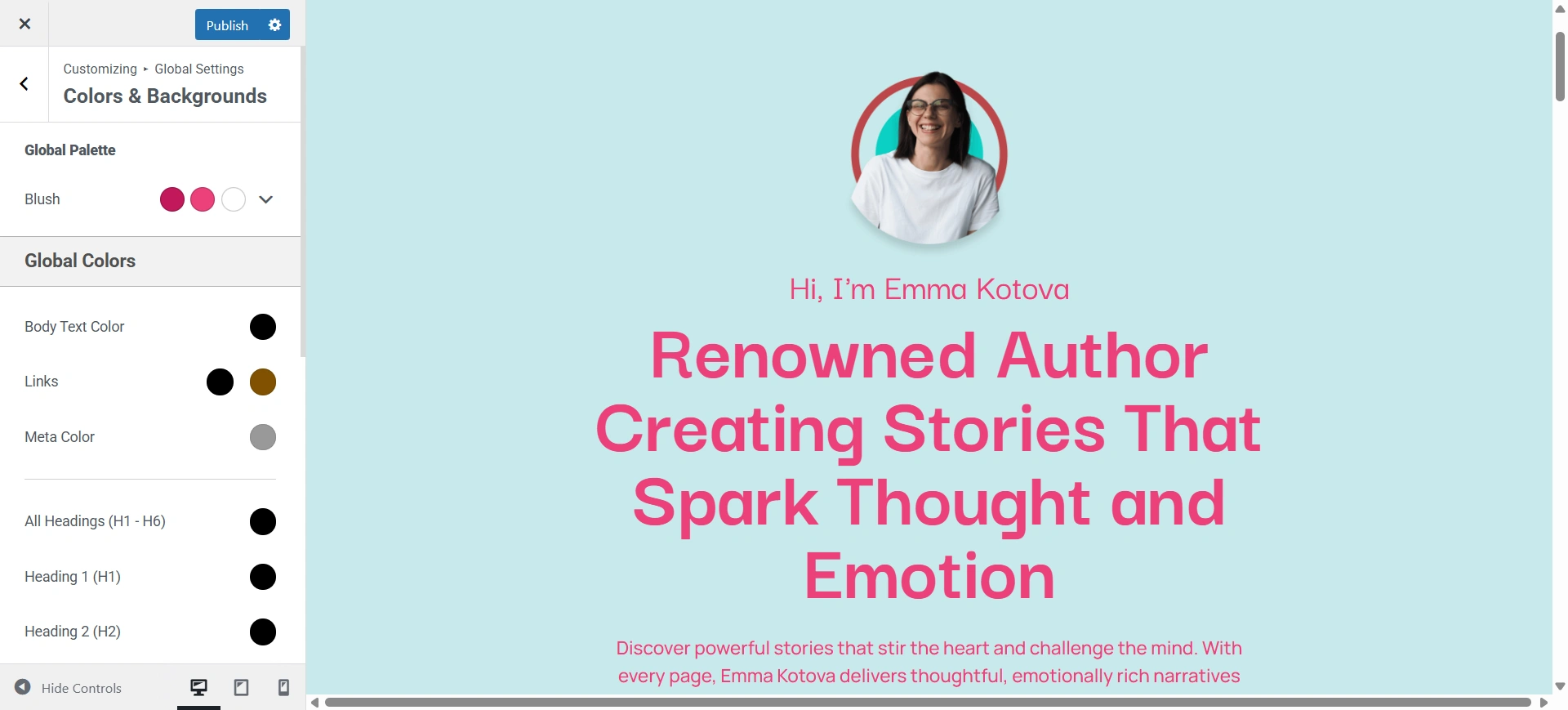
Select the color from the palette and set it according to your website’s need.
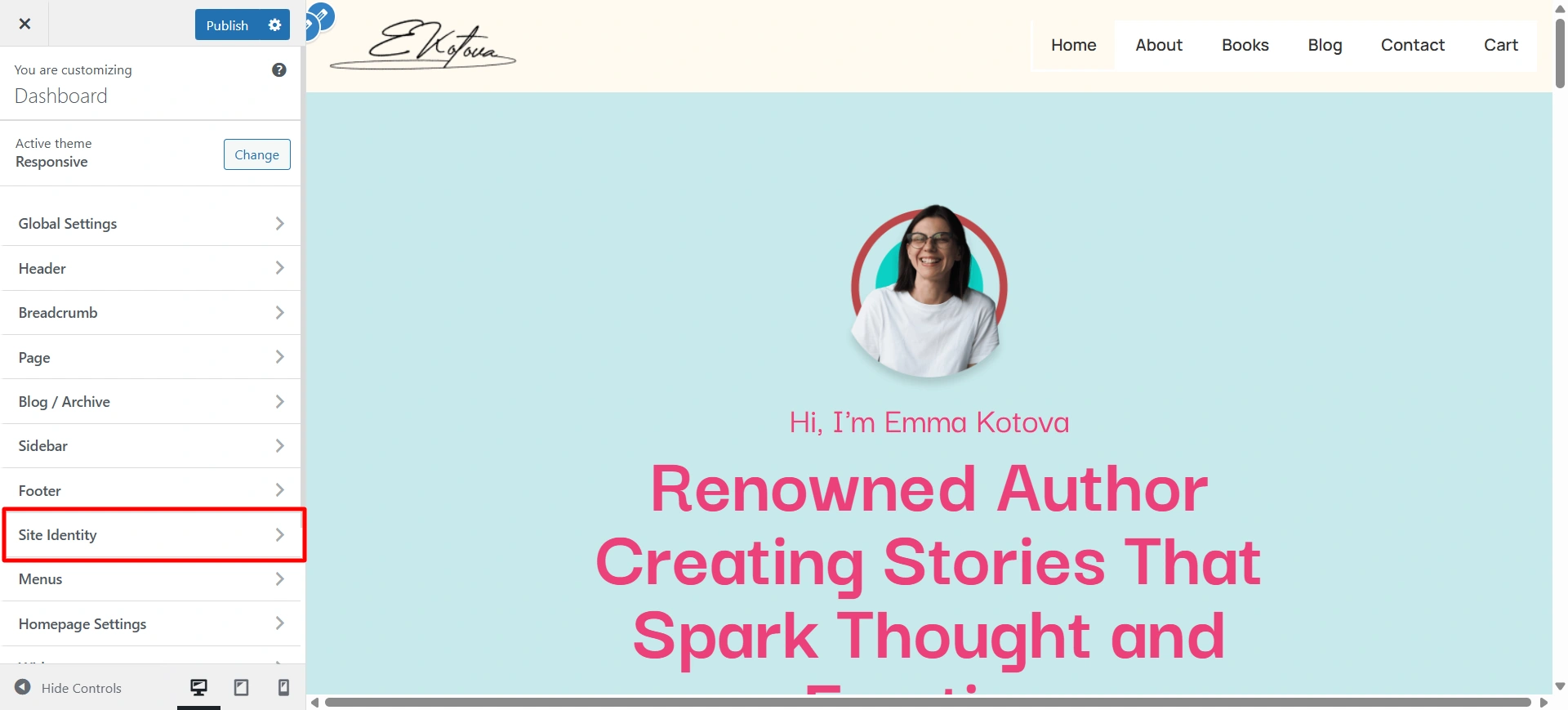
Changing the site identity and site logo is also easy. Click on Site identity.
Select it and upload the logo you want for your site.
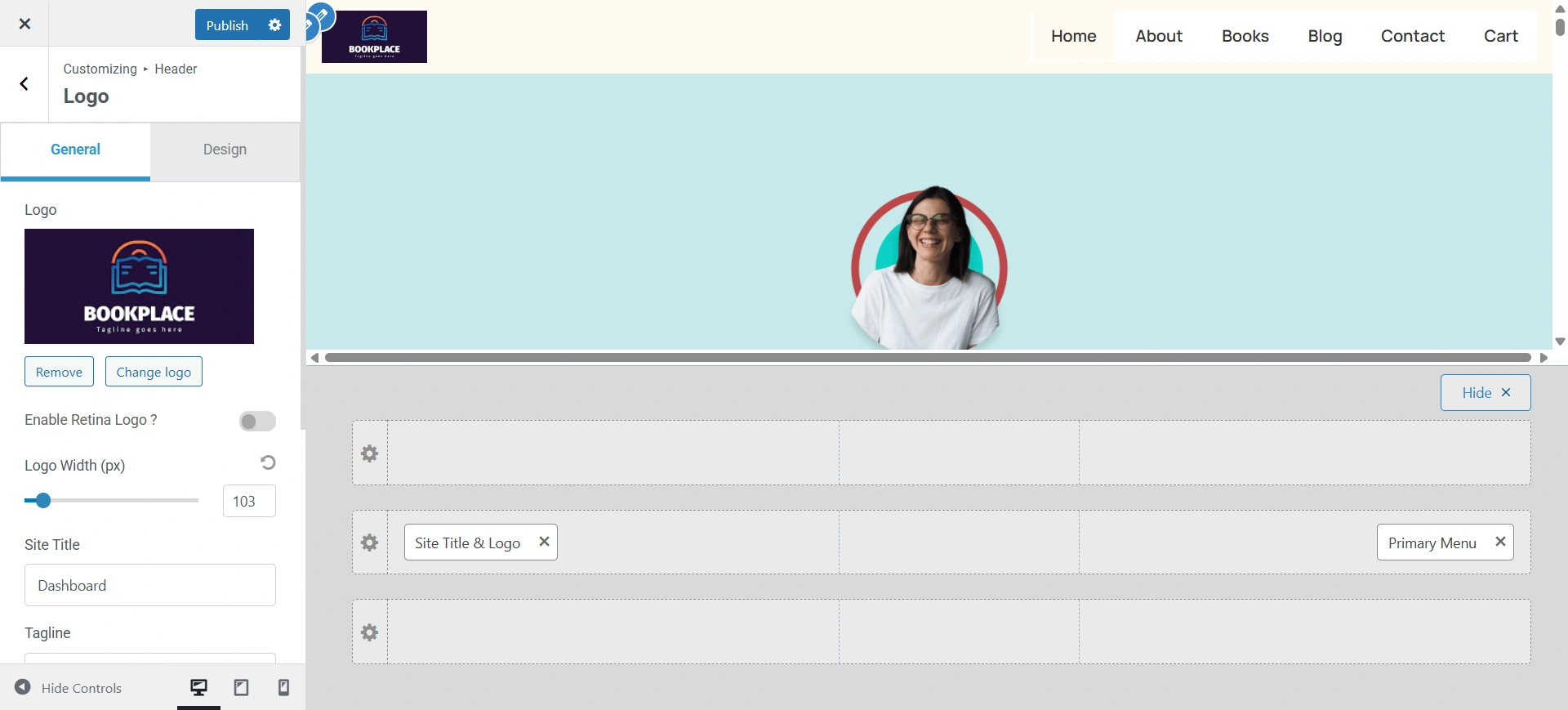
As you can see, it was easy to edit the website using the Book Author Starter Template. Every section from the homepage to the book showcase can be customized with just a few clicks.
You don’t need to know anything about coding. You can easily replace text, images, and book information with your own. The intuitive drag-and-drop editor ensures that even beginners can design a professional author website in minutes.
FAQ
Absolutely! All sections of the template are fully customizable. You can edit colors, fonts, layouts, and images to match your personal author brand.
Yes! The template includes a blog section, so you can update your readers, post book reviews, and connect with your readers.
Yes! The template works with essential WordPress plugins like SEO, email marketing, and security plugins.
Yes! The template will easily integrate with many leading email marketing plugins, such as Mailchimp, ConvertKit, and so on, to build your community of readers.
Sure thing! You can add books, blog posts, or redesign a section anytime, without the need to rebuild the entire site.
Conclusion
An author website is an incredible way to connect with your audience, reach out to other authors, and connect with different authors across the globe.
The template eliminates the technical hurdles so you can create a beautiful and functional website quickly and without hassle.
With one-click import, pre-designed sections, and flexible customization, this template is an ideal launching point for any writer. Don’t let website design be your barrier to reaching more readers.
If you like this article, consider reading it.
- How to Embed Facebook Feed on your WordPress Website
- How to Launch a Successful Affiliate Campaign for Your WordPress Website
- How to Create a WordPress Dropdown Menu in 15 Minutes for your Website
Grab the Responsive theme today and build your own book treasure.





