
Summary
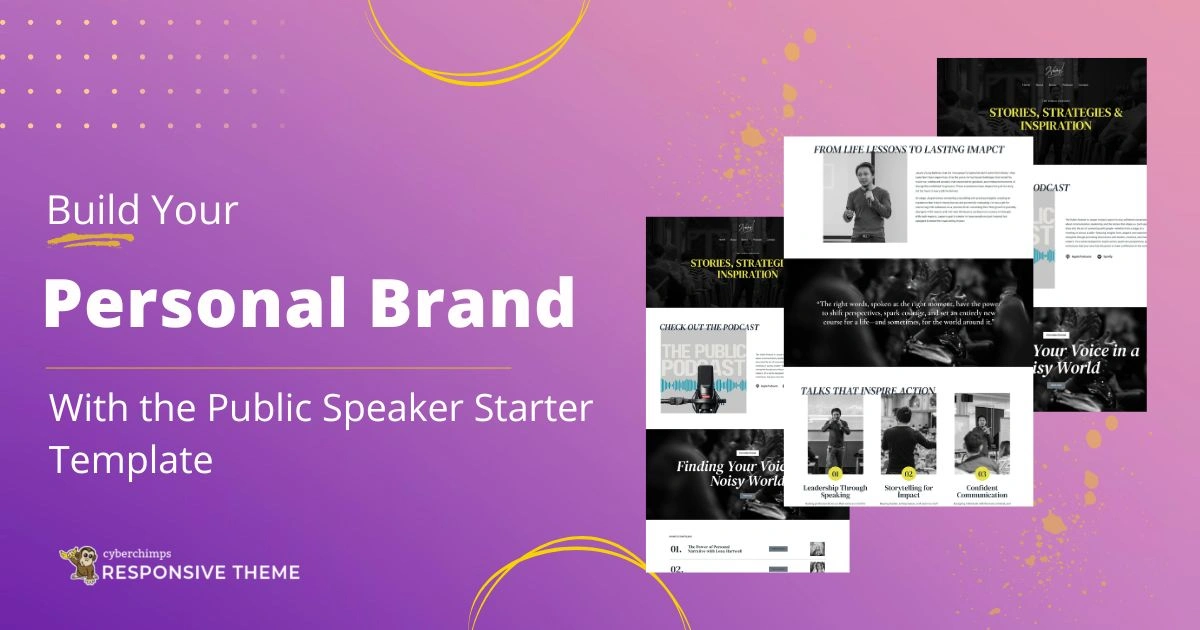
The article explains how to build a public speaker website in WordPress.
It covers choosing a theme, creating key pages (home, about, services), and adding speaker-focused content like bios and testimonials. It also highlights design tips for a professional online presence.
Want to learn how to build your personal brand with the Public Speaker Starter Template?
Public speakers need a strong online presence for credibility and visibility. In today’s competitive digital era, your online presence is your most powerful asset. It helps you establish your credibility, authority, and your voice.
Creating a professional-looking website from scratch can be an overwhelming, costly, and time-consuming task. The difficulties of hiring a developer, designing the layout, and adding code can be daunting if you are not a techie.
This is where the Responsive Plus – Starter Templates plugin by Cyberchimps comes into the picture. This WordPress plugin offers 250+ starter templates for you to begin creating your website easily. It features the Public Speaking starter template, which is perfect for creating your personal brand website.
In this guide, we have given step-by-step instructions on how to create your own personal brand with the Public Speaker Starter Template using the Responsive Plus – Starter Templates plugin.
So join along to launch your website!
Responsive Starter Templates is the best plugin to import Website Templates – Get it for free.
What is the Responsive Starter Templates Library?
The Responsive Starter Templates library is a part of the Responsive Plus – Starter Templates plugin. It is a premium collection of pre-built websites designed to help you quickly create a website in WordPress.
The Responsive Plus – Starter Templates is a WordPress plugin by Cyberchimps. It offers over 250 pre-built templates, which you can import in a single click and launch your site in just a few hours.
Having multiple WordPress website starter templates available, you might ask what sets this template plugin apart. Here’s what makes it special:
- One-click import: The starter templates plugin enables you to import ready-made templates in just one click, and you’re free to start customising them.
- Page Builder integration: The templates are compatible with both Elementor and Gutenberg. You get 100+ Gutenberg templates and 150+ Elementor templates. You can drag and drop blocks and widgets to create your dream website.
- Custom fonts: The plugin gives you an option to upload and use custom fonts. This enables you to match your website’s typography.
- Mega Menu: You can easily create visually appealing mega menus for your website using the mega menu builder in the Responsive Plus – Starter Templates plugin.
- Whitelabelling: It offers a whitelabel feature that lets you add your own company’s logo, name, and branding. As a result, it helps you deliver a fully customised website to your visitors.
- Site Builder: The site builder feature lets you create individual headers and footers for singular pages on your website.
- WooCommerce integration: This plugin offers an integration with WooCommerce, which allows advanced customisation of product page layouts, fonts, colours, and so on, within the WordPress customiser.
- Mix-and-Match functionality: You don’t necessarily have to import an entire site. You can import specific pages to your website and customise them. This allows you to mix-and-match layouts.
- Fully Responsive: The templates are fully responsive, which means that your site looks good on desktop as well as on a mobile device.
Moreover, each template is lightweight and SEO optimised, which makes it load quickly and increases its ranking on search engines.
Discover what’s included in the Public Speaker Starter template
Every Responsive Plus – Starter Template includes all the essential things you need to create a website in a few minutes. So let’s take a look at what is included when you first download the public speaker starter template.
Home Page
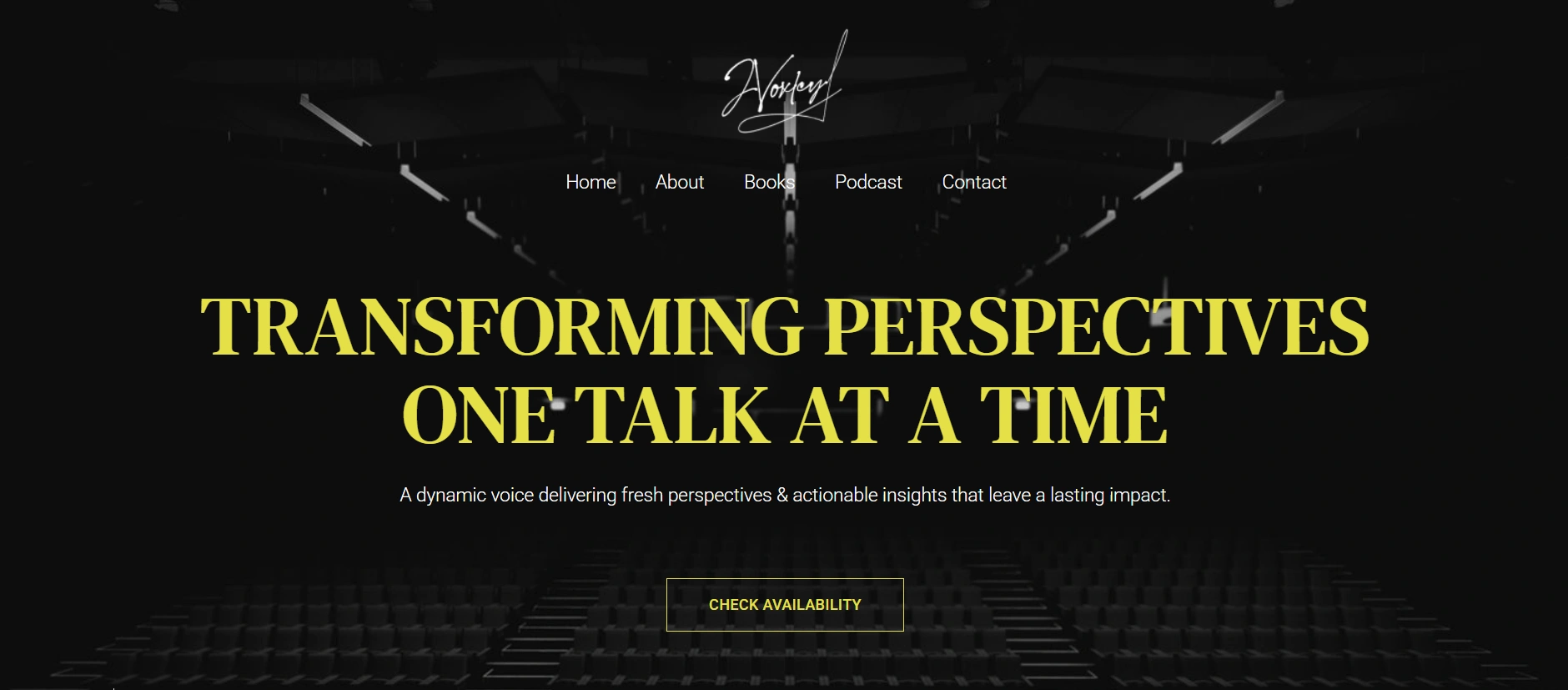
A homepage is the very first thing any website visitor sees when they come across your website. It is the first opportunity to make an impression.
The homepage usually features a hero section with a tagline, a clear call-to-action, and a preview of your key content. It enables visitors to easily access other pages of your website.
A Hero section
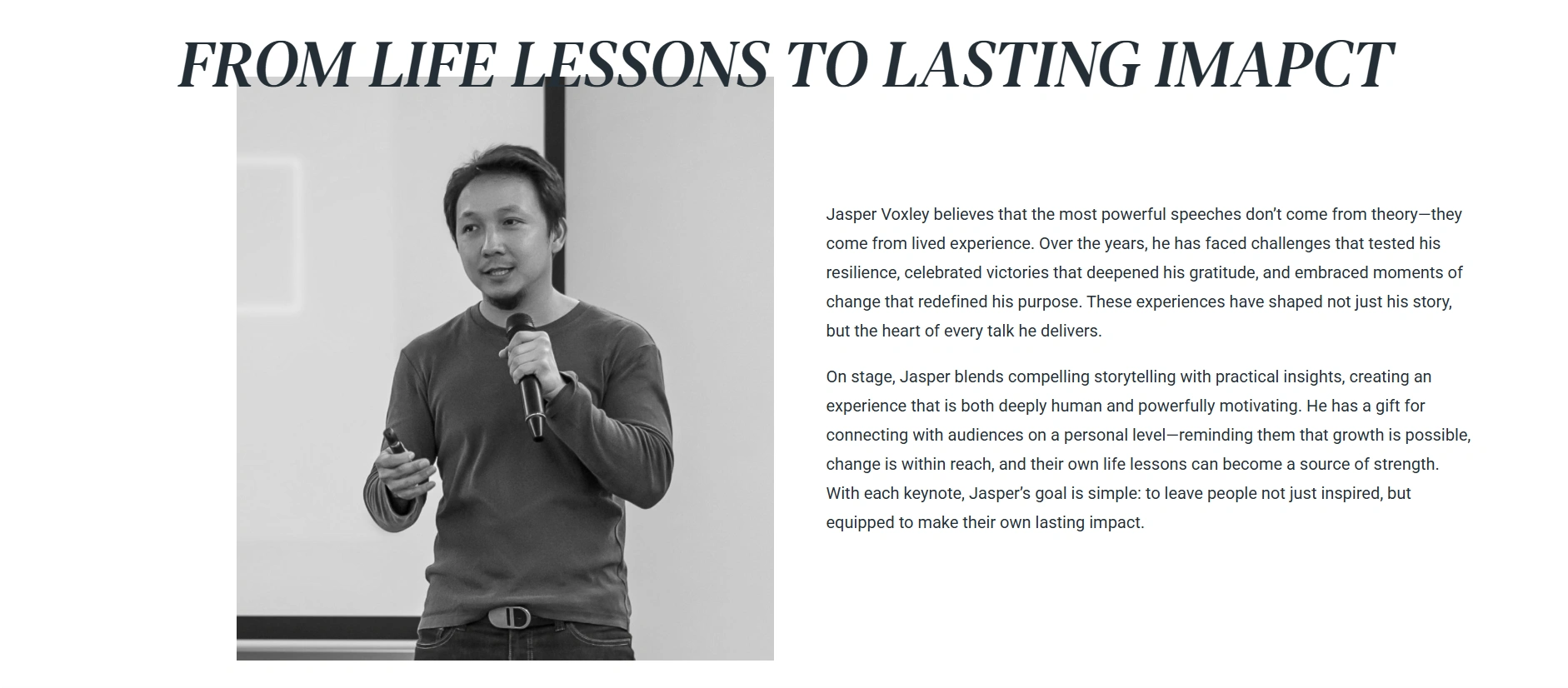
The Hero section would be the crucial part of your personal branding website. It features a prominent space for a high-quality professional photo, which is crucial for your website visitors to see.
Below your photo would be a bold tagline to convey your message. It also features a section to highlight your expertise clearly.
The Events and Talks Section
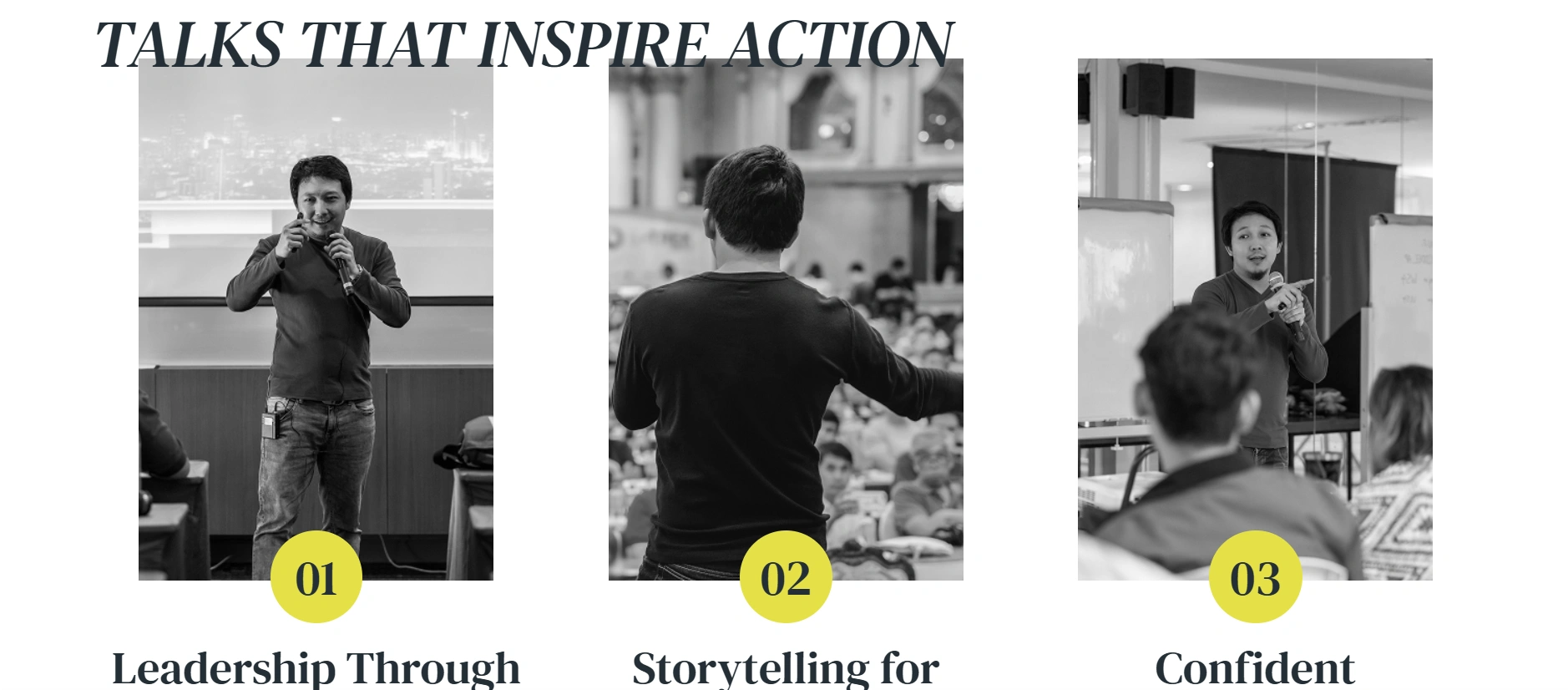
The events and talks section is one of the most crucial sections. The public speaker template efficiently highlights the upcoming and past events.
With this feature, you can create an engaging list of all your talks and events and include details such as day, date, time, photos, videos, behind the scenes, and much more.
As a result, your website portrays social proof, helping visitors understand your experience and expertise, and in turn develops trust.
Testimonies and Social Proof

Last but not least, the template features a testimonial section. Credibility and trust are the foundation for a successful personal brand. The public speaker starter template features a dedicated section to highlight testimonies from event organisers, attendees, clients, and more.
Additionally, you can use the Responsive Addons for Elementor plugin, which features widgets like Testimonial Slider to showcase your stream of feedback with names and photos.
Integration with WooCommerce
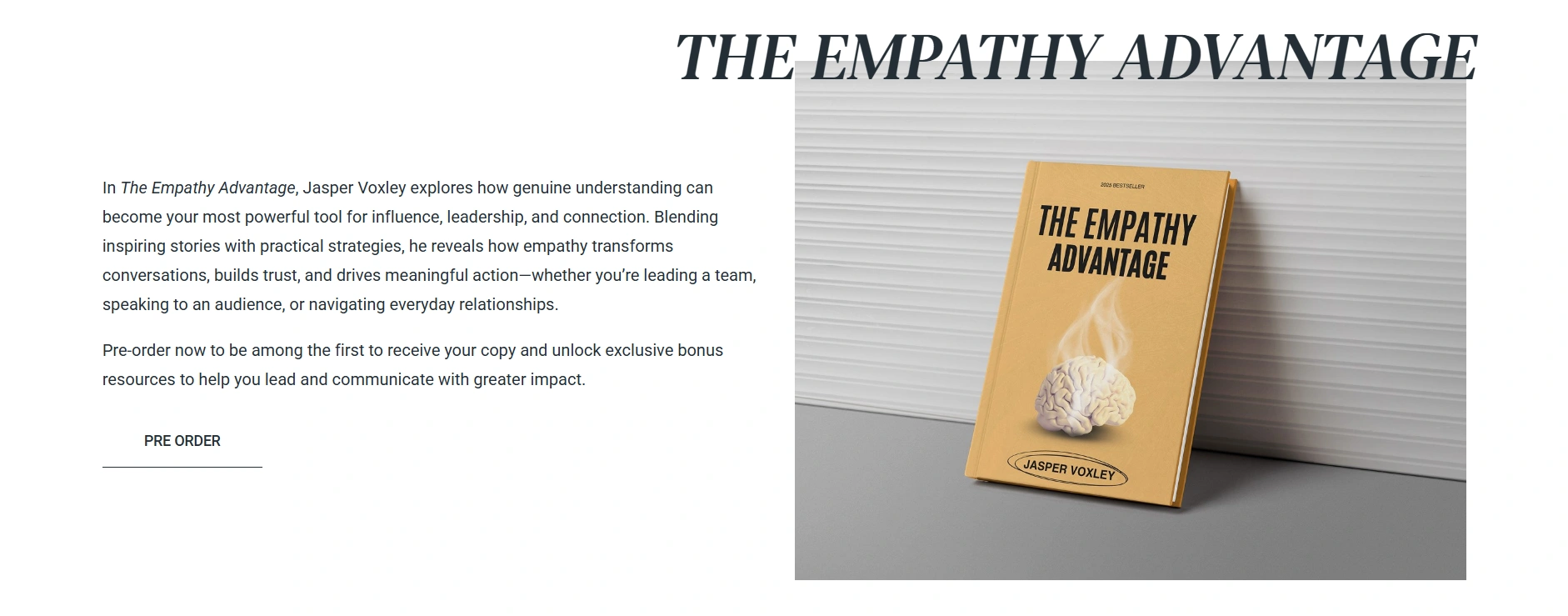
Beyond the fancy, this template enables you to set up your shop and monetise your expertise with WooCommerce.
Using this, you can sell the books you’ve written, online courses, e-books or documents and also exclusive merchandise.
This feature converts your website from a brochure to a powerful e-commerce platform that generates income while expanding your brand.
Why Is It Perfect for Public Speakers?
The Public Speaker Starter Template is an excellent template for public speakers who want to create their own personal brand. Let’s learn how:
- Adds professionalism: The template positions you as a professional with a polished, modern, and trustworthy online presence.
- Cost and time efficiency: Using the ready-made Public Speaker starter template, you can easily create websites in just a few minutes. You can skip the hassle of hiring a developer, purchasing expensive plugins, and creating custom designs.
- Credibility and social proof: The site features testimonials, events, and a talks section that helps you build credibility and trust in the user’s eye and improve your presence.
- Built for SEO and performance: The starter template is built with clean and minimal code, which enables it to run fast and smoothly. As a result, it helps improve the ranking of your site.
- Responsive design: The Public Speaker starter template is fully responsive, which means it works well on mobile and desktop.
- Makes Event Promotion Easy: A well-organized platform simplifies the process of promoting your talks and events. Using the events section, you can inform your website visitors about the details of your next event.
- Monetise your expertise: The templates are WooCommerce-integrated, which means you generate revenue through your website.
How to Import Book Author Starter Template
1. Install Responsive Theme
The first step to create a personal branding website with WordPress would be to install a theme. We will install the Responsive Theme by Cyberchimps.
Below are the steps to install the Responsive theme:
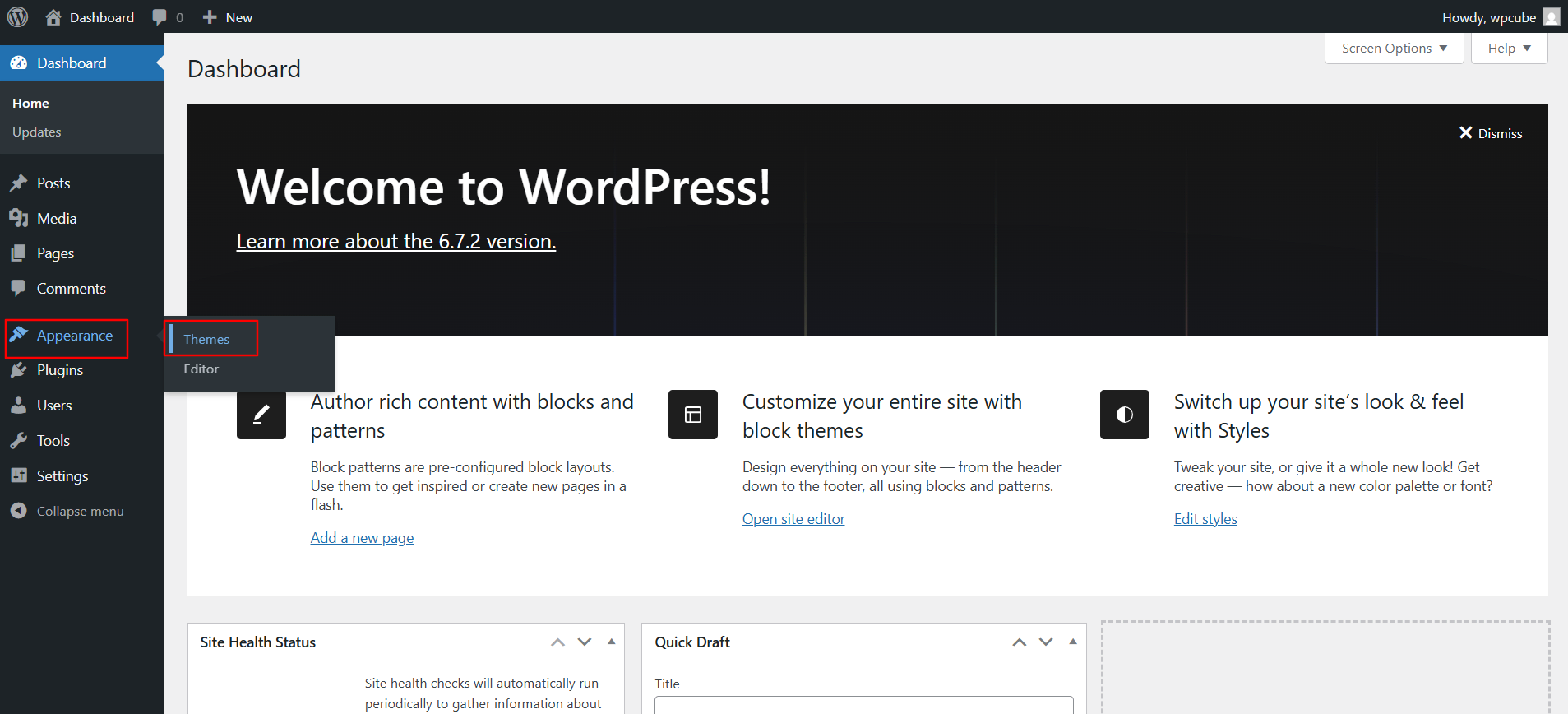
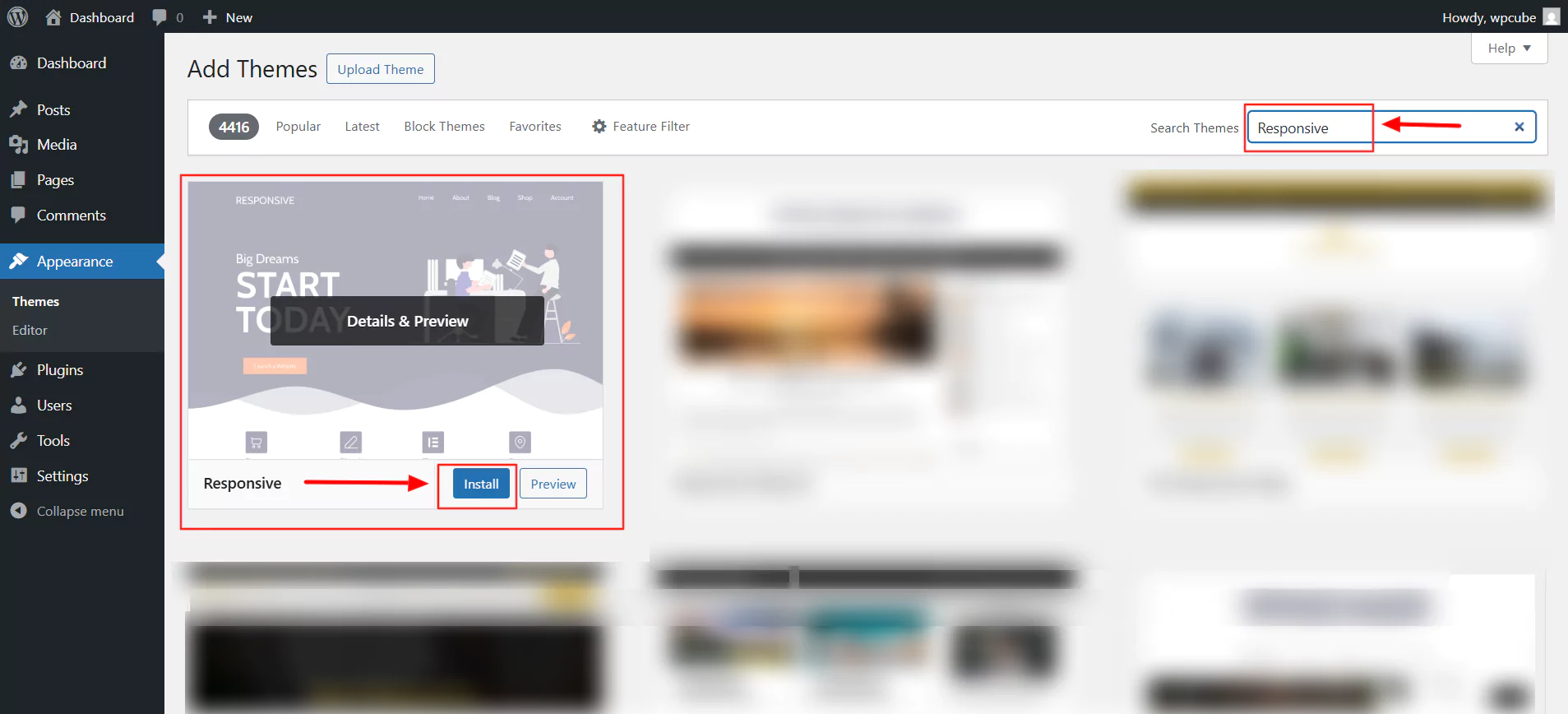
From your WordPress admin dashboard, navigate to Appearance > Themes.
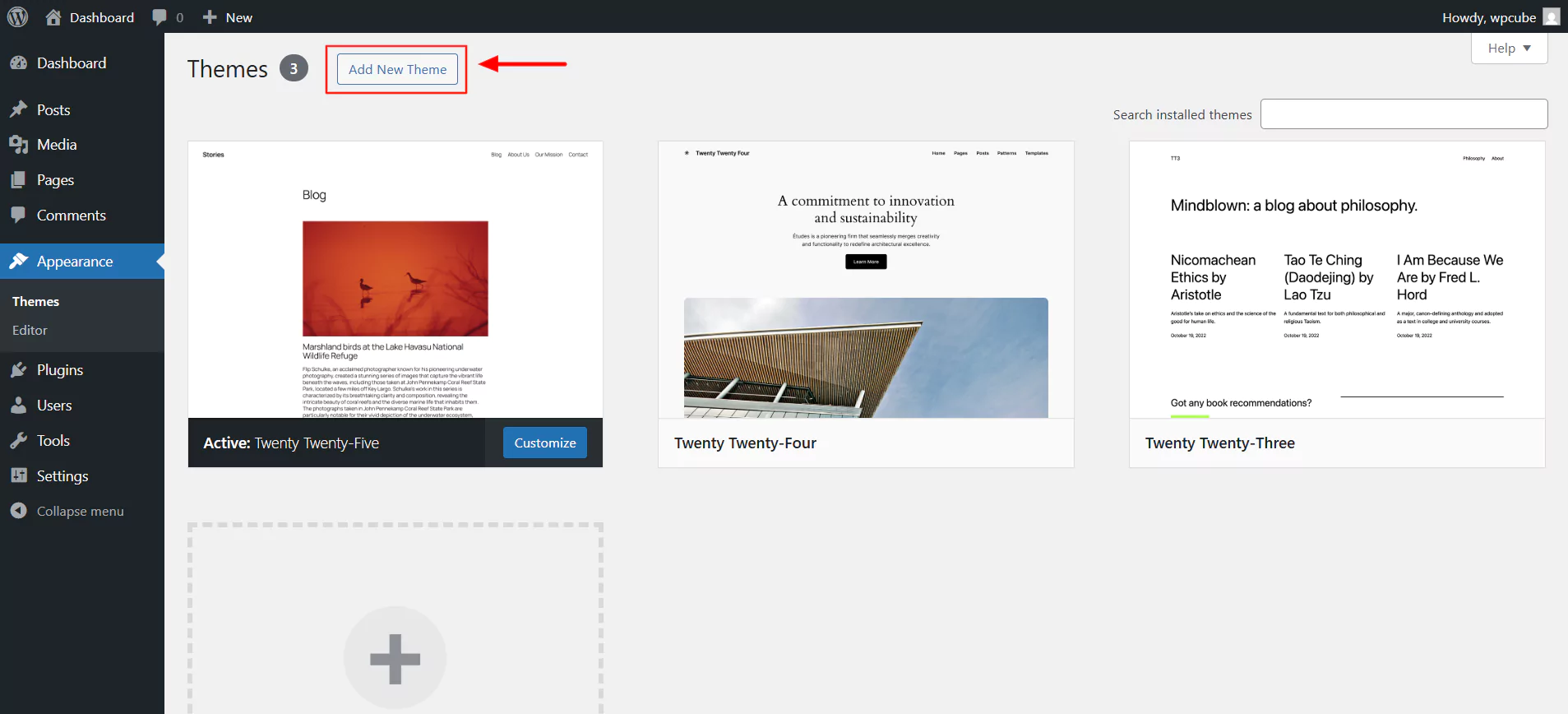
Next, click the Add New Theme button at the top.
In the search bar, type Responsive and click on Install.
Next, click on Activate.
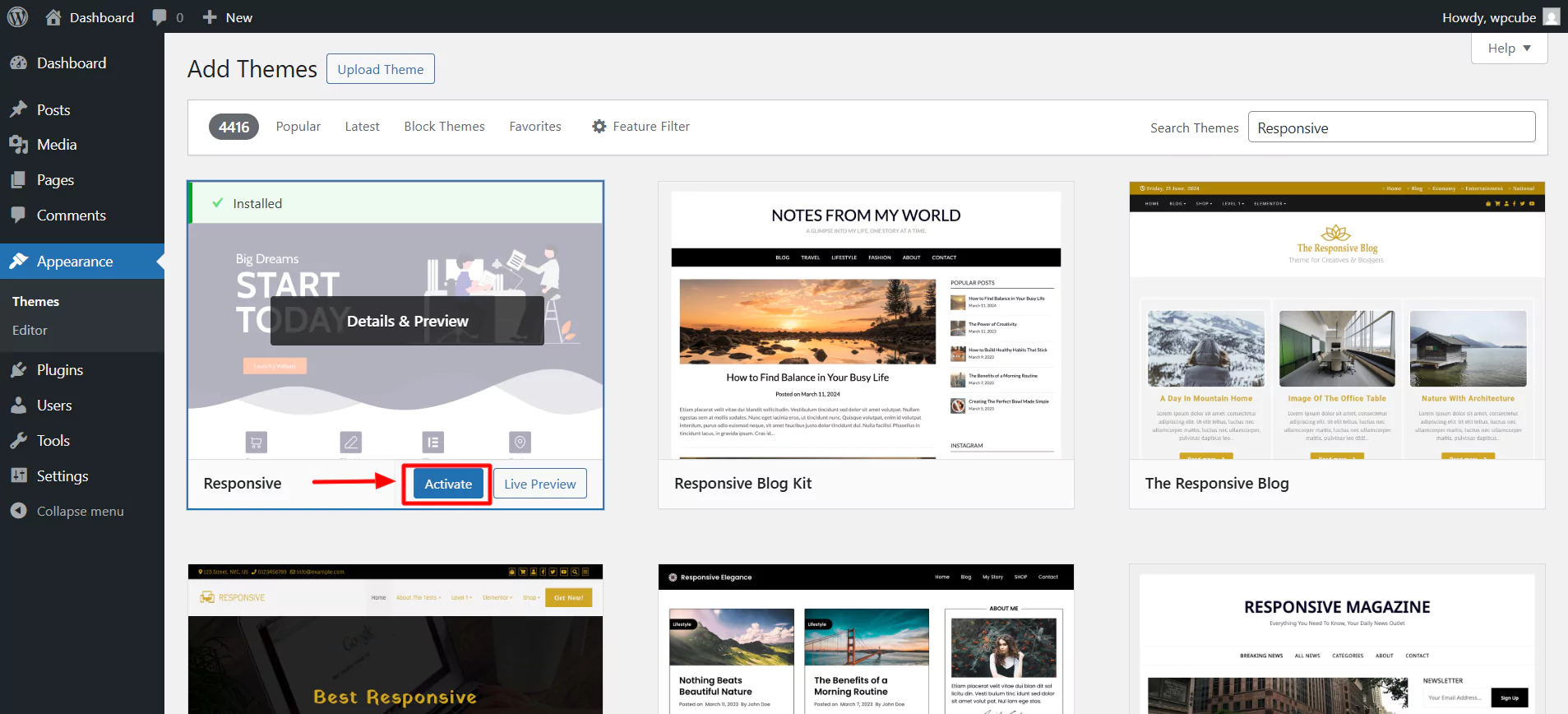
There you go! You have now installed and activated your theme.
2. Install and activate Responsive Plus – Starter Templates
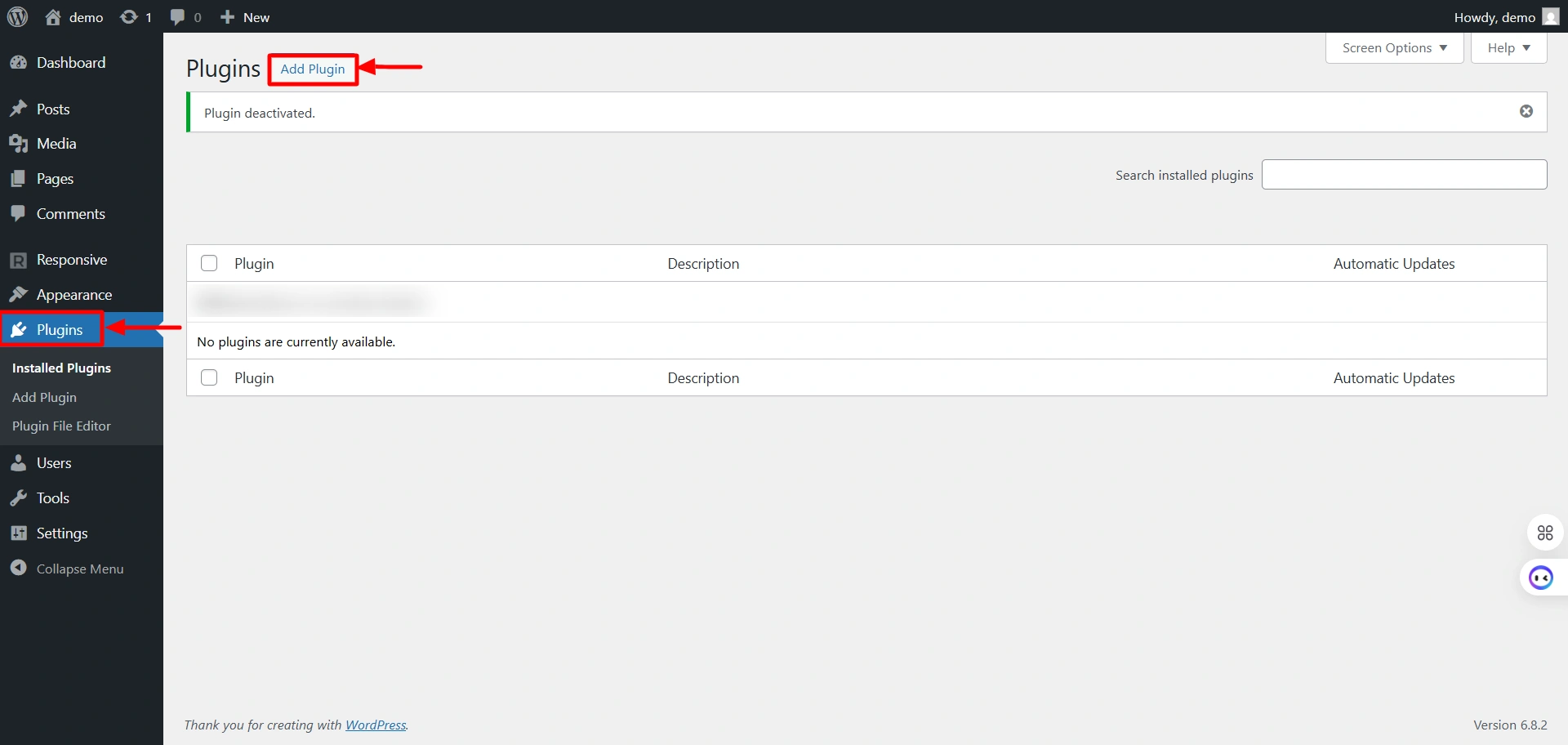
The second step to creating your site would be to follow these steps to install the Responsive Plus – Starter Templates plugin.
Select Plugins and click on the “Add Plugin” button.
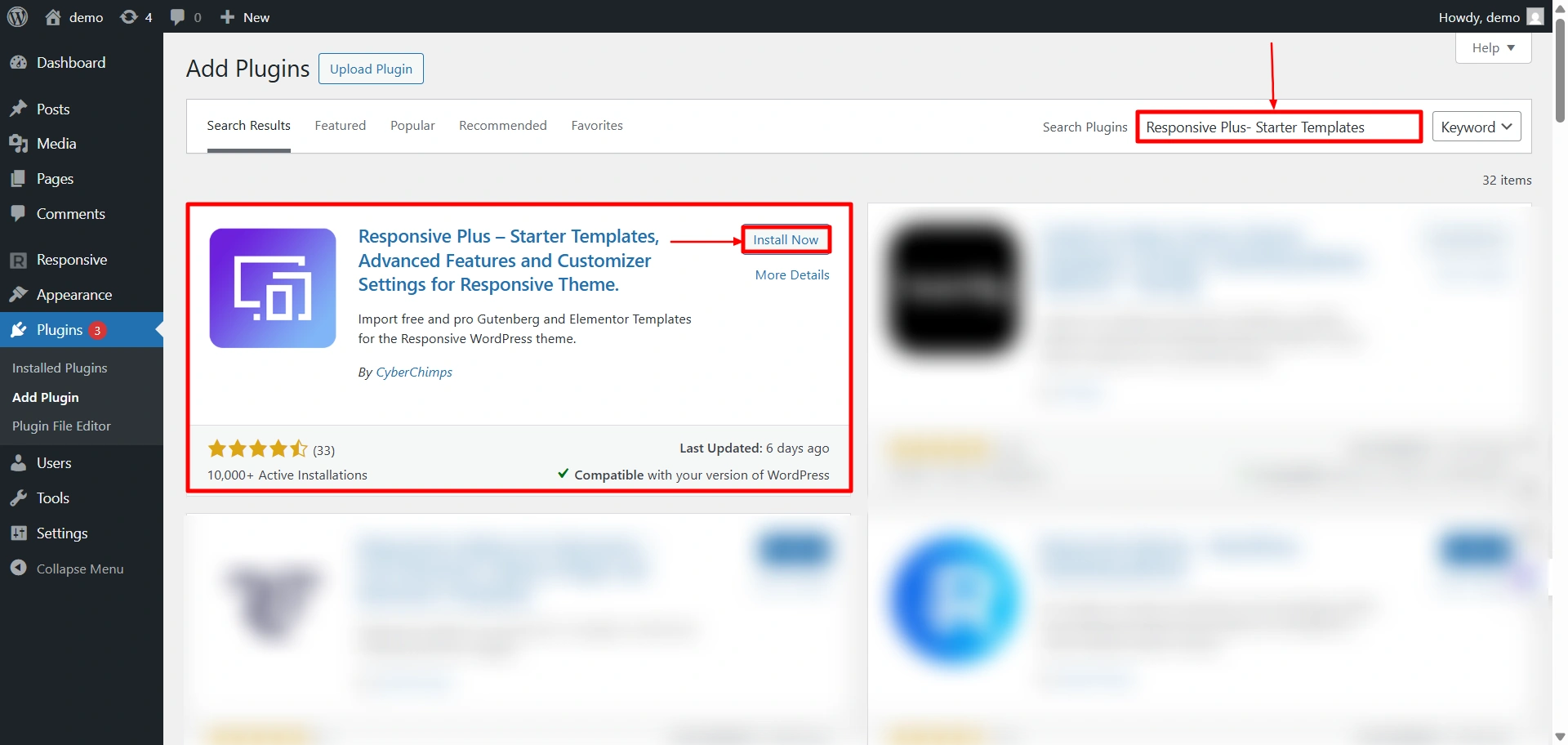
Search for “Responsive Starter Templates” in the search bar option and click on the “Install Now” button to install the plugin.
The next step is to activate the plugin. To do so, click on the “Activate” button.
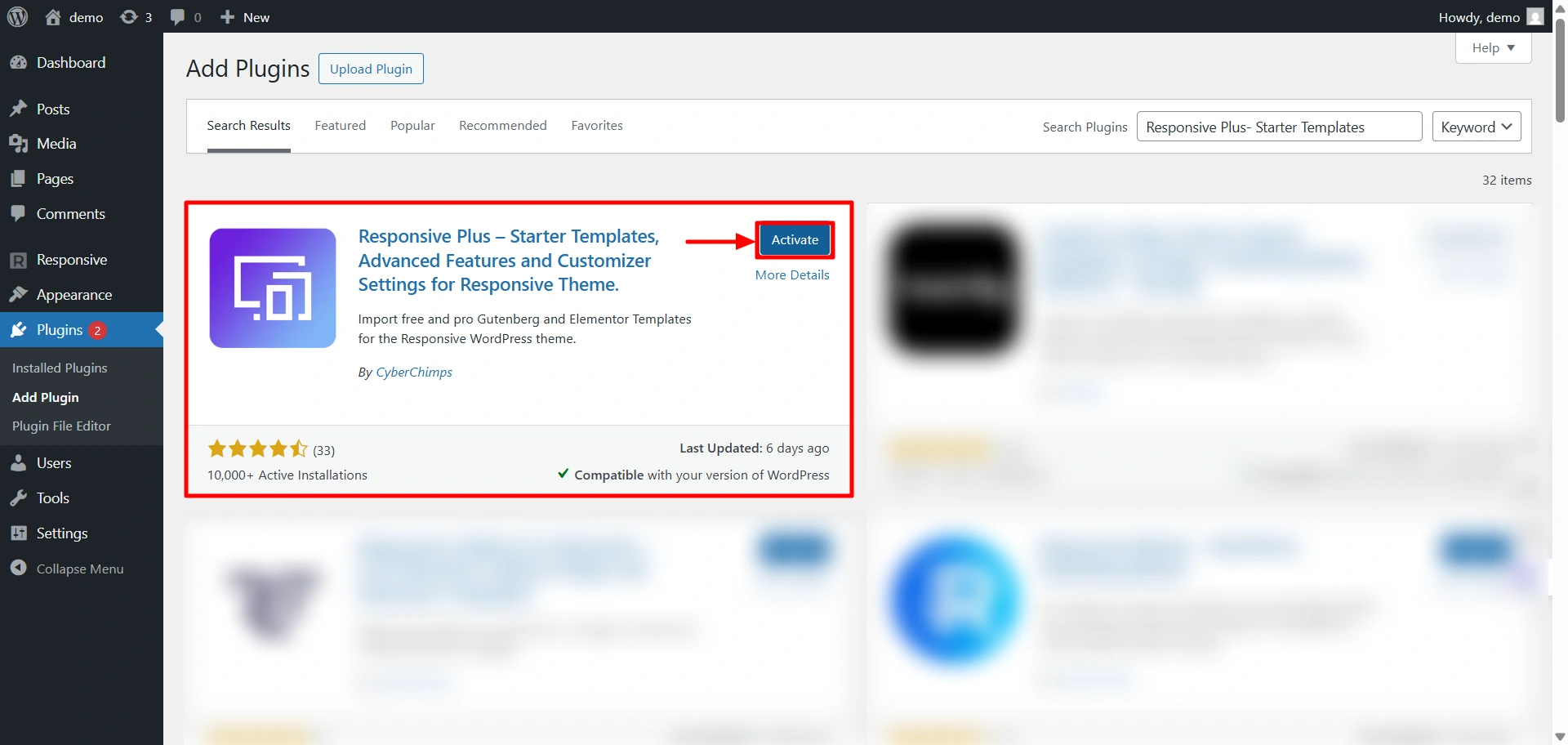
Now, you have successfully installed and activated the Responsive Plus – Starter Templates plugin.
3. Import the Public Speaker starter template
To import a template, click on Responsive in the admin dashboard. Then, click on Templates.
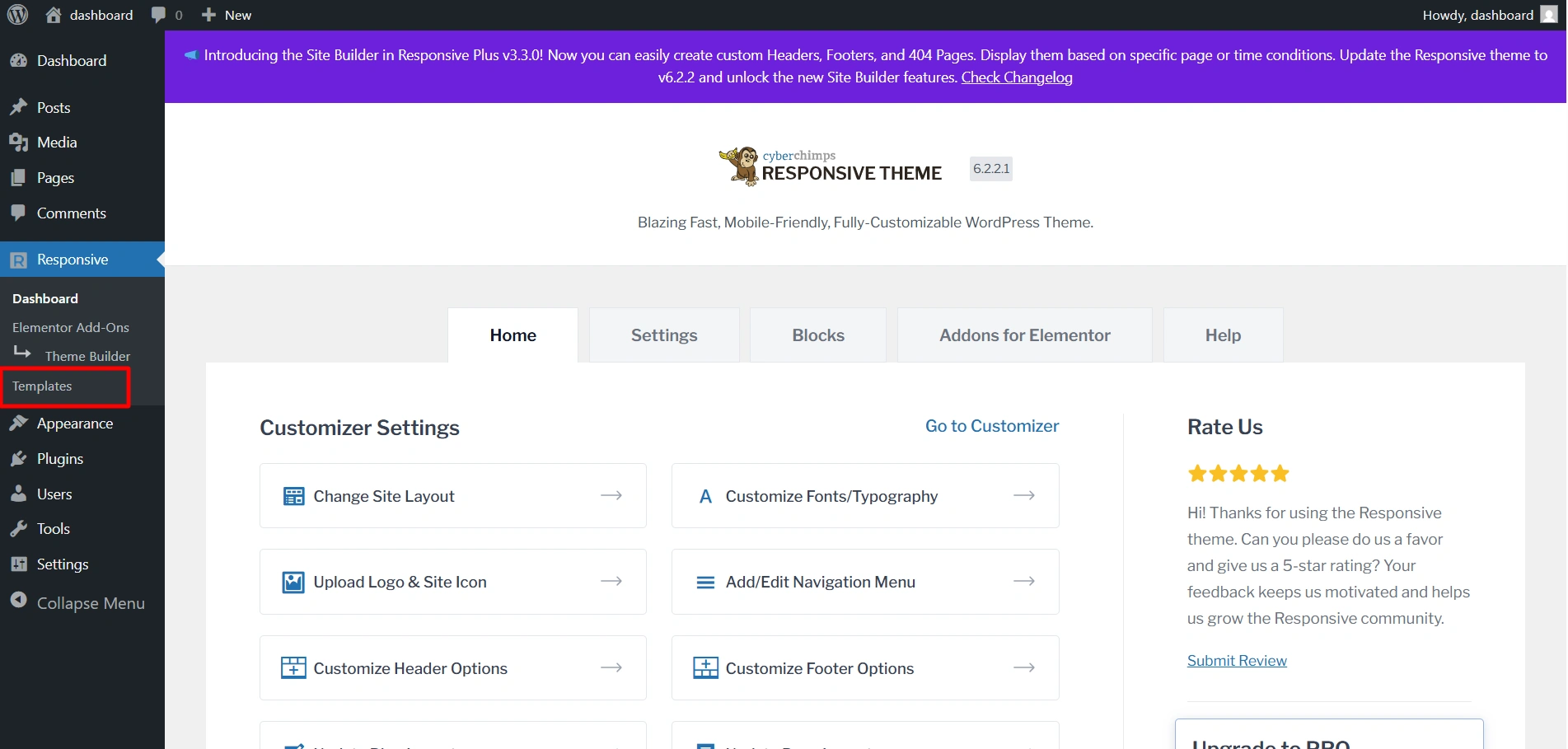
Search for the Public Speaker Template and click on it.
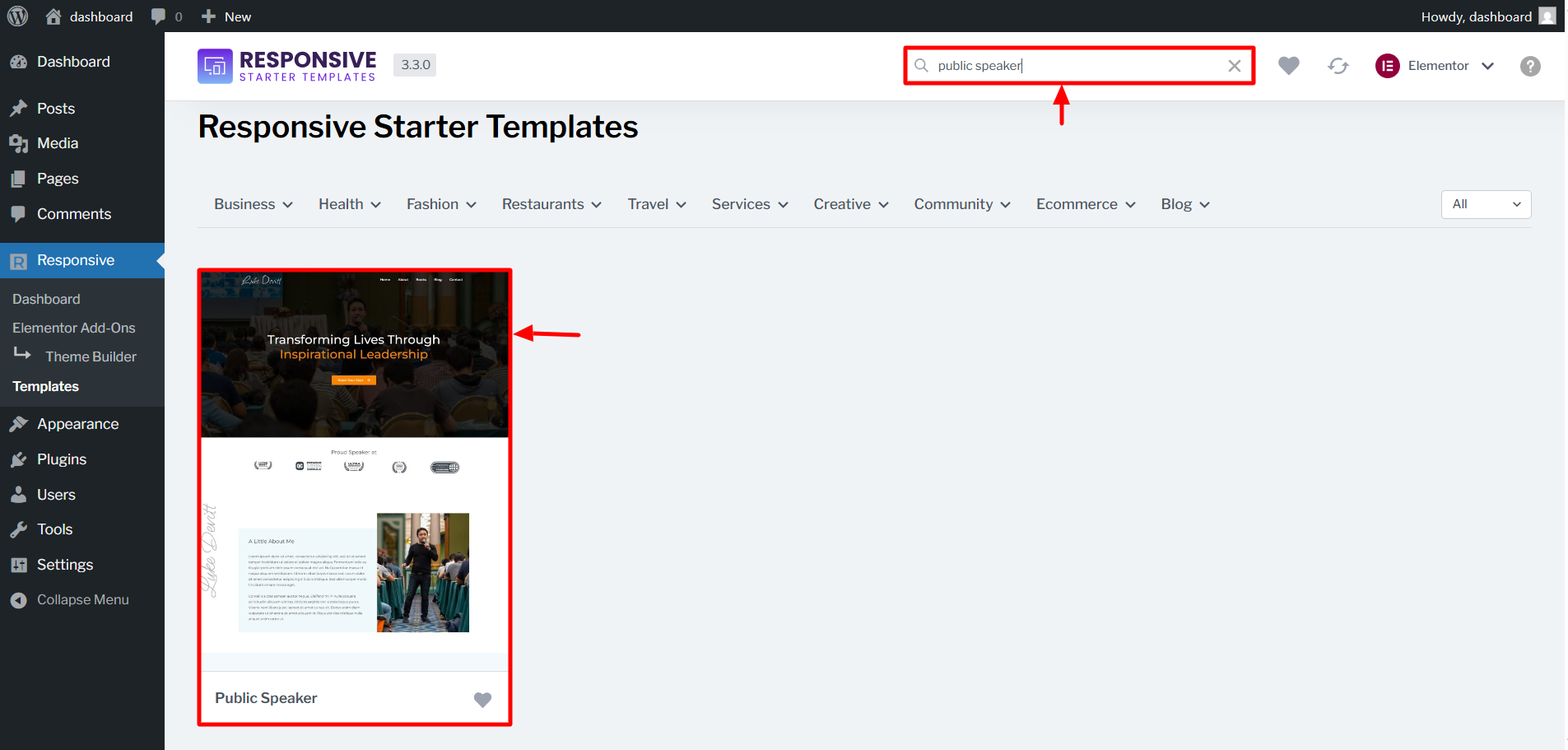
Click on Import Site to import the site.
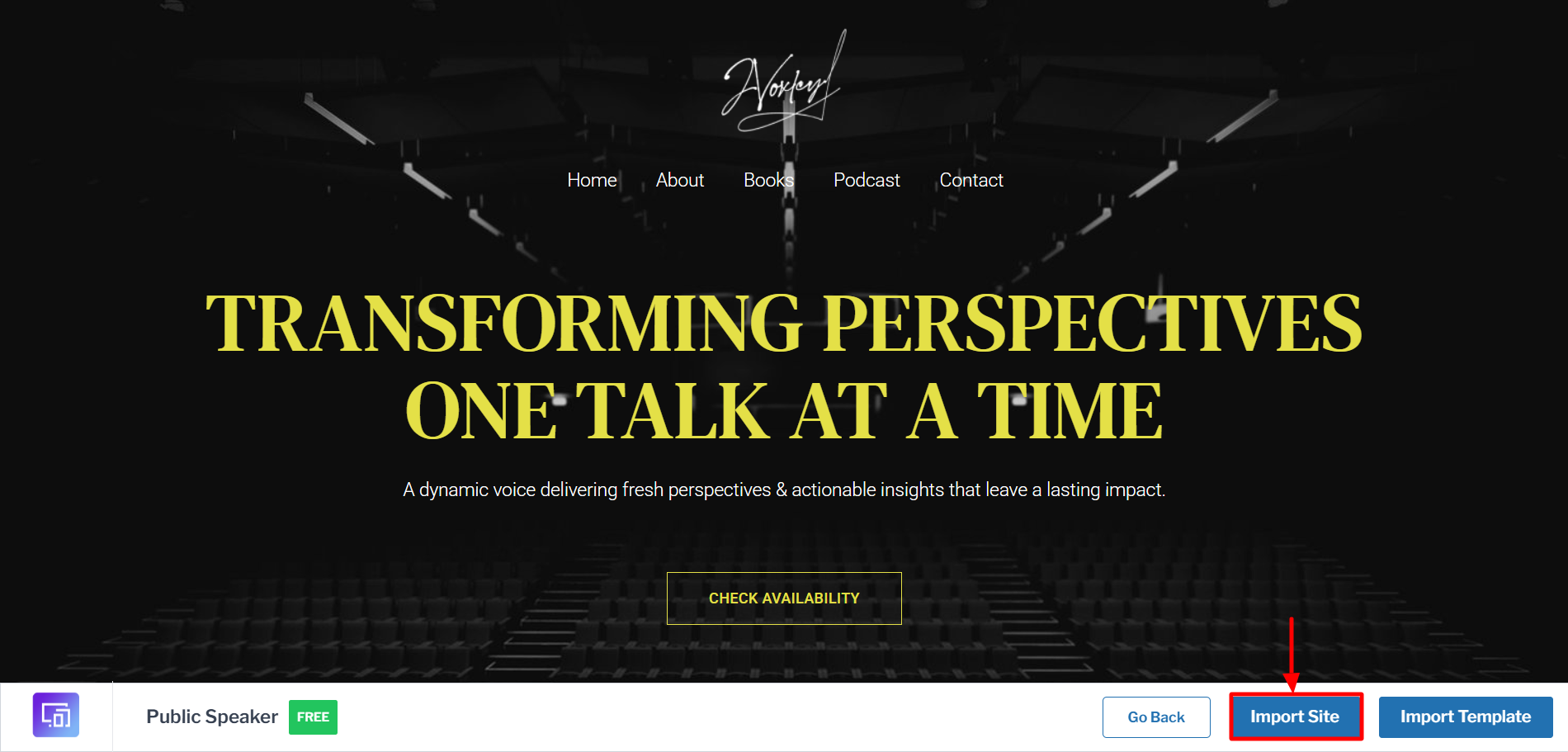
Next, click on Start Importing.
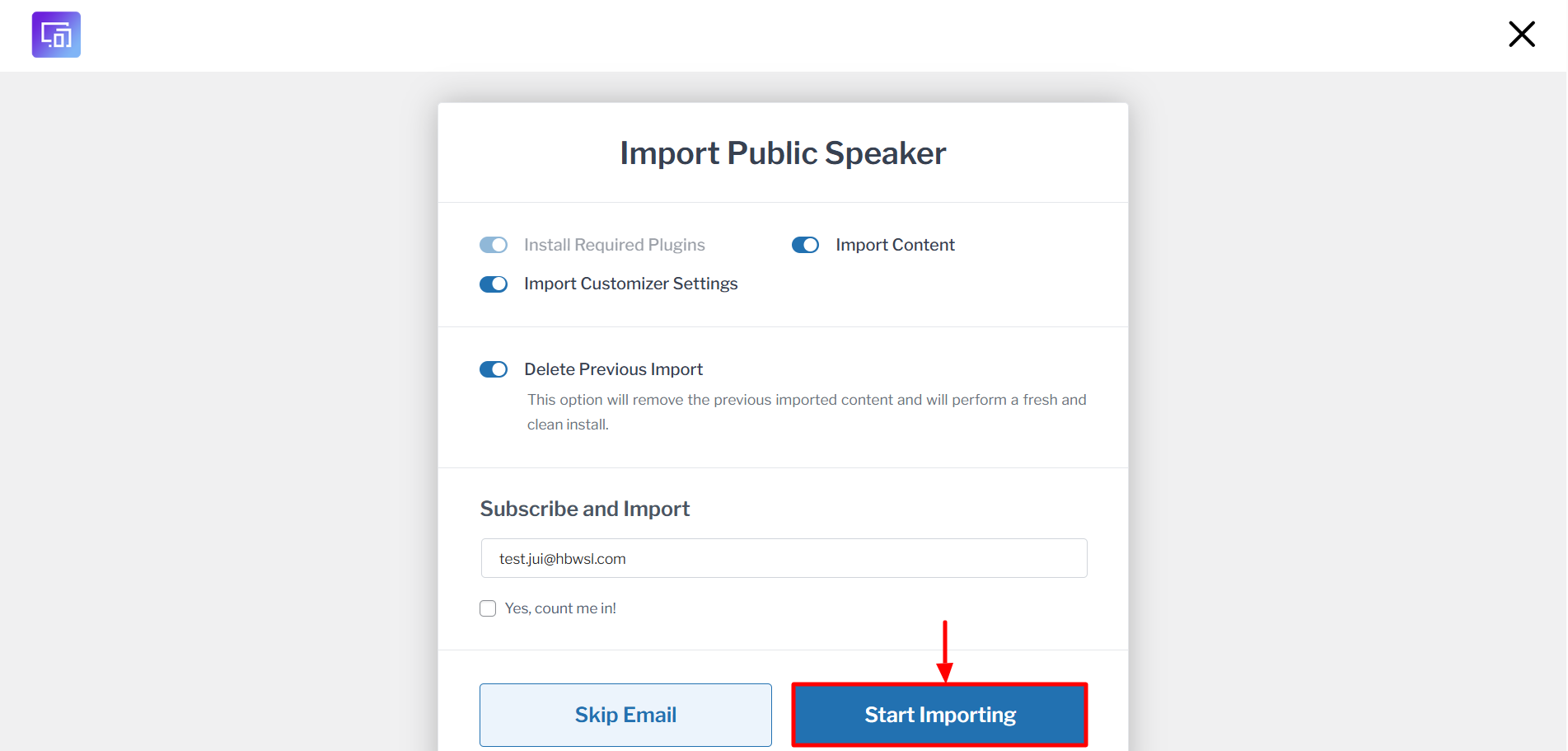
It will take a few seconds to import. Then, you can click on View Website to view your site.
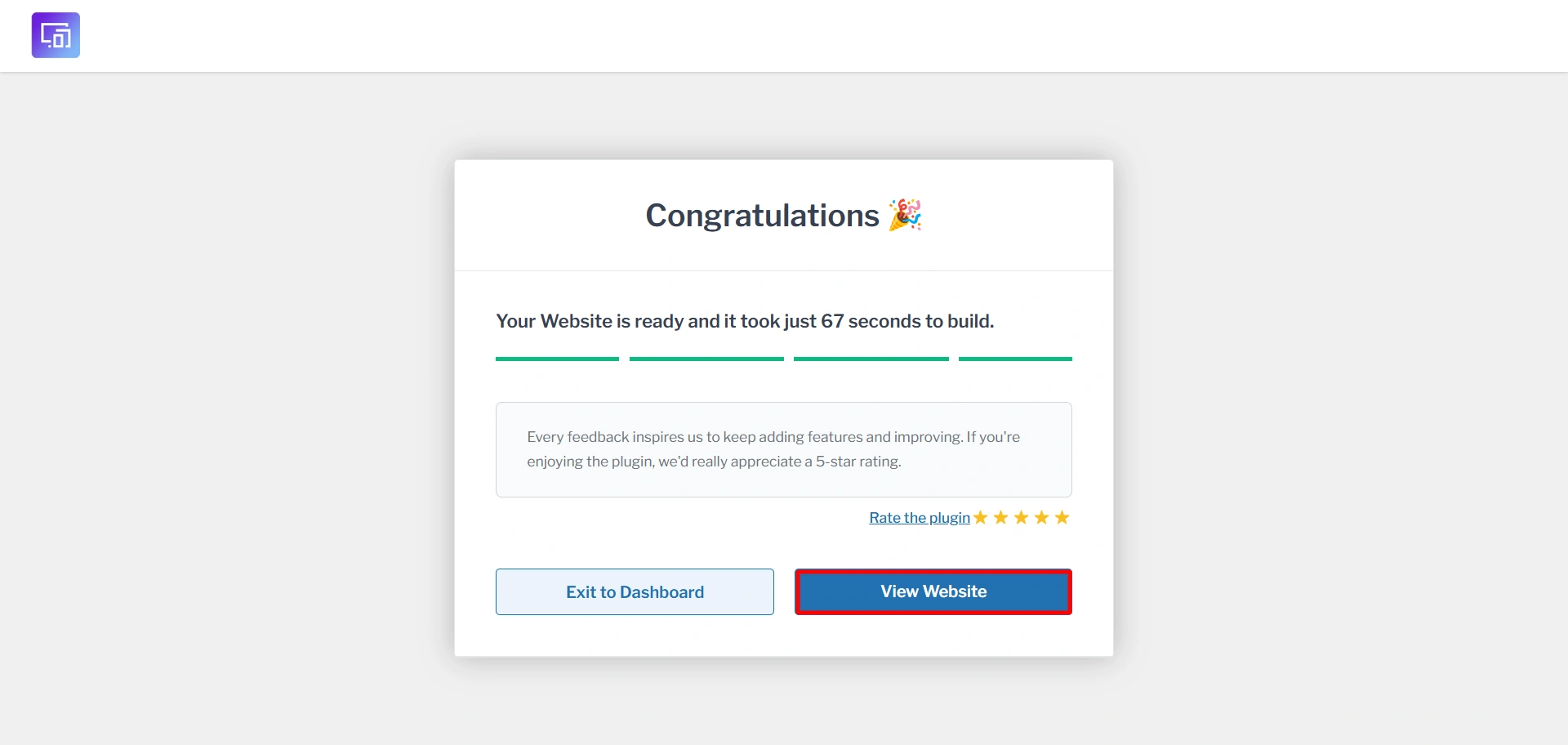
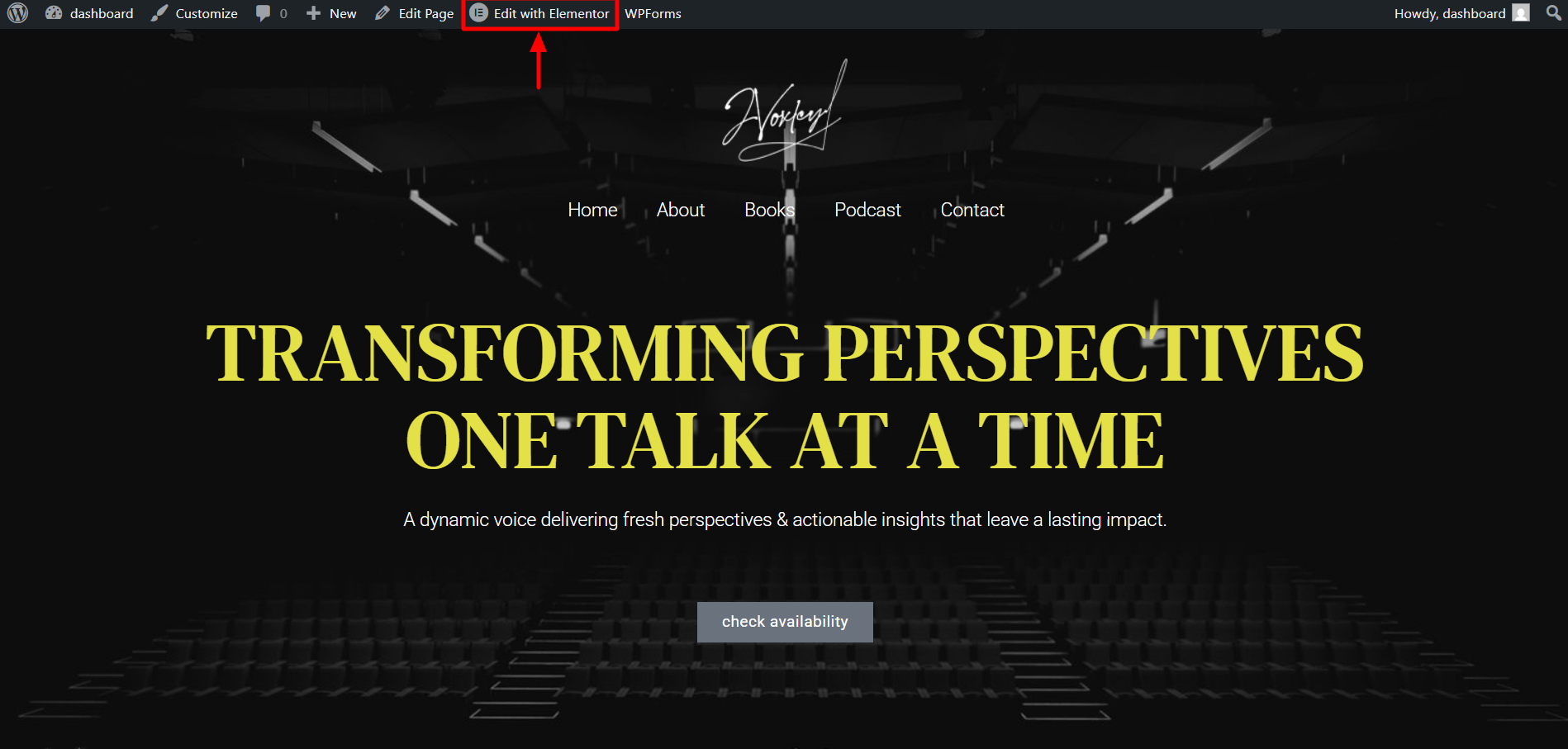
Now, you will see your imported site like so.
4. Edit the Public speaker starter template
Now, we’ll try editing with Elementor. You need to install the Elementor plugin for this. Click on Edit with Elementor.
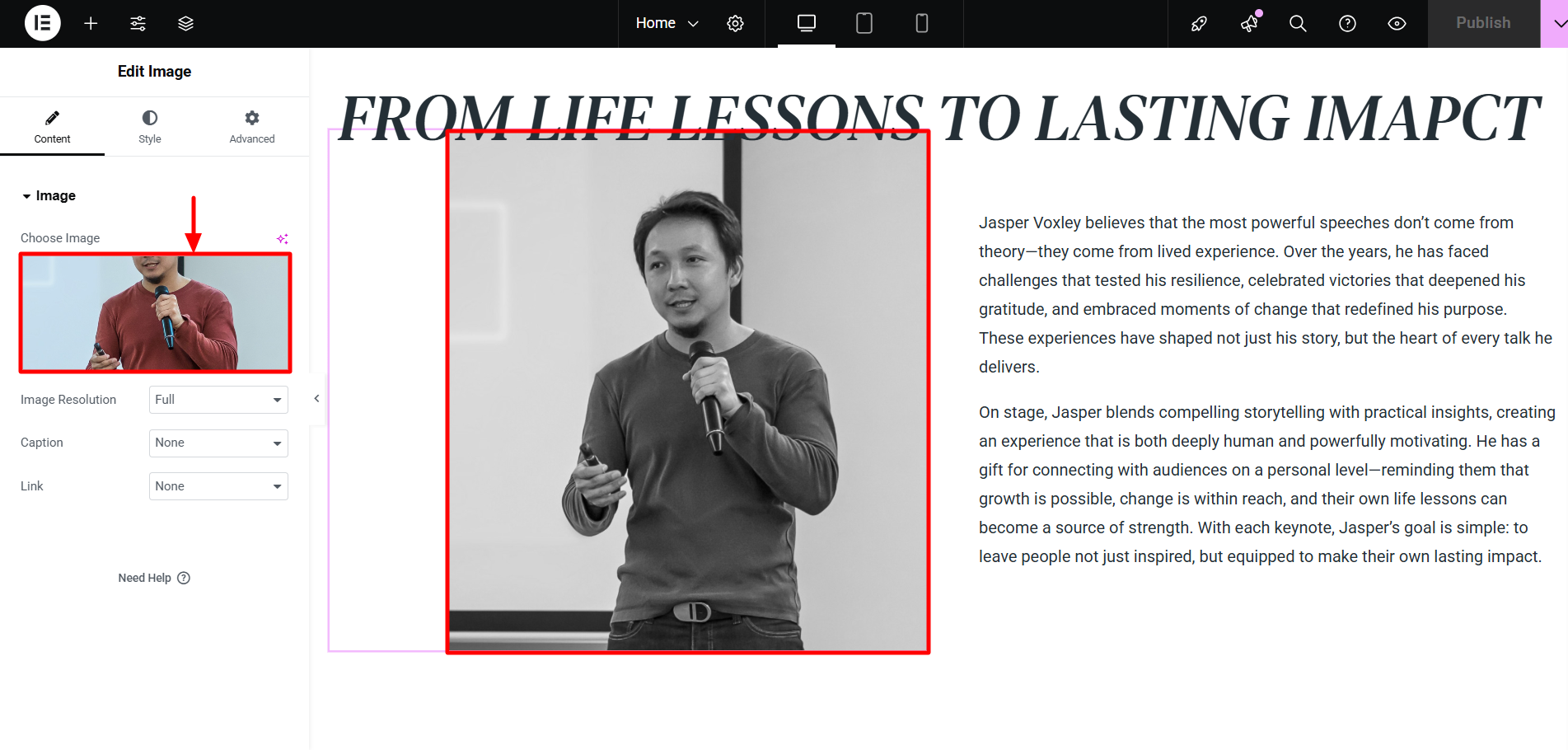
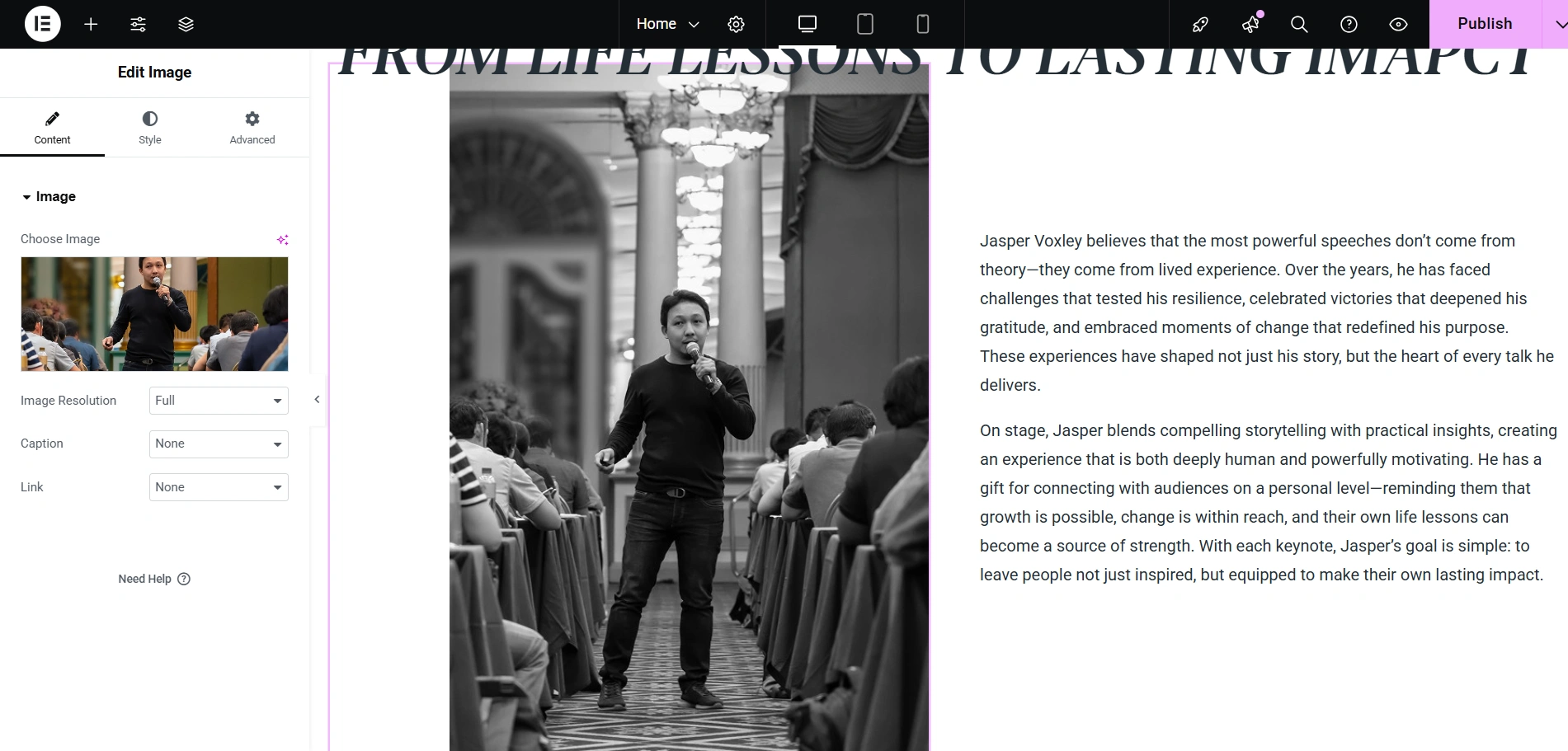
We’ll now edit the image. To do so, click on the image. You will see an option to Choose an Image.
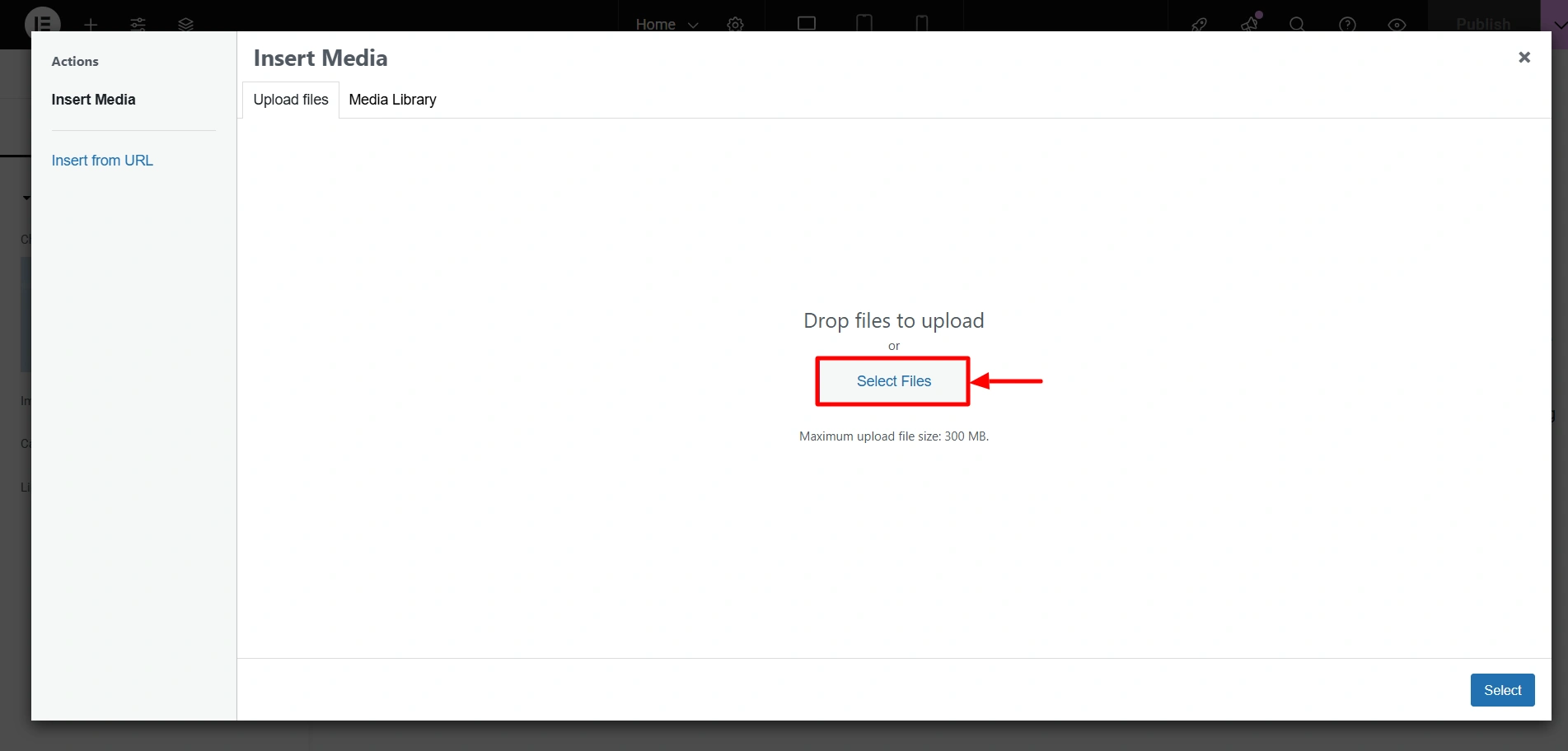
Next, you can add your files by clicking on Select Files.
As a result, this is how you’ll see the changes.
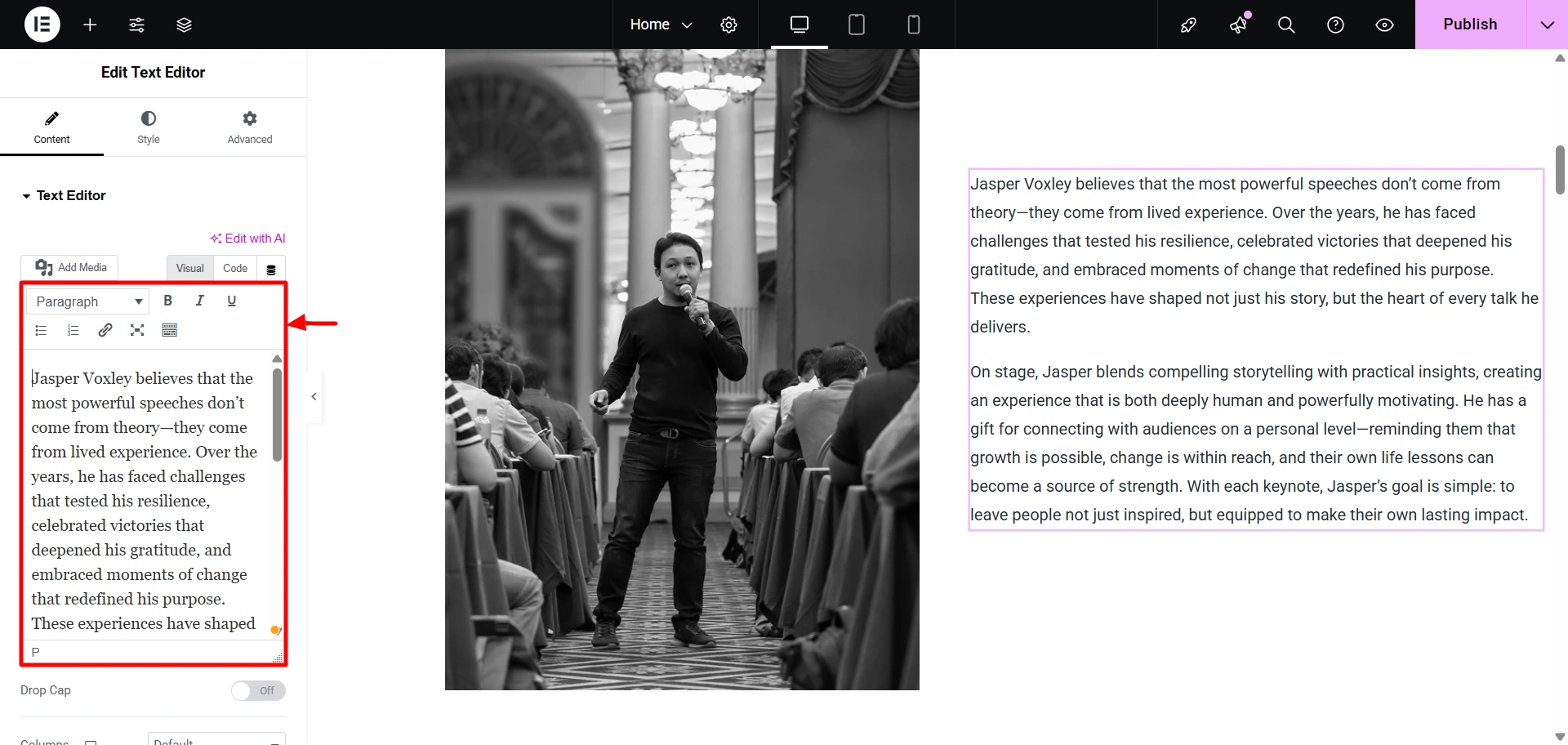
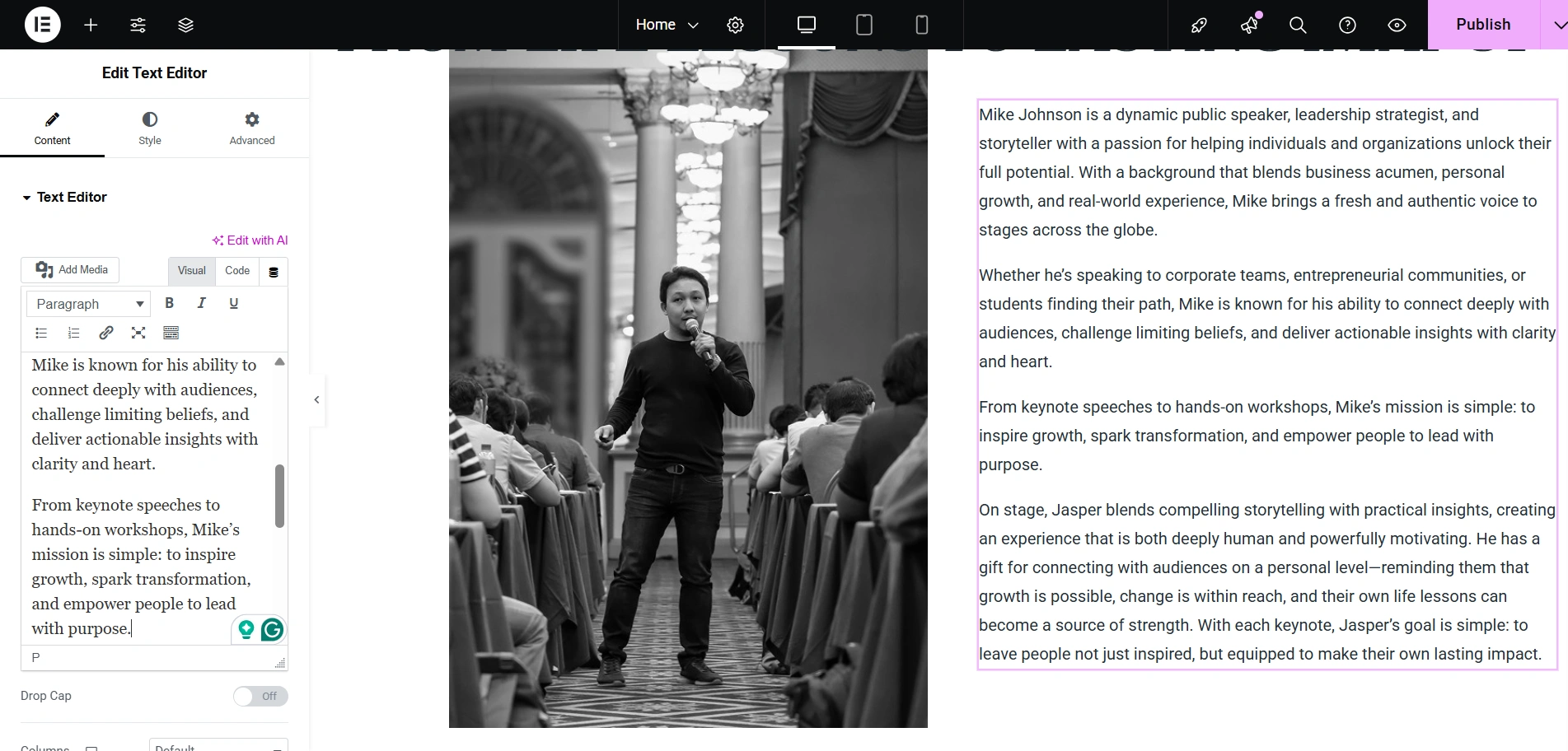
Now let’s add our own text. To do so, click on the test, and then paste your text.
As a result, this is how you will see it.
Now, let’s edit the testimonial section of your public speaker starter template. Click on the image to edit it.
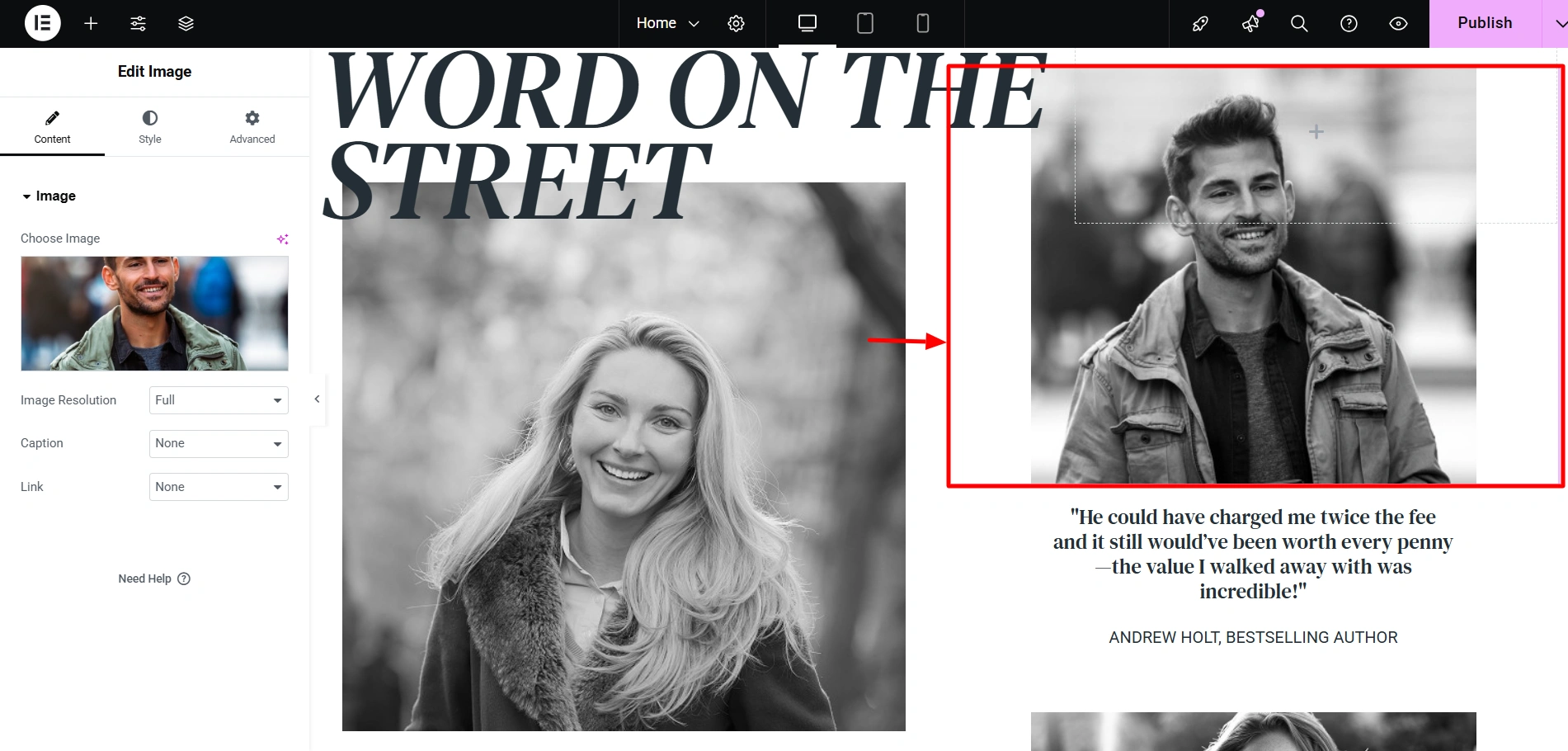
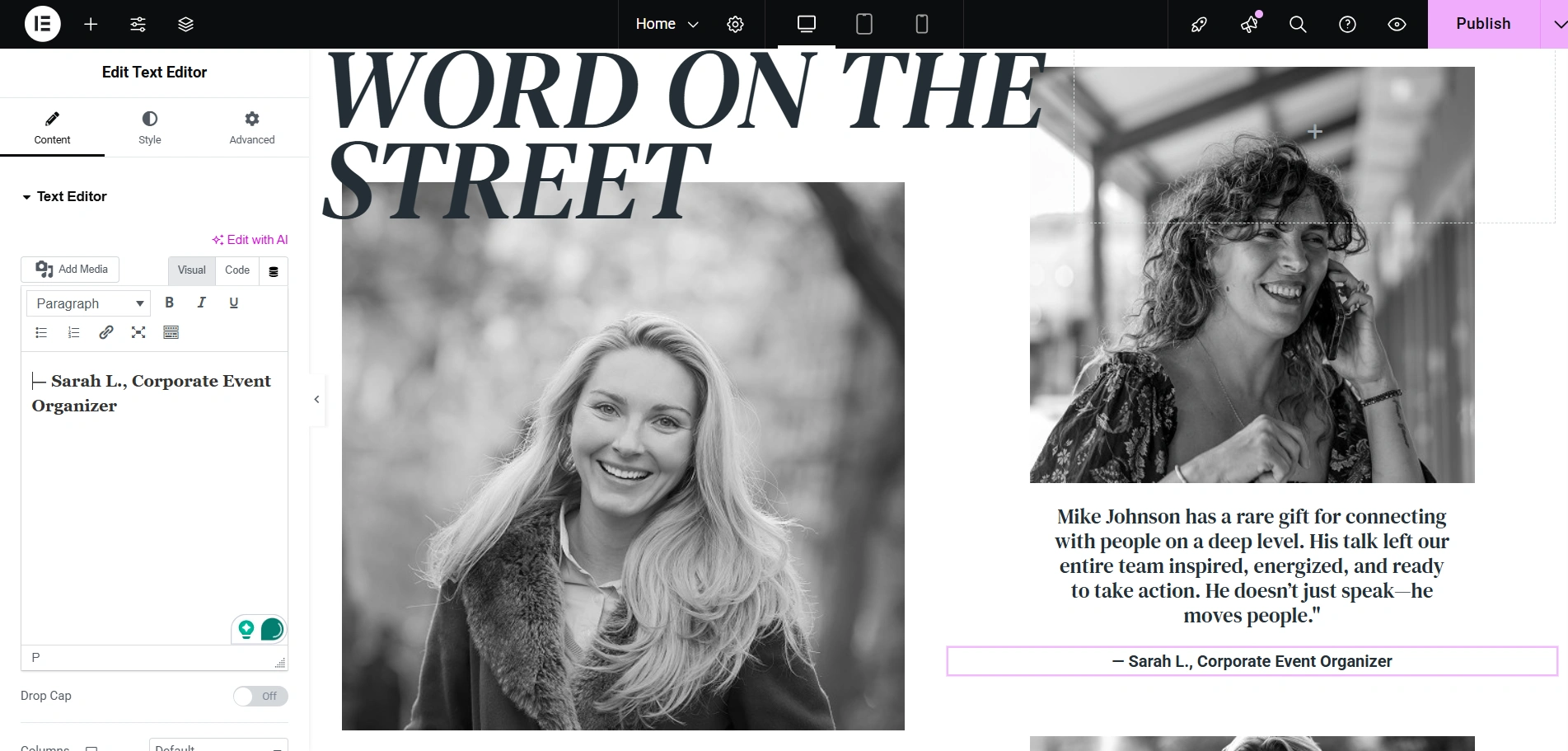
Now that you have changed the image in your testimonials, let’s go ahead and change some text too.
This is how you’ll see the changed text.
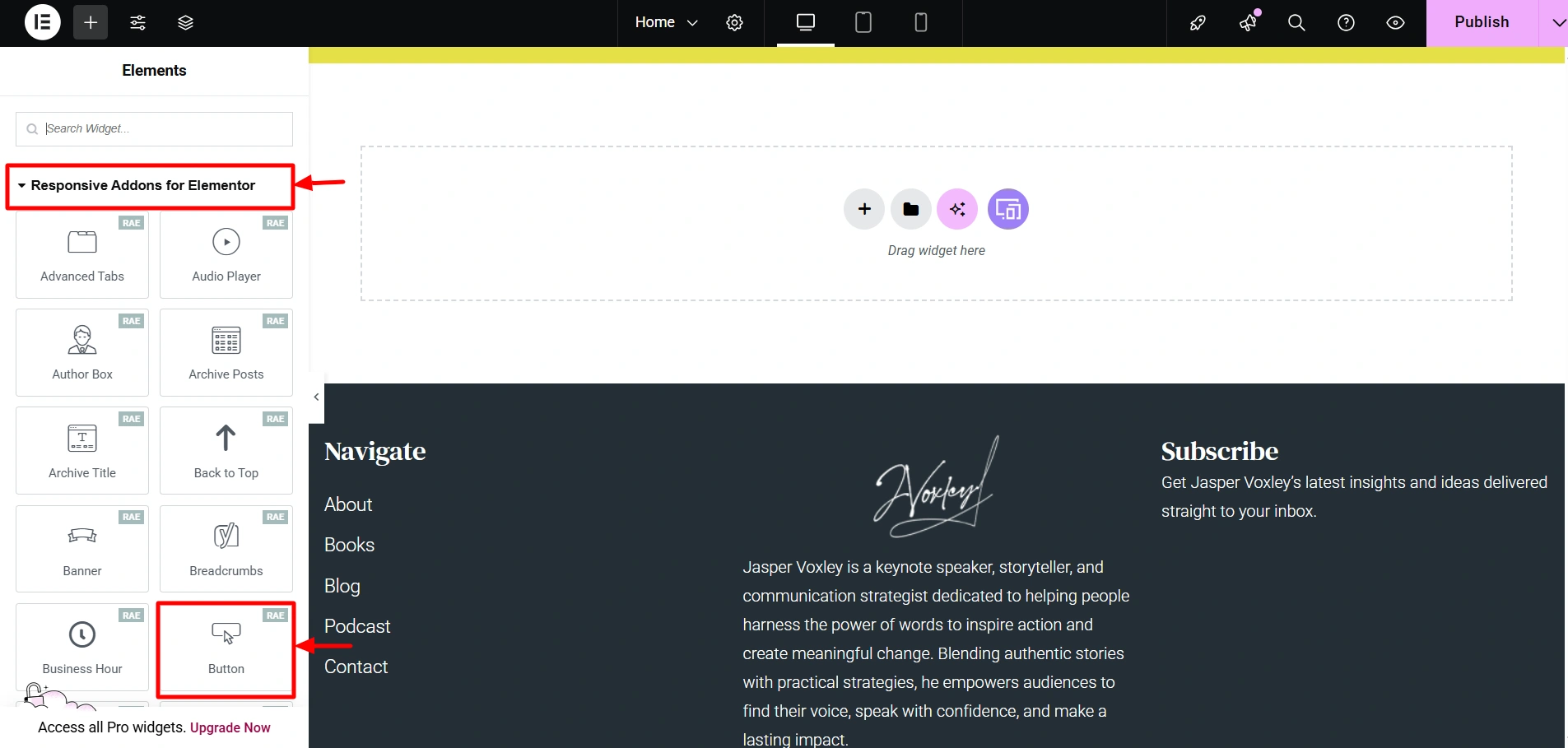
Finally, let’s add a widget from the Responsive Addons for Elementor plugin. You can install and activate this plugin and find it when you click on the + icon.
Let’s add a button here. Drag and drop the Button widget.
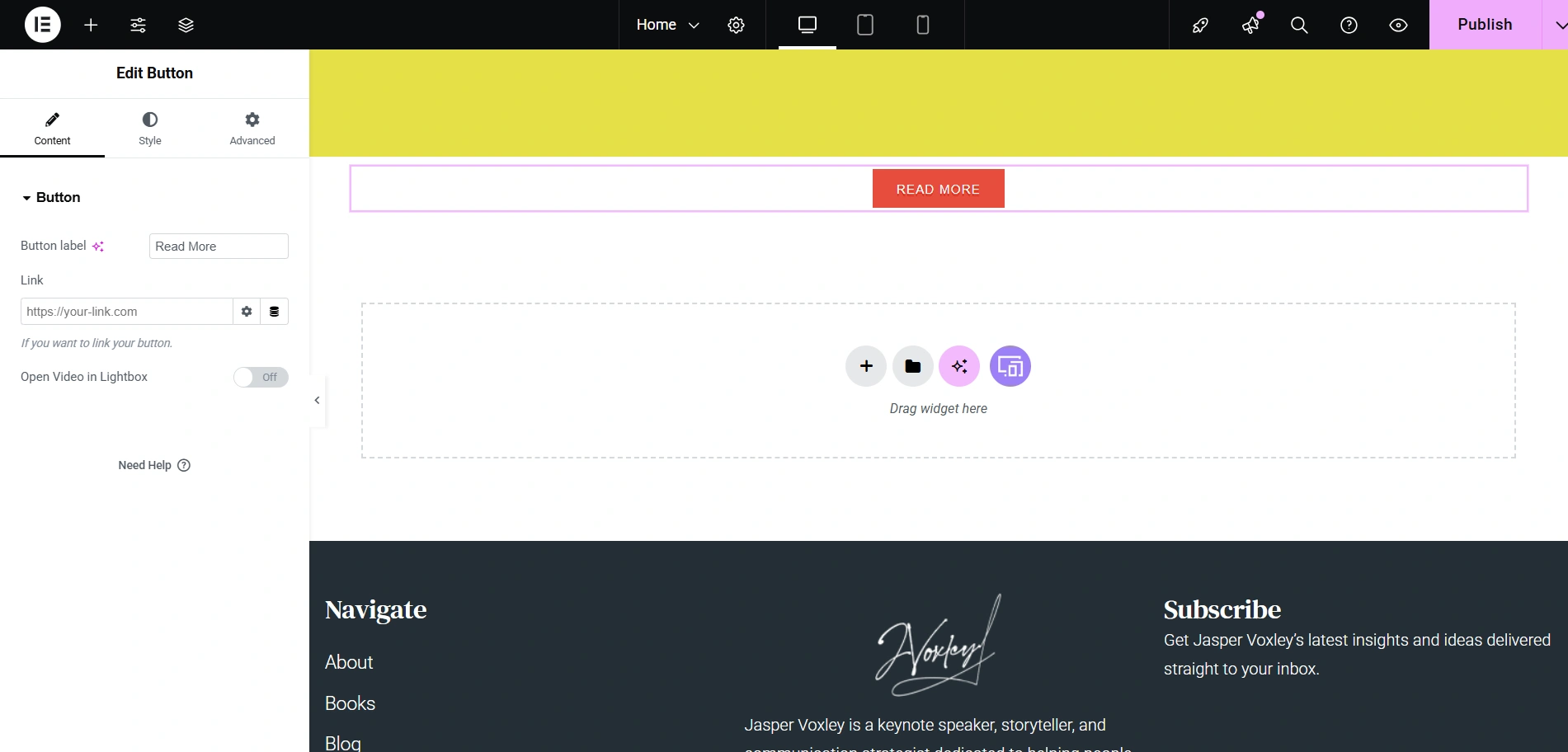
This is how you’ll see it. Additionally, you can also edit the look of it in the panel on the left.
This is how you import a template and edit it. Now that you’ve learnt how to do it, you can easily create your own site.
FAQ
Not at all! The Public Speaker starter template is especially designed for beginners and users who do not have coding knowledge. Additionally, it is built to work seamlessly with the popular page builders such as Gutenberg and Elementor. Using the drag-and-drop feature, you can easily create your personal branding website in just a short amount of time.
Absolutely! The Responsive Plus – Starter Templates plugin allows you to import not just full website demos, but also individual pages and sections from different templates. This mix-and-match feature gives you the ability to add multiple layouts to your site.
Yes, the plugin works with any theme you want. Although its performance is at max when it is combined with the Responsive Theme by Cyberchimps.
Conclusion
Now that we know, having an online presence for your personal brand is the key to unlocking new opportunities and maintaining a presence in the industry.
Fortunately, the Public Speaker starter template provides you with a professional, sleek, and fast solution to build your brand online. You don’t have to worry about spending time and money on complex web design and developers when you can simply import a template, customise and launch it.
By following the steps outlined in this article, you can get a head start on your online presence today to build your website.
Additionally, if this article was helpful to you, you might also like to read these.
- How To Create A Construction Website With WordPress?
- How To Create A Restaurant Website With WordPress?
- How to Create an IDX Real Estate Website Using WordPress
Want to create more amazing websites? Grab the Responsive theme now!





