
Summary
The article explains how to use WordPress landing pages with Responsive Blocks. It shows how to create, design, and publish landing pages using the plugin’s blocks.
It also covers options for layout, customization, and responsive settings to optimize pages.
Want to use WordPress landing pages, but can’t seem to figure it out?
You’re not alone. Designing a WordPress landing page from scratch can be a real challenging task if you’re not a designer or a developer.
Opening the editor and suddenly you find yourself trapped in the hundreds of fonts, colours, and layouts. But here’s the best part! You don’t have to build them from scratch.
With the Responsive Blocks plugin, you can create fascinating landing pages, as it includes everything you need to create a website using Gutenberg without additional overwhelming steps.
All you need to do is pick one, tweak it, and hit publish. That’s it! You don’t have to go through the hassle of selecting multiple plugins and page builders that would ultimately bloat your site.
In this awesome guide, I’ll walk you through the steps to use these pre-built pages and add a few responsive blocks to your site.
So roll up your sleeves, grab a coffee, and get your ideas into action!
Responsive Blocks is the Best WordPress Blocks Plugin – Get it for free!
What is the Responsive Blocks Plugin?
???? My Real-World Test Results:
- Powered by Flexbox Container technology
- Number of blocks: 50+
- GTmetrix Performance Score: 98%
- Extensions like Animation, Display Condition, Responsive Condition and more
- Save design time with 100+ Premium-grade Starter templates
TheResponsive Blocks Plugin is a free plugin offered by Cyberchimps that adds 50+ blocks, professionally designed for Gutenberg. It is created for the added functionality of the default WordPress Editor.
Moreover, it offers a clean and sophisticated design for your website, keeping your site lightweight and superfast.
This plugin is specially curated to help users design beautiful and high-functioning websites while avoiding the extra bloat from using third-party page builders.
You can import various WordPress landing pages if you don’t want to create a page from scratch. You can easily view them, add your content, and build the page in just a few minutes.
The Responsive Blocks plugin helps your website stay fast, SEO optimised, and mobile-friendly.
This plugin works wonderfully when paired up with the Responsive Theme by Cyberchimps. It enables you to customise your site quickly, and however you like. It offers multiple blog layouts, multiple fonts and colours, a mega menu, and header and footer builders.
Additionally, it offers a live preview for every change you make to your layout.
The best part about this plugin is that you can use WordPress landing pages without the need for a separate, expensive page builder.
Features:
- Beginner-friendly
- AMP optimization
- Over 50 Gutenberg blocks
- Seamless integration with the Responsive theme
- 100+ GUtenberg Templates
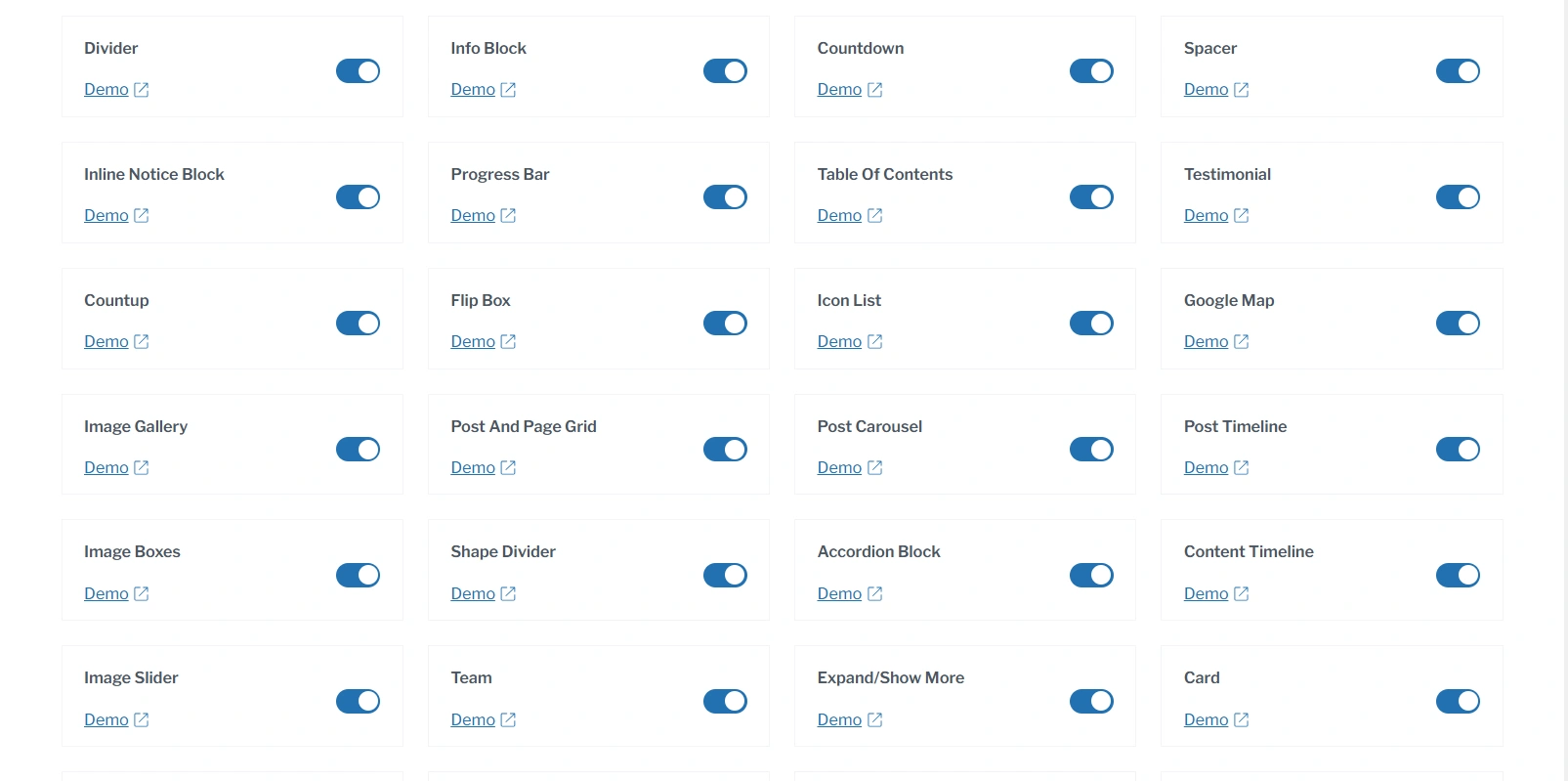
Some of the blocks included are:
What is the Gutenberg Block Editor?
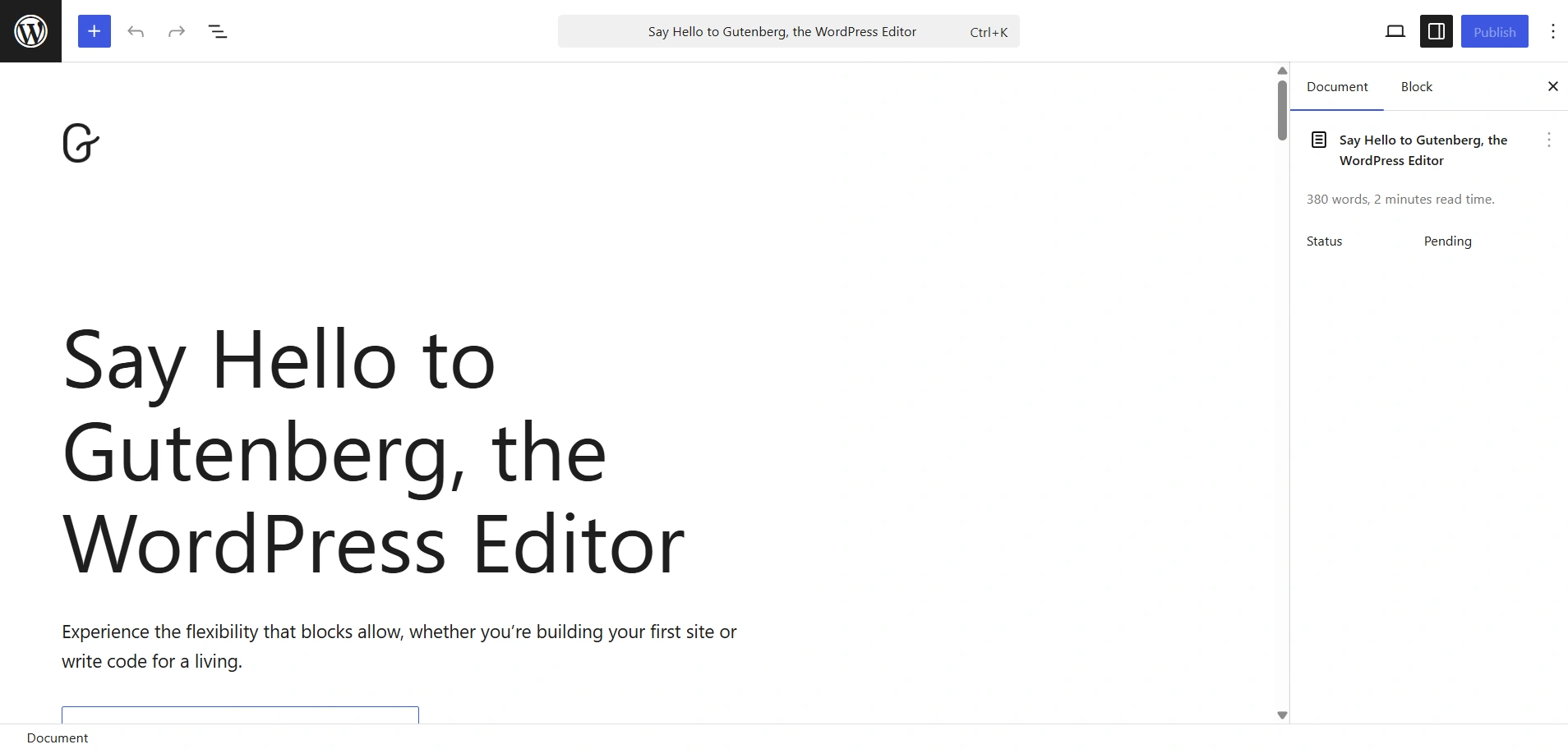
The Gutenberg Block Editor is the native page builder of WordPress. If you want a fast, clean, and SEO friendly design, Gutenberg is ideal for you.
As the name suggests, it lets you create pages using blocks. This page builder uses drag-and-drop WordPress blocks, which make it more intuitive and beginner-friendly.
You can install various themes, which would add a design element and structure to your site. You can also import ready-made templates if you don’t want to create pages from scratch. Once imported, you only have to change the content, and you’re done.
Why Use Gutenberg Instead of Other Page Builders?
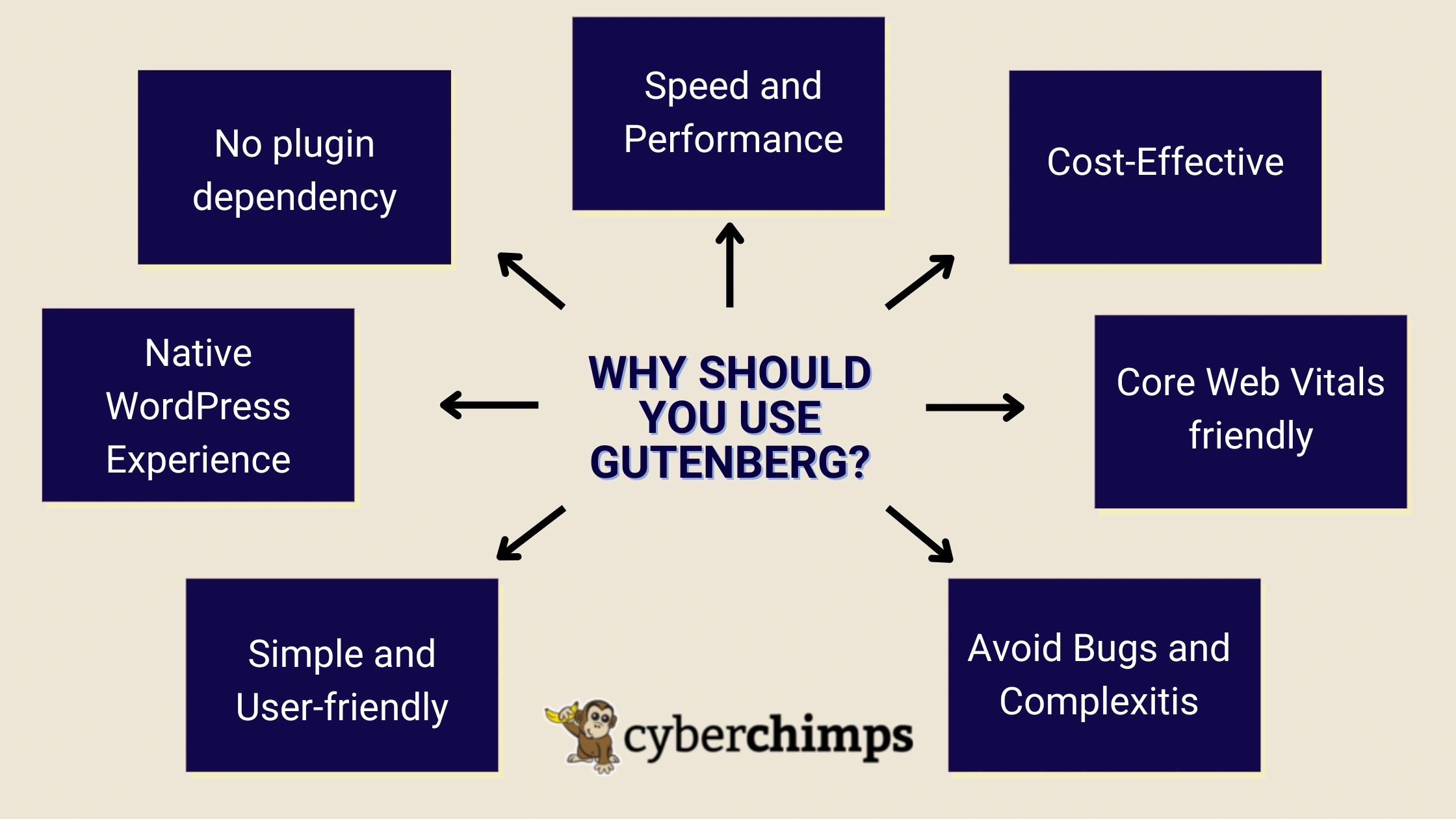
Gutenberg is one of the page builders that makes building a website fast, fun, and easy. It is the native block editor for WordPress.
It gives you a powerful set of tools to create stunning websites and also add content blocks, images, videos, and much more without the additional weight to your website. Gutenberg is better mainly because:
- No plugin dependency: Unlike other page builders that are heavy and complex, Gutenberg is a core feature of WordPress. This implies that you don’t necessarily have to rely on separate plugins to enhance your website.
- Native WordPress Experience: Gutenberg is a part of WordPress, so it feels natural and easy to navigate.
- Simple and User-friendly: Due to its simple and beginner-friendly design, you can use the drag-and-drop WordPress blocks plugin offered by Gutenberg in any way you want.
- Avoid Bugs and Complexitis: Since Gutenberg is a native feature of WordPress, it is less prone to bugs, unlike other page builders, and is compatible with most plugins.
- Core Web Vitals friendly: It keeps your website lightweight and helps achieve a better Core Web Vitals score, which is super important for SEO. Moreover, it makes your website accessible to users with visual disabilities.
- Cost-Effective: Gutenberg is completely free and comes bundled with WordPress, unlike various other Page Builders that require purchase and paid licenses.
- Speed and Performance: Gutenberg is lighter compared to other Page Builders, leading to shorter loading times and boosted performance. This is absolutely crucial for SEO.
So, unlike most popular page builders such as Elementor, WPBakery, and SeedProd, Gutenberg is a lightweight and beginner-friendly option that prioritises speed and SEO.
What is a Landing Page?
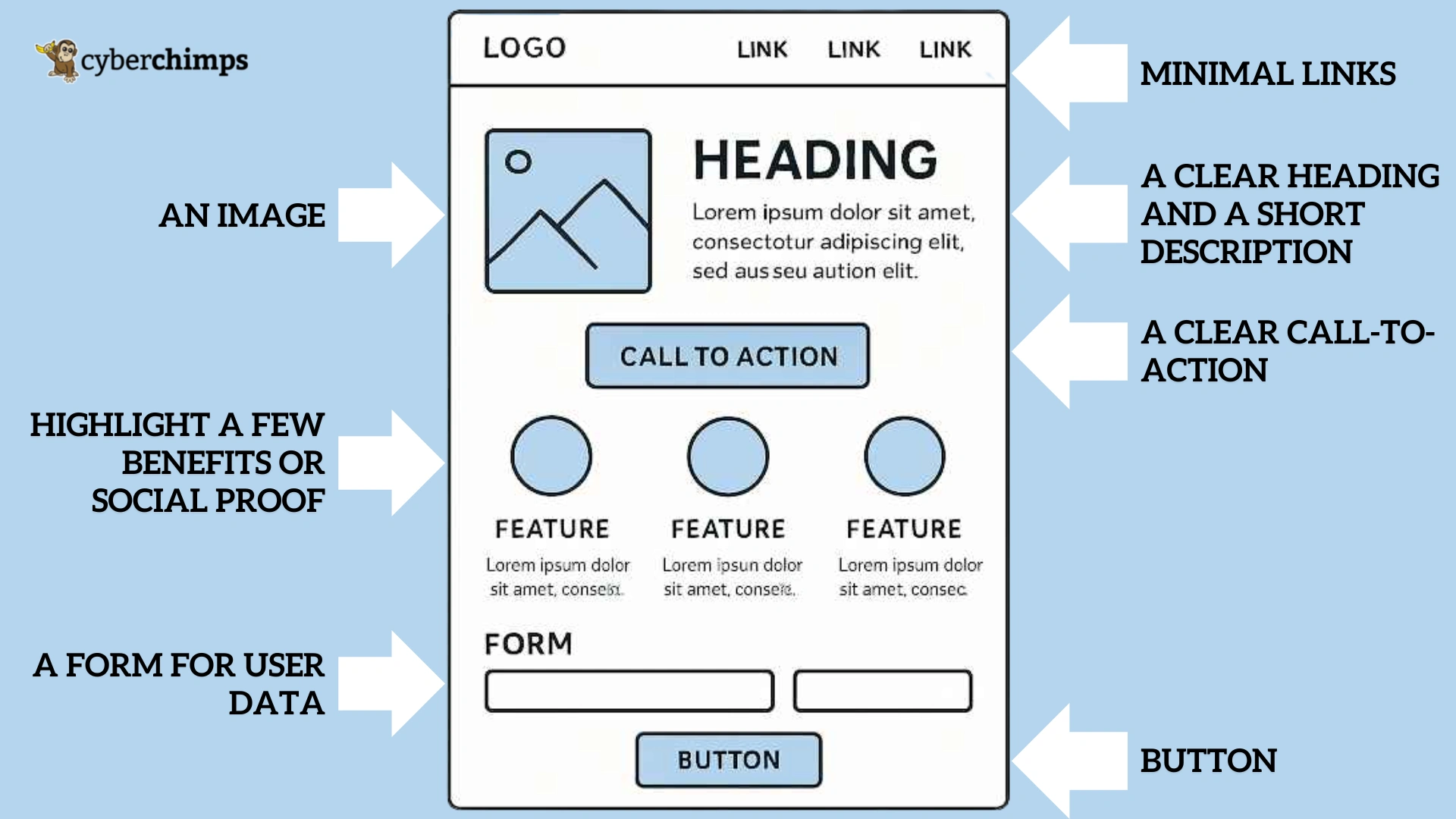
A landing page is a dedicated webpage made for any advertising, email, social media, or marketing campaign. To drive sales, you need to use WordPress landing pages that work.
It is the exact page where a visitor “lands” after clicking on a link or a button, from an article, email, or any other platform. Hence, it is called a landing page.
Landing pages are specifically used to convert visitors into customers. It focuses on one objective, that is, the Call-to-action. Call-to-action involves various processes such as downloading, signing up, or making a purchase from the website.
Distractions are reduced when landing pages are used, as they send visitors directly to the page where the desired action can be taken.
Designing a custom landing page from scratch could be a tedious process without coding knowledge. That’s exactly where leveraging Responsive Blocks comes in handy!
It lets you play around with various blocks designed for Gutenberg and easily import templates for your landing pages.
Difference between a Landing Page and a Home Page
Now you may ask what the difference between a landing page and a home page is. While they both seem quite similar, they have different functions.
Home Page
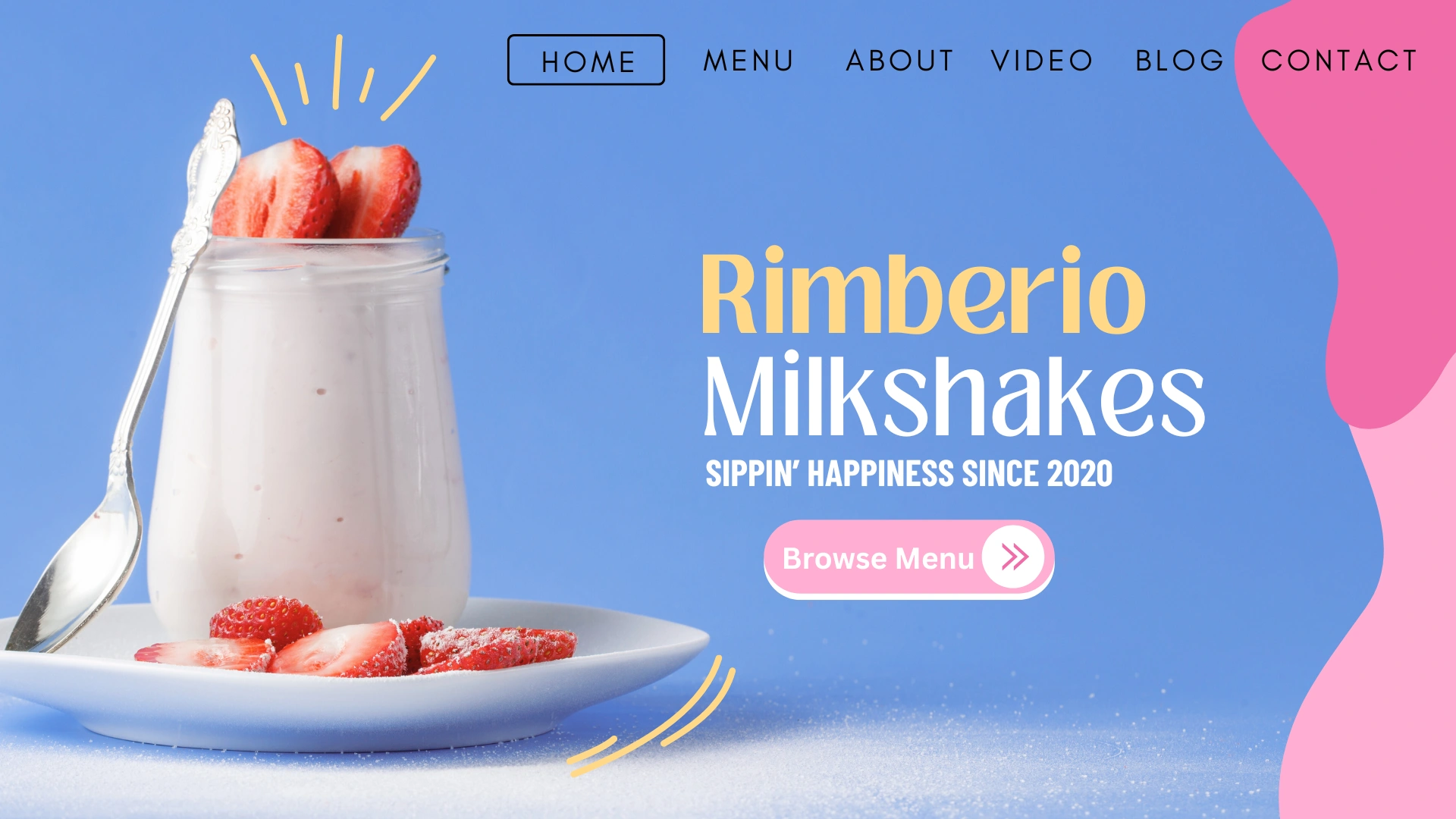
Well, a home page is the main point of entry to the website. It provides a general overview of your business and the things you offer.
It includes multiple links, using which you can navigate to various pages such as About Us, Products, Contact Us, etc.
A good homepage encourages visitors to learn more about who you are and what you do and offer.
Landing Page

On the contrary, a landing page is built specifically for encouraging visitors to convert into customers. It has a clear goal called the Call-to-action.
A well-designed landing page is devoid of the main navigation menu or links, preventing users from navigating here and there and completing the required action.
The action could be anything, from signing up with a community to making a purchase. It strictly follows a concentrated approach, which makes landing pages highly effective for driving sales and generating leads.
Essential Things to Have in Your Landing Page
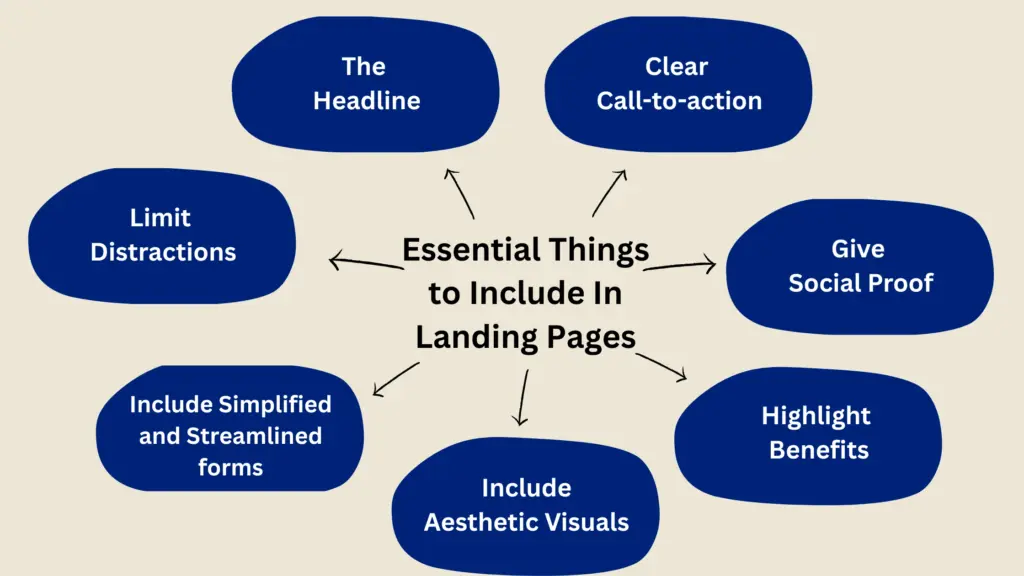
1. Your Headline
Your Headline is the first thing that any visitor would see when they land on your landing page. It needs to be catchy, and visitors should feel the need to complete the specific action.
They should instantly understand what you’re offering and why they should care about it. The value proposition should be easy to understand and powerful. It’s like your “Hook”.
2. A Clear Call-to-Action
The call-to-action is the most important part of your landing page. It’s the thing you want people to click!
It should be easy for anyone to locate, and the text on it should be crystal clear with respect to the action you desire, for example, “Buy Now”, “Sign Up”, “Start your 7-Day Free Trial”, and so on.
It needs to stand out with big, bold typography and a button or some kind of highlight to be easily visible.
3. Social Proof
What is better than social proof to convert your visitors into customers successfully? Other people’s trust is crucial to make people trust a business.
Include things such as:
- Testimonial
- Success Stories
- Case Studies
4. The Benefits
Mention the benefits of using your products or services and how they add value in the customer’s life.
5. Aesthetic Visuals
High-quality images or videos can significantly impact the customer experience, leading to increased conversions.
Make sure to include high-quality and lightweight images and videos on your website that are directly related to your product or service.
6. Simple and Streamlined Forms
If your landing page aims to collect information from your visitors, then forms are your go-to tools. You must keep the information minimal to only what is absolutely necessary.
The fewer the fields, the higher the conversion rate. Additionally, include a small privacy policy letting your visitors know that their data is safe.
7. Zero Distractions
Unlike the homepage, your landing page should not include anything that might potentially tempt the visitors to wander away.
Remove all the navigation links and buttons. Keep the text minimal and to the point. The only action you want them to take is what you ask for using your landing page.
By keeping these essential things in mind, you can convert an insane amount of leads successfully. To get the best results, it’s super important for you to know how to use WordPress landing pages.
Responsive Blocks excel in providing you with the elements to include all of these essentials in your landing pages. That too, without bloating your site! This is an ideal and smart way to use WordPress landing pages to grow your shop without the fuss.
Step-by-Step: How to Build a Landing Page Using Responsive Blocks Plugin
To build your online presence, it’s important to know how to use WordPress landing pages to drive traffic to your website and exponentially grow your business.
Step 1: Install and Activate Responsive Blocks Plugin
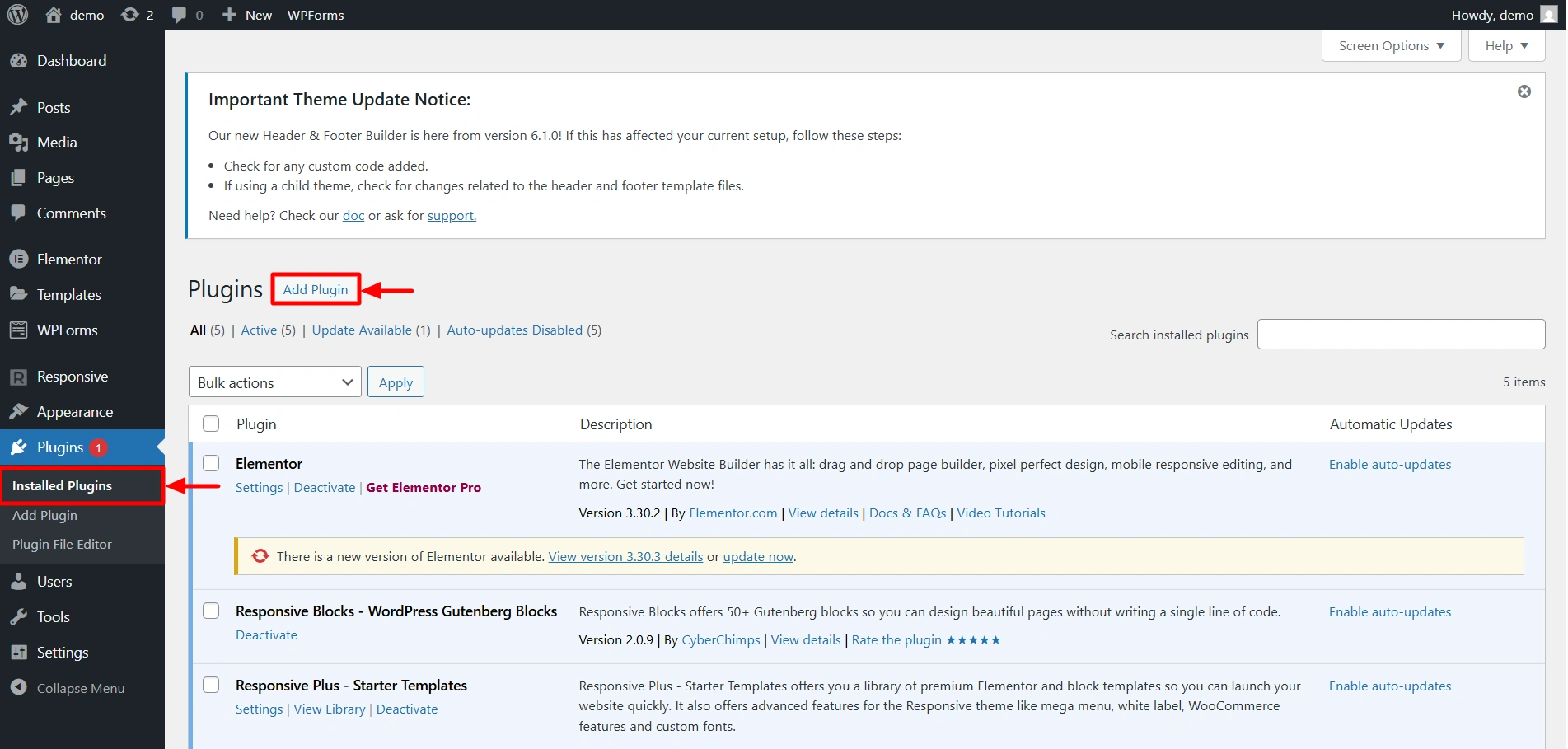
From the WordPress Dashboard, click on Plugins and click on Add Plugin.
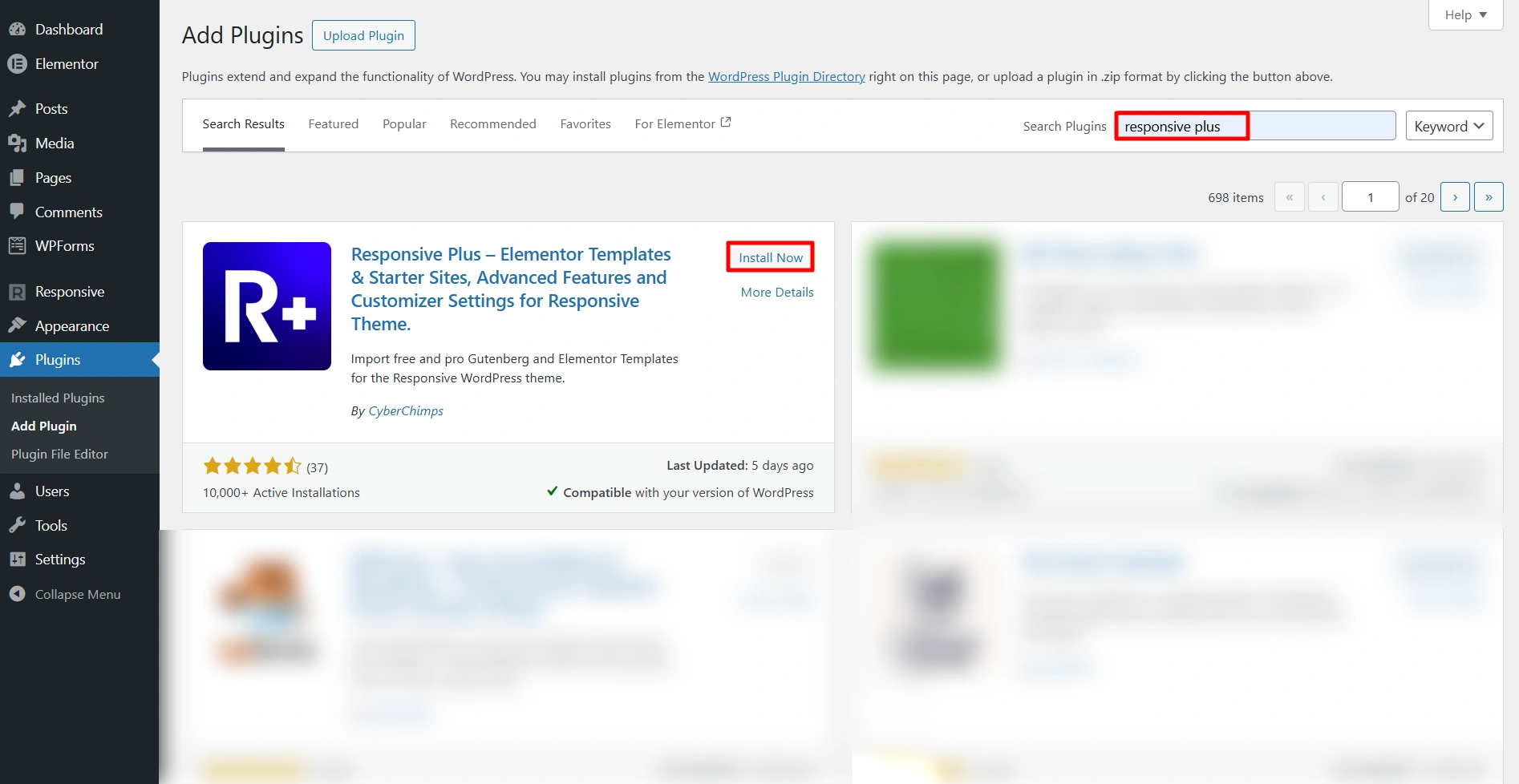
Next, in the search bar, type Responsive Blocks and you should find it in the search results. Click on Install Now to install the plugin. After you install the plugin, activate it by clicking on the Activate Button.
Step 2: Access the Template Library
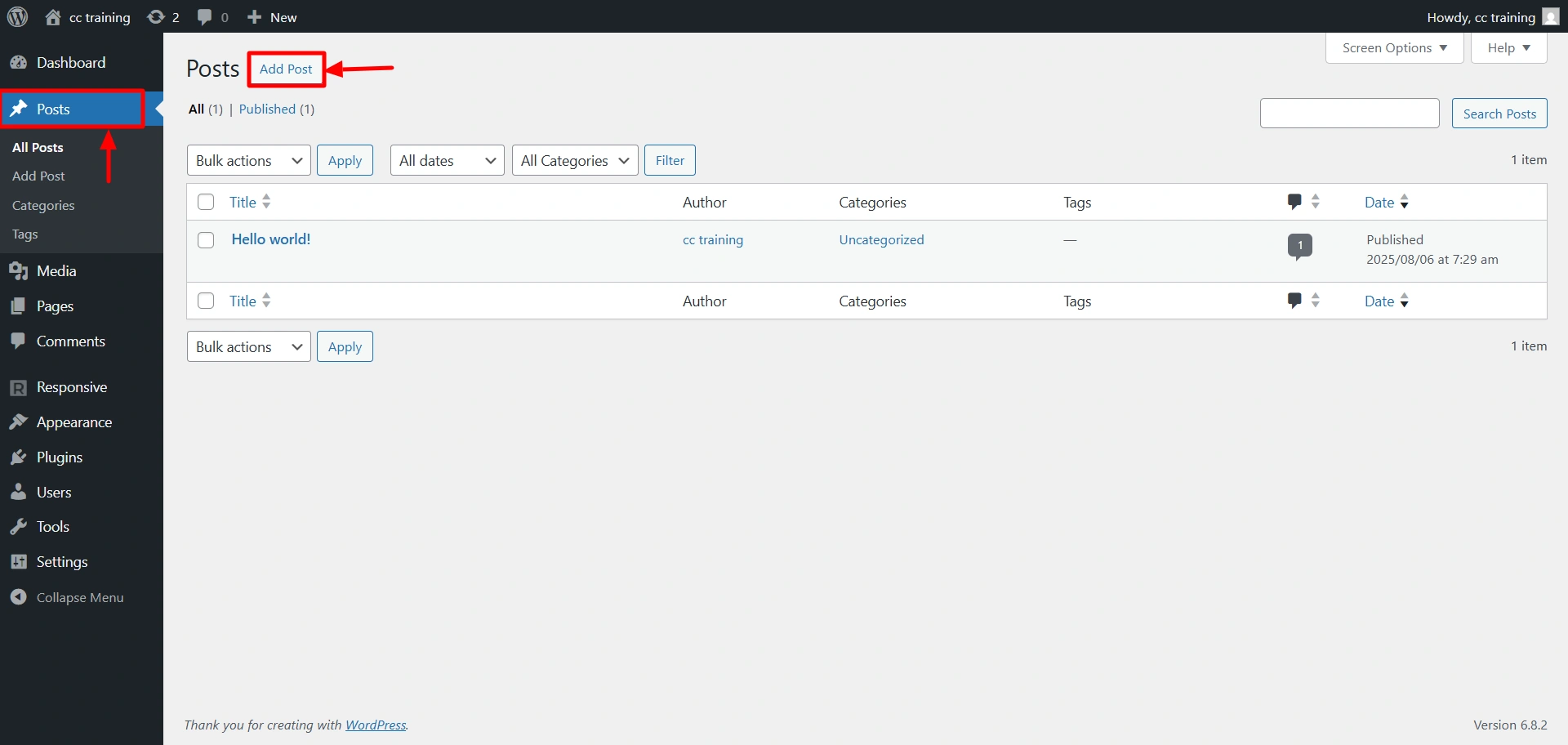
Now, we’ll learn how to access the Template Library. So first, to create a new post, click on Add Post.
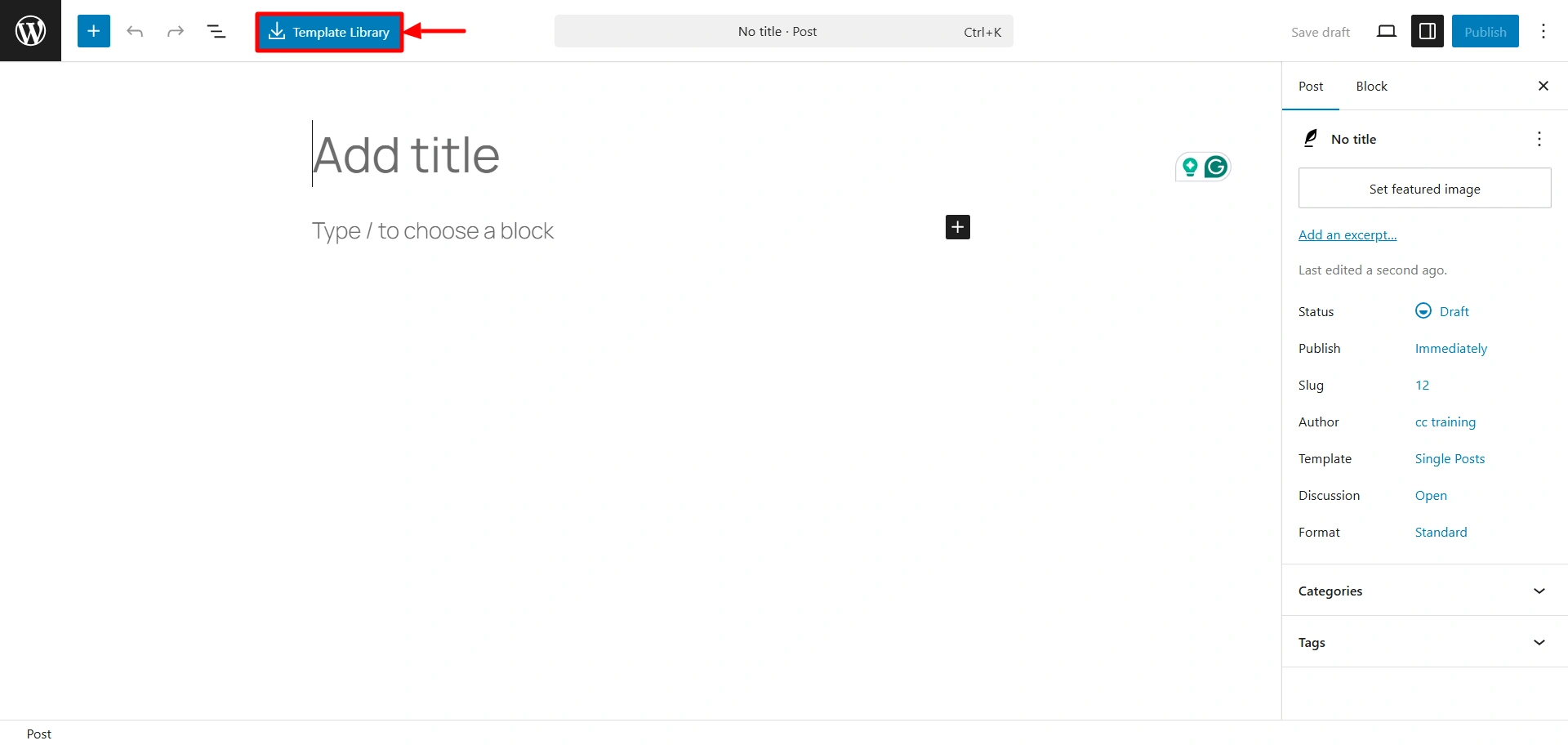
Since we want to build a landing page from the ready-made templates, click on the Template Library button.
Step 3: Choose a Template
The template library opens up and you get an assortment of templates. You can choose any template you like. Here we are going to choose the Church Free template.
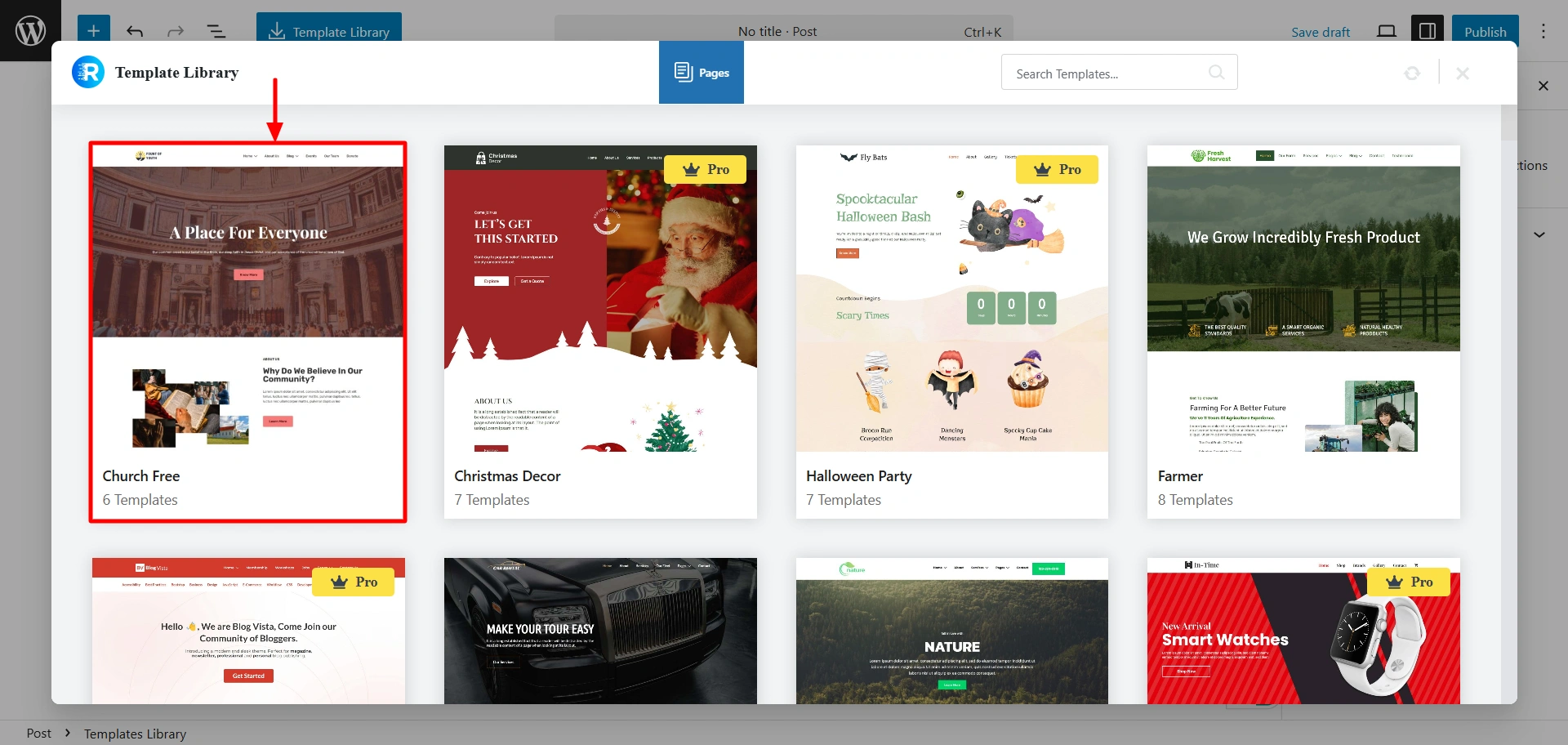
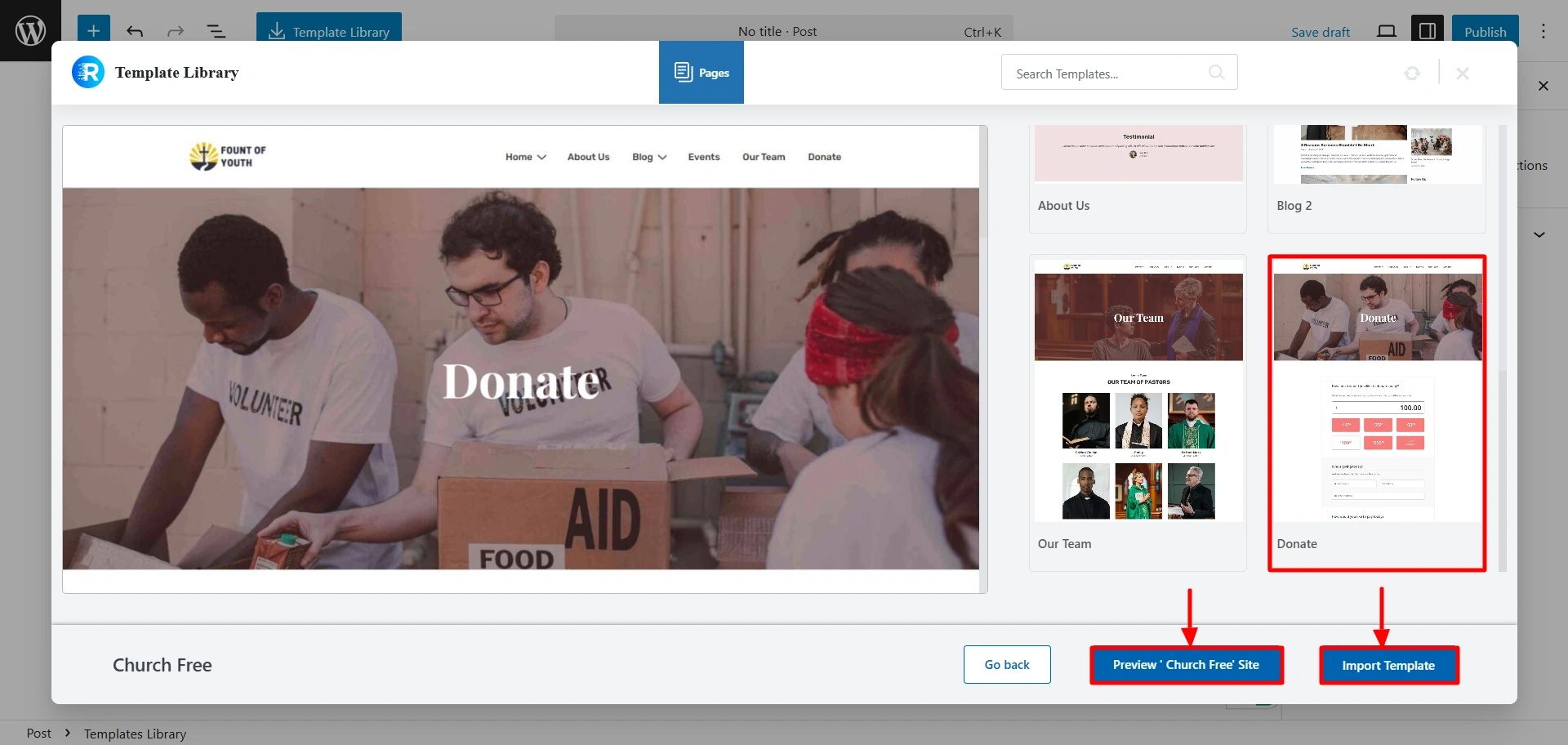
Step 4: Import Page or Entire Site
After clicking on the template, you can choose among the various pages and click on Import Template. This might take a couple of seconds. You can also choose to Preview the site before importing.
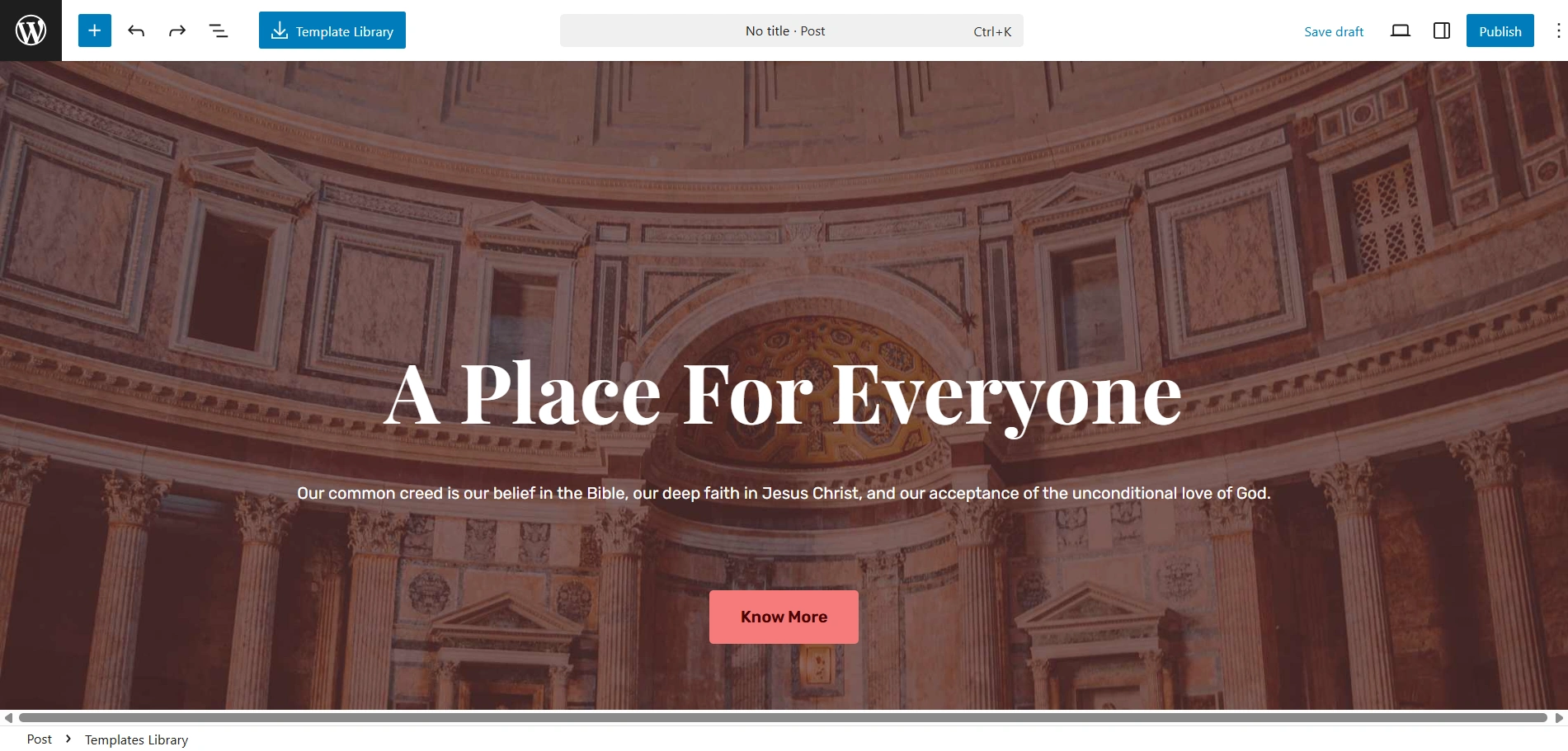
On successful import, your site might look like this.
Step 5: Customize Your Landing Page With Block Editor
Click on the + in the top left corner. The Responsive Blocks library opens up to the left. You can access over 50 blocks designed for Gutenberg Page Builder.
We can now customise our landing page with the Responsive Blocks. Here we are going to select the Testimonial Slider.
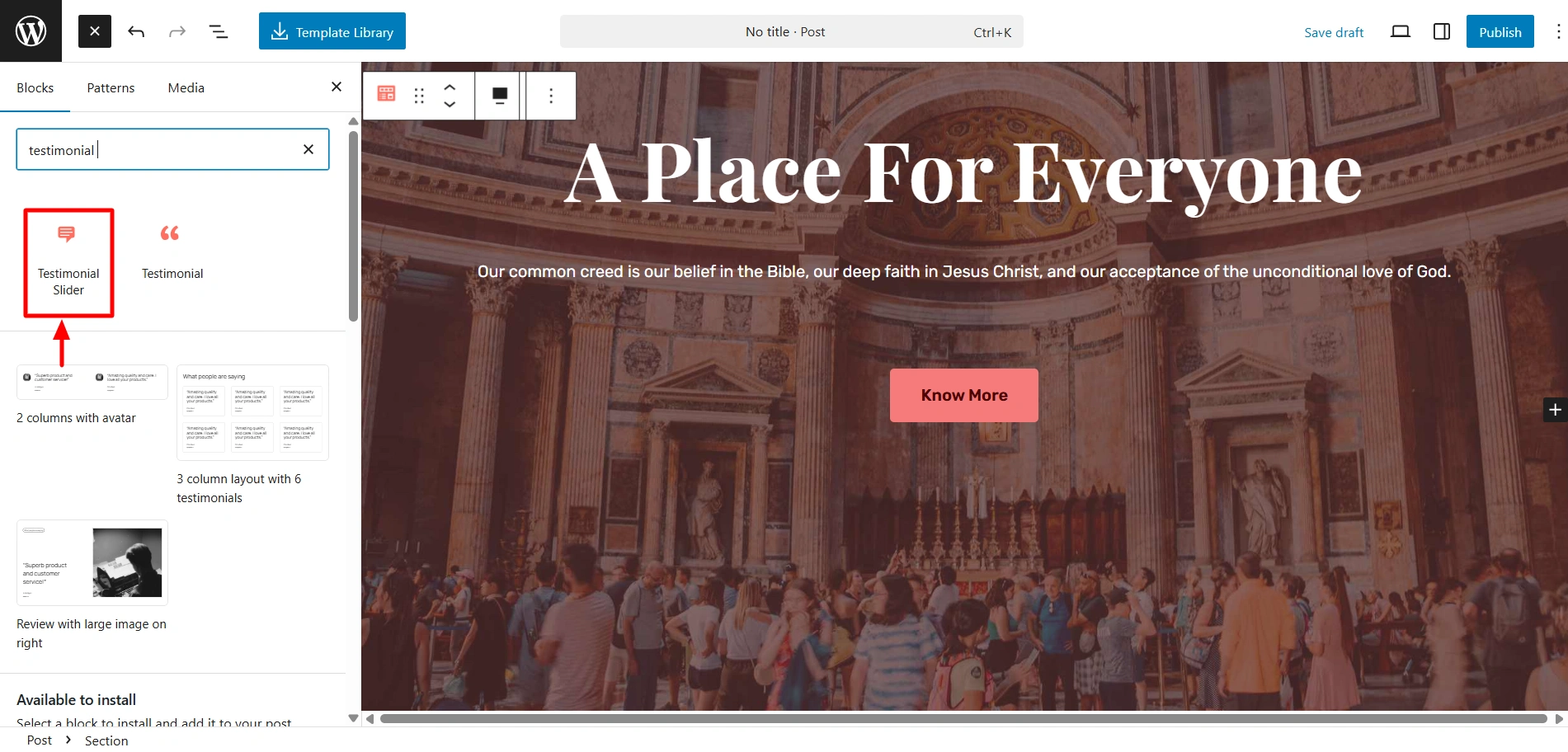
After you drag and drop it wherever you want, it might look like this.
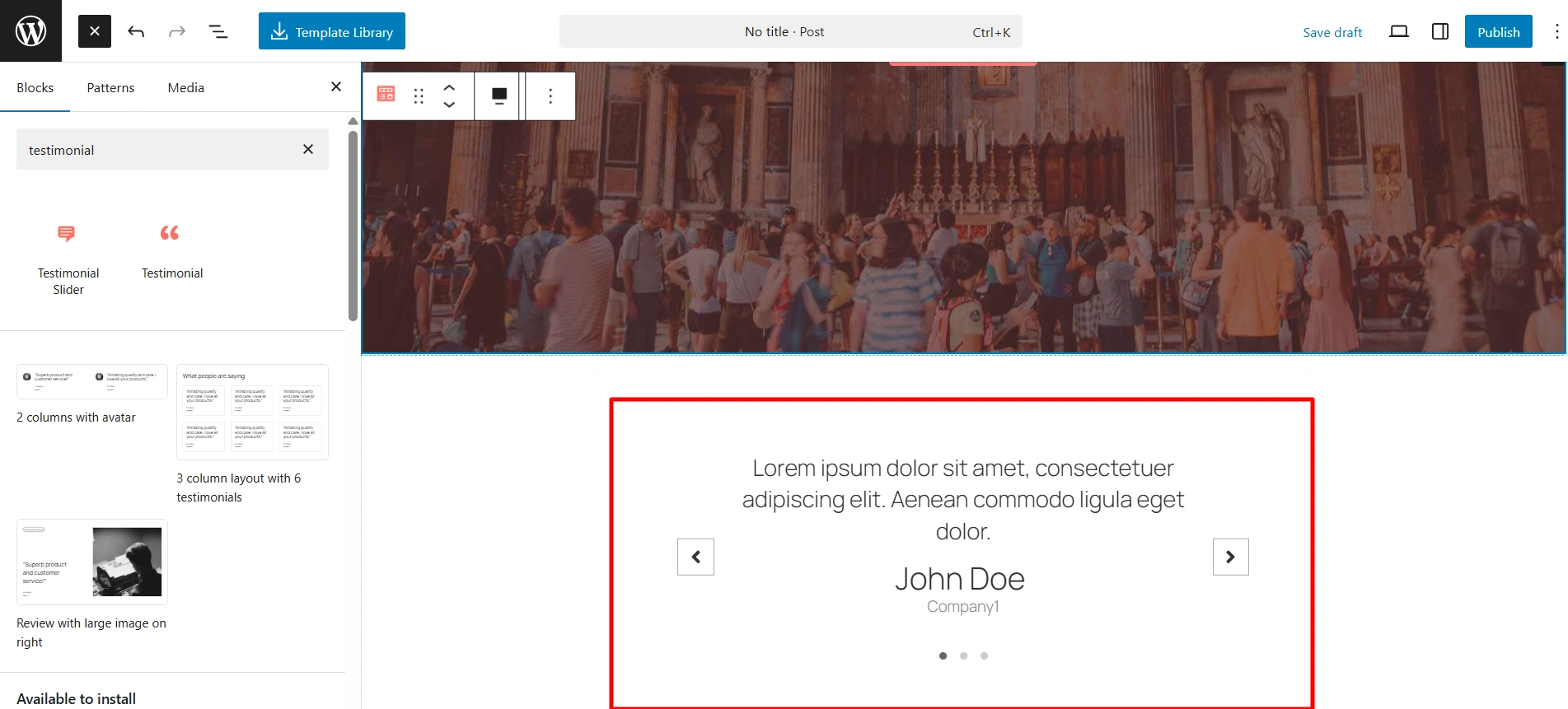
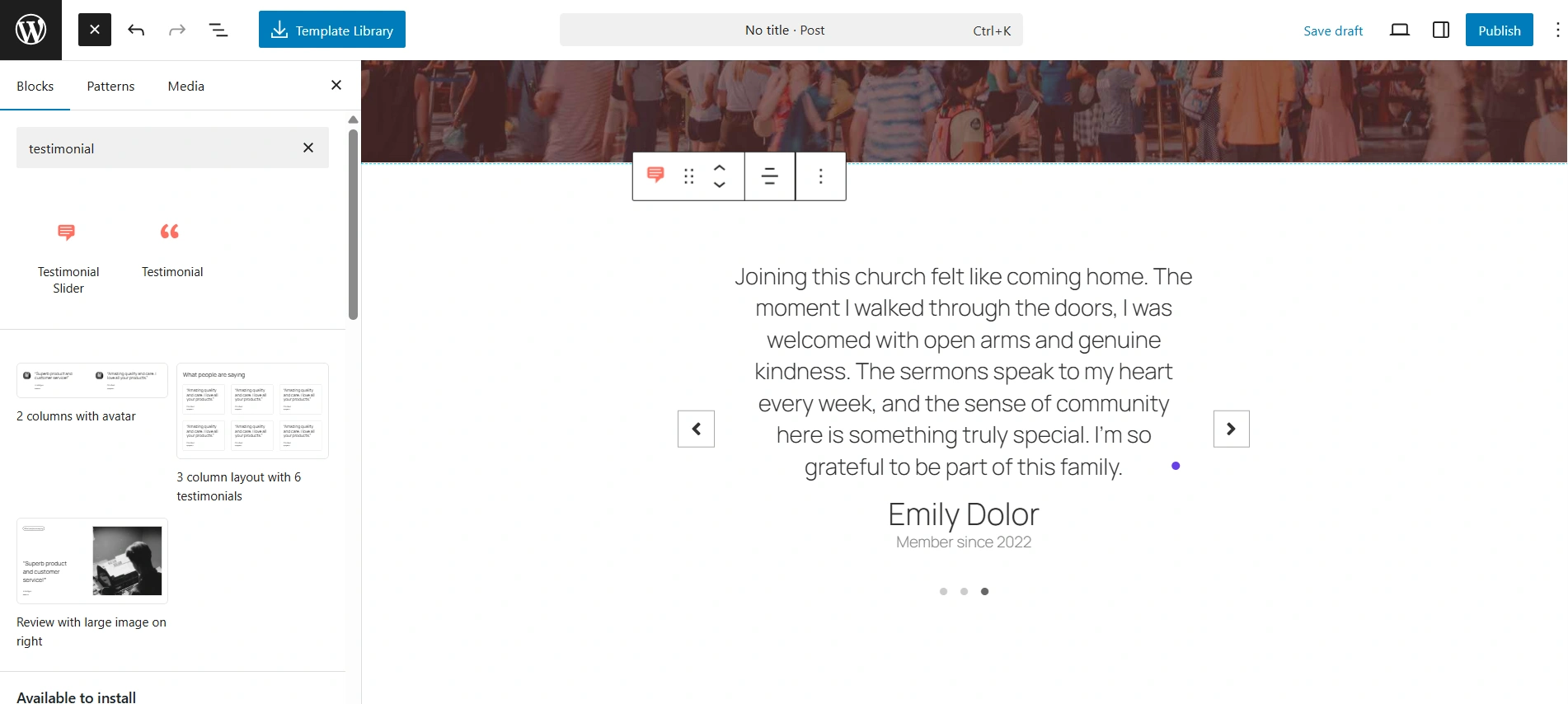
You can add your content into the block. I have done it like so.
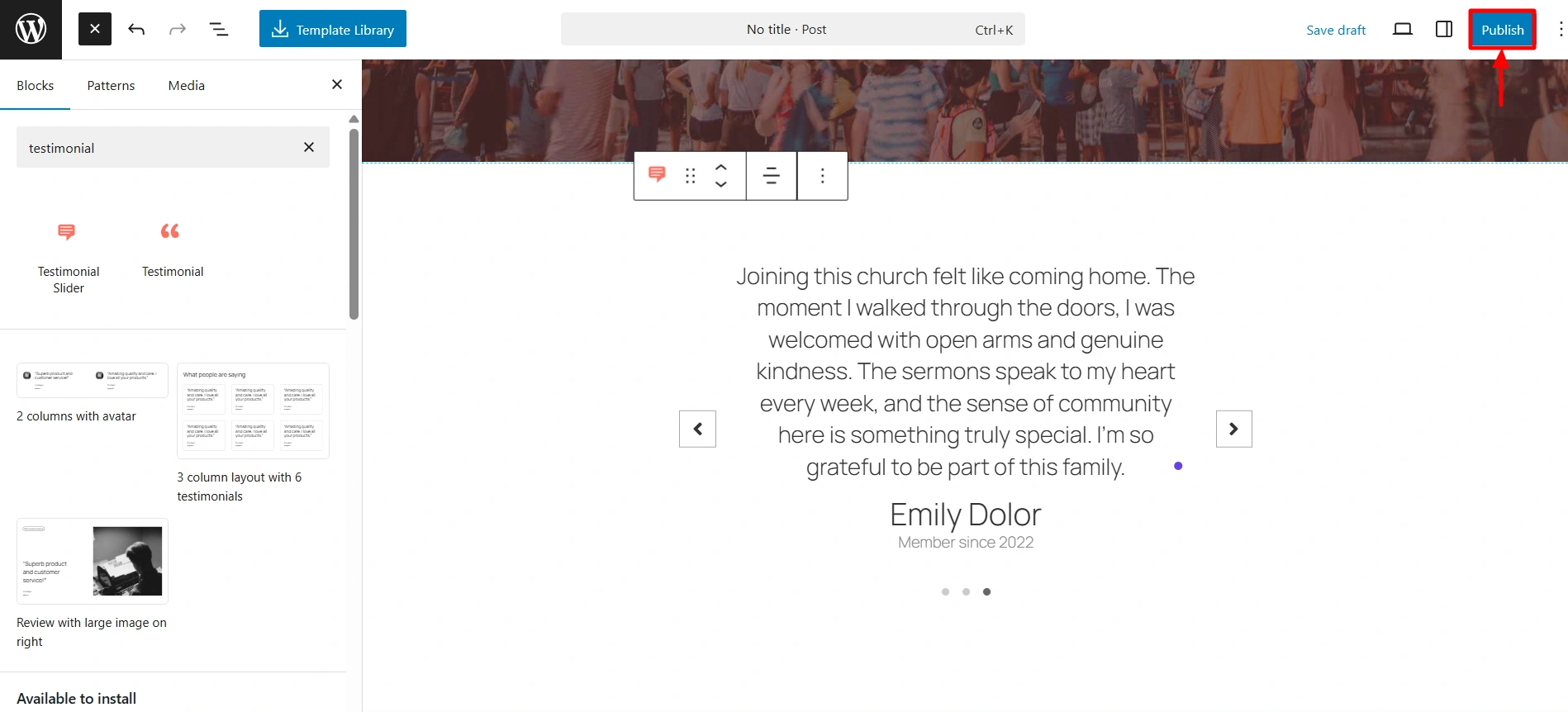
Step 6: Publish the Content
After youre done with the customisation, you can go ahead and Publish your landing page.
Wasn’t it super easy, just like I told you? Now that you have learnt how to use readymade WordPress landing pages, nobody can stop you from getting those crazy conversions!
So leverage those 50+ blocks from the Responsive Blocks plugin for a lightweight and faster-loading landing page.
FAQ
The Cyberchimps Responsive Blocks Plugin is a free WordPress plugin that adds functionality to your WordPress native Gutenberg Editor. It offers 50+ blocks for Gutenberg, such as Pricing table, Testimonials, Count Down, Call to action, and many more. It gives you a powerful toolkit to build your landing pages within the WordPress Editor.
Absolutely! The Responsive Blocks include a “Template Library” feature in the editor that allows you to download Gutenberg landing page templates within a few seconds. This feature saves time, gives you a starting point, and makes it beginner-friendly.
Not at all! The Responsive Blocks plugin works seamlessly with the native Gutenberg Editor. This enables you to skip out on other heavy plugins and editors. Using Responsive Blocks keeps your page lightweight and loads fast, which is absolutely essential for sales conversions and good performance.
Hell yeah! Responsive Blocks is specifically designed for users who prefer to use the native WordPress Gutenberg Editor. It integrates seamlessly with Gutenberg and adds functionality to it. All of this, while keeping everything super lightweight and fast, which is essential for SEO.
Additionally, it provides a huge scope for customisation and flexibility in design. It is an ideal choice for those who do not want the complexities of using other third-party editors and plugins.
Conclusion
You must have now learned to use WordPress landing pages with the Responsive Blocks plugin, and realised how easy it is to use.
The days of struggling with slow and heavy page builders and the hassle of spending a fortune on design are now long gone.
This handy plugin enables you to utilise the native WordPress editor, along with giving you access to a vast template library to import and create pages and blocks.
This helps you save a lot of time and create awesome landing pages that are high-performing and SEO friendly.
So don’t miss out, go ahead and install the plugin to start creating exquisite landing pages that don’t just look great but give greater results.
Further, if you liked this article, you can also consider reading:
- How to Add Custom Fonts in WordPress – 3 Best Methods for 2025
- 21 Best Lifestyle WordPress Themes for 2025
- Responsive Addons for Elementor Vs Happy Addons for Elementor
Consider checking out the Cyberchimps Responsive Theme if you want to build a WordPress website





