
Summary
The article introduces a new Optical Store starter template for WordPress. It highlights its design, layout, and key sections tailored for optical businesses.
It also explains how the template helps quickly build a professional site with pre-built pages and styles.
Want to learn how to make an optical store website for your business?
In today’s digital era, having a strong online presence is super crucial if you have a business and want to grow it. A nicely designed website not only showcases your products and services but also builds trust and credibility.
But building a website from scratch can be quite overwhelming and expensive if you’re not from a tech background. The process of hiring a developer, creating layouts, and adding code can be really daunting.
This is where the Optical Store Starter Template by Cyberchimps comes in handy. It is a ready-made template in the Responsive Plus – Starter template plugin. It offers 250+ ready-made templates, out of which 100+ are compatible with the Gutenberg Page builder and 150+ are compatible with Elementor.
In this article, we have guided you on the step-by-step method to create an optical store website using the Responsive Plus – Starter Templates plugin.
So roll up your sleeves, grab a coffee, and let’s dive in!
Responsive Starter Templates is the best plugin to import Website Templates – Get it for free.
What is the Responsive Starter Templates Library?

The Responsive Starter Templates library is a collection of professional-looking pre-built WordPress websites that can be imported with just a single click.
It’s like having a wardrobe full of ready-to-wear clothes for your website. Instead of building everything from scratch, you can simply choose a template that you like, import templates from this library, and customise them to your liking.
It is a part of the Responsive Plus – Starter Templates plugin by Cyberchimps for WordPress, which offers over 250 ready-made templates for both Gutenberg and Elementor (100+ for Gutenberg and 150+ for Elementor).
Notable Features
- One-click import: The starter templates plugin enables you to import ready-made templates in just one click, and you’re free to start customising them.
- Page Builder integration: The templates are compatible with both Elementor and Gutenberg. You get 100+ Gutenberg templates and 150+ Elementor templates. You can drag and drop blocks and widgets to create your dream website.
- Custom fonts: The plugin gives you an option to upload and use custom fonts. This enables you to match your website’s typography.
- Site Builder: The site builder feature lets you display separate headers and footers for individual pages on your website, which is a great feature if you want to add a custom header for, let’s say, a new product launch or a discount.
- Mega Menu: You can easily create visually appealing mega menus for your website using the mega menu builder in the Responsive Plus – Starter Templates plugin.
- Whitelabelling: It offers a whitelabel feature that lets you add your own company’s logo, name, and branding. As a result, it helps you deliver a fully customised website to your visitors.
- WooCommerce integration: Responsive Plus plugin offers integration with WooCommerce, which allows advanced customisation of product page layouts, fonts, colours, and so on, within the WordPress customiser.
- Mix-and-Match functionality: You don’t necessarily have to import an entire site. You can import specific pages to your website and customise them. This allows you to mix-and-match layouts.
- Fully Responsive: The templates are fully responsive, which means that your site looks good on desktop as well as on a mobile device.
Additionally, every starter template is lightweight and SEO optimised, which makes it load super fast and increases its ranking on search engines. Hence, it is perfect for an optical store website as it offers a perfect blend of design and functionality.
Key Sections of Optical Store Starter Template
The optical store starter template from the Starter Templates library is nothing short of an exquisite multipage website, with multiple crucial pages such as the Homepage, About Page, Shop, and more.
1. Homepage with featured eyewear slider and promo banners.
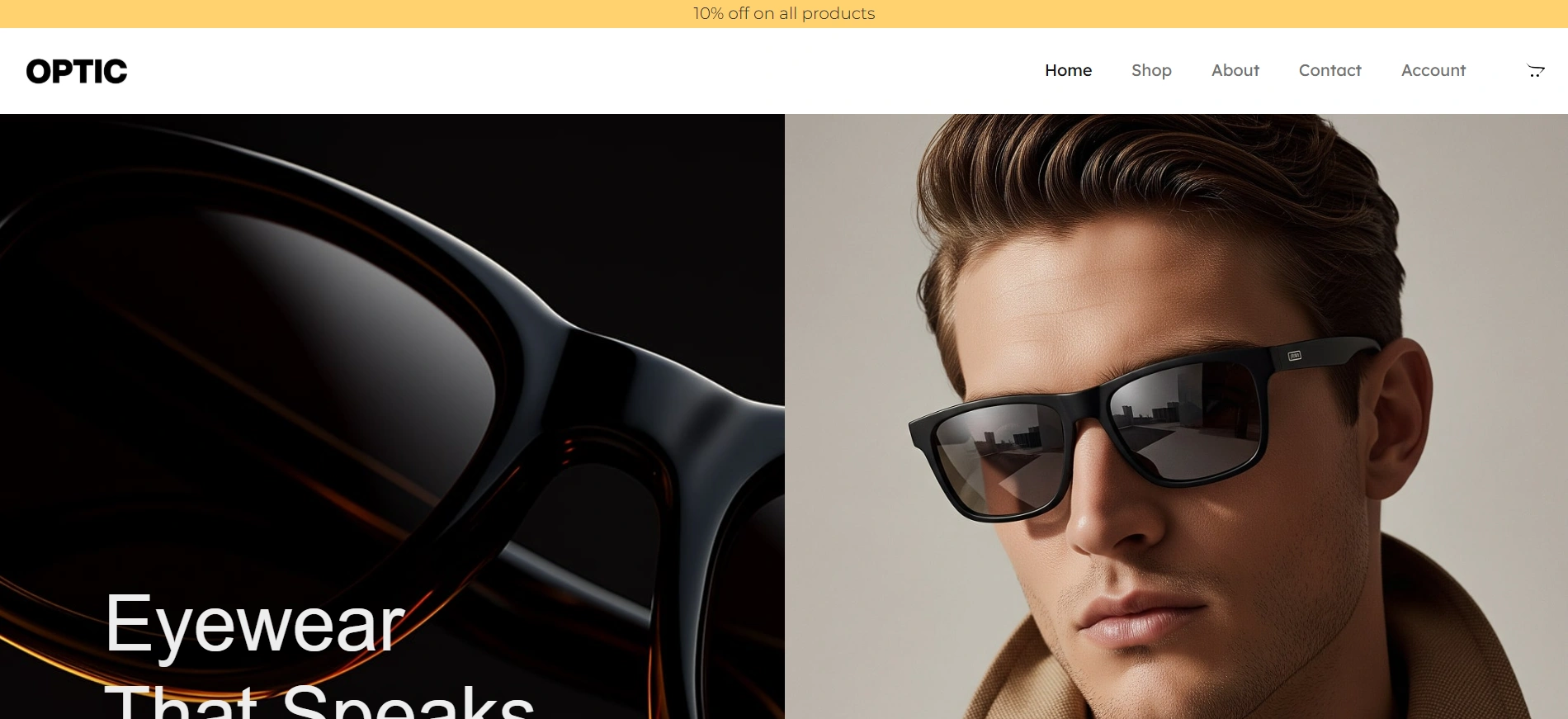
The homepage is the first thing that any website visitor sees. Hence, it has to be stunning and catchy at first glance. This is exactly what this template’s homepage is. It grabs attention immediately with a clean and modern layout.
It features a prominent slider to showcase your positive feedback. Additionally, it enables you to showcase various categories of your products in an aesthetic way.
You can also mention your upcoming or ongoing offers, such as “Buy 1 Get 1” in the header section, apart from having a dedicated section for promo codes or coupons below the testimonial slider.
Apart from this, it has space for stunning, high-quality images that make a statement on your site.
2. Shop or product catalog page.
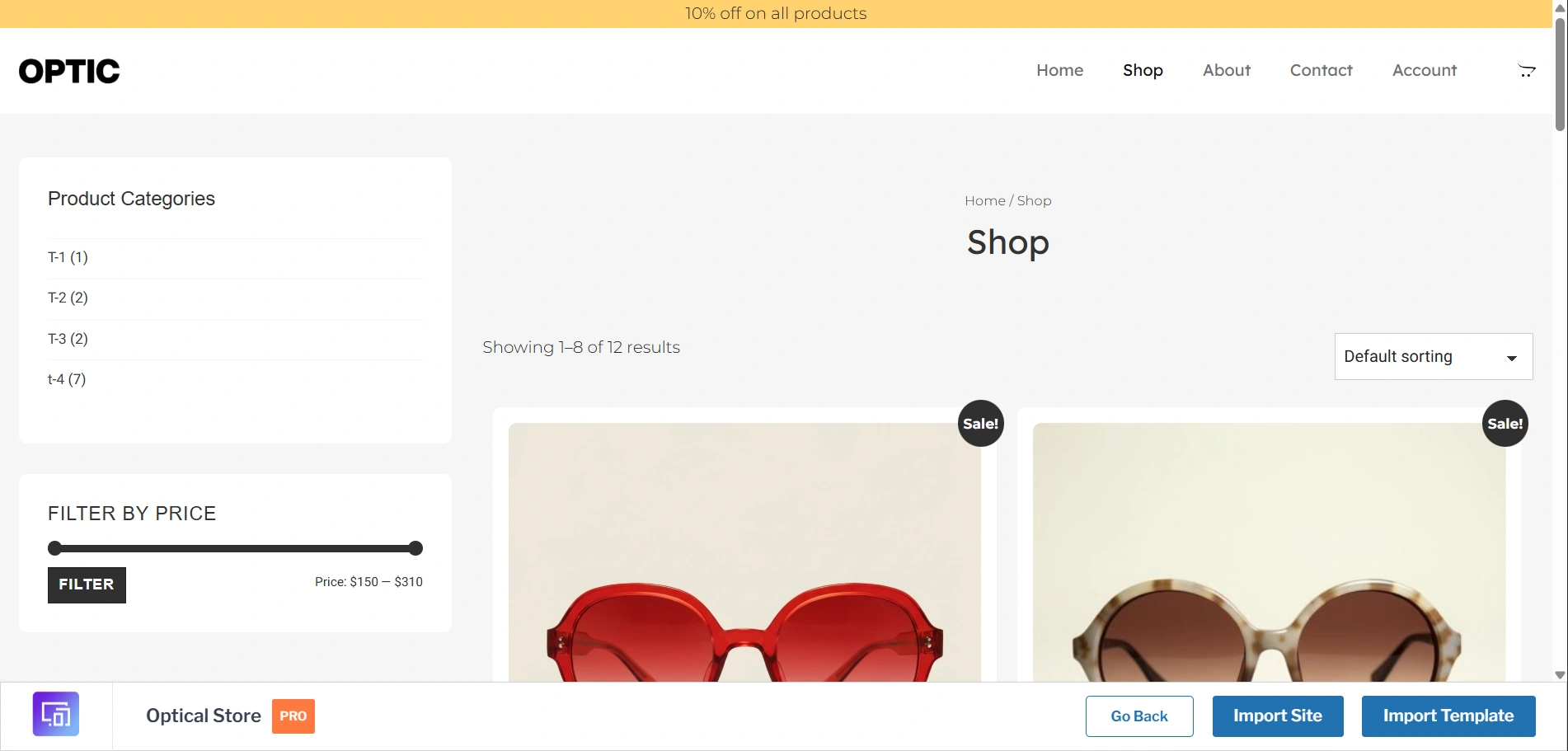
The shop page is usually where the magic happens. This starter template offers a product designed with a sophisticated catalog page that simplifies browsing and shopping.
With WooCommerce integration, you can display your entire inventory, complete with high-quality product images and their descriptions, pricing, and filtering options in the sidebar.
It features a clean and intuitive design, ensuring a smooth and breezy shopping experience for your customers.
3. About page showing the optometry staff.
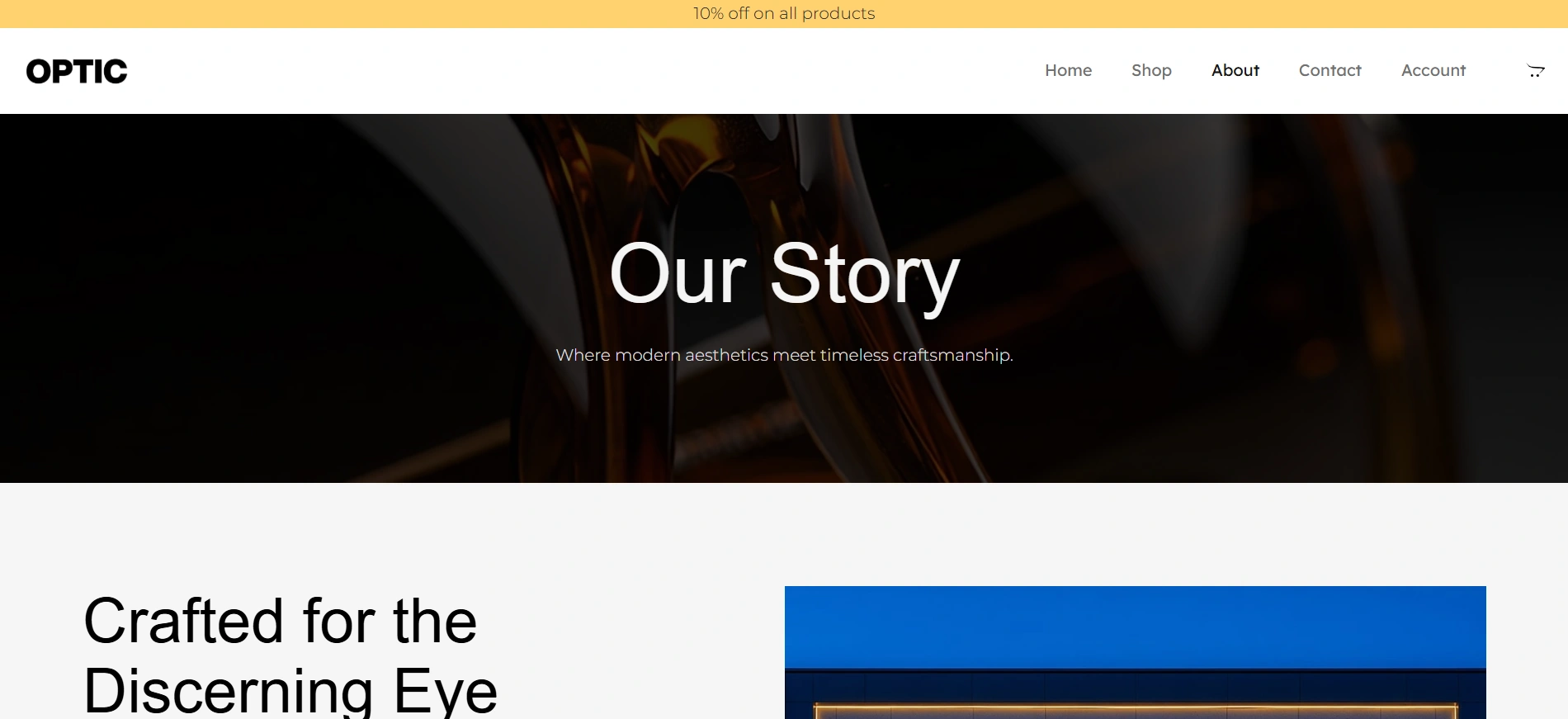
This optical store starter template offers a clear About page where you can highlight your brand values, brand story, the journey, goals, and missions. It also includes sections in which you can showcase your employees and their social media.
Last but not least, this page also includes a testimonial slider to effectively showcase the positive feedback you’ve received from your customers. This helps build trust and confidence, making potential clients more comfortable choosing your shop for their optical needs.
4. Contact page with hours and maps.
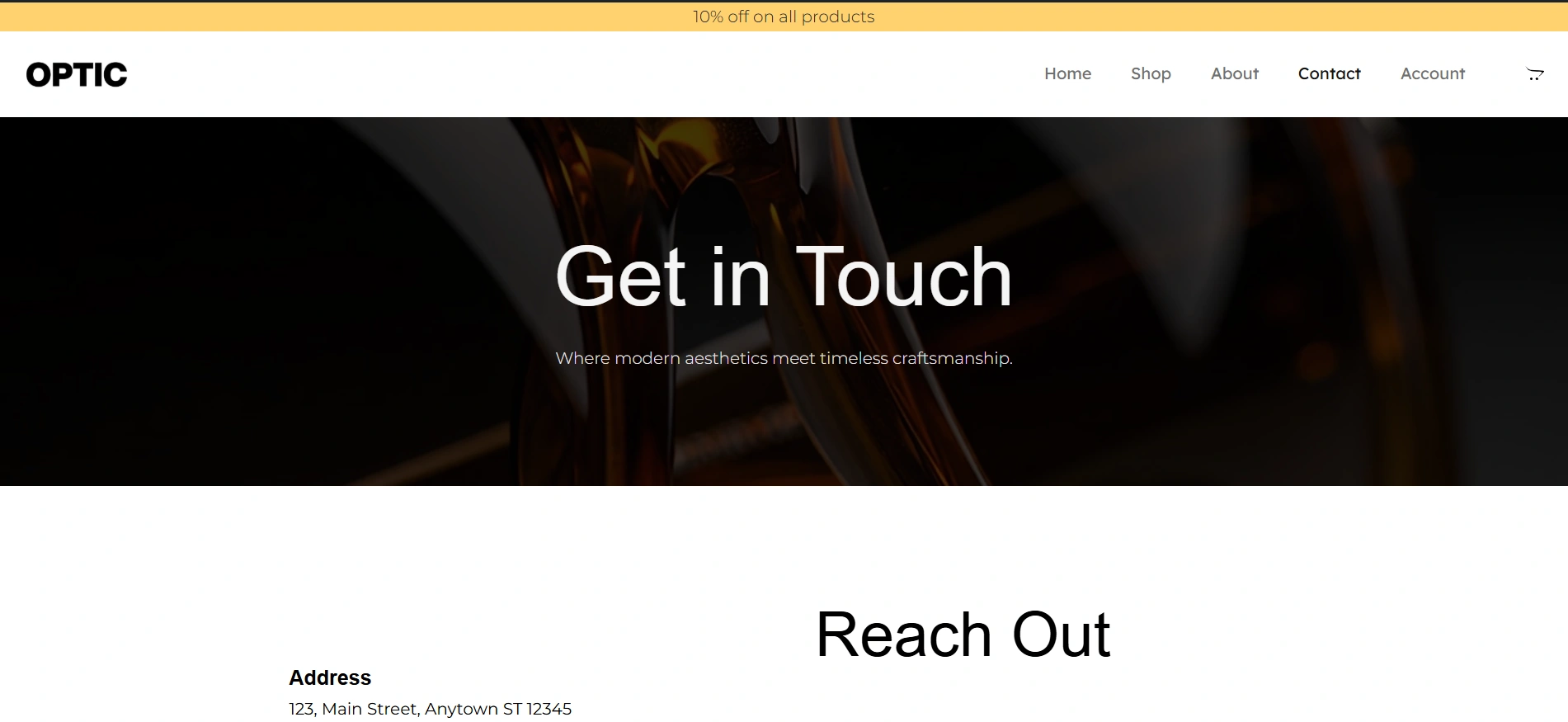
The contact page is a clean, to-the-point page with all the contact details required to get in touch with the business. It also mentions the hours that the store is open.
You also get a section to list down all of your frequently asked questions in a systematic manner.
Most importantly, this page makes finding the store easy by providing you with a Google Maps block, so that users can look up stores nearest to their location and make their navigation easy.
Why It’s Perfect for Optical Stores
If you want a professional-looking website, without having to hire a developer, and without the high cost and high development time, the Optical Store Starter Template is the ideal fit.
Here’s why this template is the perfect solution for your business needs:
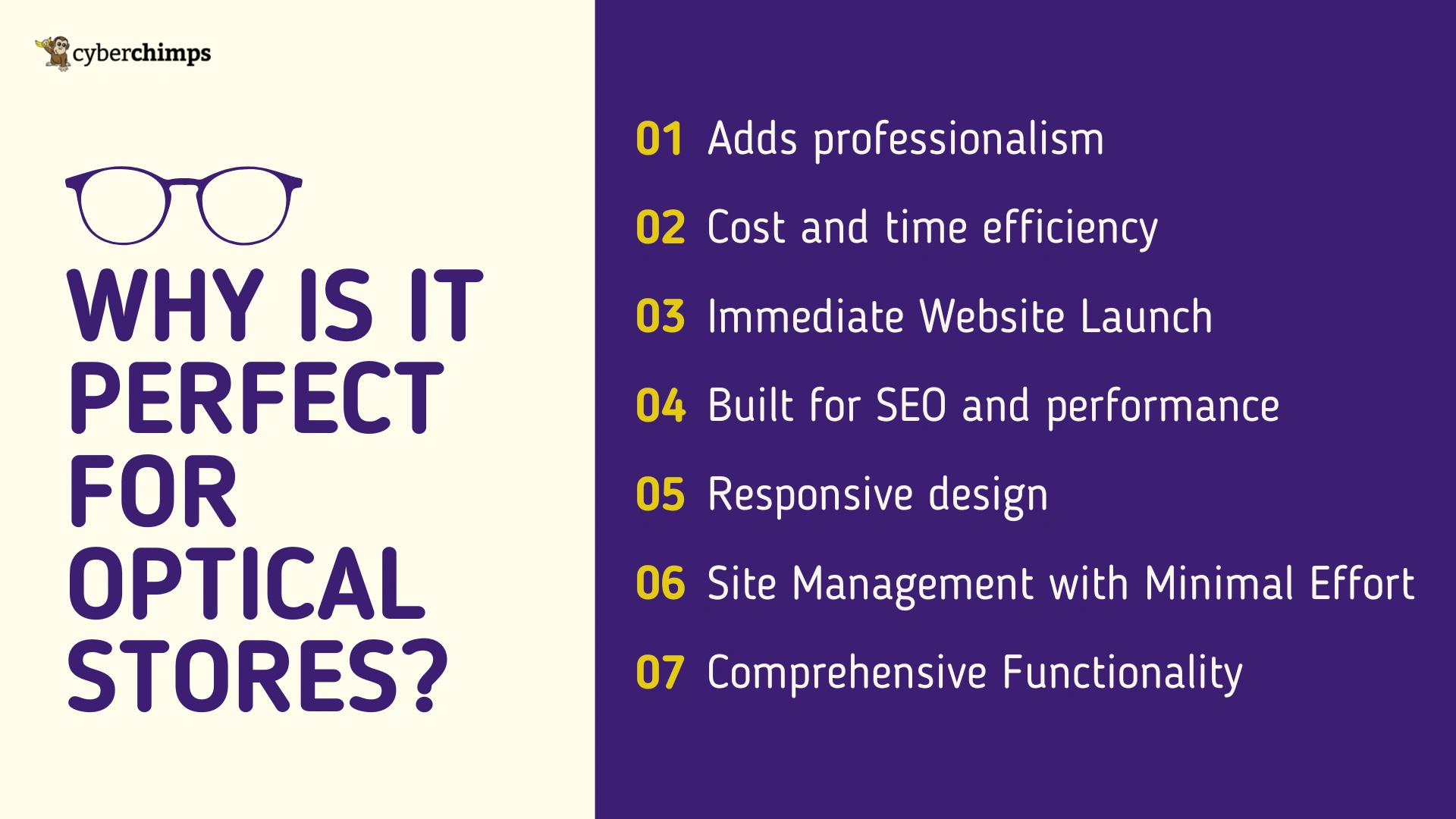
1. Adds professionalism
The optical store starter template positions you as a professional with a polished and trustworthy online presence.
2. Cost and time efficiency
Using the ready-made starter template, you can easily create websites in just a few minutes. You can skip the hassle of hiring a developer, purchasing expensive plugins, and creating custom designs.
3. Immediate Website Launch
With this template, you can set up a full-fledged online store and a professional brand without getting overwhelmed and stuck. You don’t have to worry about designing pages or coding just import the template, customize it according to your needs, and you’re ready to go.
4. Built for SEO and performance
The template is made with clean and minimal code, enabling it to run super fast and smoothly. As a result, it plays a huge role in improving the ranking of your site.
5. Responsive design
The optical store starter template is fully responsive, which means it works well on mobile and desktop.
6. Site Management with Minimal Effort
Since the template is built on WordPress and is compatible with popular page builders such as Gutenberg and Elementor, you can easily manage and update your site without needing a developer. Adding new products to your shop page, changing a product description, or updating your team’s bios is as simple as a few clicks.
7. Comprehensive Functionality
This template has everything an optical store website could ever need. From the product shop page with filtering options, service information, appointment booking, and contact details, it has it all! This cohesive and beautiful website is a holistic approach that ensures your site is both visually appealing and highly functional.
Additionally, you can get maximum benefits if you use these templates with the Responsive Theme by Cyberchimps.
How to Import the Optical Store Starter Template
1. Install CyberChimps Responsive Theme
The first step to create an optical store website with WordPress would be to install a theme. We will install the Responsive Theme by Cyberchimps.
Below are the steps to install the Responsive theme.
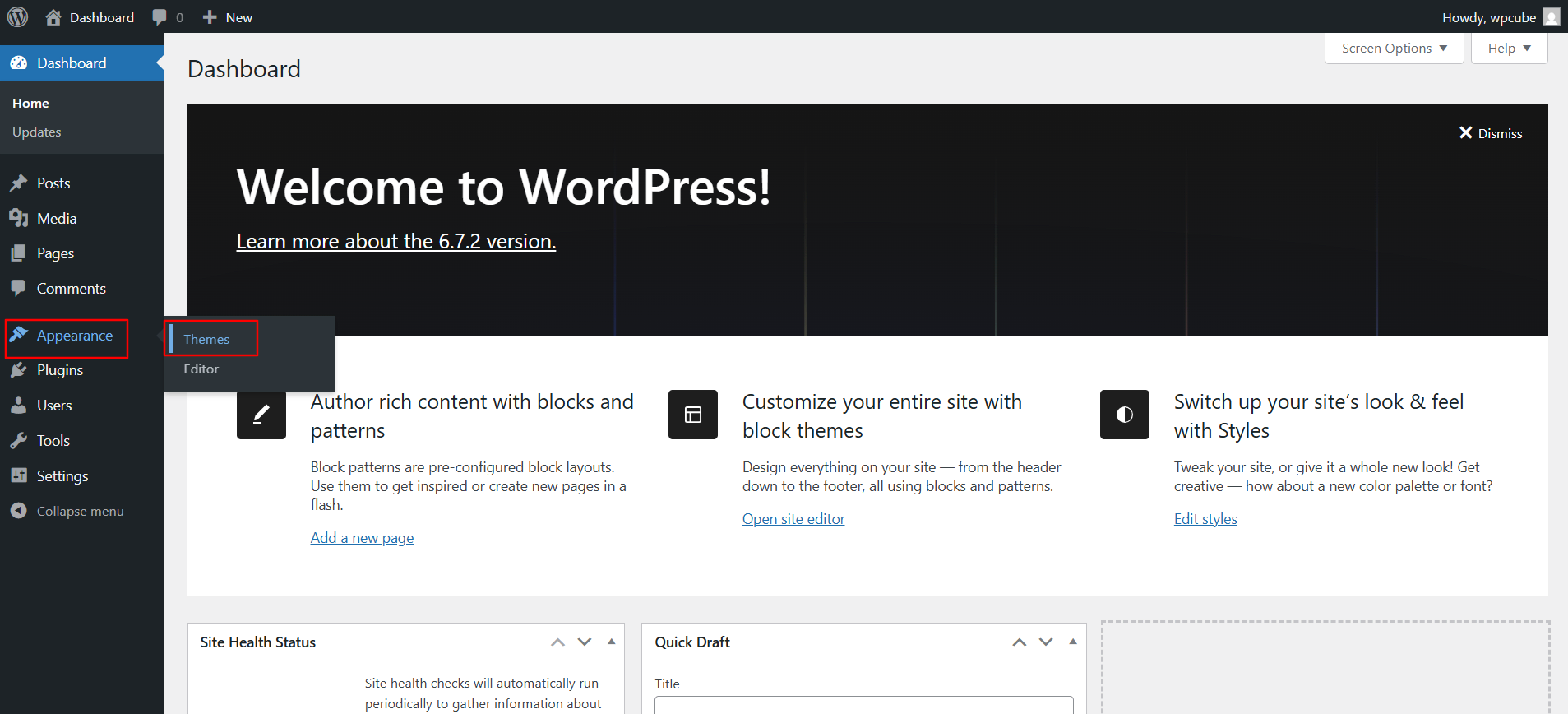
From your WordPress admin dashboard, navigate to Appearance > Themes.
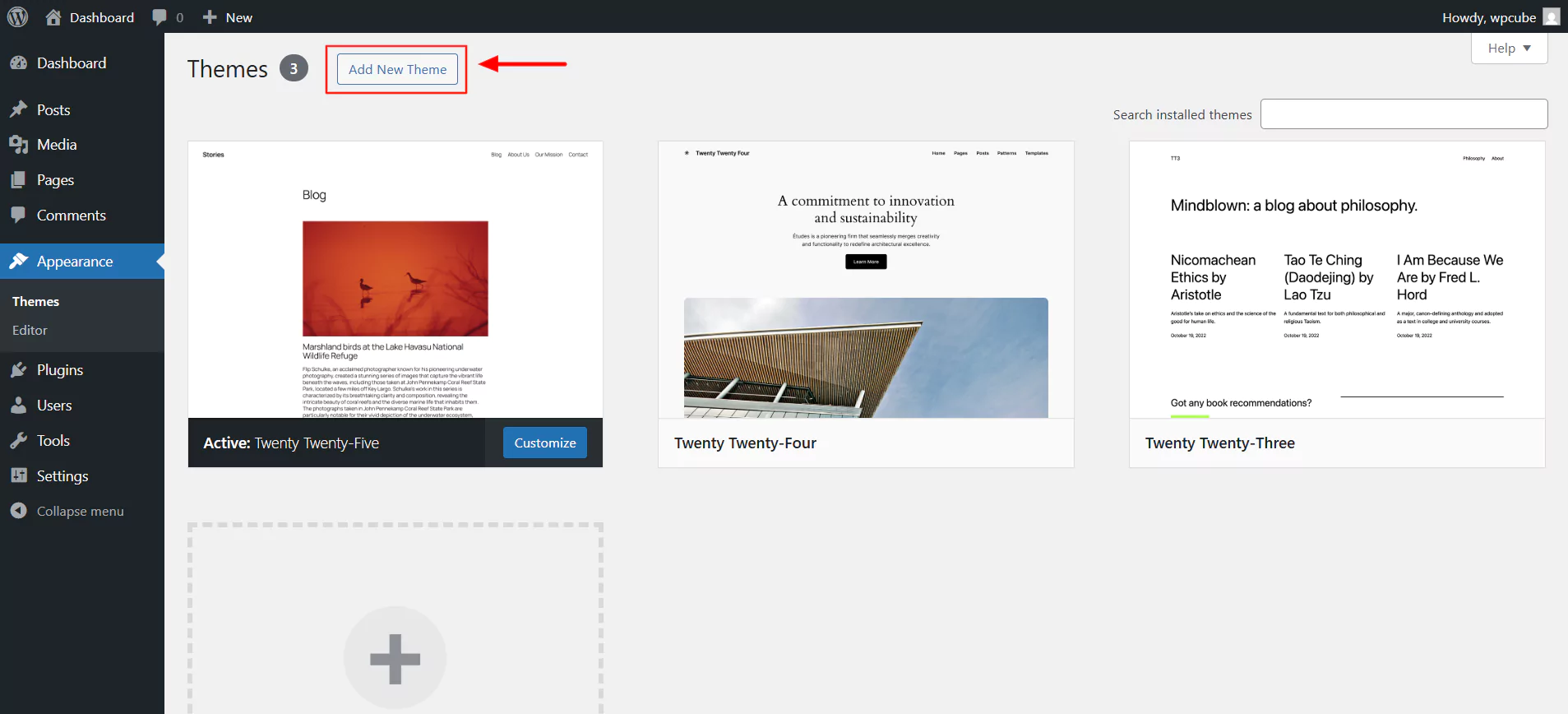
Next, click the Add New Theme button at the top.
In the search bar, type Responsive and click on Install.
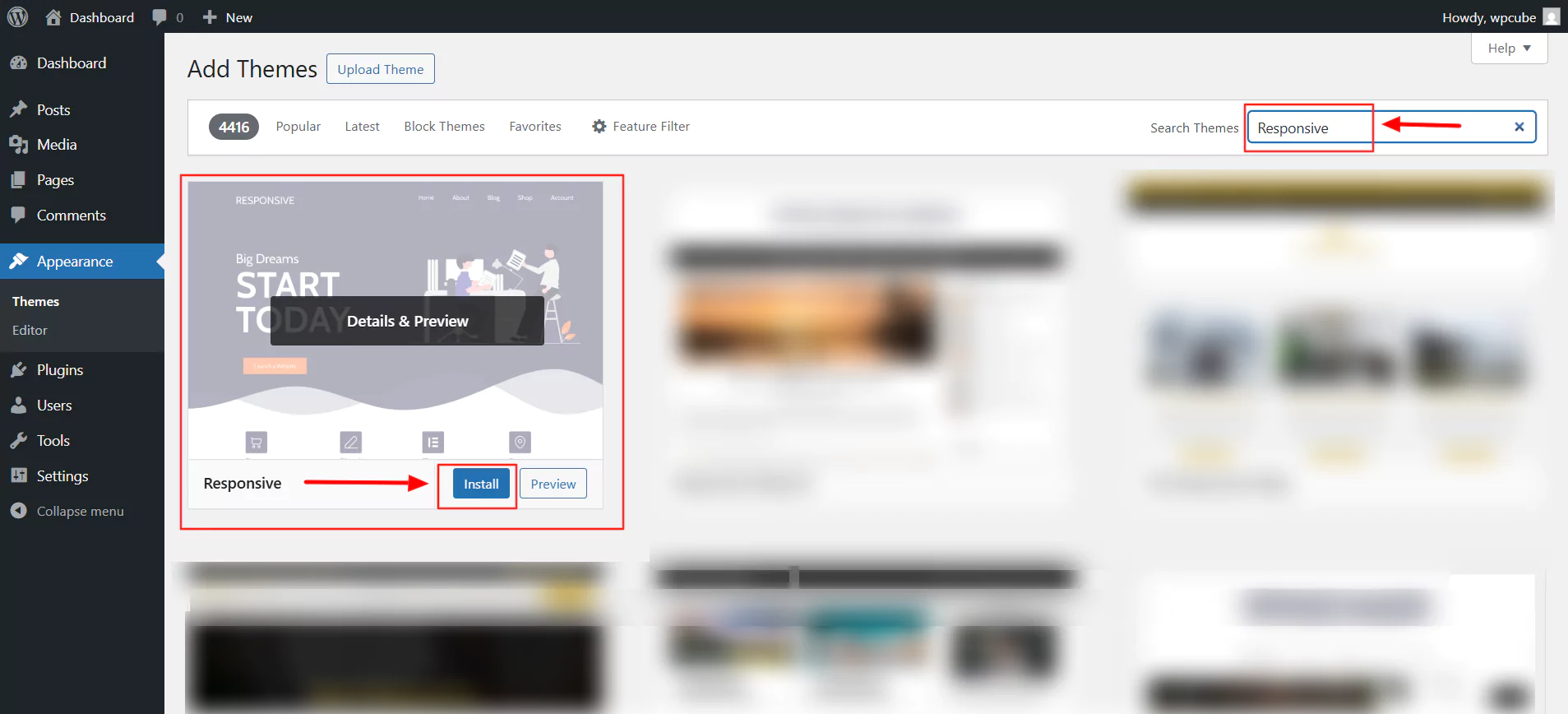
Next, click on Activate.
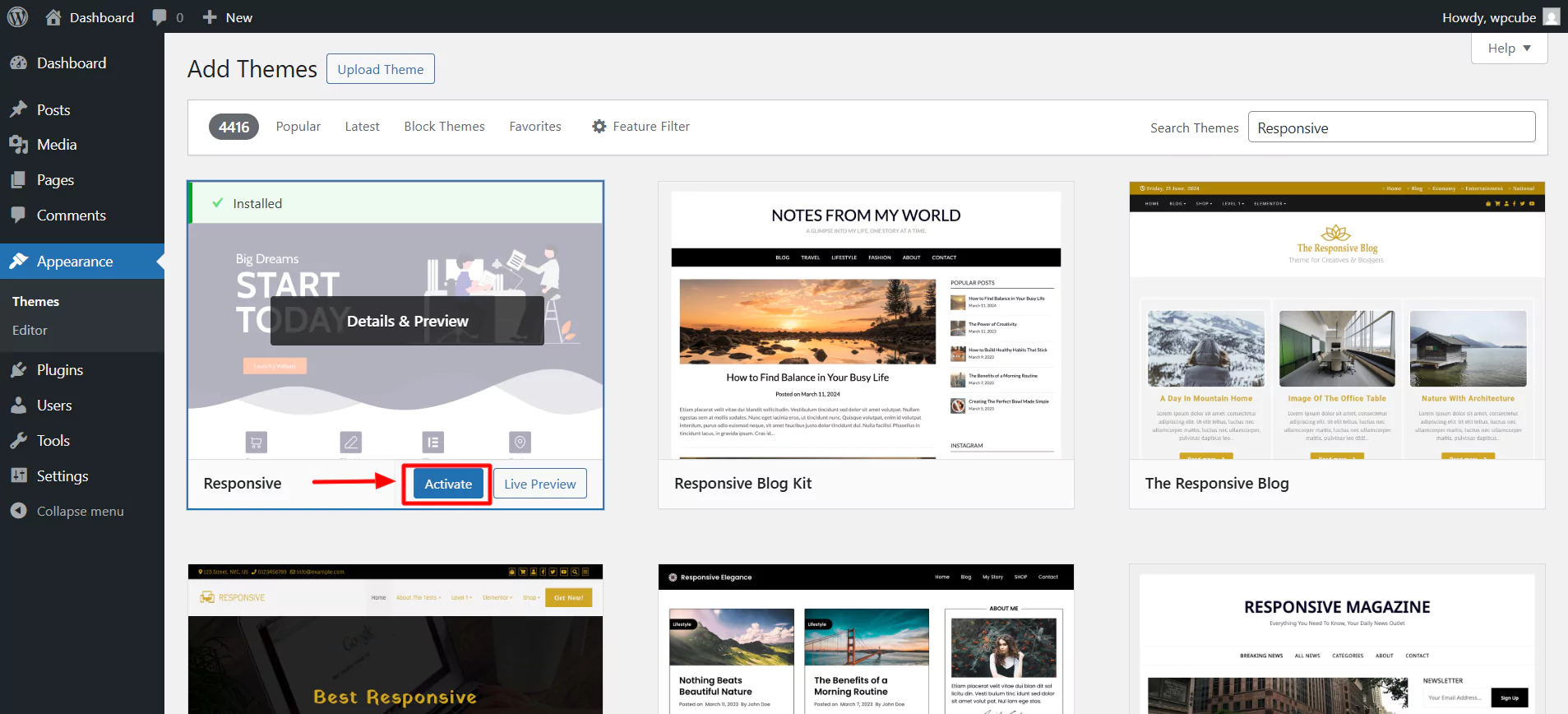
There you go! You have now installed the theme.
2. Install and activate the Responsive Plus – Starter Templates plugin.
The second step to creating your site would be to follow these steps to install the Responsive Plus – Starter Templates plugin.
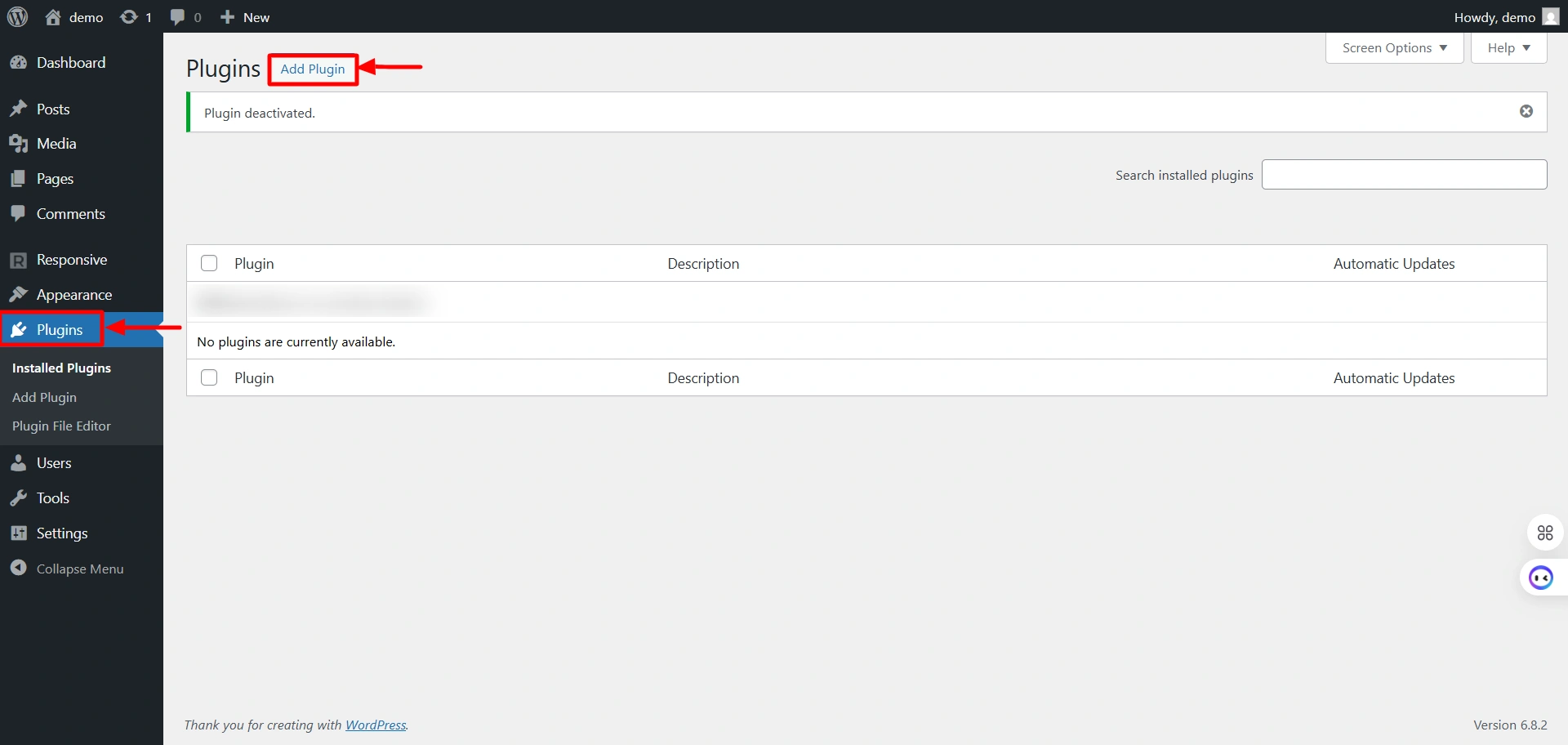
Select Plugins and click on the “Add Plugin” button.
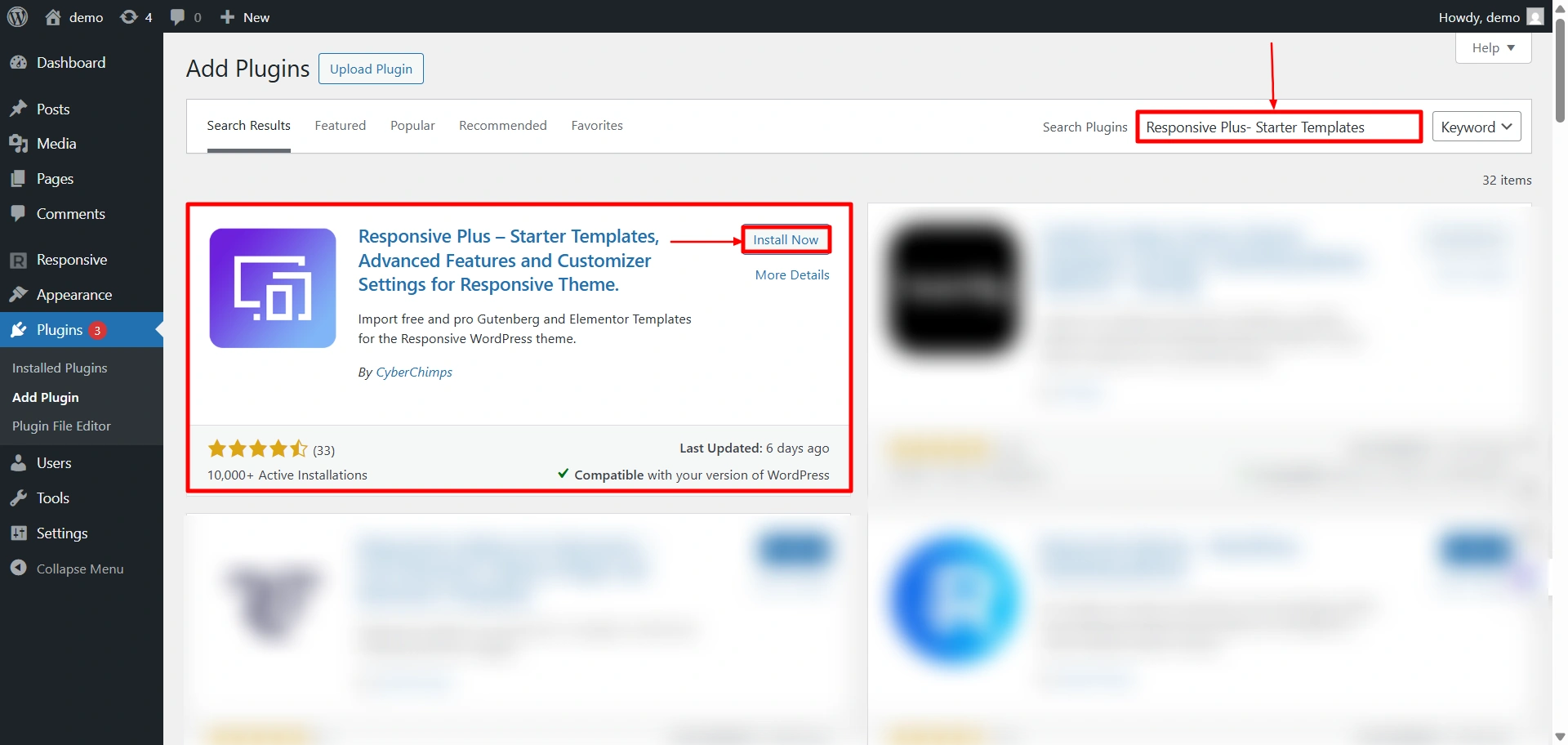
Search for “Responsive Starter Templates” in the search bar option and click on the “Install Now” button to install the plugin.
The next step is to activate the plugin. To do so, click on the “Activate” button.
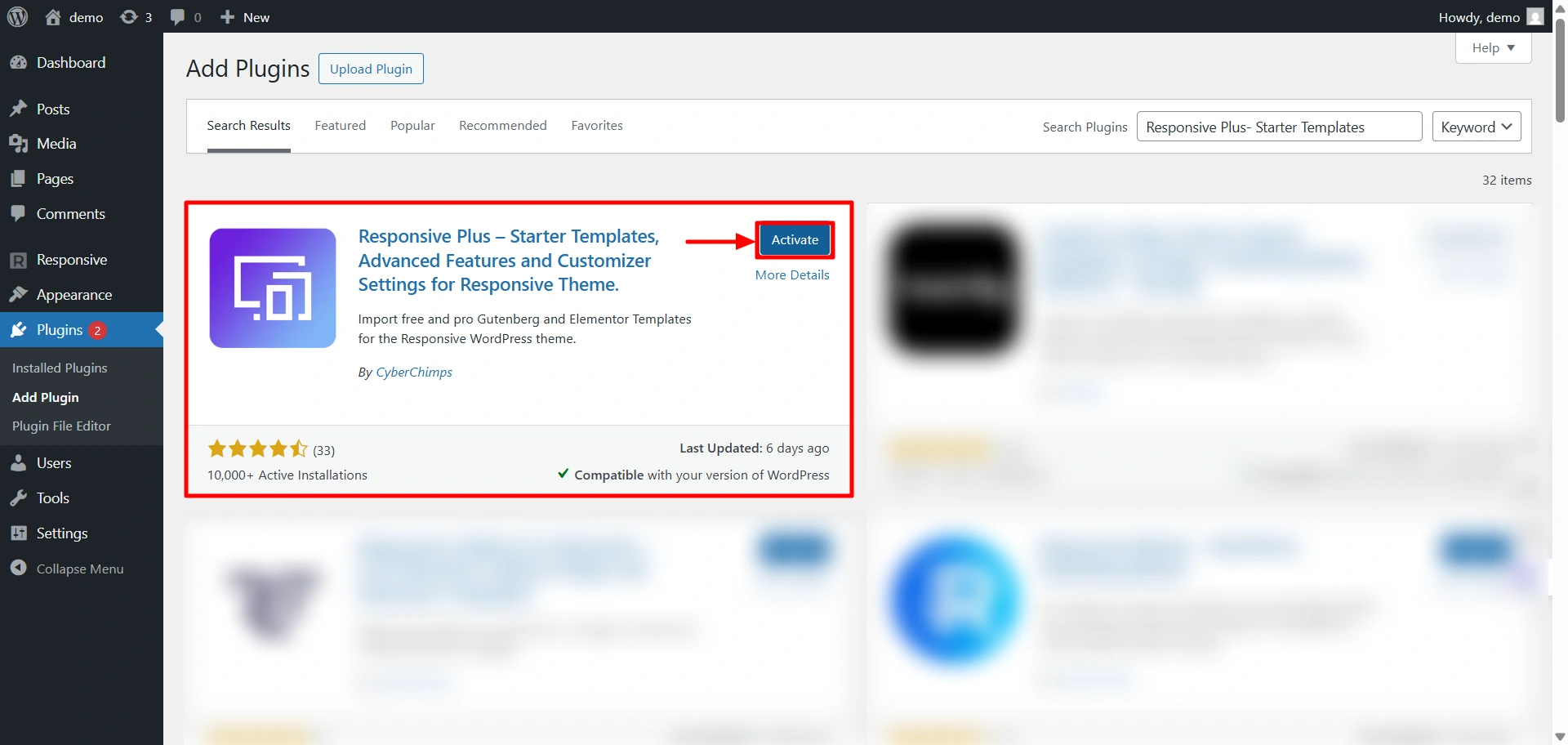
Now, you have successfully installed and activated the Responsive Plus – Starter Templates plugin.
3. Import the Optical Store starter template
Now, click on templates in the Responsive dashboard.
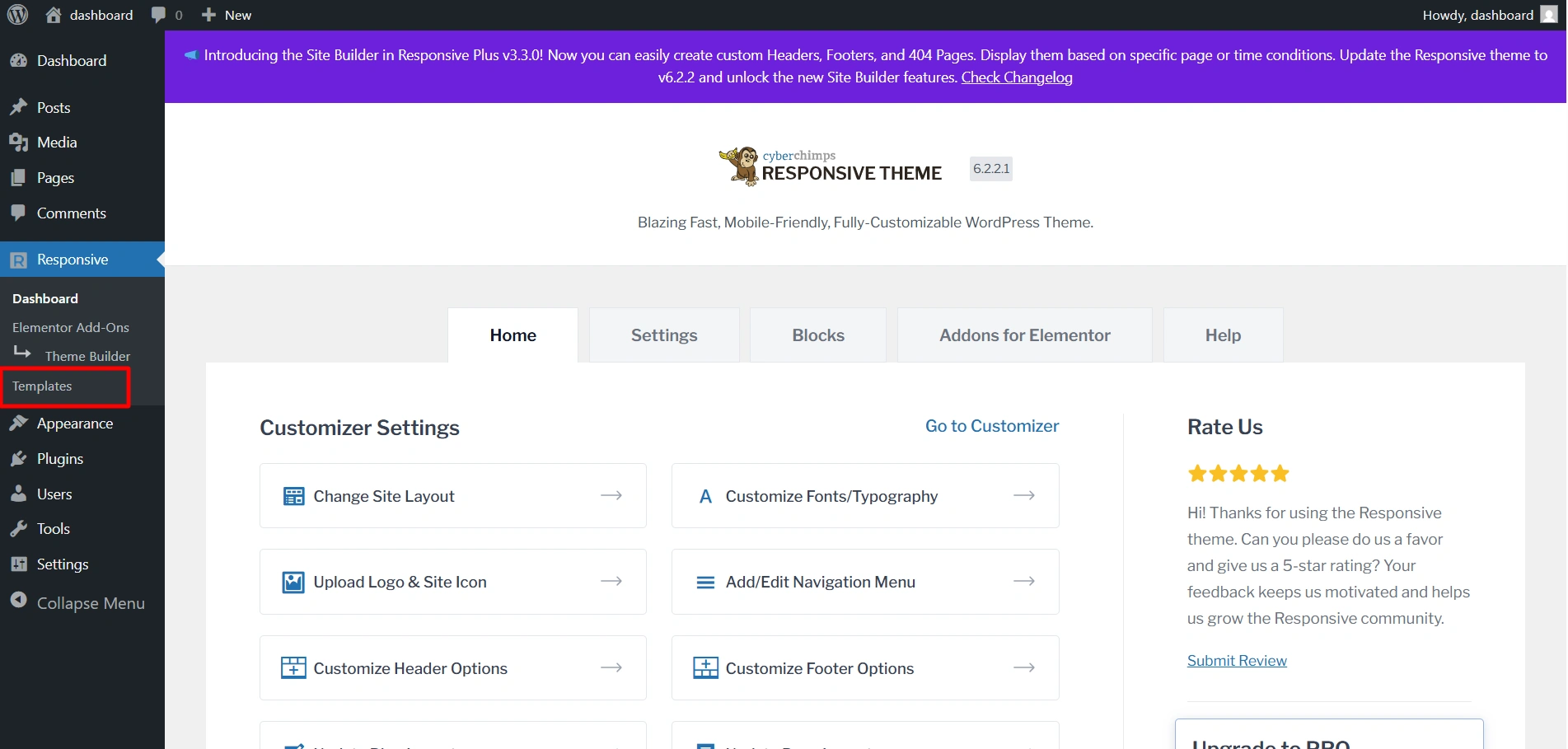
Search for the Optical Store template in the search bar and then click on the template to open it.
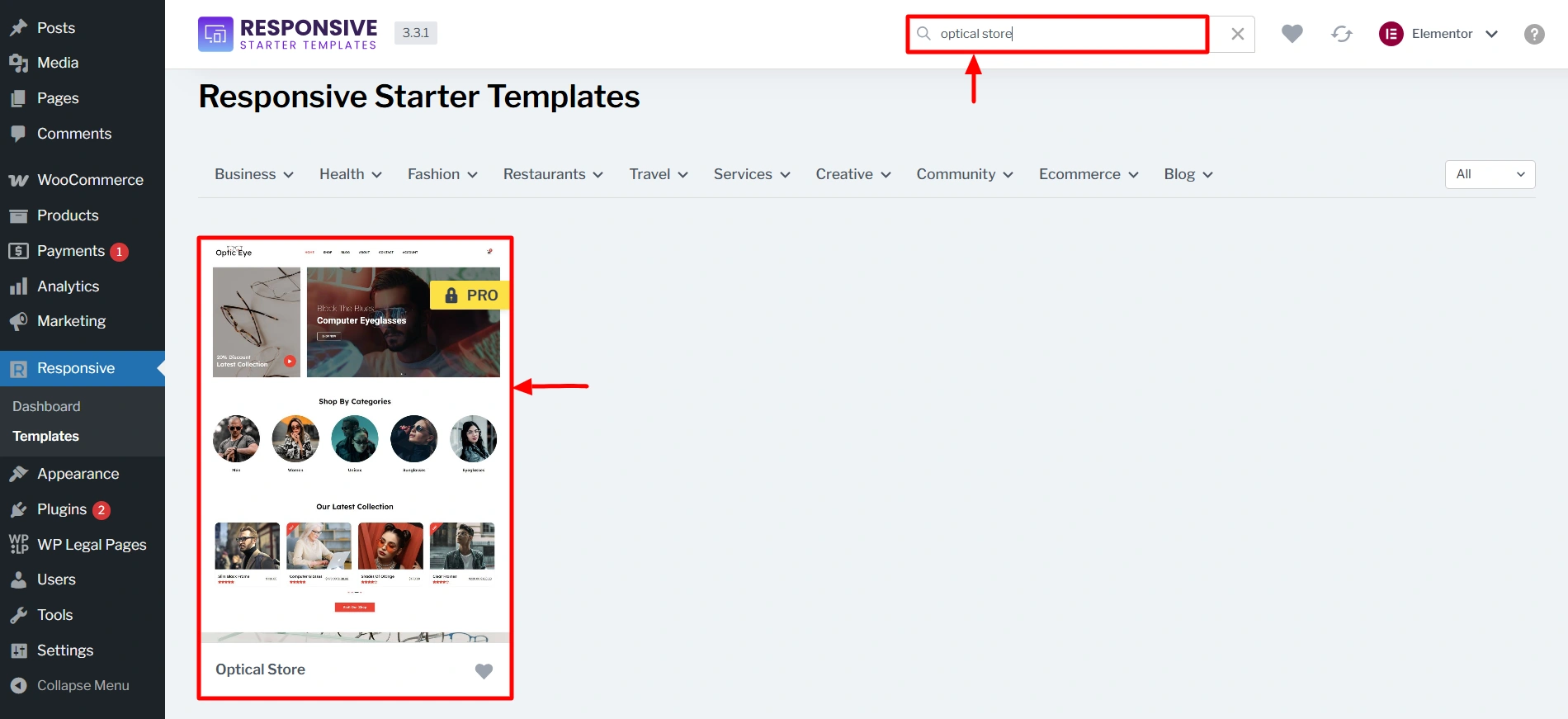
Click on Import Site.
Click on Start Importing to start the template download.
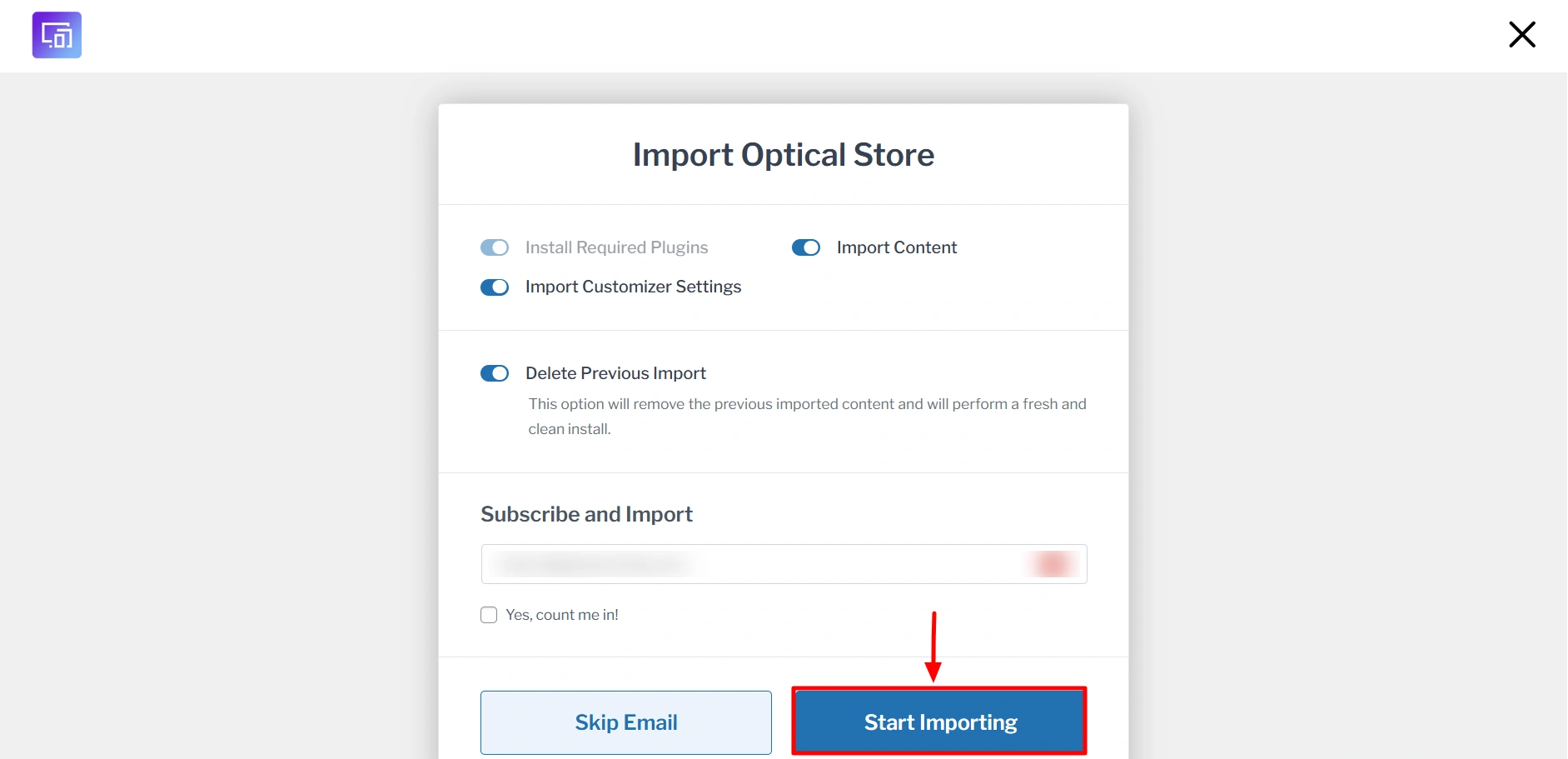
The import might take a few seconds. After it’s done, you will see this.

This is how your site will look after you have imported the template.
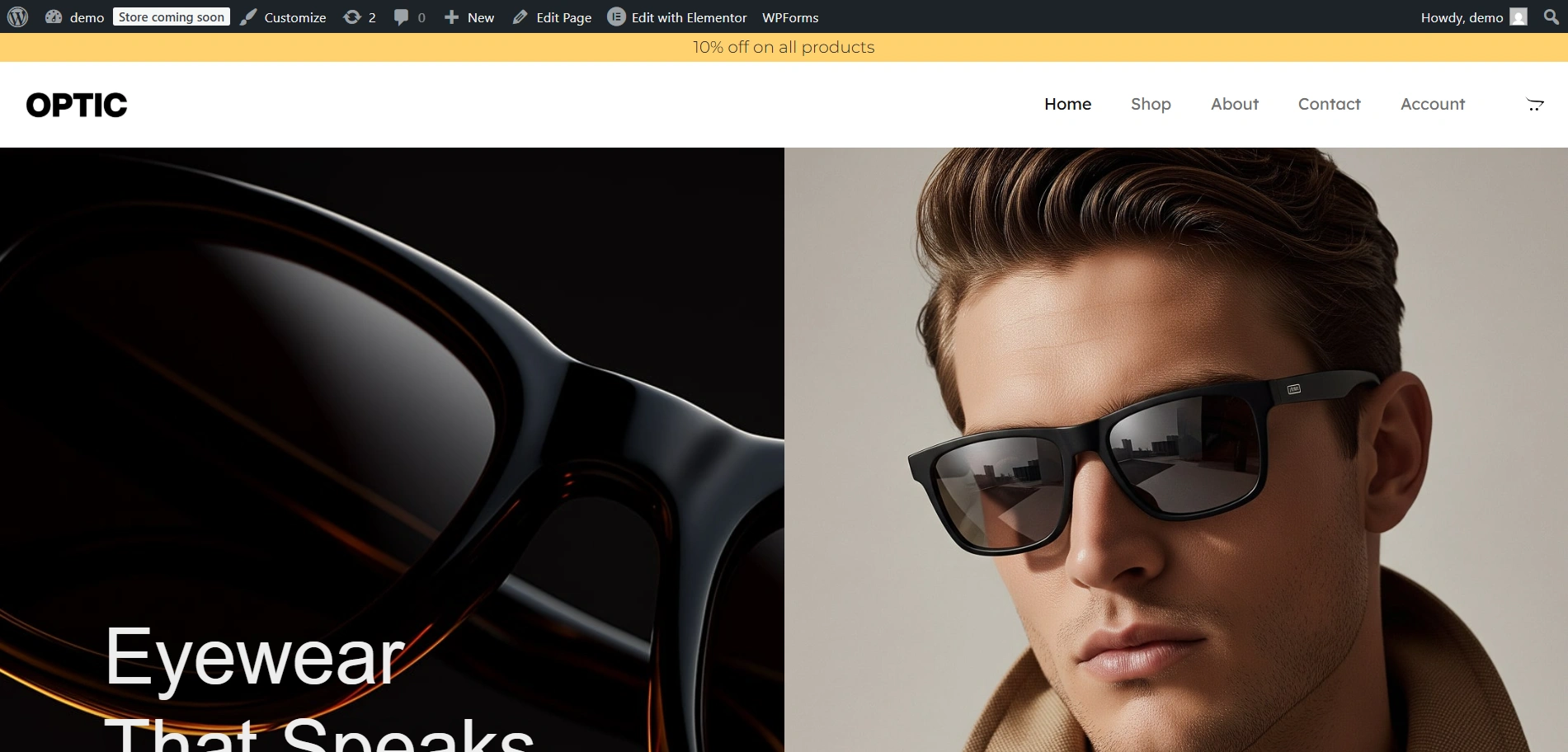
4. Customise using the theme customizer
Now, let’s use the theme customizer to make a few changes in the typography and colours.
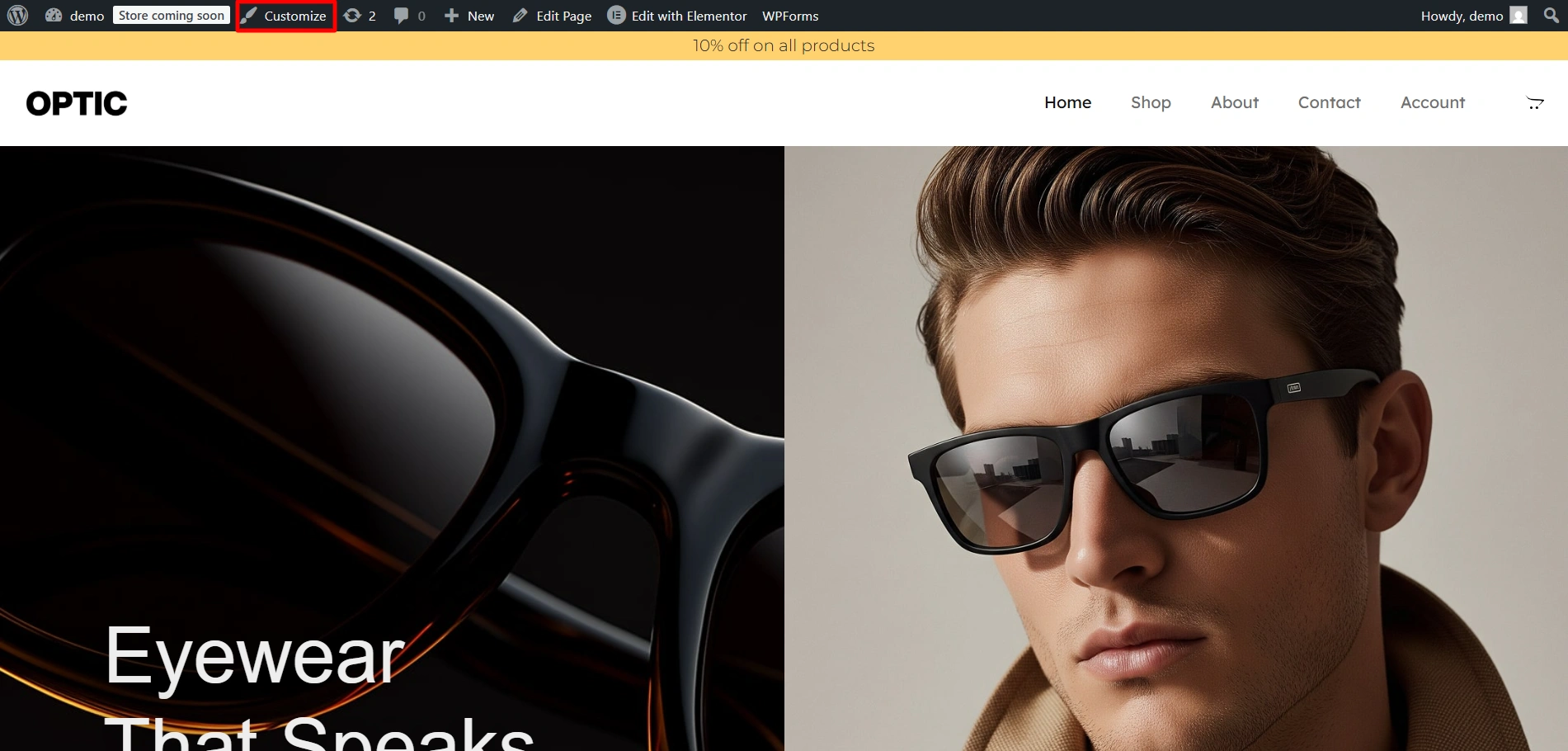
Click on Global Settings.
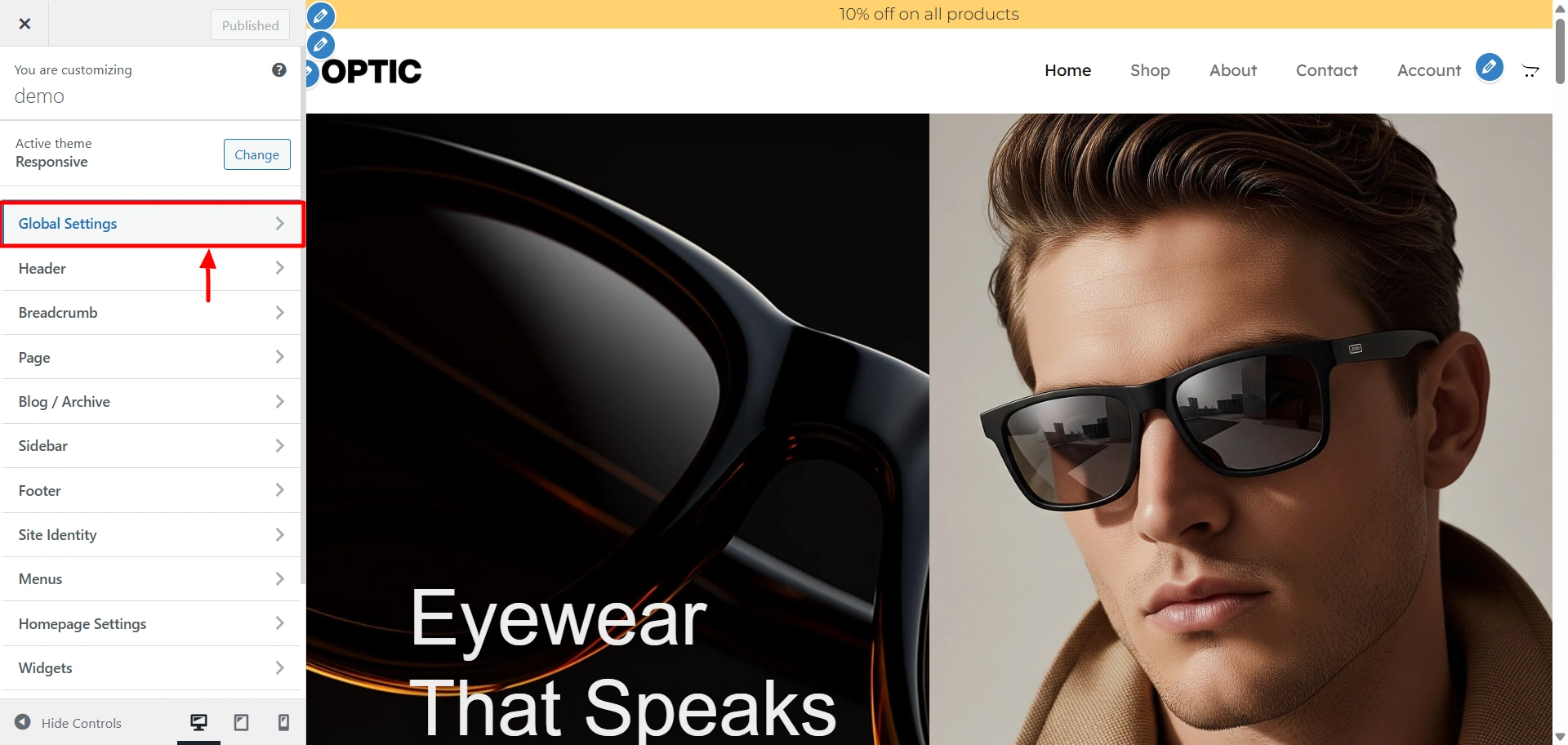
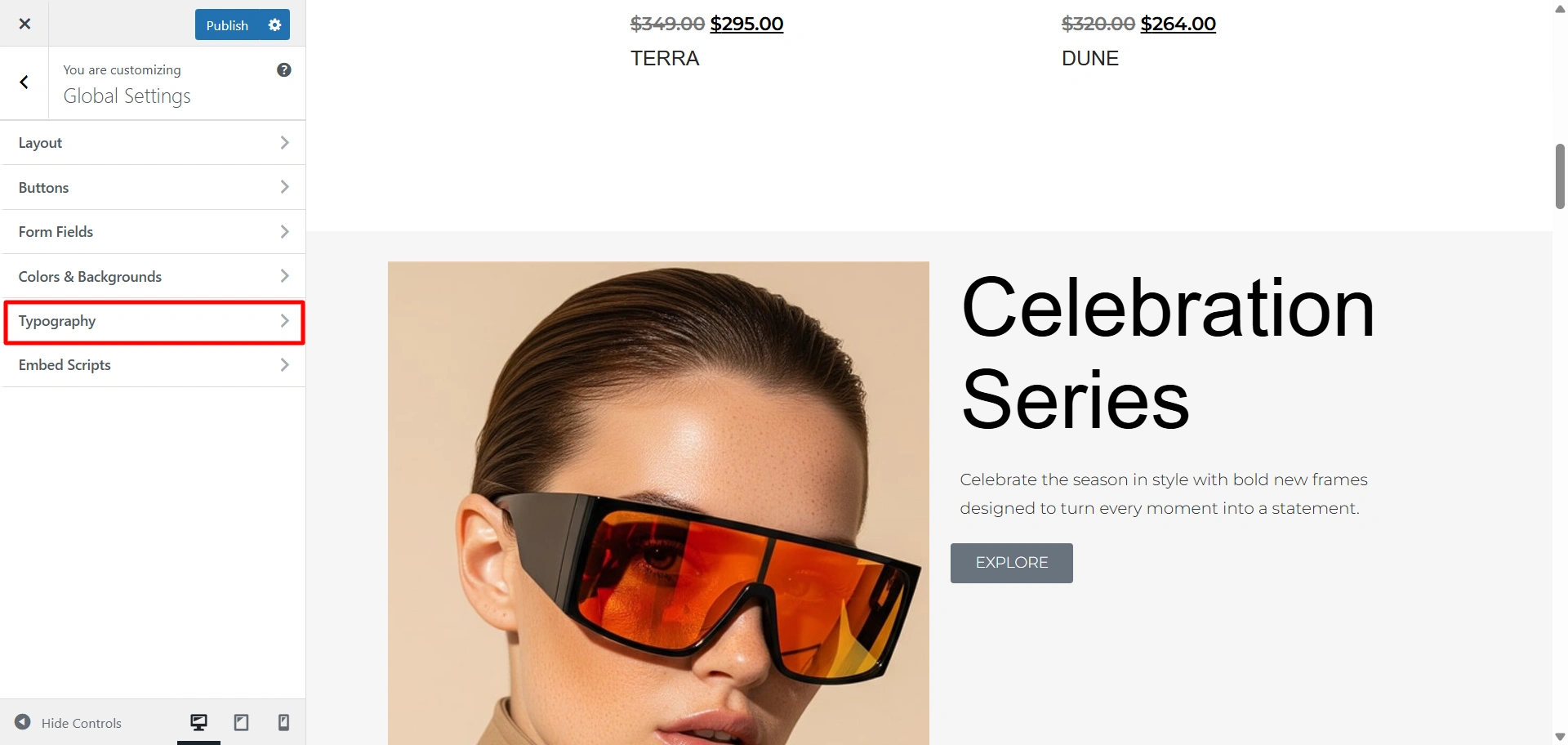
Click on Typography to open the typography settings.
There are multiple presets available to change the fonts. Click on whichever font suits your brand image.
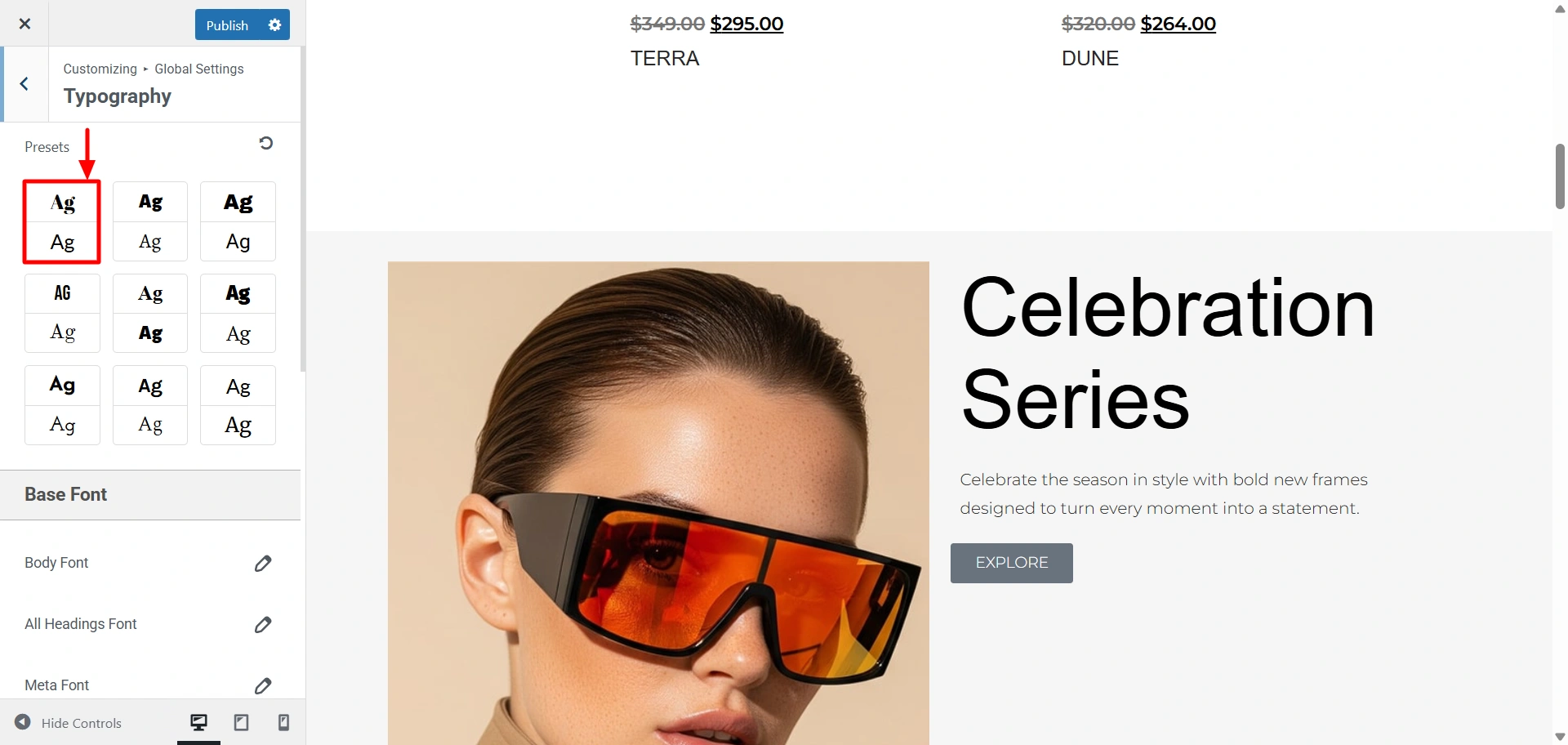
Once done, it will look like this.
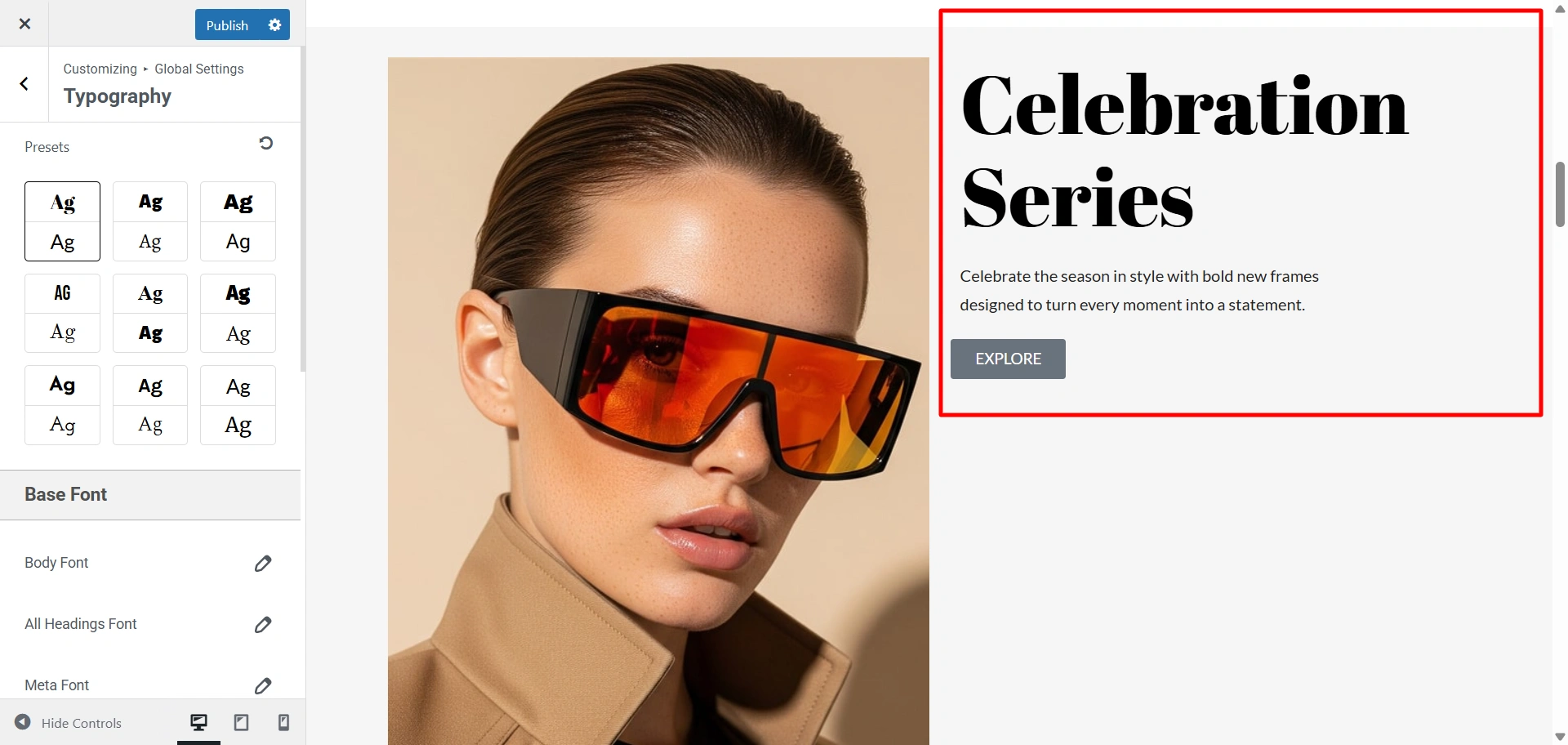
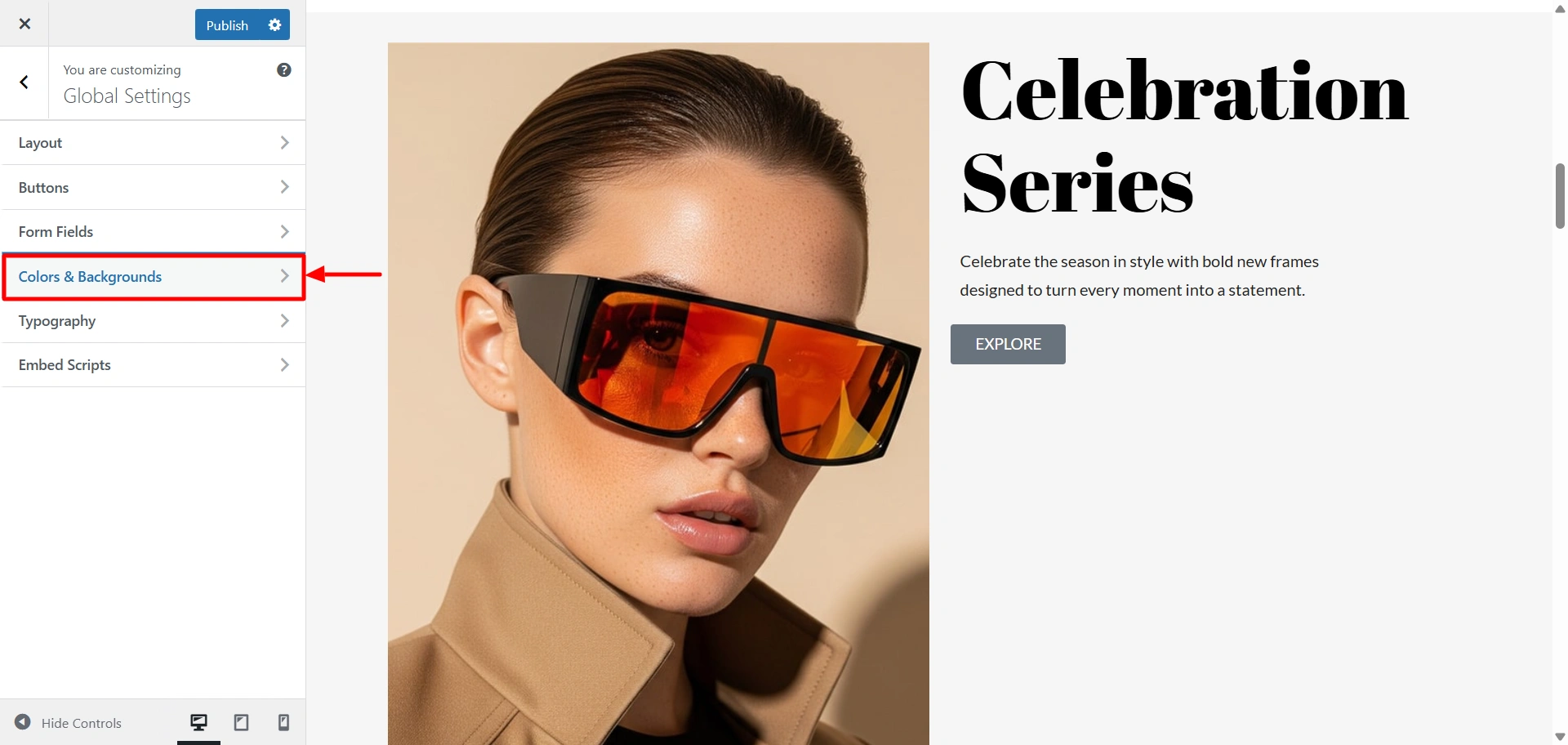
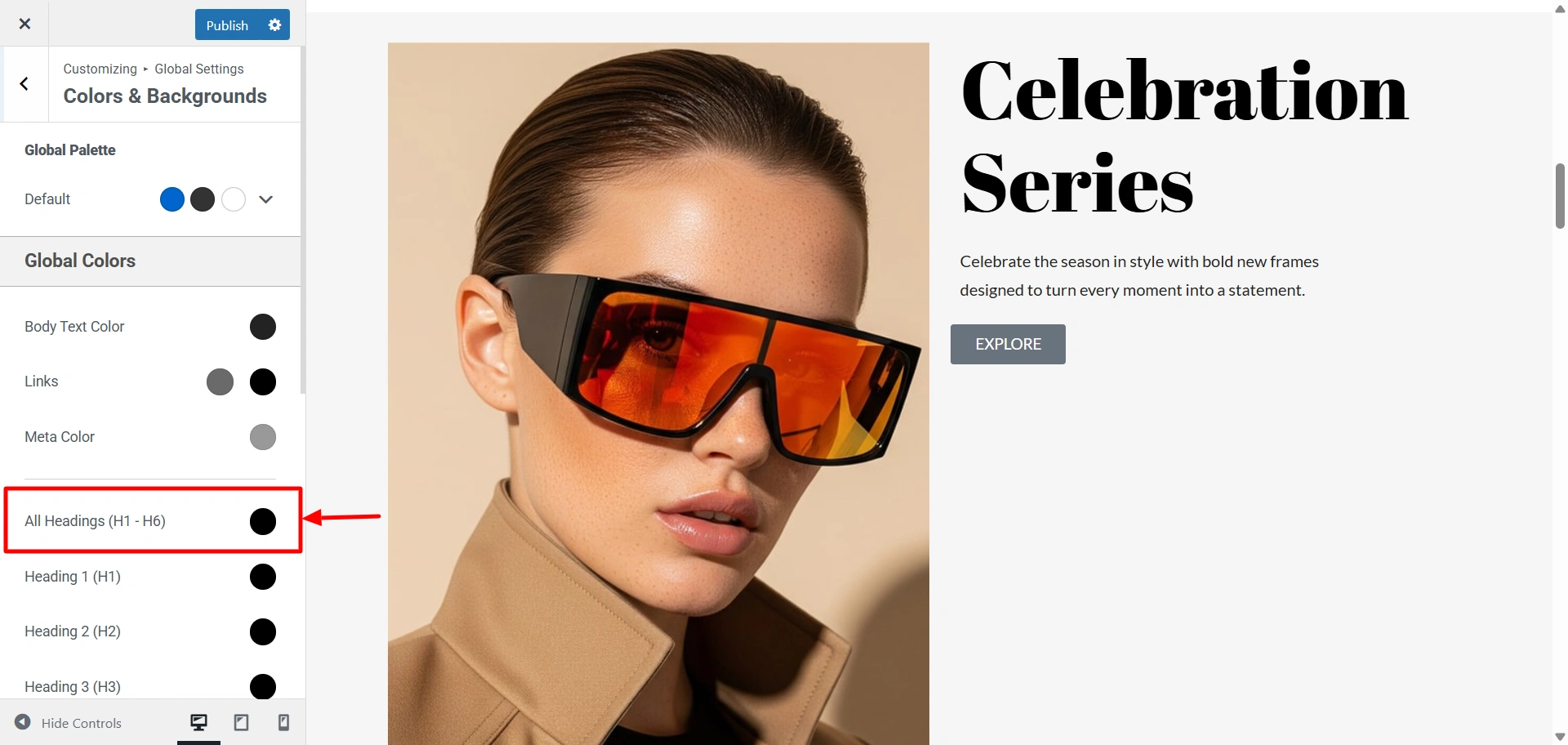
Now, I want to change the colour of this heading to brown. So, click on the Colours & Backgrounds.
Click on All Headings and change the colour.
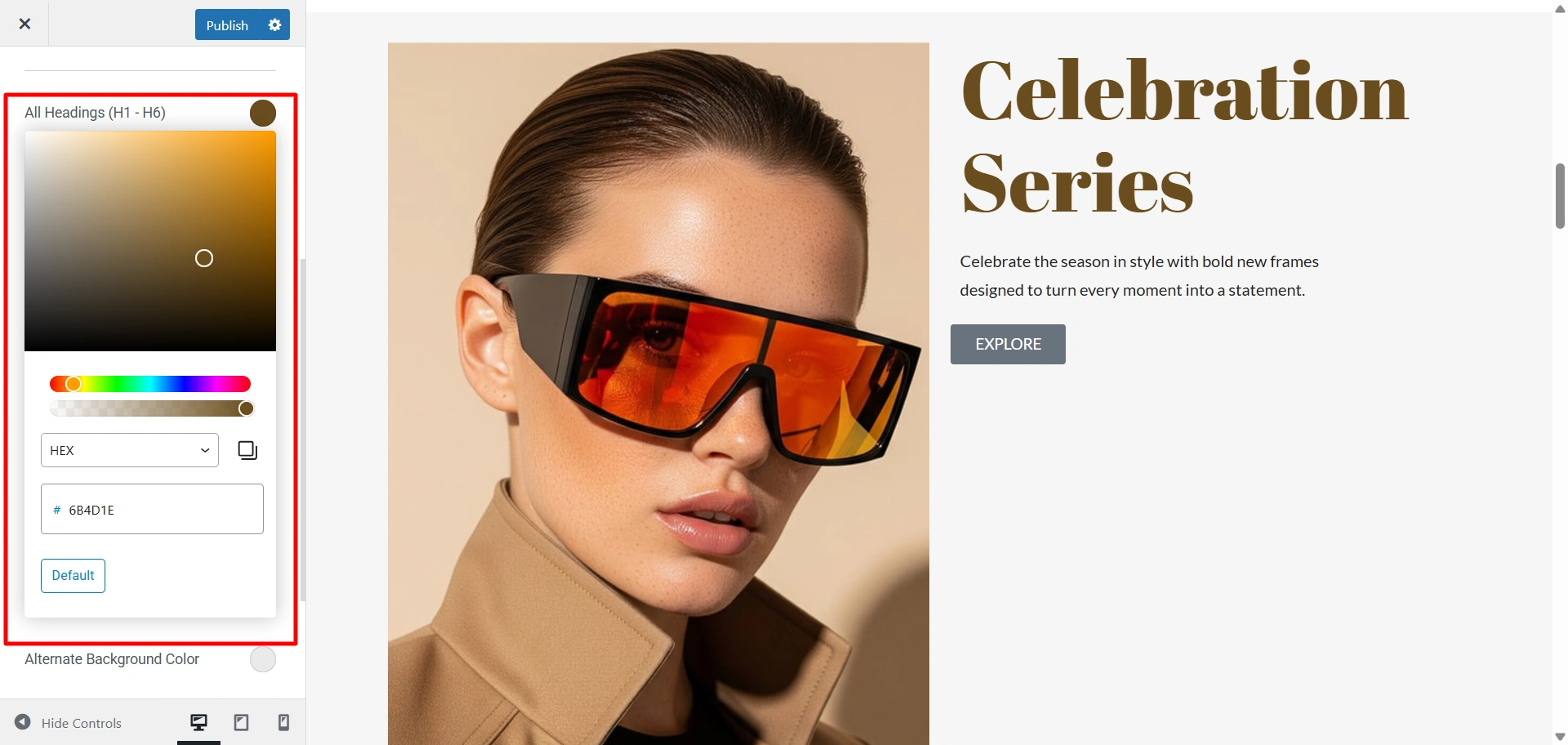
Choose any colour from this colour gradient. Here I have chosen brown. Once done, it will look like this
5. Edit the Optical Store Starter template
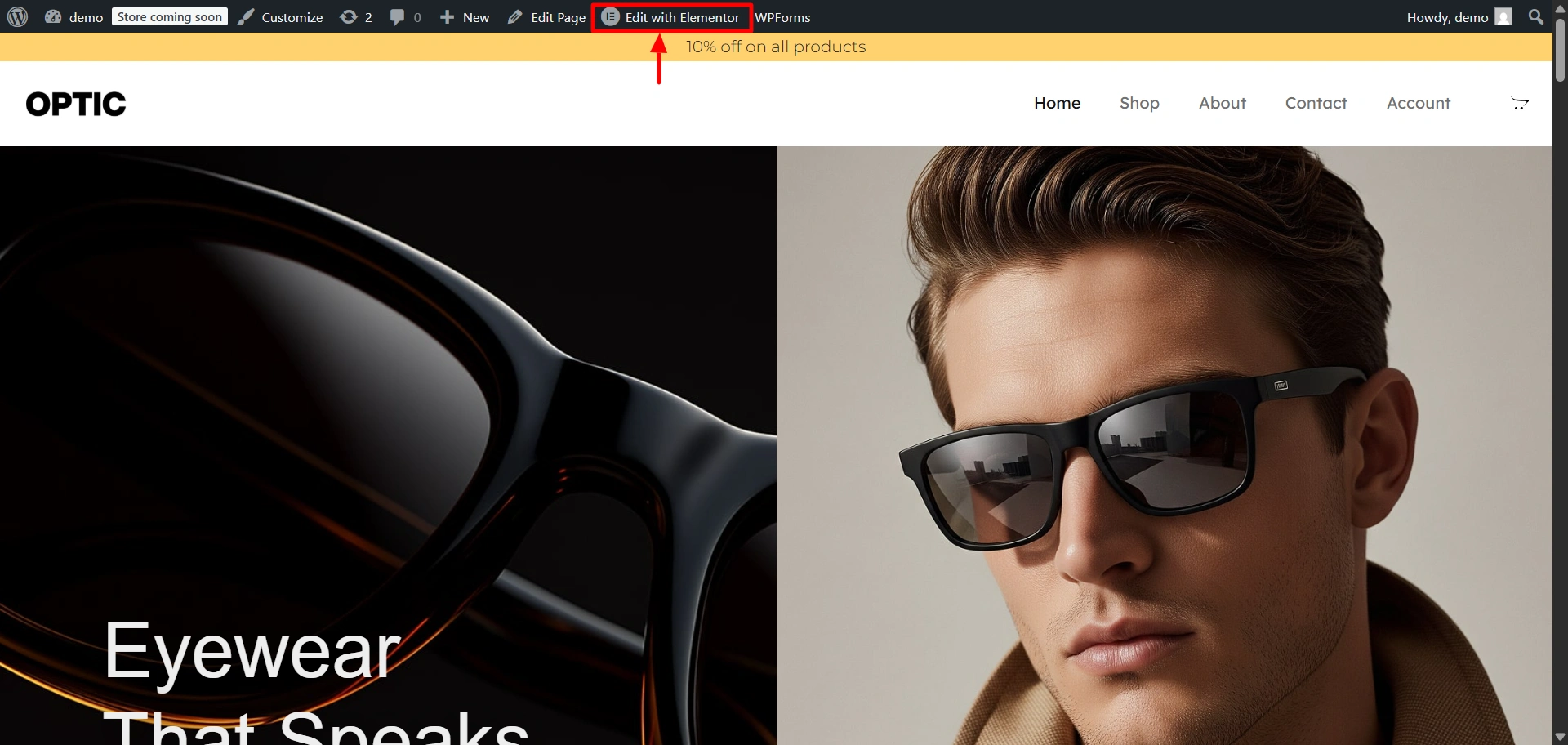
Now, let us add a widget to a specific page. Here we are using the Responsive Addons for Elementor plugin for widgets. To do that, click on Edit With Elementor.,
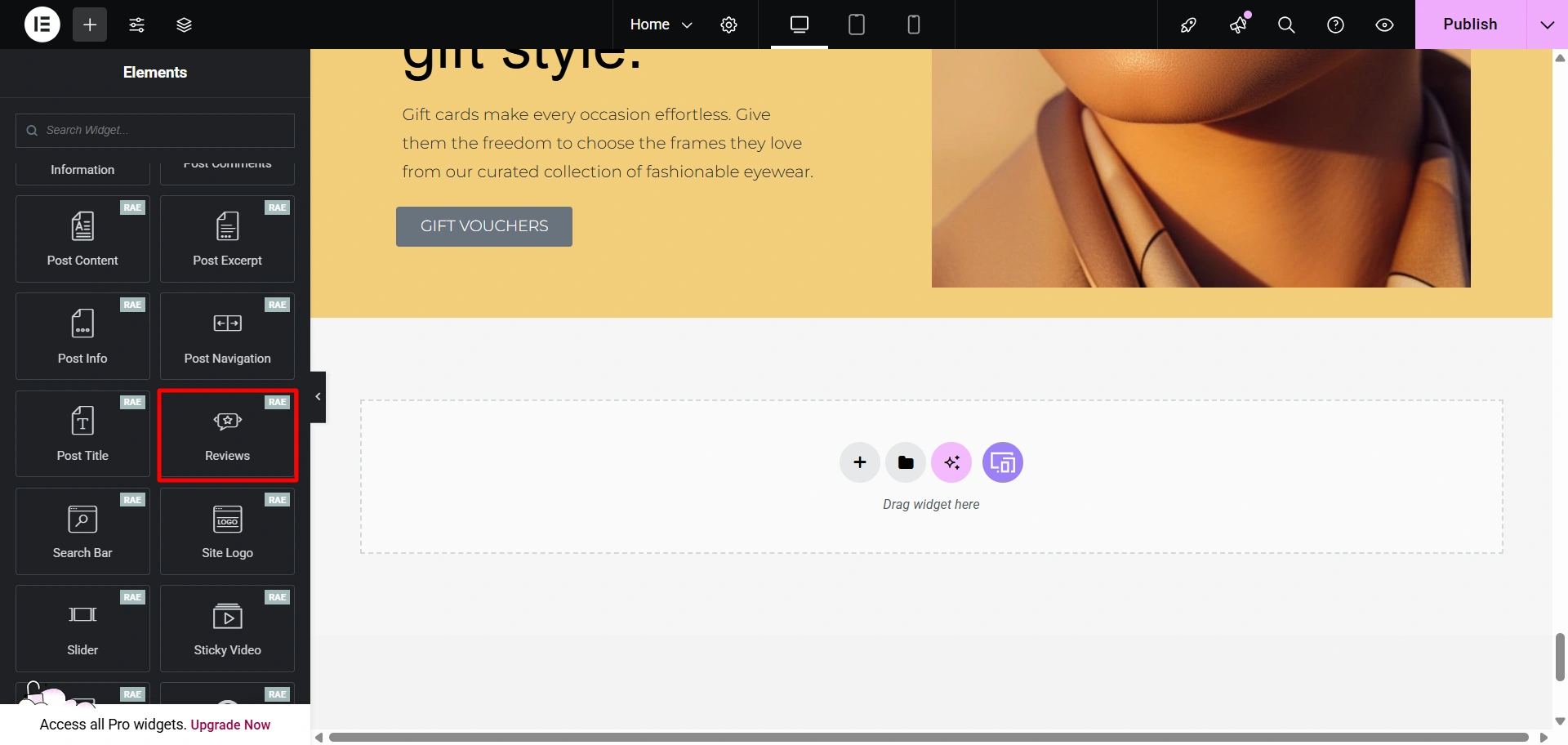
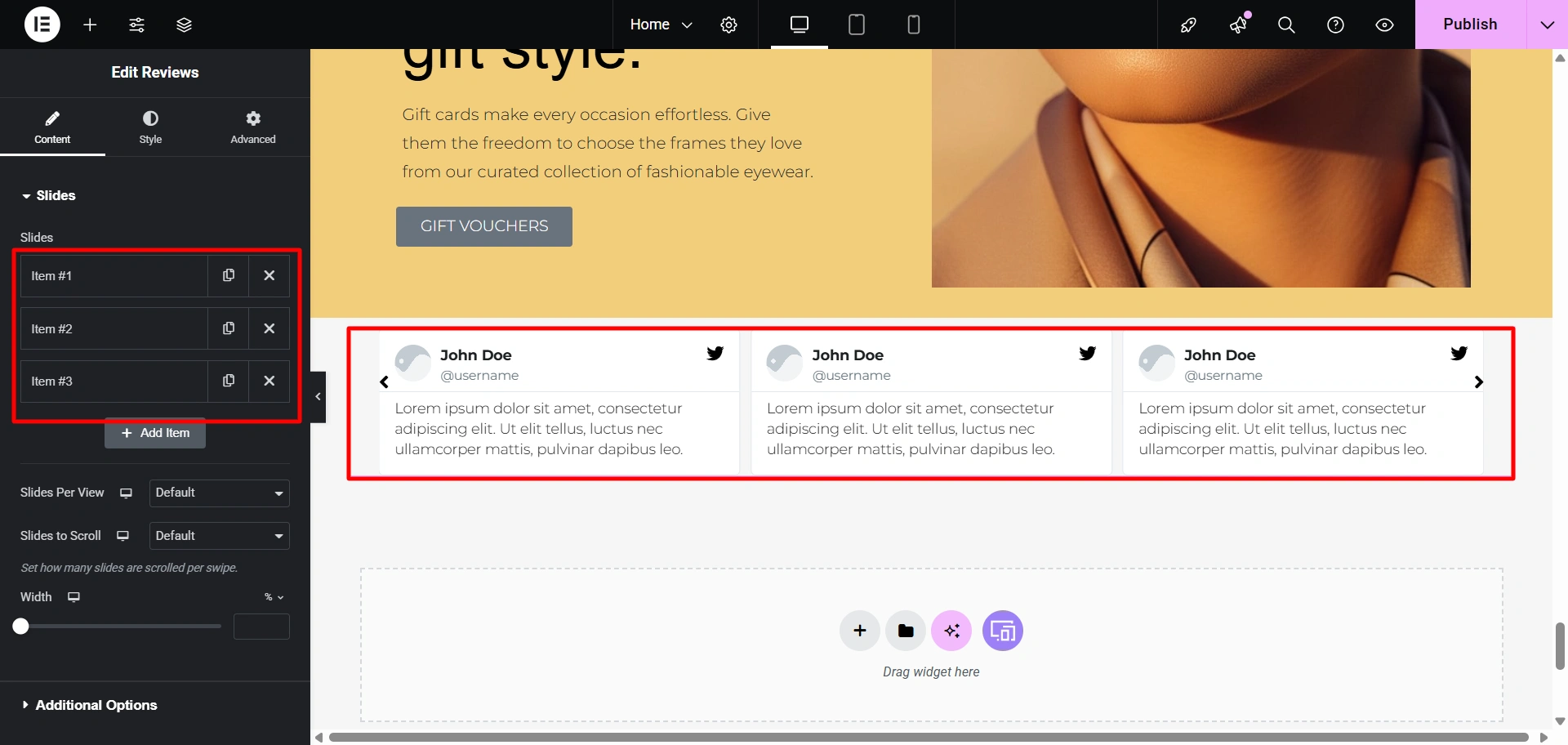
Scroll down to find the Responsive Addons for Elementor section. Here, let’s add the Reviews widget. Drag and drop this widget to the desired area.
This is what appears once you add it. You can add as many reviews as you want and edit them however you want.
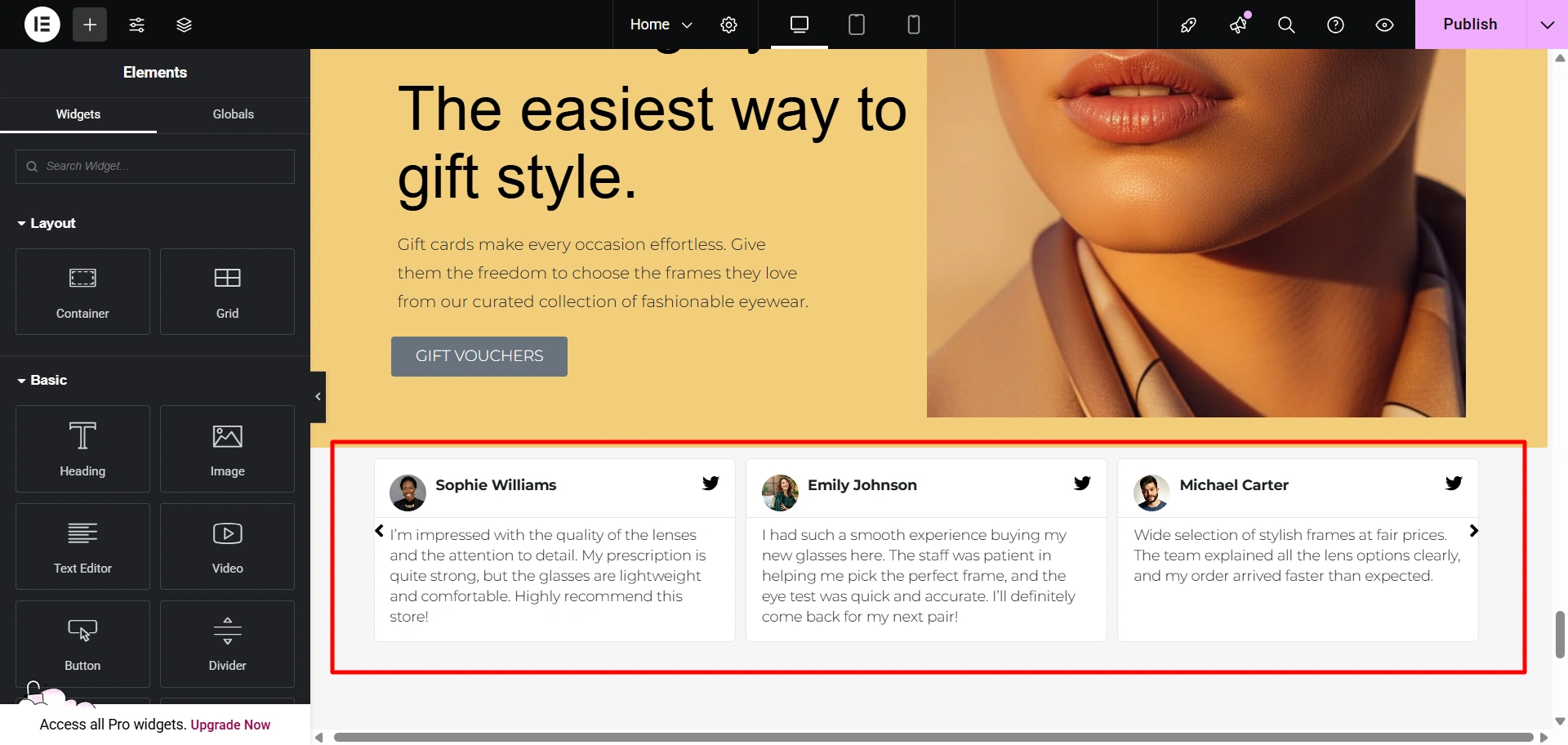
This is how I have added reviews to my site.
FAQ
Nope, not at all! The optical store starter template is designed keeping non-technical users in mind. With the help of Elementor page builder or the Gutenberg block editor, you can simply customise everything using a simple drag-and-drop method.
Absolutely! This template is created on the WordPress platform along with the CyberChimps Responsive theme. The templates are highly compatible with a vast majority of WordPress plugins. It works seamlessly with essential plugins like WooCommerce for e-commerce and various booking plugins for appointments.
Although this template is specifically created for an optical store website, it is versatile and has a contemporary layout that allows it to be suitable for multiple other businesses that offer products and services. These include beauty salons, small retail shops, a supermarket, and dental and beauty clinics.
Conclusion
Having an online presence in today’s competitive digital world is of utmost importance. Don’t let the idea of building a website from scratch stop you, as there is the Optical Store starter template from the Responsive Plus – Starter Templates plugin for your rescue!
Using this template, you can simply bypass the need for expensive developers and designers or tricky coding. Focus on what you do best, that is, provide the best eye care.
Now that you know how to create a website, go make and launch yours today!
Additionally, if this article was helpful to you, you might also like to read these.
- How To Create A Construction Website With WordPress?
- How To Create A Restaurant Website With WordPress?
- How to Create an IDX Real Estate Website Using WordPress
Want to create more amazing websites? Grab the Responsive theme now!





