

Summary
Businesses needing premium performance often look for hands-off solutions. This review explains how Kinsta’s managed hosting for WordPress delivers speed, security, and expert support, helping users decide if it’s worth the investment.
Are you running a WordPress-powered site for your business? How does managed hosting impact your business? This Kinsta review will help in understanding how a reliable hosting provider for your server acts as a game changer in the online world.
If you already have a WordPress site running, ask yourself – are you struggling with your website? Do you feel limited by your hosting provider’s services? Wouldn’t you be better off with a fully managed hosting platform instead?
- What do you get with a Fully Managed WordPress Hosting Service?
- Managed Hosting for WordPress- Kinsta Review
- MyKinsta Dashboard User Experience
- Kinsta’s WordPress Pricing Plans
- Hosting With Kinsta
- Kinsta Testimonials
- What Sets Kinsta Apart From Other Hosting Providers?
- Kinsta Review – Key Takeaways
- FAQ
- Final Thoughts
What do you get with a Fully Managed WordPress Hosting Service?
There are quite a few benefits of choosing a fully managed WordPress hosting over shared or dedicated servers:
- Dedicated Dashboard – With managed WordPress hosting, you get a dedicated dashboard for all your tasks and actions for your sites. No need to switch between dashboards of different hosting providers and the WordPress dashboard for all your websites. Everything is in one place.
- Optimized Environments – You get a fine-tuned environment exclusive to WordPress and WooCommerce. Naturally, the result would be an improved performance of your site and better uptime.
- Dedicated Support – When you switch to a managed WordPress hosting platform, all the knowledgebase and WP experts are available to you. Since the provider specializes in only WordPress-related queries, you stand to benefit from the expertise of the team that deals with similar issues every day.
- Security – Regular monitoring and patching for security updates make for a way secure WordPress site when using a managed WordPress hosting platform. Additional precautions for banning problem-causing plugins, and enforced strong admin passwords are the need of the hour for keeping your site secure always.
Managed Hosting for WordPress- Kinsta Review
Having listed the benefits of a managed WordPress hosting platform, let’s check out Kinsta – a cloud hosting provider for web projects of all kinds. This review highlights Kinsta’s managed hosting features for WordPress, tools, pricing, and overall value propositions.
Let’s find out what Kinsta has, that other hosting providers don’t.
Super Fast Architecture Technology
Kinsta uses speed-obsessive technologies like Nginx, PHP 8+, LXD isolated containers, and MariaDB for super-fast websites. Your visitors will never experience a lagging and slow site. Perfect for the ‘Shark Tank Effect’ scenarios when you experience a sudden surge in your e-stores online.
Powered By Google Cloud Platform
Kinsta has been growing by leaps and bounds in the last few years – currently serving 140,000+ companies worldwide. Naturally, it needed an infrastructure provider that could keep up with its rapid growth and scale quickly.
When an unplanned outage hit Kinsta in 2015, the company decided it was time to switch to a reliable, robust, and stable infrastructure provider. Kinsta switched to cloud infrastucturein 2016 – the first managed WordPress host to do so.
They utilize next-gen cloud infrastructure and the fastest servers combined with an enterprise-level Cloudflare integration to deliver outstanding performance to all clients. .
Need we say more?
Sharp Focus on Website Performance
Kinsta now has 37 global data centers, with the most recent locations being Mumbai, India, and Tokyo, Japan. This allows you to strategically place your website closer to your website’s visitors, decreasing latency and overall page load times.
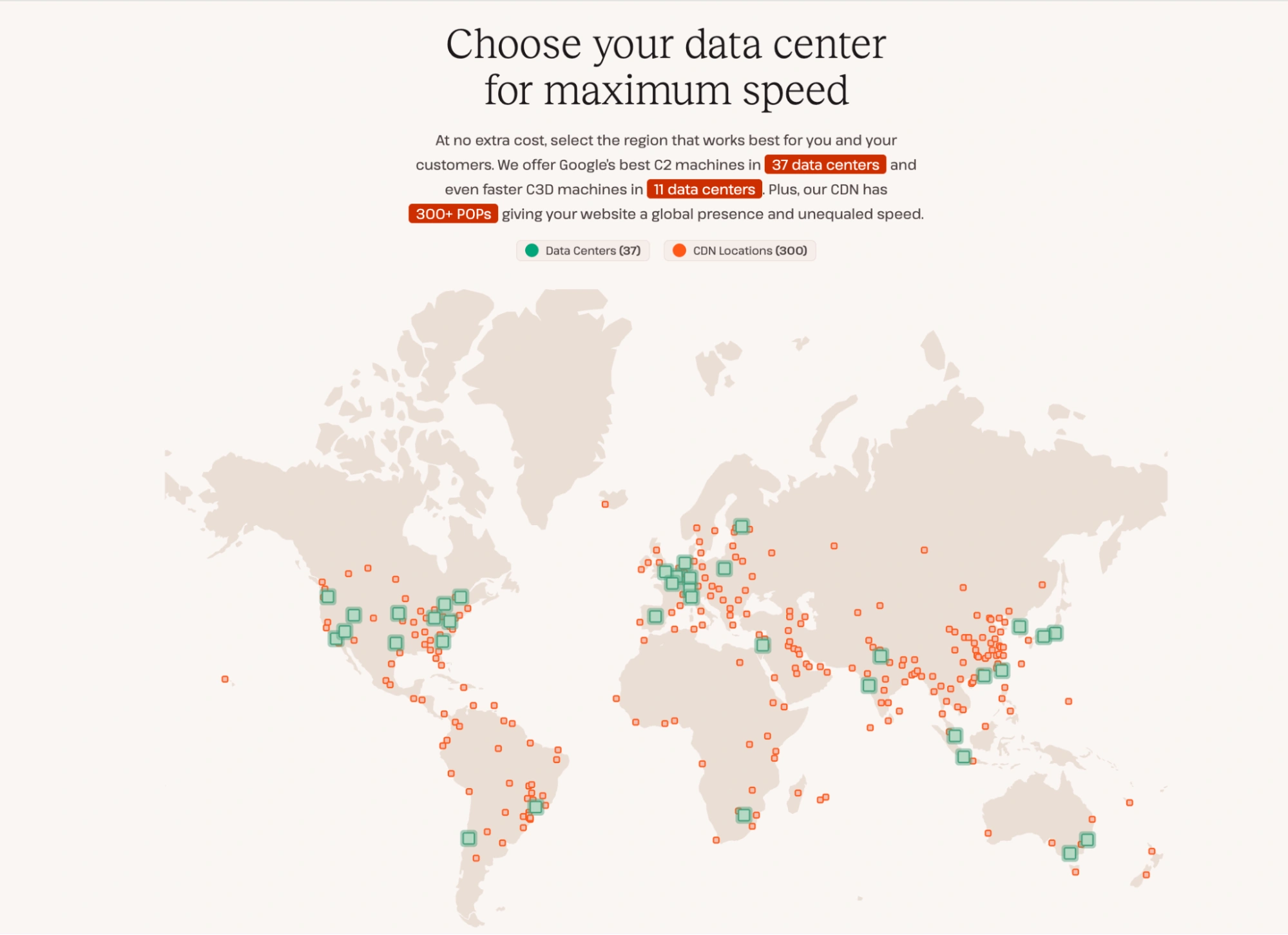
Kinsta has partnered with Cloudflare CDN, an industry leader in web performance. With CF integration, clients benefit from Cloudflare’s CDN network with 300+ PoPs, free wildcard SSL, Cloudflare’s firewall, Edge-Caching, Early Hints and much more.
Your projects will run on top-tier cloud infrastructure and be backed by Cloudflare’s enterprise-grade security measures (DDoS protection, HTTP/3 support, wildcard SSL).
High-Security Network
Security is one of the top priorities for the team at Kinsta. Your site is monitored and secured 24×7 for DDoS detection, uptime, hardware firewalls, and SSL support.
Support That Cares
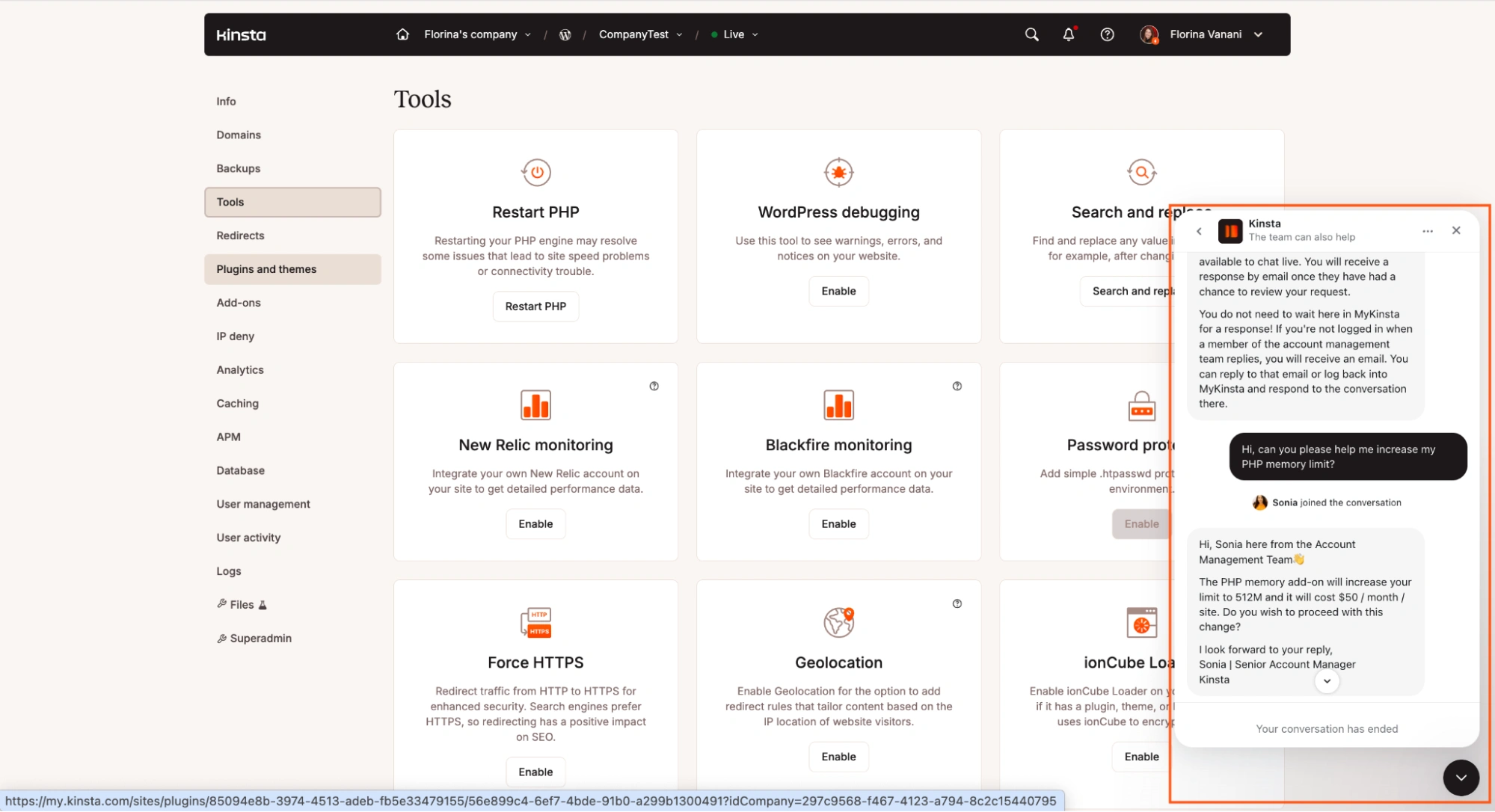
An army of WordPress experts at your fingertips literally – there’s a smooth floating Support chat button in the bottom right corner. Don’t bother yourself with going back and forth with tickets; you can have your problems solved 24×7 on priority right from a chat window instantly.
The Kinsta Support team uses an intercom system that always gives you a quick response without having you repeat yourself. Teche Support is available in 10 languages and has an impressive 97% solve rate, too.
One-Click Cloning
This is one feature that almost everyone will need at some point one-click cloning – i.e. setting up a staging environment as a replica of your live environment. Typically, this is used to push and test changes before going live. It is now just a single click away for Kinsta users.
Essential Tools
Supercharge your projects with Kinsta’s web tools.
Application Performance Monitoring Tool
Kinsta APM is our custom-designed application performance monitoring tool, It is included in all plans and can be accessed directly from the MyKinsta dashboard.
It helps to identify and debug:
- Slow Database Queries
- Long API calls
- Non-Optimized Plugin and/or Theme Code
- Slowest, Average, and Median Transactions
- Long External URL Requests
Free Migrations
If you already have a website and are looking to switch to Kinsta, their team will help you migrate your website over – completely free. Now Kinsta offers unlimited free migrations from all web hosts; when requesting a migration, you can choose the time of the migration: as soon as possible (performed within one business day), a specific date, or an expedited migration (this comes with a fee of $49 and is performed within 8 hours).
Optional Add-Ons for Any Plan
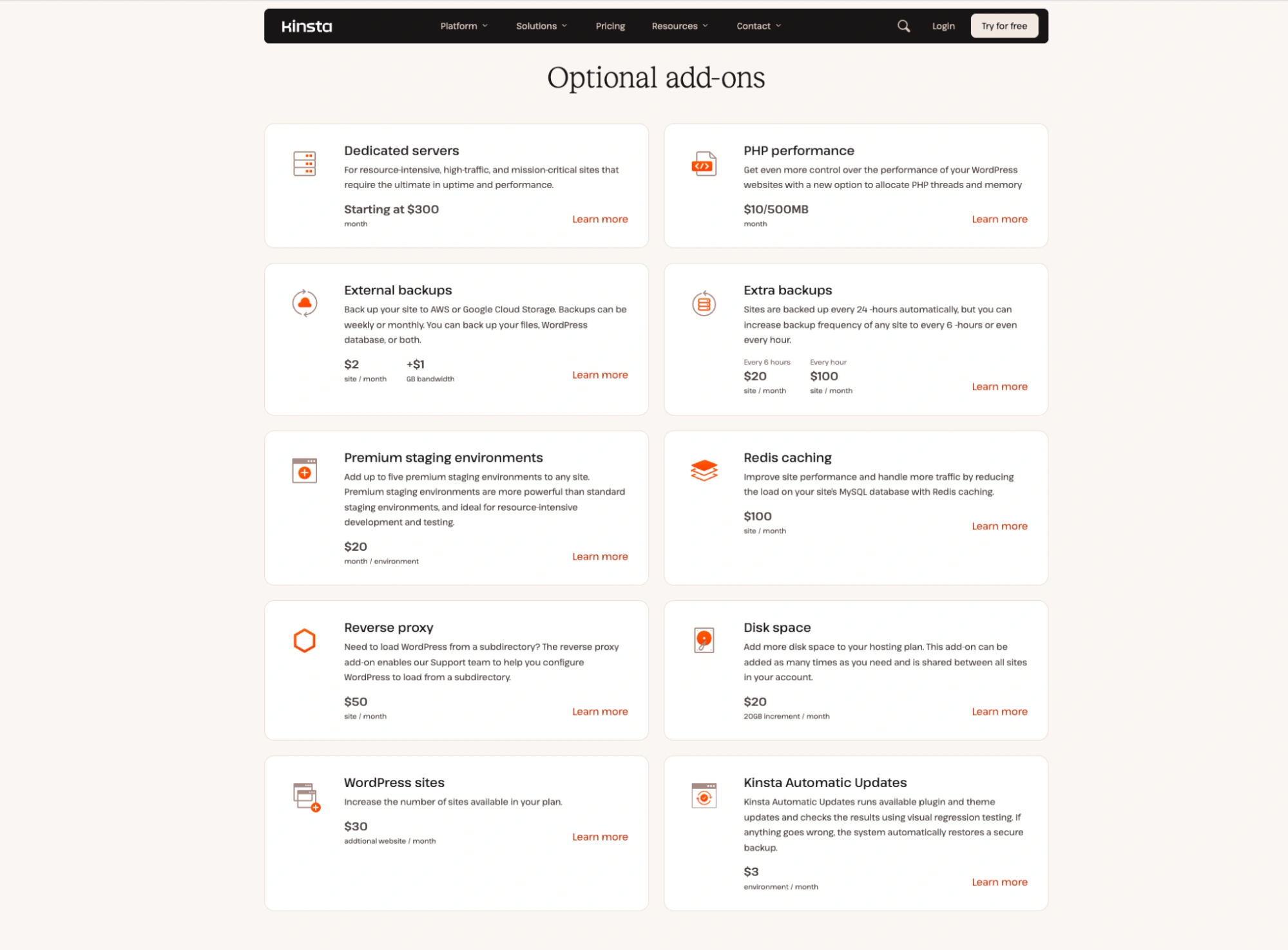
Need to extend your site with special needs? Kinsta offers optional add-ons like Redis, Nginx Reverse Proxy, Extra backups, Disk Space Add-On, WordPress site add-on, Automatic Plugin and Theme Updates and Premium Staging Environments. Have something else in mind? Get in touch with Kinsta, and they’ll hear you out.
Smart, Regular, and Trust-Worthy Backups
Your WordPress sites are backed up daily. In case you want more frequent backups, you can choose to back up your WordPress sites every hour!
MyKinsta Dashboard User Experience
Kinsta seems to understand that putting together a user-friendly dashboard is as important as ( if not more than ) making sure the infrastructure is robust.
Using the MyKinsta Dashboard is simple and intuitive, for novices too. For the WordPress developers out there who love to get under the hood and tweak stuff, Kinsta also provides tools and software such as WP-CLI, Git, and SSH.
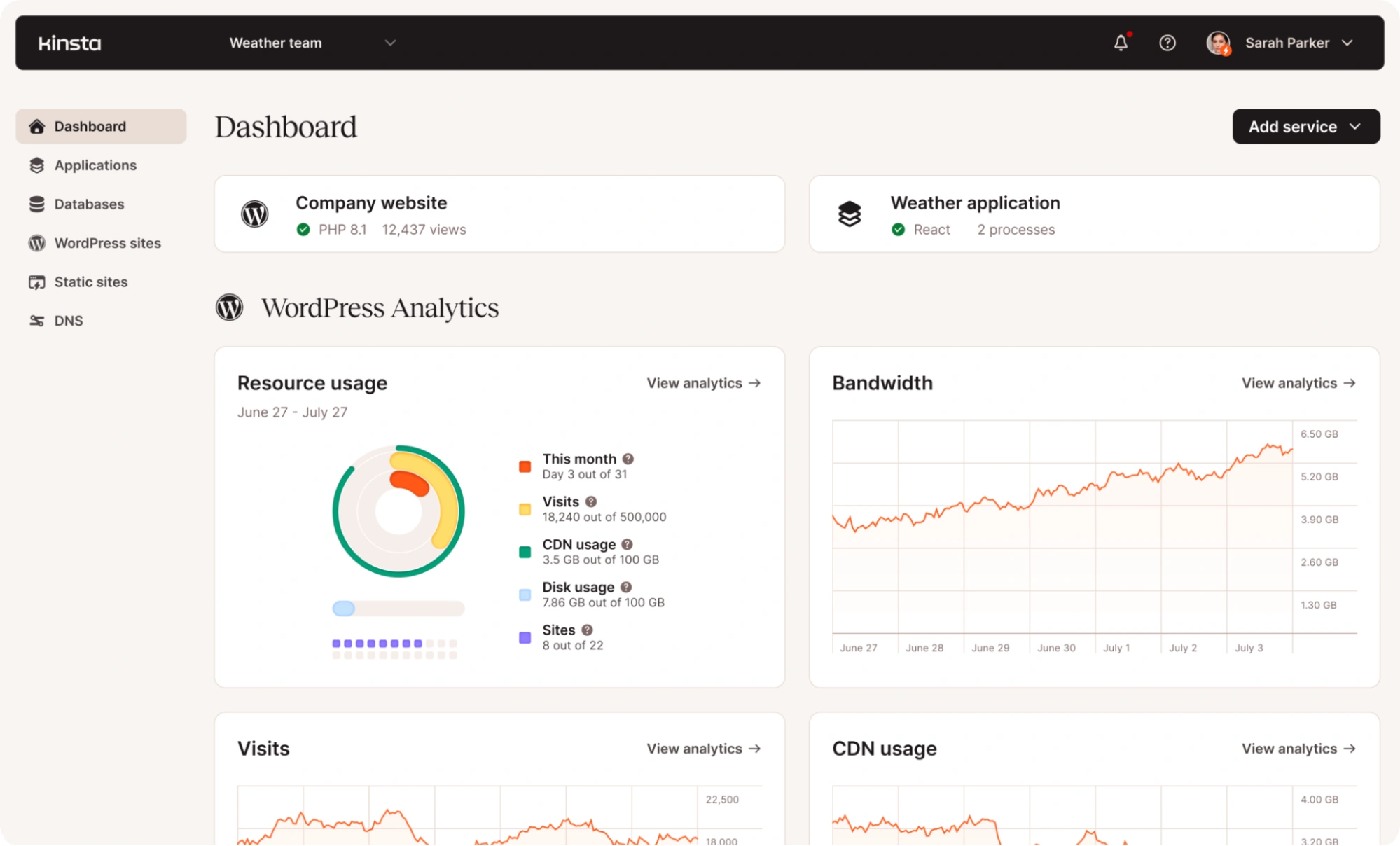
Kinsta Dashboard Features
Logging in to your MyKinsta dashboard, you are presented with an overview of all web projects hosted on the platform: web applications, databases, static sites, and WordPress sites.
You are able to review resource usage, invoices, bandwidth/data transfer, visitor analytics, plugins, and themes installed and perform maintenance tasks, among other features.
- Sites: Manage all your added WordPress sites in Kinsta. Access logs, domains, backups, connection information, tools, plugins, and redirects.
- Migrations: Manage your site migrations. Kinsta takes care of the migrations; you do not have to waste your time migrating from your current hosting provider to Kinsta.
- Kinsta DNS: Kinsta DNS is a premium DNS service provided free only for its customers. It allows you to manage your zone records and use Amazon Route 53 for a faster domain name-resolving experience.
- Analytics: Recorded at a server level and not with JavaScript, Google Analytics in Kinsta, automatically filters out a lot of bots. With its own analytics built into the platform, Kinsta allows one to see actual pageviews, visits, and unique visits. The Kinsta Analytics dashboard provides a better overall picture of traffic and site usage.
- Billing: Billing details of your Kinsta plan. Overview of your plans, invoices, and payment methods.
- Settings: Your Kinsta profile settings. Update your billing information and grant access to users from your company.
- Activity Log: Activity performed on your account by admins and the users you granted access to listed out in detail.
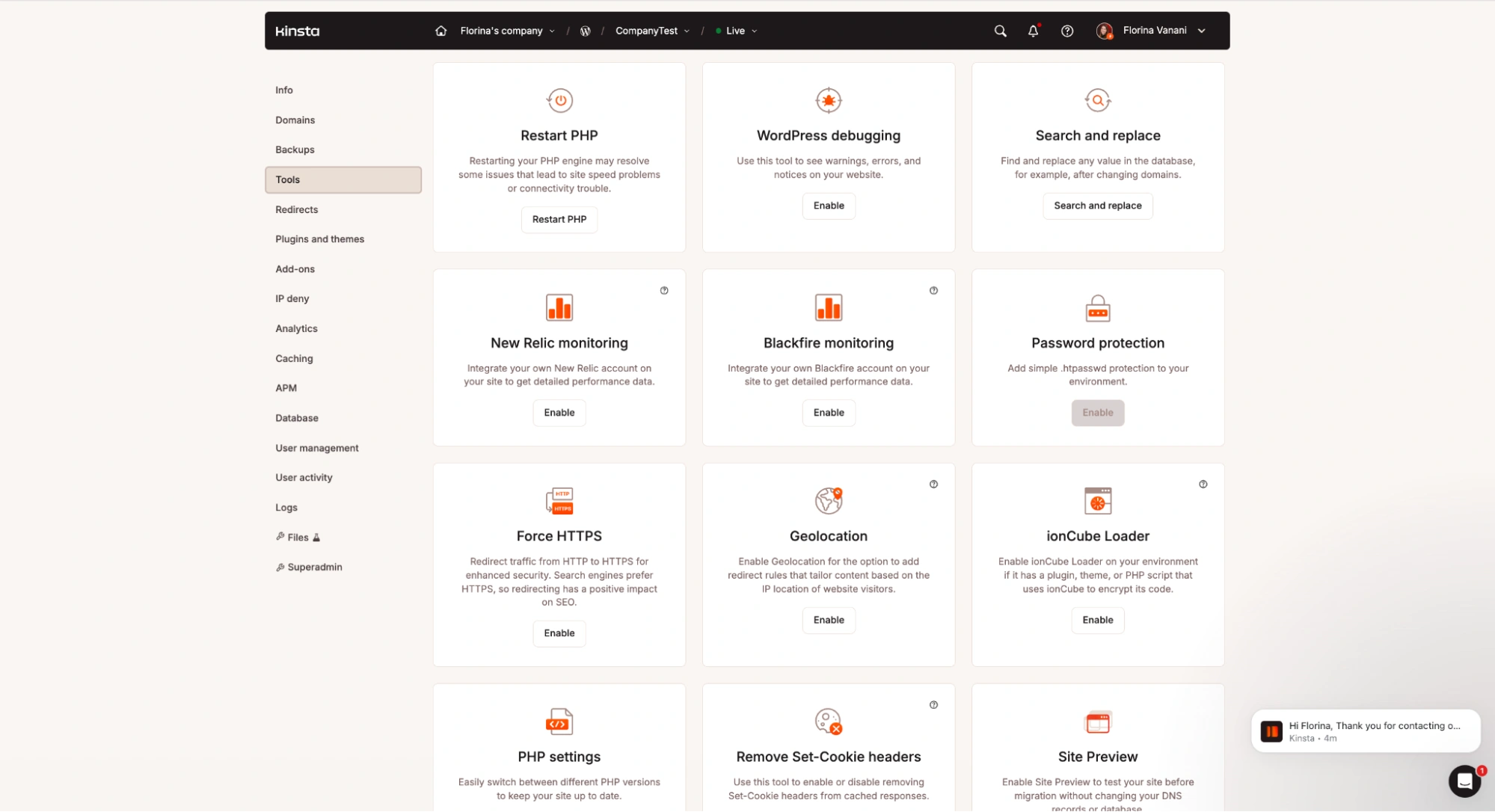
- Tools: Inside the MyKinsta dashboard you have a variety of extra tools to help optimize your environment. These include options to restart PHP, enable WordPress debugging, run search-and-replace operations, and integrate performance monitoring through New Relic or Blackfire. You can also add password protection, force HTTPS, enable geolocation, switch PHP versions, remove Set-Cookie headers, preview your site before migration, and activate features like Early Hints for faster loading. For local development, Kinsta also provides DevKinsta, a free application for building and deploying WordPress sites from your machine.
- Automatic updates: This feature allows you to keep your plugins and themes updated, run automated visual tests for issues, and roll back changes if needed.

Kinsta’s WordPress Pricing Plans
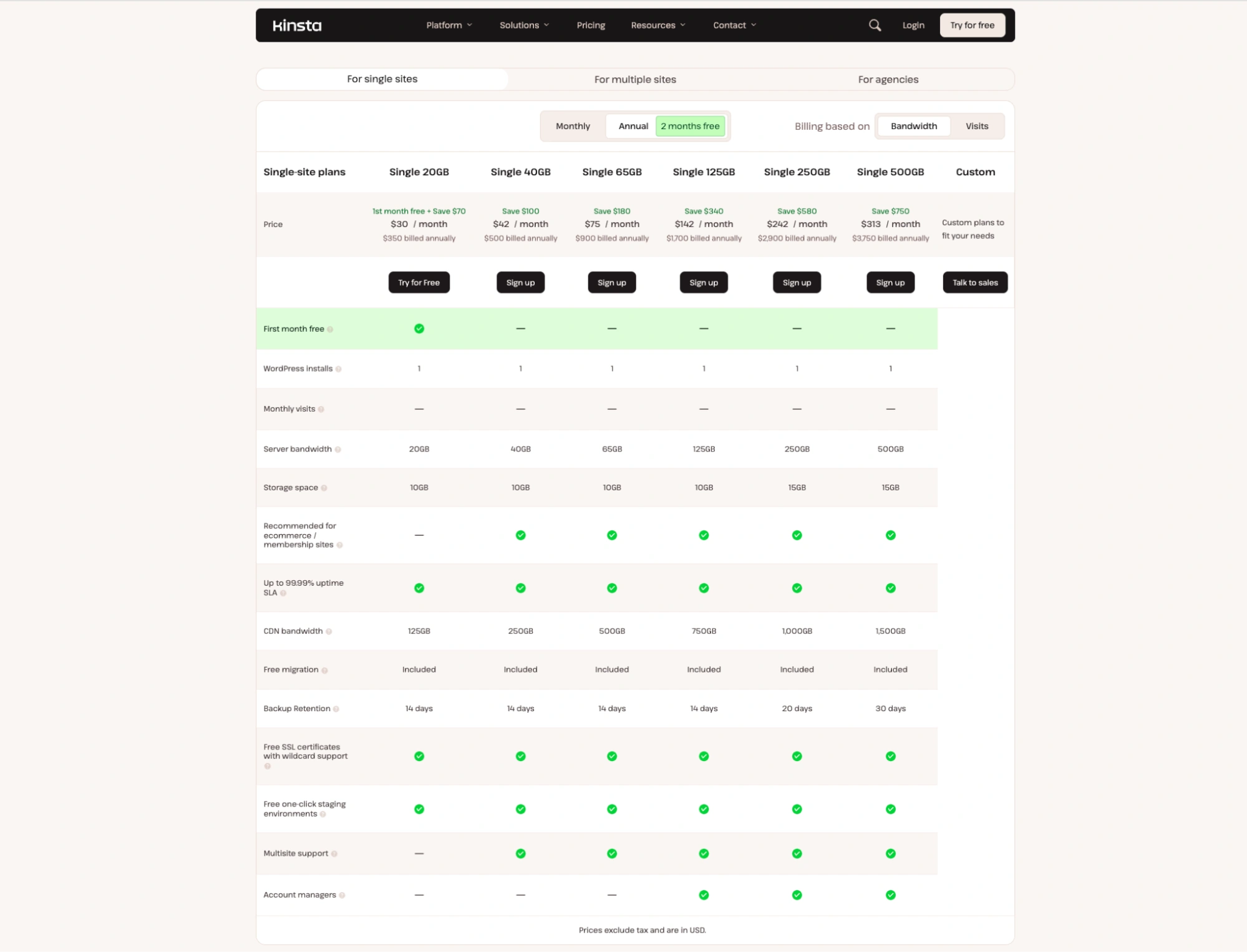
Kinsta offers a variety of plan tiers based on users’ needs. Its single-site plans are tailored to standalone WordPress installations and scale based on the project’s resource needs (disc space, monthly visits, and bandwidth usage).
The multiple-site plans scale as projects may require more WordPress installations, and disc space, monthly visits and/ or bandwidth.
Each tier goes as high as Enterprise-level to host resource-intensive sites seamlessly.
The pricing model also depends on users’ needs; they can choose from visitor-based or bandwidth-based plans.
Last but not least, Kinsta offers tailored plans for agencies to host 20+ client sites on the platform. This is a perfect option for white-label hosting for freelancers and agencies who’d like to host and manage all client sites under one roof.
Hosting With Kinsta
Kinsta team was hit with quite a challenging issue when a client came to them, only a few days before an upcoming appearance on the popular television show Shark Tank. They were on a cheap shared hosting plan with another company, at the time. They had concerns that their site wouldn’t stay online during the surge of traffic they knew was coming.
Kinsta’s team worked together exclusively with their developers in order to secure, prepare, and optimize their WooCommerce site.
Some of the aspects they handled proactively –
- Diagnosing the cause of high admin-ajax usage on their site.
- Dealing with a lot of un-cacheable requests being made to /?wc-ajax=get_refreshed_fragments
- Increasing the number of PHP workers to handle more simultaneous requests
- Excluding certain pages (cart, checkout) and cookies (woocommerce_items_in_cart) from being cached to ensure a smooth and accurate checkout process for customers
- Working with a homepage that was over 50 MB in size and implementing full-page caching so as not to buckle under the load.
And this worked! In the heavy 6-hour period after airing, the website received a total of 1,263,233 requests, ten thousand concurrent visitors, with over a hundred orders a minute. Needless to add, the client was extremely happy with Kinsta’s support.
Kinsta Testimonials
Kinsta has an impressive clientele that includes businesses from around the globe like Tripadvisor, Calm, Nasa, Hootsuite, Konica Minolta, and many more.
Here’s what they had to say about Kinsta:
Barn2 – Plugins
Barn2 Media, a UK WordPress agency-turned-plugin company, moved to Kinsta after repeated downtime and slow site performance with their previous host. With Kinsta, their sites became much faster, more reliable, and easier to manage, while also benefiting from flexible plans and responsive support.
Now, admin page load times on their Barn2 site dropped from 20 seconds to just 2 seconds after moving to Kinsta. And, their sites now enjoy 99.98% uptime, showing a huge improvement in reliability.
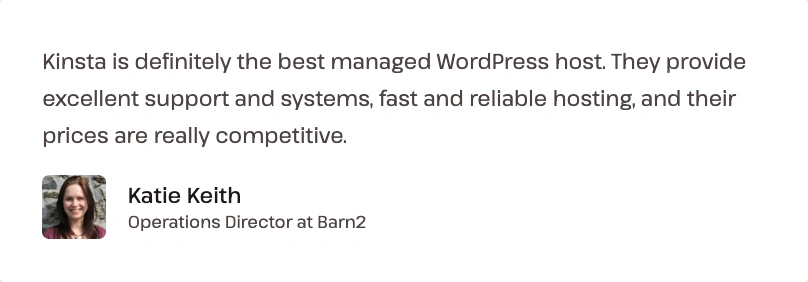
Cornershop Creative – Online Services
Knocked on Kinsta’s door looking for speed for their clients, Cornershop Creative found much more. Cornershop Creative has over 100+ WordPress sites, an all-in-one WordPress maintenance, hosting, and support solution for digital marketing agencies and individual businesses.
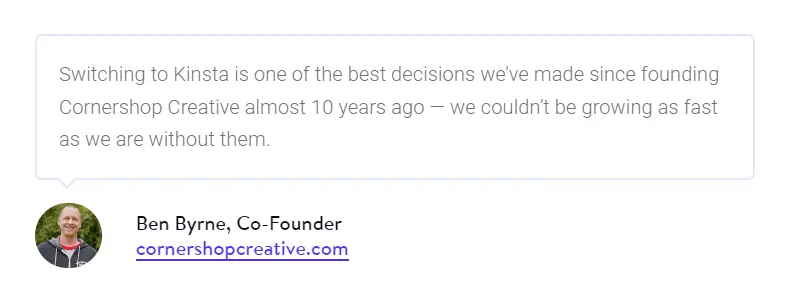
Kinsta now helps Cornershop Creative manage over 100+ sites, collectively handling over 1.2 million visits per month.
Project Preservation- Film, TV, Photography
Project Preservation had to deal with poor security, reliability, and performance from their previous hosting provider, Bluehost. They also faced website hacks and significant downtime, negatively impacting their business and SEO ranking.
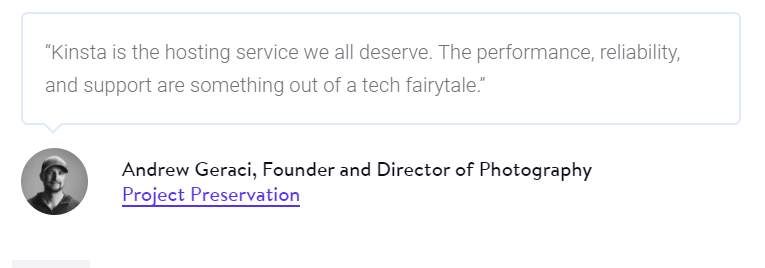
After switching to Kinsta, Andrew’s team saw a 72% boost in their website’s loading speed and Kinsta’s remarkable customer service transformed their experience and exceeded all expectations.
Blak Brews – Small business, organic tea distributor
Blak Brews’ founder was featured on Gordon Ramsay’s Food Stars. He expected a major traffic spike on his site as the show’s finals episode aired. Kinsta’s infrastructure helped handle thousands of simultaneous requests without as much as a glitch on the site that night.
What Sets Kinsta Apart From Other Hosting Providers?
Client Testimonials are proof of their superiority in terms of performance and reliability, of course, but here’s what absolutely unique about Kinsta –
Performance, Security, Privacy
Using Linux Containers (LXC) and LXD to orchestrate them, Kinsta isolates not just each account but each separate WordPress site. Translation – More privacy and security for your website, as compared to other hosting providers.
Kinsta Optimizes for WooCommerce
When it comes to hosting your e-stores powered by WordPress and WooCommerce, Kinsta applies fast server-level caching along with the following rules to make it the ultimate choice for you:
- Specific WooCommerce pages (my account, cart, and checkout) are excluded from caching by default.
- To ensure a smooth and in-sync checkout process, users automatically bypass the cache when the “woocommerce_items_in_cart cookie” is detected.
- Ability to programmatically purge individual URLs using the kinsta-cache/purge_list filter.
- Programmatic purging can also be done via cURL by calling a URL with a prefix provided by Kinsta’s support engineers.
Constantly Innovating, Improving
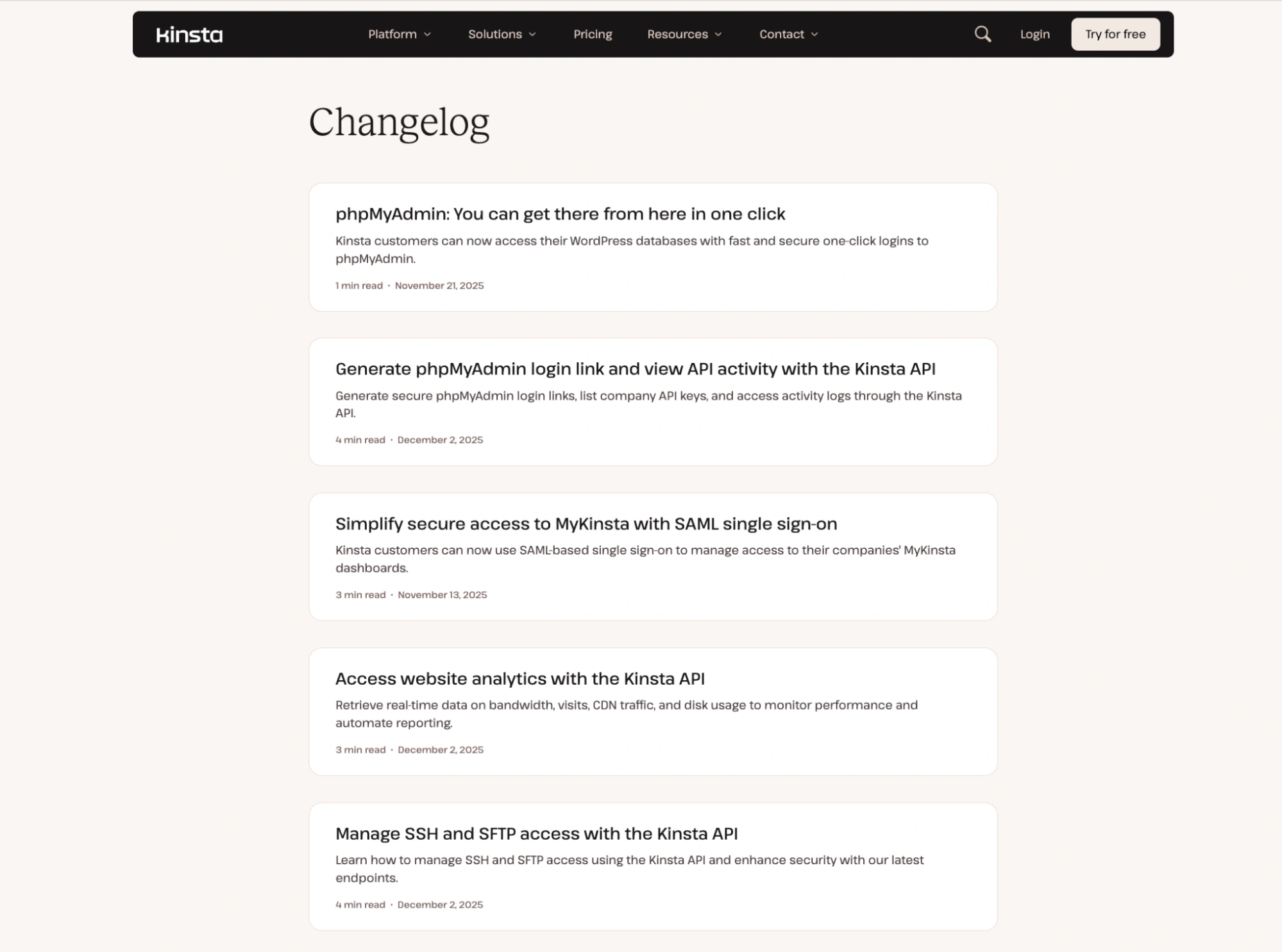
Continuous improvement is the mantra at Kinsta. They just renewed the entire company image – revamping the website to make it much more user-friendly and appealing in terms of design and navigation. Even the entire checkout process was streamlined to make sure customers can sign up easily and get started hassle-free.
They are quick to listen and incorporate feedback from existing and potential customers. They introduced the DevKinsta local WordPress Development suite. With the help of DevKinsta, you can design, develop and deploy WordPress websites from the comfort of your homes for free.
Kinsta also partnered up with Cloudflare CDN, to prevent DDoS attacks and provide a premium tailored hosting experience. By choosing a CDN partner with cost-effective rates (and yet one that doesn’t sacrifice performance), Kinsta is able to pass these savings on to clients, and include a generous amount of CDN bandwidth with each WordPress hosting plan.
Introduced an all-in-one cloud hosting service by rolling out Application Hosting, Database Hosting, and Static Site Hosting to power web projects of any kind.
Kinsta API was made available to bring more efficiency to site management processes. With the help of this tool, you can create reports, schedule and automate tasks, and create new WordPress installs automatically.
PHP performance tool allows you to manage and adjust PHP resources (memory and PHP threads aka workers) as-needed. This helps prepare for traffic spikes or major campaigns like Black Friday.
Automatic Updates is a feature that’s available in the dashboard as an add-on. While all users have access to Theme and Plugin management from within the MyKinsta dashboard, enabling Automatic Updates will help keep your installed themes and plugins updated without you having to lift a finger.
Kinsta Review – Key Takeaways
Behind the scenes, here’s what Kinsta is bringing your way –
- Kinsta is built on the powerful CLoud infrastructure, and the beauty of that is that Kinsta can keep adding additional data center locations as they roll them out.
- Kinsta is always growinga nd improving. This includes additional enhancements such as multi-environments to make developers’ lives easier.
- Kinsta is also planning further improvements to MyKinsta, their site management dashboard. Kinsta now also provides Application Hosting and Database Hosting as well.
- The built-in APM tool can help you further debug your site’s performance. Git integration directly in the dashboard is also among Kinsta’s short-term plans.
FAQ
Yes, Kinsta supports multisite installations on their multiple-site plans.
After signing up, you can request a free hands-off migration from the MyKinsta dashboard. The support team will get in touch to discuss the details and you can select the time of the migration.
Yes, you can host HTML sites at Kinsta.
Yes, you can use the SSL Certificate Purchased from your Domain Registrar. Kinsta also offers free automatic Cloudflare SSL certificates with wildcard support.
Yes! You can sign-up risk free to their base plans that come with a free trial. No credit card required. They also offer a 30-day money-back guarantee on all plans (including add-ons).
Yes, Kinsta supports GIT clients; therefore, you can pull up from Github, Gitlab, Bitbucket, or any other third party.
Kinsta allows only one database per site.
Although Kinsta supports many popular WordPress themes, we highly recommend using our Responsive theme because of faster loading times, built-in search engine optimization, and built using WordPress coding standards.
Final Thoughts
The most effective WordPress hosting options don’t have to be expensive. Many companies provide affordable, top-notch WordPress hosting. They provide you with a ton of WordPress-specific functionality, assure excellent speed, and simplify maintenance. (See How Much Does It Cost To Build A WordPress Website? )
Like what you’ve heard so far? Kinsta is offering two months’ hosting off on their annual plans! You can sign up for a free MyKinsta account right now and take a look for yourself.
So, if you don’t want to sacrifice quality but are on a tight budget, the WordPress hosting company mentioned above is our best pick. You receive excellent support, user-friendliness, and numerous WordPress-improving features.
If you’ve liked reading this article, check our similar articles:
- What Is WordPress? Ultimate Guide For Beginners
- Best Budget-Friendly WordPress Hosting Providers
- How to Write SEO Titles (+Examples of Good SEO Titles)
Are you already excited about building and hosting a website with WordPress? Grab the Responsive theme to build the best website!





