
Summary
The article compares the Sydney Theme and CyberChimps Responsive Theme for WordPress, evaluating customization, performance, starter templates, WooCommerce support, and pricing.
It concludes that while Sydney is solid, Responsive offers greater flexibility, more templates, advanced features like a drag-and-drop header/footer builder, and better value, especially in the free version.
Are you feeling limited by the Sydney Theme’s customisation options?
Struggling to modify key areas like the header or footer and realising most advanced features are locked behind a PRO upgrade?
The Cyberchimps Responsive Theme solves this problem from the start.
It offers powerful features, including a drag-and-drop Header and Footer Builder, and a huge collection of 250+ starter templates available in its free version or budget-friendly plans.
In this comparison, we’ll explore Sydney vs. Responsive Theme across customisation, starter templates, performance, and pricing.
Cyberchimps Responsive is the Best WordPress Theme – Get it for free!
Sydney Theme
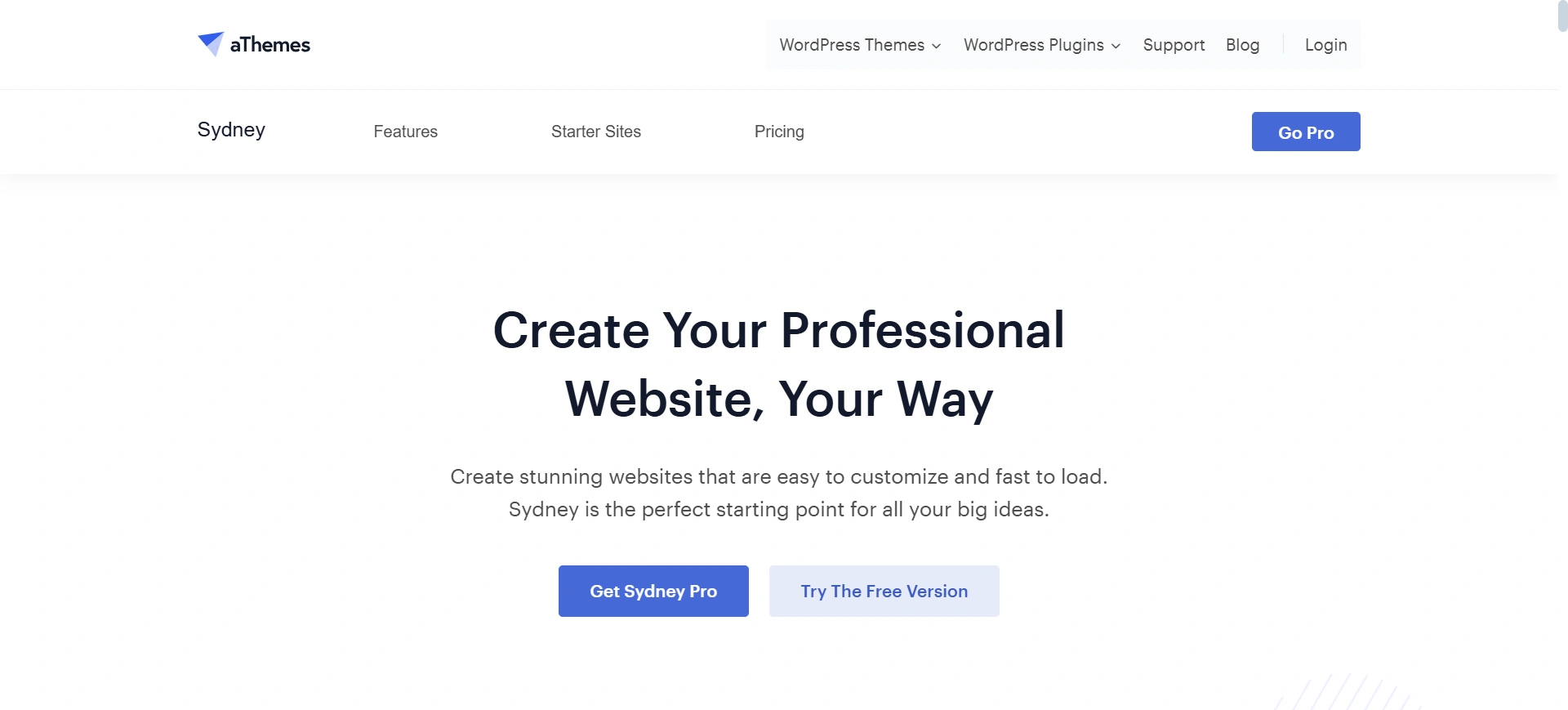
Sydney is a popular multi-purpose WordPress theme that boasts a clean design and support for the Elementor plugin. It’s a great choice for bloggers and small business websites that need a simple and clean-looking theme.
While I found some of the core customization options were somewhat limited(menu, footer-header and layout controls) in the free version, not all is lost, since upgrading would unlock advanced features, and give you additional templates to start with.
Responsive Theme
???? My Real World Test Results:
- Load time on shared hosting: 0.78 seconds
- GTmetrix Performance score: 100%
- Total theme size: Under 80KB
- Mobile PageSpeed score: 99/100
- Save design time with 100+ Premium-grade Starter templates
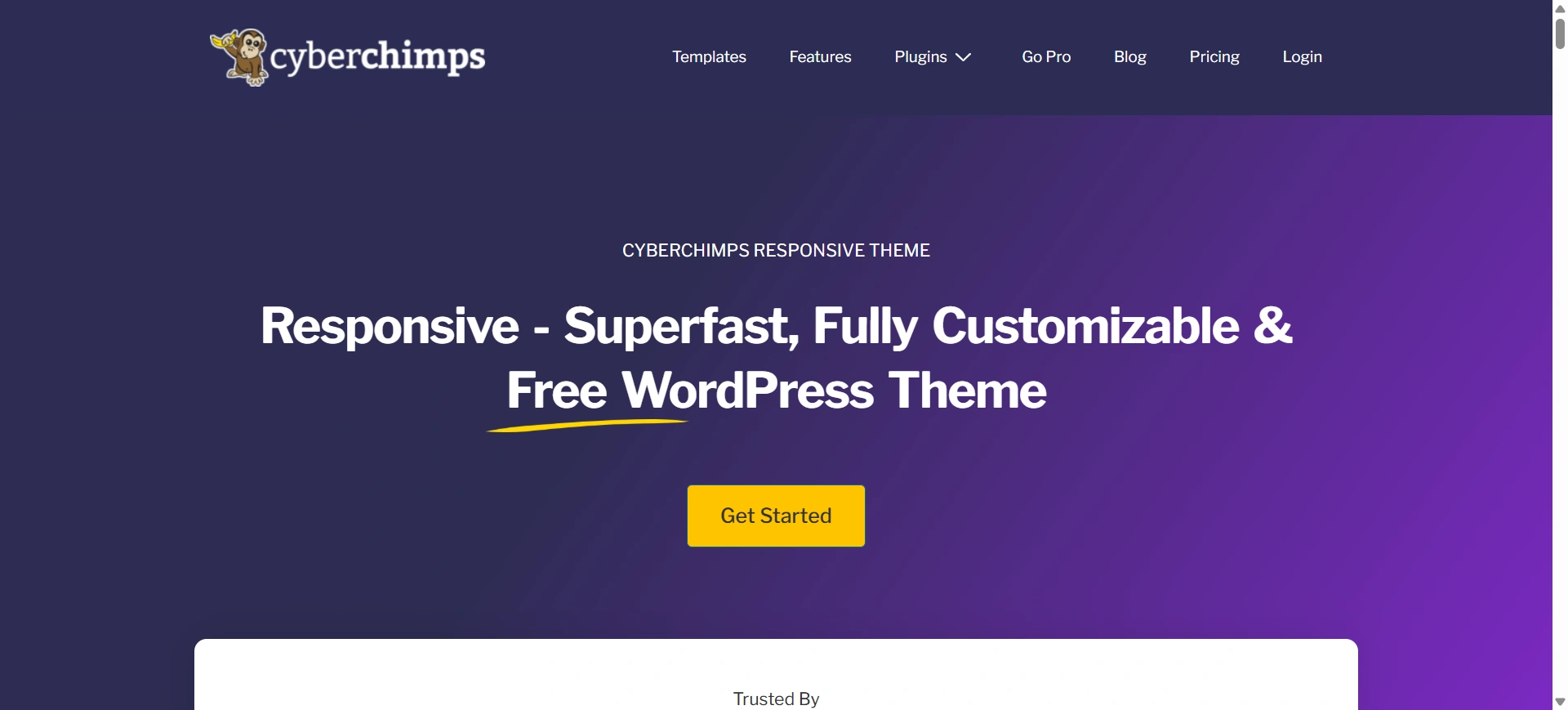
The Responsive Theme by Cyberchimps is for those who want complete design freedom without going immediately premium.
It’s flexible Site Builder lets you design fully custom Headers-Footers, and 404 Pages through a simple drag-and-drop interface, and it’s all included in the free version.
In addition to fast loading times, it is WooCommerce-ready and provides access to 250+ starter templates in free and low-cost plans. Responsive Theme has you covered to create a unique, modern, professional website without restrictions.
Sydney Vs. Cyberchimps Responsive Detailed Comparison
While both themes provide a strong foundation for building a website, this in-depth comparison will help you understand which one truly excels and which option gives you better flexibility, control, and value for your specific needs. Let’s start with.
Theme Customizer
- Sydney theme customization
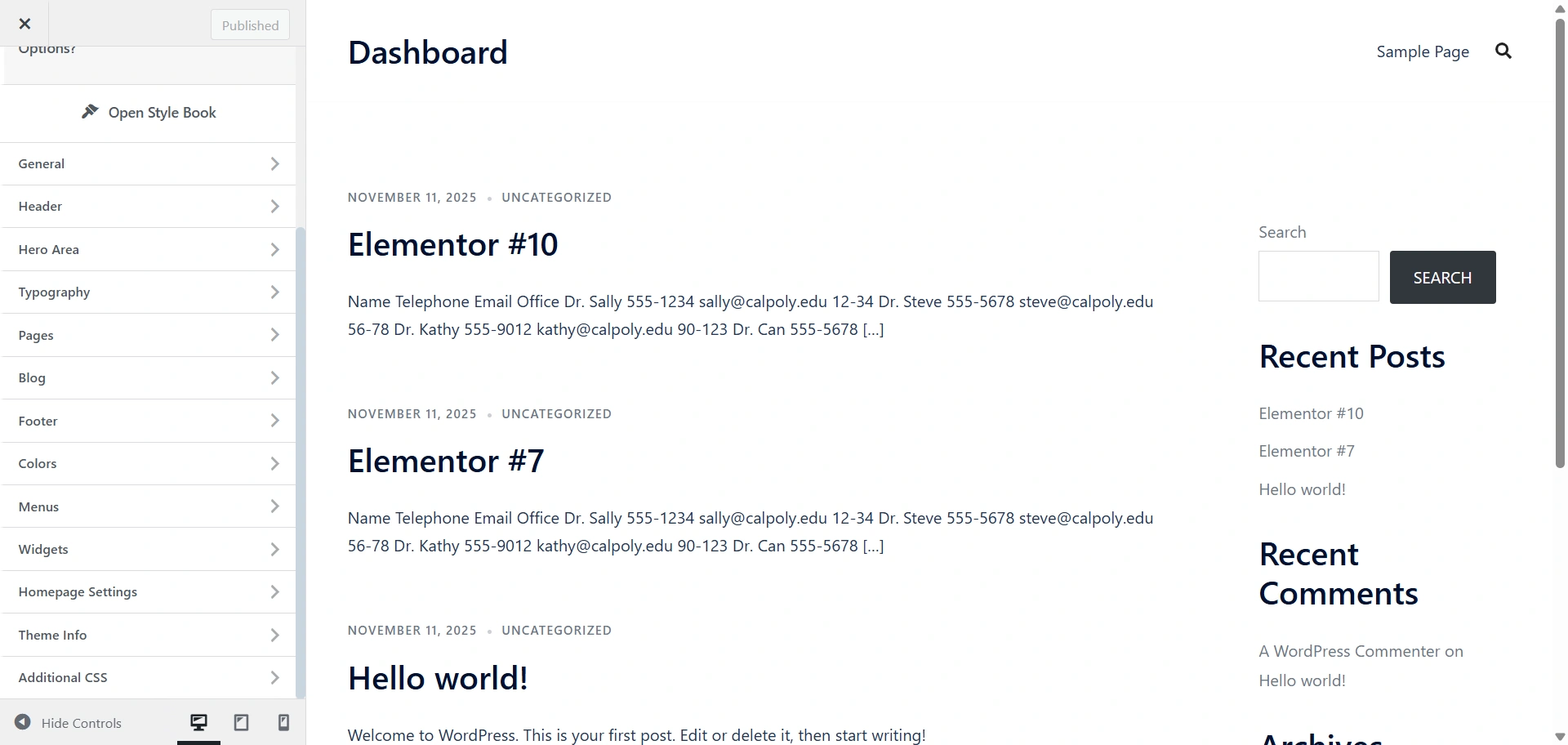
The Sydney theme provides a User-friendly version of the WordPress Customizer format, providing multiple sections: Header, Hero Area, Typography, Pages, Blog, and Footer.
While it is clean and user-friendly, it is missing many advanced customization features like sticky headers, mega menus, layout controls, or even granular mobile settings, which are limited to the Pro version.
In short, while basic styling and the global palette are available in the free version, generally speaking, users looking for full visual control and deeper mobile/typography customization will need to upgrade.
However with Cyberchimps Responsive, these settings are freely available even in the free version.
- Cyberchimps Responsive Theme Customization
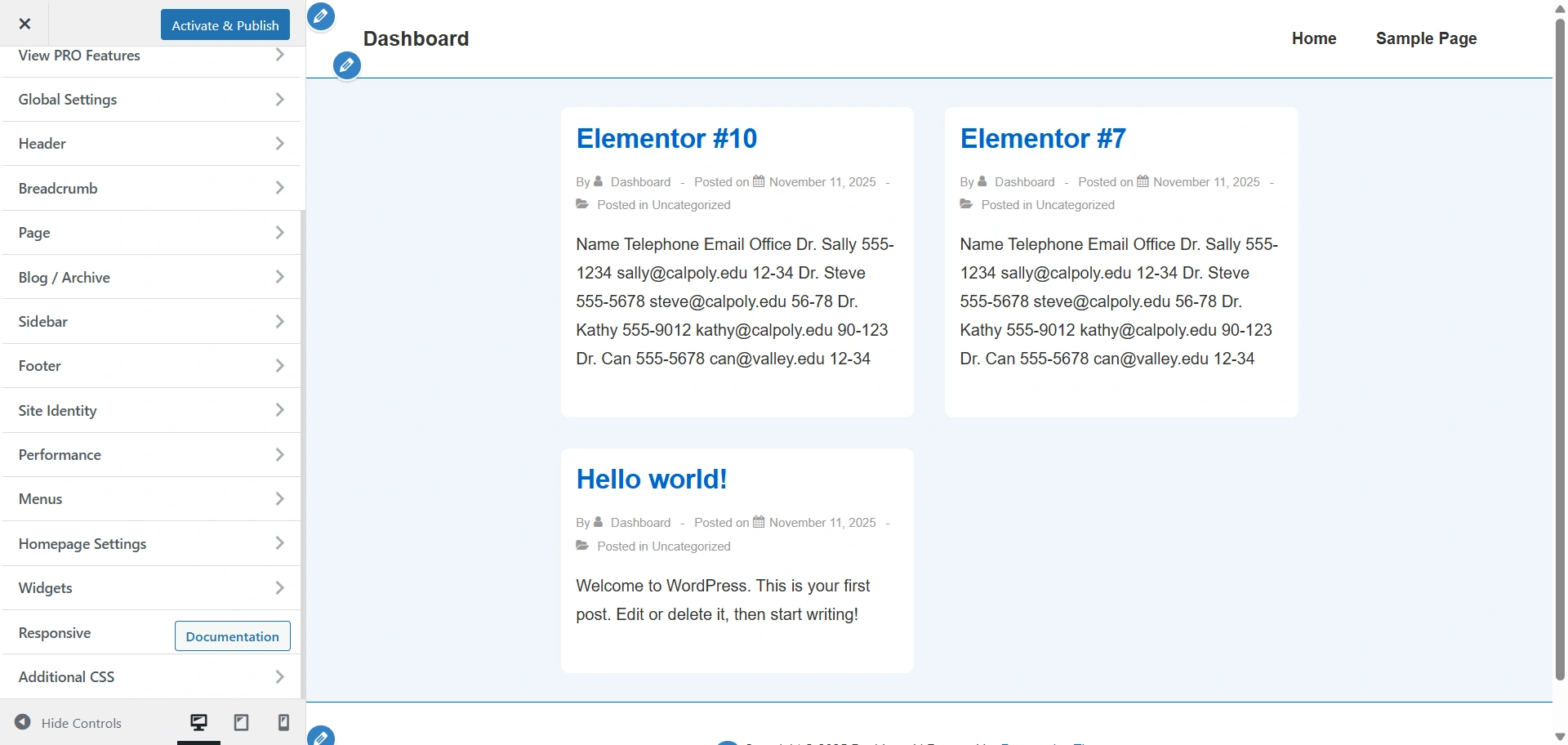
On the other hand, the Cyberchimps Responsive Theme offers a significantly more powerful customization experience even in the free version.
It comes with a drag-and-drop Header & Footer builder, extensive customizer controls like separate color settings for individual heading tags, and fully-defined global style options (colour palette, typography).
Additionally, the premium add-on (Responsive Plus plugin) enables advanced mobile-specific header customization, allowing users to create an extraordinary design with unique features, rather than compelling them to upgrade to access basic features.
Speed and Performance Test
To understand how both themes perform in real-world scenarios, we ran a speed performance test using GTmetrix.
For a fair comparison, both themes were tested on a fresh WordPress installation with no extra plugin activated to simulate a standard basic setup.
This helps us evaluate how efficiently each theme loads while keeping external influences minimal.
- Sydney GTmetrix
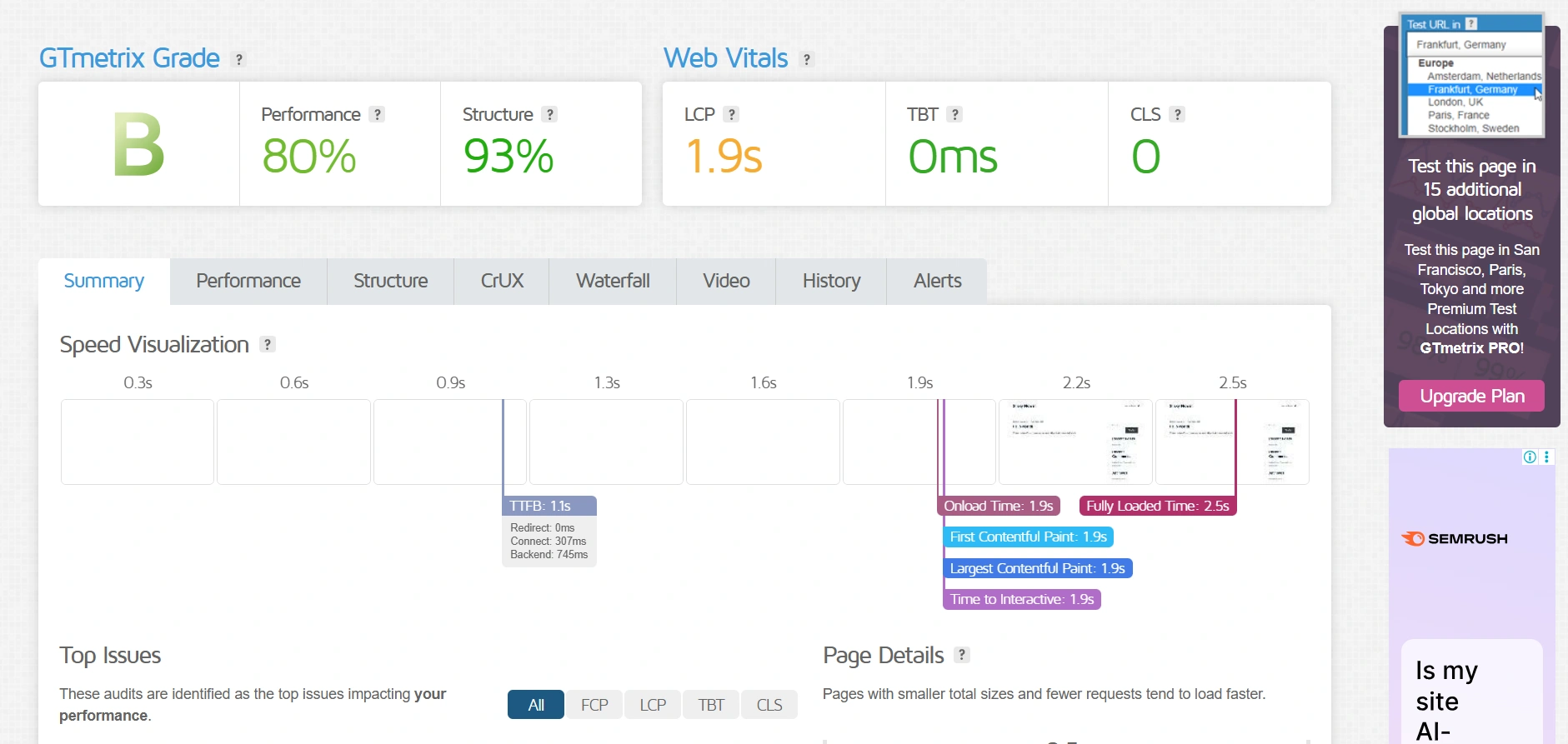
Sydney loads quickly and maintains strong stability throughout the page rendering process.
It is built with more design elements and visual components out of the box, which helps users achieve a polished look faster.
However, these additional features contribute to slightly heavier page weight, resulting in a bit slower loading experience compared to a more lightweight theme.
- Sydney PageSpeed Insights
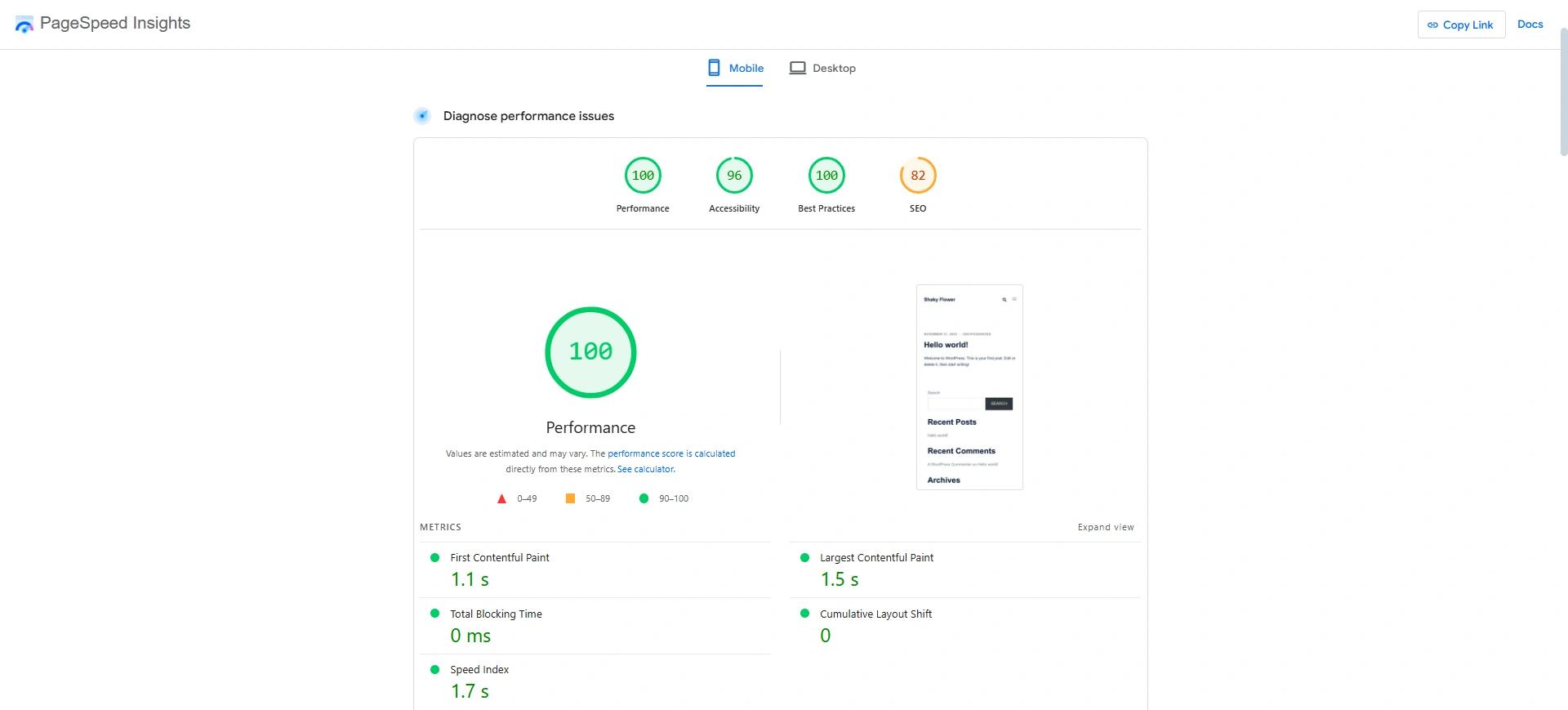
The Sydney Theme also achieves a top-tier PageSpeed Insights score, indicating it is highly optimised and delivers a superb user experience in terms of speed.
While still exceptionally fast, its metrics suggest it is a slightly heavier base than the Responsive Theme.
- Responsive GTmetrix
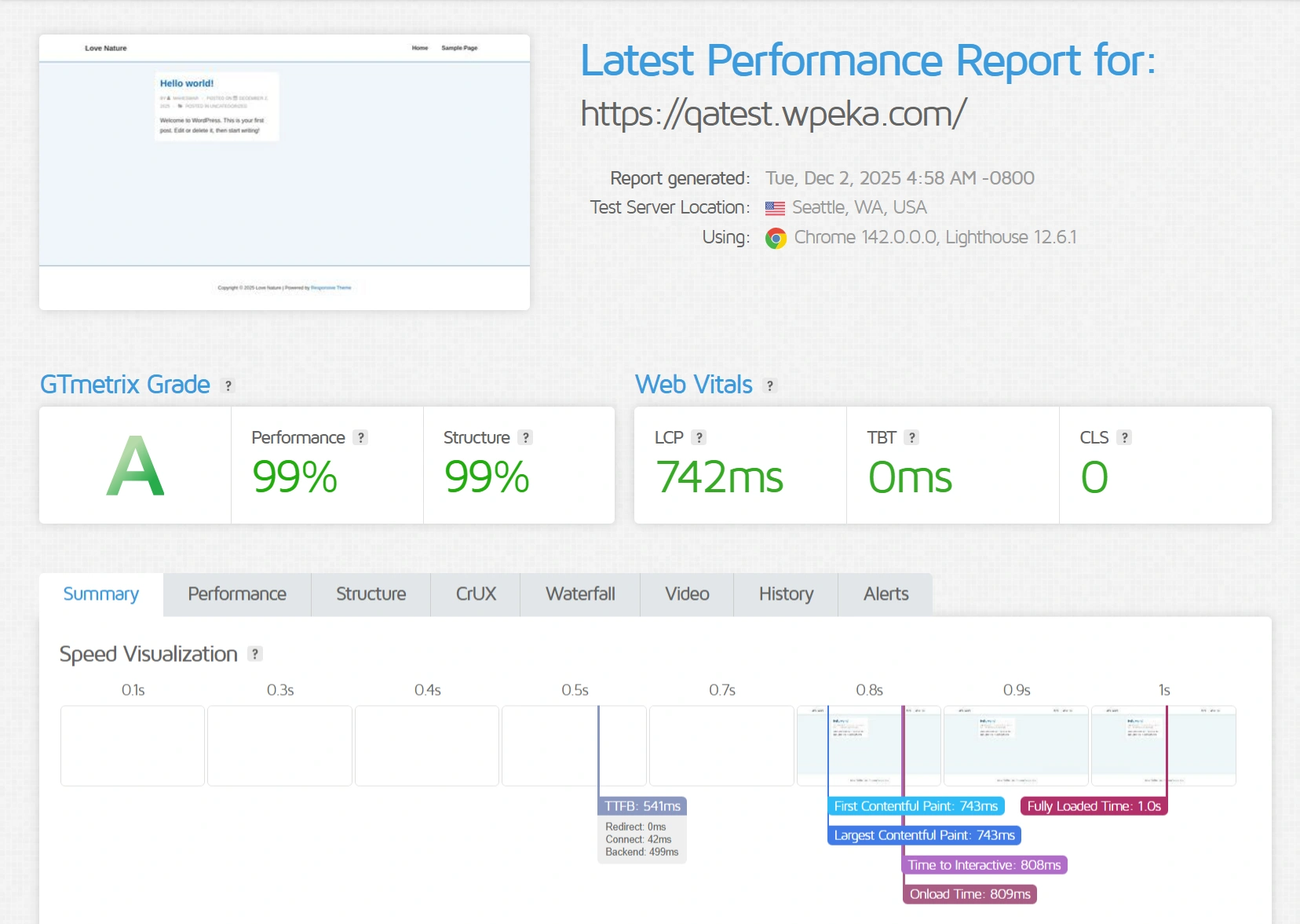
Responsive is specifically built for lean performance and optimized structure.
Its lightweight codebase ensures a fast-loading experience and smooth interaction during the initial page load.
With minimal layout shifts and efficient asset loading, it provides a strong foundation for users who prefer to build custom layouts while prioritizing speed and performance.
- Responsive PageSpeed Insights
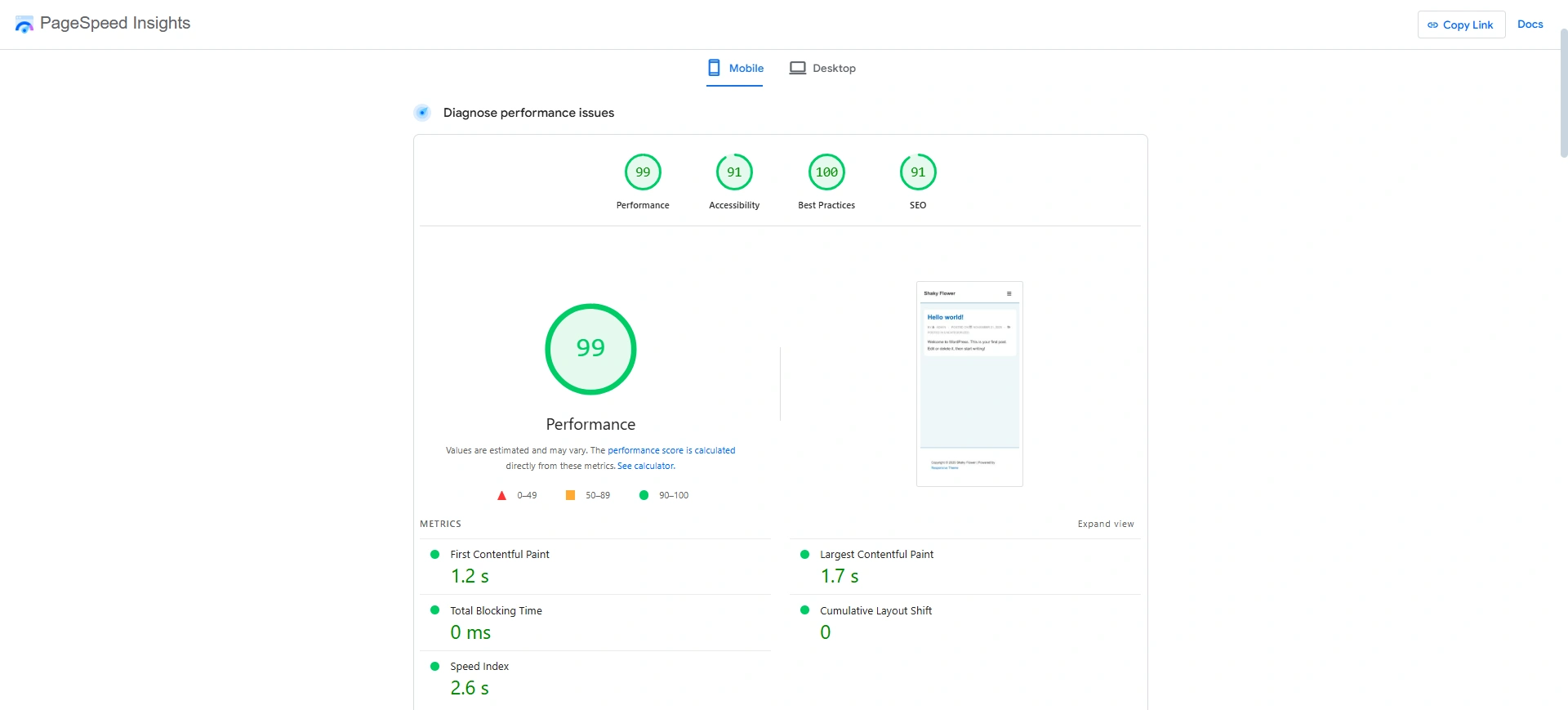
The Responsive Theme PageSpeed Insights results place it among the most performant and lightweight themes available.
The Responsive Theme delivers excellent performance, with pages loading quickly and minimal delay or responsiveness issues.
While it doesn’t quite match the slightly higher speed scores of the Sydney Theme, it is still built on a clean, minimal codebase that ensures fast rendering and smooth interactivity.
Header Footer Builder
- Sydney Theme
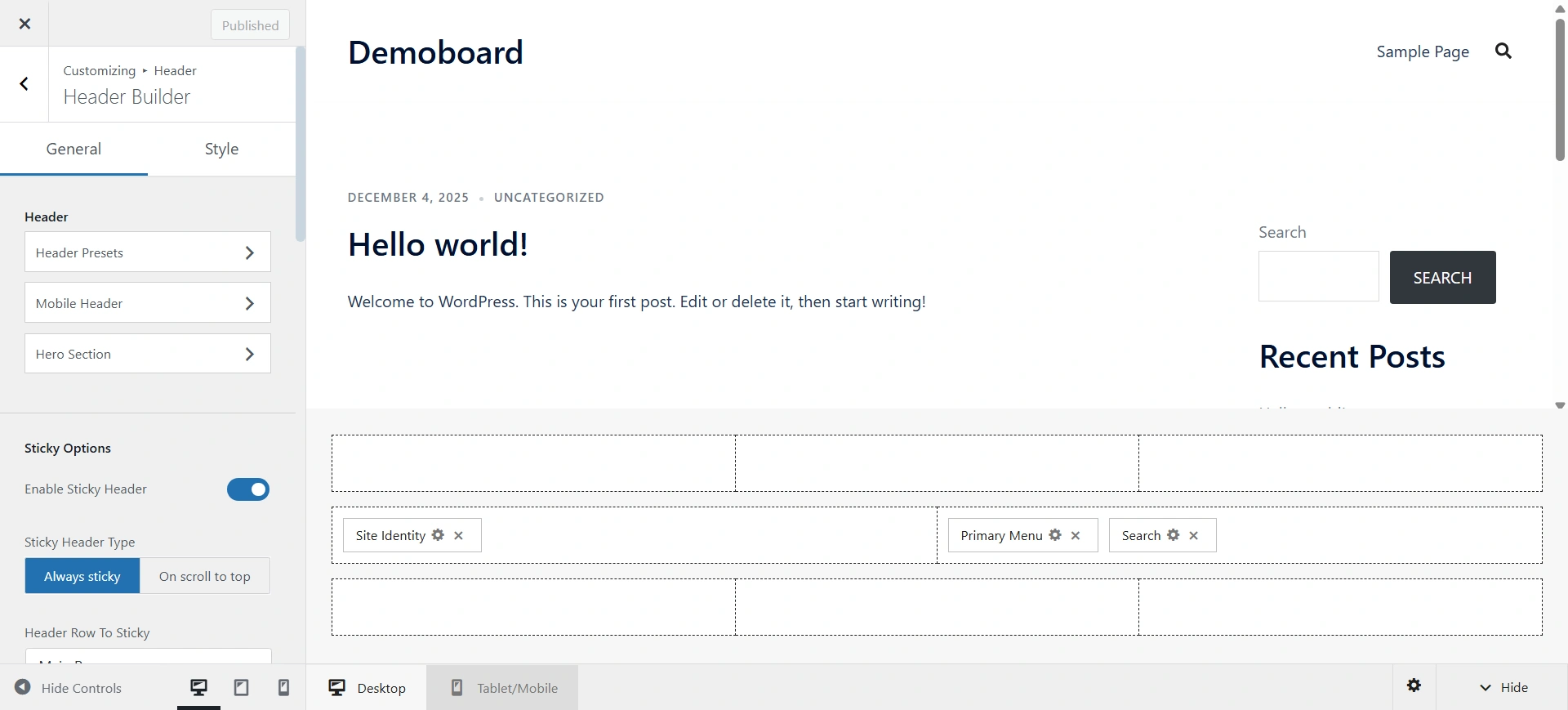
Sydney Theme utilizes an options-based customization approach. This approach provides users with extensive, structured control over global site elements, including dedicated panels for the Header, Footer, Blog, Colors, and Typography.
Rather than a visual drag-and-drop structural builder for the header and footer, Sydney is designed to allow users to select from pre-configured layouts and then fine-tune aesthetics and features using categorized settings.
- Cyberchimps Theme
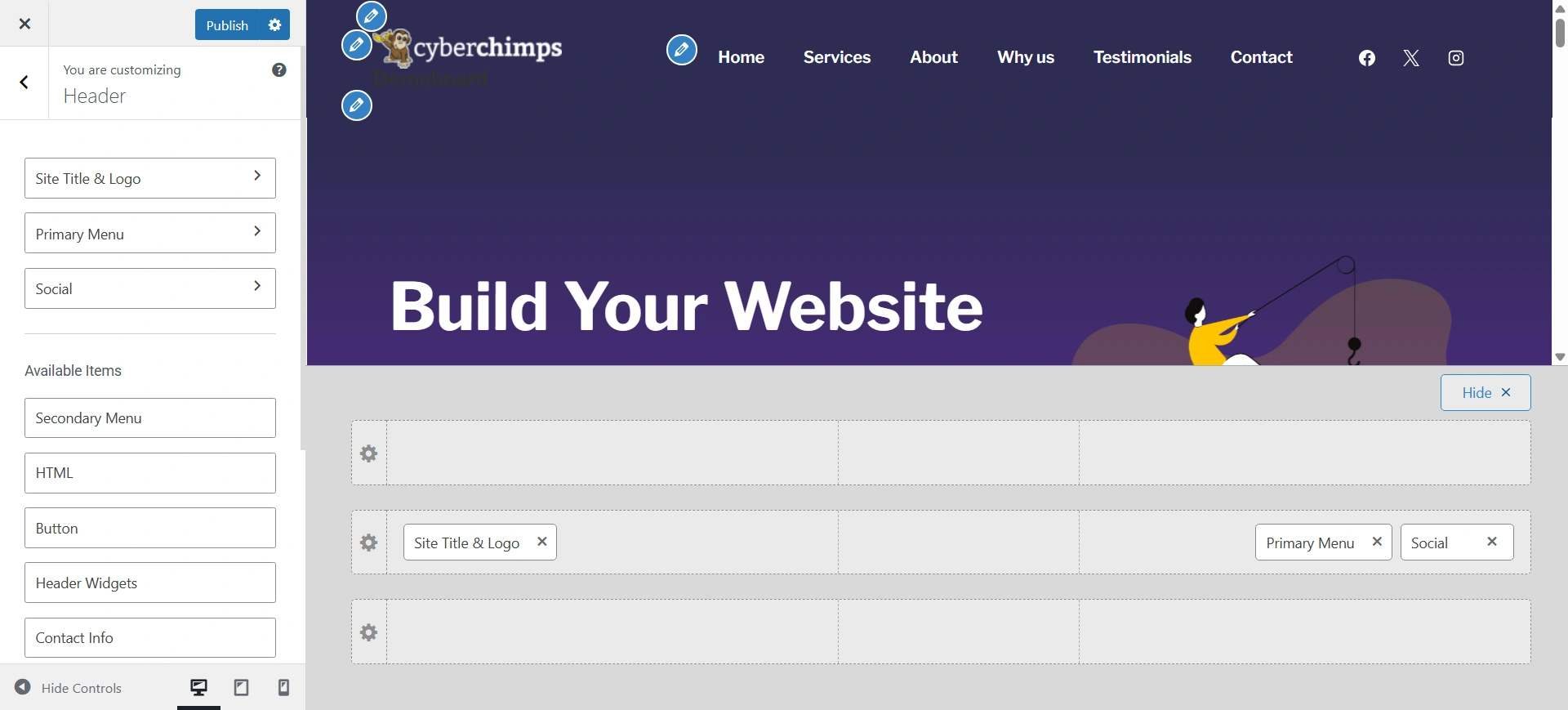
The theme utilizes an advanced, user-friendly Header and Footer Builder within the WordPress Customizer, allowing users to visually drag-and-drop modular elements like menus, logos, social icons, and buttons across multiple header and footer rows.
This makes it highly suitable for users who demand unique, custom structures.
Critically, this customizability does not sacrifice speed, as evidenced by its near-perfect PageSpeed scores and extremely lightweight file size, ensuring that a highly customized site built on this foundation starts with a significant SEO and user experience advantage over heavier alternatives.
Starter Templates
- Sydney Theme
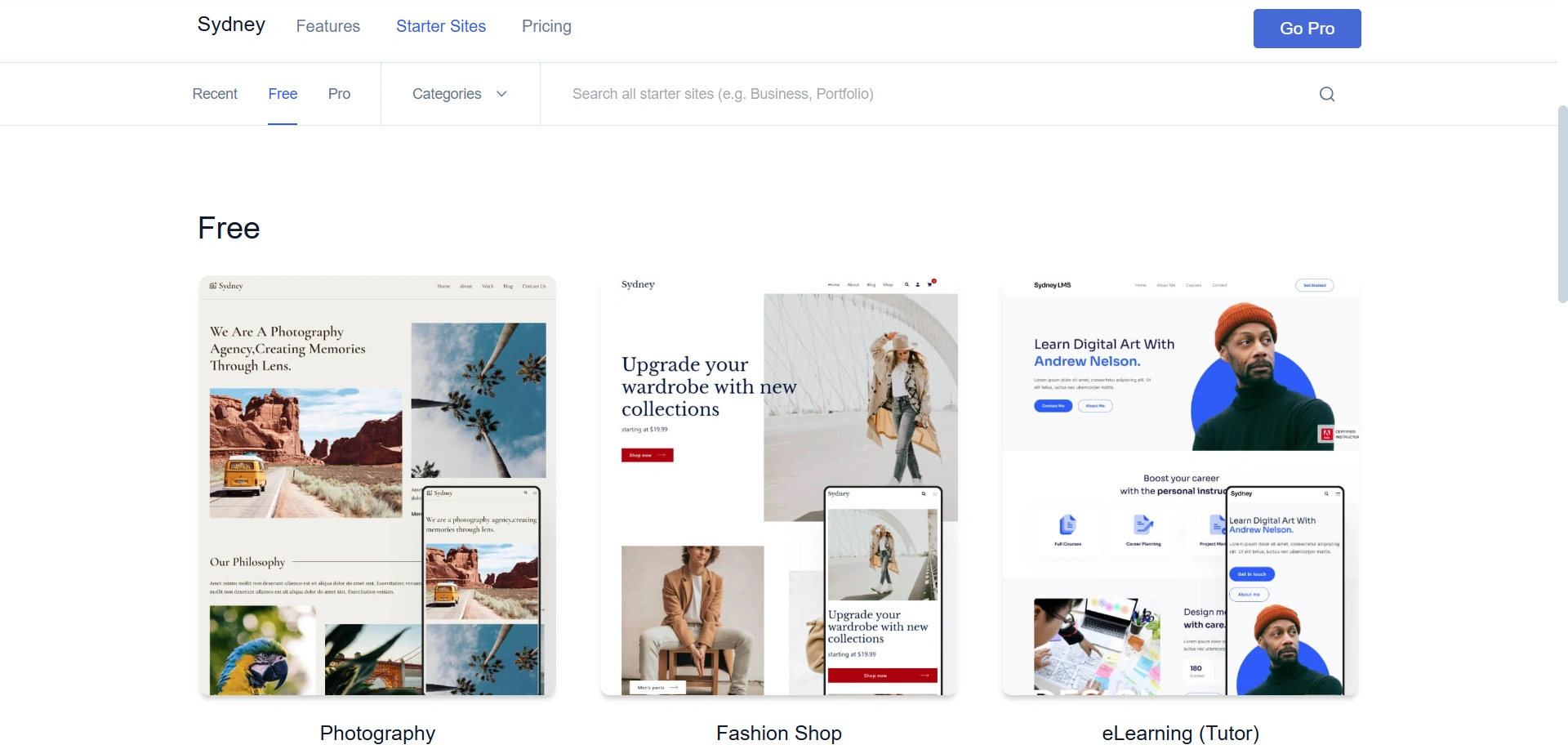
Sydney offers a curated collection of 25+ professionally designed starter sites, but only about 6 are available for free. The remaining templates are locked behind the Sydney Pro upgrade.
This model emphasizes quality over quantity, but users who don’t find a free template matching their niche are often pushed toward the paid version.
- Cyberchimps Theme
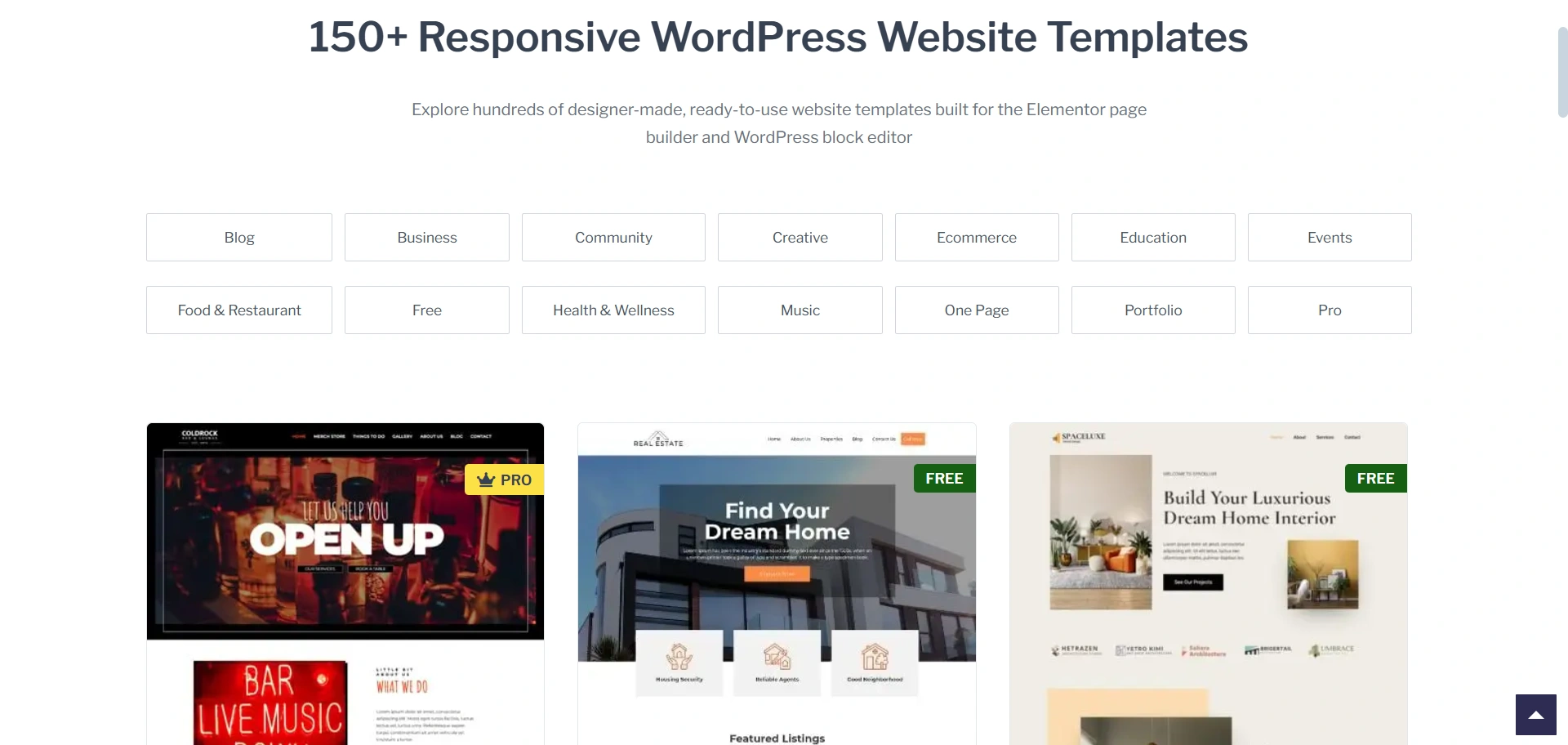
Cyberchimps provides a massive library of 250+ professionally designed starter templates, many of which are free and ready to import for Elementor and Gutenberg.
The templates are powered by the Responsive Plus plugin in paid plans, offering flexibility across industries like e-commerce, real estate, blogging, and more.
This freedom-of-choice approach ensures users have ample options to quickly launch their websites, regardless of budget.
Integration with WooCommerce
- Sydney Theme
Sydney has normal WooCommerce compatibility with a basic level of design integration in its free version.
However, if you want advanced e-commerce customization, such as improved layout controls, checkout options, and unique design styling for products, you will need the paid Sydney Pro version.
In other words, serious online store owners will almost certainly need to move on to the paid version to access professional-level e-commerce features.
- Responsive Theme
Cyberchimps Responsive, in its free version, incorporates WooCommerce while Responsive Plus is activated.
You get advanced e-commerce features, including custom layouts, quick view, cart total display, button styling, typography control, and distraction-free checkout.
The Responsive Plus plugin serves as a complete gateway and then keeps the core theme very lightweight while also offering a flexible, powerful platform for your scalable online store.
Documentation and Customer Support
- Sydney Theme
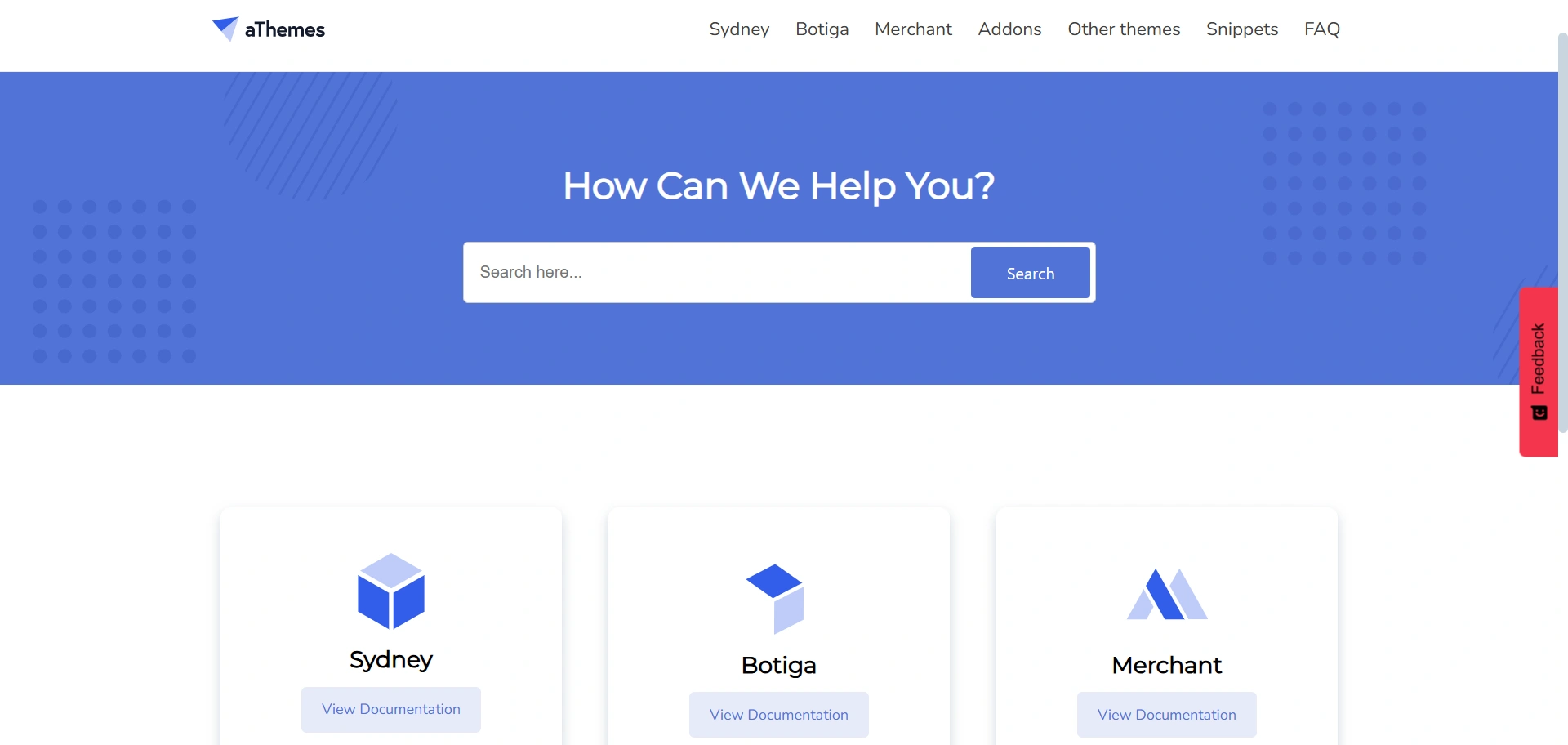
The Sydney knowledge base is clean and organized by product, such as Sydney, Botiga, and Merchant. It is straightforward and product-focused, helping users quickly find documentation specific to the Sydney theme.
- Responsive Theme
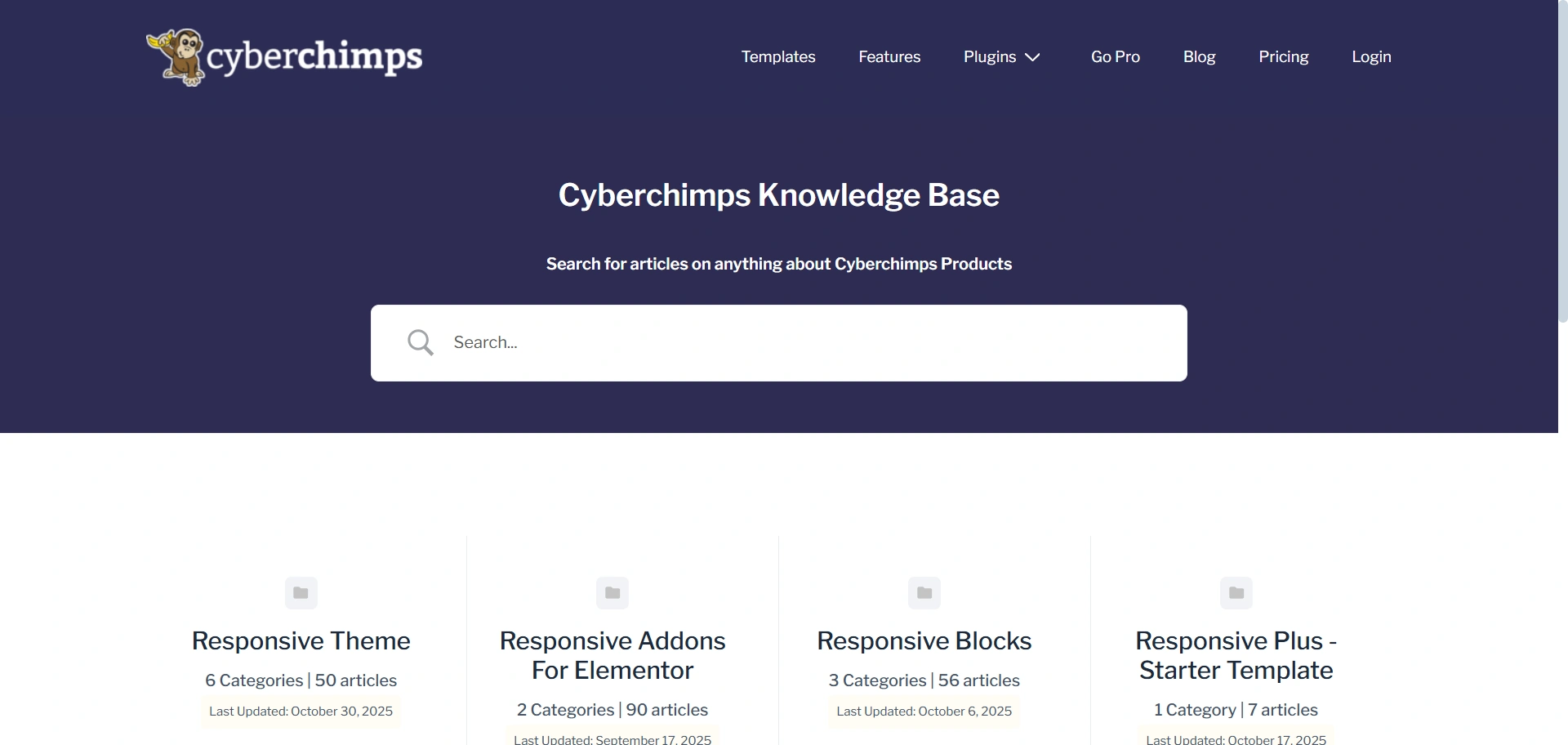
The Cyberchimps knowledge base is organized by functionality and product component.
It highlights extensive documentation for the Responsive Theme as well as its bundled products, like Responsive Addons for Elementor, Responsive Blocks, and Responsive Plus Starter Templates.
This makes it easy for users to access support across the full Cyberchimps ecosystem.
Pros and Cons
| Sydney Theme | Responsive Theme | |
|---|---|---|
| PRO’s | 1. Flexible and powerful multipurpose theme 2. Lightweight and SEO-friendly coding standards. 3. Seamless Elementor integration | 1. Advanced features like Header & Footer Builder available in the free version. 2. 250+ starter templates for every niche. 3. More styling control without upgrading. 4. Very lightweight and optimized for fast loading and SEO. |
| CON’s | 1. Only ~6 starter sites available without upgrading. 2. Requires Pro to unlock advanced shop customization. 3. Advanced header, footer, and layout options locked behind Pro plan. | 1. Some advanced third-party plugins may require extra configuration. 2. The large toolkit may feel overwhelming at first. |
Pricing Plans
- Sydney Theme
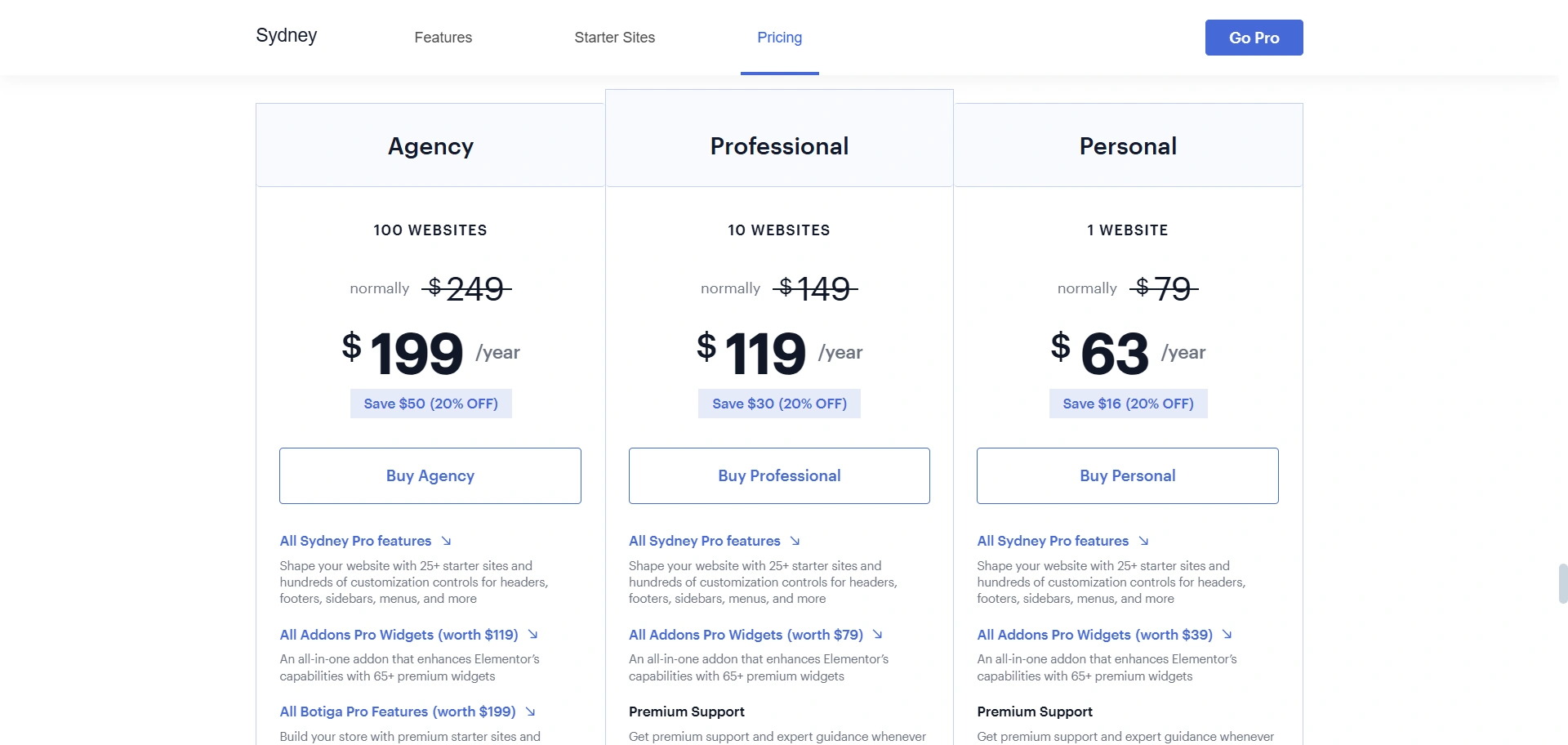
The Sydney Theme is a premium option with relatively high prices. The entry-level Personal plan for a single site is $63 per year, offering Pro features and Addons Pro Widgets.
The Professional plan for up to 10 sites costs $119 per year. At the highest tier, the Agency plan supports up to 100 sites and costs $199.
Although Sydney provides a lot of functionality, even the discounted plans are significantly more than Cyberchimps’ plans, with the Agency option.
- Responsive Theme
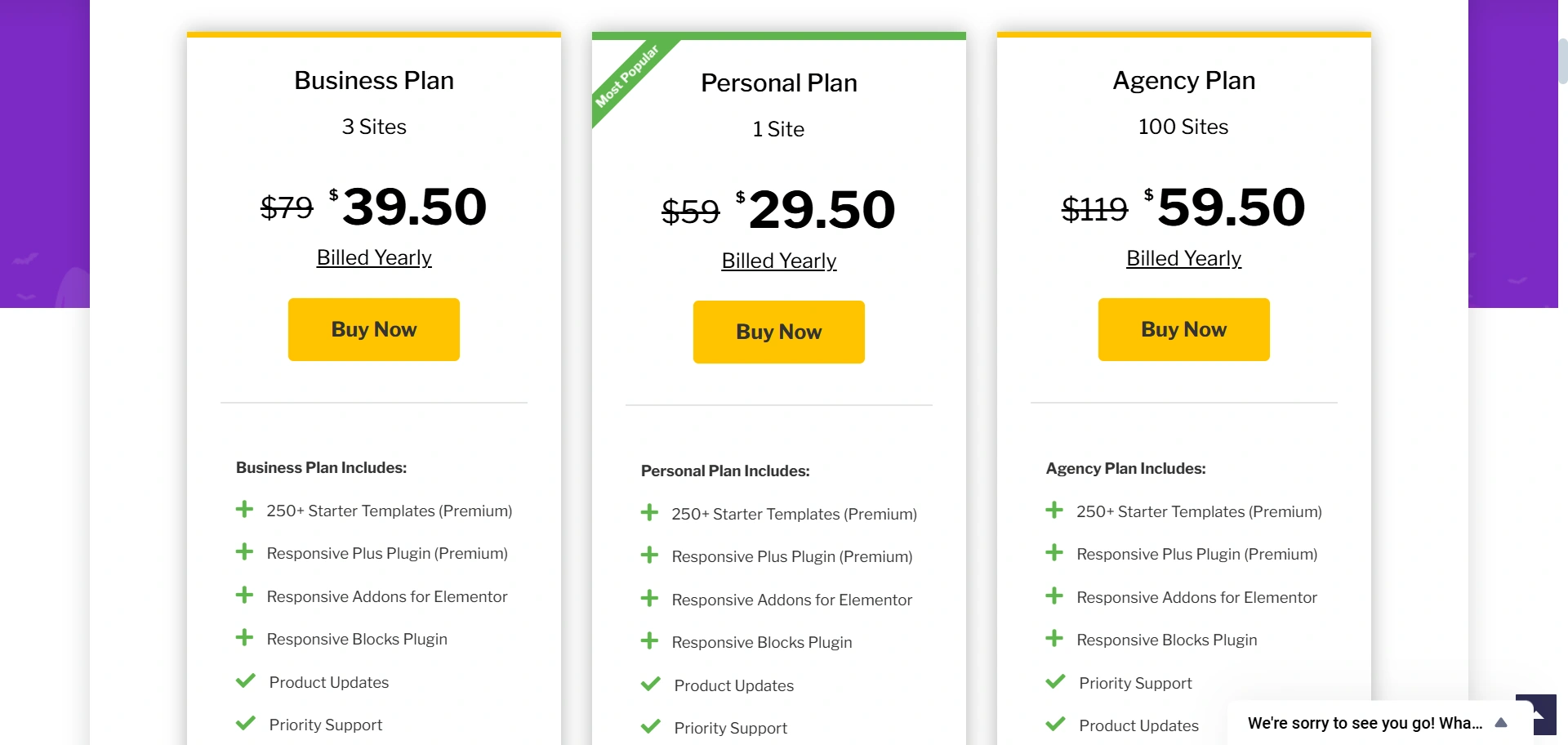
Cyberchimps Responsive Theme promotes low-cost pricing without losing any features. Their free theme found on WordPress.org is packed with many advanced features, including the heading and footer builder, which Sydney has for Pro users only.
The paid plans are very cost-effective and provide complete value bundles instead of just upgrades.
The Personal plan is $29.50 per year for one site, and has 250+ Starter Templates, Plus Plugin, Elementor Addons, Blocks Plugin, and priority support.
The Business plan is $39.50 per year for three sites. The Agency plan is $59.50 per year for 100 sites and features all premium features in one subscription.
Therefore, Cyberchimps is less expensive at every level, particularly on the agency plan, with a great variety of features, templates, and plugins for a small fraction of the Sidney price.
Conclusion
Both options, Sydney and the Cyberchimps Responsive Theme, are good WordPress site creation options, but they serve different purposes.
Sydney is a solid premium-based theme with decent functionality, a clean layout, and good Elementor integration, but most of the advanced customization features, starter professional templates, and eCommerce controls are locked into the Pro version.
The Cyberchimps Responsive Theme offers much more flexibility from the start.
It offers a powerful Header & Footer builder, full style control, exceptional performance, enhanced WooCommerce features, and 250+ starter templates, all available for free.
If you want total freedom in your design without being pushed to their Pro version, then the Responsive Theme is the better option.
If you like this article, consider reading these:
- How To Build A Law Firm Website Using Responsive theme With WordPress?
- How To Start A Travel Blog From Scratch In 15 Easy Steps
Ready to build a fully custom WordPress website without limitations? Download the Responsive Theme today and start designing in minutes!





