
The Responsive Plus plugin by Cyberchimps smoothly integrates with WooCommerce to increase functionality and easily set up your WooCommerce Store.
To use this module, you must have the Responsive Plus plugin and WooCommerce installed in WordPress. It is best if you use the Responsive theme with it for added compatibility.
Activating the WooCommerce module
Follow these steps to activate the WooCommerce module and start building your store:
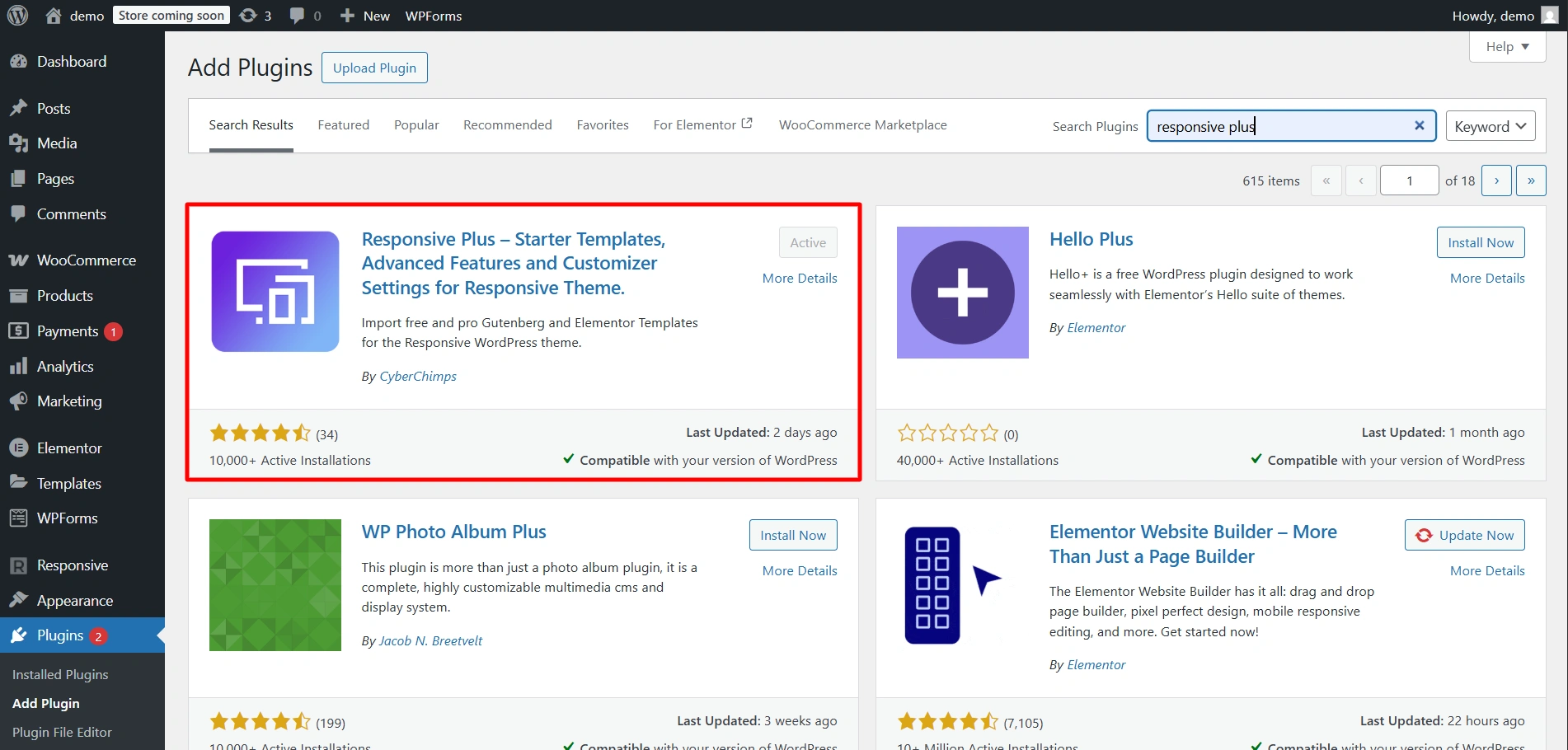
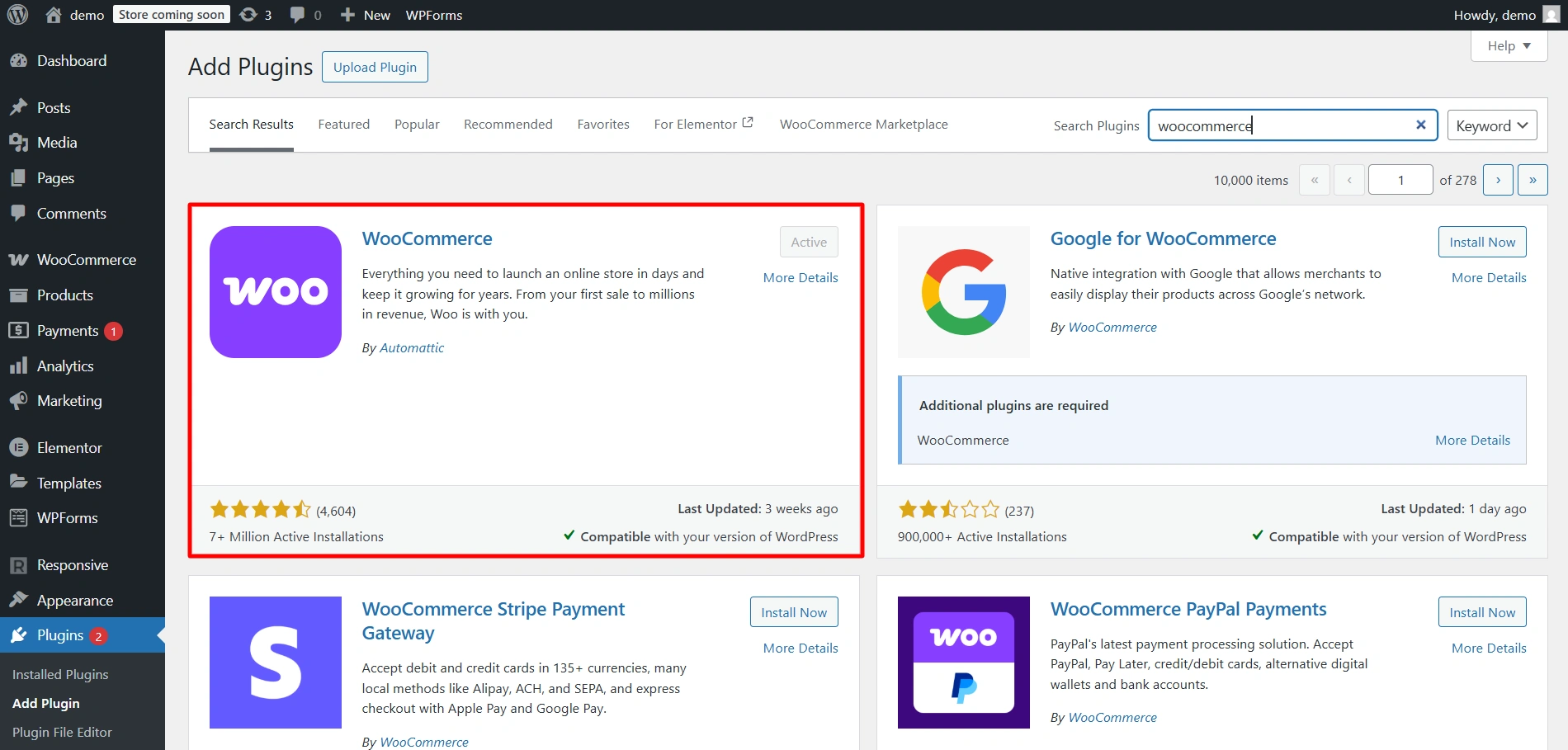
1. Ensure that Responsive Plus and WooCommerce plugins are installed and activated
Install both of these plugins under Plugins in the dashboard and Activate them.
2. Activate the WooCommerce Module
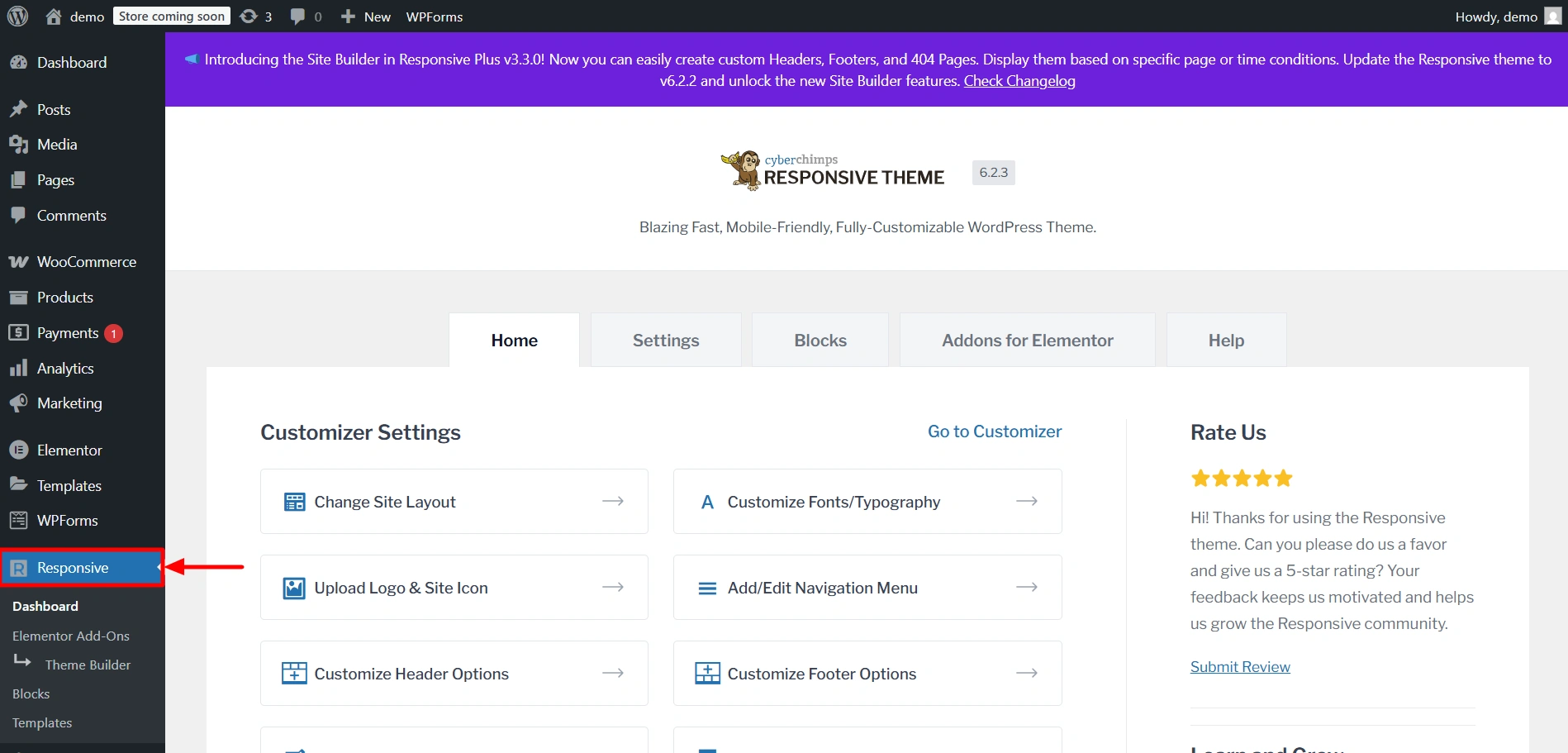
Navigate to the Responsive dashboard.
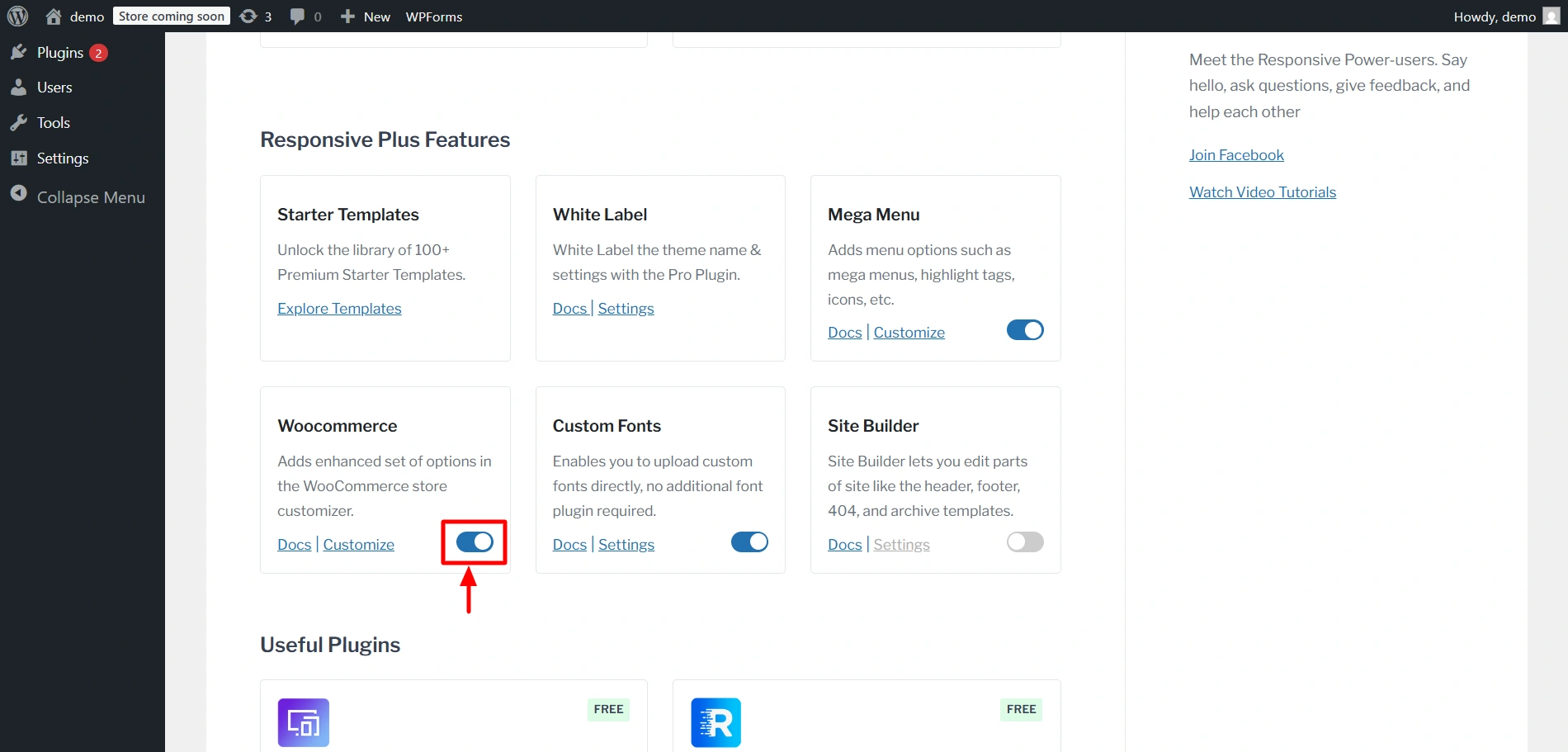
Scroll down to find the Responsive Plus Features section. Enable the toggle under the WooCommerce module.
3. Customise Settings
You will now be able to find these settings under Appearance > Customize > WooCommerce.


