
Summary
The article explains how to import Elementor landing pages. It shows how to use template kits or JSON files, open the Elementor library, and import pages.
It also covers saving templates for reuse and choosing the right layout during import.
Want to learn how to import free Elementor landing pages?
Landing pages are essential. They capture leads, generate sales, and convert visitors into customers.
Creating landing pages from scratch is frustrating and time-consuming. It requires design and coding skills, and if you’re not a designer, it can seem impossible.
So if you are facing the same issue, then Responsive Plus plugin can help you simplify this process. You can instantly import ready-made templates and then customize in minutes with Elementor.
Keep reading this guide to import professional-looking Elementor landing pages.
Responsive Addons for Elementor is the Best Elementor Addons plugin – Get it for free!
Why Use Elementor for Creating Landing Pages
Now, the question is, why create Elementor landing pages?
Well, Elementor has become the favorite plugin of millions of website owners for good reasons. Its features are just right for use on landing pages:
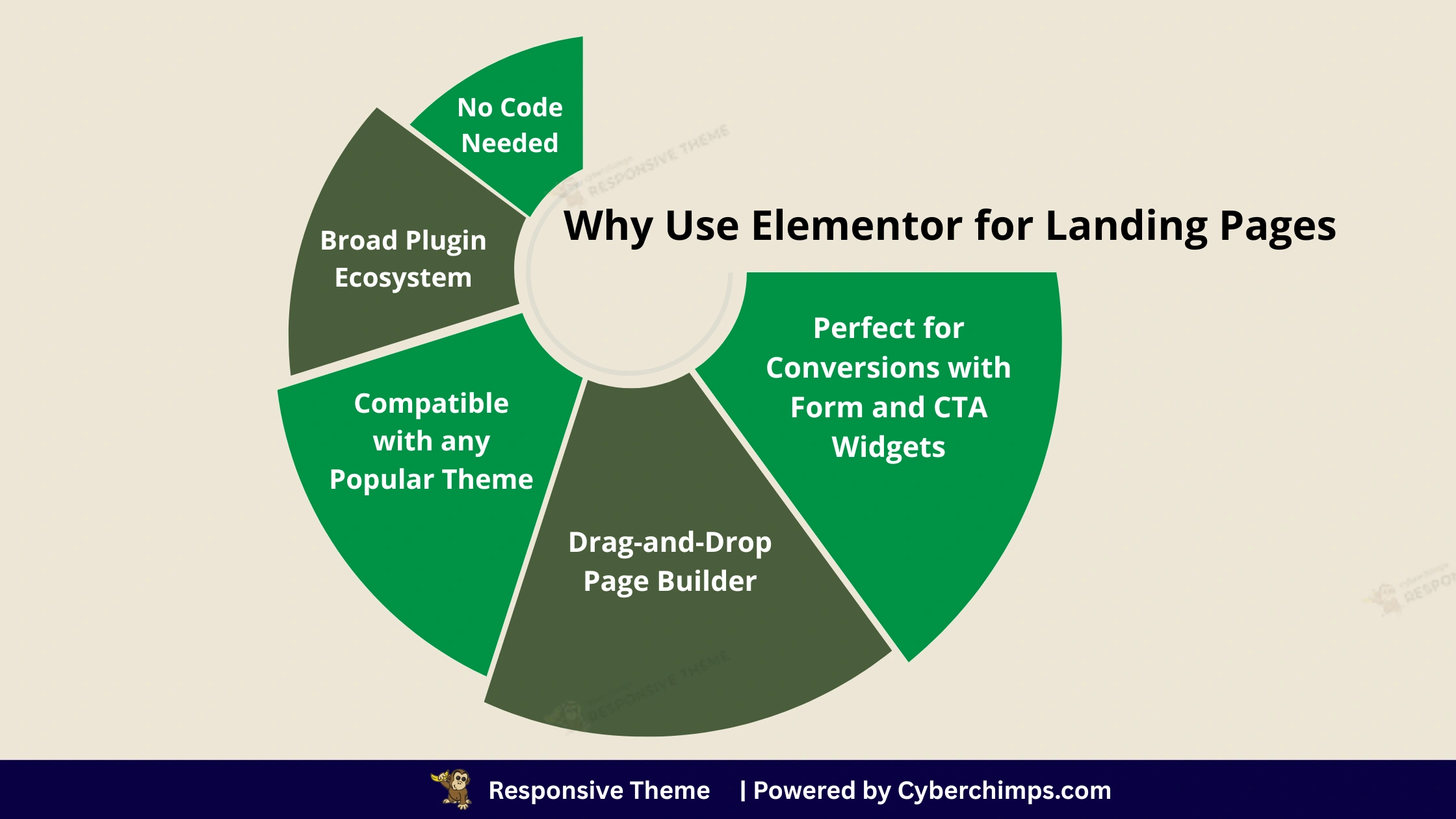
Drag-and-drop page builder: You can drag items called widgets, including headings, images, forms, and buttons, to your page and position them wherever you want. No coding is involved, and it’s designed for every type of user, from beginner to advanced. And it lets you see your changes in real time.
Compatible with any popular theme: Elementor is designed to be compatible with popular WordPress themes, such as the Responsive theme. This flexibility means you don’t have to change your entire site to build a new landing page.
No code needed: You don’t have to worry about the CSS and HTML of your landing page. Responsive Plus plugin takes care of all the technical stuff, letting you concentrate only on creating the visual design and content for your page. This saves you time and makes it much easier to get started.
Broad plugin ecosystem: Elementor’s popularity has led to a massive ecosystem of third-party addons and widgets. These extensions provide additional functionality and design options, allowing you to create truly unique and powerful pages. The Responsive Addons for Elementor plugin is a great example, offering a collection of creative and essential widgets to enhance your landing pages.
Perfect for conversions with form and CTA widgets: Landing pages focus on driving action. Responsive Addons for Elementor has specific widgets that can be used in a website for custom forms (for lead capture) and to drive more traffic and have prominent CTA widgets.
What is Responsive Plus Plugin?
Responsive Plus is a free WordPress plugin that helps you design your landing pages more easily.
Moreover, it includes ready-to-use, professionally designed starter templates for both the Elementor page builder and the Gutenberg Block Editor.
Here is a quick summary of what this plugin does and why it is so helpful:
Template Library: It has over 250 website templates that you can use right away, and you can import a complete site or a single page (like a landing page, homepage, or contact page) with just a couple of clicks. This means you do not have to create Elementor landing pages or websites from scratch. This helps you save time.
Elementor Integration: The templates are specifically designed to be fully customizable with Elementor’s drag-and-drop interface. This means you get a professional-looking foundation that you can easily edit to match your brand’s content, colors, and typography, without writing any code.
Advanced Features: In addition to the templates, Responsive Plus plugin also includes some advanced features that enhance the capabilities of the Responsive theme, such as.
- Mega Menu: This helps you convert your long menu bar into a professional-looking navigation menu. The mega menu not only makes it easy for visitors but also improves the UI of your website.
- White Labeling: This feature allows you to white-label the Cyberchimps Responsive Plus brand and replace it with your own.
- Custom Fonts: Enables you to incorporate unique brand fonts throughout your entire site, or you can upload any custom font from Google.
- WooCommerce Optimization: Deeper integration and customization options to help you build and run an e-commerce store with WooCommerce.
Step-by-Step: How to Create Elementor landing pages with Responsive Plus
Now, let’s walk through the exact steps to create Elementor landing pages using the Responsive Plus plugin.
Step 1: Install and Activate Responsive Plus Plugin
To import the landing pages, first, you need to install the Responsive theme to build a connection.
For that, go to the WordPress dashboard > Appearance > Add theme and search for Responsive. Once you get it, click on install and activate it.
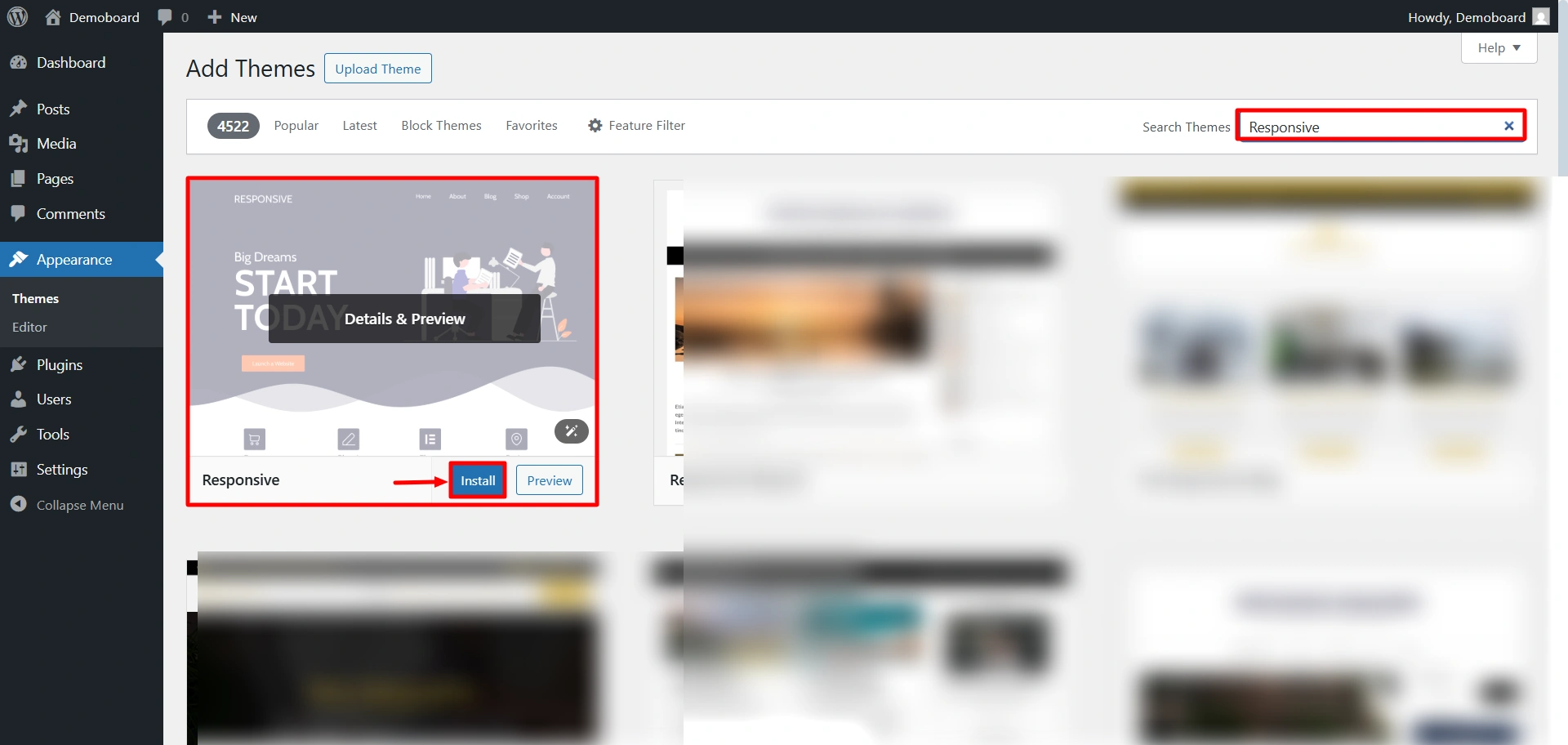
Next, let’s move on to Responsive Plus plugin.
To import the landing page, start by installing the plugin.
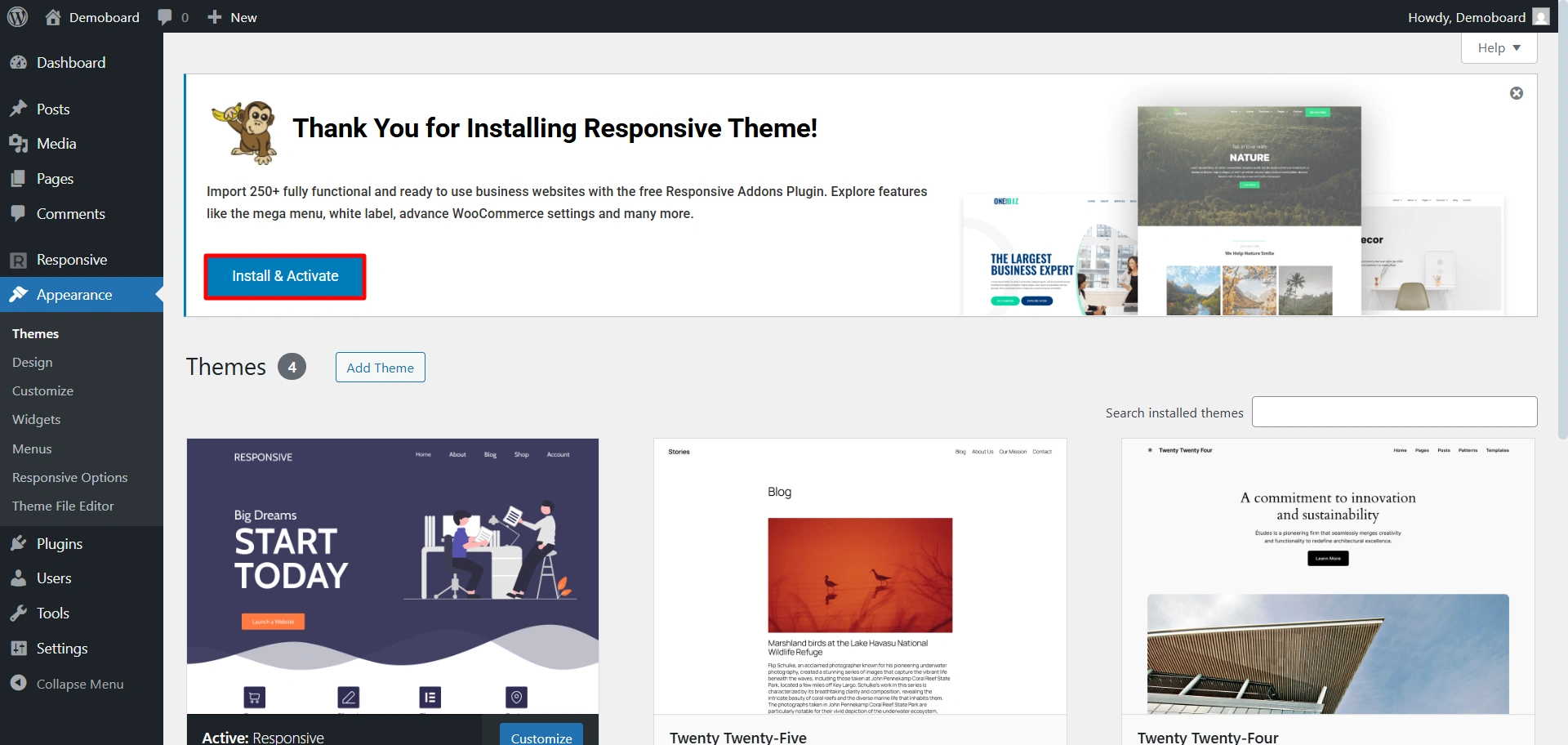
Once the theme is installed, you’ll see a notice prompting you to install and activate Responsive Plus plugin. Go ahead and click on it.
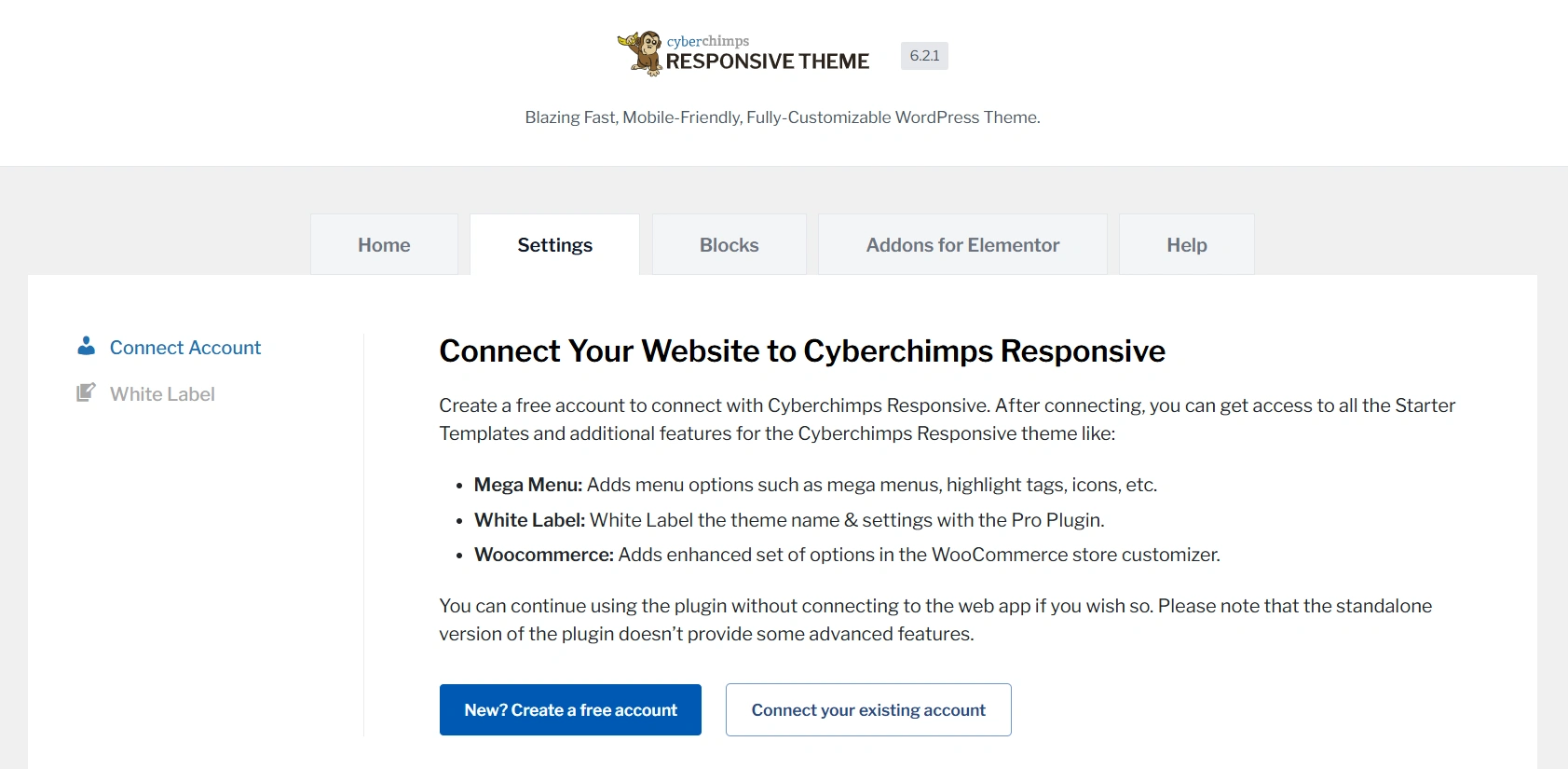
Once it’s done, go to the Responsive dashboard > Settings, and create an account.
Step 2: Access Landing Pages From Template Library
The templates library lets you access and import templates for every niche, from business and eCommerce to real estate, marketing, fashion, and more.
It’s time to create a post.
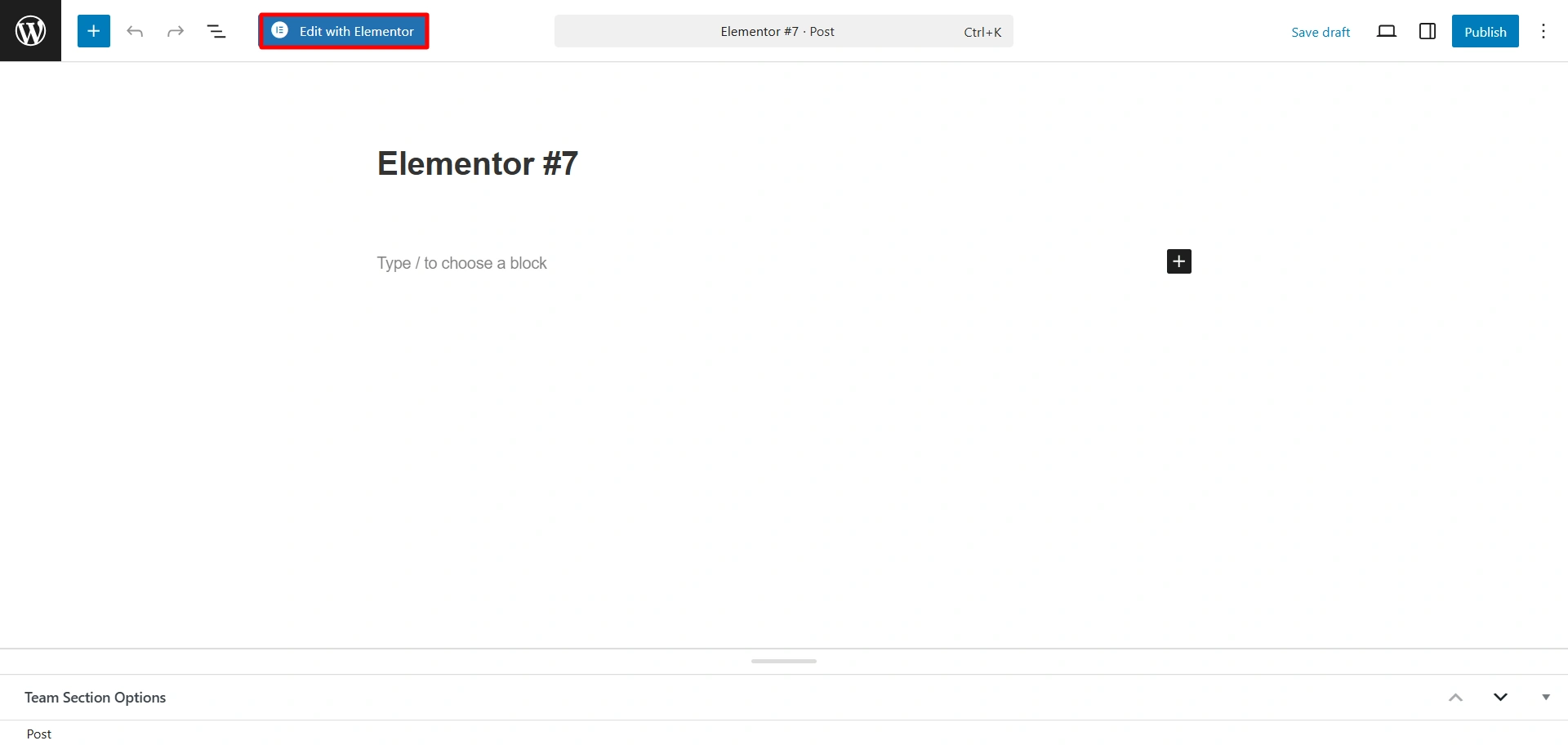
Navigate to Post > Add new. Click on Edit with Elementor.
Click on the Responsive Plus icon.
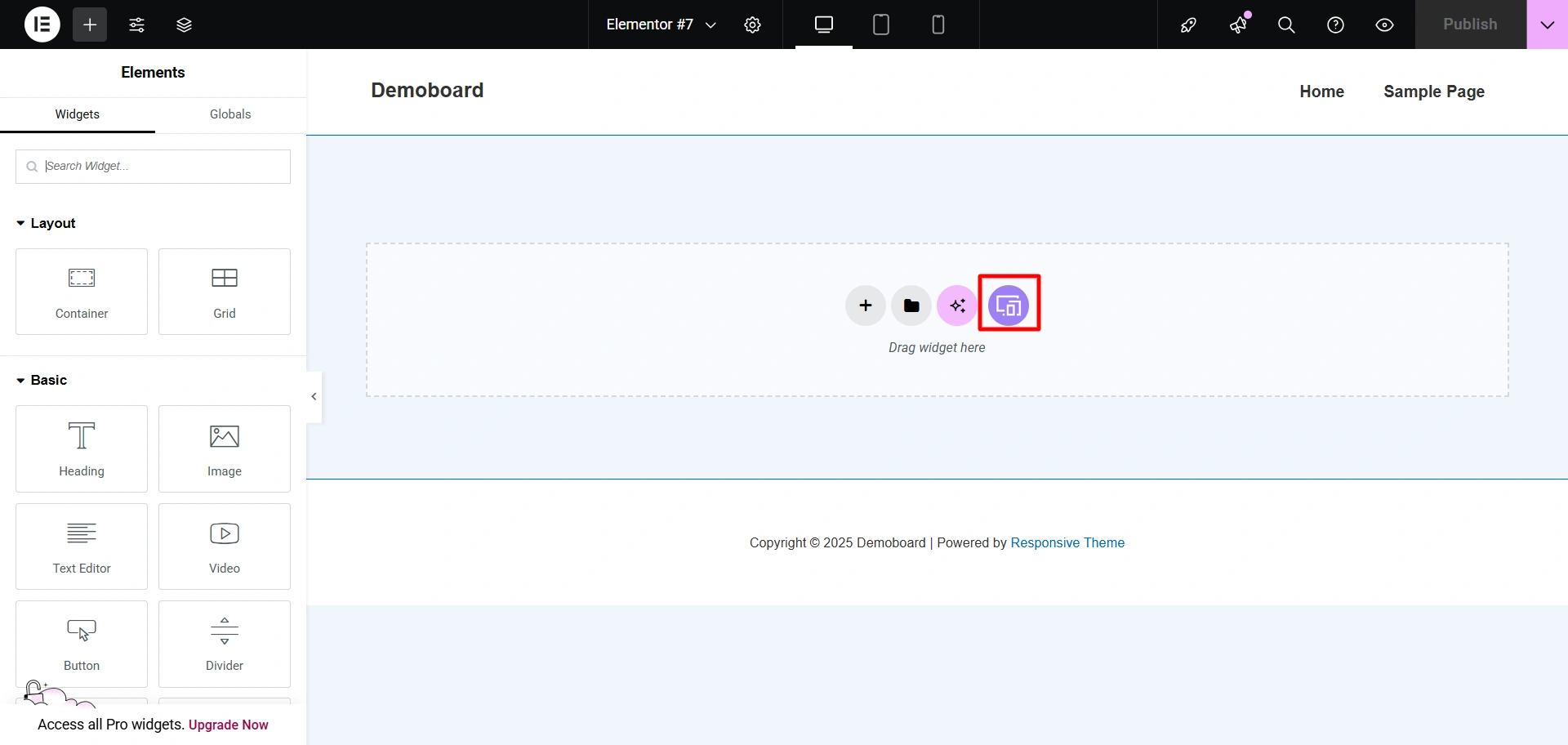
Now, let’s import the Elementor landing page.
Step 3: Choose Template
You can choose any Elementor landing page template you prefer.
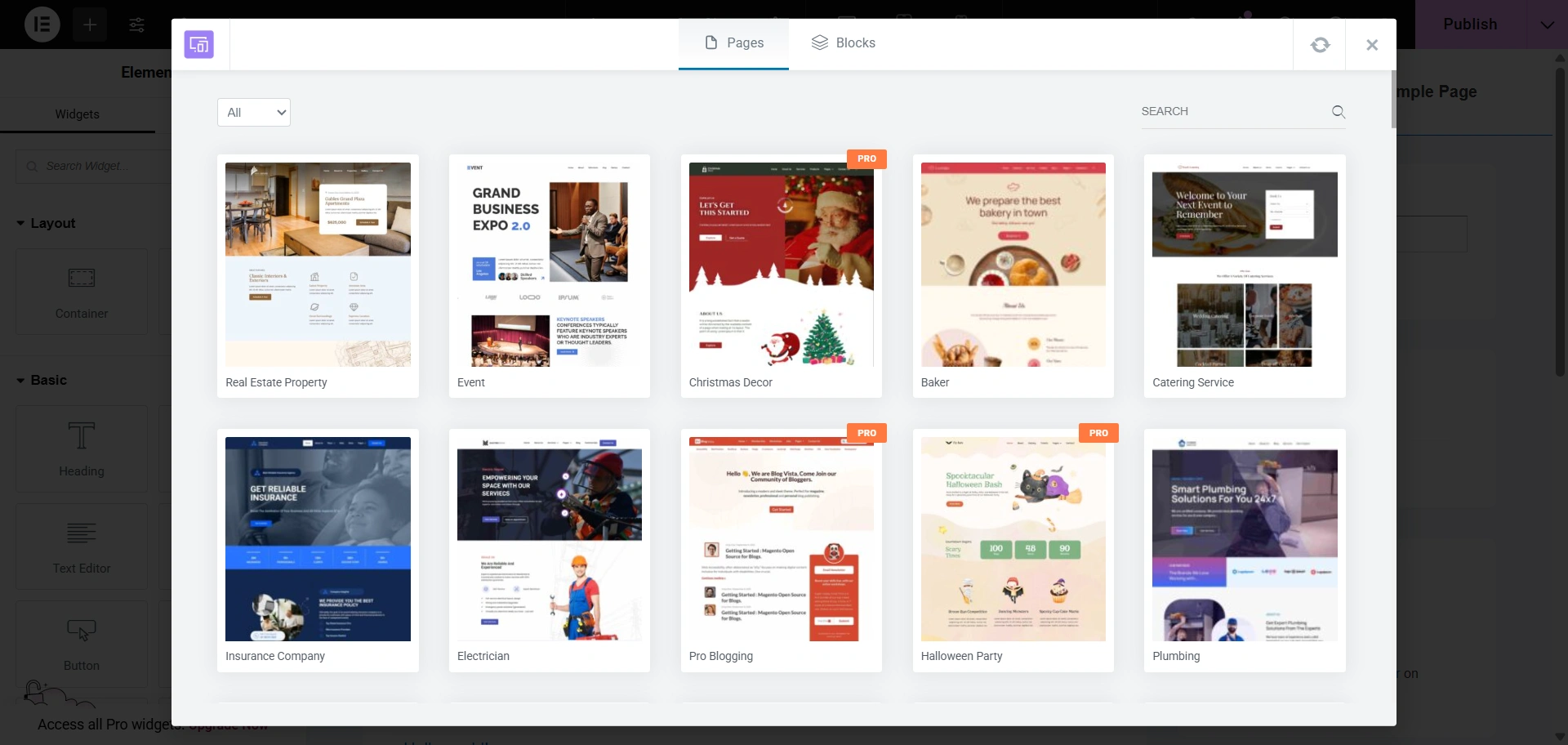
Right now, I’m using the Music School template.
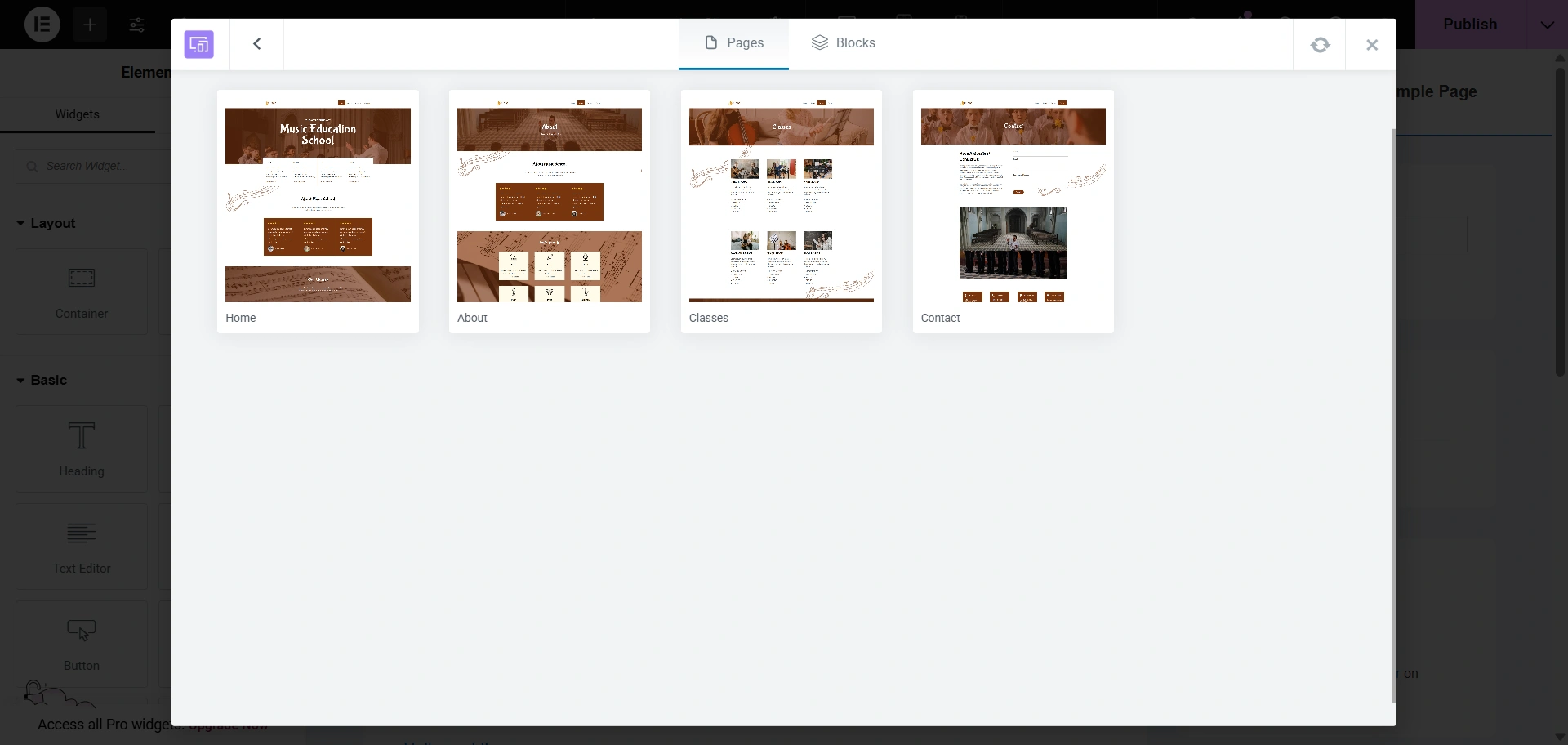
Step 4: Import Template
Click on Import Template.
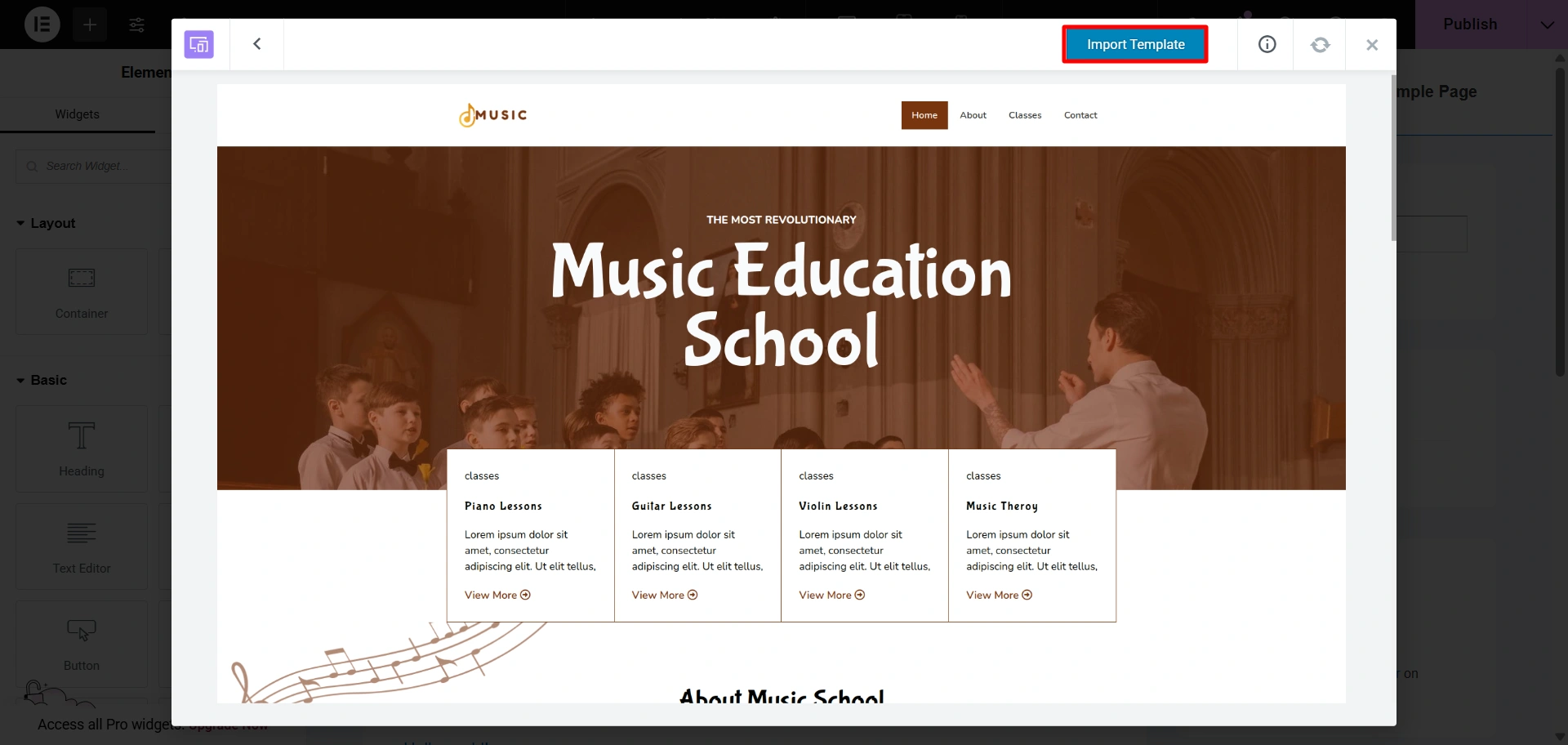
Step 5: Customize Your Landing Page With Elementor
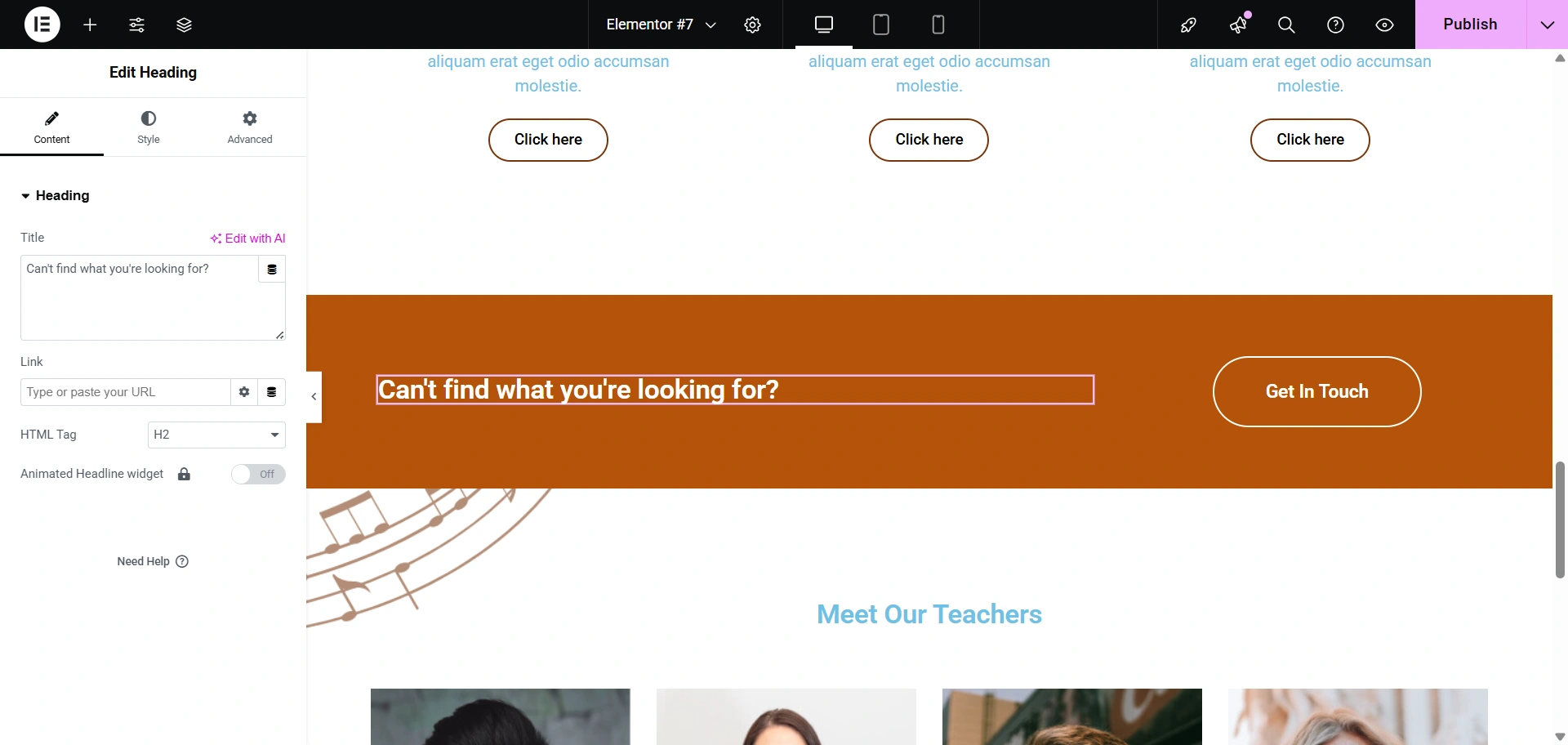
Use Elementor widgets for landing pages. Change the heading of the landing page, use color, design, and effects.
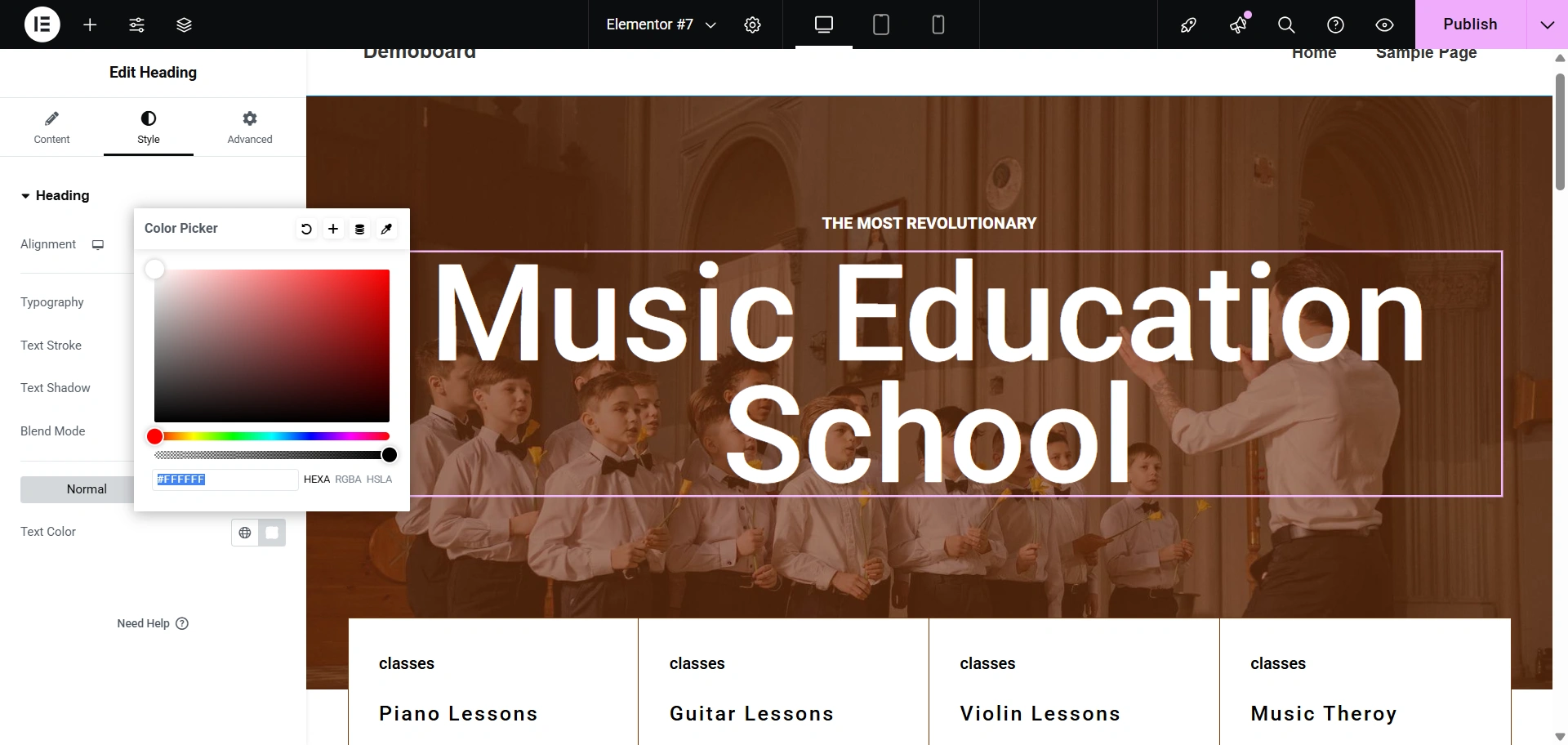
Furthermore, you can also change the background image. Click on the dot (edit section), select the image you want to replace as the background image.
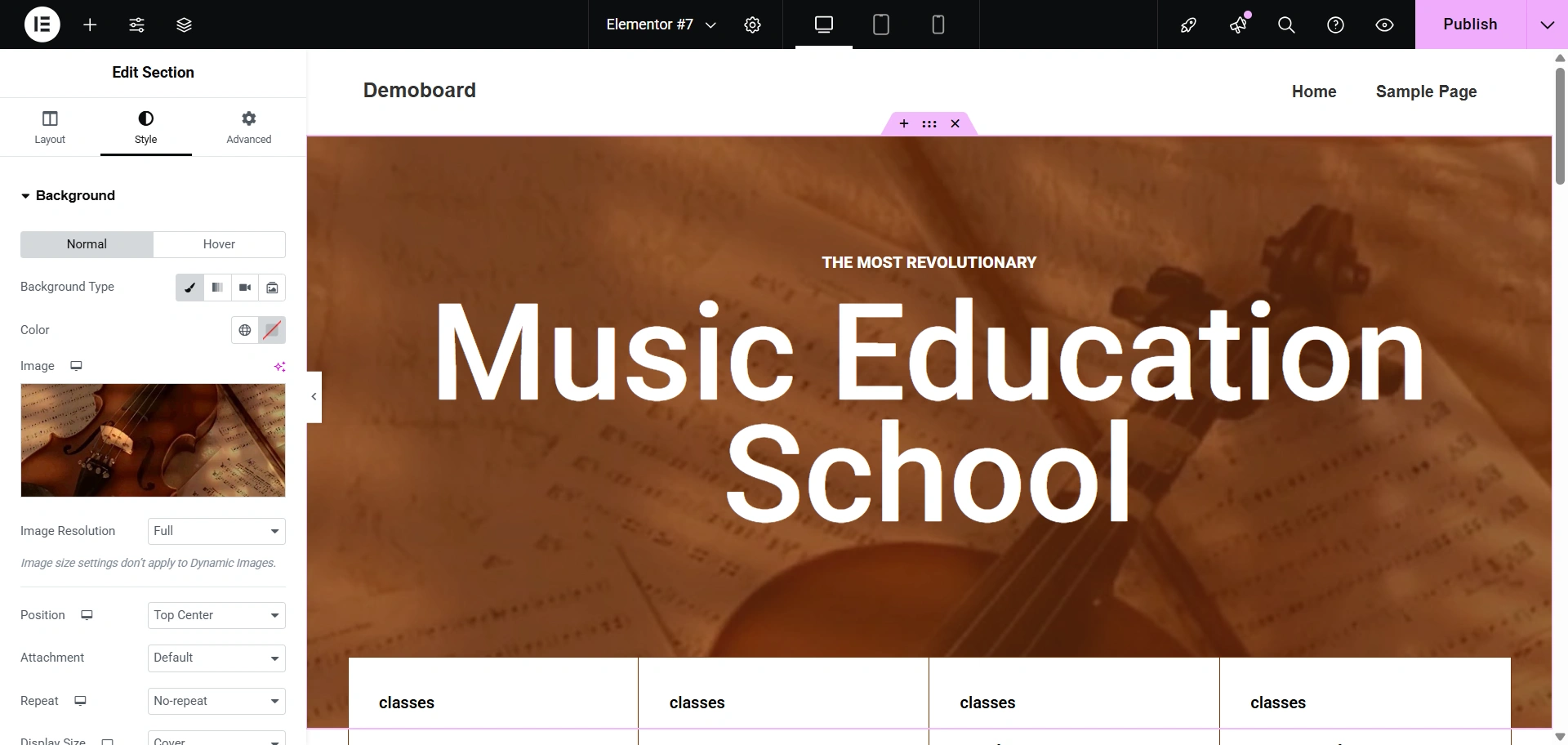
Besides this, you can even edit the buttons of the landing page.
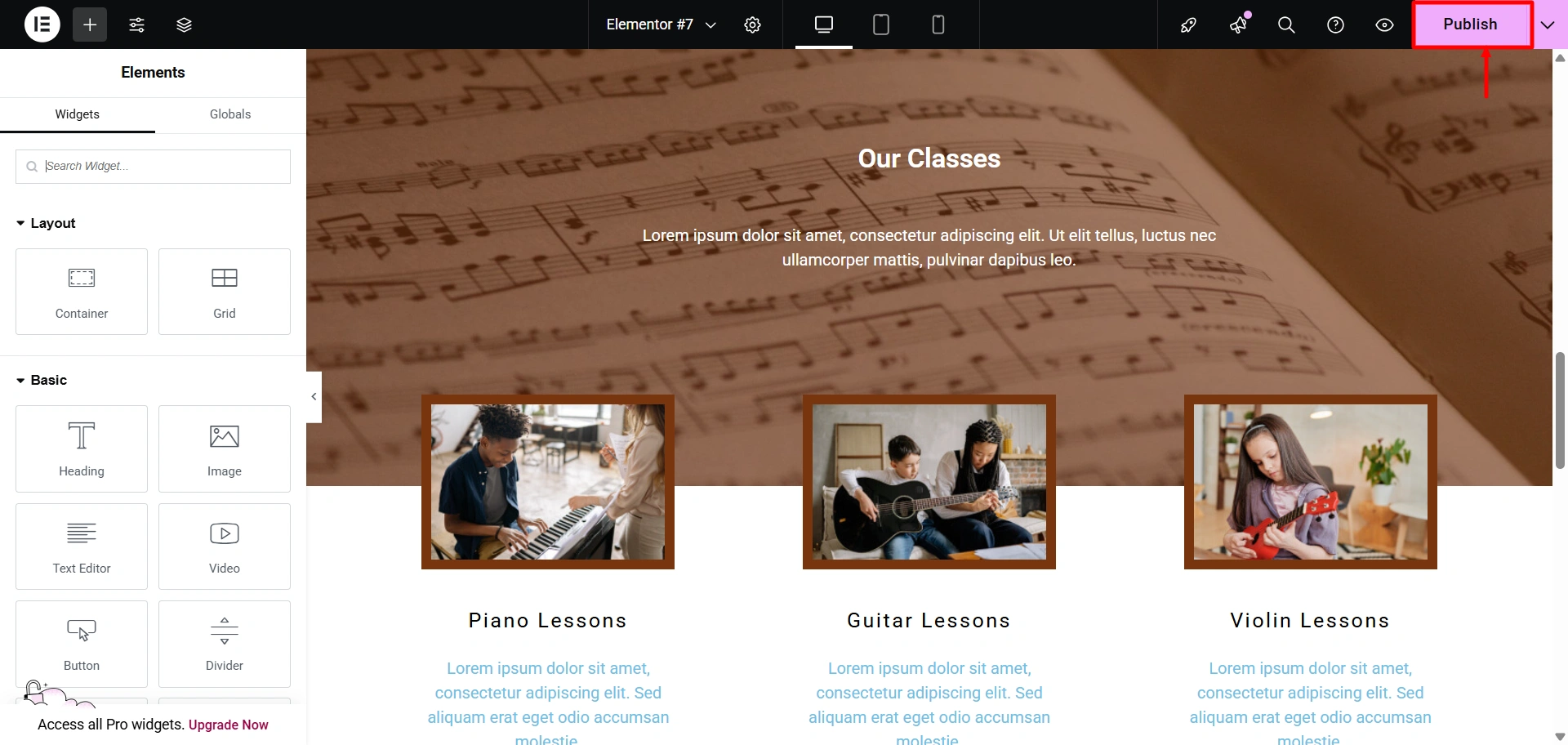
Step 6: Publish the Content
Next, click on the Publish button when you are done.
As you can see, creating an Elementor landing page is a straightforward task. Let’s learn some of the key factors you need to keep in mind while designing a high-converting landing page.
Best Practices for High-Converting Elementor Landing Pages
A landing page is essential if you want to convert a visitor into a permanent customer.
You can use tools for this process, but it will cost you a lot. Instead of that, use Responsive Plus to make this task easier.
It provides you with ready-to-use Elementor landing page templates.
But it will be your content and strategy that ultimately convert someone from a visitor to a customer.
Here are some best practices to follow for creating Elementor landing pages that convert well.
Clear Headline + Subheadline

Your Headline is the first thing a visitor sees, so it must immediately communicate your value proposition. It needs to grab attention and tell the user exactly what the page is about and what benefit they will receive.
A powerful subheadline should follow, providing a little more detail or a compelling reason to continue reading.
- Focus on the Benefit: Instead of a generic headline like “Our Newest Product is Here,” use something benefit-oriented such as “Increase Your Productivity by 50% with Our Revolutionary Software.”
- Be Specific and Concise: Avoid jargon. Your headline should be easy to understand in a matter of seconds.
- Use a Subheadline to Elaborate: The subheadline is the perfect place to expand on the headline’s promise, provide social proof, or explain the core function of your offer.
Minimal Distractions
A landing page’s purpose is to get a visitor to complete a specific action. Any element on the page that doesn’t contribute to that goal is a distraction and should be removed.
Your website shouldn’t look cluttered. Distractions make users leave within seconds, which is the last thing you want on a landing page.
Like this one.
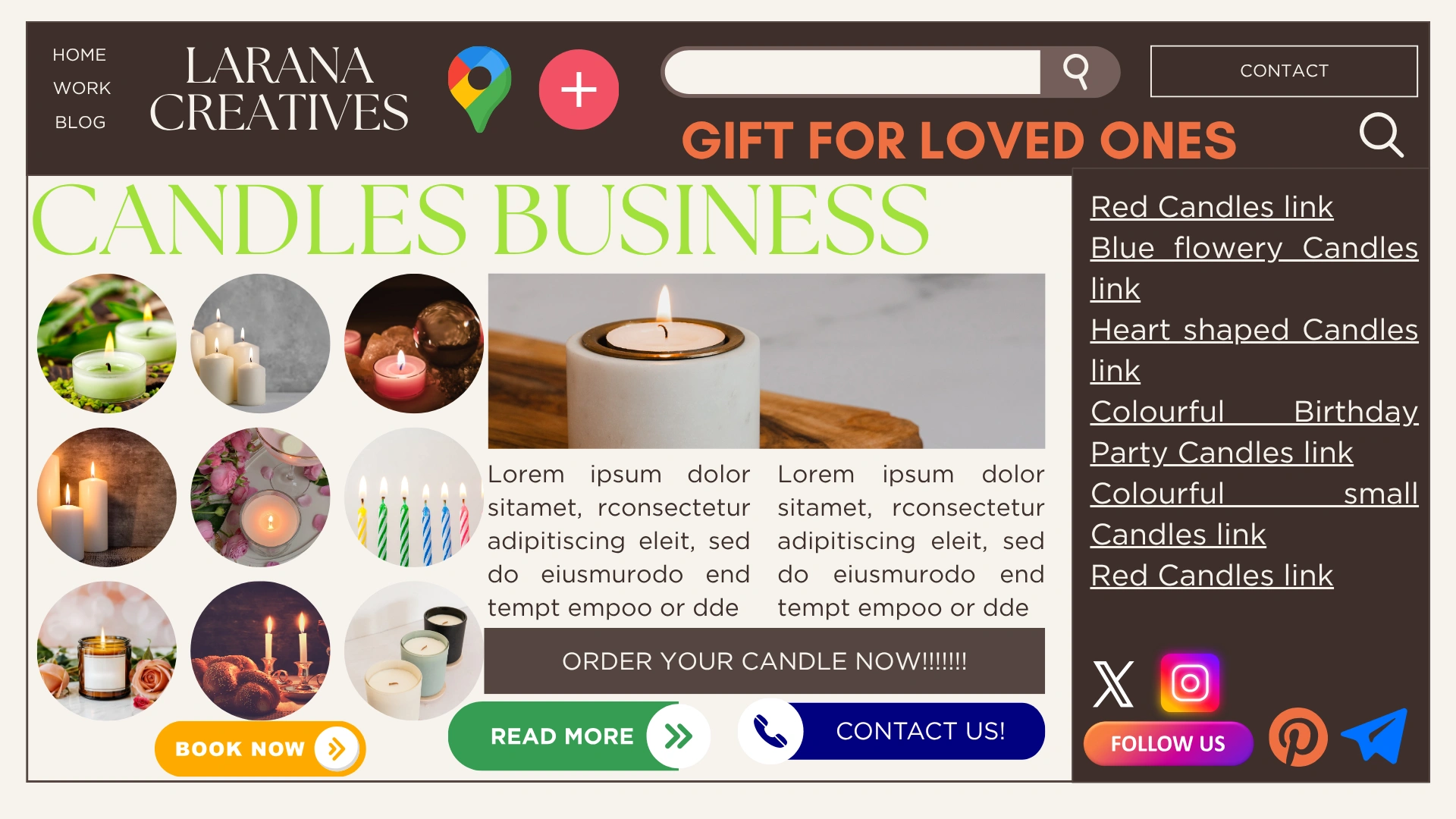
- Remove Navigation Menus: Your landing page should not have links to other pages of your website. We are trying to guide the user to your CTA and not allow them to get sidetracked.
- Remove Sidebars and Footers: Like the navigation menu, using sidebars and footers gives the user other pathways away from the landing page, which can decrease conversion rate. Get rid of all distractions and focus on your message.
- Focus on the Core Message: Every piece of content, from images to text, should support the single conversion goal.
Prominent CTA

The call-to-action (CTA) is the most essential part of any landing page. It should be eye-catching, prominent, and tell the visitor exactly what to do next.
- Use Contrasting Colors: The CTA button should use a color that stands out from the rest of your page’s color scheme, making it pop and draw the eye.
- Action-Oriented Text: Use clear, compelling language on the button itself. Instead of “Submit,” try “Get Your Free Ebook,” “Start My Free Trial,” or “Download Now.”
- Strategic Placement: Position the primary CTA before the fold since it’s visible up front. And then repeat it at the end of each individual section, which will give visitors additional chances to convert after they’ve learned more about your offer.
Mobile Responsiveness
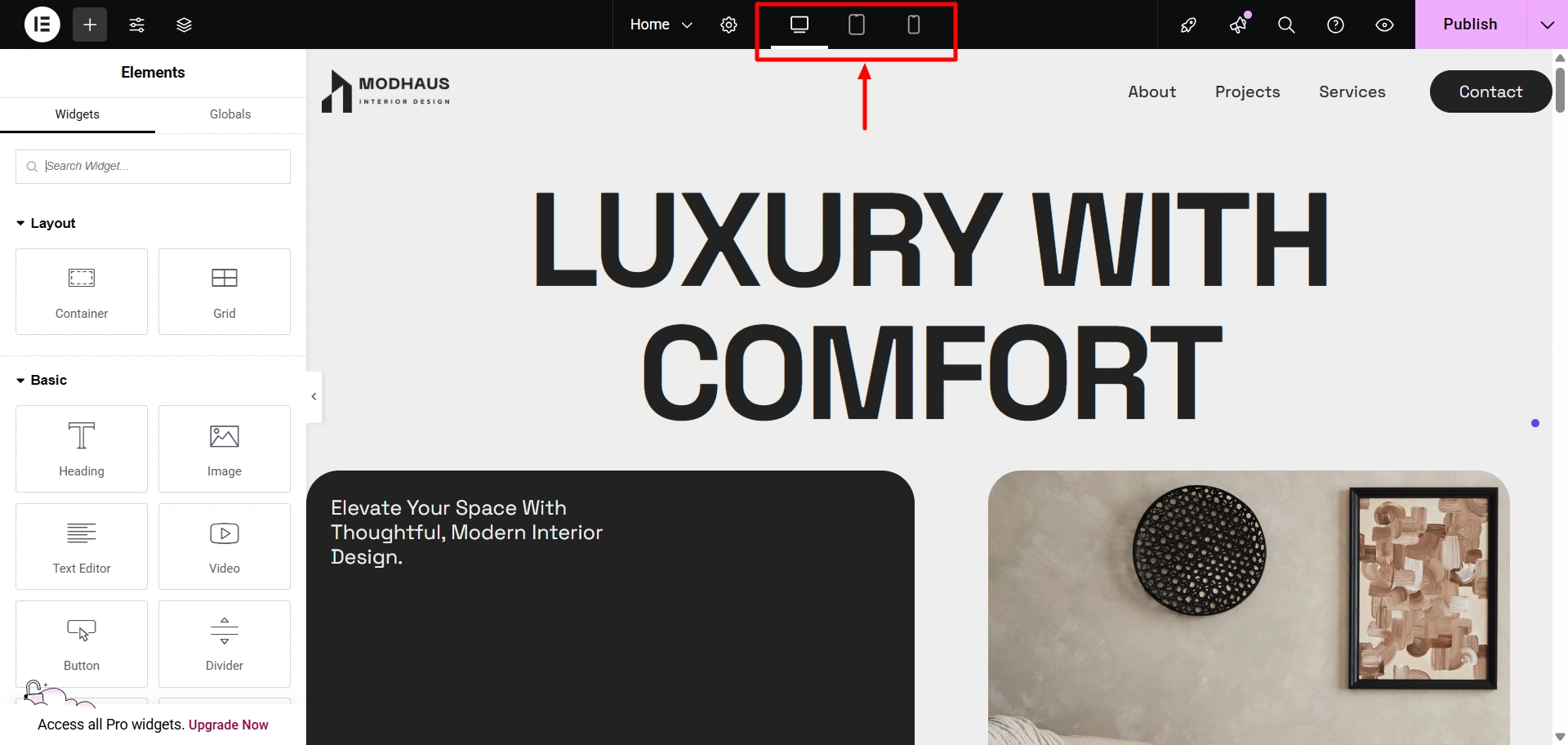
Over half of the entire web traffic comes from mobile devices, so having a landing page that is not mobile-optimized is really having a landing page that is destined to have lower performance.
- Elementor’s Responsive Tools: Use Elementor’s built-in responsive editing modes to preview and adjust your page for different screen sizes.
- Readable Fonts and Large Buttons: Ensure your text is large enough to be easily read on a small screen and that your CTA buttons are large enough to be tapped with a finger.
- Optimize Images for Speed: Compress all images so your landing page loads fast, even on mobile networks. A slow-loading page will lose visitors before they even have a chance to read your Headline.
A/B Testing with Different Templates
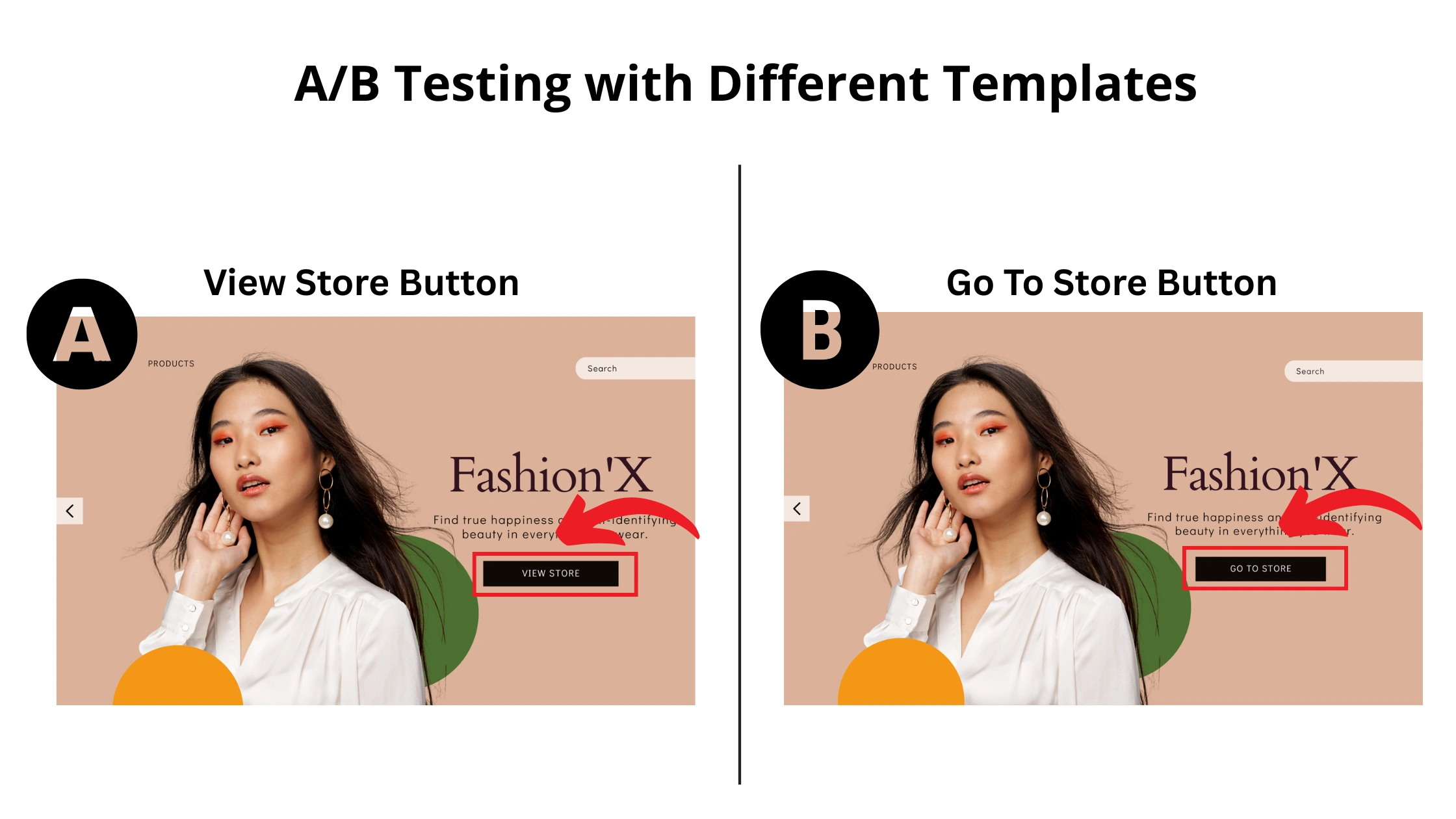
Don’t ever think that your first version is your best version. The most effective landing pages come from constant testing and tweaking. A/B testing is straightforward with the Responsive Plus plugin’s great template library.
- Test One Element at a Time: To get precise results, change only one Element at a time (e.g., the Headline, the color of the CTA button, or the main image).
- Test Different Templates: With Responsive Plus plugin, you can easily import a completely different landing page template for your A/B test. This allows you to test entirely different layouts and designs against each other to see which resonates most with your audience.
- Track Your Results: You can use analytical tools provided by Google to track the rate of conversions, bounce rate, and time on page to find out which landing page performs best.
FAQ
Responsive Plus plugin is a premium WordPress landing page builder that provides a library of over 250 pre-built website and page templates. Additionally, it works with Elementor by allowing you to import these templates with a single click, which you can then fully customize using Elementor’s drag-and-drop editor.
Yes, you can. The plugin gives you a single import option, which is ideal for adding new pages to an existing website without altering the rest of your site’s design.
No, the templates are designed with clean, lightweight code to ensure fast loading times and provide a high-performance foundation for your landing page.
No, all the templates can be used with the free version of Elementor.
Conclusion
Responsive landing page plugin provides you with 250+ pre-made starter templates that can be imported with just one click. These templates are compatible with Elementor and Gutenberg and are conversion-oriented, allowing nearly anyone to create great landing pages.
Moreover, it allows you to focus on what actually matters, which is to create good content, optimize your call to action, and get your marketing campaigns going.
However, if you are making an entirely new website or you need a nice landing page quickly for a new promotion, you can benefit from using Responsive Plus plugin, which helps to get it done faster and more efficiently.
This is a win-win for anyone who wants to launch a professional and successful online experience.
If you like this article, you can consider reading:
- What Is A Landing Page? Download Free Landing Pages
- How to Build Free Landing Pages in WordPress [Without Coding]
- How To Create A Christmas Landing Page On WordPress Website
Planning to create a landing page today? Get your hands on the Responsive theme today!





