

Summary
We are impressed by the top eCommerce website builders that make launching online stores simple and efficient. Platforms like WordPress with WooCommerce, Shopify, and Wix offer customization, SEO-friendly tools, payment integrations, and mobile responsiveness, helping us create visually appealing and high-performing online stores effortlessly.
Are you seeking the best eCommerce website builders to create your online store?
Technological advancements have significantly accelerated in the last two decades, with every business gradually shifting from offline to online. This unprecedented shift has led to a drastic increase in the number of websites that serve as digital addresses for businesses.
While we discuss business websites, ecommerce websites have been a major contributor to this gradual rise of digital estate.
Moreover, several tools and software have recently emerged that help you build your online eCommerce business from scratch with any technical knowledge or expertise.
If you are also looking for the best eCommerce website builders, we have made things easier for you by compiling a list of the best website-building tools specifically for eCommerce.
So let’s get started!
Cyberchimps Responsive is the Best WordPress Theme – Get it for free!
What to Look for in an eCommerce Website Builder?
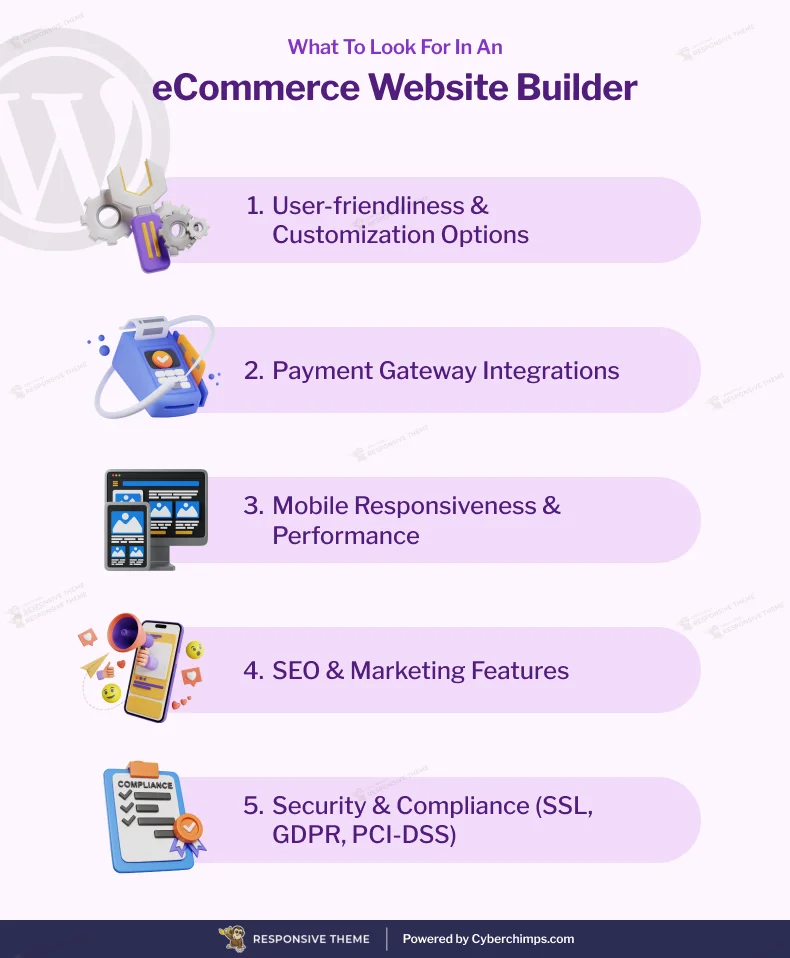
Our team delved and explored highly rated eCommerce builders based on some crucial factors that any website builder must have. If you are considering exploring any other website builder, please ensure the following factors match industry standards.
1. User-Friendliness and Customization Options
Undoubtedly, this is the most crucial factor. No matter how advanced a website-building tool is, if you cannot understand its interface, you won’t get the most out of it.
Complex customizations and styling features in a website builder may hamper your website-building experience. In addition, they may include unnecessary features, technical controls, and other features.
The industry standard eCommerce website builders must have the following at least:
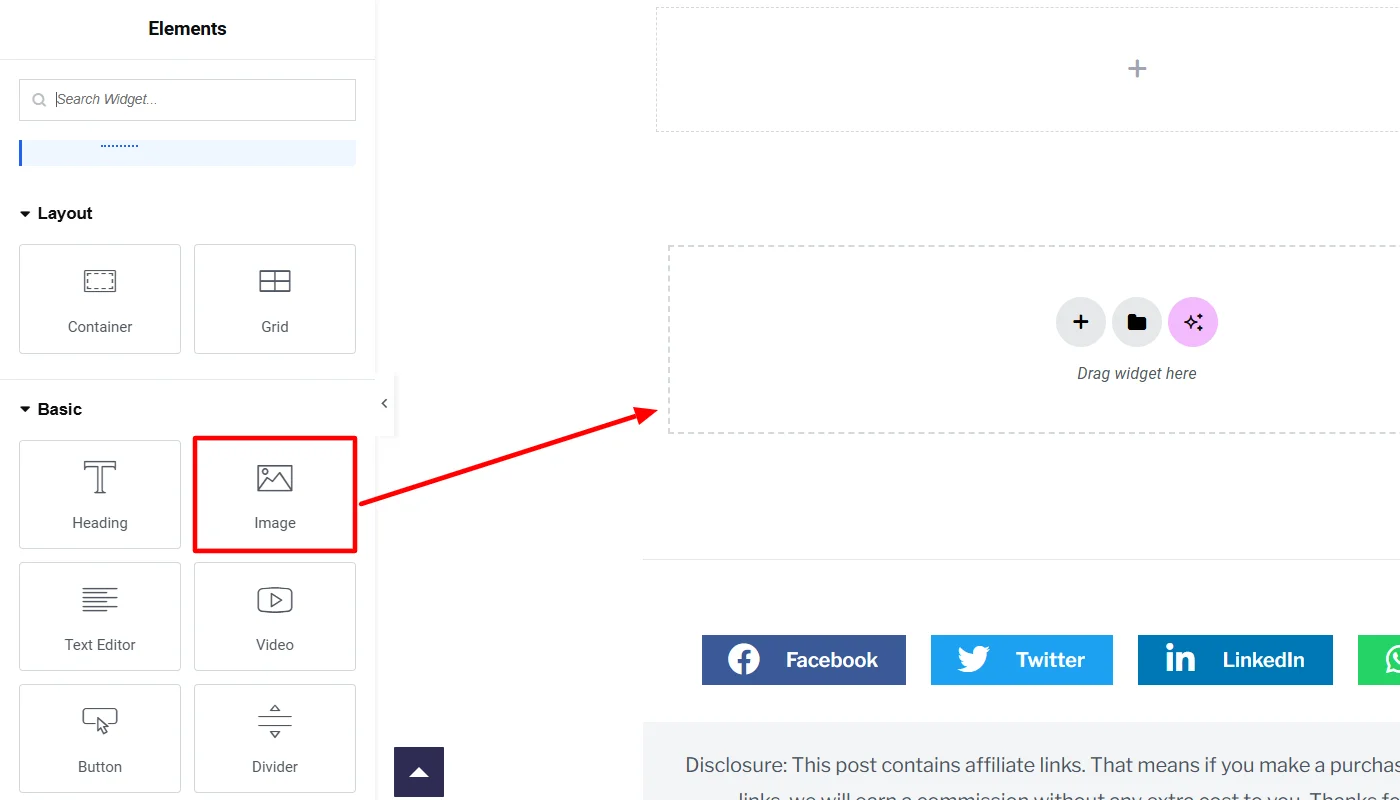
- Drag-and-Drop editor
- Pre-designed templates
- Simplified store management interface
- Easy integration of third-party tools and APIs
2. Payment Gateway Integrations
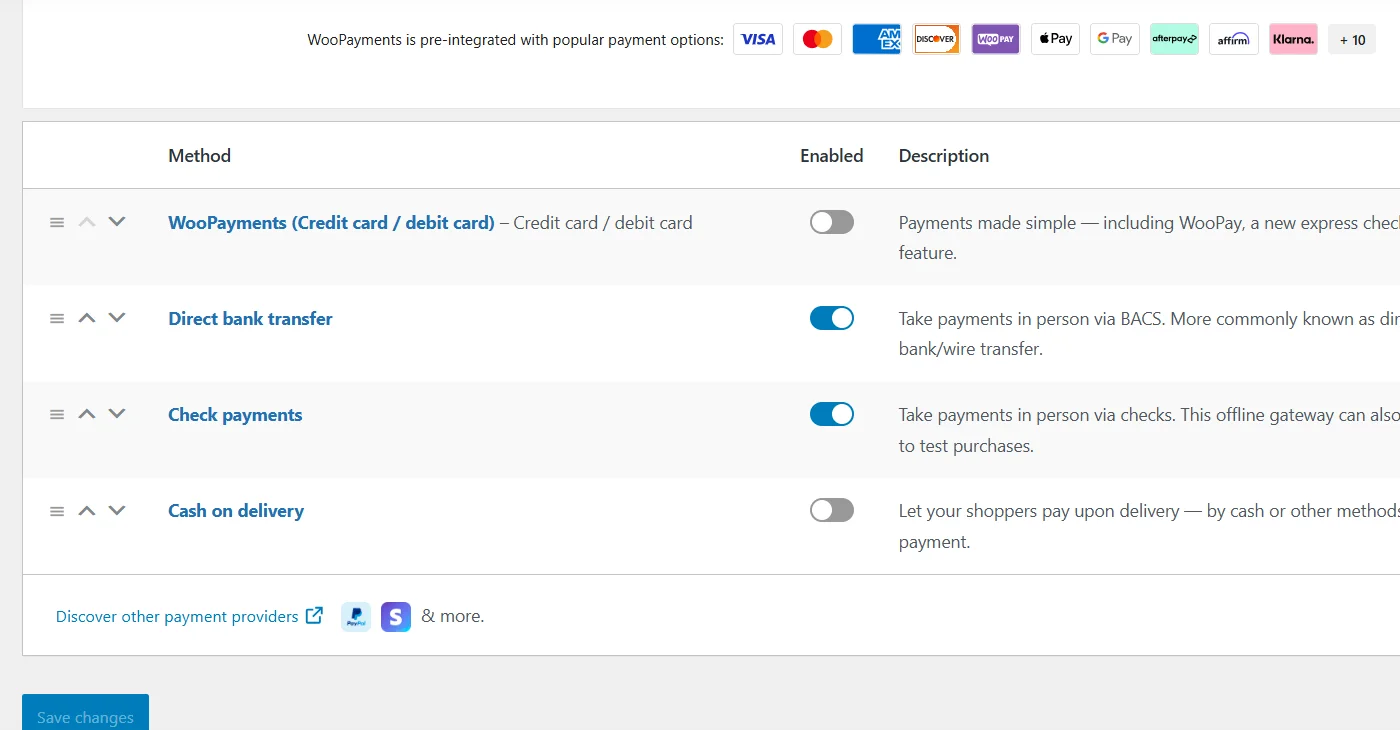
Imagine a customer who is ready to check out but whose preferred payment method isn’t available. They will leave, and you will lose a sale.
Frustrating, right?
A seamless payment process is crucial for any eCommerce website. The best website builders support multiple payment gateways, including PayPal, Stripe, Square, and other region-specific options.
3. Mobile Responsiveness and Performance
Would you shop from a website that lags on your phone? Probably no.
A recent study by Statista revealed that in the last 2024 quarter, over 75% of orders on an eCommerce website have been placed via mobile devices.
With most online shoppers using mobile devices, having a mobile-friendly store is non-negotiable. A good eCommerce website builder ensures your site is fully responsive and adapts seamlessly to different screen sizes.
Additionally, optimized performance with fast loading speeds is equally essential.
Data indicates that 53% of users abandon sites that take longer than 3 seconds to load. Look for tools with integrated mobile optimization features to improve user experience and enhance search engine rankings.
4. SEO and Marketing Features
Building an online store is just step one; getting traffic and customers is difficult.
About 44% of online shoppers start with a Google search, making SEO a critical feature in an eCommerce builder. Ensure your website builder has built-in SEO tools, such as optimized URLs, sitemaps, and structured data.
Also, leverage marketing features like email automation, social media integrations, and abandoned cart recovery—since nearly 70% of online carts are abandoned, these tools can help you recover lost sales.
5. Security and Compliance (SSL, GDPR, PCI-DSS)
Would you enter your credit card details on a website that looks shady? Neither would your customers.
Data and cyber threats have recently been reported globally, leading internet users to fear sharing data with websites. To ensure users can rely on your website, you should ensure your website builder offers SSL encryption, PCI-DSS compliance, and GDPR adherence to protect customer data.
Platforms offering automatic security updates and fraud detection tools will keep your business and customers safe.
Top eCommerce Website Builders
Let’s now dive deep into the list of the best website builders for eCommerce websites.
(We have added a personal review section based on my team’s experience creating a dummy eCommerce website with the tool.
1. WordPress

WordPress, paired with its powerful plugin WooCommerce, is a leading choice for creating eCommerce websites.
Originally a blogging platform, WordPress has evolved into a versatile content management system (CMS) that powers over 41% of websites globally.
Complementing WordPress’s versatile and robust structure, WooCommerce transforms it into a fully functional eCommerce platform. It enables users to sell physical and digital products, manage inventory, and process payments seamlessly.
Key Features:
- Customizability: This can be customized with thousands of themes and plugins to create unique online stores.
- SEO-Friendly: Built-in tools and plugins to help optimize your store for search engines.
- Payment Integration: Supports multiple payment gateways, including PayPal, Stripe, and region-specific options.
- Mobile Responsiveness: Ensures your store looks great and functions well on all devices.
- Scalability: It is suitable for small and large businesses, and you can add features as your store grows.
Pros and Cons of WordPress
Check out the pros and cons of building an online store with WordPress.
Pros
✅Open-source platform with endless customization options.
✅The core software is free; you can choose free or premium themes and plugins.
✅A vast community of developers and users provides extensive resources and support.
✅Allows you to access complete control over your website and data.
Cons
❌Beginners may find it challenging to navigate and understand.
❌While the core is free, hosting, premium themes, and plugins can add up.
WordPress Pricing and Additional Costs
While WordPress is an open-source plugin and is free, there are associated costs to consider:
- Hosting: Starts at $3.99/month but can go up depending on your needs.
- Domain: Typically costs around $15/year.
- Themes: Free options are available, but premium themes range from $20 to $100/year.
- Plugins and Extensions: Costs vary; for example, WooCommerce Subscriptions cost $279/year.
- Transaction Fees: Payment gateways like Stripe and PayPal charge around 2.9% + $0.30 per transaction
Reviews and Personal Use Experience
Creating a dummy eCommerce website using WordPress and WooCommerce was a mixed but valuable experience.
What we liked: The setup process was straightforward, and the platform offered extensive customization options with themes and plugins.
Adding products and integrating payment gateways was intuitive. Mobile responsiveness and performance optimization features ensured a seamless device experience.
We created the website using the Cyberchimps Responsive Theme and the WooCommerce plugin. The theme provided an intuitive and flexible layout, a one-click import eCommerce website template, and advanced features like a mega menu and white labeling.
Moreover, its sister plugin, Responsive Blocks, made the website-building process more seamless. It offers advanced Gutenberg blocks that integrate with WooCommerce to add advanced features and functions to an eCommerce website.
What we didn’t like: Configuring advanced settings required a learning curve, and maintenance demands—like regular updates and backups—felt time-intensive. Additionally, some plugins added extra costs, which might be limiting for budget-conscious users.
2. Shopify
Shopify has established itself as a top-tier eCommerce platform, offering a comprehensive, all-in-one solution for building online stores.
Unlike WordPress, Shopify is designed explicitly for eCommerce, making it an excellent choice for businesses seeking simplicity and scalability. It is a fully hosted platform, meaning users don’t have to worry about hosting, security, or maintenance.
In addition, its intuitive interface allows users to create and manage their online store without technical expertise, while its robust ecosystem supports businesses of all sizes.
Key Features:
- Ease of Use – A beginner-friendly dashboard with drag-and-drop store customization.
- Built-in Sales Tools – Includes abandoned cart recovery, multichannel selling, and discount codes.
- Payment Gateway Support – Accepts credit/debit cards, PayPal, and alternative payment methods like Apple Pay.
- Performance & Security – Automatic updates, SSL encryption, and PCI-DSS compliance for secure transactions.
- App Store & Integrations – Over 8,000 apps for added features like email marketing, drop shipping, and analytics.
Pros and Cons of Shopify
Here are some pros and cons of building an online store with Shopify.
Pros
✅ Ideal for users with no technical experience.
✅ Dedicated 24/7 customer support via chat, phone, and email assistance.
✅ Boasts features like automated tax calculation, inventory tracking, and built-in analytics.
✅ Allows you to sell directly from Shopify on Amazon, Instagram, Facebook, and more.
Cons
❌ While themes can be edited, deep customizations require coding (Liquid language).
❌ Monthly fees can add up, especially when using premium apps.
❌ Shopify charges additional fees if you use third-party payment gateways instead of Shopify Payments.
Shopify Pricing
Shopify operates on a subscription-based model with tiered pricing:
- Basic Plan: $39/month, suitable for small businesses.
- Shopify Plan: $105/month, offering advanced tools for growing businesses.
- Advanced Plan: $399/month, ideal for large-scale enterprises.
Reviews and Personal Use Experience
Our experience with Shopify aligns with feedback from users worldwide.
What we liked: The platform’s simplicity was a standout feature. With minimal effort, we built a functional eCommerce website. Its professional themes and mobile responsiveness ensured a polished look across all devices. Shopify’s built-in marketing tools and seamless payment integration greatly enhanced our experience.
What we didn’t like: While the customization options were decent, they felt limited compared to open-source platforms. The recurring subscription fees and costs for premium themes and apps could also challenge budget-conscious users.
3. Wix
Wix has emerged as a popular website builder for eCommerce, offering a balance of user-friendly tools and creative freedom.
Known for its versatility, it powers over 220 million users worldwide and has gained popularity for its drag-and-drop editor, AI-powered design tools, and built-in eCommerce features.
Moreover, Wix’s dedicated eCommerce features and expansive app market make it an attractive choice for entrepreneurs and small businesses looking to establish a digital storefront.
Key Features:
- Ease of Use: A simple drag-and-drop editor with an intuitive interface lets users design their website without hassle.
- Pre-Designed Templates: Offers a range of professional, customizable templates tailored for eCommerce stores.
- Payment Solutions: Supports multiple payment methods, including Wix Payments, PayPal, Stripe, and more.
- Mobile Optimization: Ensures all templates and designs are responsive, providing a seamless mobile shopping experience.
- SEO and Marketing Tools: Includes built-in SEO features, social media integrations, email campaigns, and abandoned cart recovery.
- Wix App Market: Expand functionality with apps for reviews, analytics, live chat, and customer engagement.
Pros and Cons of Wix
Using Wix can have the following pros and cons.
Pros
✅ Extensive design customization for unique, with ver 900+ professionally designed templates.
✅ Includes hosting, domain registration, and security features.
✅ Variety of pricing tiers to accommodate different budgets.
✅ Knowledgeable customer service and helpful tutorials.
Cons
❌Once you choose a template, switching to another requires rebuilding your site.
❌ Lacks advanced SEO controls compared to WordPress.
Wix Pricing
Wix offers tiered pricing with specific plans for eCommerce:
| Plan Name | Price (per month) | Storage Space | Marketing Suite |
|---|---|---|---|
| Business Elite | $159 | Unlimited | Advanced |
| Business | $36 | 100 GB | Standard |
| Core | $29 | 50 GB | Basic |
| Light | $17 | 2 GB | Light |
Reviews and Personal Use Experience
Honestly, I loved the controls of Wix. The interface was really handy, and the process was smooth.
What we liked: Wix’s drag-and-drop editor was intuitive and fun to use, offering significant creative freedom. Pre-designed templates helped us quickly set up an e-commerce website, and mobile optimization ensured a smooth shopping experience across devices. Built-in marketing tools, such as email campaigns and SEO features, simplified the store’s promotion.
What we didn’t like: Scalability felt limited—Wix’s structure may not fully meet the needs of large or rapidly growing businesses. Additionally, advanced functionalities often relied on paid apps, adding to overall costs.
4. BigCommerce
BigCommerce is a robust eCommerce website-building platform designed for businesses to offer advanced features and scalability.
Known for its flexibility, it provides a comprehensive solution for creating and managing online stores, making it a preferred choice for growing businesses and enterprises.
Its open SaaS model combines the benefits of a hosted platform with the customization capabilities of open-source solutions.
Key Features:
- Customizable Storefronts: Offers fully customizable themes with built-in HTML, CSS, and JavaScript for unique store designs.
- Multi-Channel Selling: Enables selling across platforms like Amazon, eBay, and social media channels.
- SEO and Marketing Tools: Includes built-in SEO features, abandoned cart recovery, and discount creation tools.
- Payment and Shipping Options: Supports multiple payment gateways and real-time shipping quotes.
- Analytics and Reporting: Provides detailed insights into sales, customer behavior, and store performance.
Pros and Cons of BigCommerce
Here are some pros and cons of BigCommerce.
Pros
✅ No transaction fees, even when using third-party payment gateways.
✅ Built-in advanced features like multi-currency support and abandoned cart recovery.
✅ Seamless integration with top marketplaces and social media platforms.
✅ Highly scalable, making it ideal for large businesses.
Cons
❌ Limited free themes compared to other platforms.
❌Sales volume limits on specific plans, requiring an upgrade as revenue grows.
BigCommerce Pricing
BigCommerce offers tiered pricing based on business size and needs:
| Plan | Price | Annual Sales Limit |
|---|---|---|
| Standard | $39/month | Up to $50K annual sales |
| Plus | $105/month | Up to $180K annual sales |
| Pro | $399/month | Up to $400K annual sales |
| Enterprise | Custom Pricing | For high-volume businesses |
Reviews and Personal Use Experience
While the platform’s control panel was descent, it is primarily suitable for individuals with expansion plans.
What we liked: BigCommerce impressed us with its scalability and multi-channel selling capabilities. The platform’s no-transaction-fee policy and robust SEO tools were standout features. Its mobile optimization ensured a smooth shopping experience across devices, and the analytics tools provided valuable insights into store performance.
What we didn’t like: The platform’s advanced features required a learning curve, especially for beginners. Additionally, the cost of higher-tier plans and premium themes could challenge smaller businesses.
5. Squarespace Commerce

Squarespace Commerce is a sophisticated eCommerce platform designed for businesses seeking a seamless blend of aesthetics and functionality.
Known for its professionally crafted templates and intuitive interface, it offers a sleek and modern platform to create an online store with built-in marketing tools, SEO features, and inventory management.
It is particularly suited for creative small business owners looking to start their websites.
Key Features:
- Beautiful Templates – Professionally designed, mobile-responsive templates for stylish storefronts.
- Built-in SEO & Marketing Tools – SEO-friendly structure and marketing tools like email campaigns and social media integrations.
- Secure Payment Processing – Supports Stripe, PayPal, and Apple Pay for seamless transactions.
- Inventory and Order Management – Helps track products, manage inventory, and automate order fulfillment.
- No Transaction Fees (Higher Plans) – Business and Commerce plans remove additional transaction fees.
Pros and Cons of Squarespace Commerce
Squarespace commerce has the following pros and cons.
Pros
✅ Visually appealing and professionally designed templates.
✅ User-friendly, drag-and-drop editor with easy customization.
✅ Built-in blogging, marketing, and SEO tools.
✅ No transaction fees on higher-tier plans.
Cons
❌ Limited payment gateway options (no support for Amazon Pay or multiple currencies).
❌ Less scalable for large enterprises compared to Shopify or BigCommerce.
❌ Some advanced features require third-party integrations.
Reviews and Personal Use Experience
What we liked: Squarespace Commerce impressed us with its stunning templates and ease of use. The platform’s built-in marketing tools and mobile optimization ensured a polished and professional online store. A significant advantage was the absence of transaction fees on Commerce plans.
What we didn’t like: While the platform is user-friendly, its scalability felt limited for larger businesses. Additionally, advanced customizations require coding knowledge, which could be a hurdle for non-technical users.
6. Magento (Adobe Commerce)

Magento, now known as Adobe Commerce, is a powerful eCommerce platform tailored for businesses seeking scalability and advanced features. As part of the Adobe Experience Cloud, it offers a robust solution for creating personalized and seamless shopping experiences.
It’s a preferred choice for medium—to large-sized enterprises that require complete online store control.
In addition, it offers extensive customization options, third-party integrations, and advanced analytics to enhance the shopping experience.
Key Features:
- Customizable Storefronts: Fully customizable themes and layouts with HTML, CSS, and JavaScript support.
- B2B and B2C Functionality: It supports business-to-business and business-to-consumer models with features like custom catalogs, pricing, and account management.
- Multi-Channel Selling: Seamlessly integrates with platforms like Amazon, eBay, and Walmart Marketplace.
- Headless Commerce: API-based architecture allows for delivering consistent experiences across multiple channels and devices.
- AI-Powered Personalization: Offers personalized product recommendations and search results to enhance customer engagement.
- Advanced Analytics: Provides detailed insights into sales, customer behavior, and performance metrics.
- Security and Compliance: SSL encryption, PCI compliance, and fraud detection tools.
Pros and Cons of Magento
While working with Magento these are some pros and cons you may experience.
Pros
✅ Open-source platform with full flexibility for custom development.
✅ Scalable for growing businesses and large enterprises.
✅ Strong community support and extensive documentation.
✅ Advanced analytics and reporting features.
Cons
❌ Requires technical expertise to set up and manage.
❌ Hosting, development, and maintenance costs can be high.
❌ Longer setup time compared to website builders like Shopify or Squarespace.
Magento Pricing
| Plan | Price | Key Features |
|---|---|---|
| Magento Open Source | Free | Self-hosted, customizable, requires development knowledge. |
| Adobe Commerce (Cloud) | Starts at $22,000/year | Fully managed, cloud hosting, enterprise-grade features. |
| Adobe Commerce (On-Premise) | Custom pricing | Advanced B2B & B2C solutions, high-level security, and analytics. |
Reviews and Personal Use Experience
What we liked: Magento’s scalable and flexible ecosystem impressed me. Additionally, its ability to handle complex B2B and B2C requirements and multi-channel selling stood out among competitors. Also, Its integration with the Adobe ecosystem added significant value for marketing and analytics.
What we didn’t like: The platform’s complexity required technical expertise, making it less accessible for users with non-tech backgrounds. Additionally, the high costs associated with licensing, hosting, and development could be a barrier for smaller businesses.
7. Weebly eCommerce

Weebly eCommerce is a user-friendly platform designed for individuals and small businesses looking to establish an online store with minimal effort.
Known for its simplicity and affordability, Weebly offers a range of tools to help users create and manage their eCommerce websites without requiring technical expertise. Its integration with Square further enhances its capabilities, making it a reliable choice for entrepreneurs.
Key Features
- Drag-and-Drop Builder: The intuitive interface allows users to design their store effortlessly.
- Modern Templates: Offers customizable, mobile-responsive templates to create visually appealing stores.
- Integrated Shopping Cart: Fully integrated shopping cart and secure checkout for seamless transactions.
- Payment Options: Supports Square, PayPal, and Stripe for flexible payment processing.
- Inventory Management: Track inventory, manage stock levels, and notify customers of low-stock items.
- Marketing Tools: Includes email campaigns, SEO optimization, and coupon creation to boost sales.
- Mobile App: Manage your store on the go with Weebly’s mobile app for iOS and Android.
Pros and Cons of Weebly eCommerce
Weebly eCommerce has the following pros and cons.
Pros
✅ Ideal for beginners with its simple drag-and-drop editor.
✅ Budget-friendly pricing options for small businesses.
✅ Hosting, domain registration, and security are included.
✅ Seamless integration with Square for in-person and online sales.
Cons
❌ May not be suitable for larger businesses or those expecting rapid growth.
❌ Advanced customizations are limited compared to platforms like WordPress.
❌ Additional fees apply for non-Square payment gateways.
Weebly eCommerce Pricing
Weebly offers four pricing plans: A free plan with basic features with Square ads and limited storage.
While the paid plan costs you between $10 to $26 per month when builled annually.
Reviews and Personal Use Experience
What we liked: Weebly’s drag-and-drop builder and modern templates made creating a functional eCommerce website easy. The platform’s integration with Square simplified payment processing, and the mobile app allowed us to manage the store conveniently. Built-in marketing tools, such as email campaigns and SEO features, effectively promoted the store.
What we didn’t like: Scalability felt limited, making it less ideal for larger businesses. Additionally, customization options were somewhat restricted, and transaction fees for non-Square gateways added to costs.
FAQ
If you’re a beginner, I find WordPress the best choice due to its user-friendly interfaces, drag-and-drop functionality, and built-in eCommerce tools. It requires no coding knowledge and offers pre-designed templates for easy store setup.
WordPress with WooCommerce offers more flexibility and customization, while Shopify provides a hassle-free, all-in-one solution. Choose WooCommerce if you prefer full control and scalability. Shopify is ideal for a simpler setup with built-in hosting and support.
Key factors include ease of use, customization options, pricing, scalability, payment integrations, and security features. If you need a simple store, Wix or Shopify are good choices, while Magento or BigCommerce suit larger businesses with advanced needs.
Yes, in addition to the monthly subscription, you may incur costs for premium themes, plugins, third-party apps, transaction fees, and hosting (for platforms like WooCommerce and Magento). Always check pricing details and potential add-ons before committing to a platform.
Conclusion
Choosing the right eCommerce platform depends on your business needs, budget, and technical expertise.
Each platform has strengths and limitations, so consider features, pricing, and growth potential before deciding.
Further, if you find this guide valuable, you can also consider reading:
- Best Free Blogging Platforms to Create Your Blog
- How to Build an eCommerce Website With WordPress- Step-By-Step Guide
- What Are Core Web Vitals (CWV) & How to Improve?
Consider using the Cyberchimps Responsive Theme to create your eCommerce website on WordPress.





