
After installing Responsive Theme, from the WordPress dashboard navigate to Appearance > Customize > Page.
Let’s see the different page design options you get with Responsive Theme:
Page Settings – General
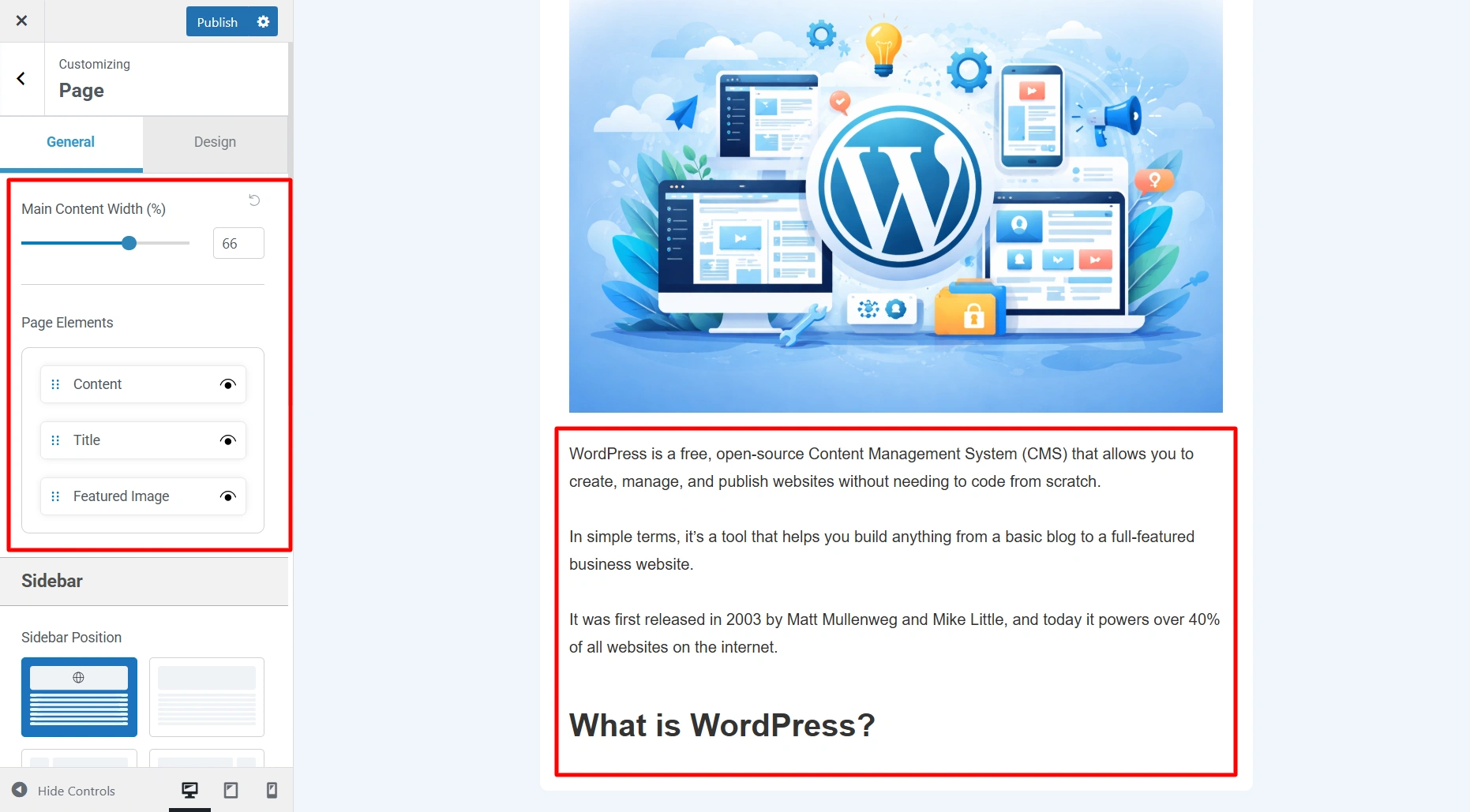
Main Content Width (%) – Here you can adjust the width of your main content on your pages.
Page Elements – Here you can set the order of Title, Featured Image and Content in which they appear.
You need to drag the elements to change their order. Also you can toggle click on the eye icon in front of each element to show / hide that element on the page.
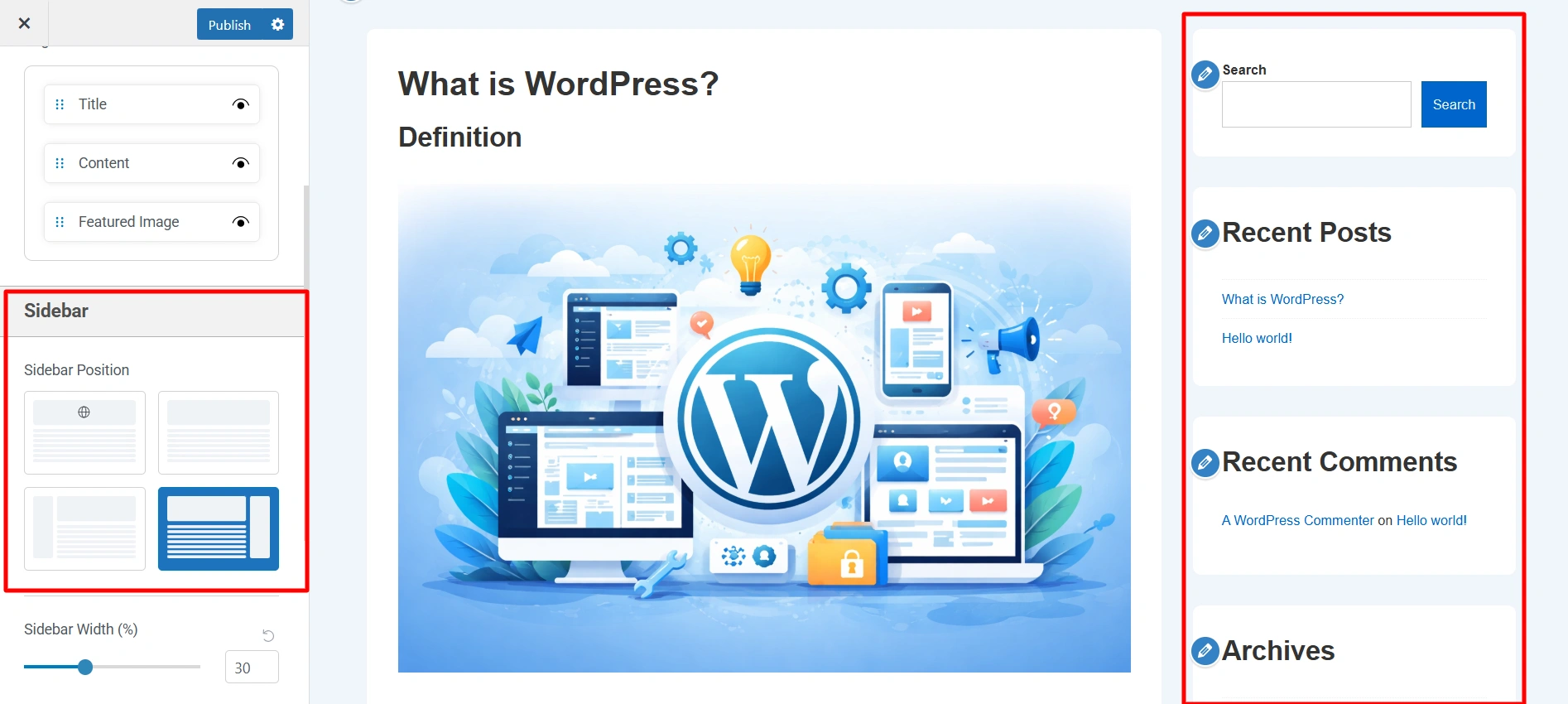
Sidebar – Here you can add widgets such as a search bar, recent posts, or custom menus. Typically positioned to the left or right side of the main content area.
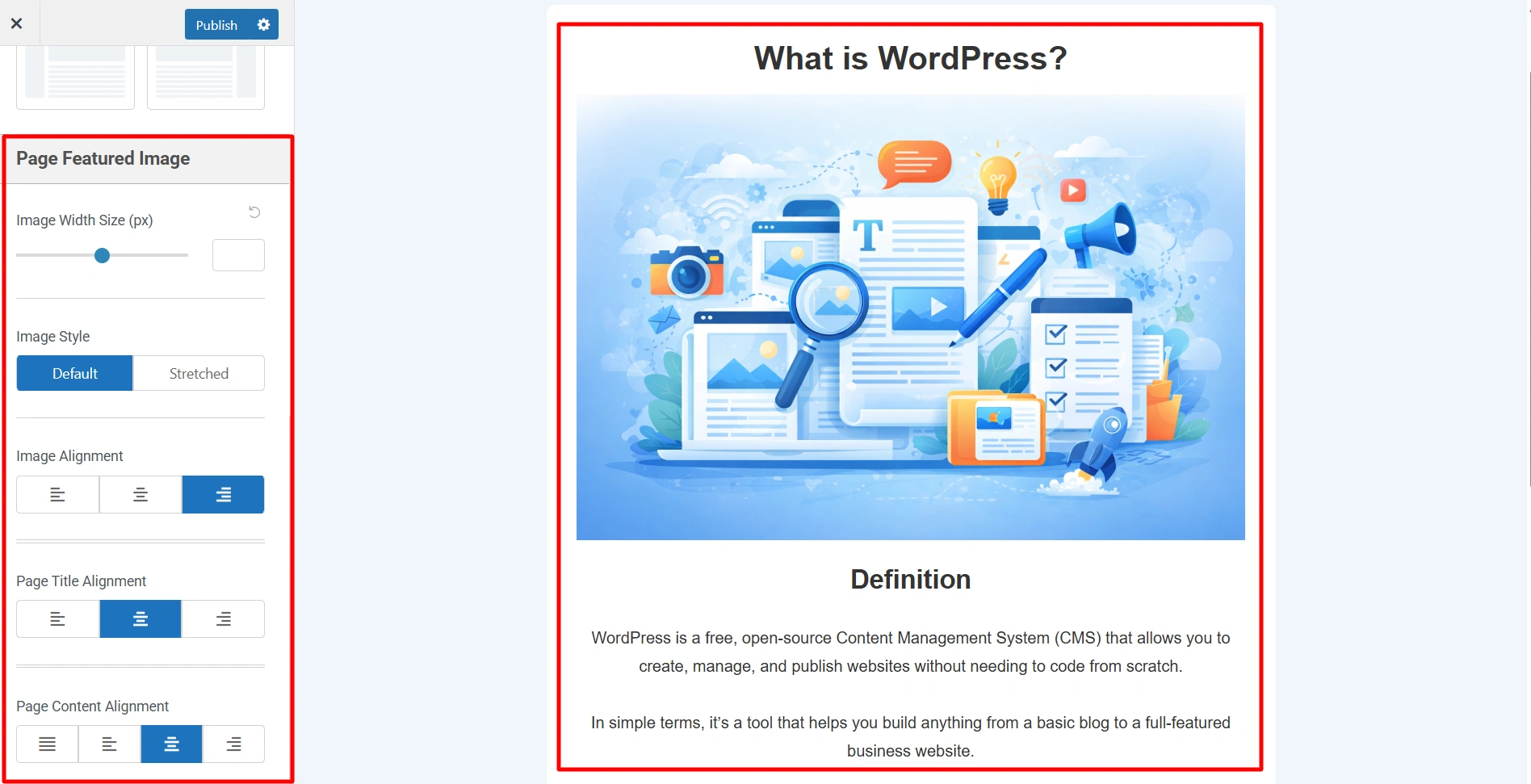
Page Featured Image – Here you can adjust the feature image of any page of your website. The following options are available:
- Image Width Size (px) – Update the featured image width size by slider. The default value will be used when the slider is in the middle. Dragging the slider to left or right will decrease or increase the image width respectively. You can click the reset button next to the input field to get the default value.
- Image Style – Here you can choose if you want to display the featured image of the page as default or stretched.
- Image Alignment – Here you can choose if you want to display the image at left, right, or center.
- Page Title Alignment – Here you can choose if you want to display the title of the page at left, right, or center.
- Page Content Alignment – You can choose if you want to display the blog page content at left, right, or center.
Page Settings – Design
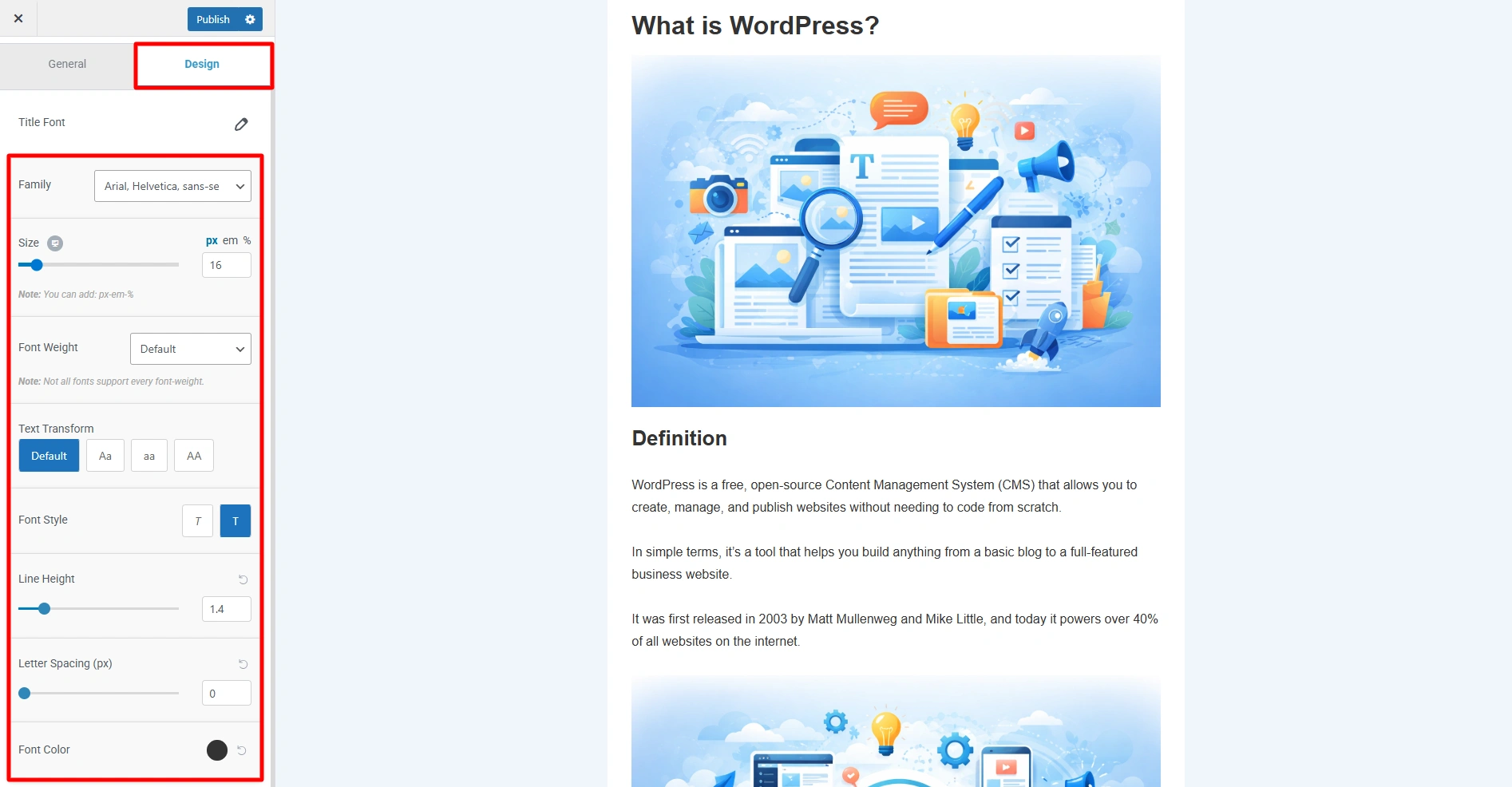
Title Font – You get the option to change the typography of the title on your website. The available options are:
- Font Family – Select font family from a large number of Google fonts.
- Font Size – Select font size.
- Font Weight – Select font weight.
- Text Transform – Select between Default, Capitalize, Lowercase or Uppercase.
- Font Style – Select font family style from normal and italic.
- Line Height – Give line-height from 1-4.
- Letter Spacing – Give letter spacing upto 10.
- Font Color – Select the color you want for the font.
By using these design options you can customize the pages on your website as per your brand requirements. Happy Designing!


