
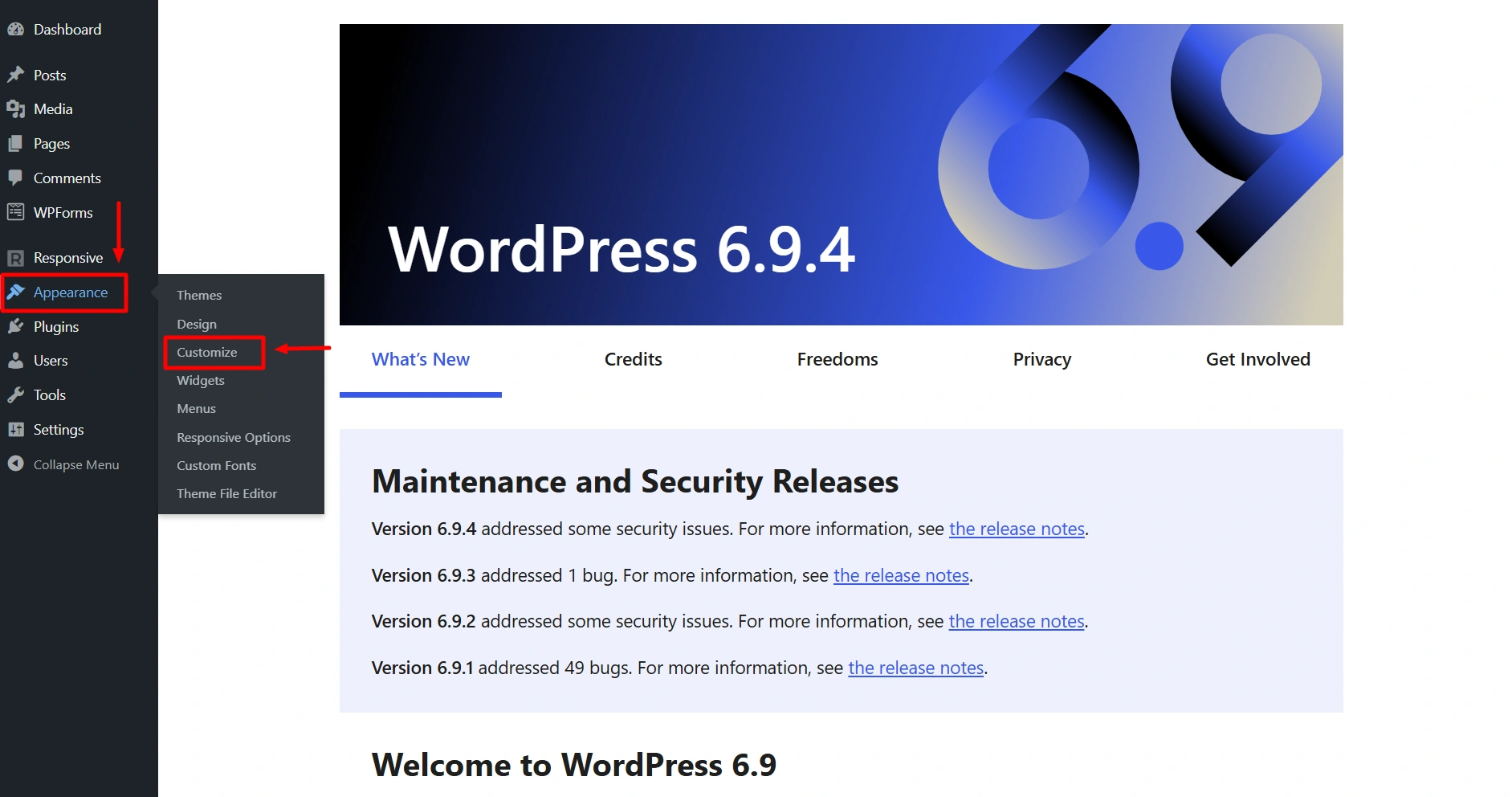
After installing Responsive Theme, from the WordPress dashboard navigate to Appearance > Customize > Global > Buttons.

Let’s see the different button design options you get with Responsive Theme:
Buttons Font
Here you can change the typography for your buttons. The following options are available:

- Font Family – Select font family from a large number of Google fonts.
- Font Size – Select font size.
- Font Weight – Select font weight.
- Text Transform – Select between Default, Capitalize, Lowercase or Uppercase.
- Font Style – Select font family style from normal and italic.
- Line Height – Give line-height from 1-4.
- Letter Spacing – Give letter spacing upto 10.
Button Colors
Here you can change the colors of your button. The following options are available:
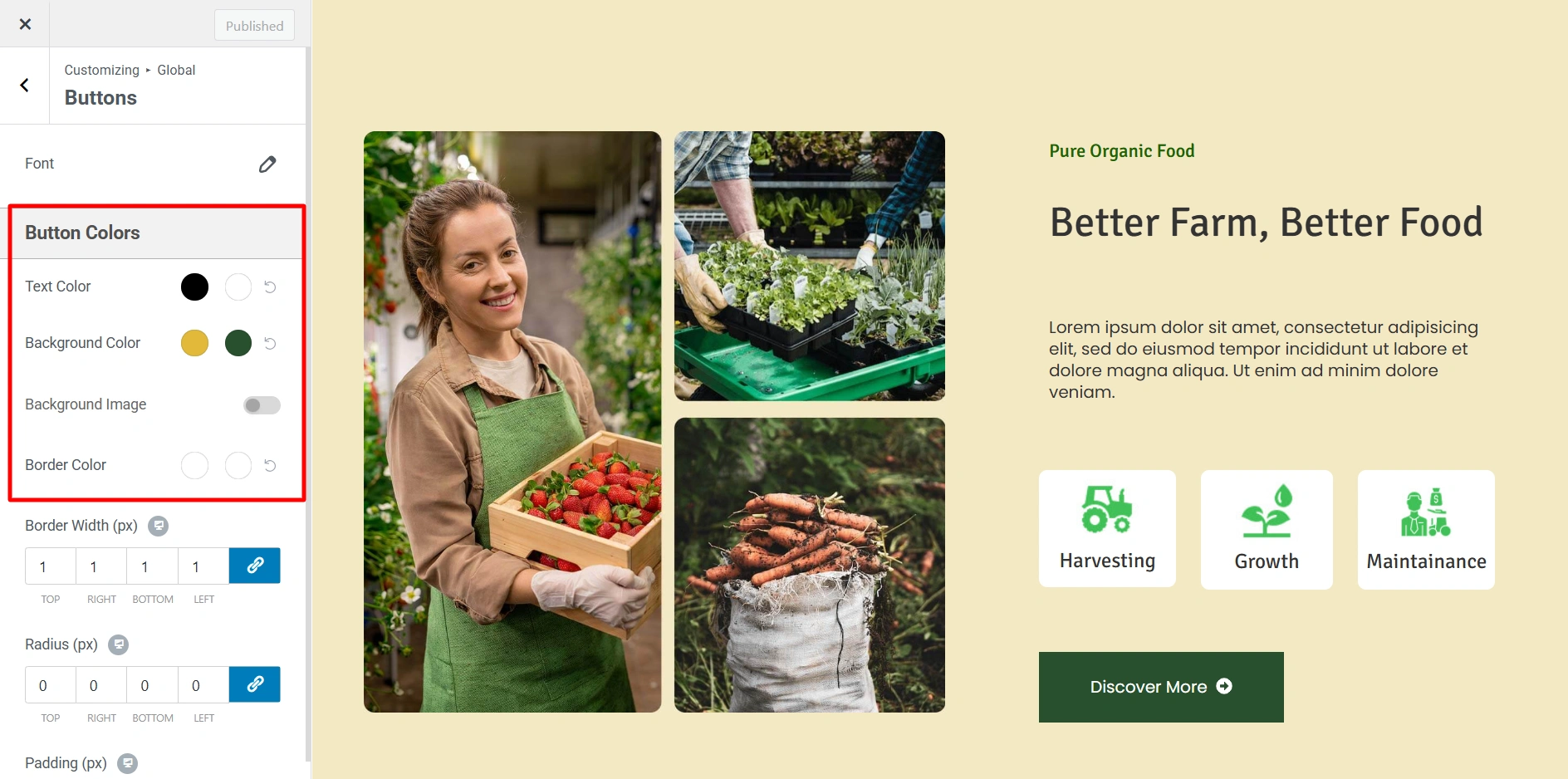
- Text Color – Choose color for the button text.
- Background Color – Select the background color of the button.
- Background Image – Use it to set background image for the button.
- Border Color – Add border color.
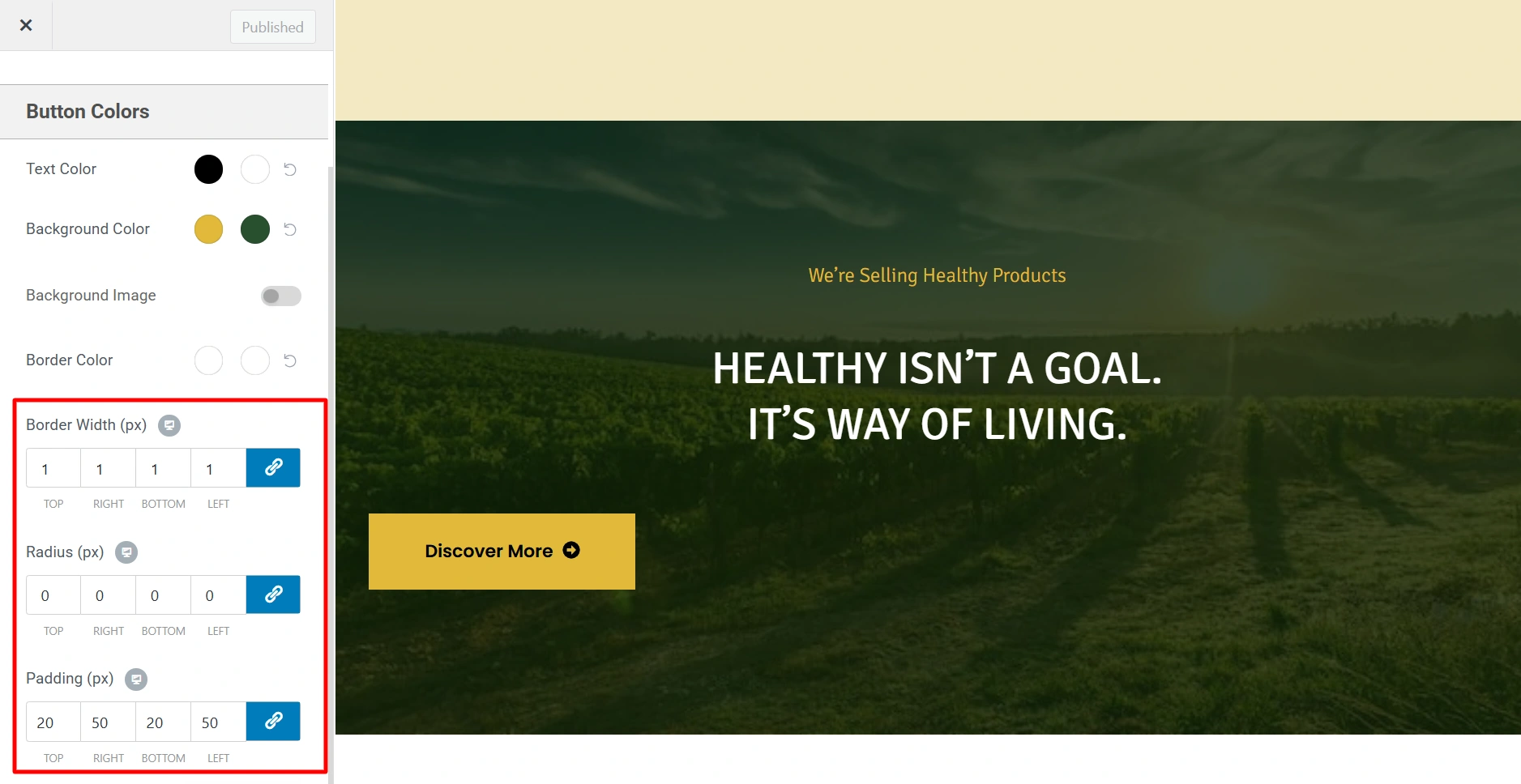
Apart from these options you also get some additional button design options with Responsive Theme.
- Border Width (px) – You can set the width of the button from here.
- Radius (px) – Border radius of all buttons. Here the border radius is in pixels.
- Padding – Left, right, top and bottom can be given to buttons.
By using these design options you can customize the buttons on your website as per your brand requirements. Happy Designing!


