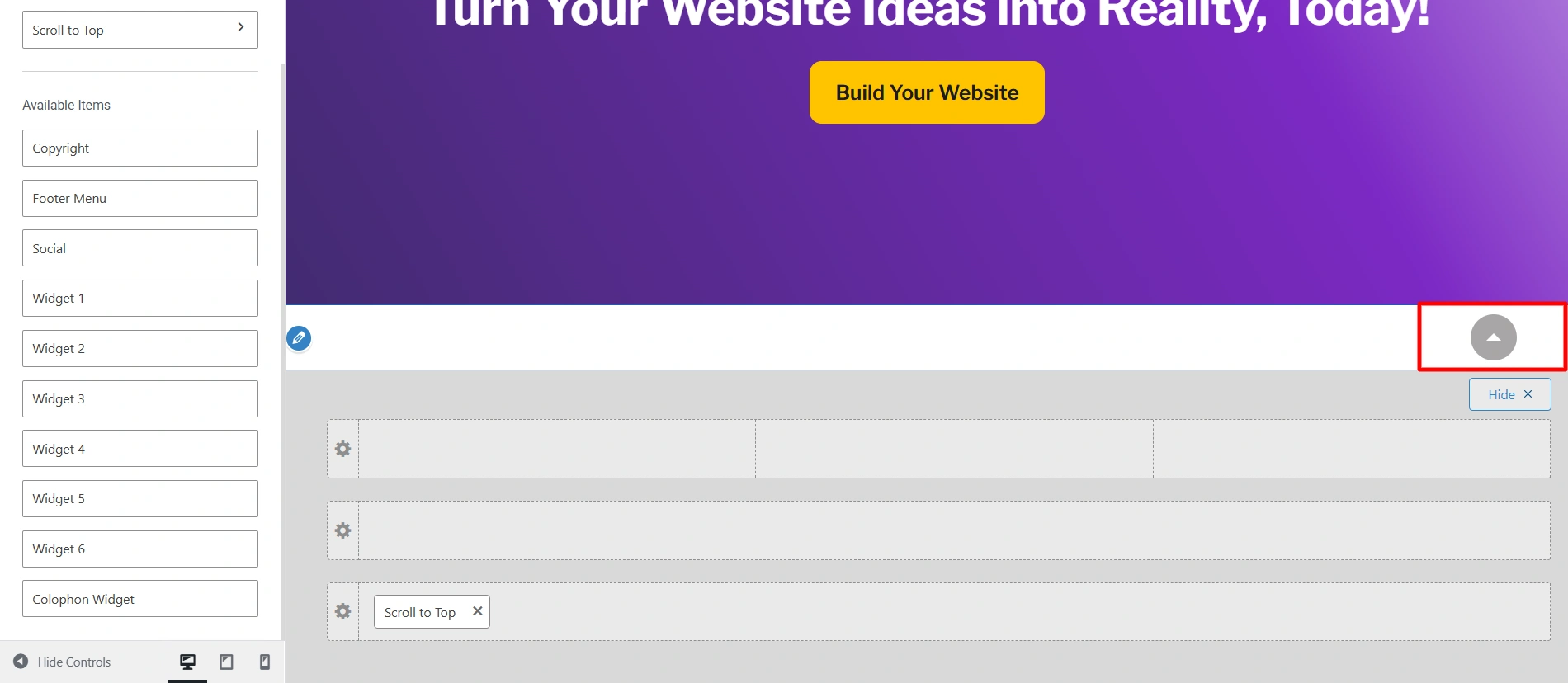
The Scroll To Top is an icon that appears when you scroll to the bottom of your page. It is used to quickly navigate to the top of the page.
Let us learn the settings so that you can add it in your website’s footer.
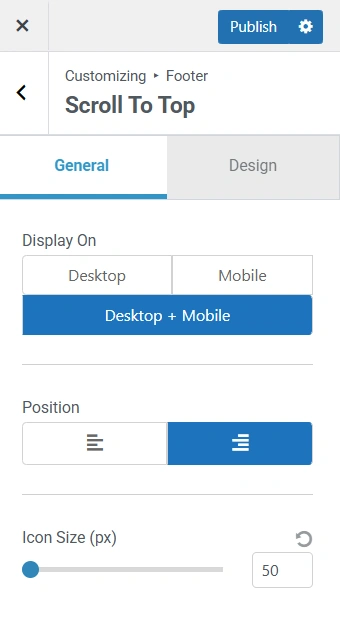
General Settings
Display On: Using this setting, you can choose on which device you want to display the Scroll To Top icon. You have three options- Desktop, Mobile, and Desktop + Mobile.
Position: You can align the Scroll To Top icon using this option on the left or on the right.
Icon Size: Using the slider, you can adjust the size of the icon.
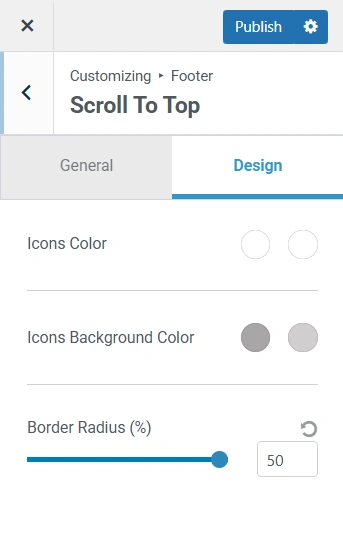
Design Settings
Icons Colour: To add an icon colour to your Scroll To Top icon, you can select a colour from the colour gradient or add a HEX code. You can select a different colour when you hover on it as well.
Icons Background Colour: To add a background colour to your Scroll To Top icon, you can select a colour from the colour gradient or add a HEX code.
Border Radius: You can adjust how rounded your icon is by using the slider or manually entering the pixel size.